
Community listing page, reviews may not be monitored by the author.
SkyChanger

No reviews yet
customize Your Sky with SkyChanger

Community voices
Reviews
No reviews yet. Be the first to review this project!
Get it on
Available Platforms
About
Project Details
For authors
Embed Badge
If you're the author of this project, you can embed a live badge anywhere that supports HTML or Markdown. It updates automatically whenever ratings change.
Use HTML for any page that supports it, or Markdown for README files and Markdown-based descriptions.
Identifiers
Platform IDs
Resources
External Links
About
Description
SkyChanger – Customize Your Minecraft Sky!
Give your Minecraft world a completely new atmosphere with SkyChanger, a lightweight client-side Fabric mod that lets you customize the color of your daytime sky with virtually any color you can imagine!
Want a beautiful purple sky, a dark blue atmosphere, a pink sunset-inspired look, or a completely unique sky color? SkyChanger makes it possible with an easy-to-use color picker and an advanced configuration GUI.
✨ Features
Custom Sky Colors: Change the default blue sky to virtually any color.
Advanced Color Picker: Choose your favorite color using RGB, HEX, and visual color selection controls.
Natural Sky Gradient: Preserve Minecraft's original sky gradient instead of creating an unnatural flat-colored sky.
White Cloud Preservation: Keep vanilla clouds completely white, regardless of your selected sky color.
Live Preview: See your selected sky color instantly inside the configuration GUI.
Instant Changes: Apply color changes without reloading your world or restarting Minecraft.
Reset Sky: Restore the original Minecraft blue sky with one click.
Multiple Color Presets: Quickly choose from different predefined colors.
Automatic Saving: Your selected settings are saved automatically.
Lightweight Performance: Designed to consume minimal system resources and avoid noticeable FPS drops.
Client-Side: No server-side installation required.
🎨 Available Customization
Choose from colors such as:
Blue
Dark Blue
Purple
Pink
Red
Orange
Cyan
Green
Yellow
-
Custom RGB / HEX Colors
🎮 How to Use
-
Install SkyChanger.
-
Launch Minecraft.
-
Enter
/skycor/skyc guito open the configuration menu. -
Select your favorite sky color using the color picker.
-
Watch your Minecraft sky change instantly!
You can also access the configuration screen through Mod Menu.
⚡ Performance & Compatibility
SkyChanger is designed to be extremely lightweight and performance-friendly. It aims to work alongside popular Fabric mods, including Sodium, Lithium, Iris, and other compatible client-side modifications.
Your Sky. Your Colors. Your Minecraft.
Make every Minecraft world look the way you want with SkyChanger!
Screenshots
Gallery
-
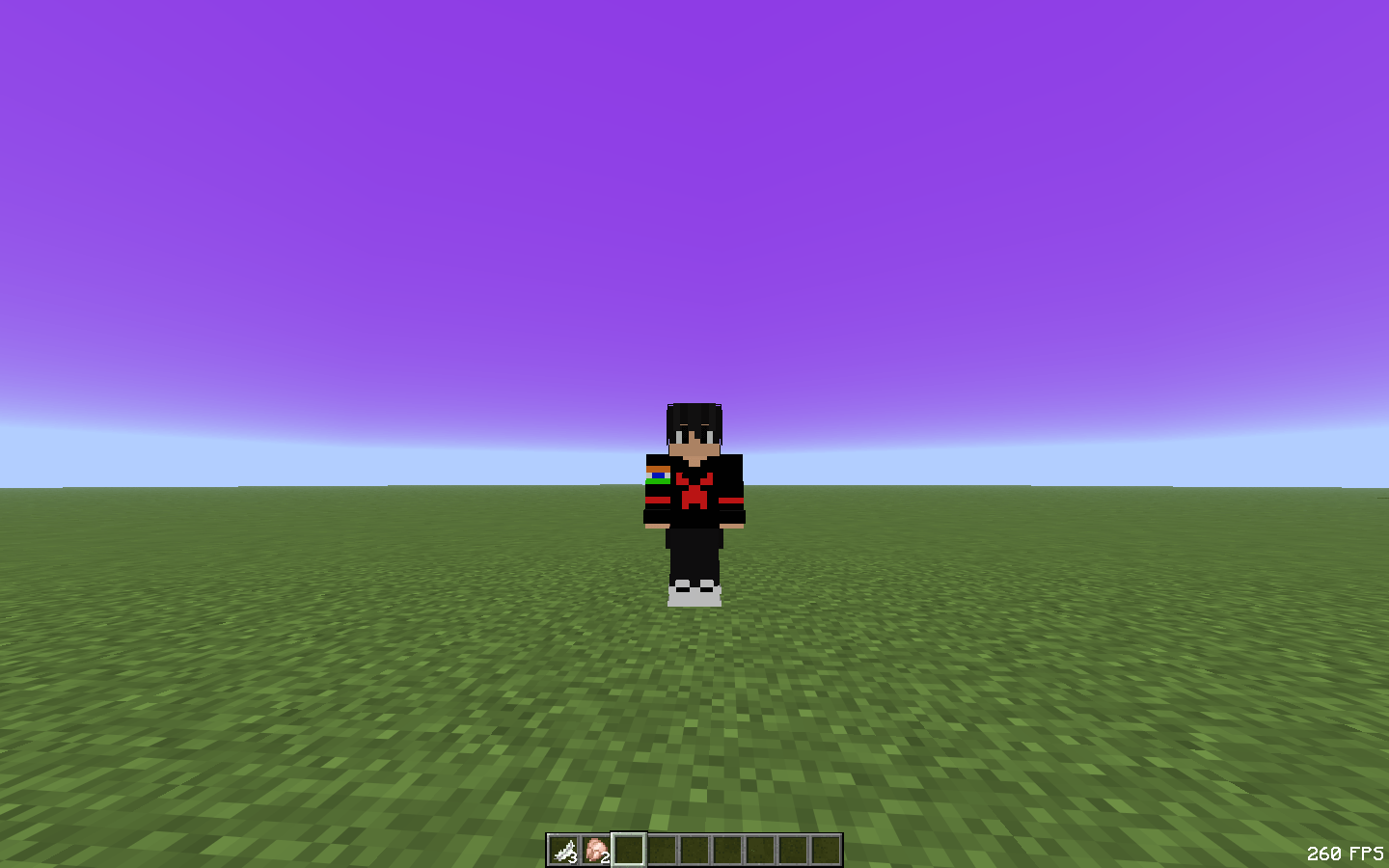 2026-11-08_09.15.45.png 2026-11-08_09.15.45.png
-
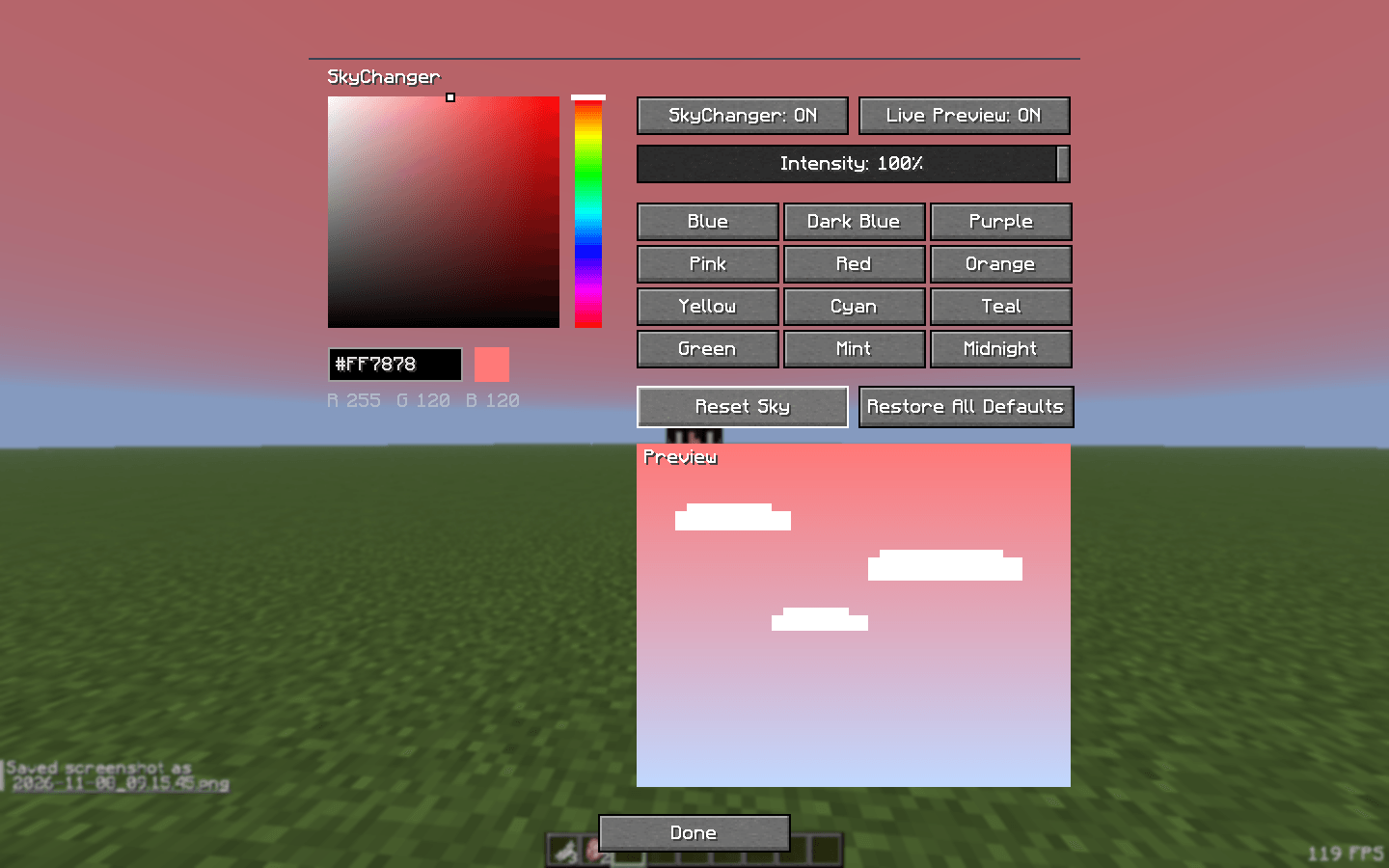 2026-11-08_09.16.36.png 2026-11-08_09.16.36.png
Versions
Files
Relations
Project Relations
More like this
Similar Mods
Suggestions use data such as tags, dependencies, dependents, descriptions, titles, and more to rank how much they overlap with this mod.
On ModDex
Community snapshot
By the numbers
Statistics

Get it on
Available Platforms
On ModDex
Community snapshot
By the numbers
Statistics
Resources