
Community listing page, reviews here may not be monitored by the author.
SkyTrader


No reviews yet
Sky Trader introduces a rare, skyfaring traveler who offers a new way to travel your world. Buy a Skyfare Ticket and hop aboard to the nearest village! But be nice to your captain...
Community voices
Reviews
No reviews yet. Be the first to review this project!
Get it on
Available Platforms
Compatibility
Supported Environments
Must be installed on both the client and the server.
About
Project Details
For authors
Embed Badge
If you're the author of this project, you can embed a live badge anywhere that supports HTML or Markdown. It updates automatically whenever ratings change.
Use HTML for any page that supports it, or Markdown for README files and Markdown-based descriptions.
Identifiers
Platform IDs
About
Description
Sky Trader
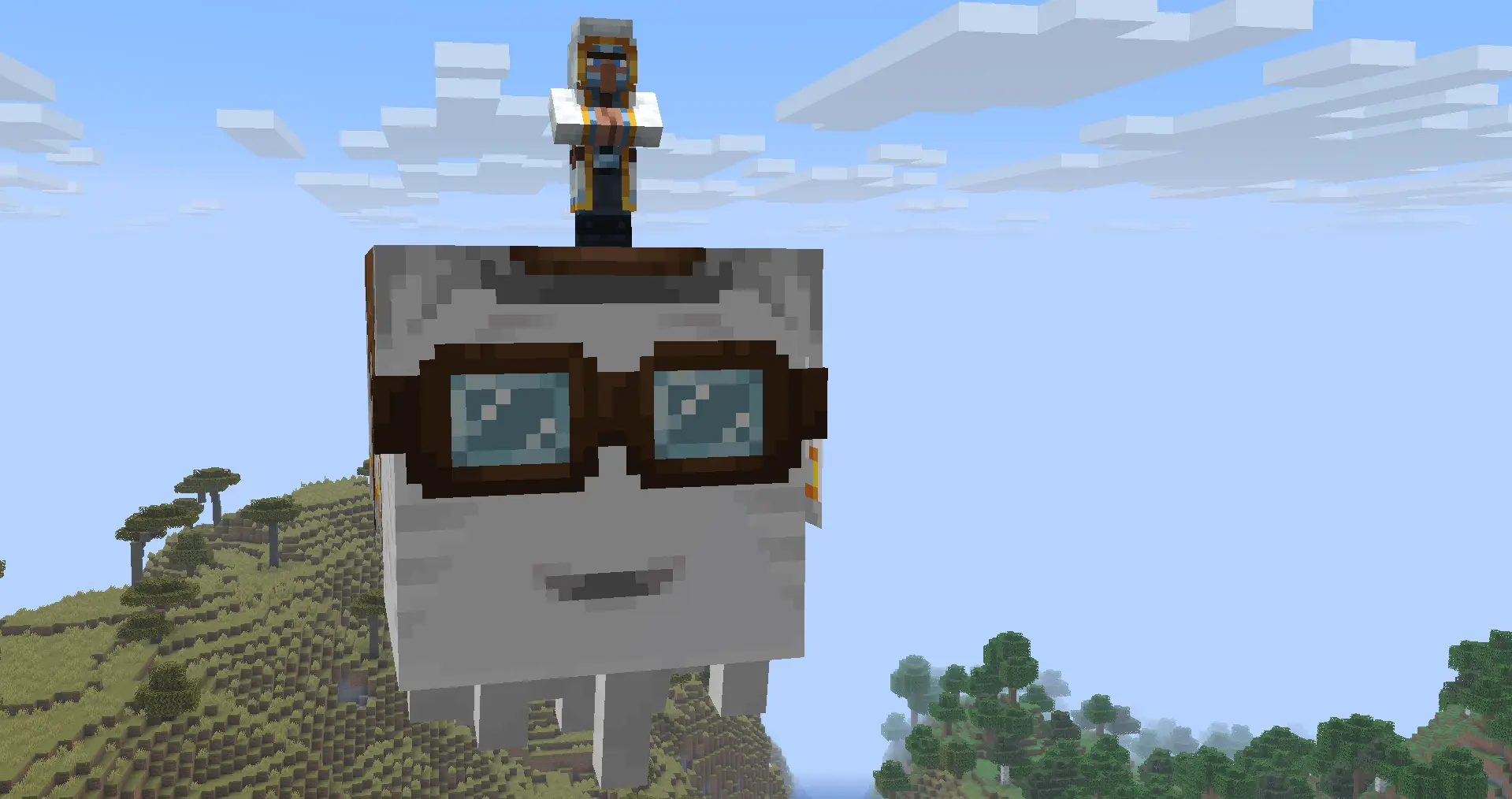
The Sky Trader is a rare trader who soars the skies aboard their friendly Happy Ghast. Purchase a Skyfare Ticket and hitch a ride to the nearest village, or call a taxi using a Skyflare!
Features
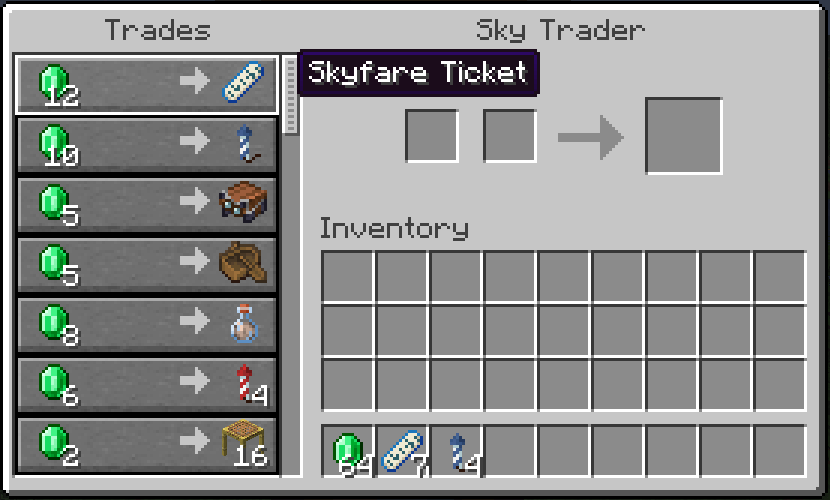
- Sky Trader: Spawns randomly in the sky with similar frequency to Wandering Traders. Offers up to 3 players a one-way trip to the nearest village, and sells flight/sky and nether-themed items. They also sell snacks during your flight!
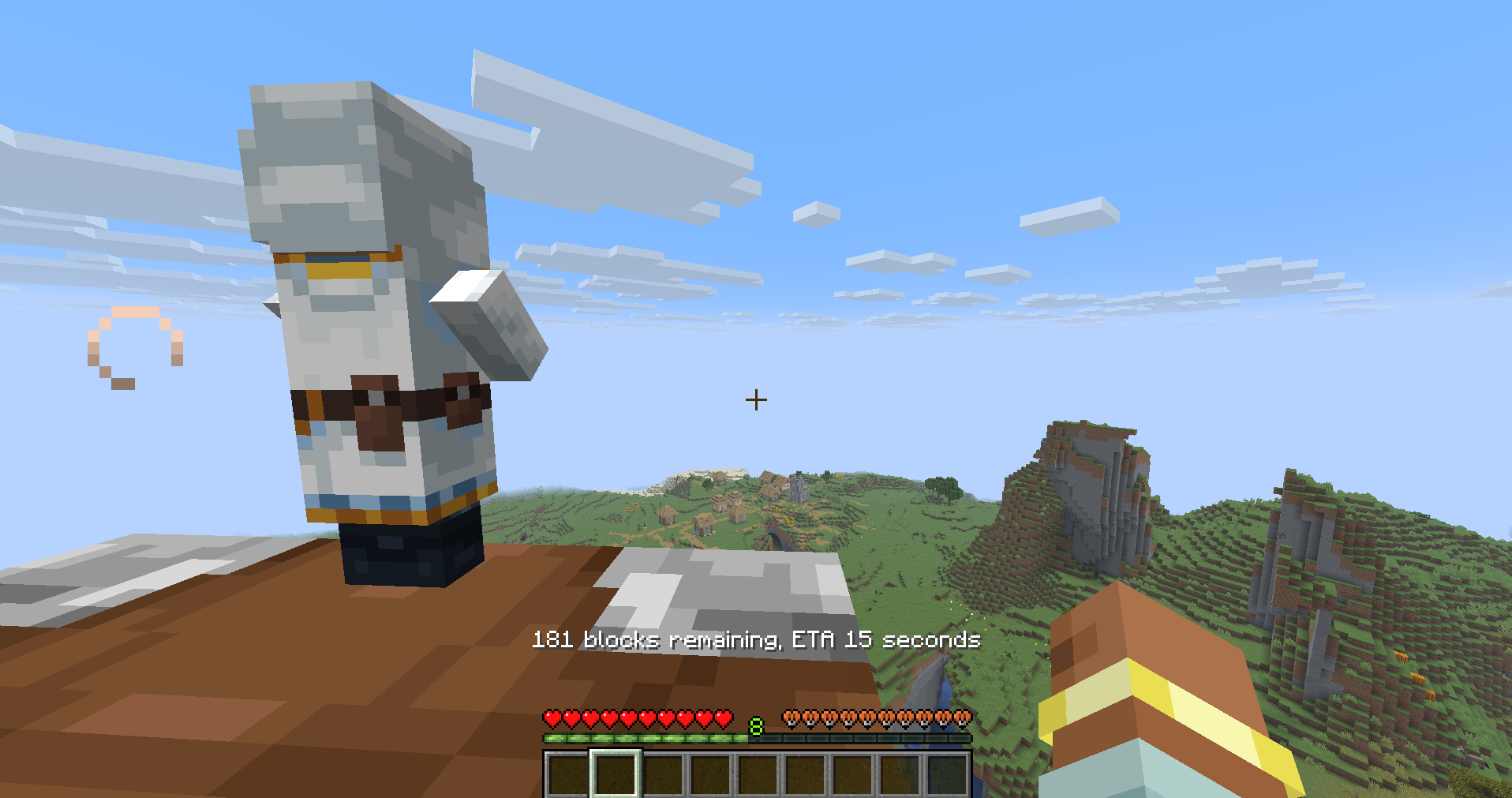
- Custom Routes: Give the Sky Trader an Explorer map to be taken to the structure marked on that map, a bed to be taken to your spawn point, or a compass to go to world spawn
- Smooth & Configurable Flight: The Sky Trader's Ghast has several phases, like takeoff, cruising, or landing, all of which smoothly follow the terrain, whether it's natural or even player-built. Properties such as flight speed, height, and more can be customized via the config (see below)
- Skyflare: A purchasable item that lets you summon a Sky Trader on demand. No more waiting around
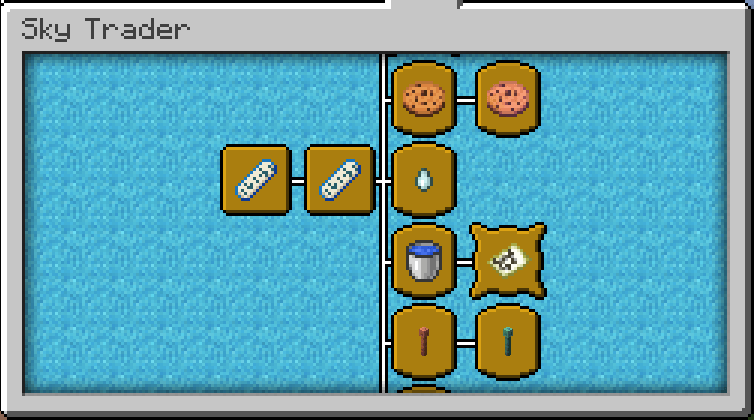
- Advancements: A dedicated advancements tab with 15+ advancements. Can you discover the hidden ones?
- Statistics: Track the number of flights you've taken with Farlands Airlines as a custom statistic
- ???: Your actions have consequences.
Config
Game Rules
You can enable Sky Trader spawns with the skytrader:spawn_sky_traders game rule. There is also a game rule for the hidden feature that shall not be named. But yes if you don't like that, you can disable it.
Spawn Rates & Flight Mechanics
Find the skytrader.json file in your Minecraft instance's config folder (your loader's default location). This file controls the spawning of the Sky Trader, flight of the Sky Trader's Ghast, and the village finder. Not recommended to change terrainLookaheadDistances, terrainSampleInterval, or searchRadius, unless you know what you're doing. Setting terrainSampleInterval to a higher value can help with lag if you have multiple flights on your server at once, but the Ghast may collide with obstacles more often. Setting it lower will make the Ghast follow terrain more smoothly, but can cause lag.
Trades/Advancements
The mod's trades and advancements are datapacked under the skytrader namespace. You can make a datapack to edit them as you wish. This is not a tutorial, though - that's all you.
Other Information
Dependencies
- Fabric: Fabric API
- NeoForge: None
Issues?
Report issues on GitHub
Supported Versions
I will only support 26.1.2+ and have no plans to backport. Feel free to do this yourself, provided you follow the license and credit me accordingly
Modpacks
Go ahead. Same as above - follow license, credit
Sky Trader
The Sky Trader is a rare trader who soars the skies aboard their friendly Happy Ghast. Purchase a Skyfare Ticket and hitch a ride to the nearest village, or call a taxi using a Skyflare!
Features
- Sky Trader: Spawns randomly in the sky with similar frequency to Wandering Traders. Offers up to 3 players a one-way trip to the nearest village, and sells flight/sky and nether-themed items. They also sell snacks during your flight!
- Custom Routes: Give the Sky Trader an Explorer map to be taken to the structure marked on that map, a bed to be taken to your spawn point, or a compass to go to world spawn
- Smooth & Configurable Flight: The Sky Trader's Ghast has several phases, like takeoff, cruising, or landing, all of which smoothly follow the terrain, whether it's natural or even player-built. Properties such as flight speed, height, and more can be customized via the config (see below)
- Skyflare: A purchasable item that lets you summon a Sky Trader on demand. No more waiting around
- Advancements: A dedicated advancements tab with 15+ advancements. Can you discover the hidden ones?
- Statistics: Track the number of flights you've taken with Farlands Airlines as a custom statistic
- ???: Your actions have consequences.
Config
Game Rules
You can enable Sky Trader spawns with the skytrader:spawn_sky_traders game rule. There is also a game rule for the hidden feature that shall not be named. But yes if you don't like that, you can disable it.
Spawn Rates & Flight Mechanics
Find the skytrader.json file in your Minecraft instance's config folder (your loader's default location). This file controls the spawning of the Sky Trader, flight of the Sky Trader's Ghast, and the village finder. Not recommended to change terrainLookaheadDistances, terrainSampleInterval, or searchRadius, unless you know what you're doing. Setting terrainSampleInterval to a higher value can help with lag if you have multiple flights on your server at once, but the Ghast may collide with obstacles more often. Setting it lower will make the Ghast follow terrain more smoothly, but can cause lag.
Trades/Advancements
The mod's trades and advancements are datapacked under the skytrader namespace. You can make a datapack to edit them as you wish. This is not a tutorial, though - that's all you.
Other Information
Dependencies
- Fabric: Fabric API
- NeoForge: None
Issues?
Report issues on GitHub
Supported Versions
I will only support 26.1.2+ and have no plans to backport. Feel free to do this yourself, provided you follow the license and credit me accordingly
Modpacks
Go ahead. Same as above - follow license, credit
Screenshots
Gallery
-
 advancements.png advancements.png
 -
 trade_menu.png trade_menu.png
 -
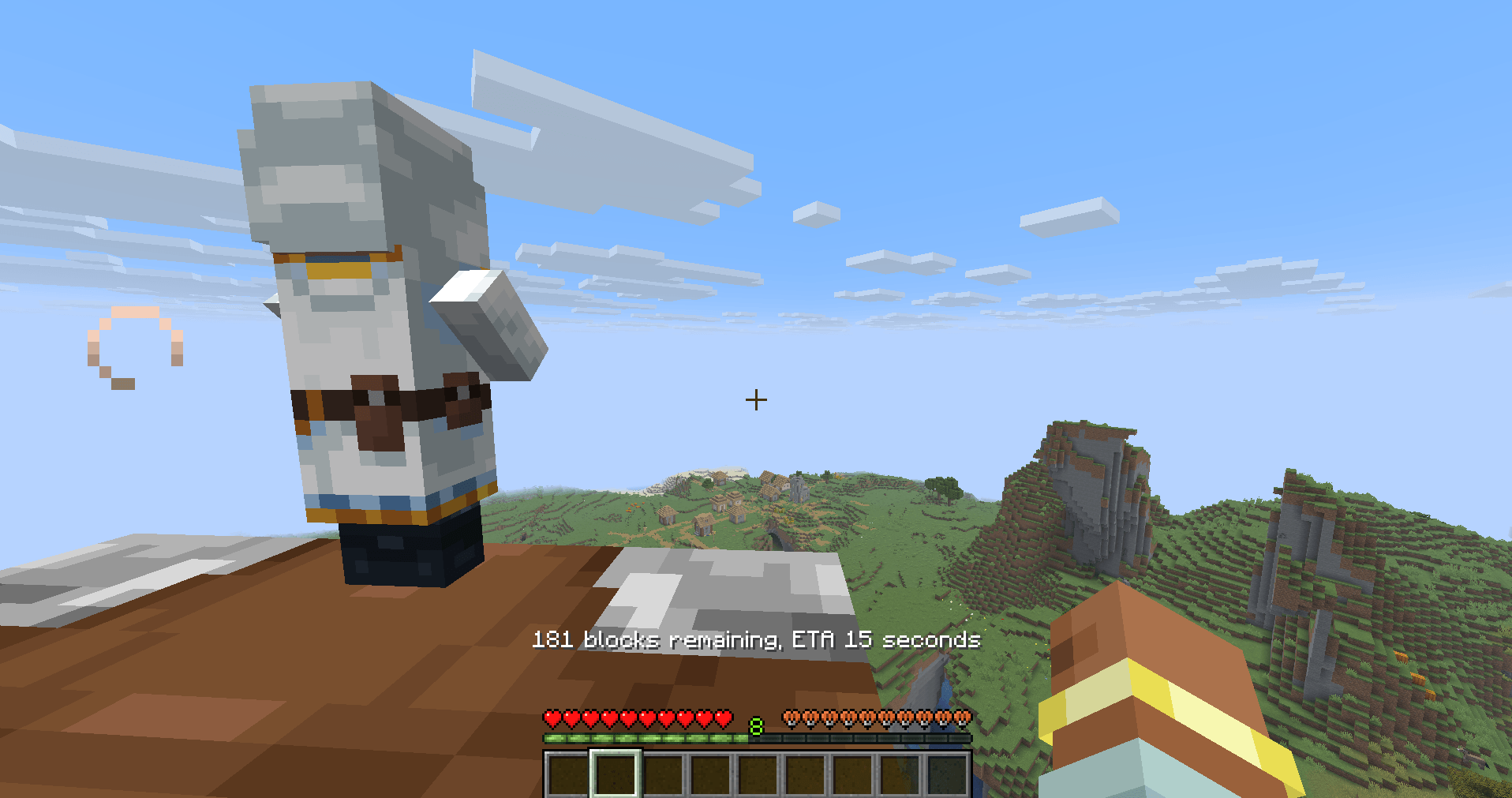 flying_to_village.png flying_to_village.png
 -
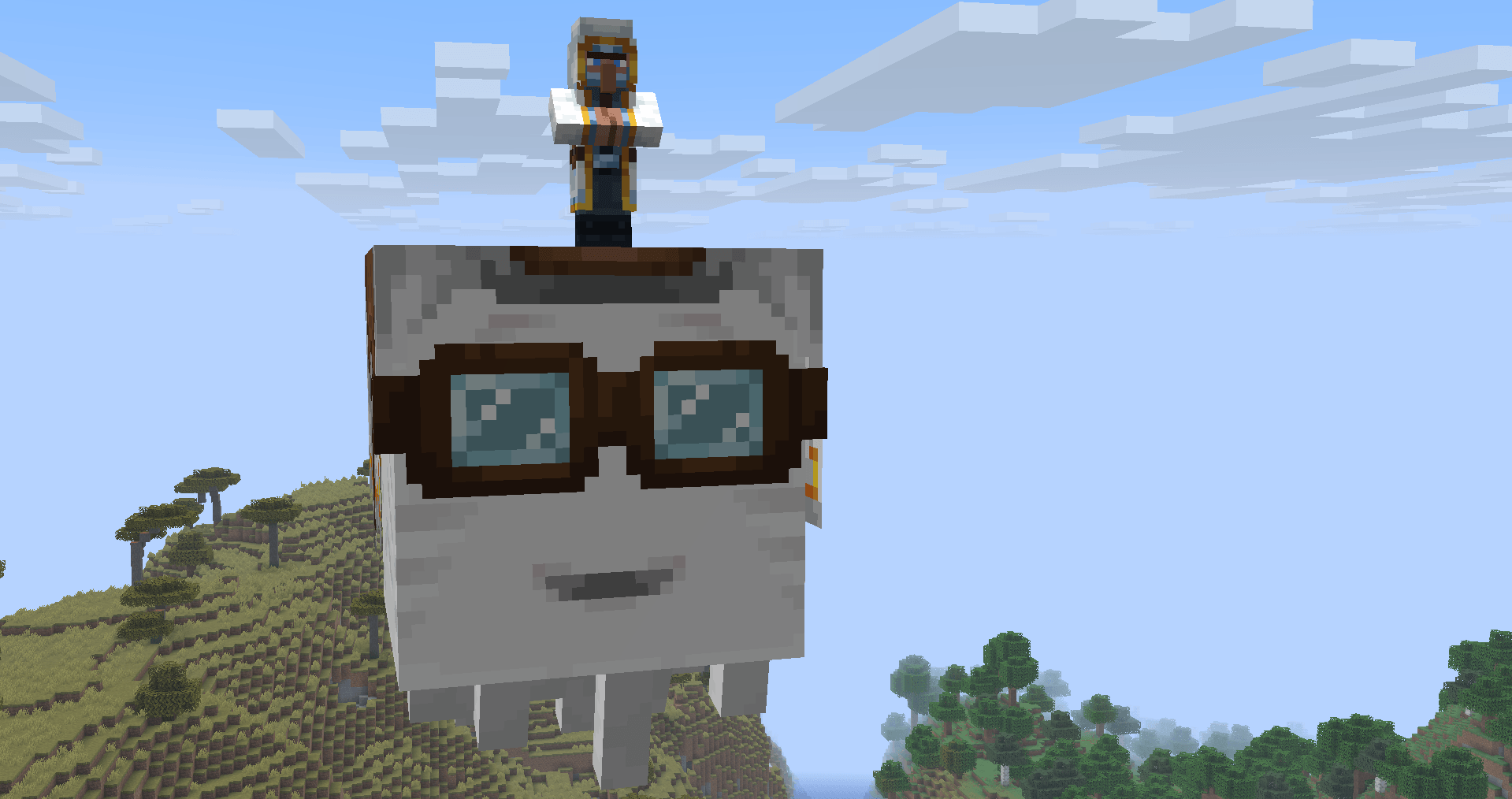 icon_full.png icon_full.png
-
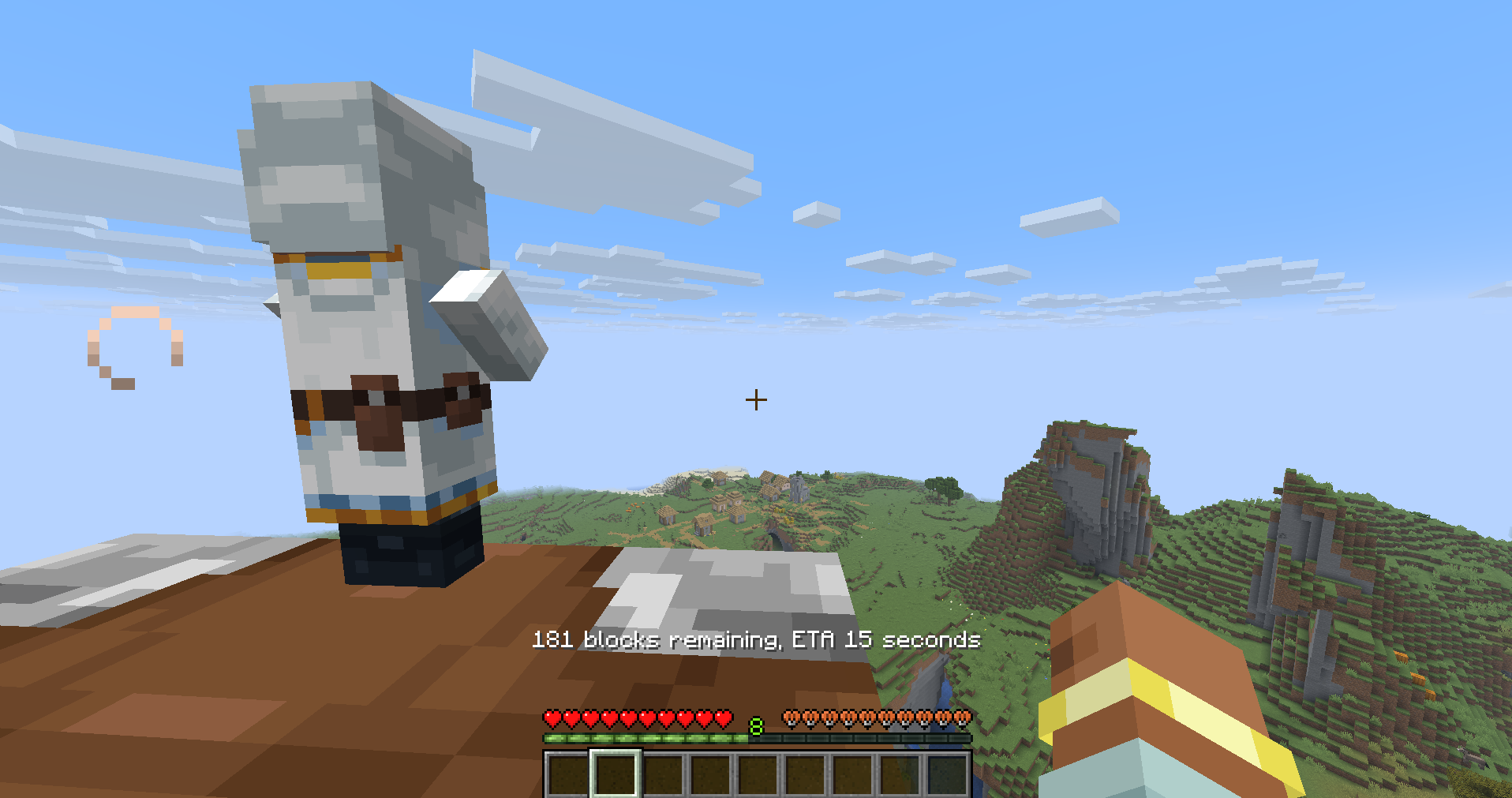 Flying to a village
 -
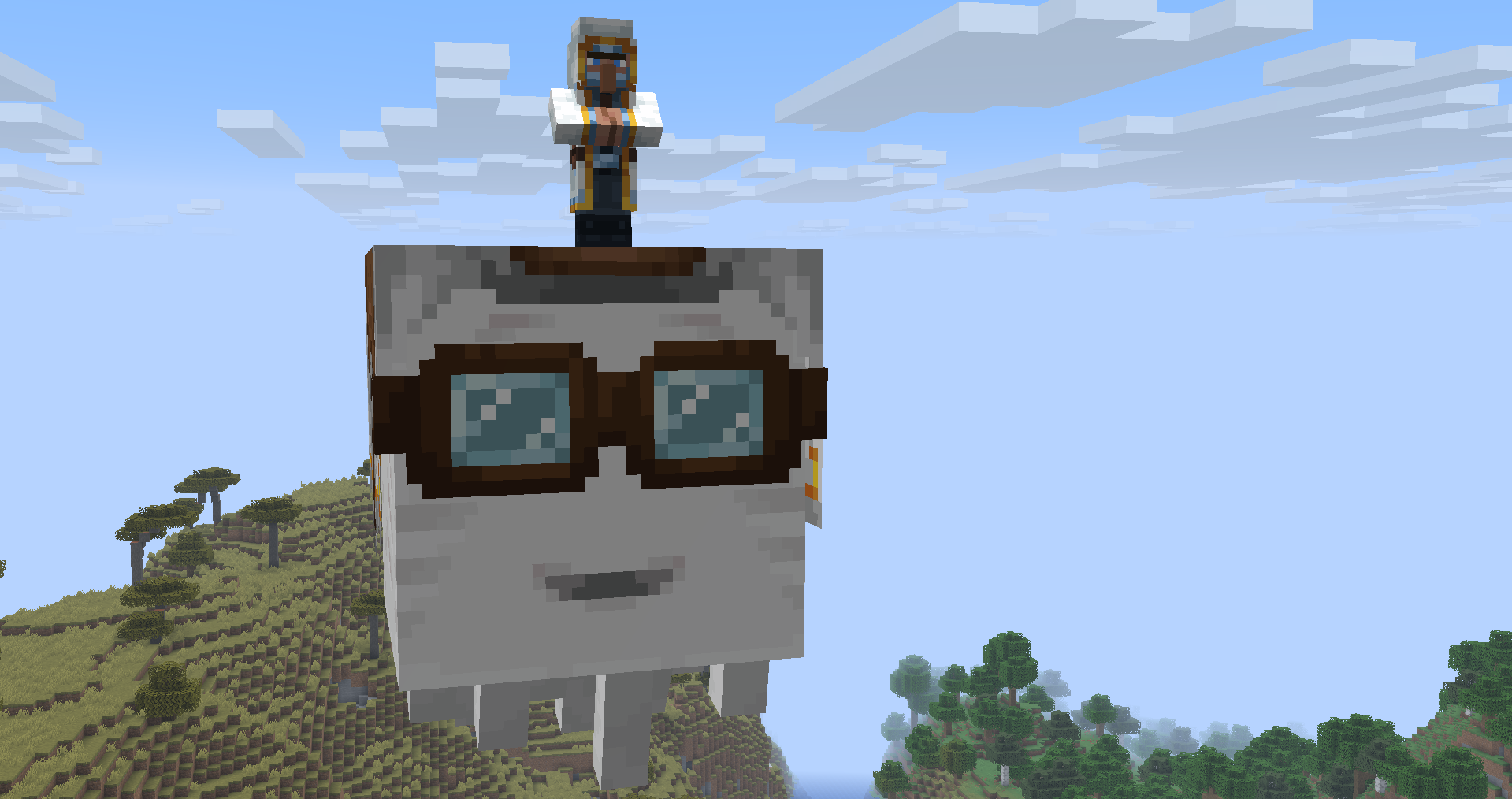 Sky Trader
 -
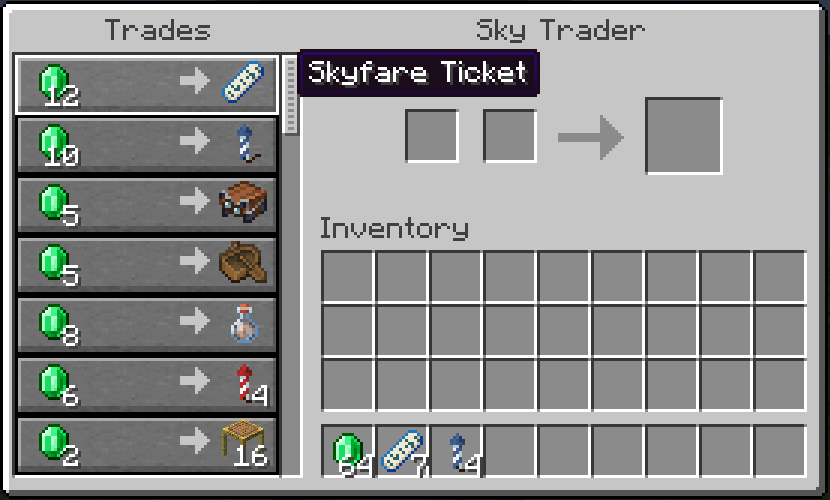 Trade menu
 -
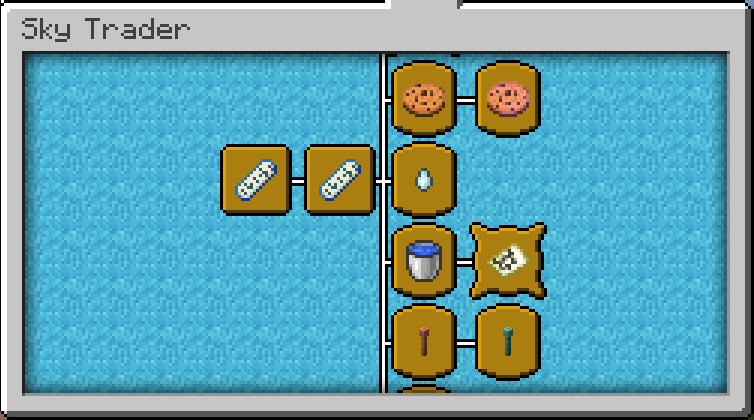 Advancements This is only half of them!
Versions
Files
Relations
Project Relations
More like this
Similar Mods
Suggestions use data such as tags, dependencies, dependents, descriptions, titles, and more to rank how much they overlap with this mod.
On ModDex
Community snapshot
By the numbers
Statistics
Want to reach Minecraft players?
We're looking for a server hosting partner to feature here and other parts of the site. Interested? Send us a message!
Get in touchGet it on
Available Platforms
On ModDex
Community snapshot
By the numbers