Community listing page, reviews may not be monitored by the author.
Slabby


No reviews yet
Vertical Slabs Mod

Community voices
Reviews
No reviews yet. Be the first to review this project!
Get it on
Available Platforms
Compatibility
Supported Environments
Must be installed on both the client and the server.
About
Project Details
For authors
Embed Badge
If you're the author of this project, you can embed a live badge anywhere that supports HTML or Markdown. It updates automatically whenever ratings change.
Use HTML for any page that supports it, or Markdown for README files and Markdown-based descriptions.
Identifiers
Platform IDs
Resources
External Links
About
Description
Slabby
Yet another vertical slabs mod, but give it a chance.
Important: Fabric Only, Server and Client
Decoration Vanilla Slabs
Slabby creates slabs for common vanilla decoration blocks. These include: concrete, terracotta, wool, and even glass. These each come with their vertical counterpart.
Vertical Vanilla Slabs
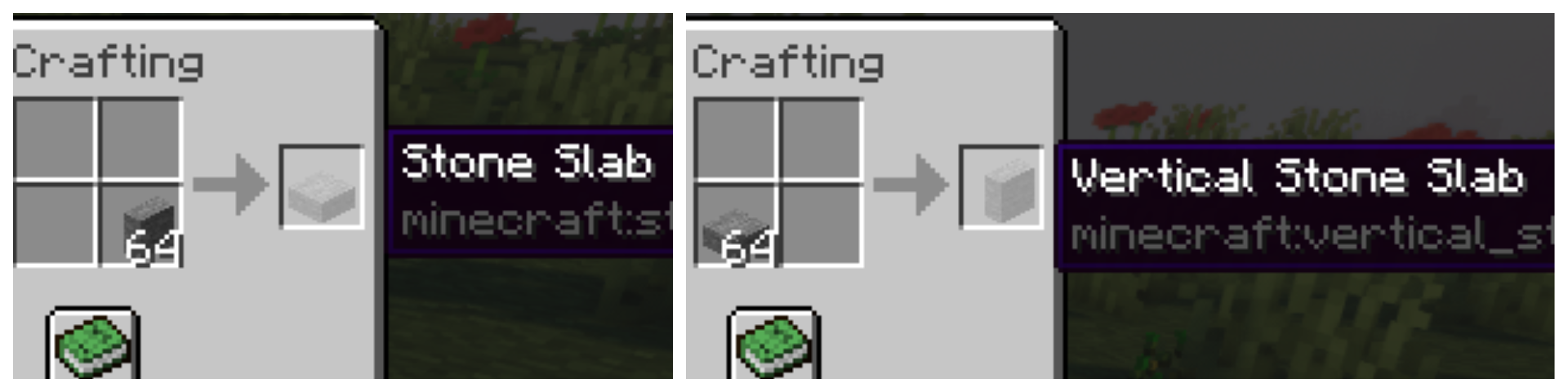
Slabby finds all slabs in Minecraft and creates a vertical version of each one. Slabby copies all settings of each slab into the new vertical one and adds useful recipes so that the new slabs are all easily accessible. Want a horizontal slab to be a vertical one? Just open your inventory, and switch it in your 2x2 crafting grid. This is obviously reversible. All vertical stone and copper slab recipes have also been added to the stonecutter recipe book.
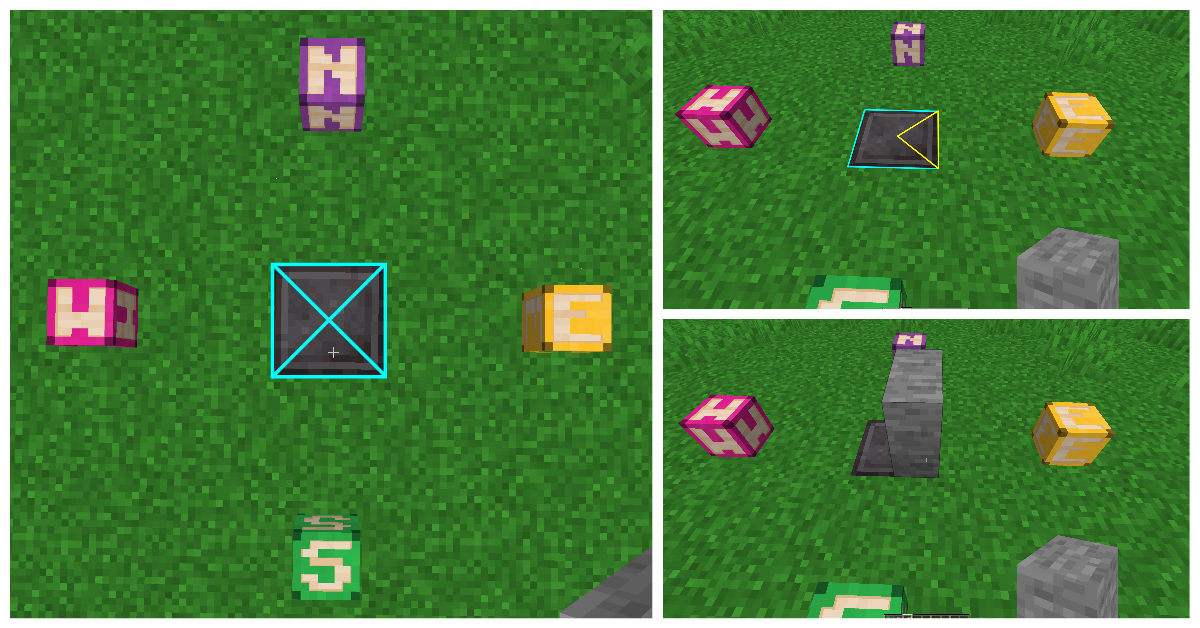
Placing vertical slabs can be tricky. Unlike the horizontal variant, the placement is based on the X and Z axis instead of just Y.
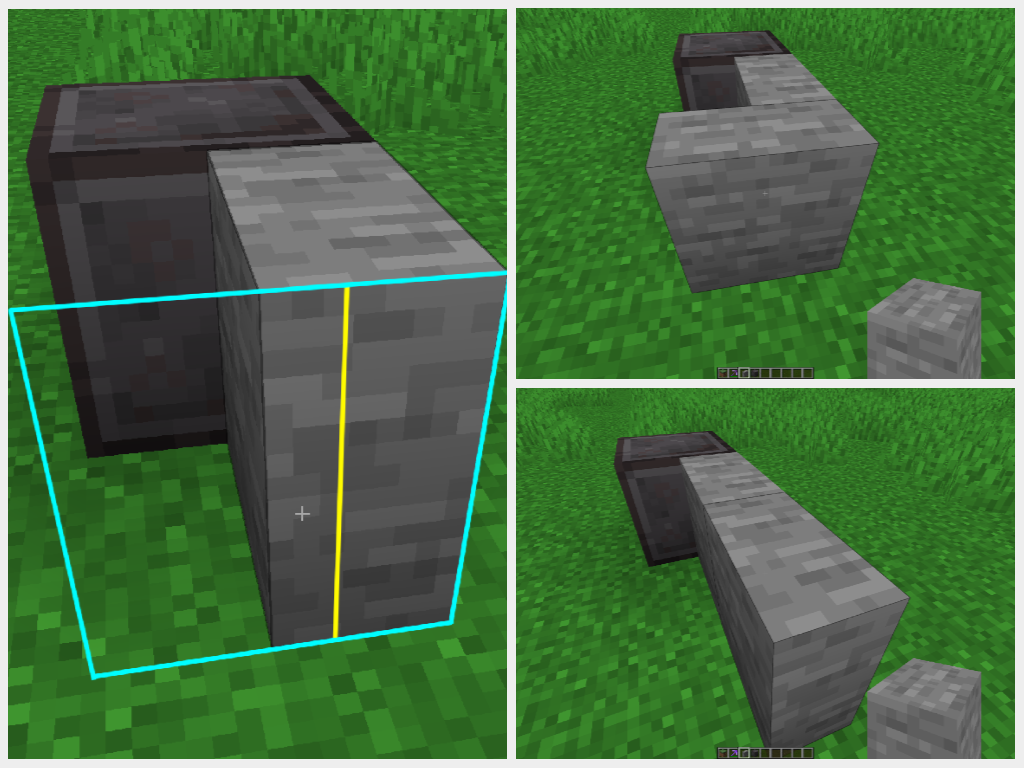
To place a vertical slab in the orientation you want on the ground or ceiling, place it in the correct quadrant shown here:
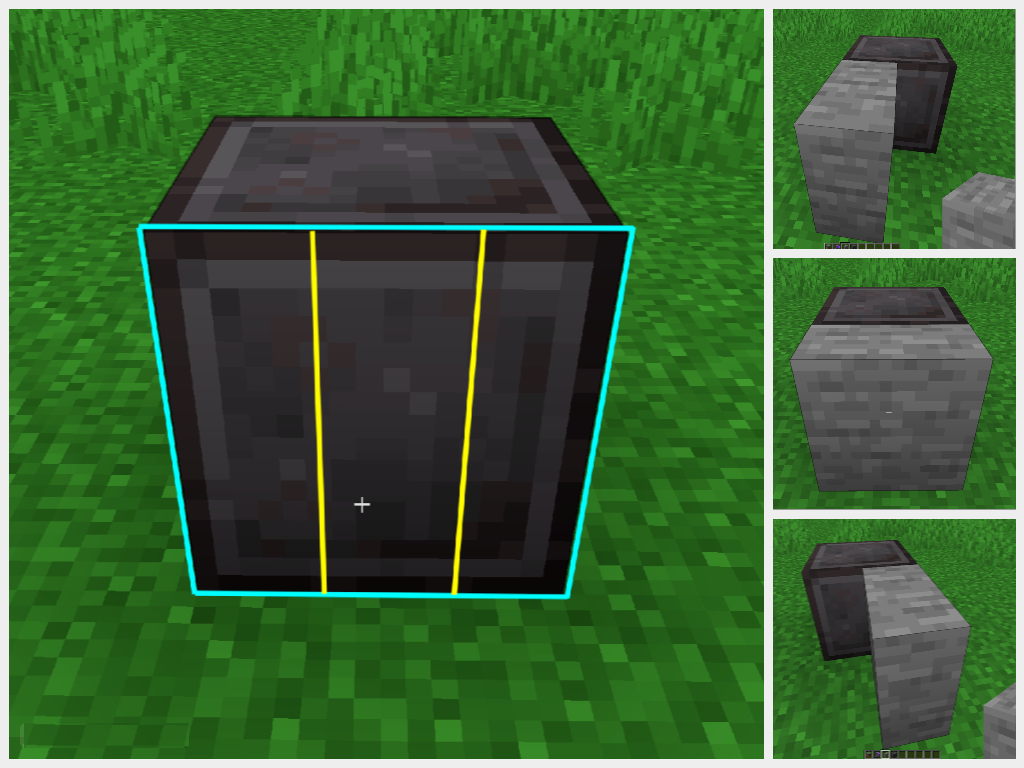
To place a vertical slab into the face of another block, imagine the block face in thirds, and place it on which side you want it to face. If you place in the center third it will place directly into the block face:
Showcase
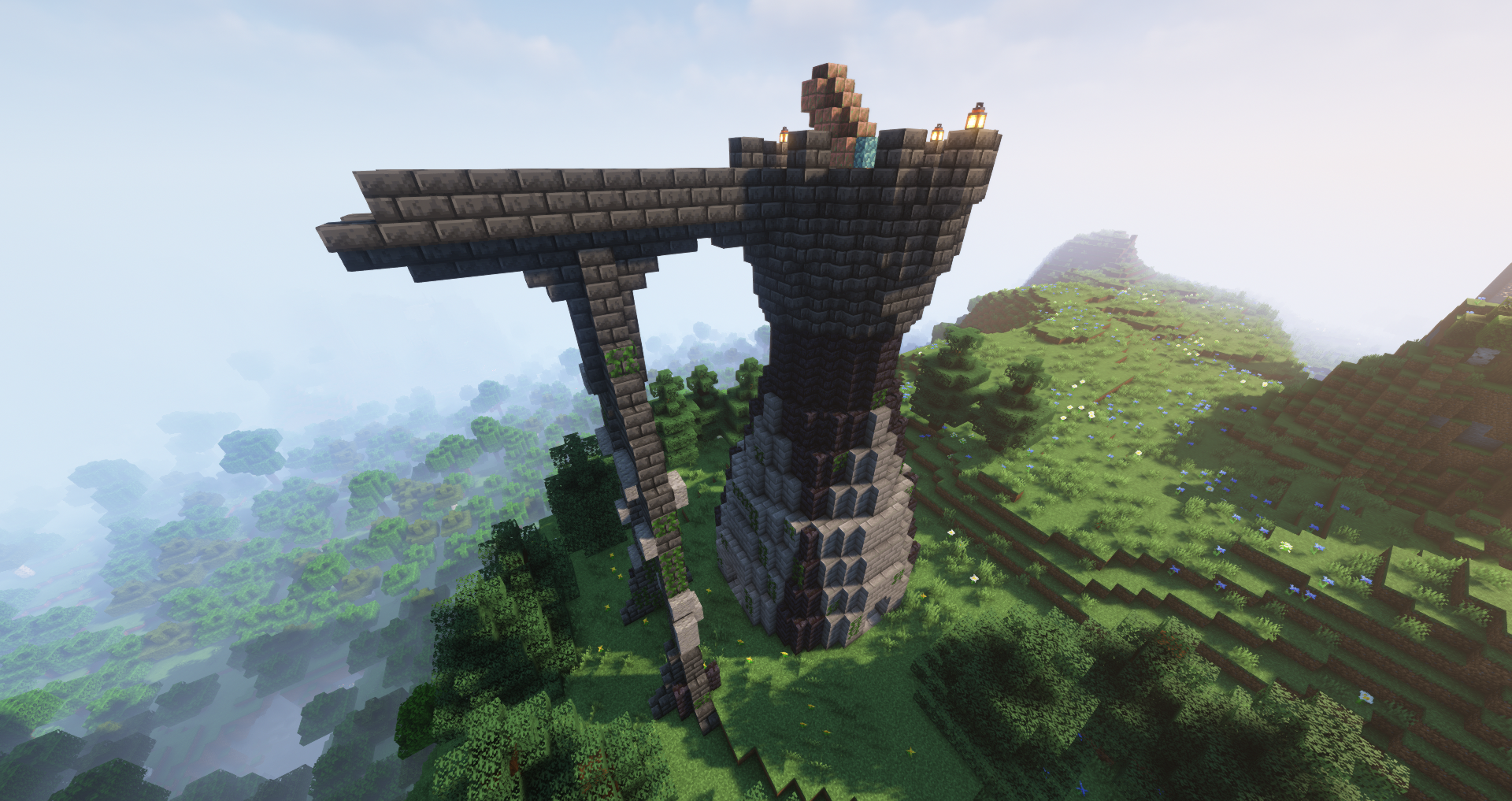
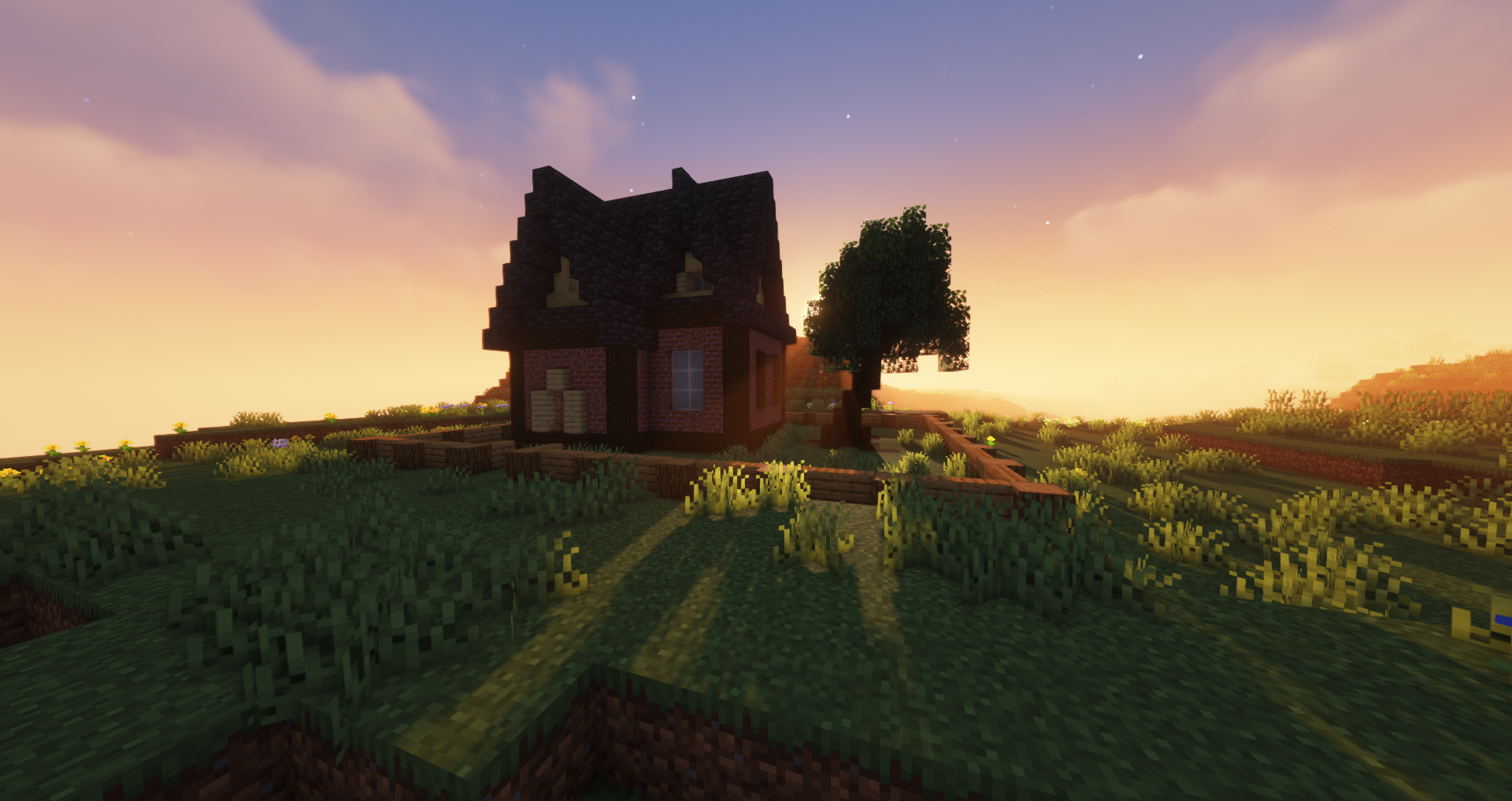
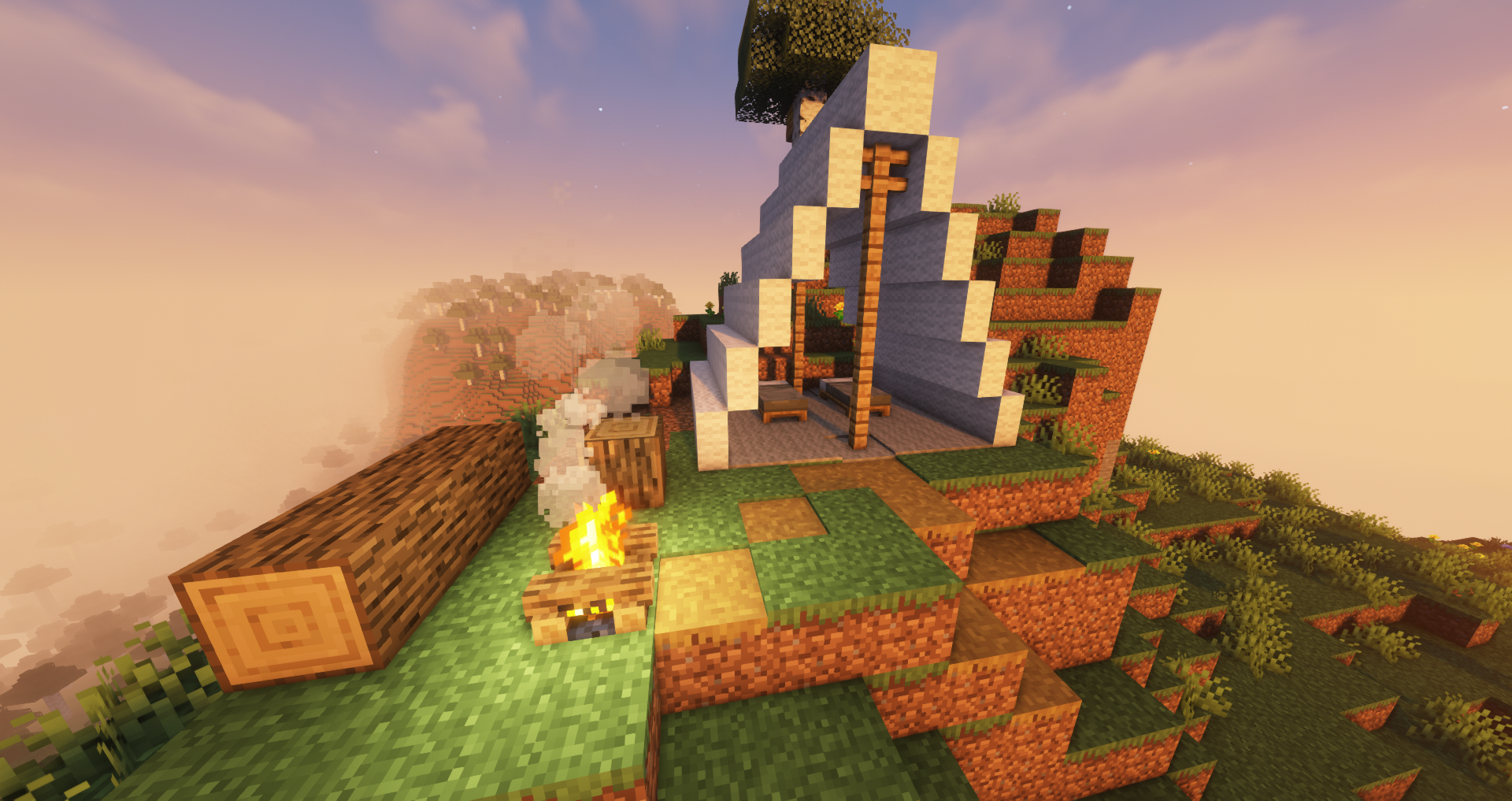
Vertical Modded Slabs
Not implemented yet.
Slabby was built in such a way that it will react to what it is given. This means that all future updates to Minecraft should only require changing the target minecraft version on the mod for it to work (unless they make something like Oxidizable again...). It also means that this should work with all modded slabs that inherit from SlabBlock. Anything that doesn't will not be made vertical by this mod.
Known Bugs
- Vertical smooth stone slabs - They are currently just half of a full smooth stone block and don't have the ribbing like the double horizontal smooth stone slabs do. This will be worked on ASAP.
Changelog
- Quality of Life: can now place right and left slabs into the side of blocks [0.2.3]
- Recipes are added to the recipe book upon receiving the necessary materials [0.2.3]
- Added recipes for combining slabs back into full blocks. [0.2.3]
- Bug Fixes: flammable slabs now burn, wool slabs are shearable [0.2.3]
Slabby
Yet another vertical slabs mod, but give it a chance.
Important: Fabric Only, Server and Client
Decoration Vanilla Slabs
Slabby creates slabs for common vanilla decoration blocks. These include: concrete, terracotta, wool, and even glass. These each come with their vertical counterpart.
Vertical Vanilla Slabs
Slabby finds all slabs in Minecraft and creates a vertical version of each one. Slabby copies all settings of each slab into the new vertical one and adds useful recipes so that the new slabs are all easily accessible. Want a horizontal slab to be a vertical one? Just open your inventory, and switch it in your 2x2 crafting grid. This is obviously reversible. All vertical stone and copper slab recipes have also been added to the stonecutter recipe book.
Placing vertical slabs can be tricky. Unlike the horizontal variant, the placement is based on the X and Z axis instead of just Y.
To place a vertical slab in the orientation you want on the ground or ceiling, place it in the correct quadrant shown here:
To place a vertical slab into the face of another block, imagine the block face in thirds, and place it on which side you want it to face. If you place in the center third it will place directly into the block face:
Showcase
Vertical Modded Slabs
Not implemented yet.
Slabby was built in such a way that it will react to what it is given. This means that all future updates to Minecraft should only require changing the target minecraft version on the mod for it to work (unless they make something like Oxidizable again...). It also means that this should work with all modded slabs that inherit from SlabBlock. Anything that doesn't will not be made vertical by this mod.
Known Bugs
- Vertical smooth stone slabs - They are currently just half of a full smooth stone block and don't have the ribbing like the double horizontal smooth stone slabs do. This will be worked on ASAP.
Changelog
- Quality of Life: can now place right and left slabs into the side of blocks [0.2.3]
- Recipes are added to the recipe book upon receiving the necessary materials [0.2.3]
- Added recipes for combining slabs back into full blocks. [0.2.3]
- Bug Fixes: flammable slabs now burn, wool slabs are shearable [0.2.3]
Screenshots
Gallery
-
Slab Slices Collage
-
Slices Collage
-
Conversion Collage
-
Quadrant Collage
-
Showcase 2
-
Showcase 3
-
Showcase 1
Versions
Files
Relations
Project Relations
More like this
Similar Mods
Suggestions use data such as tags, dependencies, dependents, descriptions, titles, and more to rank how much they overlap with this mod.
On ModDex
Community snapshot
By the numbers
Statistics
 (opens in a new tab)
Get it on
Available Platforms
On ModDex
Community snapshot
By the numbers
Statistics
Resources