Community listing page, reviews here may not be monitored by the author.



Community voices
Reviews
No reviews yet. Be the first to review this project!
Get it on
Available Platforms
Compatibility
Supported Environments
Must be installed on both the client and the server.
About
Project Details
For authors
Embed Badge
If you're the author of this project, you can embed a live badge anywhere that supports HTML or Markdown. It updates automatically whenever ratings change.
Use HTML for any page that supports it, or Markdown for README files and Markdown-based descriptions.
Identifiers
Platform IDs
About
Description


What is Slabify?
Slabify dynamically adds slabs, walls and slices to the game, this is achieved by scanning the game for suitable blocks and creating a new block based off of the original, keeping most of the attributes of the base block. There are limitations to this, anything with custom block properties or a block entity cannot be added to this (eg: Furnaces, Chests).
This compatibility should also work across different mods, there may be issues on first run - however, any blocks that cause issues will be added to the config file so that on second run they will be blacklisted.
Blocks and Items
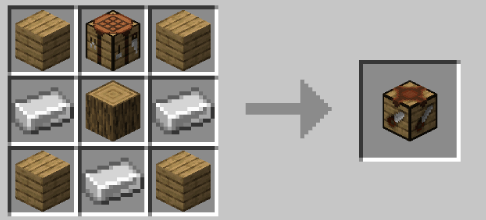
Sawing Table

The sawing table is where all of the new blocks can be created, you will need a Saw (see below!) and a block that is compatible, add both in and there you go!
Slabs and Walls
Slabs and Walls are the same as in vanilla, just with a lot more varieties!
Slices
Slices are a new addition, they are by default 16x16x1 and can be built up, much like the Layered Snow block. They have 16 possible heights and cutting one block gives you 16 of them, which can then be placed in any way you desire. Shift right clicking will remove a layer too!

All possible heights

Sawing Table
Saws
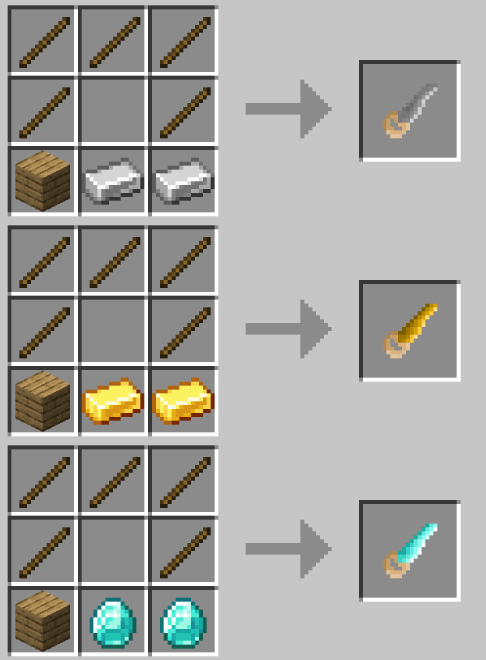
Saws come in Iron, Gold and Diamond and have 128, 256 and 512 uses respectively. They are used in the sawing table to create slabs!
Configuration
Slabify comes with a configuration file!
- blacklisted______Blocks - any blocks that should be blacklisted from having a variant created
- forced______Block - any blocks that have been automatically blacklisted can still be added and attempted, this is not recommended
- load______ForModdedBlocks - defaults to true, should a variant of this type be generated for mods
Modpacks
Modpacks can freely use Slabify as long as the link to this page is shared, or created through CurseForge
Issues
As the mod is still in beta, I expect there to be issues. Please report them on Github using the link at the top of this page!
What is Slabify?
Slabify dynamically adds slabs, walls and slices to the game, this is achieved by scanning the game for suitable blocks and creating a new variant of that block, with the same attributes of the base block. There are limitations to this, anything with custom block properties or a block entity cannot be added to this (eg: Furnaces, Chests).
This compatibility should also work across different mods, there may be issues on first run - however, any blocks that cause issues will be added to the config file so that on second run they will be blacklisted.
Blocks and Items
Sawing Table
The sawing table is where all of the new blocks can be created, you will need a Saw (see below!) and a block that is compatible, add both in and there you go!
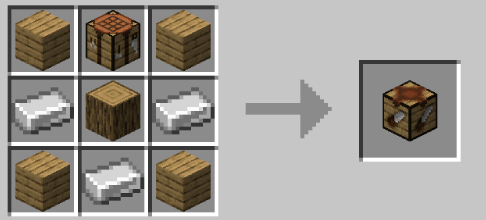
Slabs and Walls
Slabs and Walls are the same as in vanilla, just with a lot more varieties!
Slices
Slices are a new addition, they are by default 16x16x1 and can be built up, much like the Layered Snow block. They have 16 possible heights and cutting one block gives you 16 of them, which can then be placed in any way you desire. Shift right clicking will remove a layer too!
All possible heights
Saws
Saws come in Iron, Gold and Diamond and have 128, 256 and 512 uses respectively. They are used in the sawing table to create slabs!
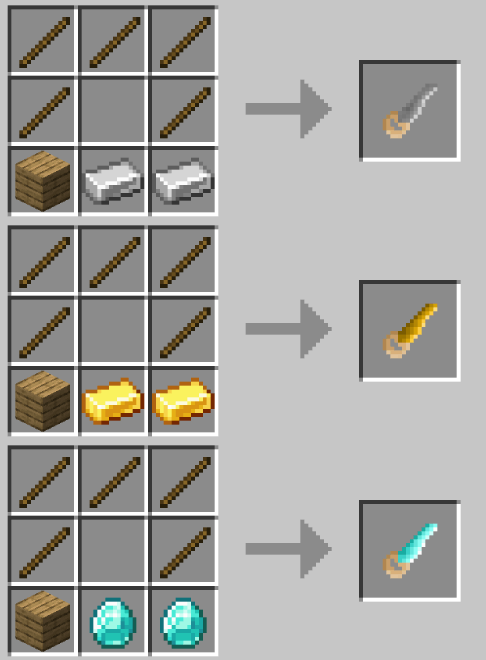
Configuration
Slabify comes with a configuration file! blacklisted_____Blocks - any blocks that should be blacklisted from having a variant created forced_____Block - any blocks that have been automatically blacklisted can still be added and attempted, this is not recommended. load_____ForModdedBlocks - defaults to true, should variants be generated for mods
Modpacks
Modpacks can freely use Slabify as long as the link to this page is shared, or created through CurseForge
Issues
As the mod is still in beta, I expect there to be issues. Please report them on Github using the link at the top of this page!
Screenshots
Gallery
-
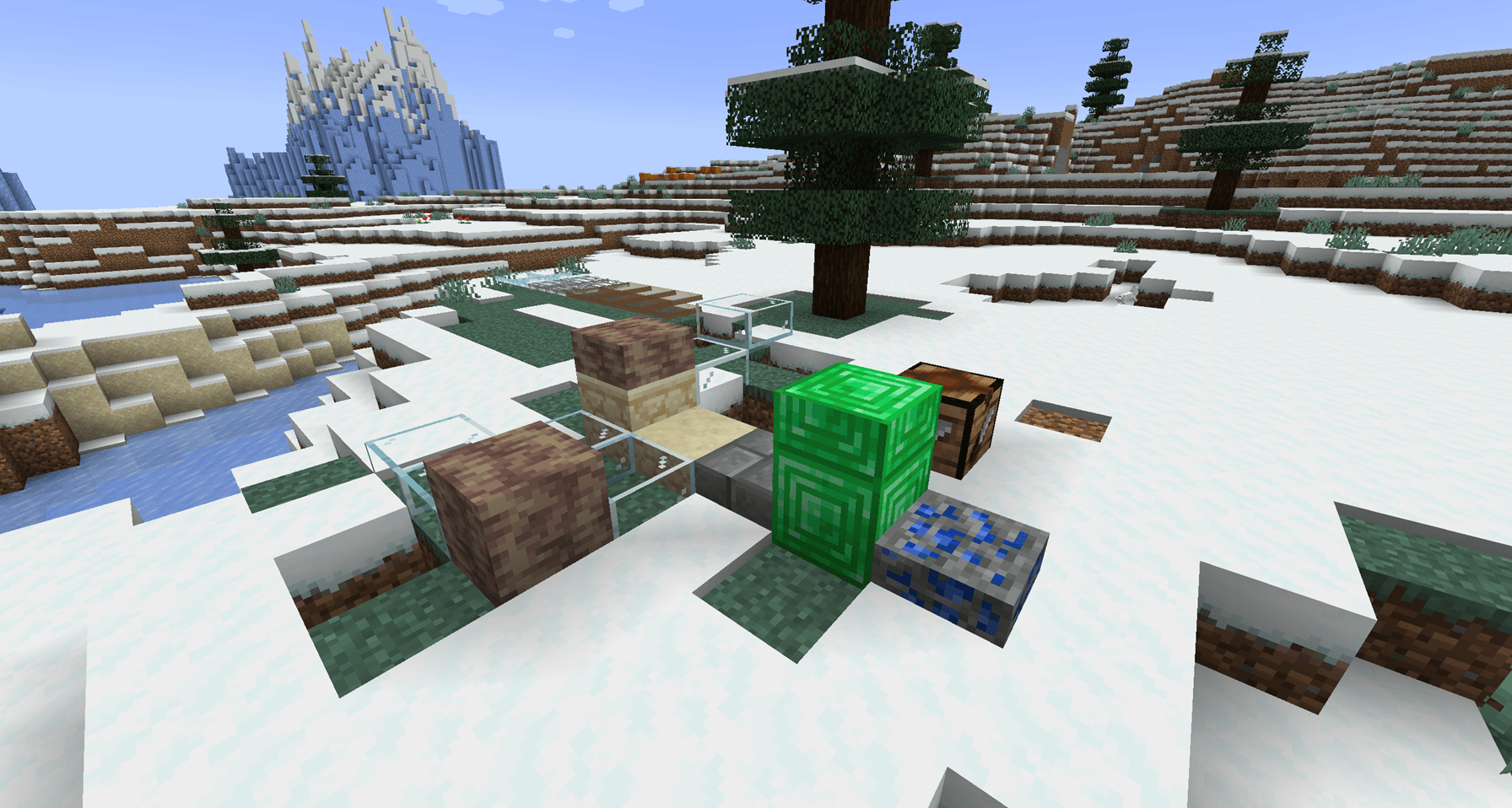 Example 2
 -
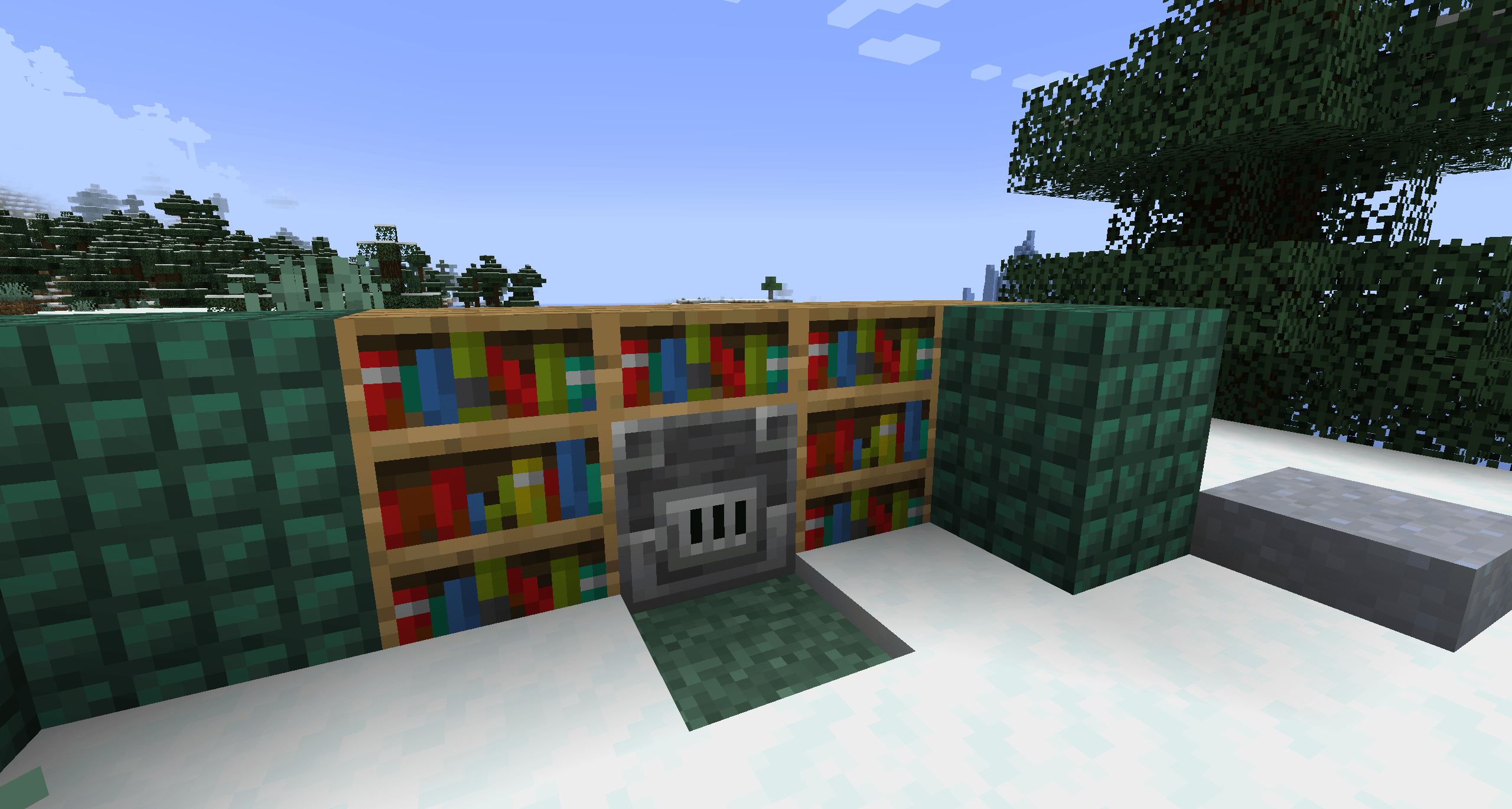 Example 1 Example 1
 -
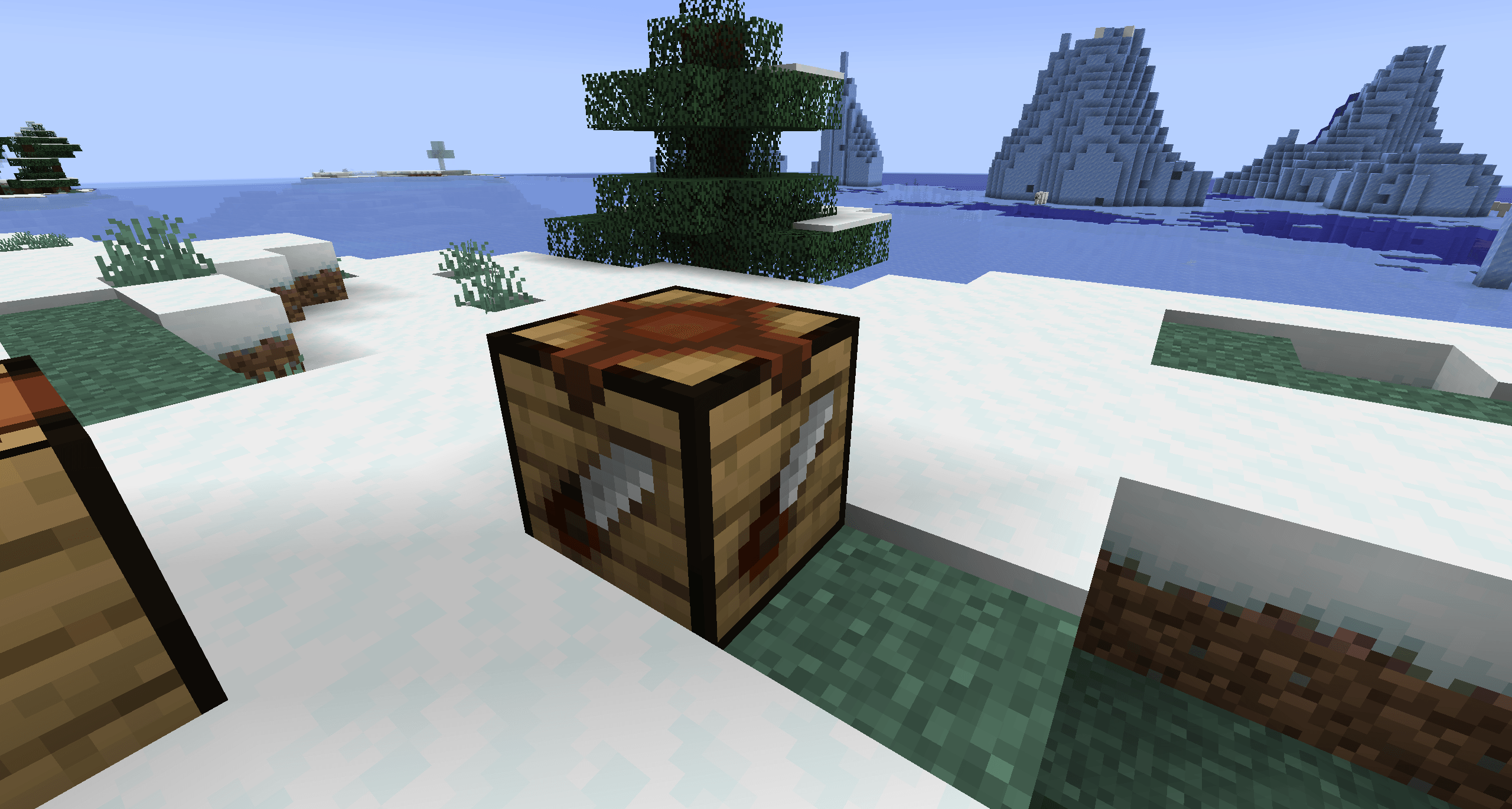 Sawing Table
 -
Saw Recipes saw recipes.gif
-
Table Recipe
-
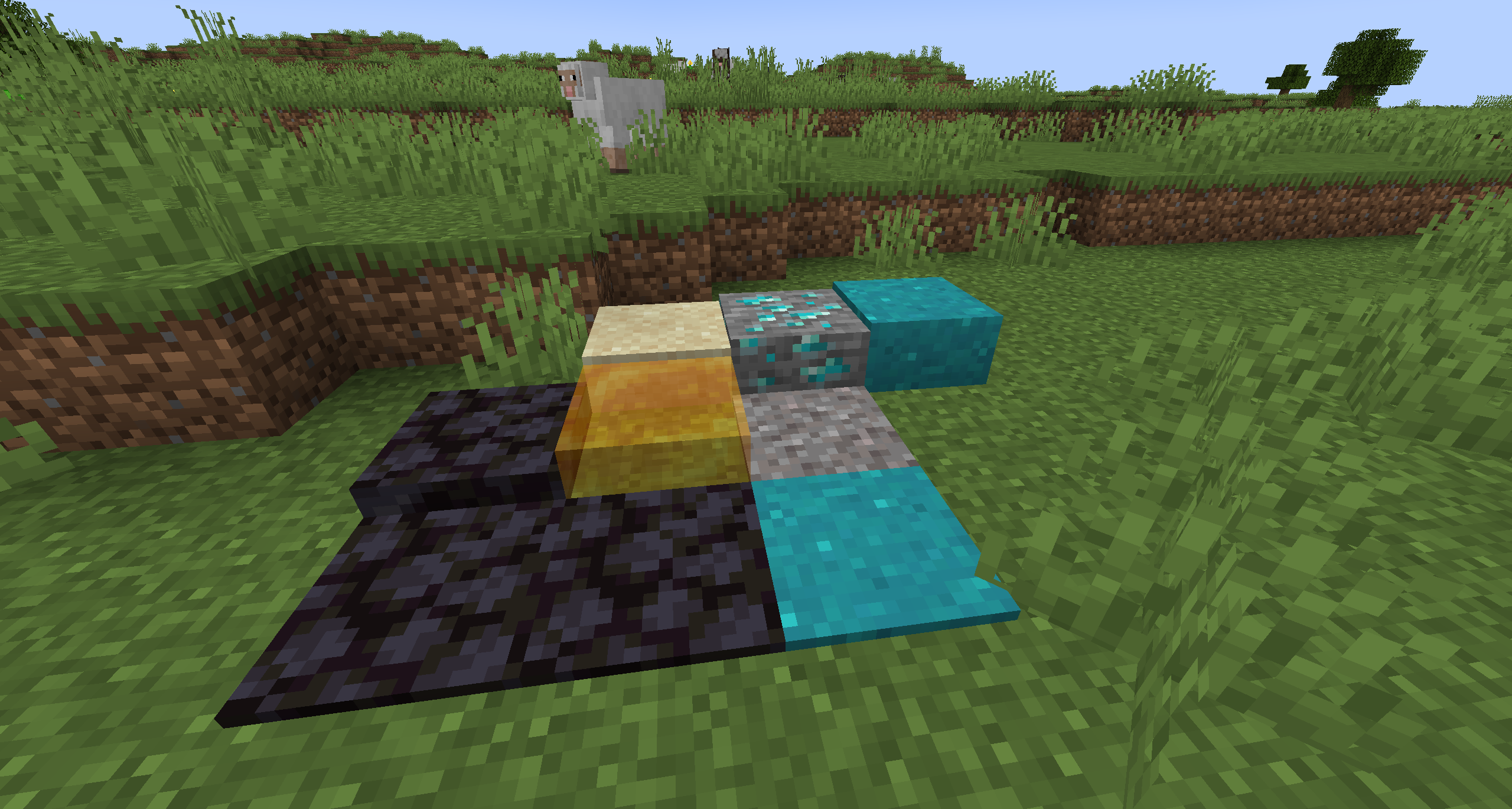 Slices
 -
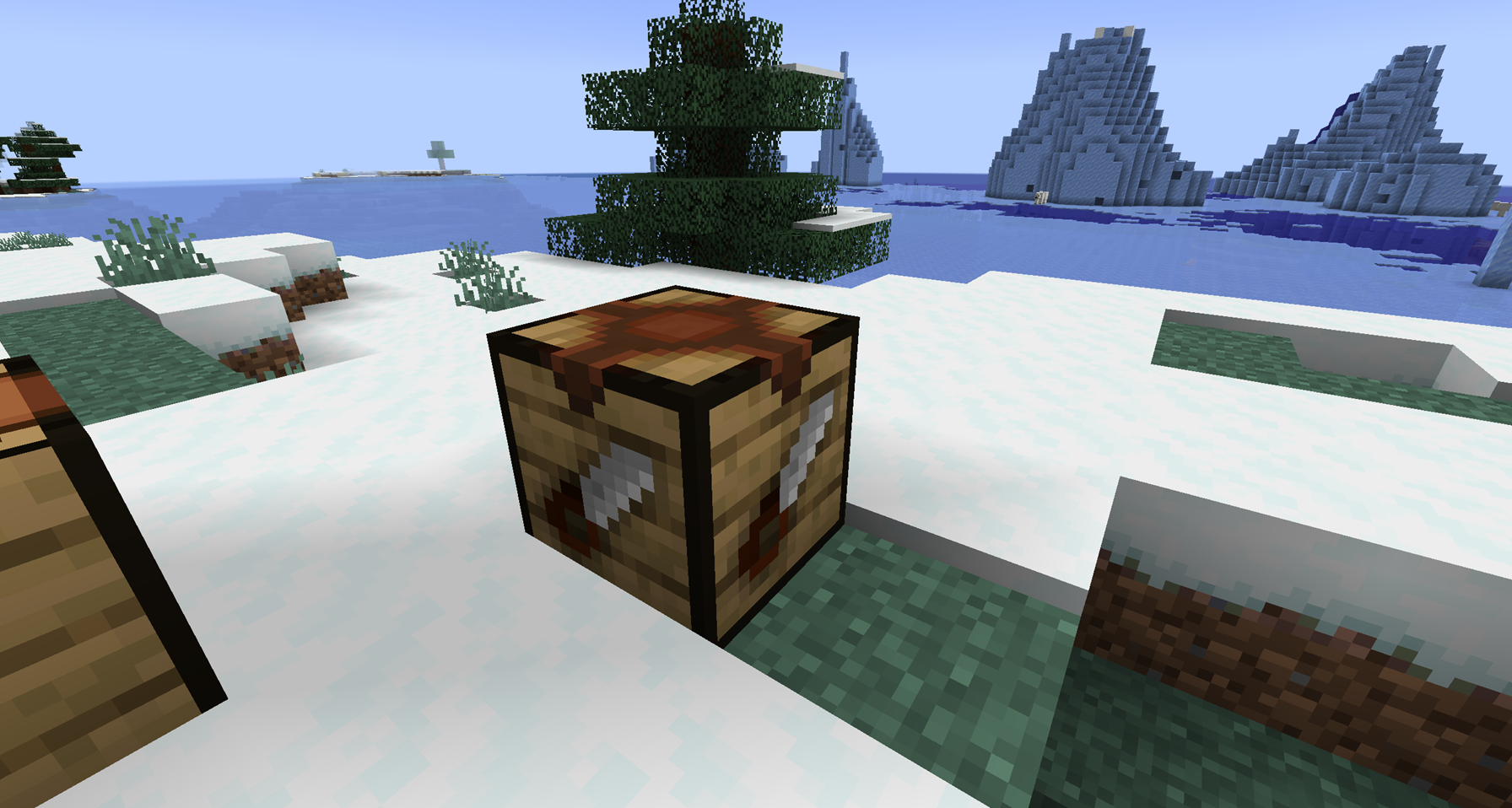 Sawing Table
 -
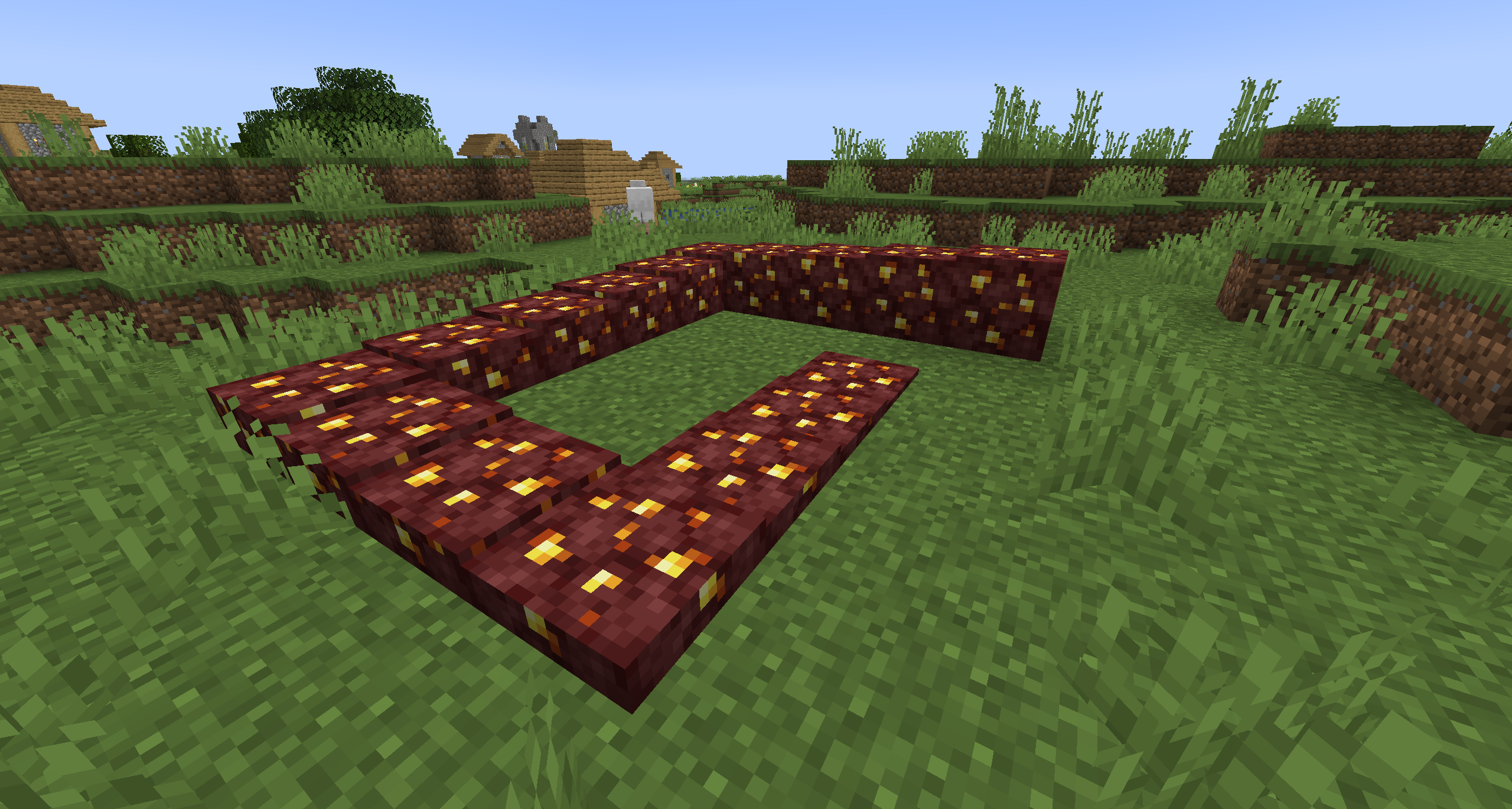 Slices Heights
 -
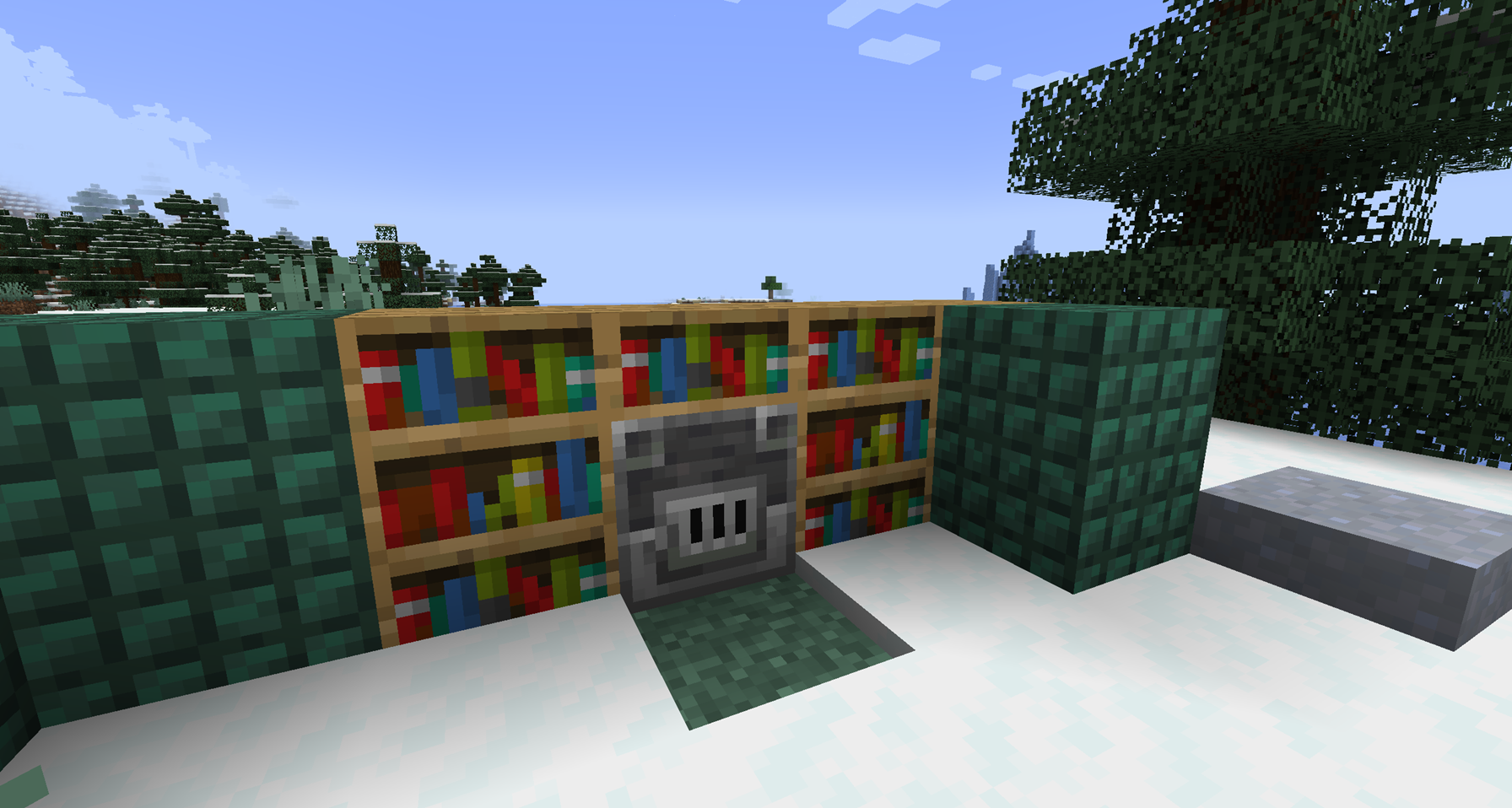 Example 1
 -
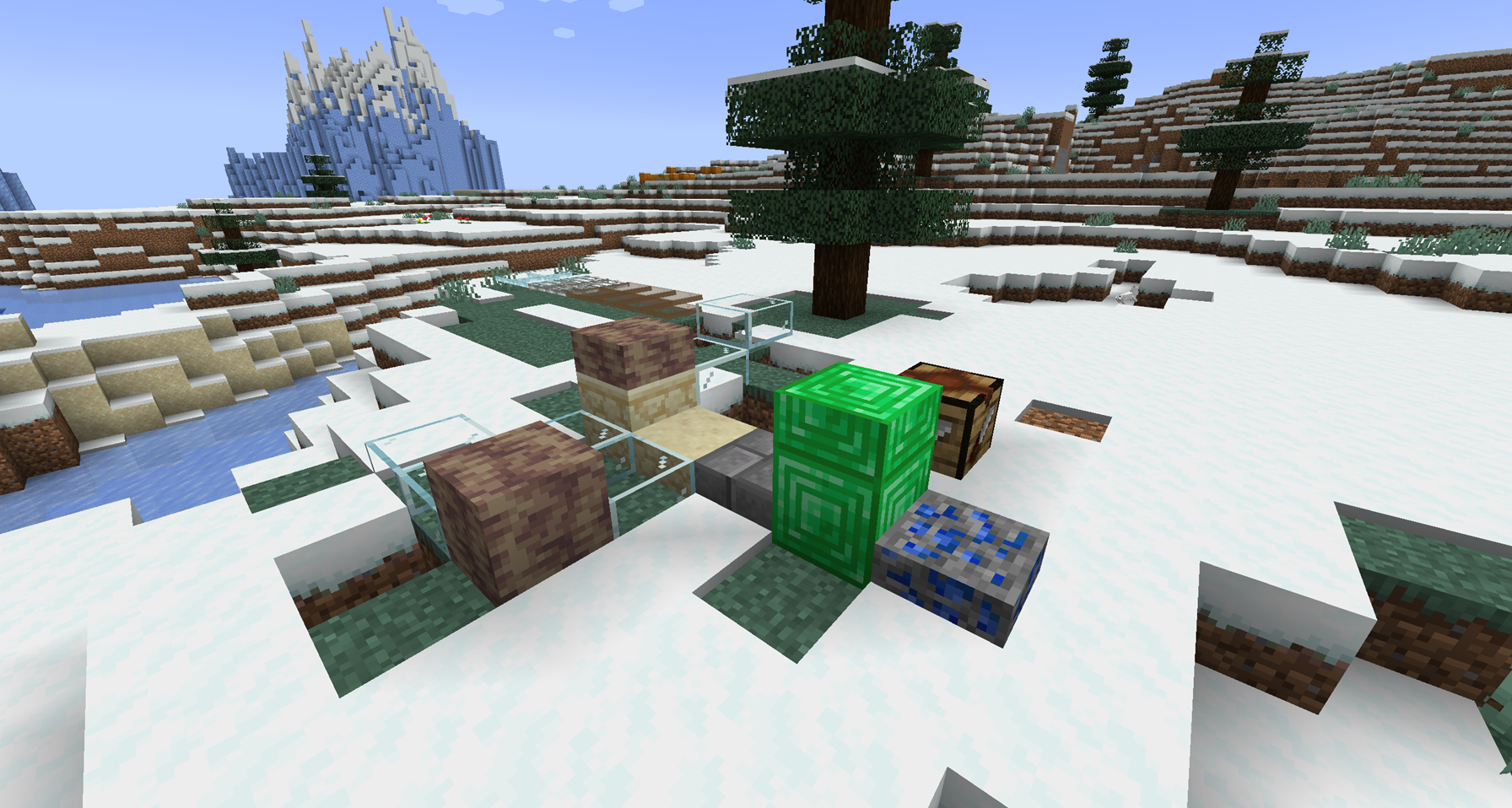 Example 2
Versions
Files
Relations
Project Relations
More like this
Similar Mods
Suggestions use data such as tags, dependencies, dependents, descriptions, titles, and more to rank how much they overlap with this mod.
On ModDex
Community snapshot
By the numbers
Statistics
 (opens in a new tab)
Get it on
Available Platforms
On ModDex
Community snapshot
By the numbers