

Slime Grove
Cultivate mysterious slime mold, discover unique species, observe their life cycles, and create helpful slime care robot girl!
No ratings yet
Be the first to rate it.
Community listing page
Community listing page, reviews may not be monitored by the author.

Community voices
Reviews
No reviews yet. Be the first to review this project!
Get it on
Available Platforms
About
Project Details
For authors
Embed Badge
If you're the author of this project, you can embed a live badge anywhere that supports HTML or Markdown. It updates automatically whenever ratings change.
Use HTML for any page that supports it, or Markdown for README files and Markdown-based descriptions.
Identifiers
Platform IDs
About
Description
Description
Welcome to Slime Grove!
Have you ever wondered what it's like to raise slime molds? Slime Grove brings the fascinating world of myxomycetes into Minecraft. Discover different kinds of slime molds, give them a place to live, and watch them grow and change over time.
Slime molds may look like ordinary little blobs at first, but there's a lot more to them than meets the eye. I hope you enjoy discovering their little world!
Slime Molds
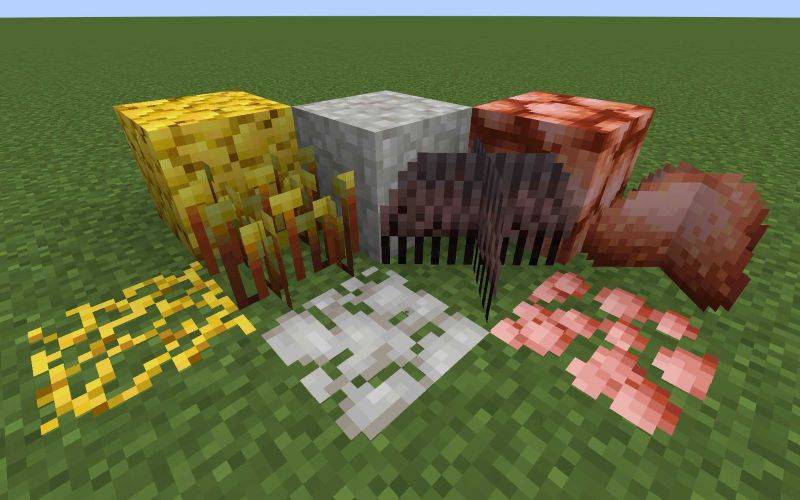
There are currently 3 different slime mold species to discover, each with its own appearance and characteristics.
・Physarum polycephalum – A slime mold with a distinctive appearance and its own growth cycle.
・Stemonitis fusca – A species with characteristic stalked fruiting bodies.
・Lycogala epidendrum – A species known for its small, rounded fruiting bodies.
You can raise your slime molds by providing suitable food and an environment for them to grow. Keep an eye on them as they develop and eventually form their fruiting bodies!
Slime Care Robots

Taking care of slime molds can be a lot of work, so why not get a little help?
Slime Care Robots are cute robot girls designed to help you look after your slime molds. Each robot is based on a different slime mold species and has its own unique appearance and personality.
They can help with various tasks around your slime mold habitat, making them useful companions for your little collection.
Each robot has three different modes: Pest Control, Harvest, and Feeding. You can switch between these modes by holding different items in your hand, allowing you to choose how your robot behaves!
Compatibility
・Minecraft: 1.21.1
・Mod Loader: NeoForge
・Required Dependency: GeckoLib 4.9.3 or later (within the 4.x series)
Supported Languages
・English (US)
・Japanese (日本語)
・German (Deutsch)
・Simplified Chinese (简体中文)
・Korean (한국어)
Modpack Permissions
You are welcome to include Slime Grove in modpacks distributed on CurseForge and Modrinth.
Please use the official, unmodified version and provide credit with a link to this project.
All 3D models and textures in this mod are original creations, designed and made entirely by me!
Slime Grove is still growing, and I hope to add more slime molds and features in the future.
Thank you for checking out my mod, and have fun raising your slime molds!
Screenshots
Gallery
-
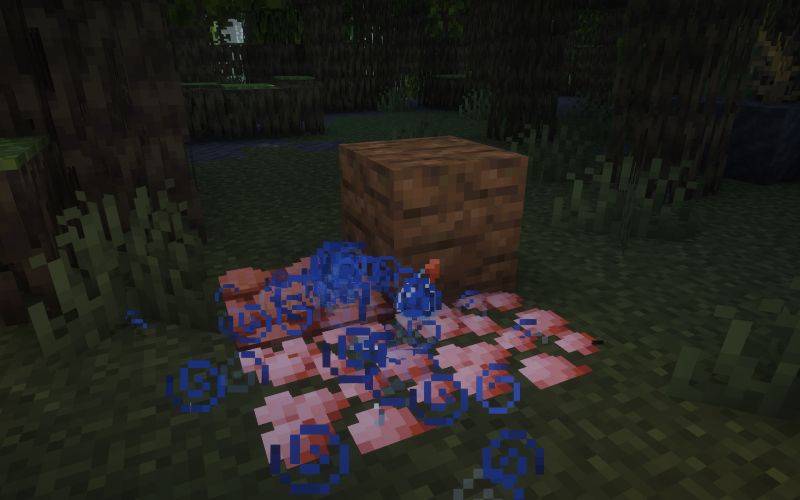 Slime mold 2026-11-07_01.11.40.jpg
-
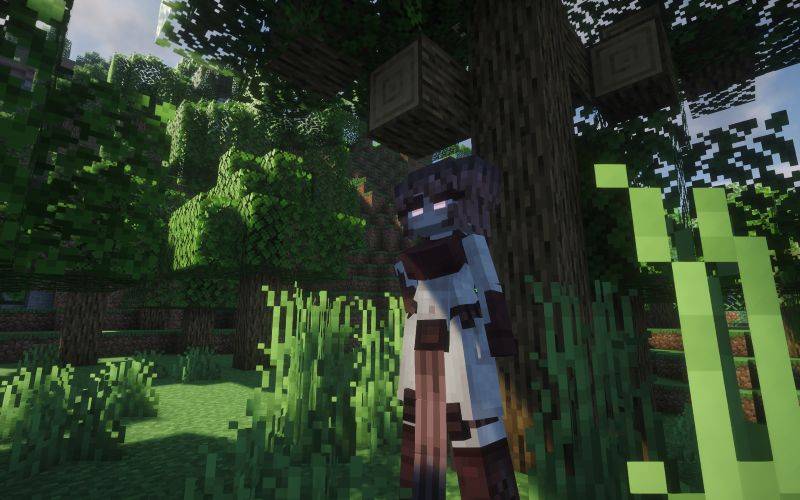 Stemonitis Robot 2026-11-07_00.56.17.jpg
-
 Physarum Robot 2026-11-07_01.02.58.jpg
-
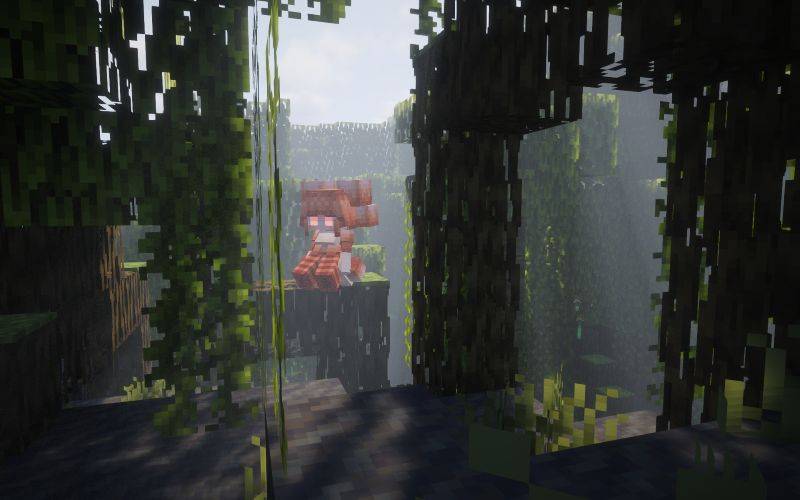 Wolf's milk Robot 2026-11-07_01.08.10.jpg
Versions
Files
Relations
Project Relations
More like this
Similar Mods
Suggestions use data such as tags, dependencies, dependents, descriptions, titles, and more to rank how much they overlap with this mod.
Stats
- Downloads
- <1,000
- Used in
- 0 modpacks
- Followers
- 0
- In stacks
- 0
- Created
- Last synced
-
Nov 9, 2026 12:51 PM UTC
New file updates sync automatically.
When ModDex last fully re-synced this project from CurseForge or Modrinth. A new file release triggers a resync usually within minutes, and every project is also re-synced on a schedule. Edits that don't ship a file, such as a new description or screenshots, are checked every few hours and can appear before this date changes.
How syncing works
External Links

Stats
- Downloads
- <1,000
- Used in
- 0 modpacks
- Followers
- 0
- In stacks
- 0
- Created
- Last synced
-
Nov 9, 2026 12:51 PM UTC
New file updates sync automatically.
When ModDex last fully re-synced this project from CurseForge or Modrinth. A new file release triggers a resync usually within minutes, and every project is also re-synced on a schedule. Edits that don't ship a file, such as a new description or screenshots, are checked every few hours and can appear before this date changes.
How syncing works