
Slot Click Macros
No reviews yet
A Minecraft Fabric mod that records and replays inventory click sequences to automate repetitive container interactions.
Fabric is a mod loader for versions 1.14+ of Minecraft, particularly popular for client side and optimization mods.
Community voices
Reviews
Click once to include, again to exclude, again to clear
No reviews yet. Be the first to review this project!
Get it on
Available Platforms
 Modrinth
Compatibility
Supported Environments
About
Project Details
For authors
Embed Badge
If you're the author of this project, you can embed a live badge anywhere that supports HTML or Markdown. It updates automatically whenever ratings change.
Use HTML for any page that supports it, or Markdown for README files and Markdown-based descriptions.
Identifiers
Platform IDs
About
Description



Slot Click Macros
A Minecraft Fabric mod that records and replays inventory click sequences to automate repetitive container interactions.
⚠️ Warning: USE AT YOUR OWN RISK! This mod can be detected by anti-cheat systems and may result in bans on multiplayer servers if your not careful. Always use safe delay settings (100ms+ base, 50ms+ random) and check server rules before using. The developers are not responsible for any consequences.
Features
- Record any container interaction - Works with chests, shops, crafting tables, and custom GUIs
- Simple controls - Press a keybind to start/stop recording, then save with a name
- Multiple playback methods - Trigger via keybind or
/slotmacro play <name>command - Anti-detection delays - Configurable base delay (10-500ms) with random variance (0-100ms)
- Queue system - Macros automatically execute when you open the next container
- Easy management - Assign keybinds, view, edit, and delete macros via config GUI

Installation
- Install Fabric Loader
- Install Fabric API
- Install Cloth Config
- Place Slot Click Macros in your
modsfolder
Quick Start
Recording
- Press R (default) to start recording
- Open a container and perform your actions
- Press R again to stop
- Enter a name and save
Playing
- Assign a keybind in the config GUI or run
/slotmacro play <name> - Open the target container
- Macro plays automatically
Stopping
- Marco automatically stops after finish
- To stop early, press your configured stop keybind or run
/slotmacro stop
Commands
/slotmacro play <name>- Queue a macro/slotmacro stop- Stop playback/slotmacro list- List all macros/slotmacro delete <name>- Delete a macro
Recommended Settings
Normal Servers
- Base Delay: 100-120ms
- Random Range: 50-60ms
Strict Anti-Cheat
- Base Delay: 150-180ms
- Random Range: 70-90ms
Maximum Safety
- Base Delay: 200-250ms
- Random Range: 80-120ms
⚠️ Never use delays below 80ms - this will trigger most anti-cheat systems.
File Format
Macros are stored as text files in config/slotclickmacros/:
12,PICKUP,0        # Left-click slot 12
15,QUICK_MOVE,0    # Shift-click slot 15
3,HOTBAR_1,0       # Press hotbar key 1 on slot 3
27,PICKUP,1        # Right-click slot 27
Format: SlotID,ClickType,Button
-
ClickType (string): The type of click action
PICKUP- Normal left/right clickQUICK_MOVE- Shift-click to transfer itemsSWAP- Number key to swap with hotbarCLONE- Middle-click (creative mode)THROW- Q key to drop itemQUICK_CRAFT- Drag craftingPICKUP_ALL- Double-click to gather matching itemsHOTBAR_1throughHOTBAR_9- Hotbar slot swap via keybind
-
Button (integer): Mouse button used
0- Left mouse button1- Right mouse button2- Middle mouse button
FAQ
Will I get banned? Possibly. Many servers prohibit automation. Always check server rules and use appropriate delays.
Macro clicks wrong slots? Container layouts may differ. Re-record in the specific container you're using.
How to stay safe? ✅ Use 100ms+ delays with 50ms+ variance ✅ Test on private servers first ✅ Read server rules ✅ Use responsibly
License
CC0-1.0
Disclaimer
This mod is provided "as is" without warranty. The developers are not responsible for bans or other consequences. Use ethically and at your own risk.
Screenshots
Gallery
-
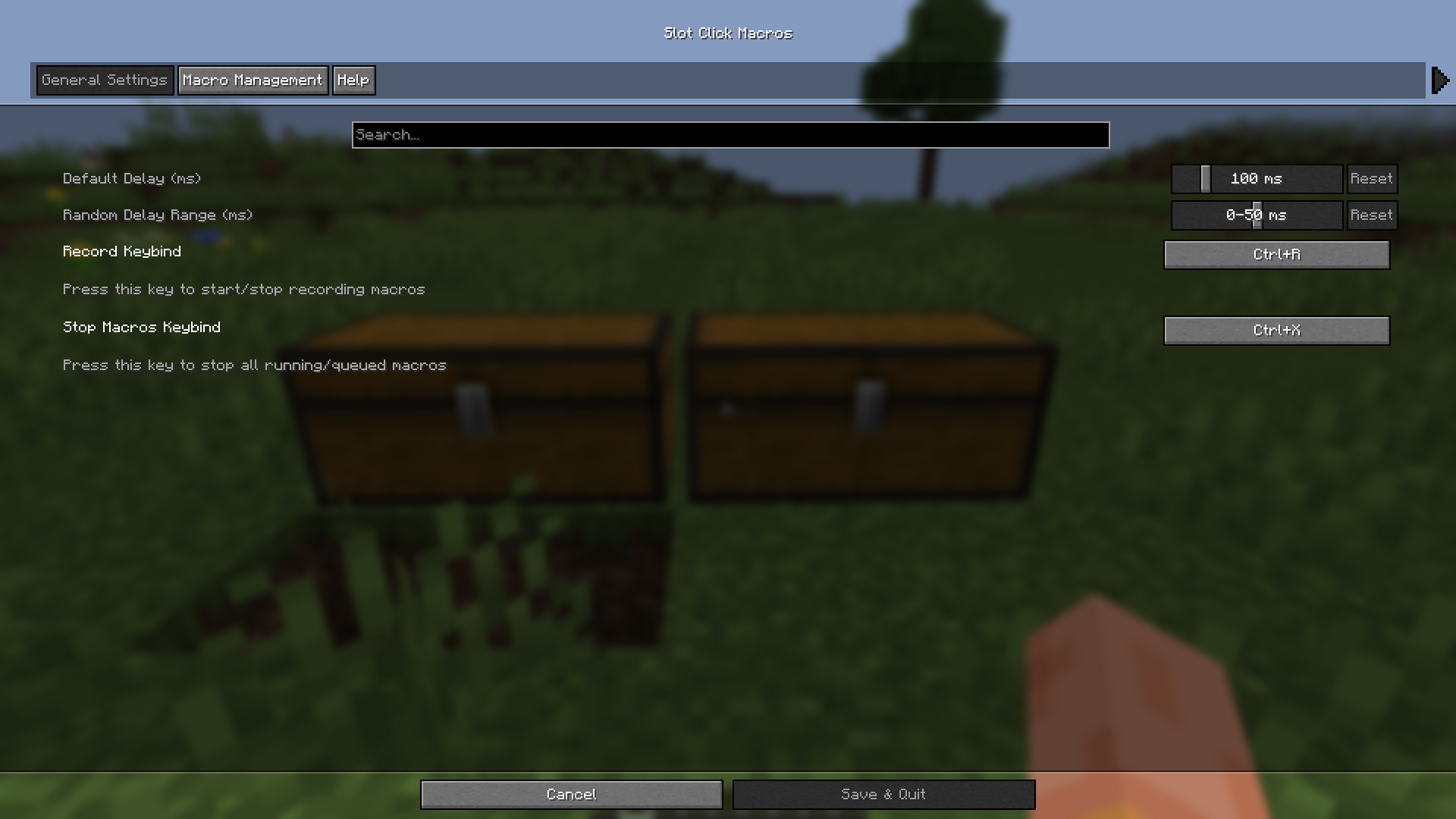 Config Screen
 -
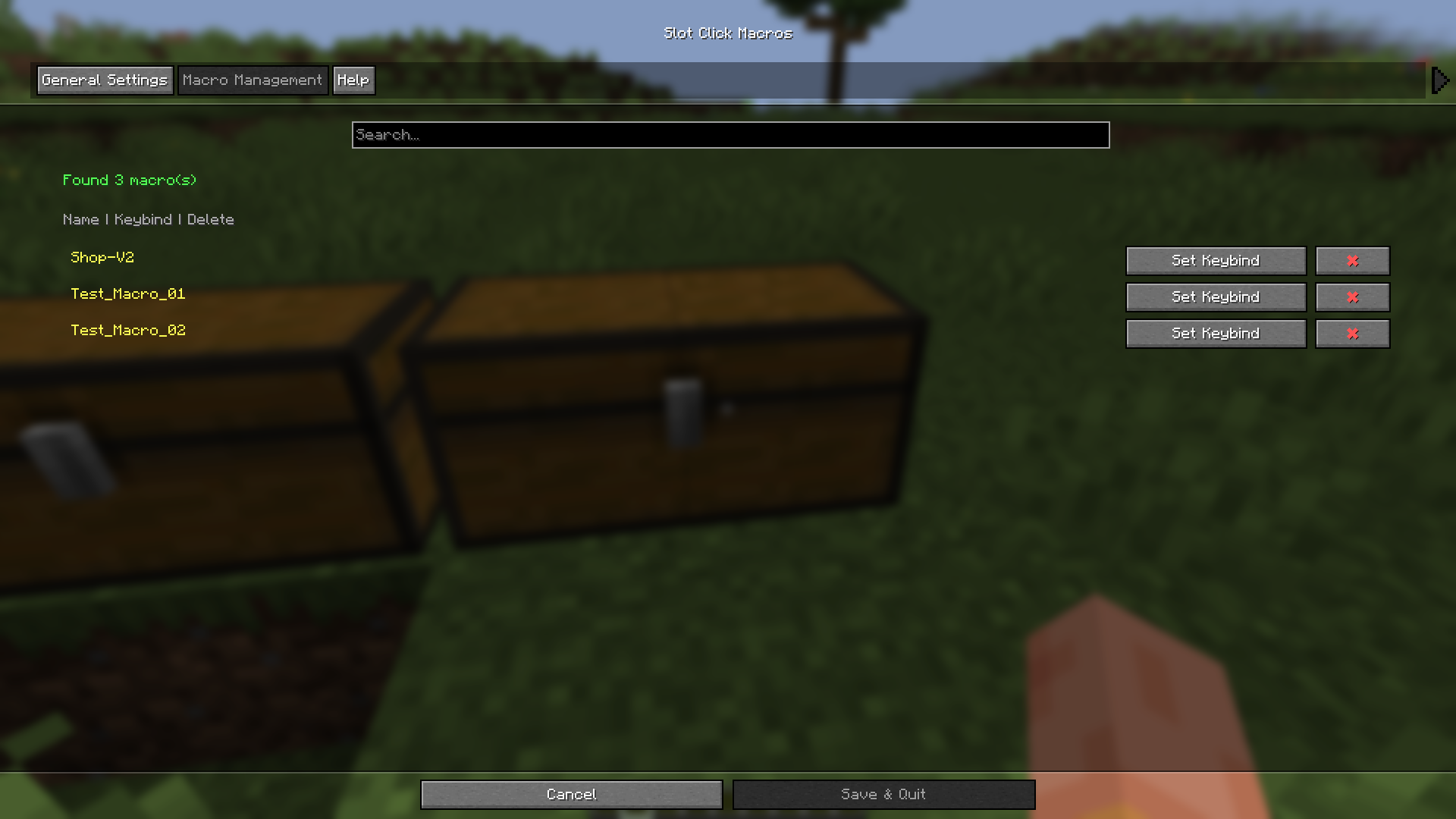 Config Screen 2
 -
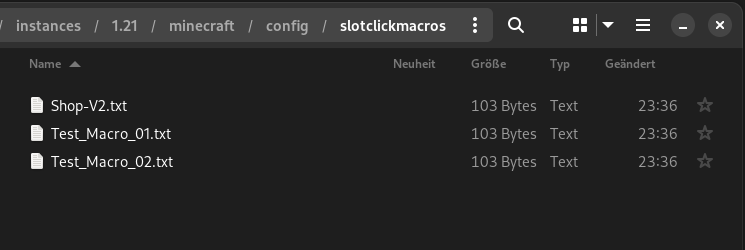 Files in minecraft/config/slotclickmacros
Versions
Files
Relations
Project Relations
More like this
Similar Mods
Suggestions use data such as tags, dependencies, dependents, descriptions, titles, and more to rank how much they overlap with this mod.
On ModDex
Community snapshot
By the numbers
Statistics

Want to reach Minecraft players?
We're looking for a server hosting partner to feature here and other parts of the site. Interested? Send us a message!
Get in touchGet it on
Available Platforms
On ModDex
Community snapshot
By the numbers