
Community listing page, reviews here may not be monitored by the author.
Slots Unofficial


No reviews yet
This mod allows earning new inventory slots with experience levels.
Community voices
Reviews
No reviews yet. Be the first to review this project!
Get it on
Available Platforms
Compatibility
Supported Environments
Must be installed on both the client and the server.
About
Project Details
For authors
Embed Badge
If you're the author of this project, you can embed a live badge anywhere that supports HTML or Markdown. It updates automatically whenever ratings change.
Use HTML for any page that supports it, or Markdown for README files and Markdown-based descriptions.
Identifiers
Platform IDs
Resources
External Links
About
Description
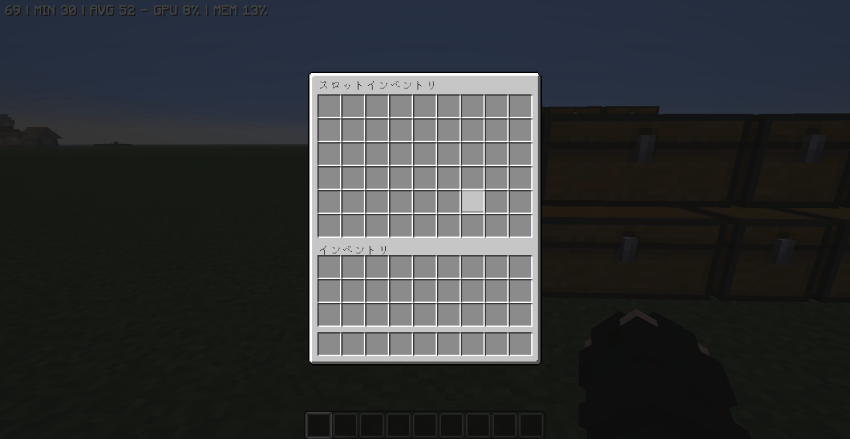
This is an unofficial fork of the Slots mod.
Slots(ketheroth) https://www.curseforge.com/minecraft/mc-mods/slots
It complies with the original MIT License.
In this mod, slots are unlocked as you gain experience and level up.
By default, one slot is unlocked every three levels (this can be changed in the settings).
The original game has a maximum of 27 slots, but this mod unlocks up to 54 slots.
If you die, any slots you’ve unlocked so far will be locked.
Changed to manual unlocking via command starting in version 1.5.0
To unlock a slot, use the /slots unlock command or click the “+” button in the slot inventory.
By default, you can open your inventory by pressing the Y key.
ver1.5.0~ New Commands Added
/slots open [selector] Opens the slot inventory
/slots give [selector] [item] [quantity] Allows you to place the specified item into the inventory
/slots unlock [selector] [number of slots to unlock] Unlocks the specified number of slots
/slots lock [Selector] [Number of slots to lock] Locks the specified number of slots
/slots set [Selector] [Slot] [Item] [Quantity] You can put a specified number of items into the slot.
/slots clear [Selector] [Item] [Quantity] Allows you to remove the specified items
This mod uses ChatGPT.
Slots modの非公式フォーク版です。
Slots(ketheroth) https://www.curseforge.com/minecraft/mc-mods/slots
フォーク元のMIT Licenseに従っています
このmodは経験値レベルに応じてスロットが解放されていきます。
デフォルトでは3レベルごとに1スロット解放されます(設定で変更可能)
本家では最大27スロットですが、このmodでは、最大54スロット解放できます
死ぬとこれまでに解放したスロットがロックされます。
1.5.0からコマンドによる手動開放に変更
スロットを開放するには/slots unlockコマンドか、スロットインベントリにある+ボタンから解放できます。
デフォルトではYキーでインベントリを開くことができます。
ver1.5.0~コマンド追加
/slots open [セレクター] スロットインベントリを開く
/slots give [セレクター] [アイテム] [個数] 指定したアイテムをインベントリに入れることができる
/slots unlock [セレクター] [開放するスロット数] 指定した数スロットを開放します
/slots lock [セレクター] [ロックするスロット数] 指定した数スロットをロックします
/slots set [セレクター] [スロット] [アイテム] [個数] 指定した個数のアイテムをスロットに入れることができます
/slots clear [セレクター] [アイテム] [個数] 指定したアイテムを削除できます
このmodはChatGPTを使用しています
This is an unofficial fork of the Slots mod.
Slots(ketheroth) https://www.curseforge.com/minecraft/mc-mods/slots
It complies with the original MIT License.
In this mod, slots are unlocked as you gain experience and level up.
By default, one slot is unlocked every three levels (this can be changed in the settings). The original game has a maximum of 27 slots, but this mod unlocks up to 54 slots. If you die, any slots you’ve unlocked so far will be locked.
Changed to manual unlocking via command starting in version 1.5.0
To unlock a slot, use the /slots unlock command or click the “+” button in the slot inventory.
By default, you can open your inventory by pressing the Y key.
ver1.5.0~ New Commands Added
/slots open [selector] Opens the slot inventory
/slots give [selector] [item] [quantity] Allows you to place the specified item into the inventory /slots unlock [selector] [number of slots to unlock] Unlocks the specified number of slots /slots lock [Selector] [Number of slots to lock] Locks the specified number of slots /slots set [Selector] [Slot] [Item] [Quantity] You can put a specified number of items into the slot. /slots clear [Selector] [Item] [Quantity] Allows you to remove the specified items
This mod uses ChatGPT.
Slots modの非公式フォーク版です。
Slots(ketheroth) https://www.curseforge.com/minecraft/mc-mods/slots
フォーク元のMIT Licenseに従っています このmodは経験値レベルに応じてスロットが解放されていきます。
デフォルトでは3レベルごとに1スロット解放されます(設定で変更可能) 本家では最大27スロットですが、このmodでは、最大54スロット解放できます 死ぬとこれまでに解放したスロットがロックされます。
1.5.0からコマンドによる手動開放に変更
スロットを開放するには/slots unlockコマンドか、スロットインベントリにある+ボタンから解放できます。
デフォルトではYキーでインベントリを開くことができます。
ver1.5.0~コマンド追加
/slots open [セレクター] スロットインベントリを開く
/slots give [セレクター] [アイテム] [個数] 指定したアイテムをインベントリに入れることができる
/slots unlock [セレクター] [開放するスロット数] 指定した数スロットを開放します
/slots lock [セレクター] [ロックするスロット数] 指定した数スロットをロックします
/slots set [セレクター] [スロット] [アイテム] [個数] 指定した個数のアイテムをスロットに入れることができます
/slots clear [セレクター] [アイテム] [個数] 指定したアイテムを削除できます
このmodはChatGPTを使用しています
Screenshots
Gallery
-
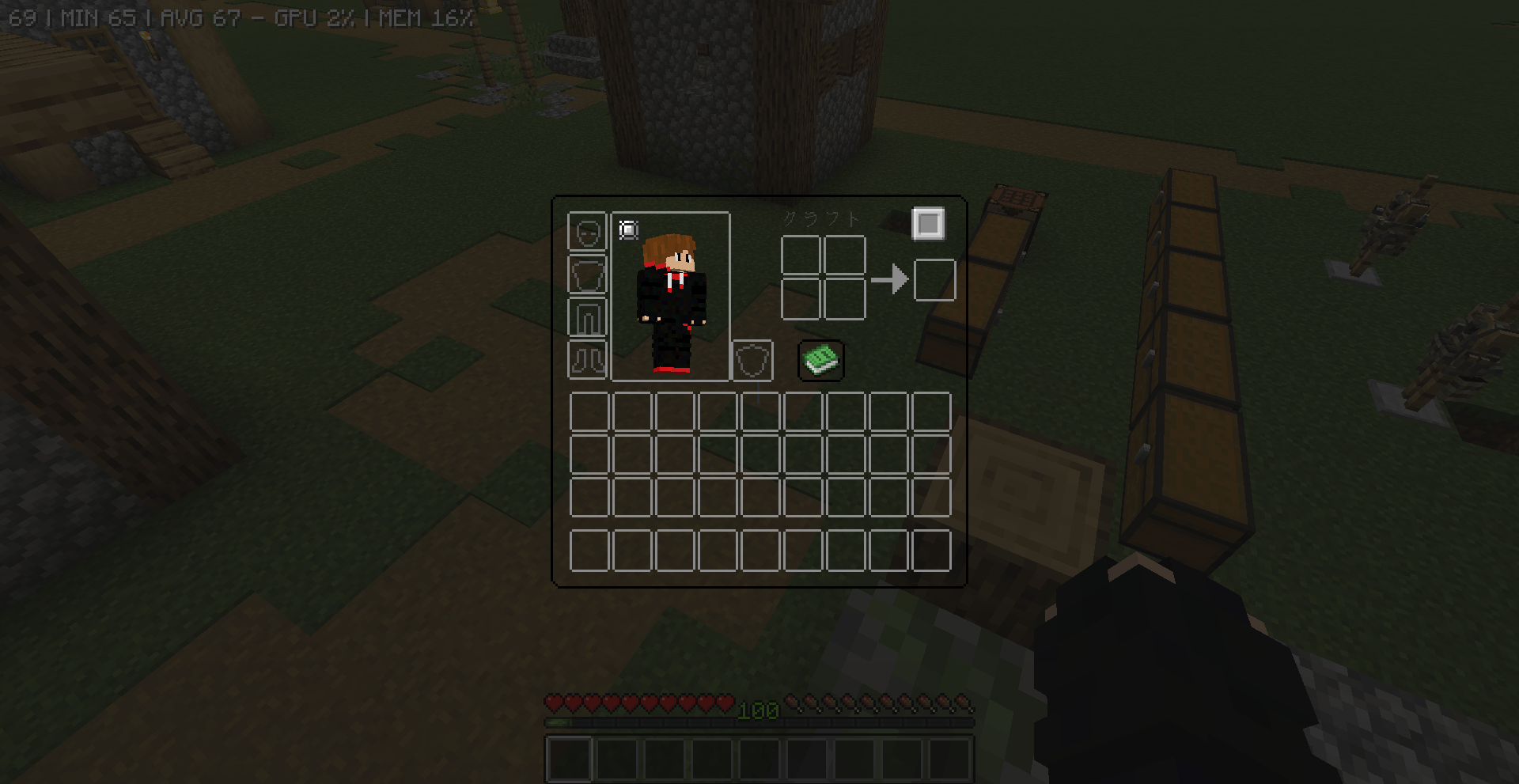 inventory button 2026-07-08_20.50.25.png
-
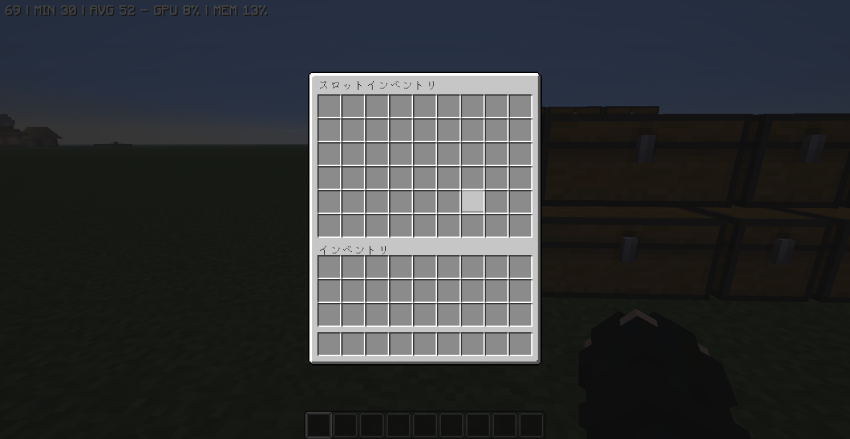 inventory
Versions
Files
Relations
Project Relations
More like this
Similar Mods
Suggestions use data such as tags, dependencies, dependents, descriptions, titles, and more to rank how much they overlap with this mod.
On ModDex
Community snapshot
By the numbers
Statistics
Want to reach Minecraft players?
We're looking for a server hosting partner to feature here and other parts of the site. Interested? Send us a message!
Get in touchGet it on
Available Platforms
On ModDex
Community snapshot
By the numbers
Statistics
Resources