Community listing page, reviews here may not be monitored by the author.
Smart Ore Manager

No reviews yet
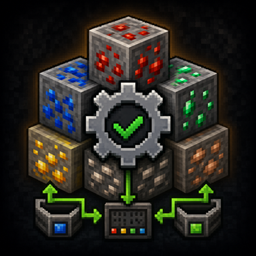
Find and manage duplicate ores, control ore generation, and add newly installed ores to old chunks.
Community voices
Reviews
No reviews yet. Be the first to review this project!
Get it on
Available Platforms
About
Project Details
For authors
Embed Badge
If you're the author of this project, you can embed a live badge anywhere that supports HTML or Markdown. It updates automatically whenever ratings change.
Use HTML for any page that supports it, or Markdown for README files and Markdown-based descriptions.
Identifiers
Platform IDs
Resources
External Links
About
Description
Smart Ore Manager
Smart Ore Manager helps keep ore generation organized in large Minecraft modpacks.
Modpacks often contain several mods that add their own versions of the same material, such as copper, tin, lead, uranium, silver, or nickel. This can create duplicate ores, clutter inventories, complicate recipes, and make world generation harder to control.
Smart Ore Manager scans the installed mods and helps you decide which ore should remain active for each material. It does not automatically remove ores without your approval.
Main Features
Finds duplicate ores
Smart Ore Manager scans installed mods for:
-
Ore blocks
-
Material tags
-
Crafting recipes
-
World-generation features
-
Multiple versions of the same ore material
It then groups related ores together so they are easier to review.
Gives clear recommendations
The mod recommends whether an ore should be:
-
Kept
-
Checked by the player
-
Turned off
These recommendations are meant to make the process easier, but the final choice always belongs to the player.
Never disables ores without permission
Smart Ore Manager will not disable ore generation until you review and approve the choices.
Special cases that cannot be decided safely are placed in a separate review screen so you can choose what should happen.
Lets you choose which mod provides an ore
When several mods add the same material, you can choose which mod should remain responsible for that ore.
For example, when two mods both add uranium ore, you can keep the uranium ore from one mod and turn off the duplicate world generation from the other.
The ore block itself is not deleted from the game. The mod only controls unwanted world-generation features.
Adds newly installed ores to old chunks
When you add a new mod to an existing world, its ores normally appear only in newly generated chunks.
Smart Ore Manager can detect newly installed ores and attempt to generate them inside chunks that already exist.
You can choose how large an area to check:
-
1 chunk
-
9 chunks
-
25 chunks
Chunks that were already processed are recorded and skipped during future checks.
Supports multiple dimensions
The old-chunk ore tool can work in supported modded dimensions when matching world-generation features are available.
It uses the ore’s existing placed features and generation rules instead of simply replacing random stone blocks.
Designed for large modpacks
Smart Ore Manager is especially useful for:
-
Large kitchen-sink modpacks
-
Custom modpacks
-
Worlds that frequently gain or remove mods
-
Packs with several technology mods
-
Packs with duplicate metal ores
-
Players who want more control over world generation
Important Information
Smart Ore Manager manages ore generation, but it does not merge items, recipes, fluids, dusts, ingots, or machines from different mods.
Turning off an ore’s world generation does not remove the ore block from the game. Existing blocks remain in the world, and recipes that use the block can still exist.
Changes to normal ore generation usually affect newly generated chunks. Restart Minecraft when Smart Ore Manager tells you that a restart is required.
Always make a backup before using the tool that adds ores to old chunks, especially in an important world.
Compatibility
Smart Ore Manager is designed to detect ores from other mods automatically.
Compatibility depends on how each mod registers its ore blocks, tags, recipes, and world-generation features. Most normally registered ore systems should be detected, but unusual or heavily customized world generation may require additional support.
License
Smart Ore Manager is released under the MIT License.
Modpack developers may include it in public or private modpacks.
Super Simple Instructions
First-Time Setup
-
Start Minecraft with Smart Ore Manager installed.
-
Open the Smart Ore Manager screen using the gear button on the title screen or pause menu.
-
Click 1. Review Ore Choices.
-
Review the ores and change any choices you do not agree with.
-
Click 2. Check Choices to review special cases.
-
Click each special choice until it shows the result you want.
-
Click Save Step 2 and Go Back.
-
Click 3. Save Choices and Close.
-
Load a world once if the mod asks you to prepare the choices.
-
Restart Minecraft if the mod tells you a restart is required.
Adding New Ores to an Existing World
-
Back up your world.
-
Open Smart Ore Manager.
-
Click 2. Add New Ores to Old Chunks.
-
Choose the size of the area you want to check.
-
Click 2. Review Chunks.
-
Click 1. Add Ores to Chunks.
-
Move to another area and repeat when needed.
-
When every area you want has been checked, click 2. I Am Done Adding Ores.
-
Click Finish and Mark Ores as Done.
Do not press the final finish button until you have checked every area where you want the newly installed ores to appear.
Screenshots
Gallery
Versions
Files
Relations
Project Relations
More like this
Similar Mods
Suggestions use data such as tags, dependencies, dependents, descriptions, titles, and more to rank how much they overlap with this mod.
On ModDex
Community snapshot
By the numbers
Statistics
Want to reach Minecraft players?
We're looking for a server hosting partner to feature here and other parts of the site. Interested? Send us a message!
Get in touchGet it on
Available Platforms
On ModDex
Community snapshot
By the numbers
Statistics
Resources