
SmartClicker
No reviews yet
🇬🇧 A highly customizable, client-side auto clicker with an in-game GUI. Features Infinite Hold mode, custom keybinds, and native English/Russian localization!
Community voices
Reviews
Click once to include, again to exclude, again to clear
No reviews yet. Be the first to review this project!
Get it on
Available Platforms
 Modrinth
Compatibility
Supported Environments
About
Project Details
For authors
Embed Badge
If you're the author of this project, you can embed a live badge anywhere that supports HTML or Markdown. It updates automatically whenever ratings change.
Use HTML for any page that supports it, or Markdown for README files and Markdown-based descriptions.
Identifiers
Platform IDs
Resources
External Links
About
Description
🇬🇧 English Description
Name: SmartClicker (Forge) Summary: A highly customizable, client-side auto clicker with an intuitive in-game GUI. Perfect for AFK farms, combat, and mining! Fully localized in English and Russian.
Description
SmartClicker is a powerful, fully customizable client-side auto clicker designed to make your Minecraft experience easier and save your mouse from breaking. Whether you are building an AFK cobble generator, grinding mobs, or just need to spam-click, this mod has you covered!
Everything is configured directly in-game through a clean and intuitive GUI. No more digging through config files! The mod also automatically adapts to your game's language (English and Russian are natively supported).
✨ Features:
- In-Game GUI: Press
M(by default) to open the settings menu anywhere. - Multilingual: Fully translates to English and Russian automatically based on your game settings.
- Custom Keybinds Setup: Bind your toggle and menu keys directly inside the mod's GUI! It even supports mouse side-buttons.
- Left & Right Click Support: Choose whether you want to attack/mine (LMB) or use/place items (RMB).
- Hold vs. Single Click: Choose between spamming single clicks (great for combat) or holding the button down (perfect for mining).
- Infinite Hold Mode: A dedicated infinite-hold mode for AFK farms (fishing, cobble generators).
- Precise Timing: Set your delay and hold durations in either Milliseconds or Seconds.
- HUD Overlay: A customizable on-screen indicator shows if the clicker is currently Active or Inactive (can be hidden in the settings).
⚙️ How to use:
- Press
Mto open the configuration screen. - Set your desired delay/interval and choose the mouse button.
- Save and close the menu.
- Press your Toggle Key (can be bound in the menu) to start/stop the auto clicker.
⚠️ Important Server Notice:
This is a client-side only mod, meaning you can use it on any server without installing it on the server itself. However, please respect server rules! Using auto clickers on public multiplayer servers might be considered an unfair advantage (cheating) and could result in a ban. Use it responsibly in single-player or on private servers with your friends.
🇷🇺 Описание на русском
SmartClicker — это мощный и удобный клиентский автокликер, созданный для того, чтобы упростить выживание и сберечь вашу мышку. Строите ли вы АФК-генератор булыжника, сражаетесь с мобами или просто хотите быстро строиться — этот мод справится с любой задачей!
Все настройки производятся прямо в игре через интуитивно понятное меню. Никакого копания в конфигах! Мод автоматически переводится на русский язык, если он выбран в настройках вашего Minecraft.
✨ Главные функции:
- Меню в игре: Нажмите
M(по умолчанию), чтобы открыть настройки прямо во время игры. - Локализация: Полная встроенная поддержка русского и английского языков.
- Настройка кнопок: Назначайте клавиши активации и меню прямо внутри интерфейса мода (поддерживаются даже боковые кнопки мыши!).
- Поддержка ЛКМ и ПКМ: Выбирайте, что вам нужно — бить/копать (ЛКМ) или строить/использовать (ПКМ).
- Режимы клика: Выбирайте между быстрыми одиночными кликами (для сражений) или зажатием кнопки (для копания блоков).
- Бесконечное Зажатие: Специальный режим бесконечного удержания кнопки для АФК-ферм.
- Точное время: Настраивайте интервалы и время зажатия в миллисекундах или секундах.
- HUD-индикатор: Аккуратная надпись на экране покажет, работает ли кликер в данный момент (ее можно скрыть в настройках).
⚙️ Как использовать:
- Нажмите
M, чтобы открыть меню настроек. - Установите нужный интервал и выберите кнопку мыши.
- Сохраните и закройте меню.
- Нажмите кнопку активации (настраивается в меню), чтобы запустить кликер.
⚠️ Важно (Для игры на серверах):
Этот мод работает только на клиенте. Вы можете заходить с ним на любые серверы, но помните о правилах! На многих публичных серверах использование автокликеров запрещено и может привести к бану. Используйте мод с умом в одиночной игре или на приватных серверах с друзьями.
Screenshots
Gallery
-
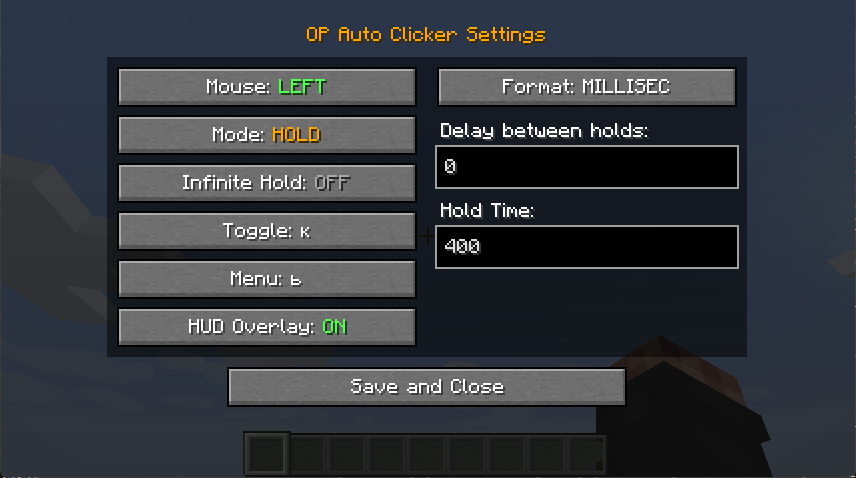 In-Game Configuration GUI In-Game Configuration GUI (EN)
 -
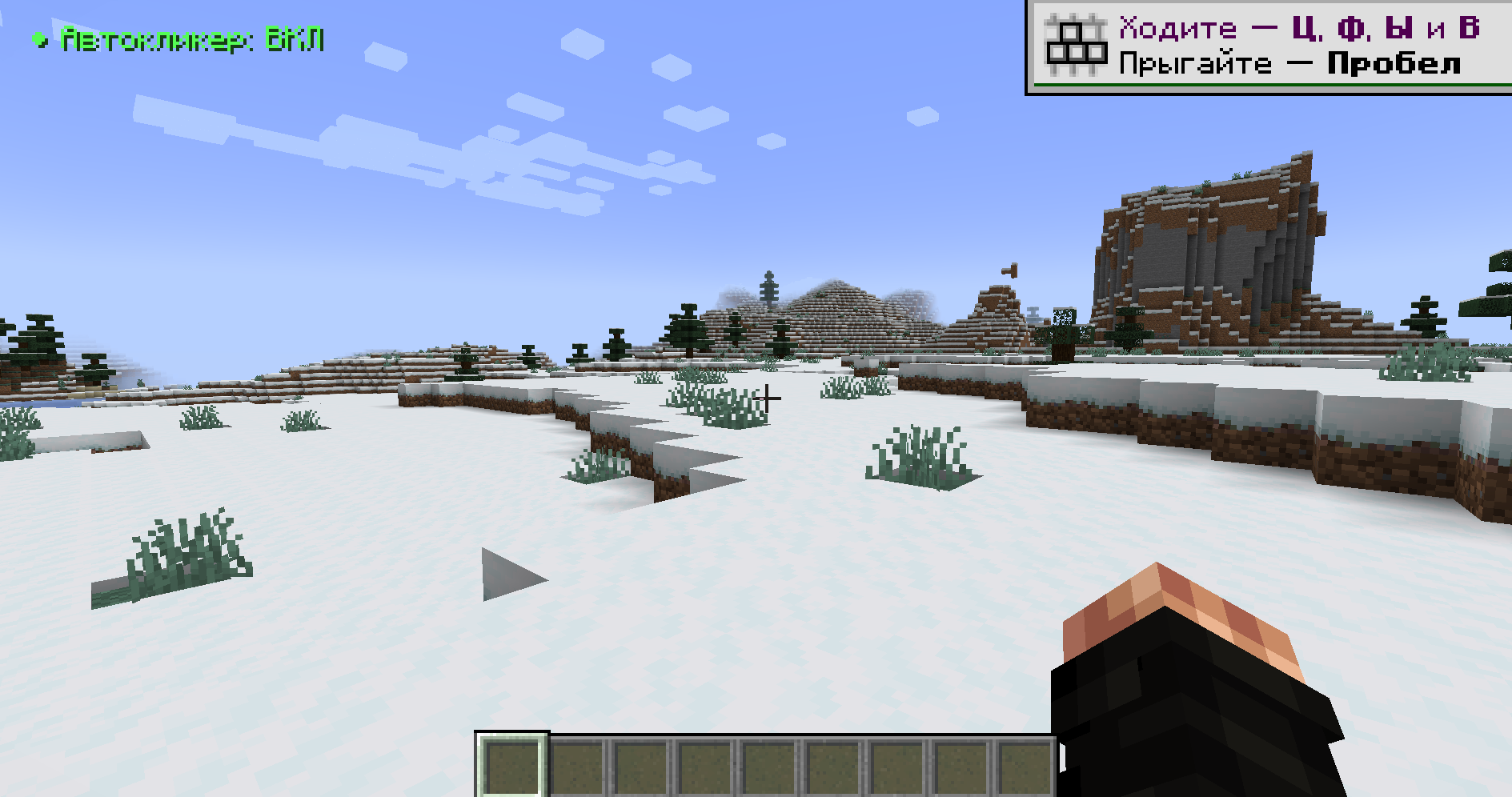 Localized HUD (Active) The on-screen text fully adapts to Russian language for maximum comfort. (Перевод: Локализованный HUD (Активен). Текст на экране полностью адаптируется под русский язык для максимального комфорта.)
 -
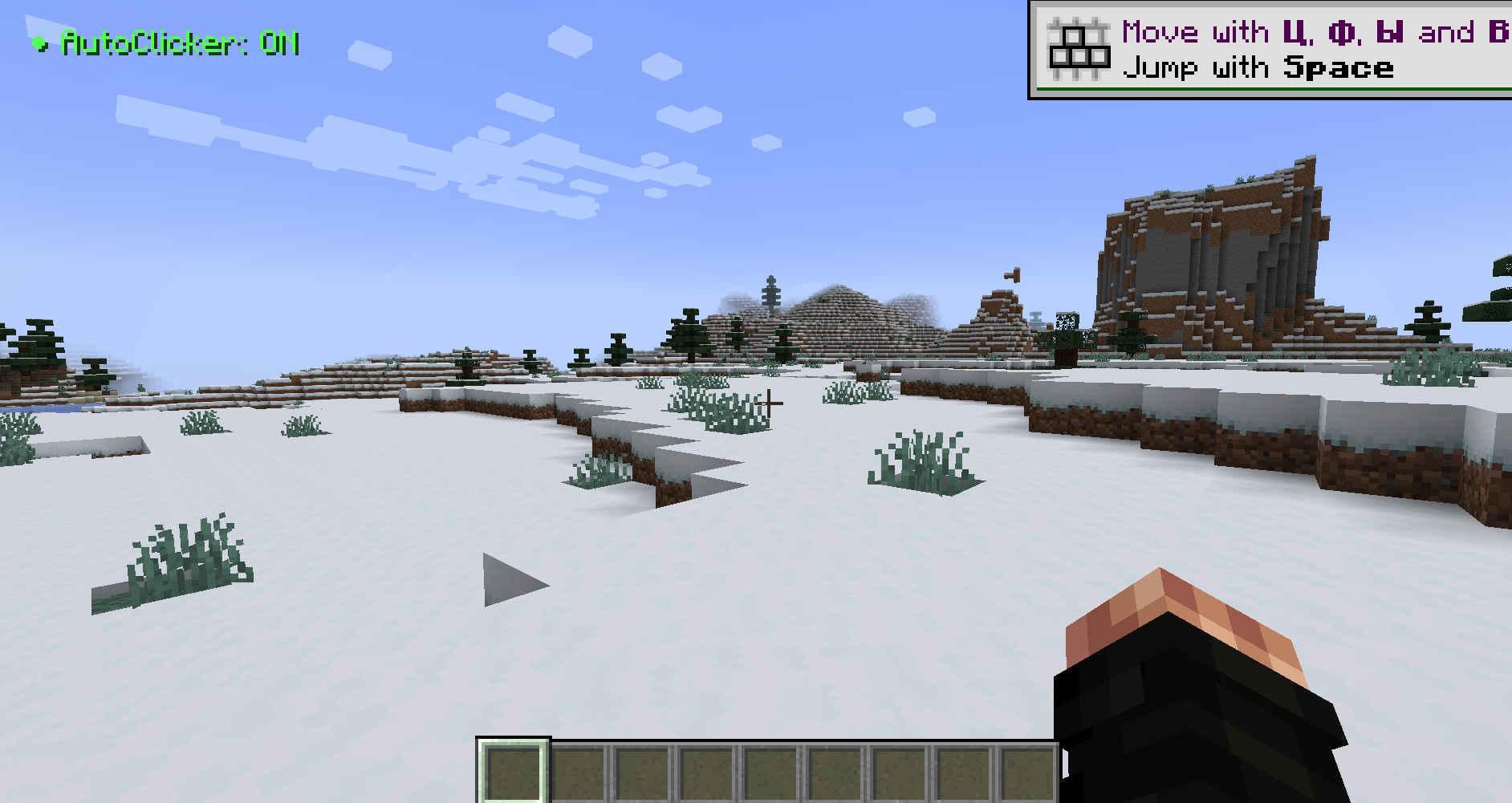 Active Status HUD A clean, customizable on-screen overlay shows a green indicator when the clicker is running.
 -
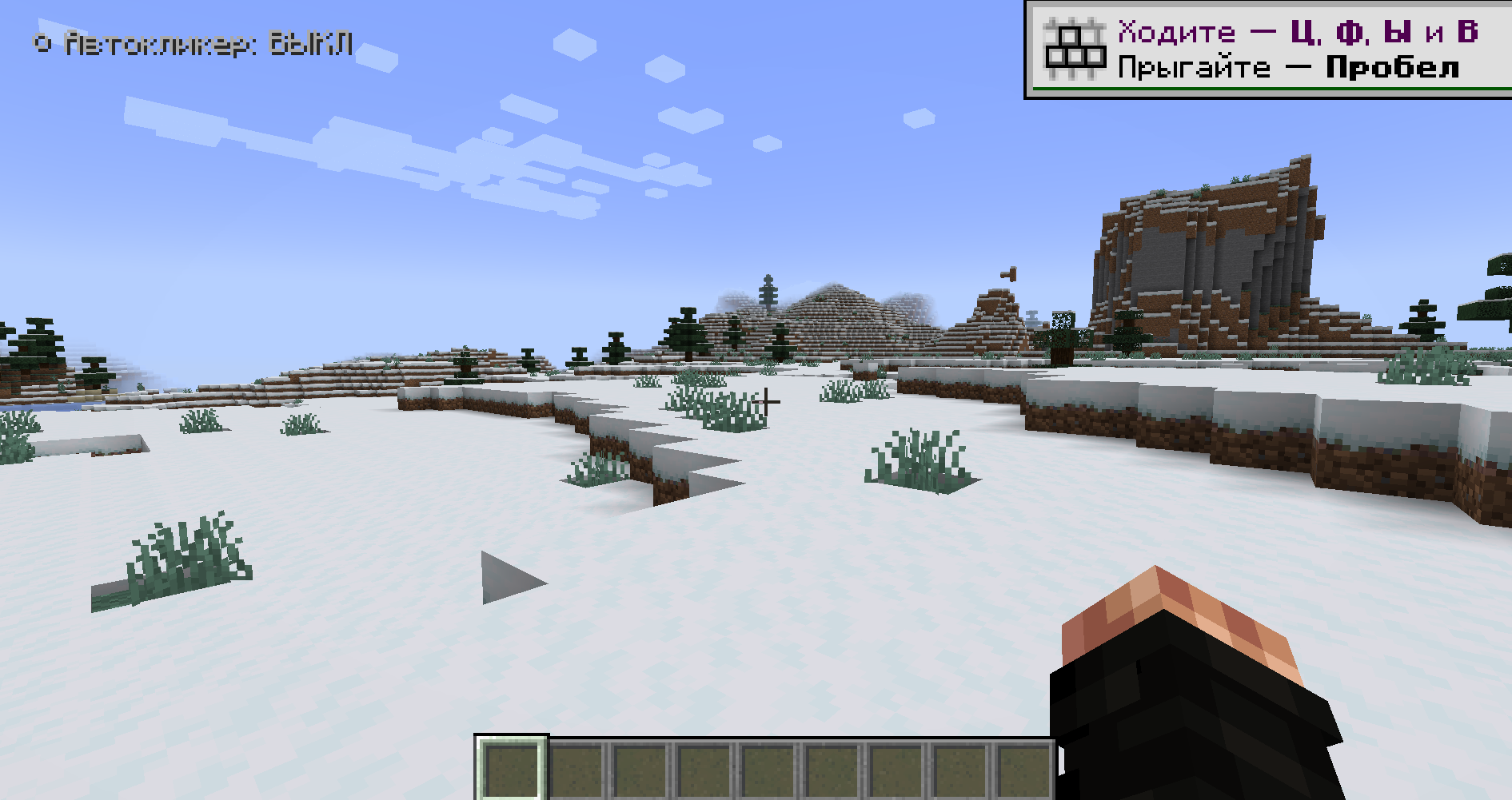 Localized HUD (Inactive) Minimalistic grey indicator. Perfect for a vanilla-like survival experience! (Перевод: Локализованный HUD (Неактивен). Минималистичный серый индикатор. Идеально для классического выживания!)
 -
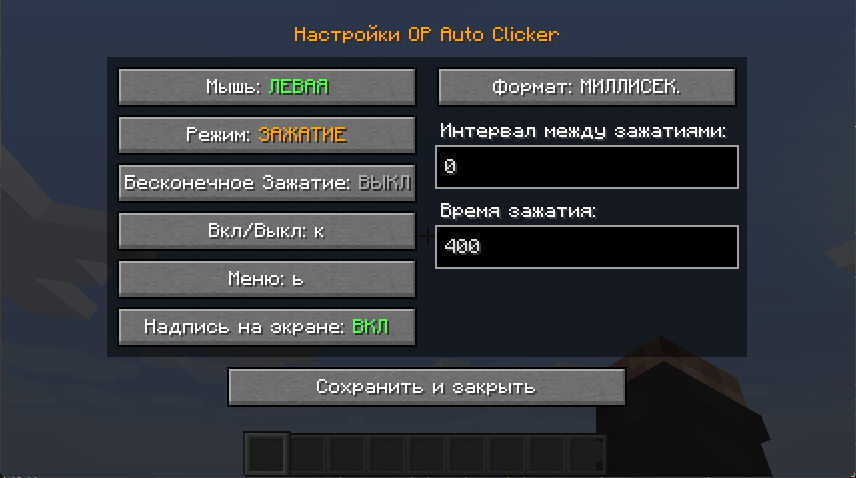 In-Game Configuration GUI In-Game Configuration GUI (RU)
 -
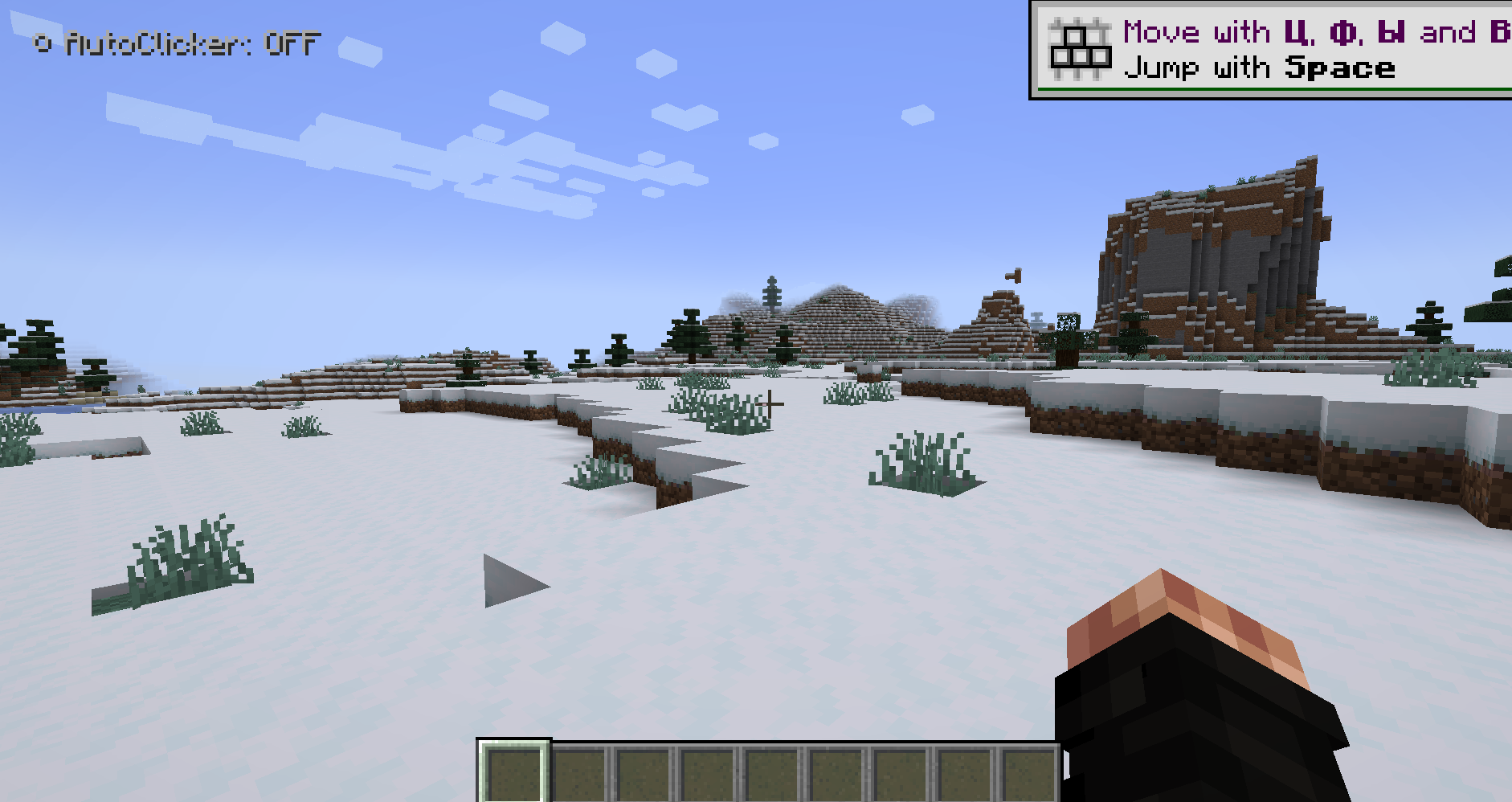 Inactive Status HUD Keep track of your auto clicker state at a glance. You can easily hide this HUD in the settings.
Versions
Files
Relations
Project Relations
More like this
Similar Mods
Suggestions use data such as tags, dependencies, dependents, descriptions, titles, and more to rank how much they overlap with this mod.
On ModDex
Community snapshot
By the numbers
Statistics

Want to reach Minecraft players?
We're looking for a server hosting partner to feature here and other parts of the site. Interested? Send us a message!
Get in touchGet it on
Available Platforms
On ModDex
Community snapshot
By the numbers
Statistics
Resources