
Community listing page, reviews here may not be monitored by the author.
LootManager


No reviews yet
Smart client-side looting for Fabric: filter and prioritize every detected item, reserve inventory space, and automate supported containers.
Community voices
Reviews
No reviews yet. Be the first to review this project!
Get it on
Available Platforms
Compatibility
Supported Environments
Runs entirely on the client. Works on vanilla servers.
About
Project Details
For authors
Embed Badge
If you're the author of this project, you can embed a live badge anywhere that supports HTML or Markdown. It updates automatically whenever ratings change.
Use HTML for any page that supports it, or Markdown for README files and Markdown-based descriptions.
Identifiers
Platform IDs
Resources
External Links
About
Description
Smart Loot Manager
A client-side Fabric mod for fast, controlled and fully configurable item transfers between inventories and containers.
Smart Loot Manager adds two simple actions:
- Loot — take selected items from a container.
- Put — move selected items from your inventory into a container.
Both systems have separate filters, priorities and automatic modes, giving you full control over what gets transferred and in which order.
Features
Loot and Put
- Manual transfers using compact container buttons
- Optional Auto-Loot and Auto-Put
- Independent settings for both transfer directions
- Protection against automatic transfer loops
- Separate options for ignoring automatic actions in ender chests
Filters
- Searchable whitelists and blacklists
- Support for vanilla and modded items
- Transfer all items or only selected items
- Separate ignored-item lists for Loot and Put
Priorities
- Custom item priorities from
0to100 - Built-in priorities for common and valuable items
- Optional reversed Put priorities
- Enchantment and NBT tie-breakers
- Stable transfer order for items with equal priority
Additional settings
- Configurable transfer delay
- Configurable inventory fill and take order
- Reserved empty inventory slots for Loot
- Dark settings menu opened with
Uby default
Supported Containers
Smart Loot Manager supports standard chest-style containers, including:
- Chests and trapped chests
- Barrels
- Ender chests
- Shulker boxes
- Chest minecarts
- Chest boats
Custom container layouts, crafting, trading, furnaces, hoppers and dispensers are not supported.
Client-Side
Smart Loot Manager runs entirely on the client.
- No server-side installation required
- Works with vanilla and Fabric servers
- Fabric API is required
Some servers may limit fast inventory actions. Increase the transfer delay when necessary and follow the server's rules.
Smart Loot Manager
A client-side Fabric mod for fast, controlled and fully configurable item transfers between inventories and containers.
Smart Loot Manager adds two simple actions:
- Loot — take selected items from a container.
- Put — move selected items from your inventory into a container.
Both systems have separate filters, priorities and automatic modes, giving you full control over what gets transferred and in which order.
Features
Loot and Put
- Manual transfers using compact container buttons
- Optional Auto-Loot and Auto-Put
- Independent settings for both transfer directions
- Protection against automatic transfer loops
- Separate options for ignoring automatic actions in ender chests
Filters
- Searchable whitelists and blacklists
- Support for vanilla and modded items
- Transfer all items or only selected items
- Separate ignored-item lists for Loot and Put
Priorities
- Custom item priorities from
0to100 - Built-in priorities for common and valuable items
- Optional reversed Put priorities
- Enchantment and NBT tie-breakers
- Stable transfer order for items with equal priority
Additional settings
- Configurable transfer delay
- Configurable inventory fill and take order
- Reserved empty inventory slots for Loot
- Dark settings menu opened with
Uby default
Supported Containers
Smart Loot Manager supports standard chest-style containers, including:
- Chests and trapped chests
- Barrels
- Ender chests
- Shulker boxes
- Chest minecarts
- Chest boats
Custom container layouts, crafting, trading, furnaces, hoppers and dispensers are not supported.
Client-Side
Smart Loot Manager runs entirely on the client.
- No server-side installation required
- Works with vanilla and Fabric servers
- Fabric API is required
Some servers may limit fast inventory actions. Increase the transfer delay when necessary and follow the server's rules.
Screenshots
Gallery
-
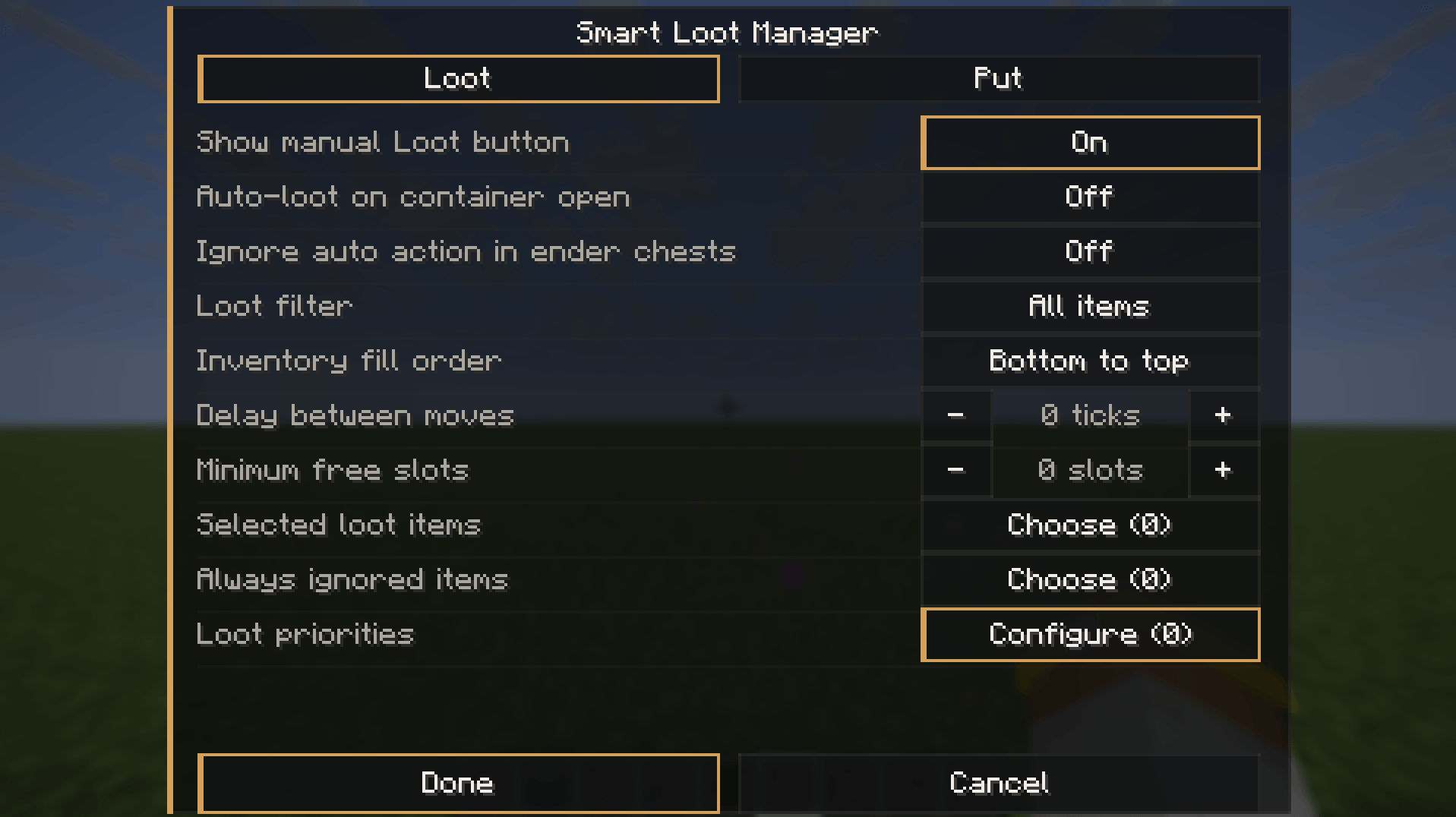 GUI
GUI -
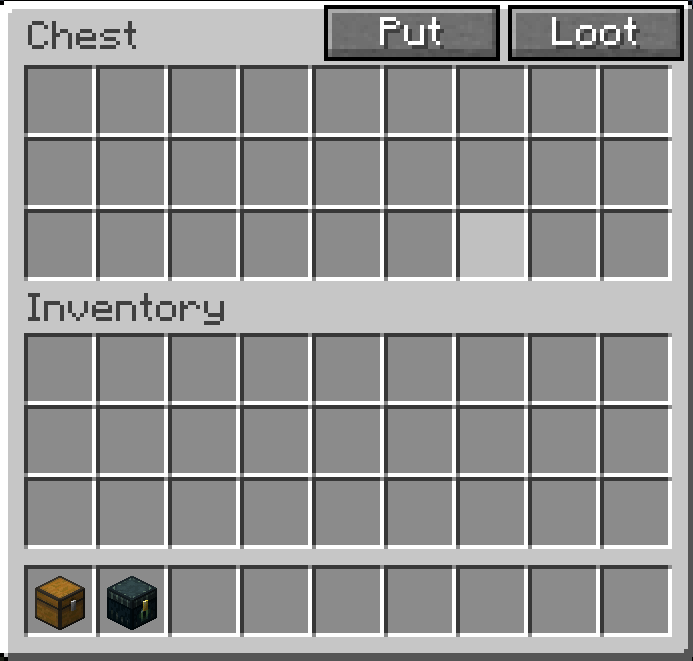 Appearance
-
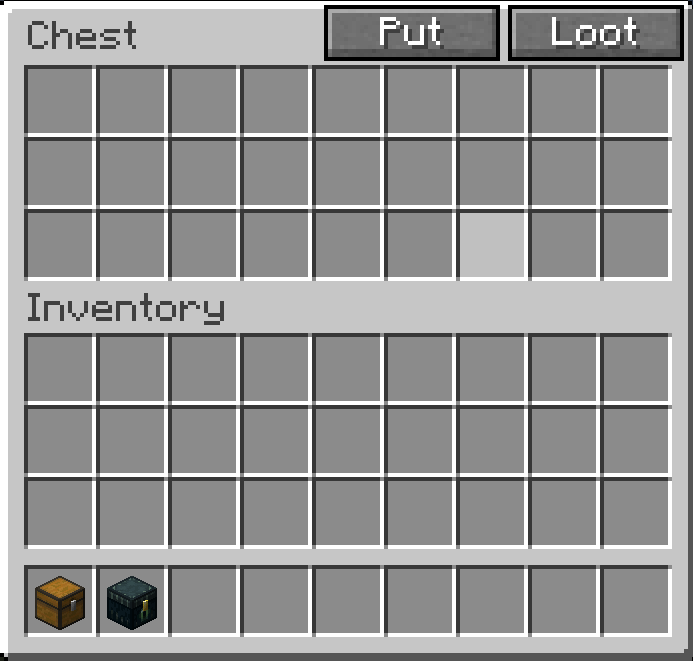 Appearance
 -
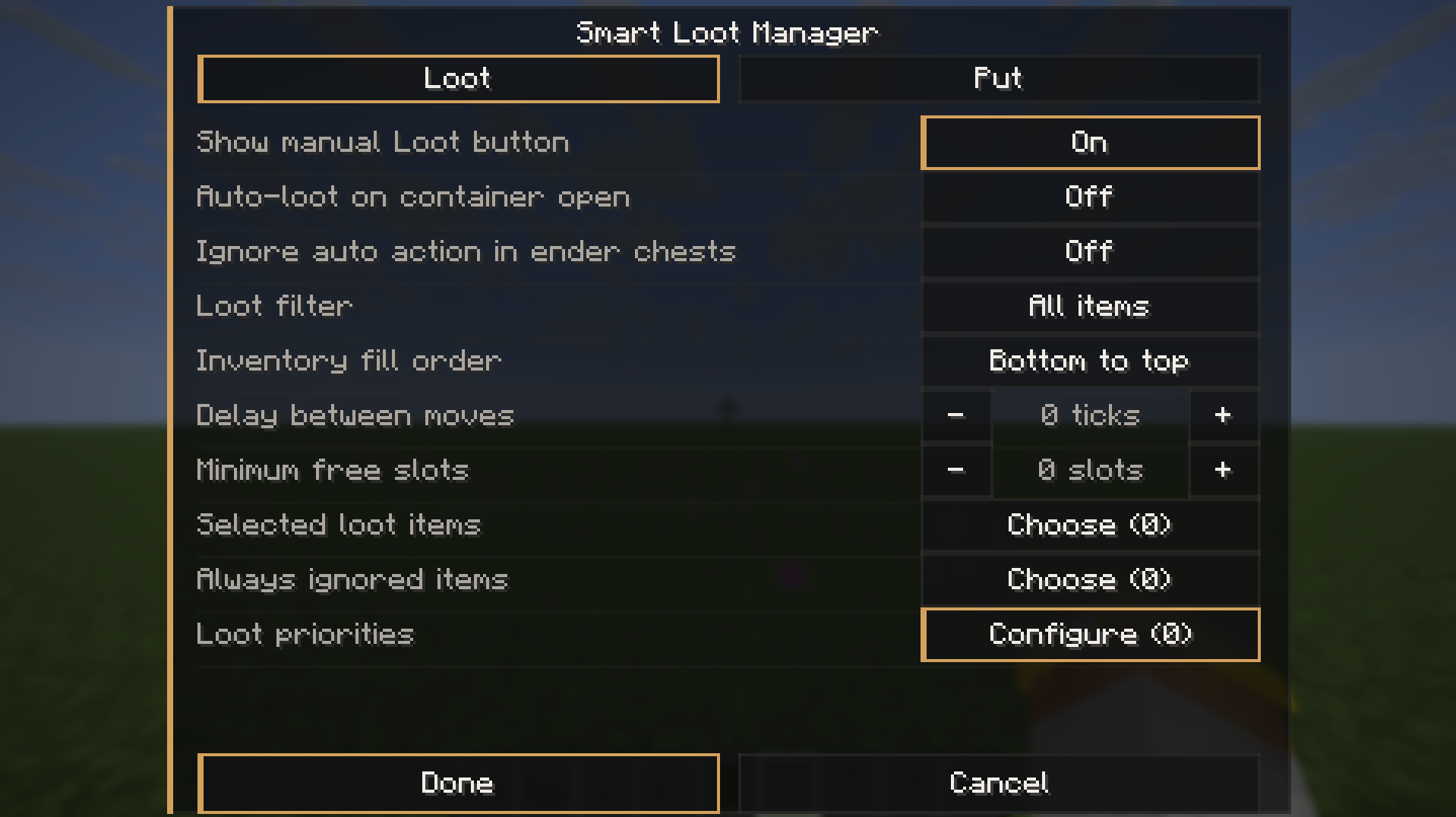 GUI
GUI
Versions
Files
Relations
Project Relations
More like this
Similar Mods
Suggestions use data such as tags, dependencies, dependents, descriptions, titles, and more to rank how much they overlap with this mod.
On ModDex
Community snapshot
By the numbers
Statistics
Want to reach Minecraft players?
We're looking for a server hosting partner to feature here and other parts of the site. Interested? Send us a message!
Get in touchGet it on
Available Platforms
On ModDex
Community snapshot
By the numbers
Statistics
Resources