
System Music Notification Toast
No reviews yet
Shows toast notifications when music starts playing on your system
Neoforge is a fork of the Minecraft Forge available for versions 1.20.1+ of Minecraft. Many Forge mods are compatible with Neoforge and vice versa.
Fabric is a mod loader for versions 1.14+ of Minecraft, particularly popular for client side and optimization mods.
Community voices
Reviews
Click once to include, again to exclude, again to clear
No reviews yet. Be the first to review this project!
Get it on
Available Platforms
 Modrinth
Compatibility
Supported Environments
About
Project Details
For authors
Embed Badge
If you're the author of this project, you can embed a live badge anywhere that supports HTML or Markdown. It updates automatically whenever ratings change.
Use HTML for any page that supports it, or Markdown for README files and Markdown-based descriptions.
Identifiers
Platform IDs
About
Description
🎵 System Music Notification Toast
Display your currently playing music as a Minecraft toast notification.
What it does
System Music Notification Toast (SMN Toast) is a client-side mod for Fabric and NeoForge that detects music playing on your system and displays it as a toast notification in Minecraft. When a new track starts playing, you'll see a "Now Playing" toast showing the song title and artist name.
Features
- Automatic notifications — A toast appears whenever a new track starts playing
- Manual trigger — Configurable keybind to show the current track on demand (unbound by default)
- Clean design — Uses the vanilla Minecraft toast style
- Cross-platform — Works on Windows, Linux and macOS
Platform Support
| Platform | Method | Requirements |
|---|---|---|
| Windows | SMTC (System Media Transport Controls) | None (built-in) |
| Linux | MPRIS via D-Bus | None (native) or playerctl (non-Flatpak) |
| Linux (Flatpak) | MPRIS via D-Bus | Permission grant (see below) |
| macOS | AppleScript | Permission grant (see below) |
How to use
- Install the mod in your Fabric or NeoForge mods folder
- Start playing music in any compatible player
- A toast will appear when a new track starts
To manually show the current track, bind a key in Options → Controls → Key Binds → System Music Notification Toast.
Compatible Players
- Windows: Spotify, Windows Media Player, browser media (Edge/Chrome), foobar2000, and any app using SMTC
- Linux: Spotify, VLC, Firefox, Chromium, and any MPRIS-compatible player
- macOS: Spotify, Music.app (Spotify has higher priority)
Flatpak Users (Linux)
If you're using a Flatpak launcher (like PrismLauncher), you need to grant permission for the mod to communicate with media players.
Run this command:
flatpak override --user org.prismlauncher.PrismLauncher '--talk-name=org.mpris.MediaPlayer2.*'
Or using Flatseal:
- Open Flatseal and select your launcher (e.g., PrismLauncher)
- Go to Session Bus → Talk
- Add
org.mpris.MediaPlayer2.*
Restart the launcher after applying the permission.
Note: This permission only allows communication with media players — it does not grant access to run commands on your host system.
macOS Permission
macOS will prompt you to allow Minecraft (or your launcher) to control Spotify and/or Music.app. Allow it to enable track detection.
If you denied it previously, go to System Settings → Privacy & Security → Automation and enable access for your launcher or Minecraft.
(Thanks to NatsuCamellia for the macOS support <3)
Screenshots
Gallery
-
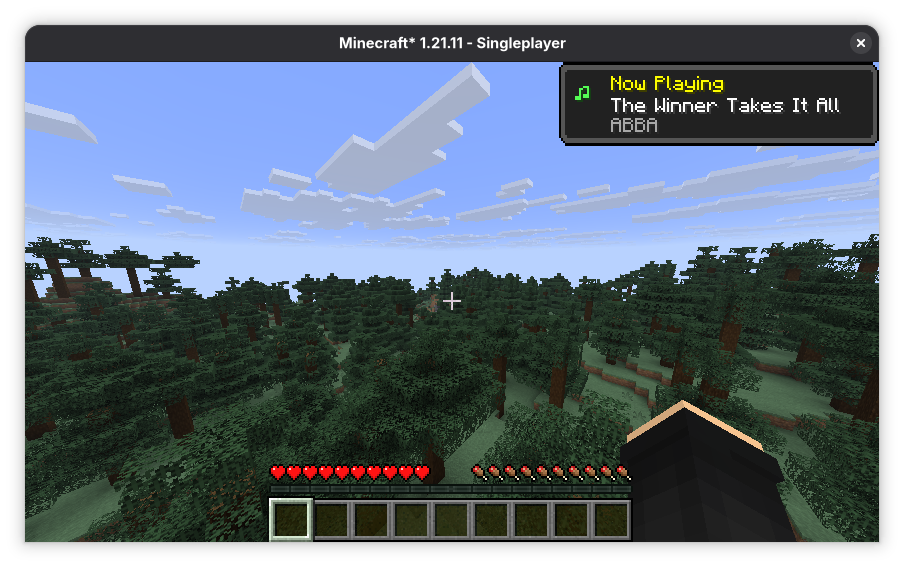 Linux Music Toast on Arch Linux
 -
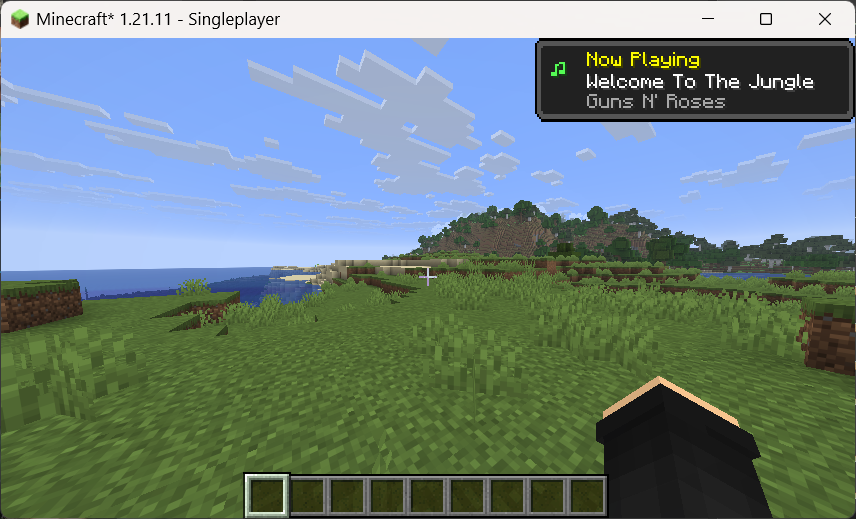 Windows Music Toast on Windows 11
 -
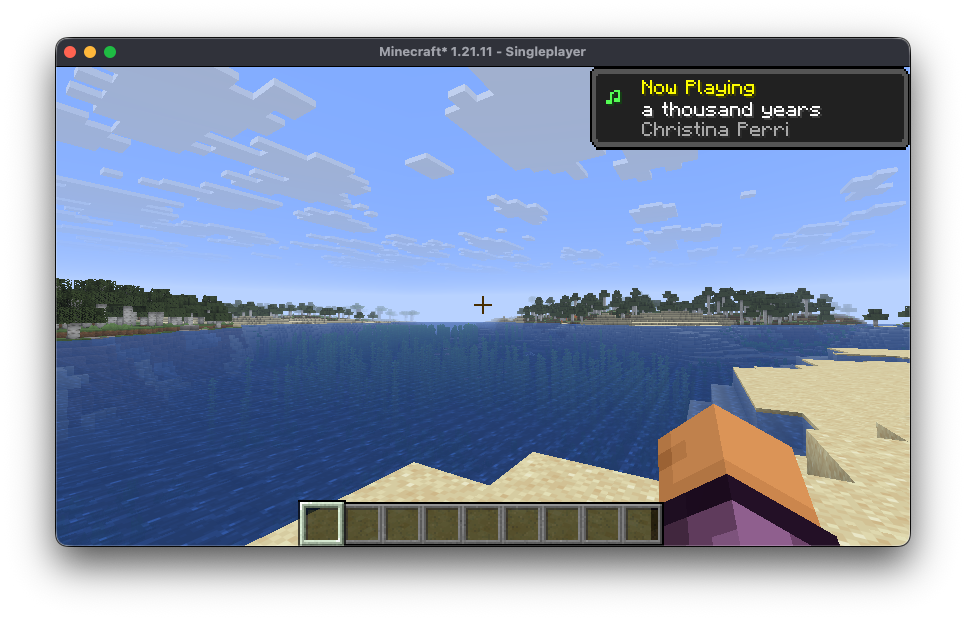 macOS Music Toast on macOS (by NatsuCamellia)
Versions
Files
Relations
Project Relations
More like this
Similar Mods
Suggestions use data such as tags, dependencies, dependents, descriptions, titles, and more to rank how much they overlap with this mod.
On ModDex
Community snapshot
By the numbers
Statistics

Want to reach Minecraft players?
We're looking for a server hosting partner to feature here and other parts of the site. Interested? Send us a message!
Get in touchGet it on
Available Platforms
On ModDex
Community snapshot
By the numbers