
Community listing page, reviews here may not be monitored by the author.
SonicPulse

No reviews yet
A professional, high-fidelity music player and reactive visualizer for Minecraft. Stream from any source with a premium, customizable HUD that pulses to your beats.

Community voices
Reviews
No reviews yet. Be the first to review this project!
Get it on
Available Platforms
Compatibility
Supported Environments
Must be installed on both the client and the server.
About
Project Details
For authors
Embed Badge
If you're the author of this project, you can embed a live badge anywhere that supports HTML or Markdown. It updates automatically whenever ratings change.
Use HTML for any page that supports it, or Markdown for README files and Markdown-based descriptions.
Identifiers
Platform IDs
About
Description
SonicPulse
A professional audio streaming and reactive visualizer mod for Minecraft Fabric, supporting Minecraft 26.3 ("Wilderness Bound") and 1.21.4.
Stream music from YouTube, SoundCloud, Bandcamp, Vimeo, internet radio, and local files — all from inside Minecraft, with a stunning reactive HUD ribbon that pulses to the beat.
✨ Features
🎵 Audio Streaming
- YouTube Playback – Paste any YouTube link and it starts playing instantly
- SoundCloud / Bandcamp / Vimeo – Direct URL streaming for all major platforms
- Internet Radio (M3U) – Load and save M3U stream playlists with BBC presets built-in
- Local File Playback – Browse and stream
.mp3,.flac, and.wavfiles from your computer - Favorites & History – Save, rename, reorder, and replay your tracks with one click
🌊 Reactive Visualizer HUD
- Real-time Equalizer Bars – Animated FFT frequency bars rendered directly on the HUD ribbon
- Multiple Visual Styles – Block, Line, Wave, Mirror, Peak, Dots, and more
- Background Effects – Pulse flash, Aura gradient drift, VHS glitch, Heatmap, and Starfield
- Audio-Reactive Skinning – HUD border and background react dynamically to the music
- Color Themes – 20+ curated palette colors for bars, title text, and accents
- SonicPulse Logo – Animated text logo with per-color customization
🎧 DSP Audio Engine
- Bass & Treble EQ – Frequency-specific gain sliders (–100% to +100%)
- Stereo Widening – Soundstage expansion from Mono (0%) to Super Wide (200%)
- Underwater Auto-Muffle – Automatic low-pass filter when submerged
- Stream Buffering – Configurable pre-load buffer (0–15s) to prevent stutter on slow connections
- Buffer Progress Bar – Live loading indicator at the bottom of the HUD
⚙️ Deck Controls
- In-config Transport Controls – ⏮ Previous, ▶/⏸ Play/Pause, ⏹ Stop, ⏭ Next directly in the config screen
- Quick-Play Shortcuts – One-click Play Favs and Play Local header buttons
- Session Modes – Remote, Radio, Favourites, History, and Local modes tracked per session
🎮 Default Keybindings
| Key | Action | Notes |
|---|---|---|
P |
Open Config Screen | Opens the full SonicPulse control panel |
ESC |
Close Config Screen | Standard close when no text field is focused |
TIP: The config key is fully remappable in Options ➔ Controls ➔ Key Binds under the SonicPulse category.
📦 Installation & Compatibility
Choose the release file matching your Minecraft version:
For Minecraft 26.3 (v1.1.0)
- Minecraft:
26.3 - Fabric Loader:
>= 0.19.5 - Fabric API:
>= 0.161.0+26.3 - Java:
25 LTS
For Minecraft 1.21.4 (v1.0.0)
- Minecraft:
1.21.4 - Fabric Loader:
>= 0.16.9 - Fabric API:
0.119.4+1.21.4 - Java:
21
Steps
- Install Fabric Loader for your Minecraft version.
- Download Fabric API and place it in your
.minecraft/modsfolder. - Download the matching SonicPulse version (
SonicPulse-1.1.0.jarfor 26.3, orSonicPulse-1.0.0.jarfor 1.21.4). - Place the
.jarfile in your.minecraft/modsfolder. - Launch Minecraft using the Fabric profile.
- Press
Pin-game to open the SonicPulse config screen and start streaming!
Note: SonicPulse bundles its own audio engine (LavaPlayer) — no external server or companion app required.
⚙️ Configuration
Press P in-game to open the full configuration screen. Nine dedicated tabs put every setting at your fingertips:
| Tab | Contents |
|---|---|
| 📡 REMOTE | Paste YouTube / SoundCloud / direct URLs, recent stream shortcuts |
| 🎨 VISUAL | HUD visibility, skins, logo, track name, EQ bar style, background effects, colors |
| 📐 LAYOUT | Element sequence (Logo / Track / Bars order), HUD scale, HUD width |
| 🕒 HIST | Replay or delete your recently streamed tracks |
| ★ FAVS | Manage saved favorites — reorder, rename, and quick-play |
| 📻 RADIO | M3U internet radio with BBC presets and 4 custom save slots |
| ♫ LOCAL | Browse and play audio files from your computer |
| ⚙ ENGINE | Stream buffering, buffer bar, Bass EQ, Treble EQ, Stereo Width, Underwater muffle |
| i ABOUT | Version info, update checker, donation QR code |
Visual Effects Detail
| Effect | What It Does |
|---|---|
| PULSE | Beat-reactive flash overlay — intensity and decay configurable |
| AURA | Slowly shifting gradient; speed and hue palette adjustable |
| VHS | Pixel-split glitch on bass hits with optional CRT scanlines |
| HEATMAP | Thermal color gradient synced to frequency amplitude |
| STARFIELD | Spark particles ejected on bass hits — count and decay configurable |
📋 Roadmap
Under consideration for future updates:
- Environmental Reverb – Hall, Cave, and Large Room virtual presets
- Discord Rich Presence – Optional track title and artist status display
- Sync-Link Chat Sharing – Share stream URLs directly in Minecraft chat
- Server Radio – Server-wide broadcasting for multiplayer
- 3D Positional Audio – Distance-based fading linked to Jukebox blocks
- Dynamic Metadata Fetching – Auto-label raw URLs that lack embedded track info
- Redstone-Sync Visuals – Music-reactive Redstone triggers based on amplitude
🤝 Contributing
Contributions and feedback are always welcome!
- Report Bugs: Open an issue on GitHub with steps to reproduce and any relevant logs.
- Suggest Features: Share ideas in the GitHub issues section.
- Pull Requests: Fork, code, and submit a PR!
📄 License
This project is licensed under the MIT License.
📊 Version History
v1.1.0 – (October 2, 2026)
- NEW: Full compatibility with Minecraft 26.3 ("Wilderness Bound")
- NEW: Updated toolchain to Java 25 LTS and Gradle 9.8.0 with Fabric Loom 1.18.2
- NEW: Modernized rendering engine to Minecraft 26.3's
GuiGraphicsExtractorand JOMLMatrix3x2fStack - NEW: HUD registration updated to
HudElementRegistry.attachElementAfter(VanillaHudElements.CHAT, ...) - NEW: Network payload system migrated to
CustomPacketPayloadwithIdentifier.fromNamespaceAndPath - NEW: Underwater Auto-Muffle toggle in Engine tab
- NEW: Stereo Width DSP slider (0% Mono → 100% Normal → 200% Super Wide)
- NEW: Play Favs / Play Local quick-play buttons in the config header
- NEW: Donation button on About tab linking to PayPal via Minecraft's built-in
ConfirmLinkScreen - NEW: Live version checker — polls Modrinth API and shows an update badge if a newer release exists
- FIXED: YouTube playback stall at 39% — upgraded to
dev.lavalink.youtube 1.18.2and stabilized Android client - FIXED: Buffer hang on stream load failure —
onTrackExceptionnow clears buffering state immediately - FIXED: About screen QR code rendering (corrected UV coordinates and border)
- CHANGED:
ConfigScreenwidgets migrated toButton,EditBox, andAbstractSliderButton
v1.0.0 – (December 2024 / January 2025)
- NEW: Initial release for Minecraft 1.21.4
- NEW: Professional audio streaming and reactive visualizer ribbon
- NEW: Remote audio playback powered by LavaPlayer and YouTube source provider
- NEW: In-game Config Screen with customizable color palettes, themes, and layouts
- NEW: Real-time audio DSP pipeline with EQ, stereo widening, and underwater muffling
- NEW: ModMenu integration and custom keybinding support
☕ Support
Enjoying SonicPulse? Consider buying Steve a coffee — there's a QR code and button on the About tab in-game, or use the link below.
🙏 Acknowledgments
- Built with Fabric and LavaPlayer
- YouTube support via lavalink-devs/youtube-source
- Inspired by the Minecraft modding community
Screenshots
Gallery
-
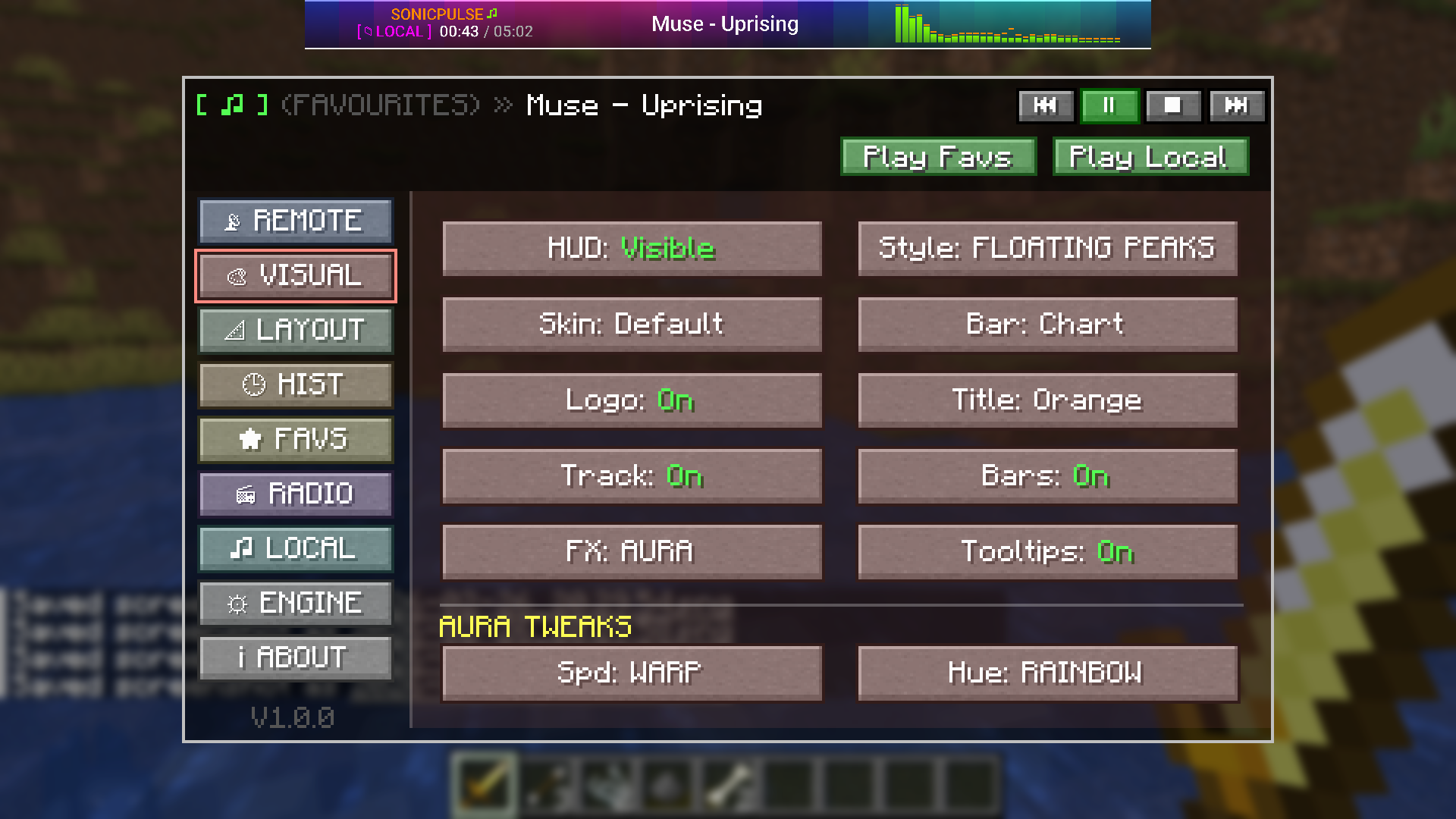 Visuals Lots of stuff here have a play ;)
 -
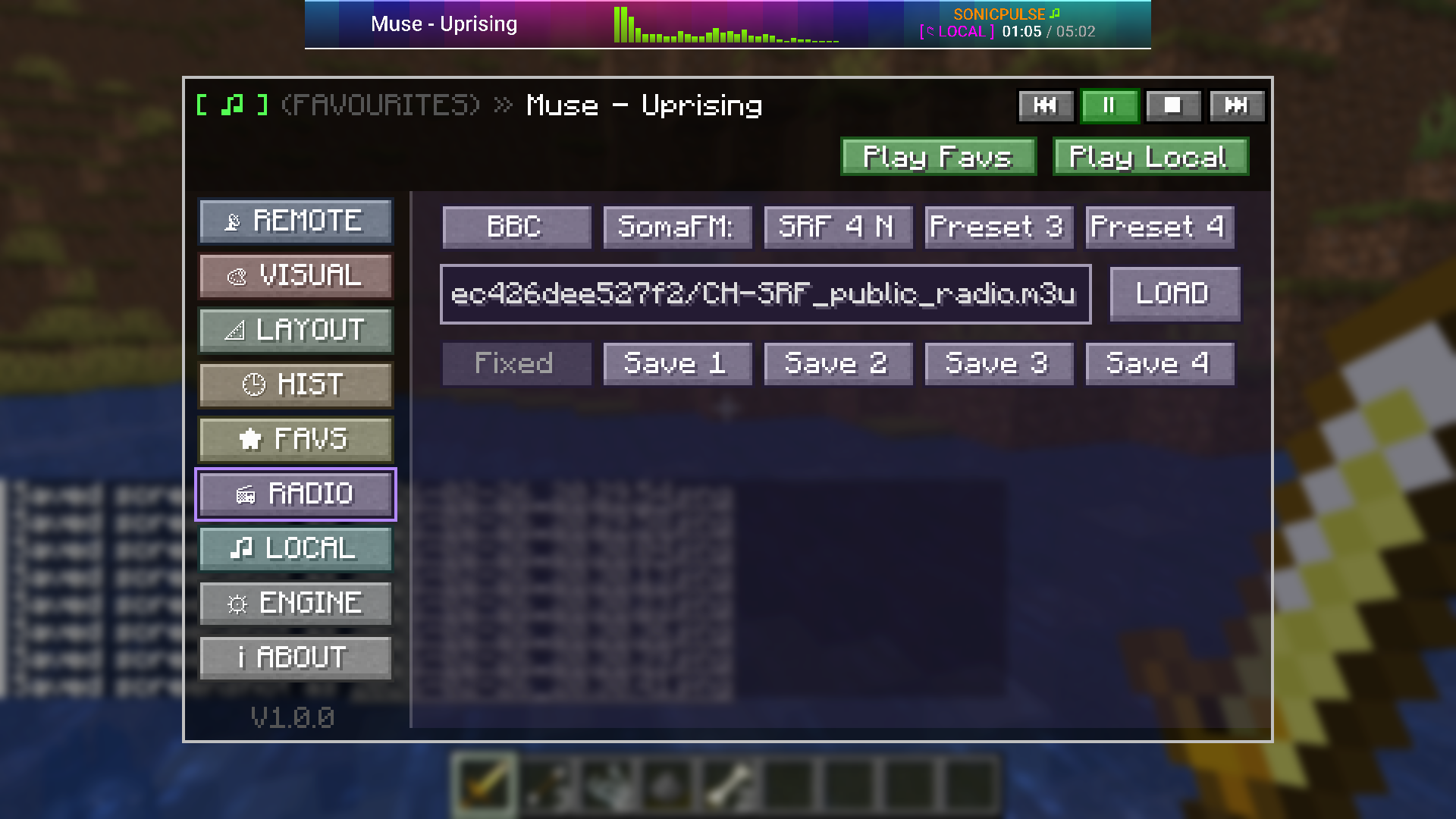 Radio Stream presets, save urls, stream from radio streams online
 -
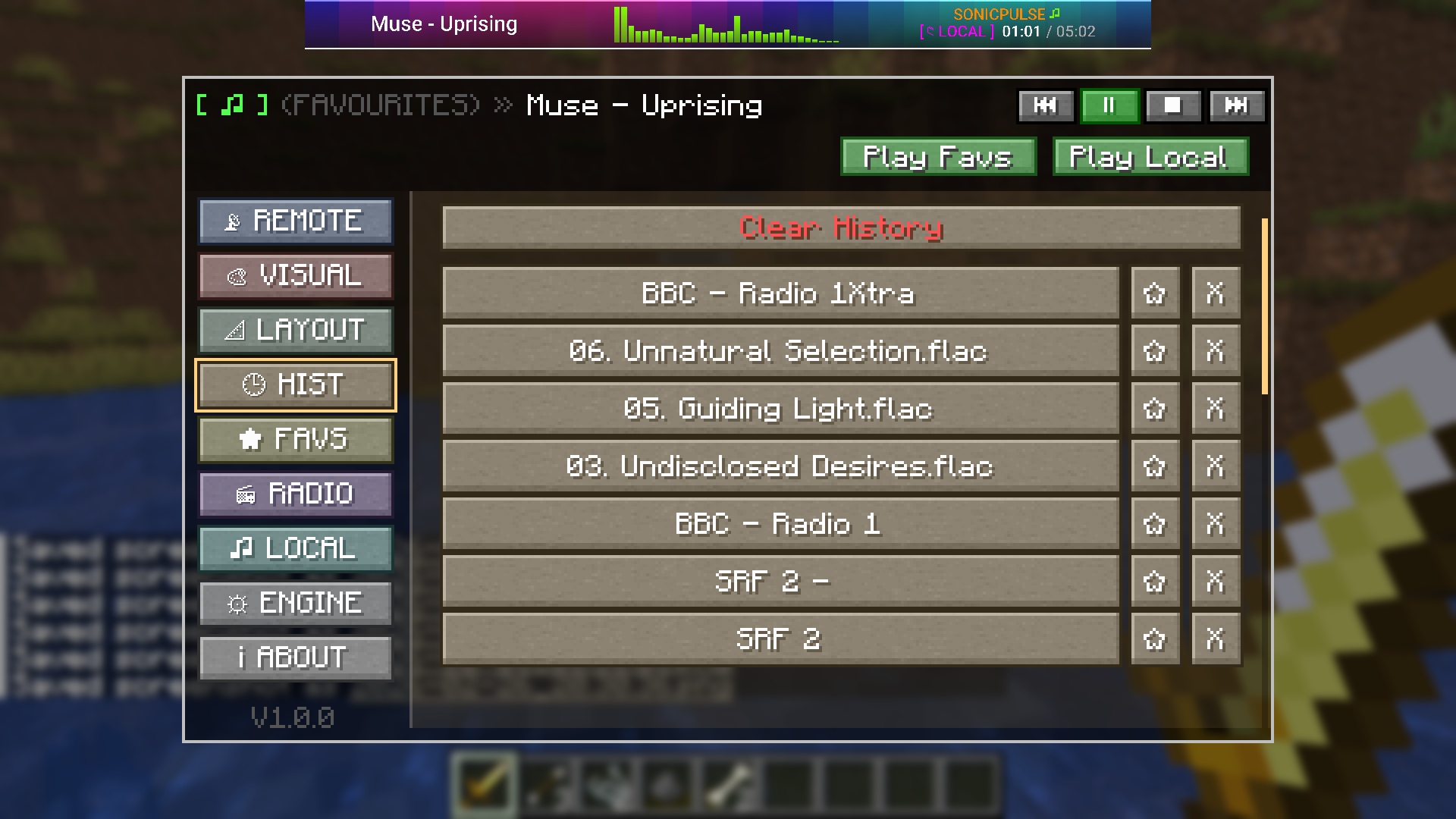 History with a star to add to favourites
 -
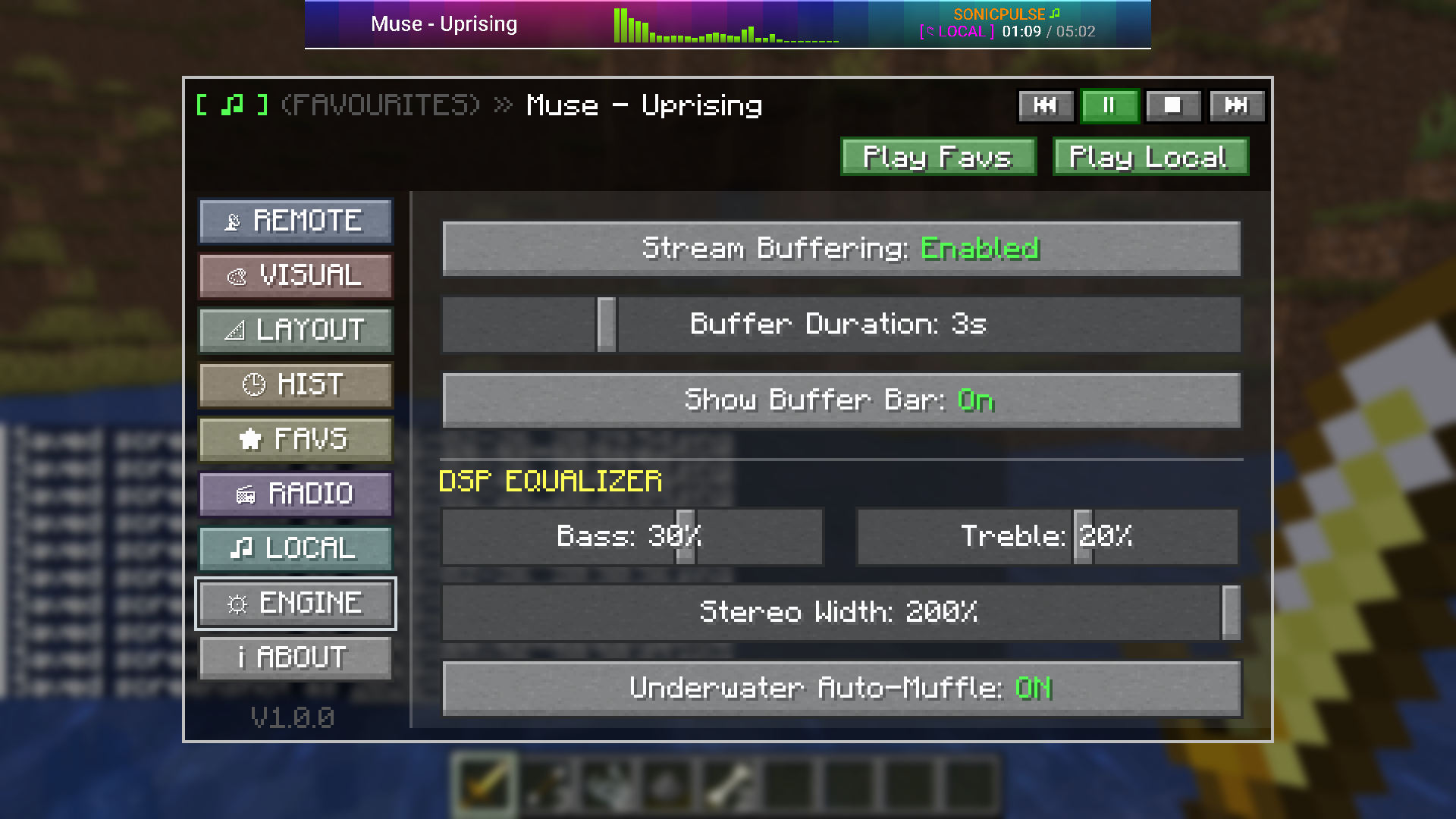 Buffer features / Underwater Muffling
 -
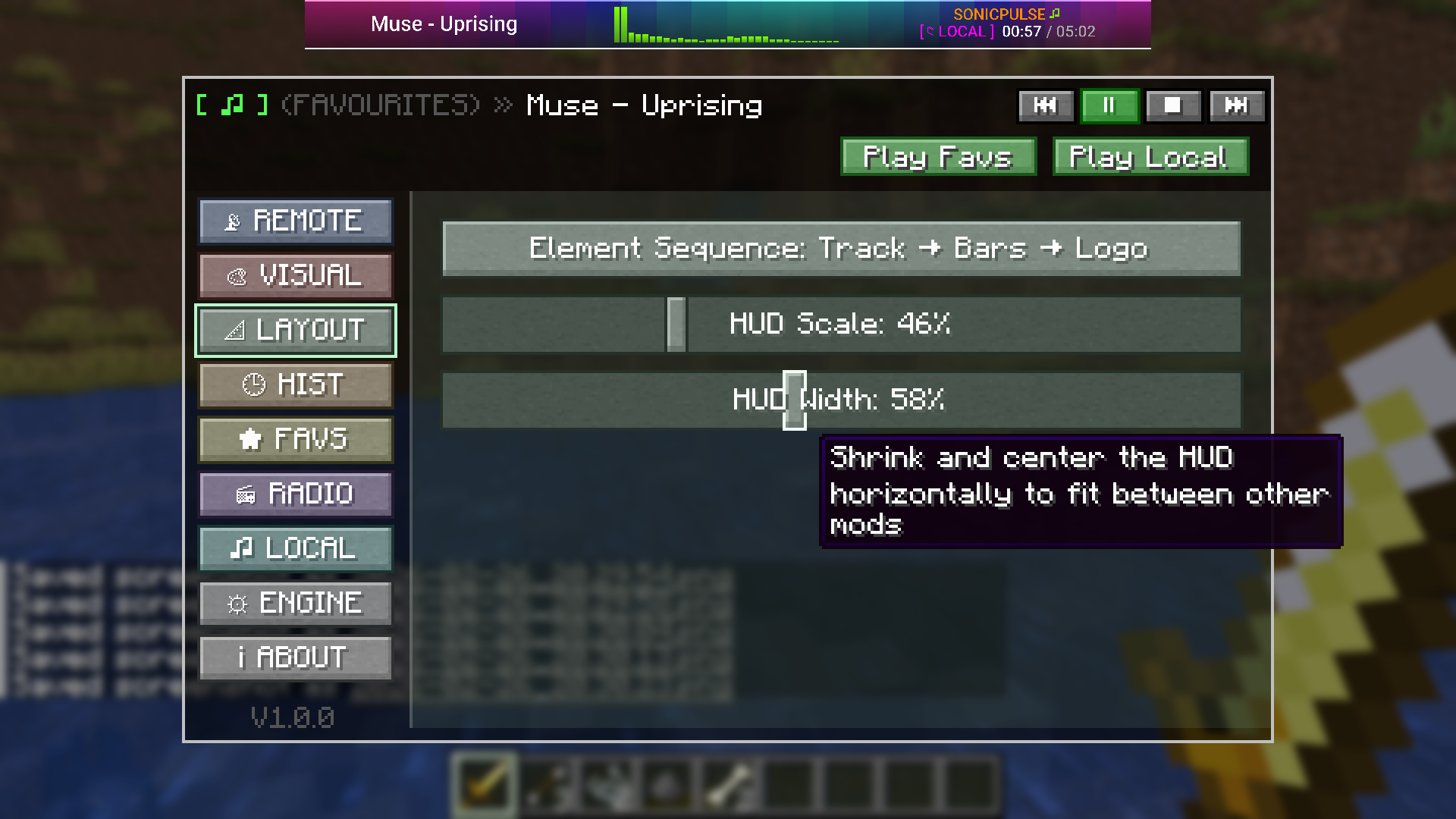 Size the HUD player for width & depth and also element ordering
 -
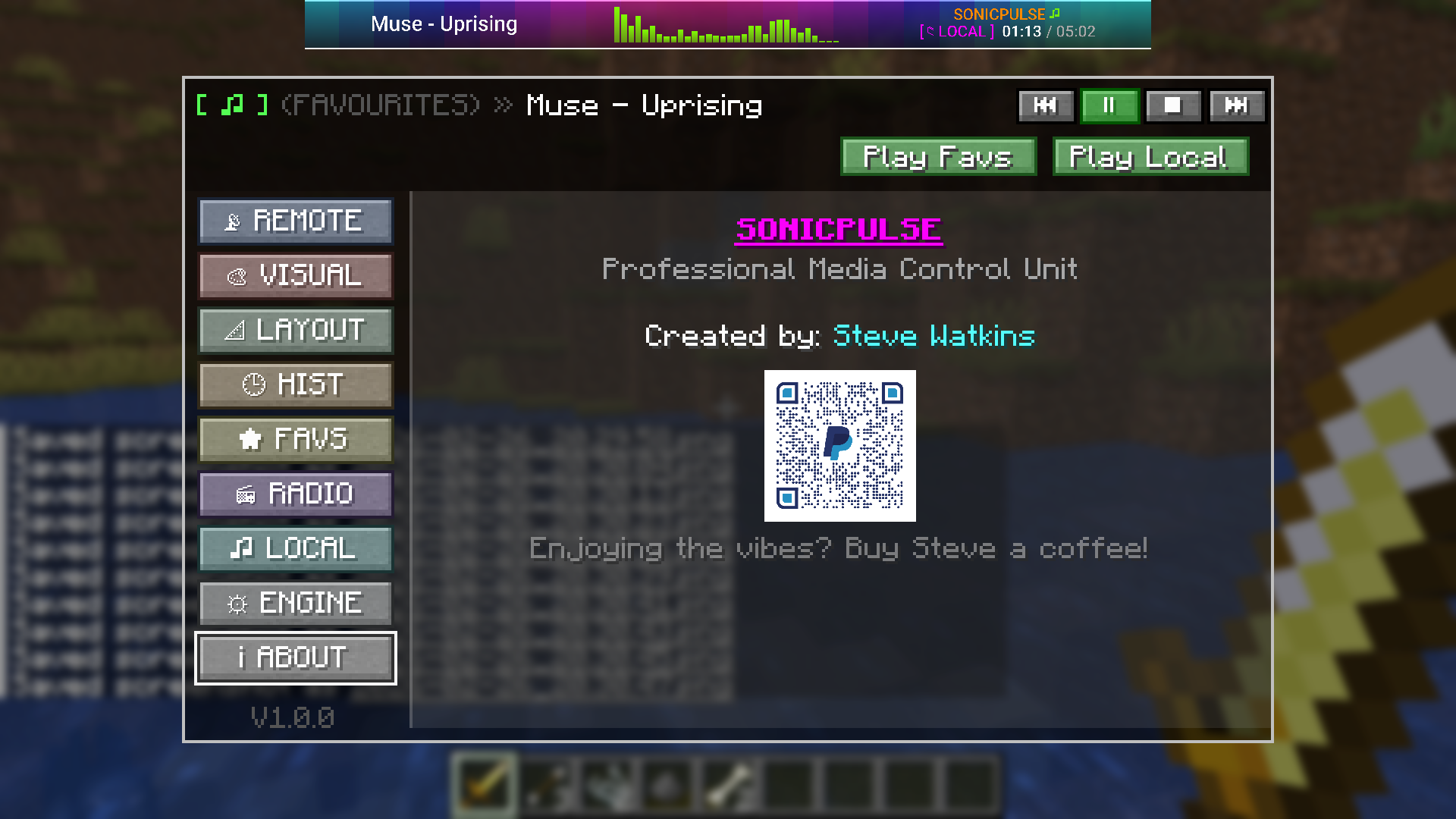 About Screen
 -
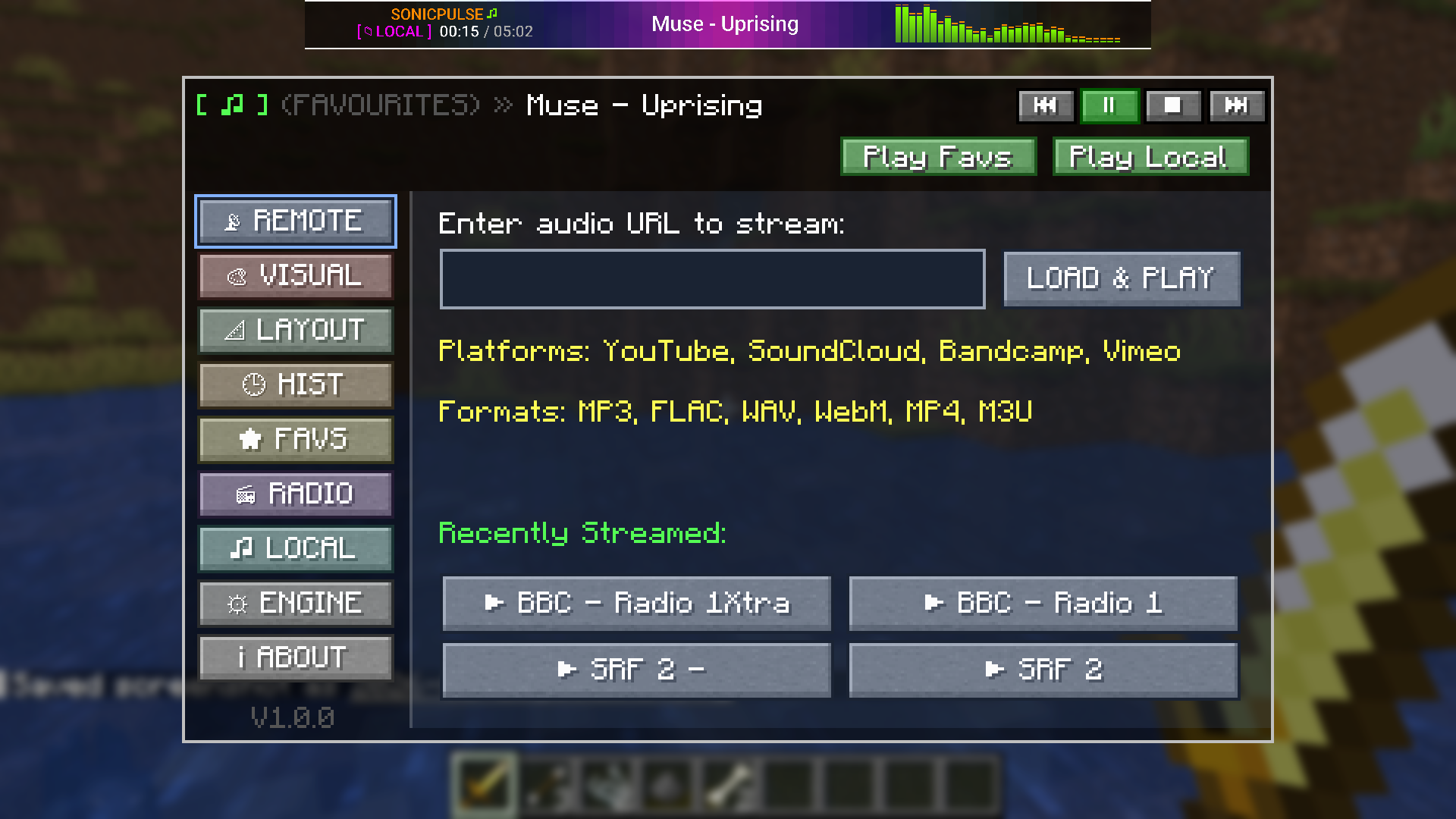 Stream an URL and recents played
 -
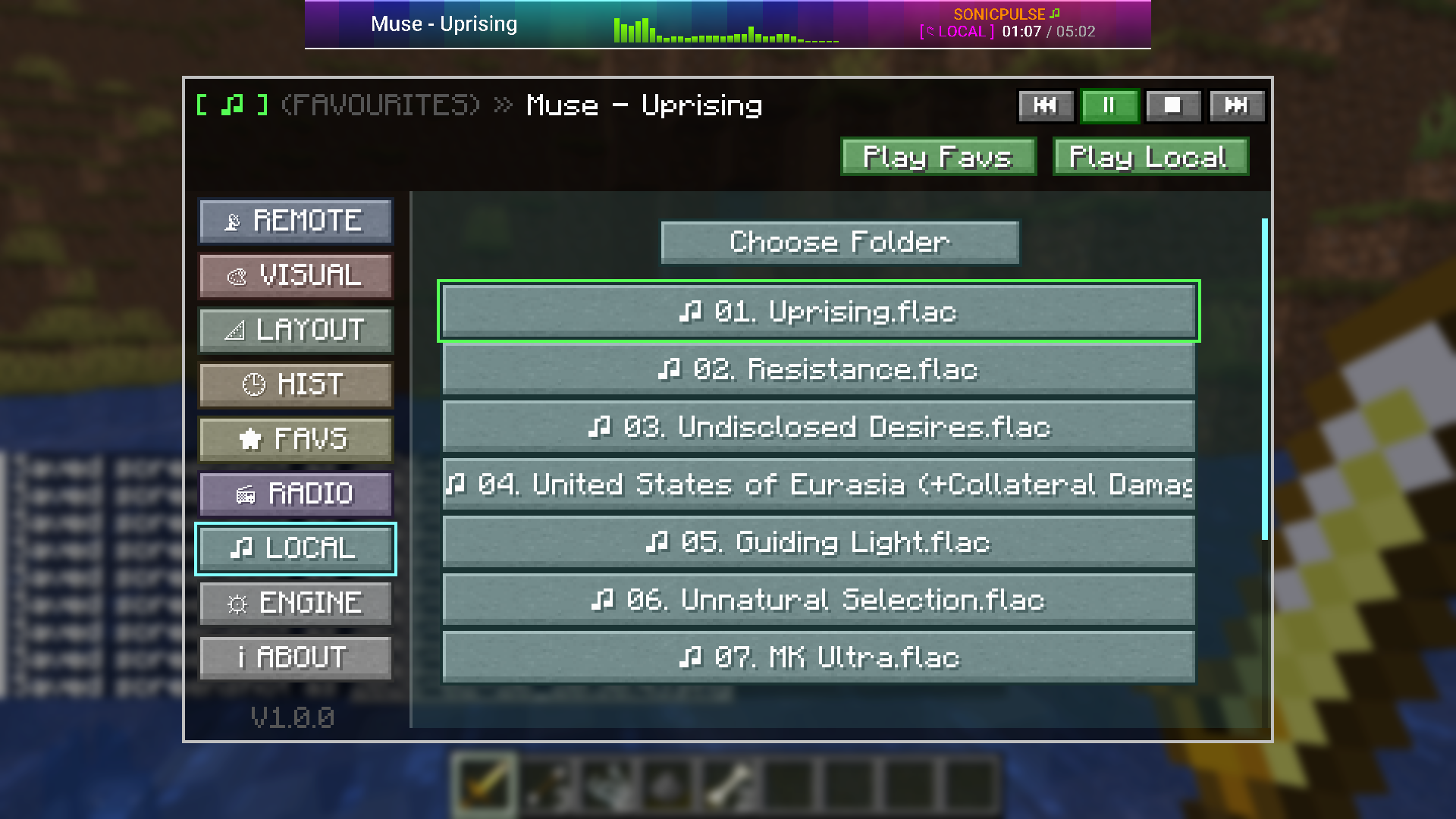 Local music load Load local music into the player
 -
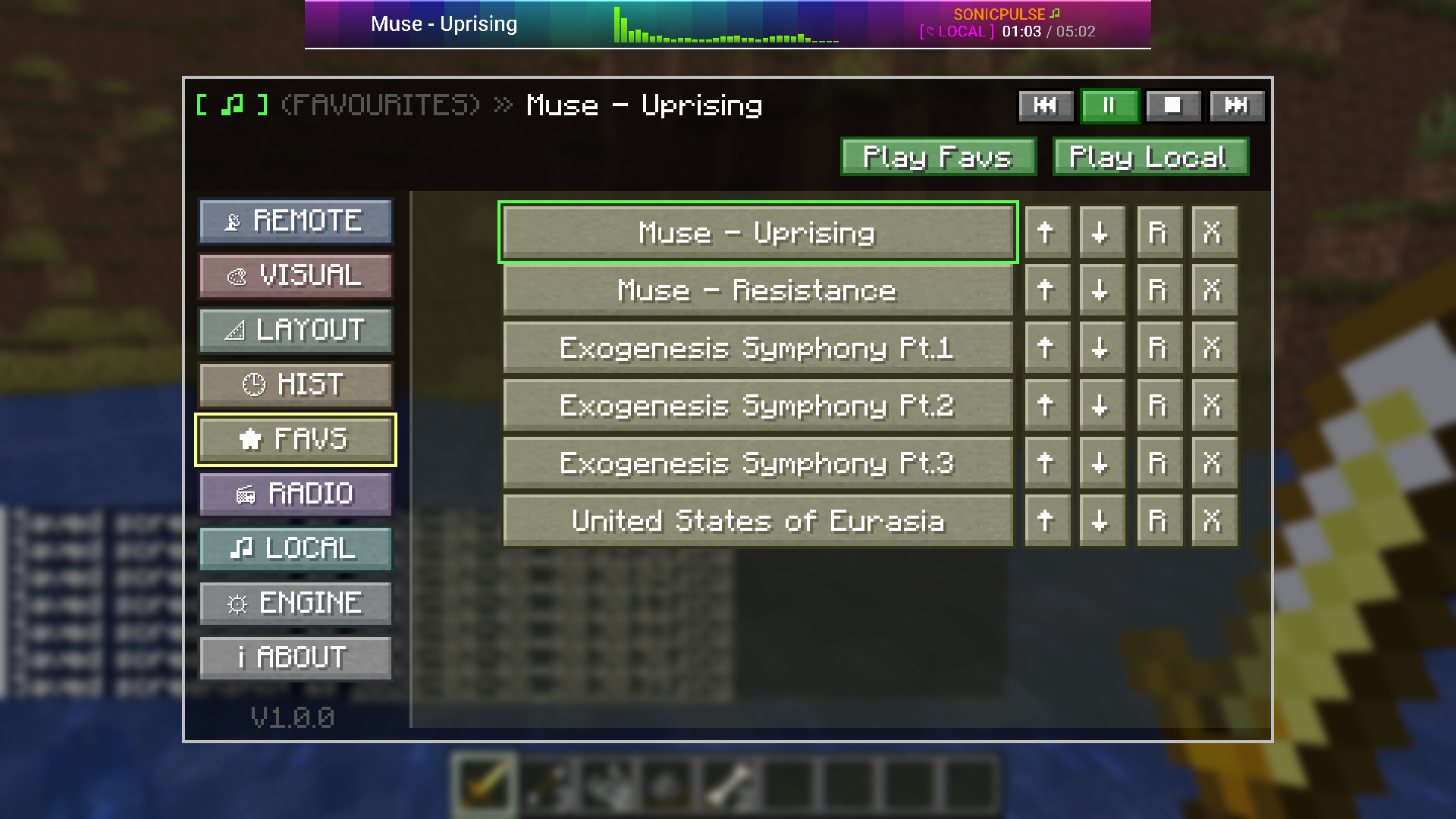 Favourites Store your favourites for later playback
Versions
Files
Relations
Project Relations
More like this
Similar Mods
Suggestions use data such as tags, dependencies, dependents, descriptions, titles, and more to rank how much they overlap with this mod.
On ModDex
Community snapshot
By the numbers
Statistics

 (opens in a new tab)
Get it on
Available Platforms
On ModDex
Community snapshot
By the numbers