Community listing page, reviews here may not be monitored by the author.
Sophisticated Matcher

No reviews yet
Sophisticated Matcher adds a dedicated matcher item for Sophisticated Storage and Sophisticated Backpacks.
Community voices
Reviews
No reviews yet. Be the first to review this project!
Get it on
Available Platforms
About
Project Details
For authors
Embed Badge
If you're the author of this project, you can embed a live badge anywhere that supports HTML or Markdown. It updates automatically whenever ratings change.
Use HTML for any page that supports it, or Markdown for README files and Markdown-based descriptions.
Identifiers
Platform IDs
Resources
External Links
About
Description
Sophisticated Matcher
Sophisticated Matcher adds a matcher item (shown as NBT Matcher in game) for Sophisticated Storage and Sophisticated Backpacks. Instead of storing a whole item, it stores one rule about that item's data, and Sophisticated filter upgrades then accept every item that satisfies the rule - no item ID required.
What it does
- Right-click the matcher to open its GUI and put an example item into the preview slot.
- The preview is a ghost copy: it is never consumed and can only be replaced.
- Press Edit NBT to open the matcher editor and browse the preview item's data as a tree.
- Pick any entry as the match path - top level or nested, including entries inside lists.
- Choose an operator, edit the value, then press Save.
- Only the rule is written to the matcher item; the preview item itself is not kept.
- The saved rule is shown in the item tooltip.
Match rules
| Operator | Meaning | Example |
|---|---|---|
= |
value equals | display.Name = "Sword" |
!= |
value differs | display.Name != "Sword" |
> >= < <= |
numeric comparison | Damage > 100 |
[min, max] / (min, max) |
numeric range, each bound can be inclusive or exclusive | [10, 20) |
exists / not exists |
entry is present / absent | Enchantments exists |
- Paths may be nested and may contain list indexes, for example
Items[0].Count. - Numeric operators require a numeric entry and compare the values numerically.
- Equality compares the stored value exactly, so text, numbers and booleans stay distinct.
Using it with Sophisticated filters
- Right-click the matcher item.
- Put an example item into the preview slot.
- Press Edit NBT to open the editor.
- Expand the tree and click the entry you want to match.
- Choose the operator, adjust the value, then press Save.
- Put the matcher into a Sophisticated Storage or Sophisticated Backpacks filter upgrade.
- Disable item ID matching and enable NBT / component matching in that upgrade.
Every item that satisfies the saved rule then passes the filter. On 1.21.1 and newer the path
starts at the component ID, so a rule on minecraft:rarity = "rare" matches rare items of any
type; on 1.20.1 the same idea uses a legacy NBT path such as display.Name.
Editor controls
- Click the
+/-markers in the tree to expand or collapse branches. - Scroll the tree with the mouse wheel, drag the vertical or horizontal scrollbar, or hold Shift while scrolling to move sideways through long paths.
- The operator button cycles through the operators that fit the selected entry. Numeric entries
also offer
>,>=,<,<=and a range; other entries offer=,!=,existsandnot exists. - In range mode the value field becomes Min and Max, and the bracket button cycles the bounds
through
[],(],()and[).
Compatibility
| Minecraft | Loader | Sophisticated Core |
|---|---|---|
| 1.20.1 | Forge 47.x | 1.3.6.1514 or newer |
| 1.21.1 | NeoForge 21.1.x | 1.5.1.2341 or newer |
| 26.1.2 | NeoForge 26.1.x | 1.5.0.2334 or newer |
Minecraft 1.21.1 and newer keep item data as components instead of legacy NBT. Those builds list component entries in the same editor and use the same rule syntax.
Dependencies
- Sophisticated Core - required.
- Sophisticated Storage and/or Sophisticated Backpacks - provide the filter upgrades that consume the matcher.
License
All Rights Reserved. Redistribution, modification, rehosting, sublicensing, and commercial use require prior written permission from the author.
Screenshots
Gallery
-
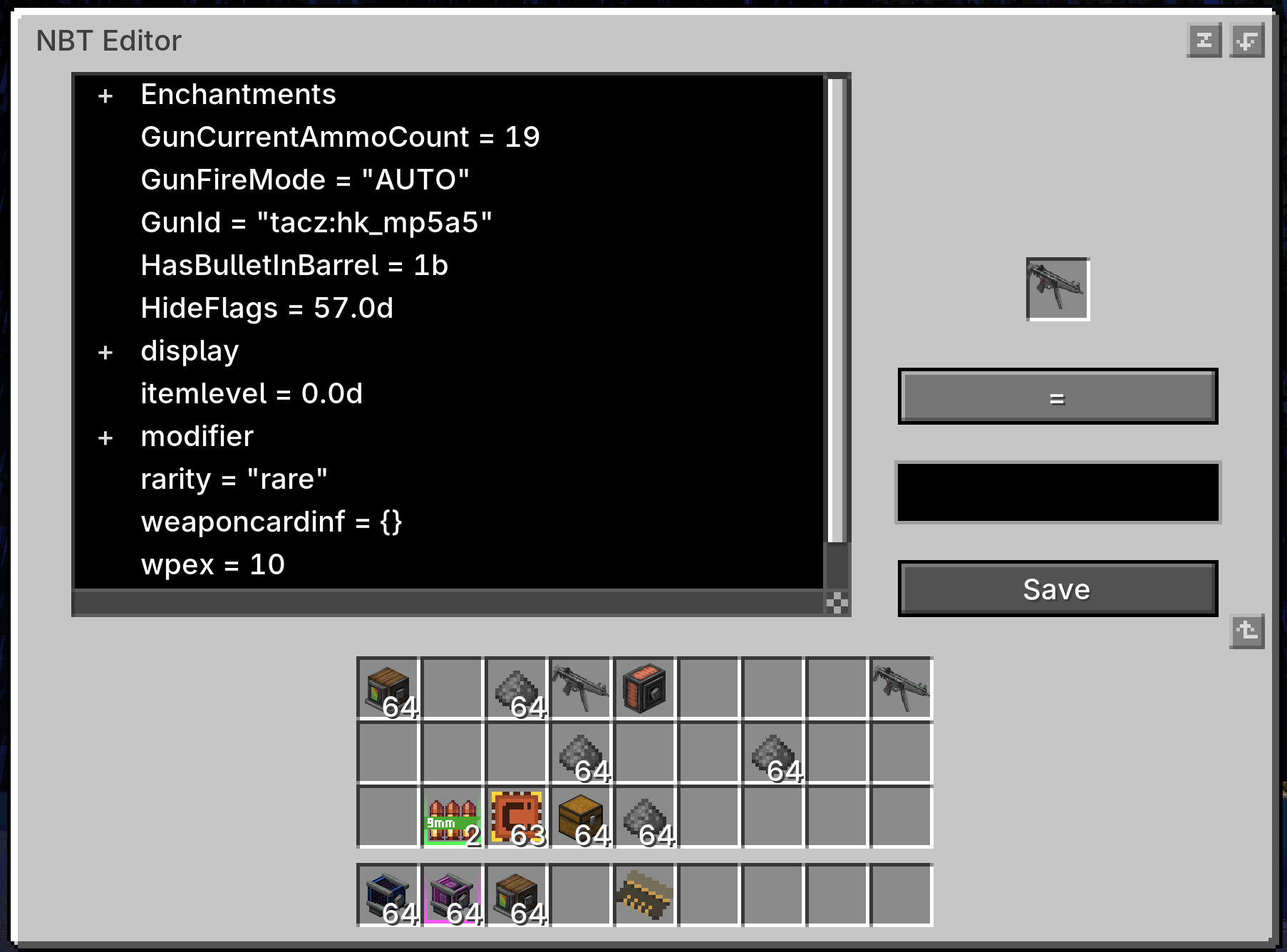 1.2.0 version 1
 -
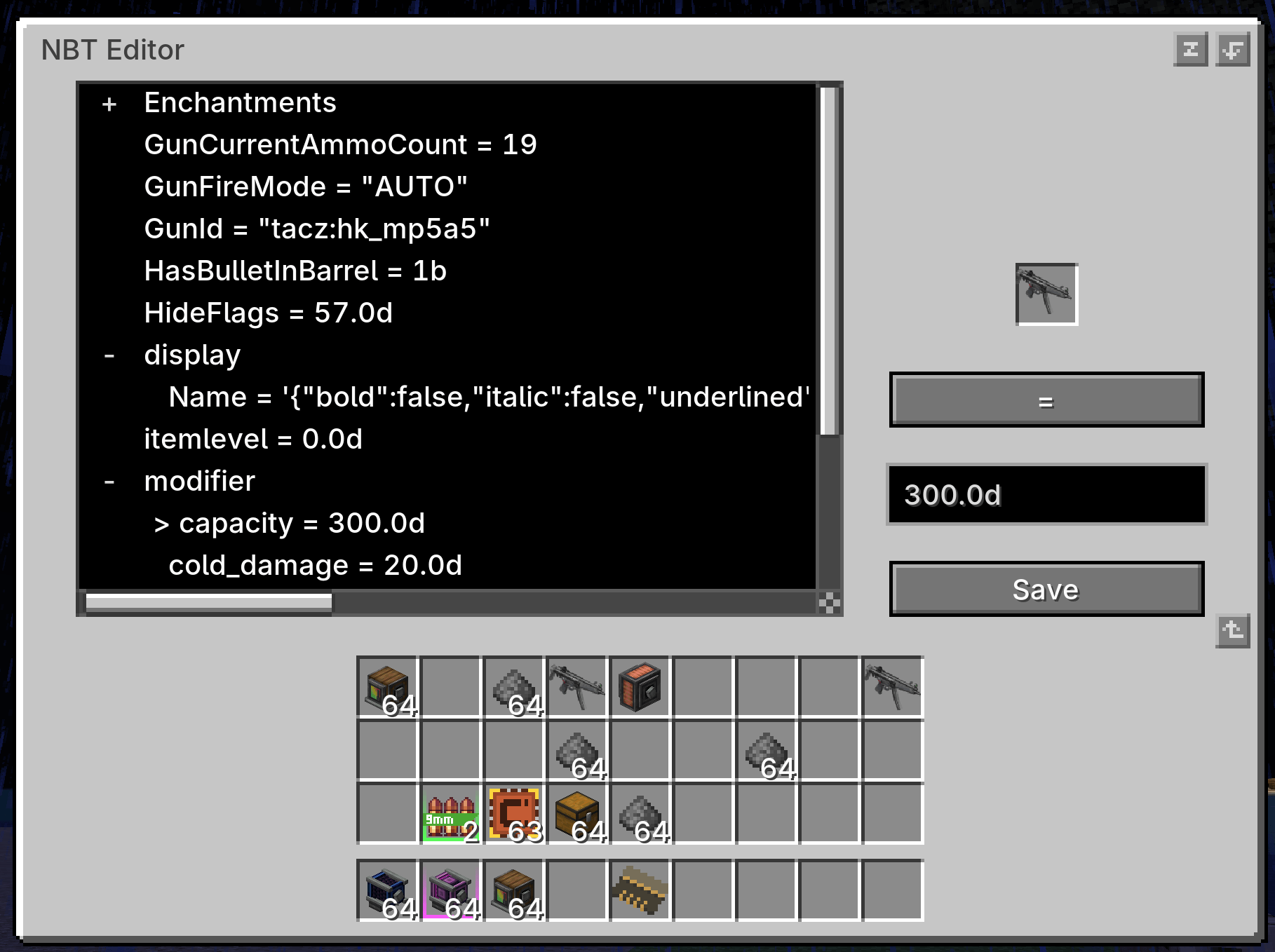 1.2.0 version 2
 -
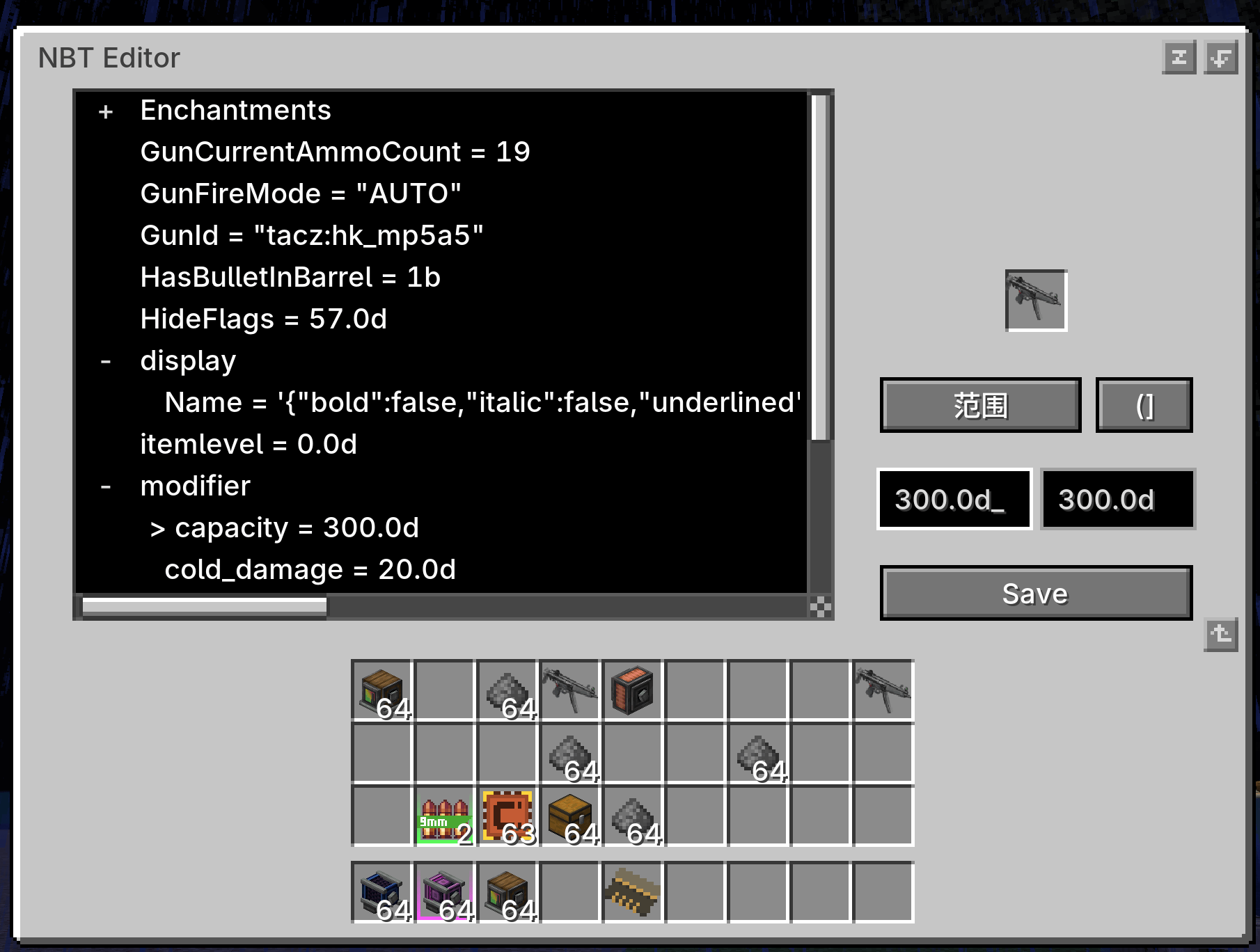 1.2.0 version 3
Versions
Files
Relations
Project Relations
More like this
Similar Mods
Suggestions use data such as tags, dependencies, dependents, descriptions, titles, and more to rank how much they overlap with this mod.
On ModDex
Community snapshot
By the numbers
Statistics
Want to reach Minecraft players?
We're looking for a server hosting partner to feature here and other parts of the site. Interested? Send us a message!
Get in touchGet it on
Available Platforms
On ModDex
Community snapshot
By the numbers
Statistics
Resources