
Community listing page, reviews here may not be monitored by the author.
Sophisticated Sorter


No reviews yet
Extends the built-in container sorting functionality of the Sophisticated series to work on the player inventory and all usable containers.

Community voices
Reviews
No reviews yet. Be the first to review this project!
Get it on
Available Platforms
Compatibility
Supported Environments
Must be installed on both the client and the server.
The author has not specified where this runs.
Varies by version.
About
Project Details
For authors
Embed Badge
If you're the author of this project, you can embed a live badge anywhere that supports HTML or Markdown. It updates automatically whenever ratings change.
Use HTML for any page that supports it, or Markdown for README files and Markdown-based descriptions.
Identifiers
Platform IDs
About
Description
Sophisticated Sorter
Sophisticated Sorter extends the container sorting (and related) features that come with the Sophisticated series so they work on the player inventory and on every usable container.
Main Features
Sort Button Extension
The mod adds Sophisticated Core's sort buttons to most regular container screens. "Extension" here means bringing the Sophisticated Core sorting entry point to more containers outside the Sophisticated series, not adding a second, completely different sorting logic. Sorting still uses Sophisticated Core's four sorting modes: by name, by mod, by count and by tags, with by name as the default mode.
One button performs the sort, the other cycles the sort mode. Players already used to the Sophisticated series' sorting should not need to relearn anything.
Player Inventory Sorting
The mod can sort the player's own inventory. When the current screen does not qualify as "sort the container itself", the mod sorts the player inventory instead. So even on crafting tables, furnaces or recipe-type screens you can still quickly sort the items on your character.
When the current screen does qualify, the mod sorts the container itself rather than the player inventory. This way ordinary containers such as chests and barrels get the same sorting experience as the Sophisticated series.
Even on screens that do not display the sort buttons, you can still sort with the hotkey (default: R). The hotkey and the buttons share the same target logic: if the current screen suits sorting the container, it sorts the container; otherwise it sorts the player inventory.
Search & Quick Transfer
Very common functionality; not much to say.
Container Filter Rules
Whether the current container is sorted is controlled by two filters:
Filter1(enabled by default): when enabled, only screens with more than46slots are treated as a sortable container; otherwise sorting falls back to the player inventory. 46 can be read as the player's 36 inventory slots plus 10 for a small container. Screens with few slots, such as crafting tables or small utility screens, therefore do not sort the container itself by default.Filter2(enabled by default): when enabled, if the current screen contains any slots that are clearly unsuitable for sorting, the screen is not treated as a sortable container. The most typical example is special slots such as crafting result slots. This filter exists to keep functional screens from accidentally sorting special slots.
On a regular container screen the sort buttons only appear when it satisfies the current filters (and is not blacklisted). Screens that are not suited for sorting the container usually hide the buttons, but the hotkey still sorts the player inventory there.
Button Layout
Buttons can be repositioned by right-click-dragging them, and toggled hidden/shown with the hotkey (default: U).
Button layout is isolated per container type: moving the buttons inside a chest does not affect barrels.
Container Settings
- Ignore sorting: mark a slot range; slots inside that range are never sorted.
- Slot memory: assign a fixed item to a specific slot in a container — no other item can be placed there, and when sorting, the matching item is placed into that slot first.
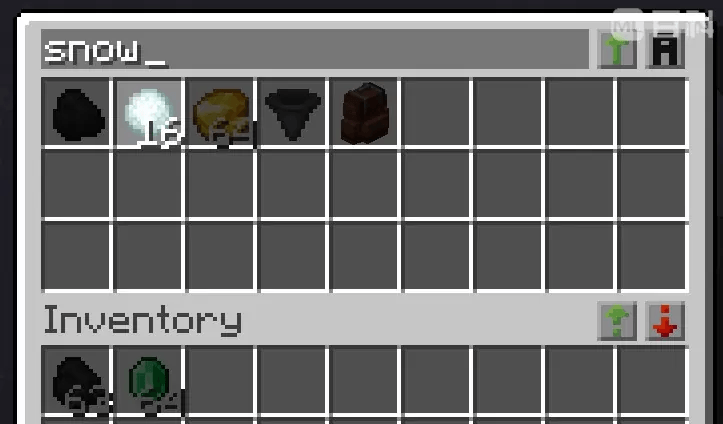
Sophisticated Sorter
Sophisticated Sorter extends the container sorting (and related) features that come with the Sophisticated series so they work on the player inventory and on every usable container.
Main Features
Sort Button Extension
The mod adds Sophisticated Core's sort buttons to most regular container screens. "Extension" here means bringing the Sophisticated Core sorting entry point to more containers outside the Sophisticated series, not adding a second, completely different sorting logic. Sorting still uses Sophisticated Core's four sorting modes: by name, by mod, by count and by tags, with by name as the default mode.
One button performs the sort, the other cycles the sort mode. Players already used to the Sophisticated series' sorting should not need to relearn anything.
Player Inventory Sorting
The mod can sort the player's own inventory. When the current screen does not qualify as "sort the container itself", the mod sorts the player inventory instead. So even on crafting tables, furnaces or recipe-type screens you can still quickly sort the items on your character.
When the current screen does qualify, the mod sorts the container itself rather than the player inventory. This way ordinary containers such as chests and barrels get the same sorting experience as the Sophisticated series.
Even on screens that do not display the sort buttons, you can still sort with the hotkey (default: R).
The hotkey and the buttons share the same target logic: if the current screen suits sorting the
container, it sorts the container; otherwise it sorts the player inventory.
Search & Quick Transfer
Very common functionality; not much to say.
Container Filter Rules
Whether the current container is sorted is controlled by two filters:
Filter1(enabled by default): when enabled, only screens with more than46slots are treated as a sortable container; otherwise sorting falls back to the player inventory. 46 can be read as the player's 36 inventory slots plus 10 for a small container. Screens with few slots, such as crafting tables or small utility screens, therefore do not sort the container itself by default.Filter2(enabled by default): when enabled, if the current screen contains any slots that are clearly unsuitable for sorting, the screen is not treated as a sortable container. The most typical example is special slots such as crafting result slots. This filter exists to keep functional screens from accidentally sorting special slots.
On a regular container screen the sort buttons only appear when it satisfies the current filters (and is not blacklisted). Screens that are not suited for sorting the container usually hide the buttons, but the hotkey still sorts the player inventory there.
Button Layout
Buttons can be repositioned by right-click-dragging them, and toggled hidden/shown with the hotkey
(default: U).
Button layout is isolated per container type: moving the buttons inside a chest does not affect barrels.
Container Settings
- Ignore sorting: mark a slot range; slots inside that range are never sorted.
- Slot memory: assign a fixed item to a specific slot in a container — no other item can be placed there, and when sorting, the matching item is placed into that slot first.
Screenshots
Gallery
Versions
Files
Relations
Project Relations
More like this
Similar Mods
Suggestions use data such as tags, dependencies, dependents, descriptions, titles, and more to rank how much they overlap with this mod.
On ModDex
Community snapshot
By the numbers
Statistics
 (opens in a new tab)
Get it on
Available Platforms
On ModDex
Community snapshot
By the numbers