Community listing page, reviews here may not be monitored by the author.
Sort Chest


No reviews yet
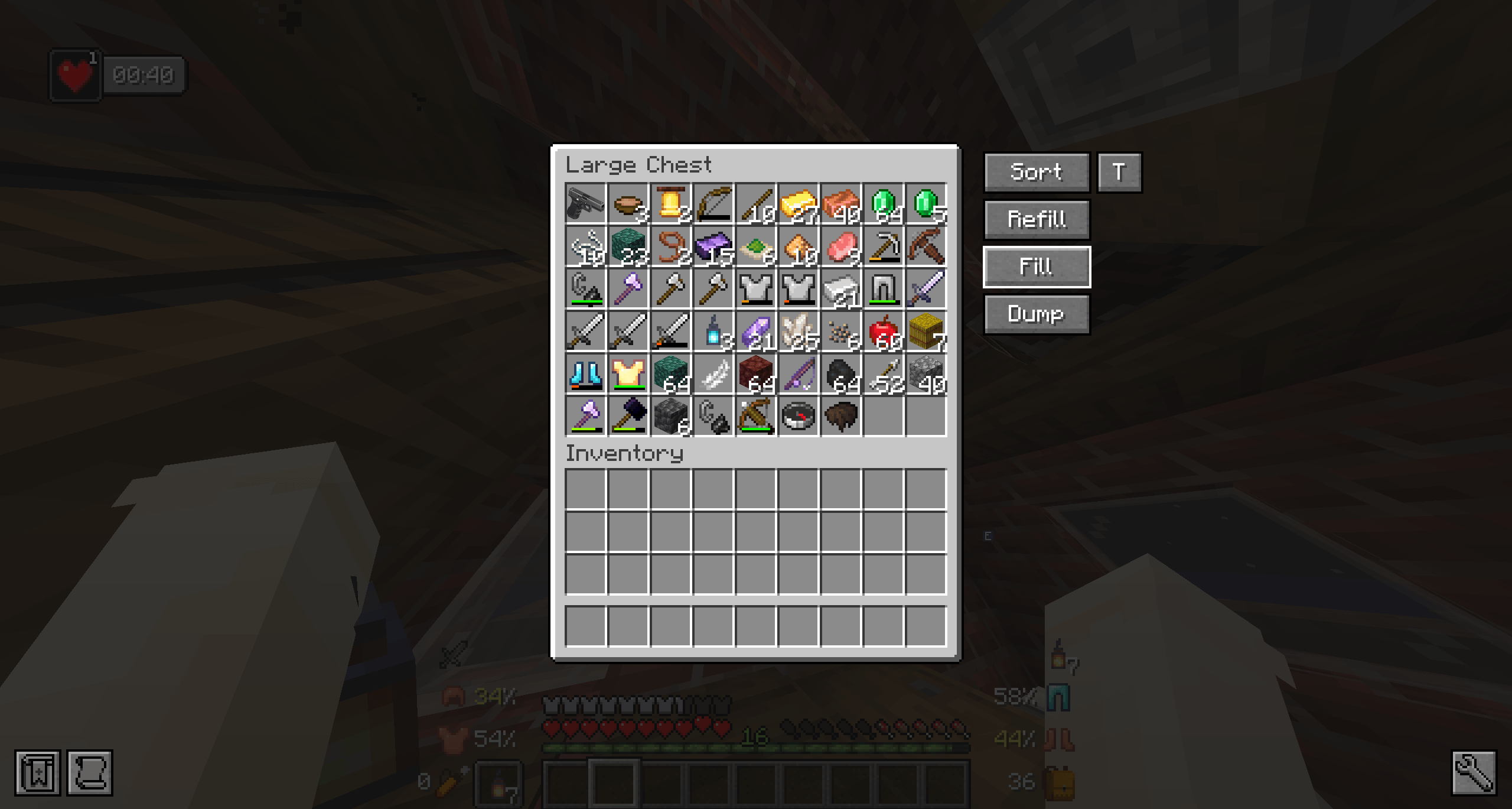
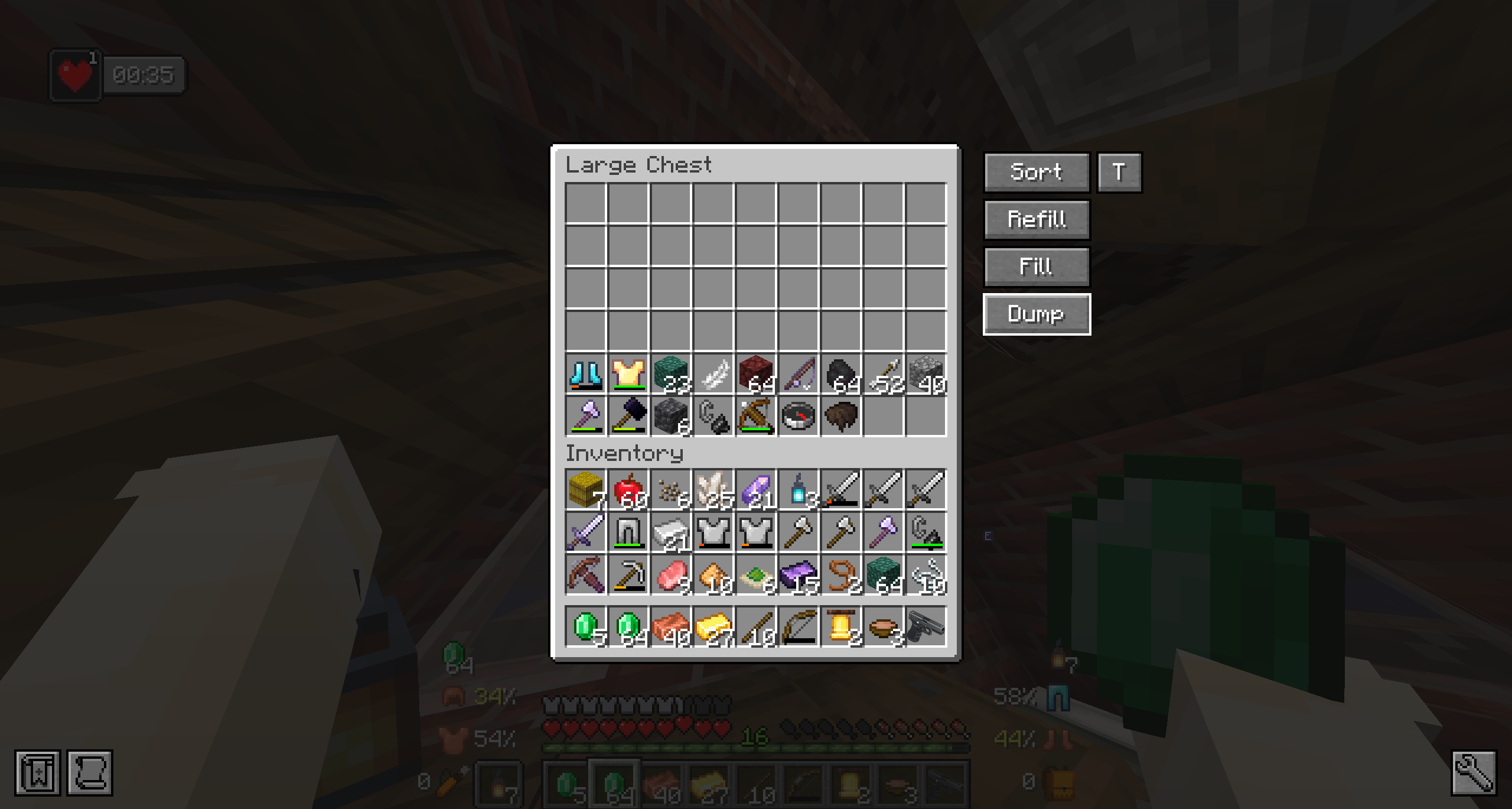
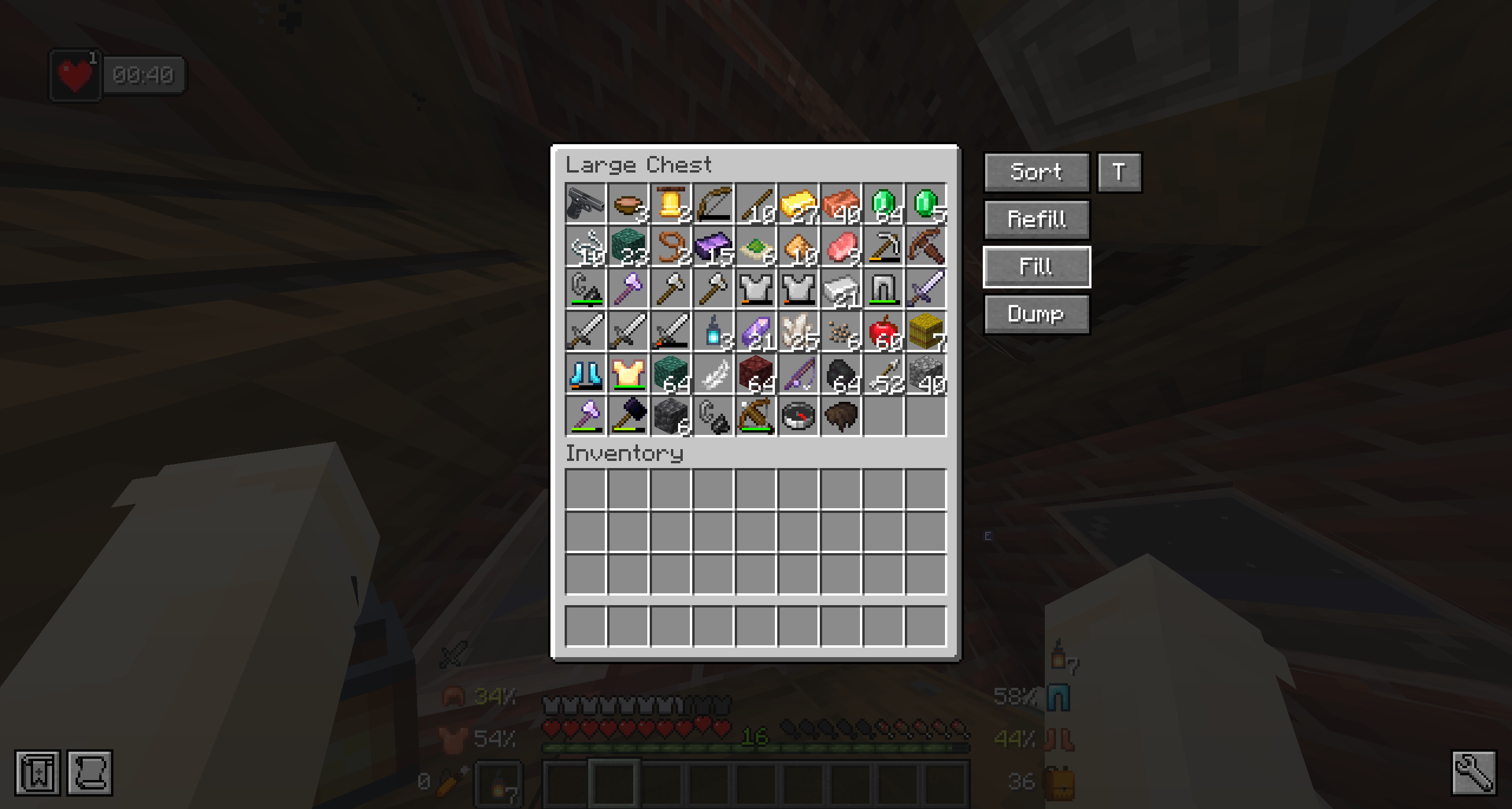
Sort Chest is a simple chest organization mod that adds quick action buttons directly to container screens. With one click, you can sort a chest, refill matching items, fill the container from your inventory, or dump items back into your inventory.
Community voices
Reviews
No reviews yet. Be the first to review this project!
Get it on
Available Platforms
Compatibility
Supported Environments
Runs entirely on the client. Works on vanilla servers.
About
Project Details
For authors
Embed Badge
If you're the author of this project, you can embed a live badge anywhere that supports HTML or Markdown. It updates automatically whenever ratings change.
Use HTML for any page that supports it, or Markdown for README files and Markdown-based descriptions.
Identifiers
Platform IDs
Resources
External Links
About
Description
Sort Chest adds simple, useful buttons to chest-style container screens so you can organize items faster.
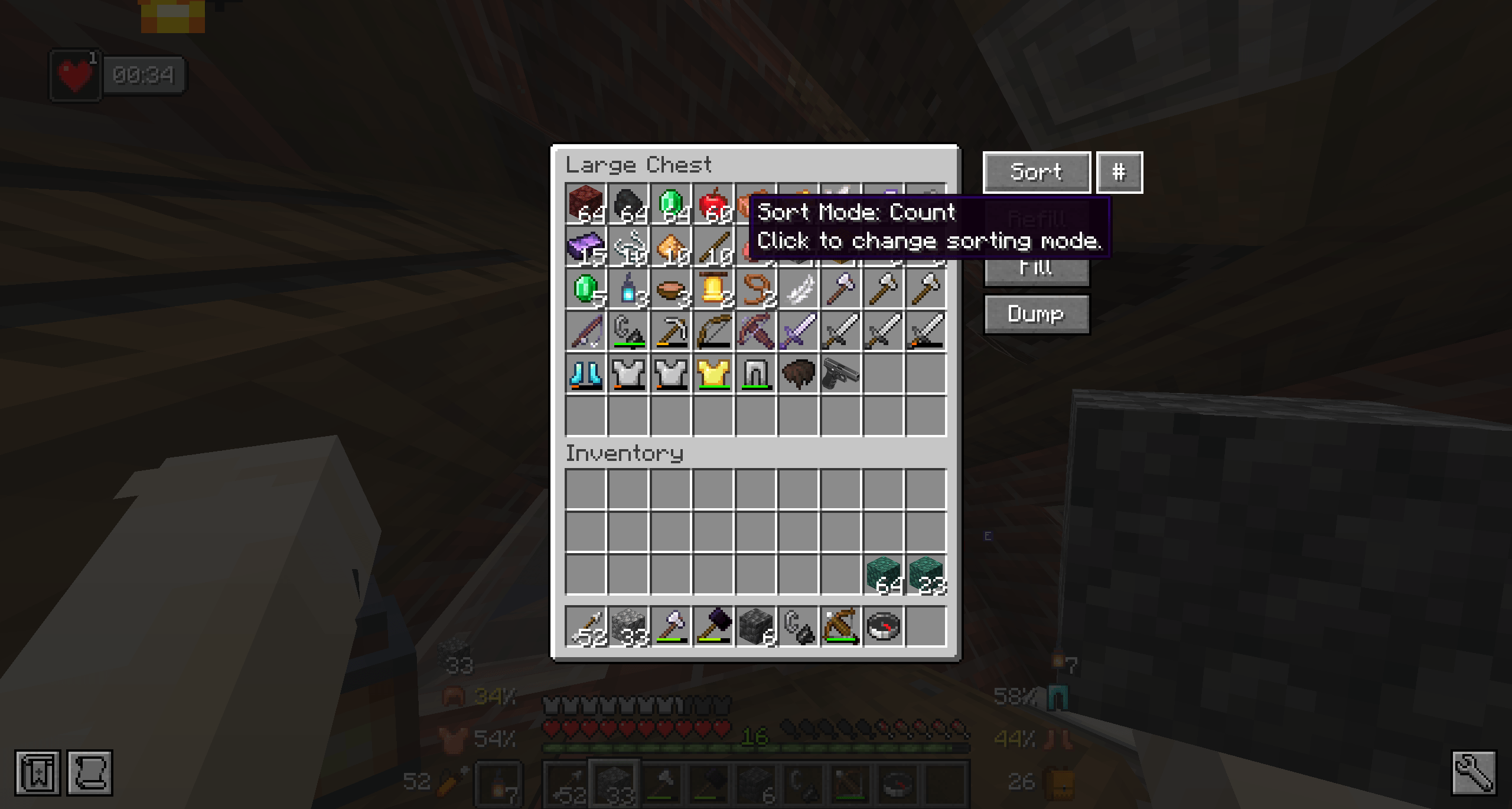
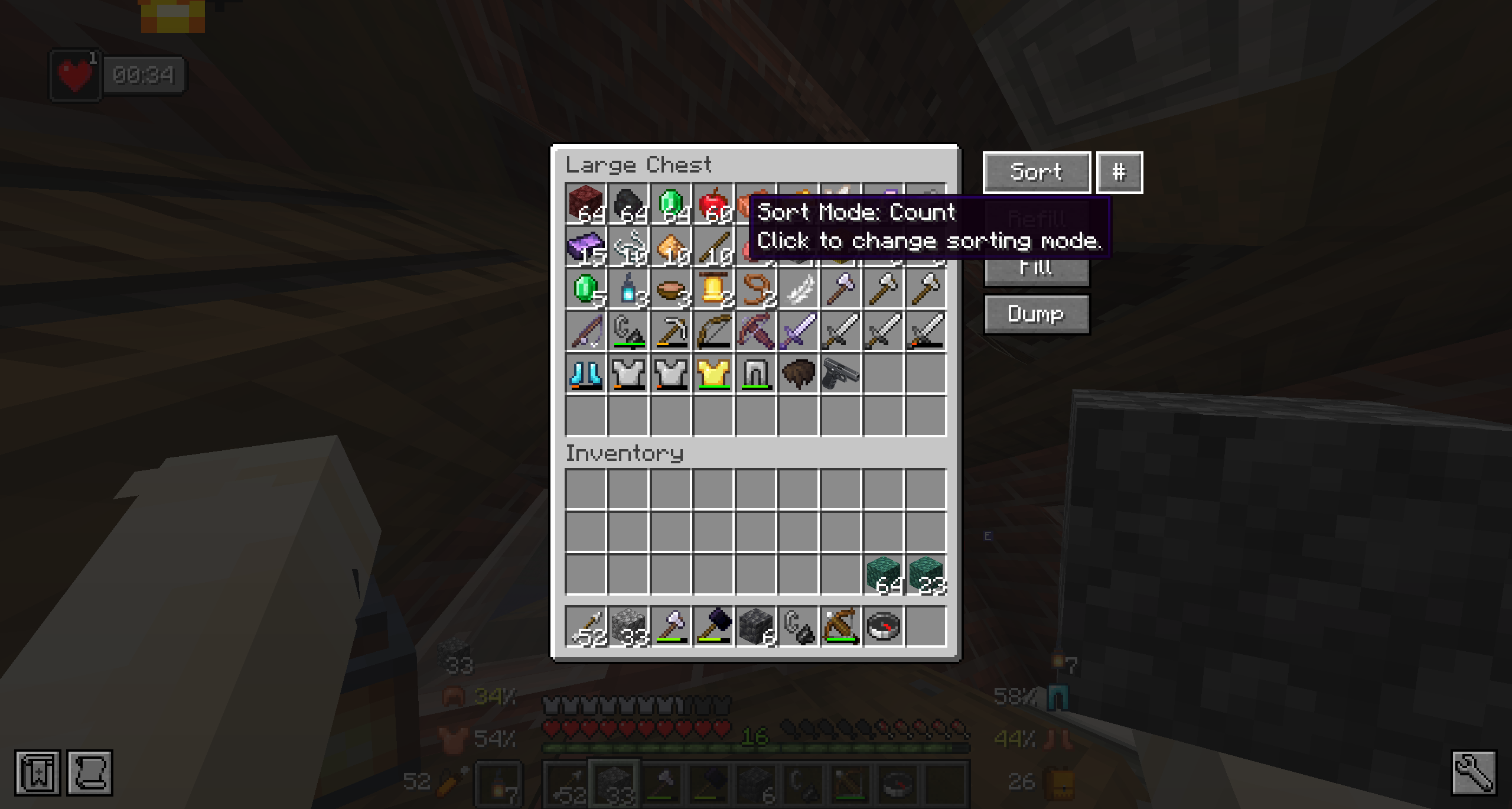
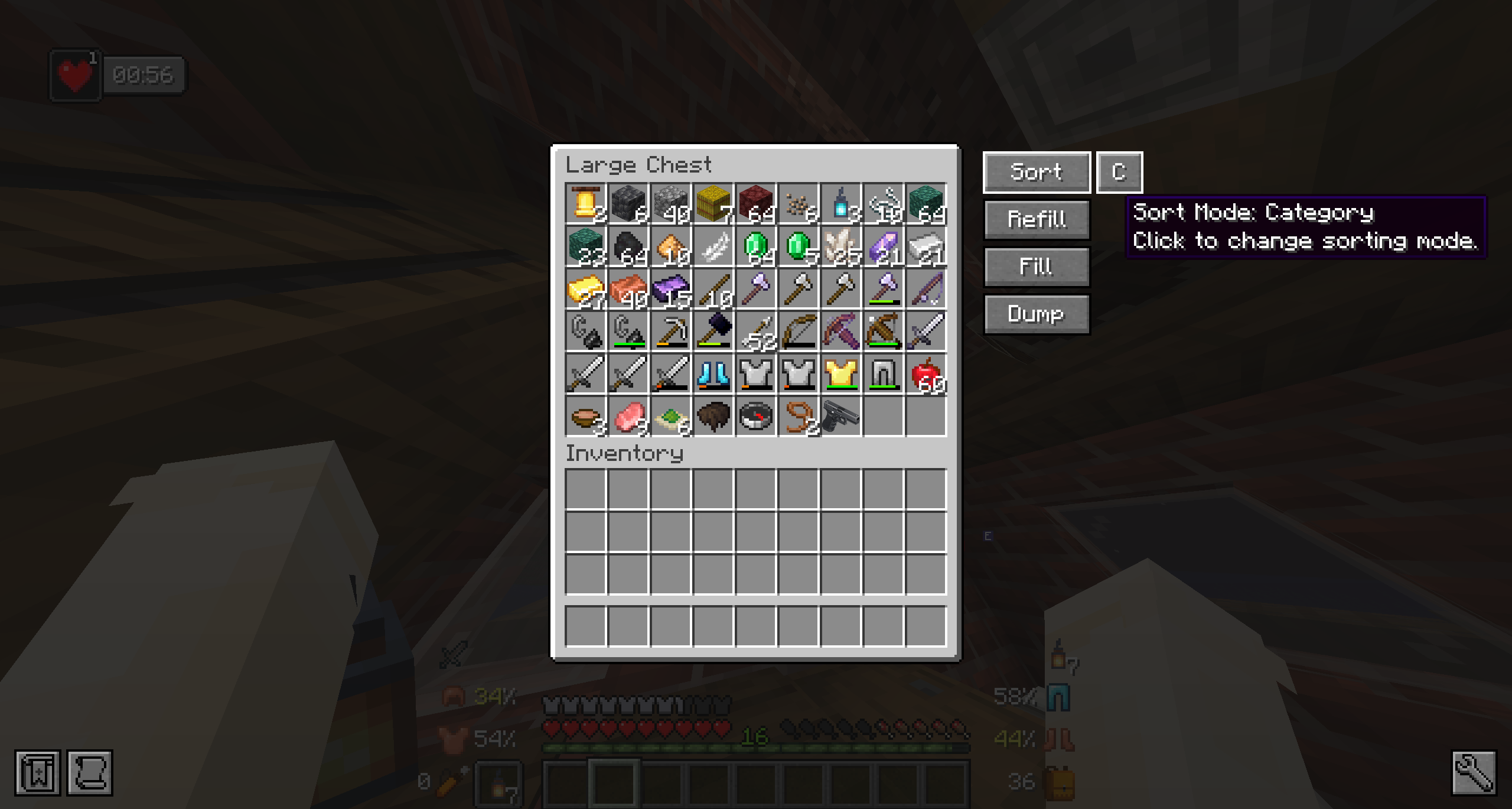
The Sort button supports multiple sorting modes:
- Category
- Name
- Mod
- Count
- Tags
Category sorting groups items in a logical way, keeping blocks, materials, tools, armor, food, redstone, and other item types together. The sorter also supports modded items by using tags and item information when possible.
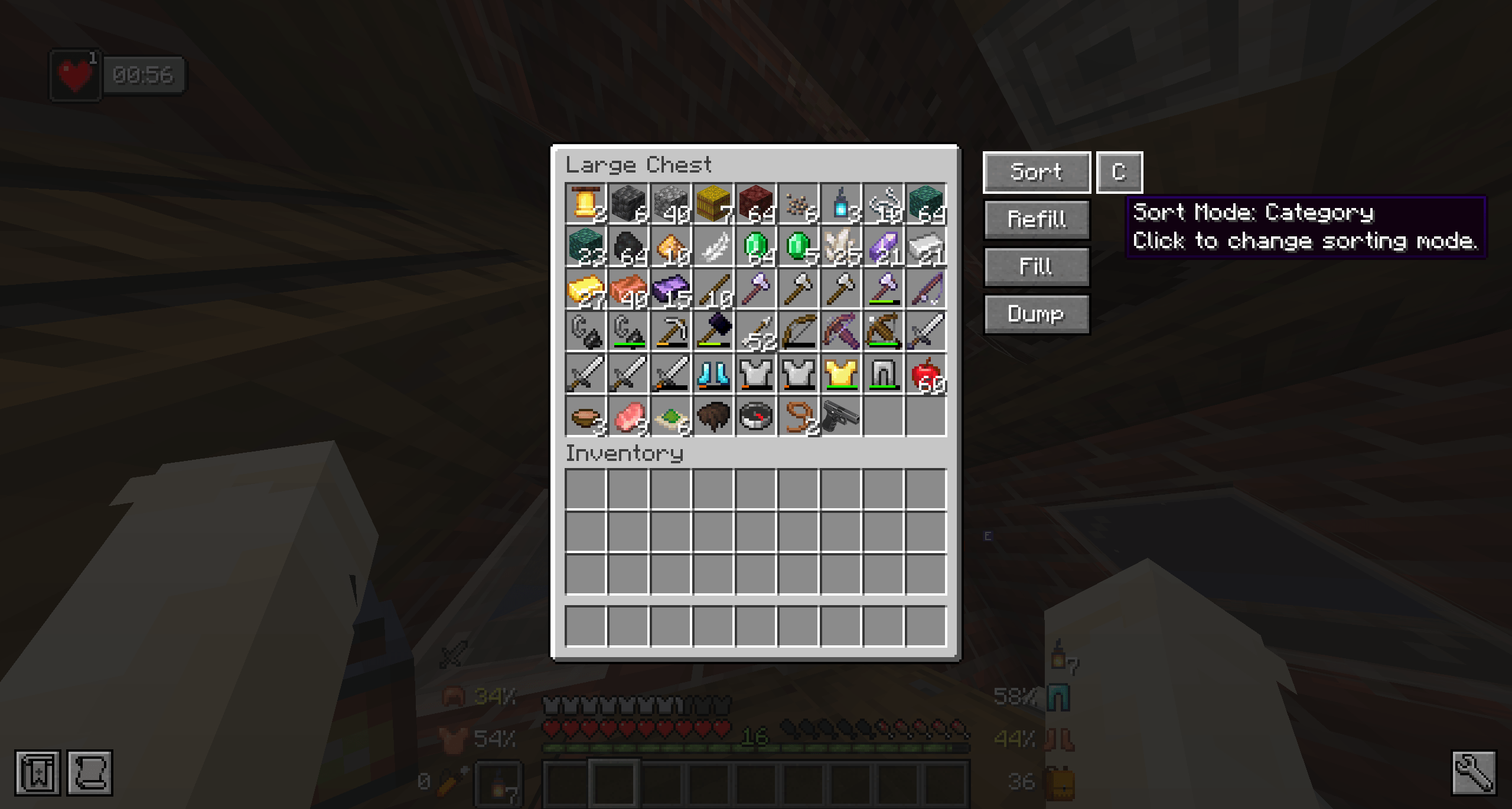
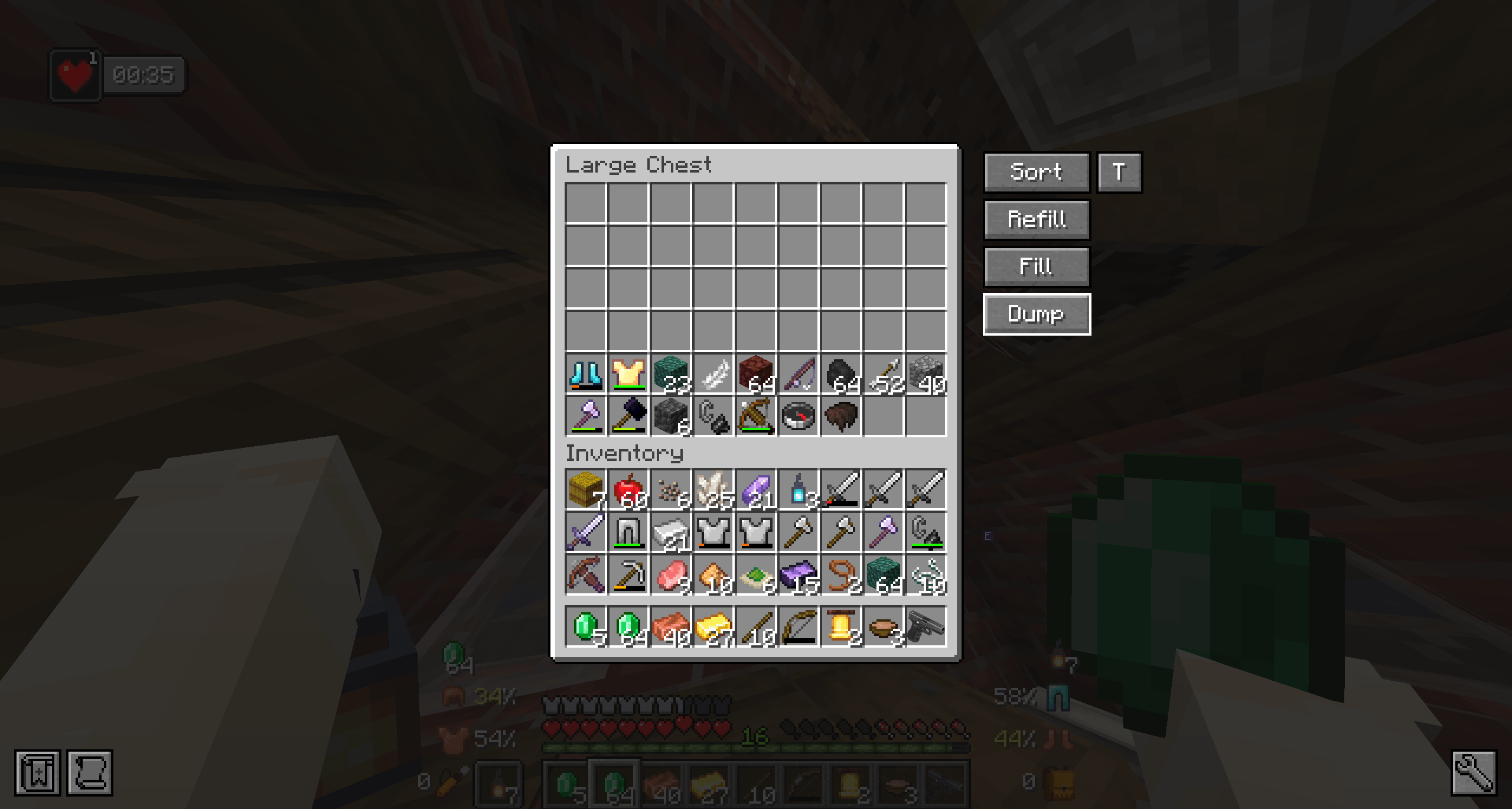
The mod also includes Refill, Fill, and Dump buttons for faster inventory management.
Sort Chest is designed to be lightweight, clean, and easy to use.
Sort Chest requires Architectury API.
This mod is client-side. It must be installed on the player’s client to show the sorting buttons. It does not need to be installed on multiplayer servers.
DEPENDENCIES
Architectury API - Forge 1.20.1
Sort Chest is a lightweight inventory management mod that adds quick organization buttons directly to chest-style container screens.
With one click, you can sort a container, refill matching items, fill the container from your inventory, or dump items back into your inventory.
The mod is designed to be simple, fast, and useful without changing the vanilla feel of Minecraft.
Features
- Sort containers with one click
- Smart category-based sorting
- Sort by Category, Name, Mod, Count, or Tags
- Refill matching items from your inventory into the container
- Fill containers from your inventory
- Dump container items back into your inventory
- Small sort mode button next to Sort
- Hover tooltip explaining each sort mode
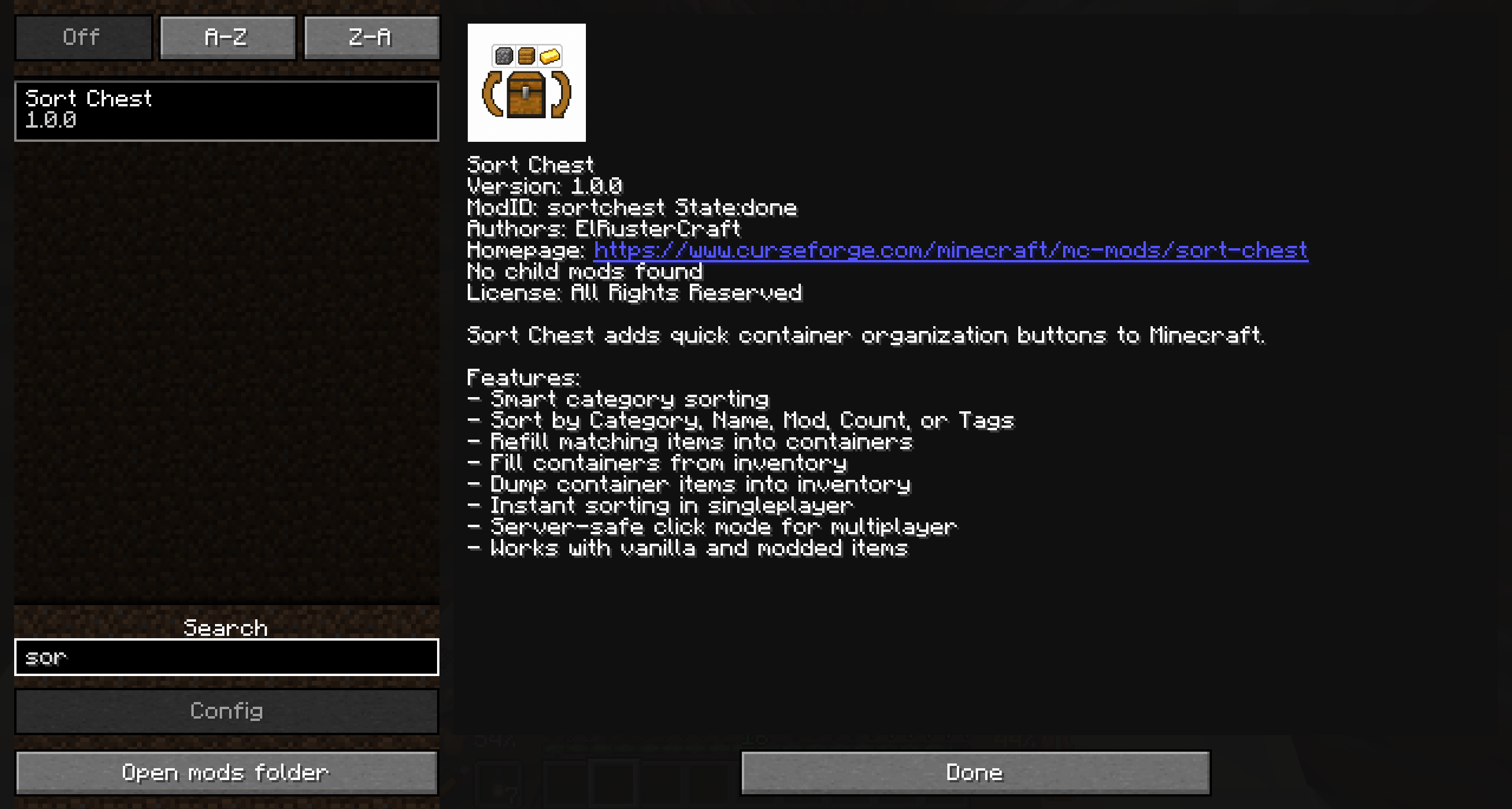
- Instant sorting in singleplayer
- Server-safe click mode for multiplayer
- Works with vanilla and modded items
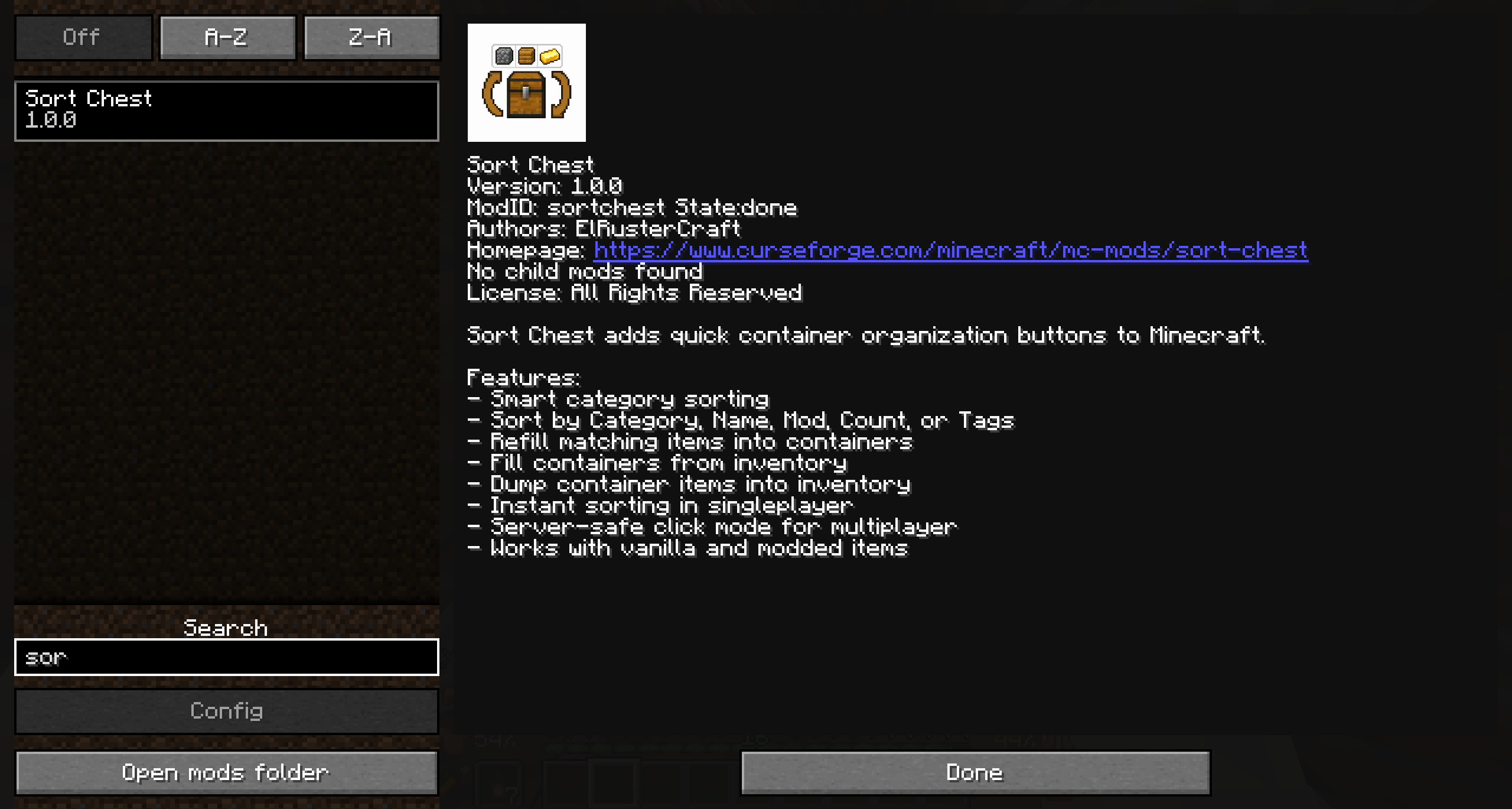
- Includes in-game mod menu logo and metadata
Sort Modes
C Category
A Name
M Mod
(#) Count
T Tags
Category sorting groups items in a logical way, keeping blocks, natural items, materials, tools, weapons, armor, food, potions, redstone, and miscellaneous items organized together.
Modded items are supported when possible through item tags, registry names, and item information.
Multiplayer
Sort Chest is a client-side mod. It must be installed on the player’s client to show the sorting buttons.
It does not need to be installed on multiplayer servers. On servers, the mod uses normal inventory click simulation instead of directly editing inventory data.
**Dependency
Sort Chest requires Architectury API.**
Screenshots
Gallery
-
 2026-05-03_21.34.40.png 2026-05-03_21.34.40.png
 -
 2026-05-03_21.34.30.png 2026-05-03_21.34.30.png
 -
 2026-05-03_21.33.51.png 2026-05-03_21.33.51.png
 -
 2026-05-03_21.33.46.png 2026-05-03_21.33.46.png
 -
 2026-05-03_21.33.22.png 2026-05-03_21.33.22.png
Versions
Files
Relations
Project Relations
More like this
Similar Mods
Suggestions use data such as tags, dependencies, dependents, descriptions, titles, and more to rank how much they overlap with this mod.
On ModDex
Community snapshot
By the numbers
Statistics
Want to reach Minecraft players?
We're looking for a server hosting partner to feature here and other parts of the site. Interested? Send us a message!
Get in touchGet it on
Available Platforms
On ModDex
Community snapshot
By the numbers
Statistics
Resources