
Community listing page, reviews may not be monitored by the author.
Souls Character Creator

No reviews yet
Create a character that suits you perfectly.

Community voices
Reviews
No reviews yet. Be the first to review this project!
Get it on
Available Platforms
About
Project Details
For authors
Embed Badge
If you're the author of this project, you can embed a live badge anywhere that supports HTML or Markdown. It updates automatically whenever ratings change.
Use HTML for any page that supports it, or Markdown for README files and Markdown-based descriptions.
Identifiers
Platform IDs
Resources
External Links
About
Description
SoulsCharacterCreator
Create a character that feels like your own.
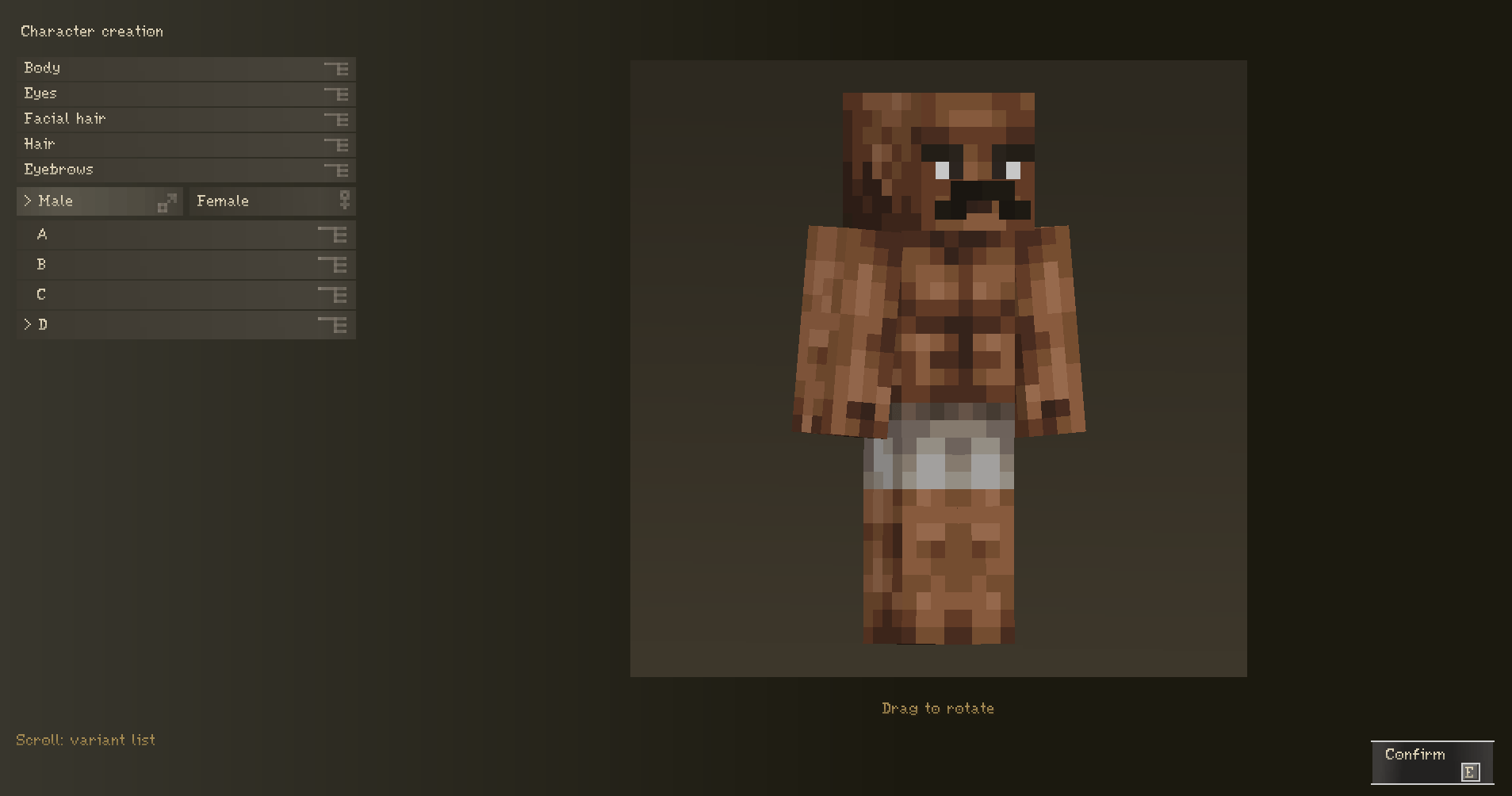
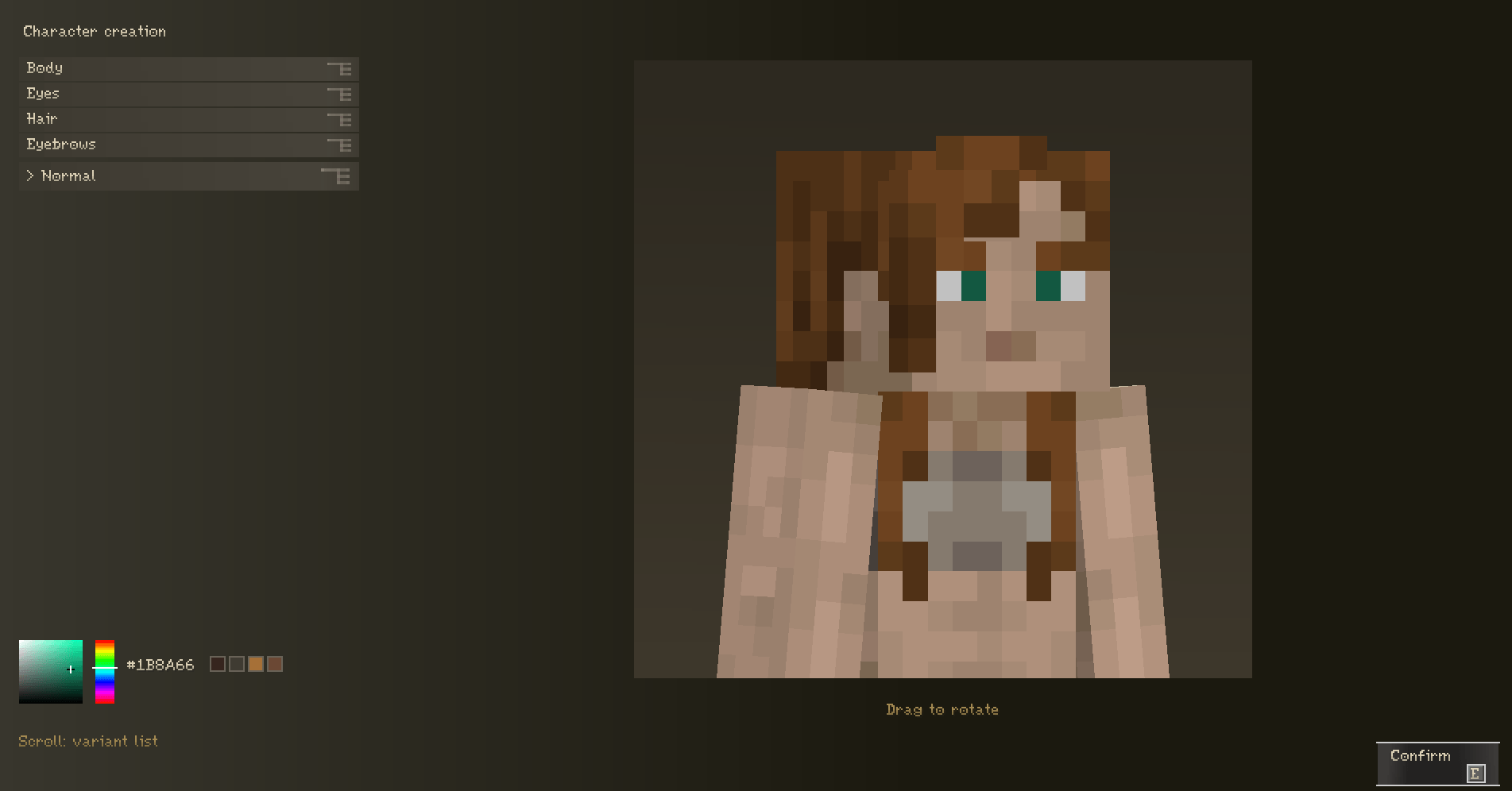
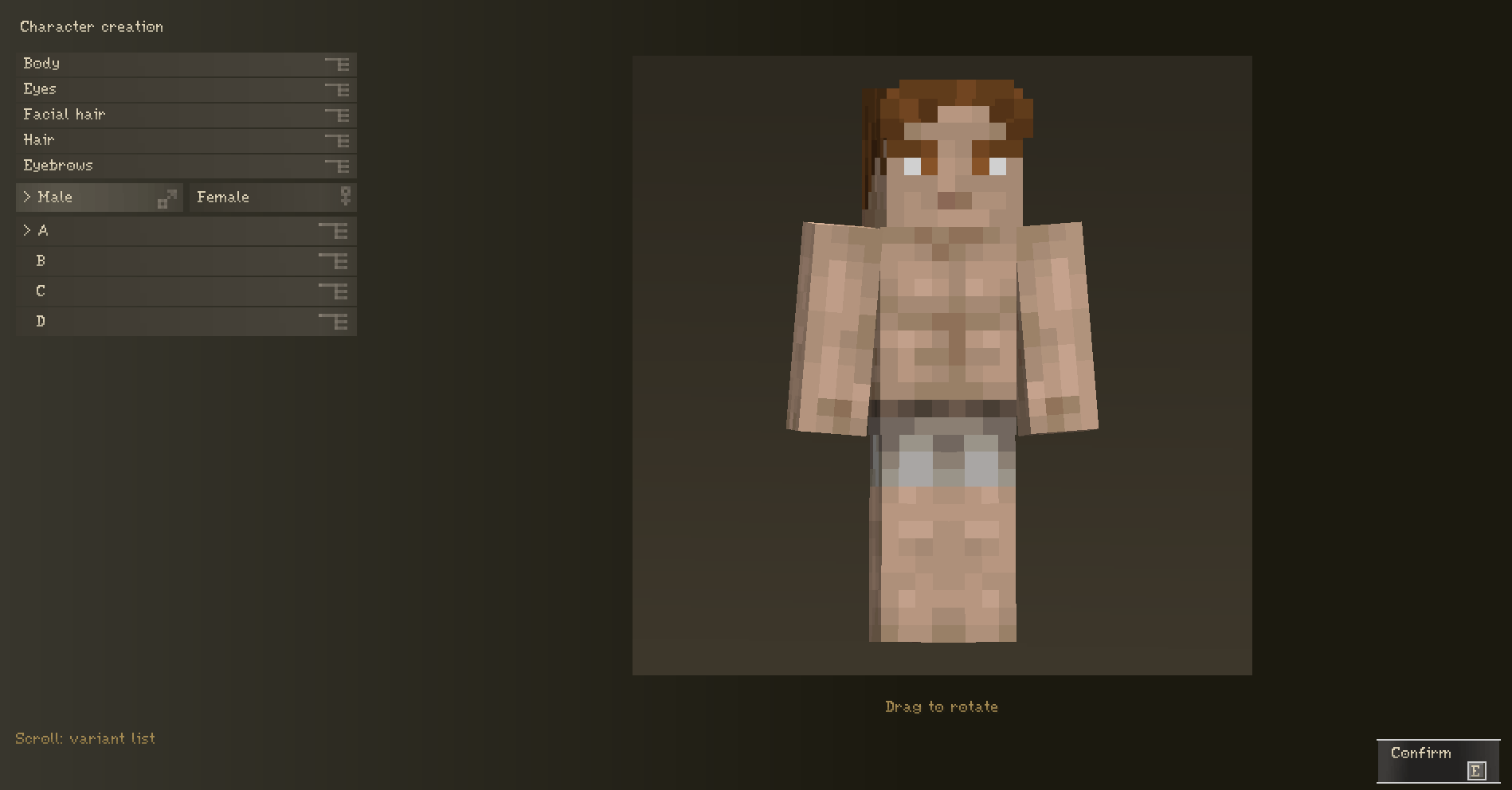
SoulsCharacterCreator brings character customization directly into Minecraft. When you first join a world, you can choose your character’s gender, body base, hairstyle, and other details, adjust their colors, and save your look. There’s no need to draw an entire skin beforehand or upload it to a third-party website.
The interface takes inspiration from Elden Ring, with muted dark colors, smooth camera transitions, and a live preview of your character while you customize.
What can you customize?
- A male or female character, using the Steve and Alex models respectively.
- Your body base.
- Your hairstyle, with separate options for each gender.
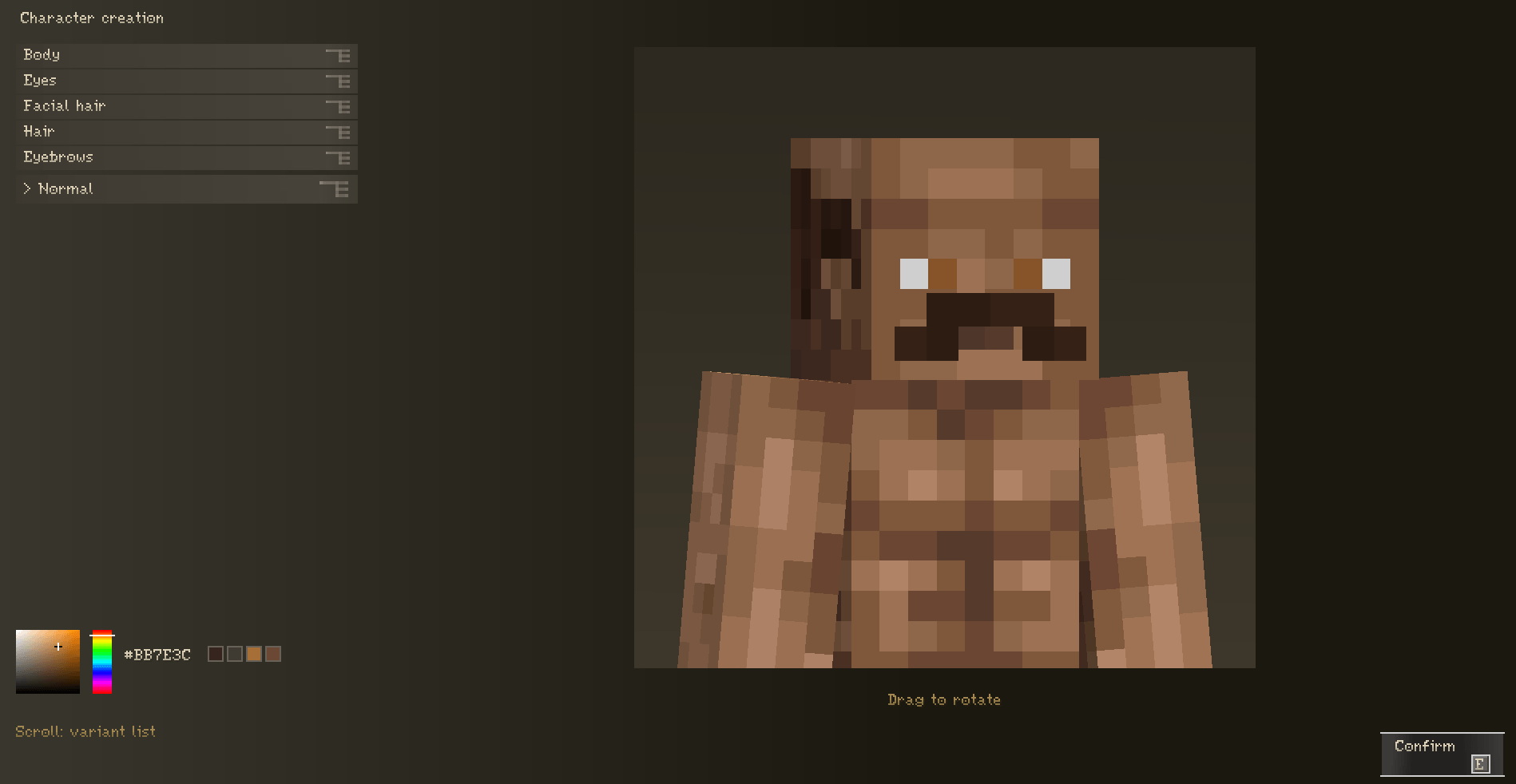
- Your eyes and eyebrows.
- A beard or mustache for male characters.
Hair, eyes, eyebrows, beards, and mustaches can be dyed any color. Use the color picker, enter or paste a HEX code, or start with one of the preset shades.
Every change appears on the model immediately. Drag to rotate your character, and the camera smoothly zooms in when you move from body selection to facial details. While the editor is open, switching between male and female characters remembers each gender’s chosen hairstyle and hair color.
Once you’re happy with your look, click Confirm or press your assigned key — E by default. You can change the binding in Minecraft’s Controls settings.
Does it work on servers?
Yes. Once you confirm your appearance, other players can see it both in the world and on your head icon in the TAB player list. Your choices are saved across reconnects, deaths, and dimension changes.
While you’re experimenting in the editor, only you can see the changes. Everyone else sees your new look after you confirm it.
The mod must be installed on the server and on every player’s client.
Can you add your own hairstyles and other parts?
Absolutely — without rebuilding the mod.
For a new male hairstyle, place its PNG in:
config/rpgplayer/human/male/hair/For a new female hairstyle, place its PNG in:
config/rpgplayer/human/female/hair/Each gender’s folder contains categories for body bases, eyes, hair, and eyebrows. The male folder also includes a category for beards and mustaches.
After adding a file, reconnect to the server. The server automatically sends new parts to players, so you don’t need to distribute the textures separately.
Texture requirements
- Use 64×64 PNGs with the appropriate Minecraft skin layout.
- For parts that support the color picker, use a white or grayscale base with a transparent background.
- Use lowercase Latin letters, numbers, and underscores in file names, without spaces. Example:
long_braid.png. - Each file must be no larger than 64 KiB.
- Up to 128 custom PNGs are supported.
Commands
Two commands are available to administrators.
Open the character editor
/charactermemu skinopen <player>Opens the character editor for a player — for example, when they want to change their appearance.
Restore the account skin
/charactermemu setbaseskin <player>Restores the player’s regular account skin. The editor will no longer open automatically, but an administrator can reopen it with the first command.
Both commands require permission level 2 and can be used from the server console. The target player must be online.
Please note: the command is spelled
/charactermemu.
Good to know
- The mod supports English and Russian.
- Your custom appearance does not change your Mojang account skin — it is only used in games running this mod.
- Compatibility with other mods that replace player skins, player models, or the TAB list should be checked separately.
Minecraft 1.20.1 · Forge · Java 17
Screenshots
Gallery
-
 изобÑажение_2026-10-23_161805978.png изобÑажение_2026-10-23_161805978.png
 -
 изобÑажение_2026-10-23_161847034.png изобÑажение_2026-10-23_161847034.png
 -
 изобÑажение_2026-10-23_162035891.png изобÑажение_2026-10-23_162035891.png
 -
 изобÑажение_2026-10-23_162159233.png изобÑажение_2026-10-23_162159233.png
Versions
Files
Relations
Project Relations
More like this
Similar Mods
Suggestions use data such as tags, dependencies, dependents, descriptions, titles, and more to rank how much they overlap with this mod.
On ModDex
Community snapshot
By the numbers
Statistics

Get it on
Available Platforms
On ModDex
Community snapshot
By the numbers
Statistics
Resources