
Community listing page, reviews here may not be monitored by the author.
Sound Culling


No reviews yet
Dynamically limits and dampens overlapping sounds to reduce audio clutter and improve performance in sound-heavy areas.
Community voices
Reviews
No reviews yet. Be the first to review this project!
Get it on
Available Platforms
Compatibility
Supported Environments
Runs entirely on the client. Works on vanilla servers.
About
Project Details
For authors
Embed Badge
If you're the author of this project, you can embed a live badge anywhere that supports HTML or Markdown. It updates automatically whenever ratings change.
Use HTML for any page that supports it, or Markdown for README files and Markdown-based descriptions.
Identifiers
Platform IDs
About
Description
Sound Culling
Sound Culling is a client-side Minecraft mod that reduces repetitive sounds in busy areas such as farms, spawner rooms and machinery. It can lower a sound's volume or prevent it from starting when nearby sound activity exceeds the configured limits.
The mod tracks recent sound events by location and source. Each decision can consider repetition, regional activity, sound category, distance, direction and the current event rate. A single noisy source has a limited contribution to the shared regional count, while repeated sounds from that source are still detected.
Sound Culling only changes client audio. It does not alter entities, blocks, gameplay or server behaviour, and it does not need to be installed on the server.
Features
- Rejects excessive sounds before they start an audio channel.
- Dampens sounds when full rejection is unnecessary.
- Adjusts limits as the overall sound event rate rises.
- Tracks nearby cells to avoid sharp changes at region boundaries.
- Limits the influence of one source on the regional sound budget.
- Re-evaluates looping and tickable sounds with gradual volume changes.
- Gives player feedback sounds additional protection during ordinary culling.
- Supports exact sound IDs, wildcard patterns and full mod namespaces.
- Shows recent sounds, event counts and session statistics in-game.
- Includes Balanced, Performance, Aggressive and Custom presets.
- Allows playback to continue when sound evaluation encounters a compatible runtime error.
Music and relative sounds, including interface audio, are excluded. Sounds that Minecraft already considers outside their audible range are not added to the tracker.
Configuration
Install Mod Menu to open the four-page settings screen:
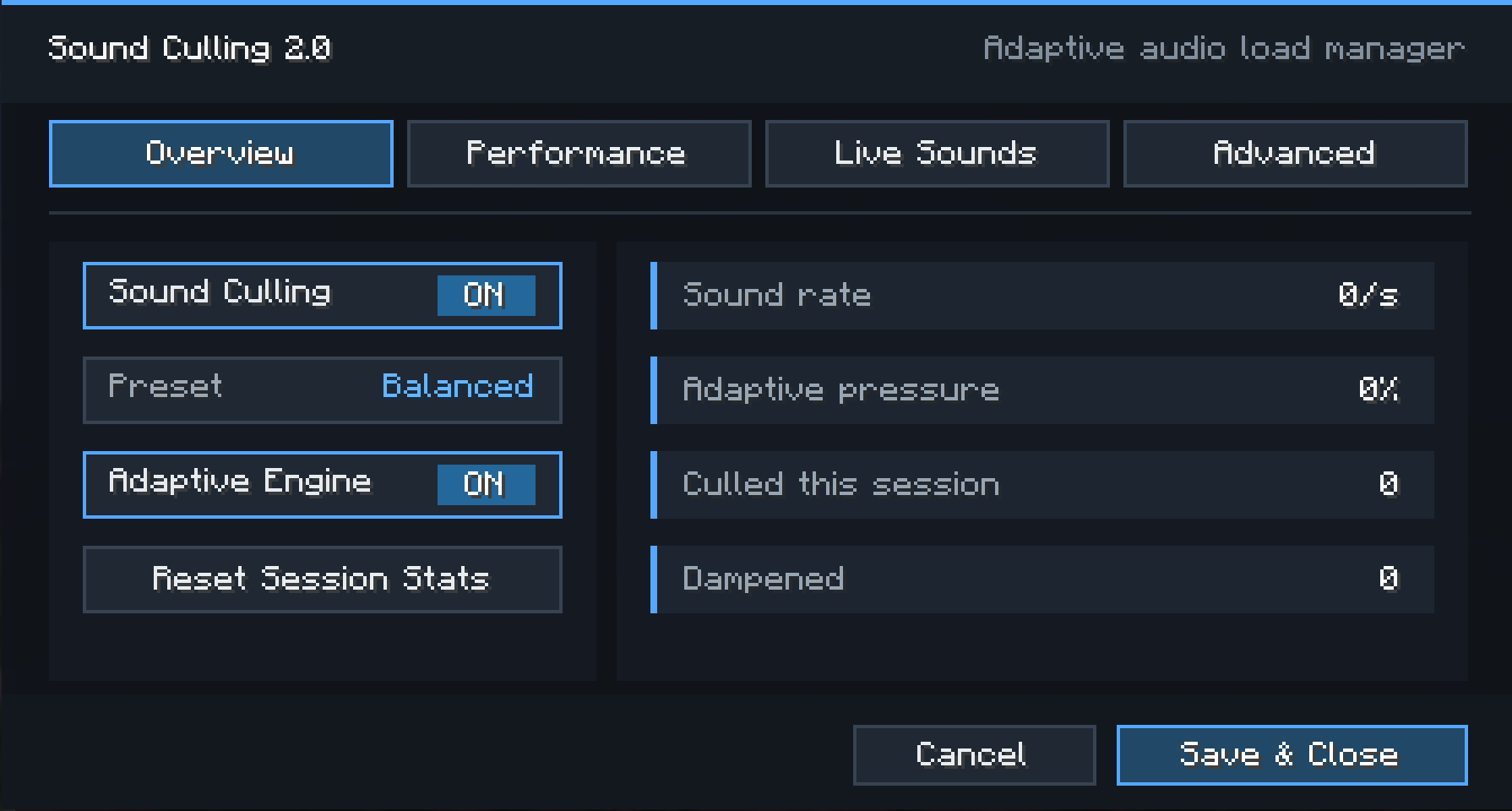
- Overview contains the main toggle, presets and session statistics.
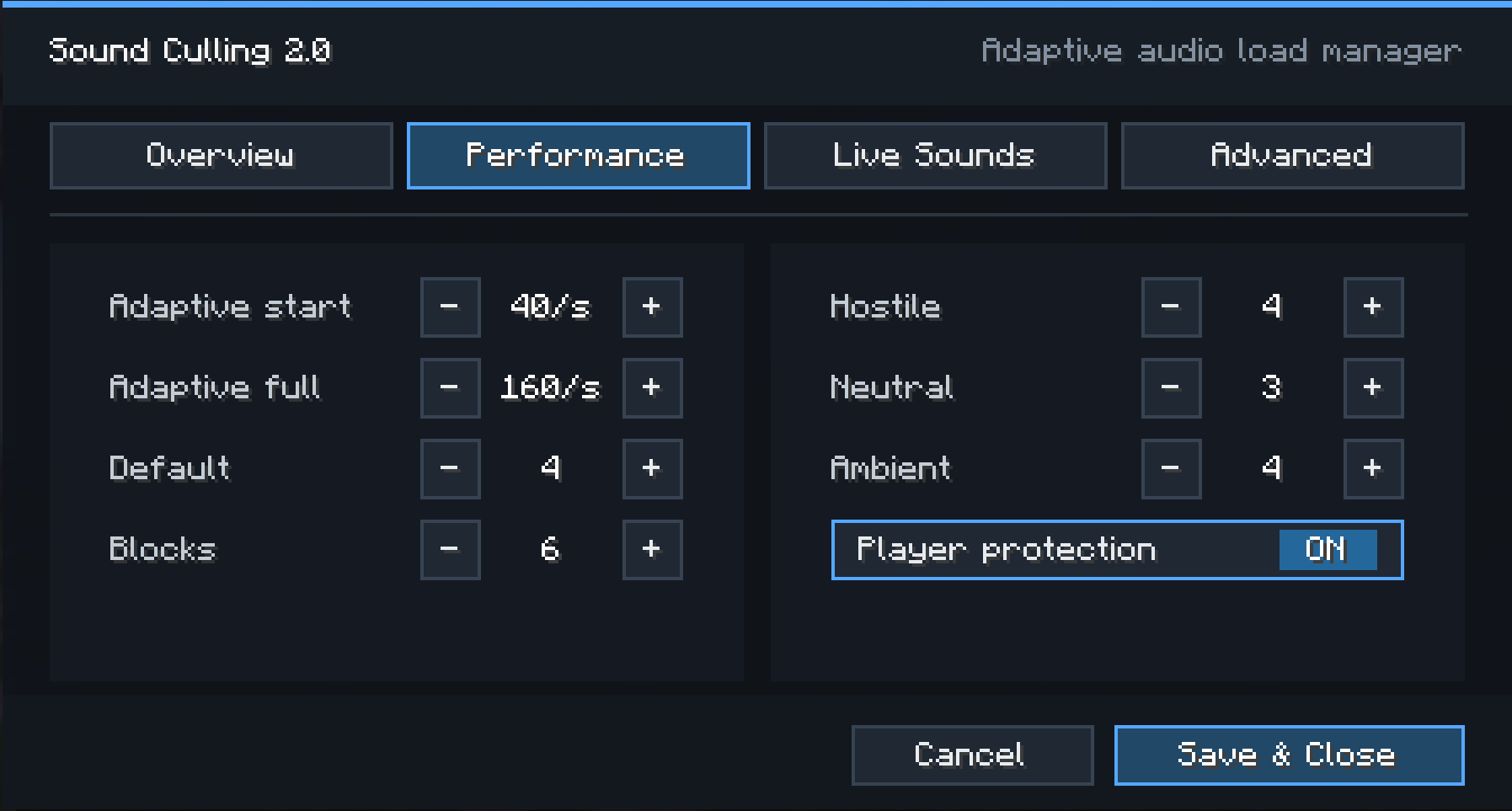
- Performance contains adaptive thresholds and category limits.
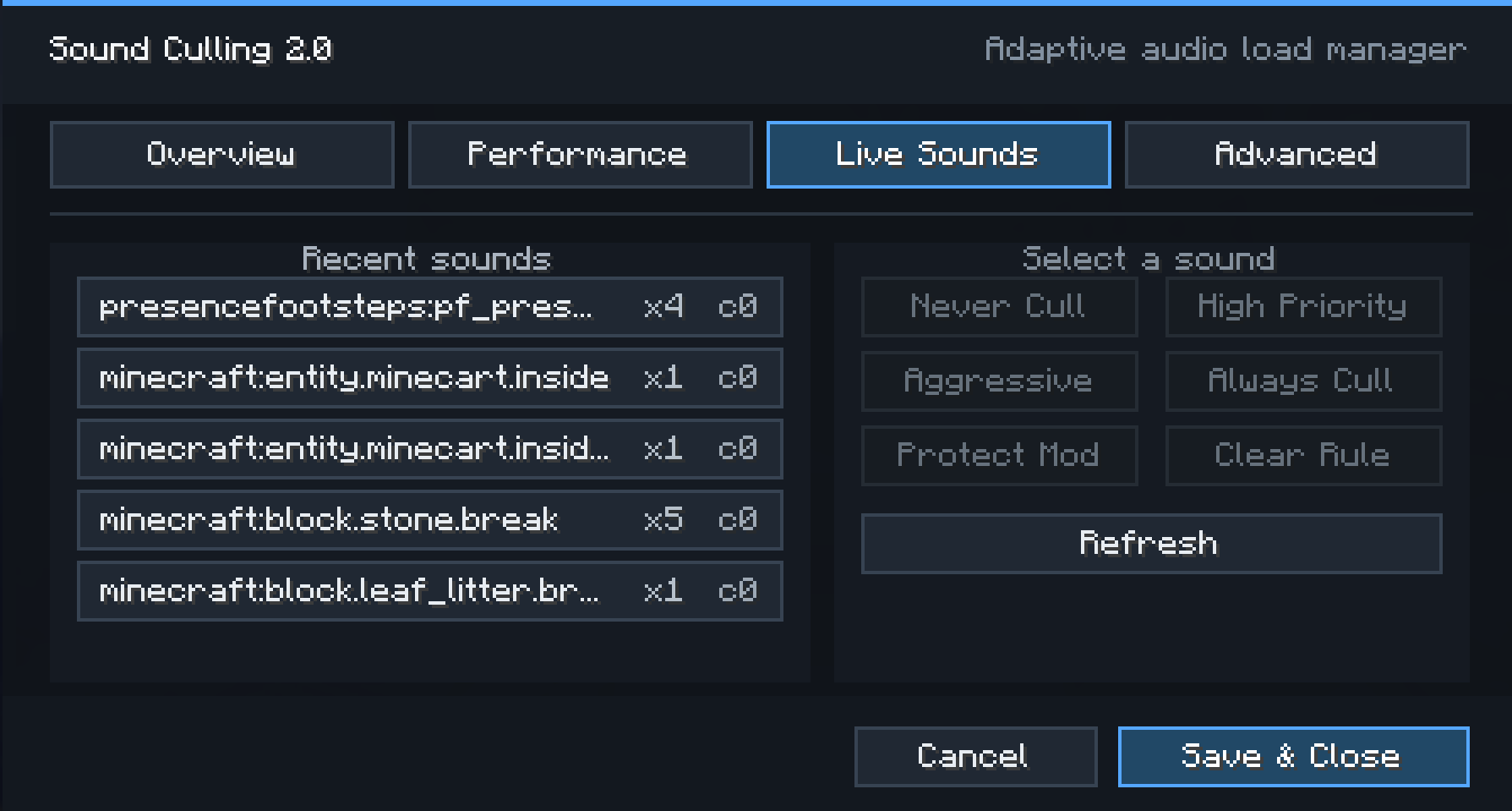
- Live Sounds lists recent sound IDs and provides rule actions.
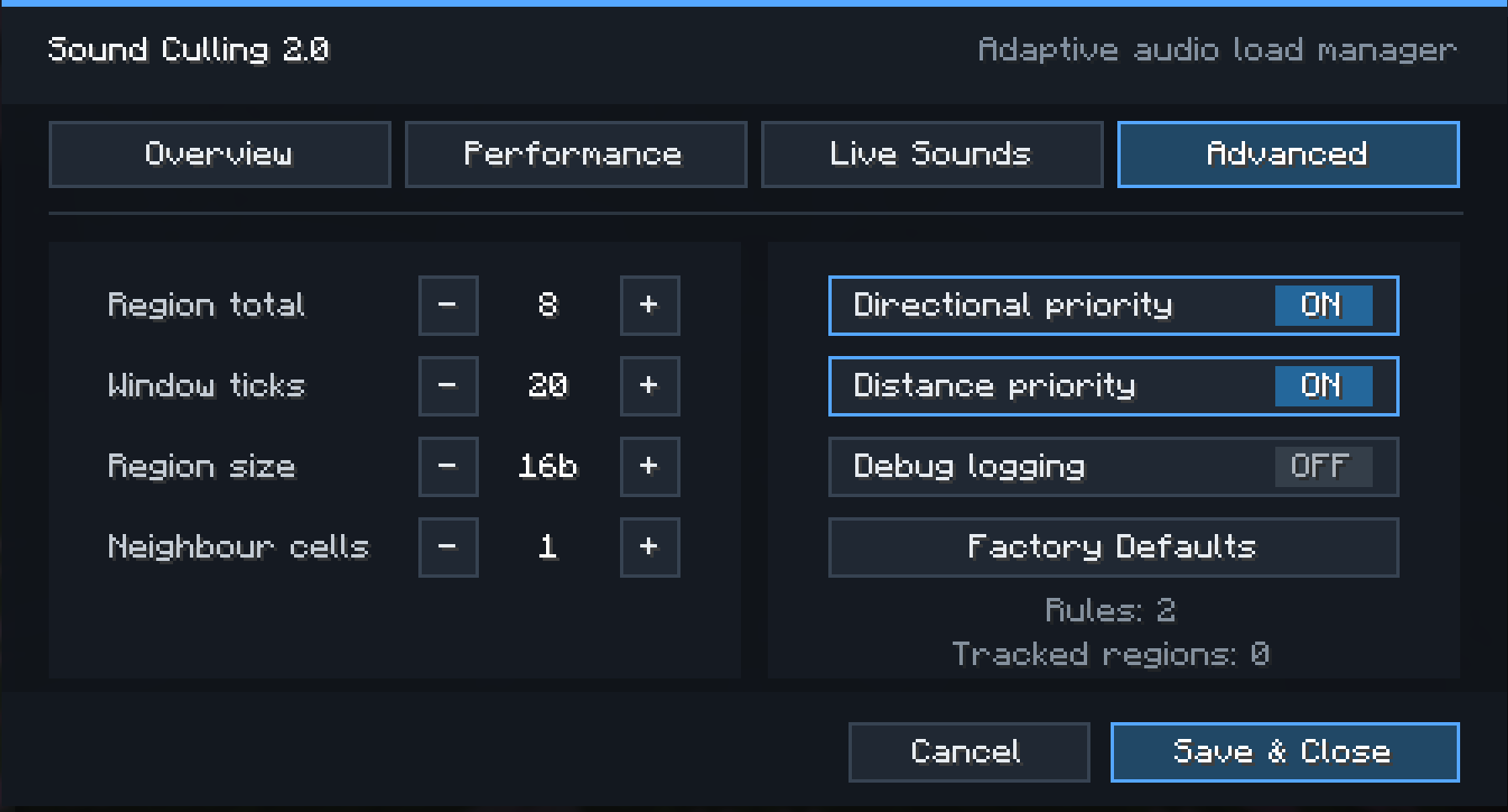
- Advanced contains spatial tracking, priority and logging options.
The screen does not pause a single-player world, so sound statistics continue to update while it is open. Use Save & Close to apply changes. Cancel discards pending settings edits.
Settings are stored in:
config/soundculling.jsonOlder configuration files are migrated where possible. Invalid numeric values are restricted to supported ranges. If the file cannot be loaded, the mod uses and saves its default settings.
Presets
| Preset | Purpose |
|---|---|
| Balanced | A starting point for ordinary play. |
| Performance | Lower limits and earlier adaptive pressure for busy areas. |
| Aggressive | Tighter limits for sustained sound spam. |
| Custom | Used after individual limits are changed. |
Presets adjust category limits, the regional limit and adaptive thresholds. They do not remove custom sound rules.
Sound rules
Rules can protect a sound, raise or lower its priority, or prevent it from starting. Select a sound on the Live Sounds page to create a rule without editing the JSON file. Protect Mod creates a namespace-wide protection rule.
Available rule actions:
| Action | Effect |
|---|---|
NEVER_CULL |
Excludes the matching sound from Sound Culling decisions. |
CRITICAL |
Applies the highest priority multiplier. |
HIGH |
Raises priority under load. |
NORMAL |
Uses the normal priority calculation. |
AGGRESSIVE |
Lowers priority. |
ALWAYS_CULL |
Rejects new starts and fades tracked loops toward zero. |
Patterns are case-insensitive and support * as a wildcard:
minecraft:block.piston.*
bettercombat:*
presencefootsteps:*
When several rules match, the last matching rule takes precedence. Exact IDs in the legacy whitelistedSounds list take precedence over rules, including ALWAYS_CULL.
Commands
Sound Culling provides client-side commands that do not require server operator permissions:
/soundculling
/soundculling toggle
/soundculling preset balanced
/soundculling preset performance
/soundculling preset aggressive
/soundculling limit <1-50>
/soundculling total <1-100>
/soundculling reset
The base command shows the current preset, event rate, adaptive pressure and session counts. Setting commands apply and save immediately. The reset command clears session statistics and recent sound history; it does not clear rolling activity used by current culling decisions.
Installation
- Install Fabric Loader and Fabric API for your Minecraft version.
- Download the Sound Culling file listed for that Minecraft version.
- Place the JAR in the instance's
modsfolder. - Install Mod Menu if you want access to the settings screen from the Mods menu.
Minecraft version groups use separate builds, even when their JAR names are similar. Check the supported version shown on the individual download file.
Sound Culling 2.0 is available for Fabric. Older files for Fabric, Forge and NeoForge may use the earlier engine and may not include the Live Sounds page, adaptive pressure, wildcard rules or persistent loop management.
Modpacks
Sound Culling may be included in modpacks. It is client-side and distributed under the MIT License. A pack can use presets and rules to tune behaviour for its sound-producing mods. If a mod uses an unusual playback path, test its one-shot and looping sounds before publishing the pack configuration.
Reporting problems
Report issues at GitHub and include:
- Minecraft, loader, Fabric API and Sound Culling versions.
- The downloaded file name.
- Steps to reproduce the problem.
- Other mods that change sound playback.
logs/latest.logand the crash report, if one exists.
For missing audio, also include the sound ID if known, any matching rules and whether the sound is a one-shot or a persistent loop.
Sound Culling is licensed under the MIT License.
Sound Culling
Sound Culling is a client-side Minecraft mod that reduces repetitive sounds in busy areas such as farms, spawner rooms and machinery. It can lower a sound's volume or prevent it from starting when nearby sound activity exceeds the configured limits.
The mod tracks recent sound events by location and source. Each decision can consider repetition, regional activity, sound category, distance, direction and the current event rate. A single noisy source has a limited contribution to the shared regional count, while repeated sounds from that source are still detected.
Sound Culling only changes client audio. It does not alter entities, blocks, gameplay or server behaviour, and it does not need to be installed on the server.
Features
- Rejects excessive sounds before they start an audio channel.
- Dampens sounds when full rejection is unnecessary.
- Adjusts limits as the overall sound event rate rises.
- Tracks nearby cells to avoid sharp changes at region boundaries.
- Limits the influence of one source on the regional sound budget.
- Re-evaluates looping and tickable sounds with gradual volume changes.
- Gives player feedback sounds additional protection during ordinary culling.
- Supports exact sound IDs, wildcard patterns and full mod namespaces.
- Shows recent sounds, event counts and session statistics in-game.
- Includes Balanced, Performance, Aggressive and Custom presets.
- Allows playback to continue when sound evaluation encounters a compatible runtime error.
Music and relative sounds, including interface audio, are excluded. Sounds that Minecraft already considers outside their audible range are not added to the tracker.
Configuration
Install Mod Menu to open the four-page settings screen:
- Overview contains the main toggle, presets and session statistics.
- Performance contains adaptive thresholds and category limits.
- Live Sounds lists recent sound IDs and provides rule actions.
- Advanced contains spatial tracking, priority and logging options.
The screen does not pause a single-player world, so sound statistics continue to update while it is open. Use Save & Close to apply changes. Cancel discards pending settings edits.
Settings are stored in:
config/soundculling.json
Older configuration files are migrated where possible. Invalid numeric values are restricted to supported ranges. If the file cannot be loaded, the mod uses and saves its default settings.
Presets
| Preset | Purpose |
|---|---|
| Balanced | A starting point for ordinary play. |
| Performance | Lower limits and earlier adaptive pressure for busy areas. |
| Aggressive | Tighter limits for sustained sound spam. |
| Custom | Used after individual limits are changed. |
Presets adjust category limits, the regional limit and adaptive thresholds. They do not remove custom sound rules.
Sound rules
Rules can protect a sound, raise or lower its priority, or prevent it from starting. Select a sound on the Live Sounds page to create a rule without editing the JSON file. Protect Mod creates a namespace-wide protection rule.
Available rule actions:
| Action | Effect |
|---|---|
NEVER_CULL |
Excludes the matching sound from Sound Culling decisions. |
CRITICAL |
Applies the highest priority multiplier. |
HIGH |
Raises priority under load. |
NORMAL |
Uses the normal priority calculation. |
AGGRESSIVE |
Lowers priority. |
ALWAYS_CULL |
Rejects new starts and fades tracked loops toward zero. |
Patterns are case-insensitive and support * as a wildcard:
minecraft:block.piston.*
bettercombat:*
presencefootsteps:*
When several rules match, the last matching rule takes precedence. Exact IDs in
the legacy whitelistedSounds list take precedence over rules, including
ALWAYS_CULL.
Commands
Sound Culling provides client-side commands that do not require server operator permissions:
/soundculling
/soundculling toggle
/soundculling preset balanced
/soundculling preset performance
/soundculling preset aggressive
/soundculling limit <1-50>
/soundculling total <1-100>
/soundculling reset
The base command shows the current preset, event rate, adaptive pressure and session counts. Setting commands apply and save immediately. The reset command clears session statistics and recent sound history; it does not clear rolling activity used by current culling decisions.
Installation
- Install Fabric Loader and Fabric API for your Minecraft version.
- Download the Sound Culling file listed for that Minecraft version.
- Place the JAR in the instance's
modsfolder. - Install Mod Menu if you want access to the settings screen from the Mods menu.
Minecraft version groups use separate builds, even when their JAR names are similar. Check the supported version shown on the individual download file.
Sound Culling 2.0 is available for Fabric. Older files for Fabric, Forge and NeoForge may use the earlier engine and may not include the Live Sounds page, adaptive pressure, wildcard rules or persistent loop management.
Modpacks
Sound Culling may be included in modpacks. It is client-side and distributed under the MIT License. A pack can use presets and rules to tune behaviour for its sound-producing mods. If a mod uses an unusual playback path, test its one-shot and looping sounds before publishing the pack configuration.
Reporting problems
Report issues at GitHub and include:
- Minecraft, loader, Fabric API and Sound Culling versions.
- The downloaded file name.
- Steps to reproduce the problem.
- Other mods that change sound playback.
logs/latest.logand the crash report, if one exists.
For missing audio, also include the sound ID if known, any matching rules and whether the sound is a one-shot or a persistent loop.
Sound Culling is licensed under the MIT License.
Screenshots
Gallery
Versions
Files
Relations
Project Relations
More like this
Similar Mods
Suggestions use data such as tags, dependencies, dependents, descriptions, titles, and more to rank how much they overlap with this mod.
On ModDex
Community snapshot
By the numbers
Statistics
Want to reach Minecraft players?
We're looking for a server hosting partner to feature here and other parts of the site. Interested? Send us a message!
Get in touchGet it on
Available Platforms
On ModDex
Community snapshot
By the numbers