
Community listing page, reviews may not be monitored by the author.
Sounds Be Gone!


No reviews yet
Allows you to disable specific sounds you don't like. Perfect for people with Misophonia!

Community voices
Reviews
No reviews yet. Be the first to review this project!
Get it on
Available Platforms
Compatibility
Supported Environments
Runs entirely on the client. Works on vanilla servers.
About
Project Details
For authors
Embed Badge
If you're the author of this project, you can embed a live badge anywhere that supports HTML or Markdown. It updates automatically whenever ratings change.
Use HTML for any page that supports it, or Markdown for README files and Markdown-based descriptions.
Identifiers
Platform IDs
About
Description
Sounds Be Gone! 
Inspired by my own Misophonia, this mod allows you to disable any sound in the game (vanilla, modded, etc) that you don't like.
It records the sounds you've heard over the past minute of gameplay and allows you to then mute them permanently.
This is a client-side-only mod.
Infrequent Sounds (since version 1.5)!
Some sounds are useful in small doses but miserable when Minecraft repeats them constantly. Mark those sounds as Infrequent instead of disabling them.
Infrequent sounds still play sometimes. Sounds Be Gone checks each playback attempt and only lets a percentage of those attempts through. The default frequency is 10%, and you can change it from the Infrequent sounds category in the config screen.
This is not just a flat random toggle. When the same sound fires repeatedly, Sounds Be Gone counts recent attempts for that sound and lowers the chance for each attempt in the burst. A sound that only happens occasionally stays close to your configured percentage, while a sound that is spamming the client is suppressed more aggressively.
Use Infrequent for sounds where silence would remove useful feedback, but normal playback is too much. Examples include repeated ambient loops, machine noises, villager chatter, or any modded sound that you only want to hear once in a while.
Fabric only below 1.20. NeoForge version is available for 1.20.4+.
Usage
For Minecraft 1.20 and above:
When you hear something that you never want to hear again, press B and disable the sound(s) of your choice.
For Minecraft 1.19 and below:
If you hear something that triggers you, press ESC, click on MODS, select Sounds Be Gone, click on the settings icon on the top right hand corner and then disable the sound(s) of your choice.
Dependencies
Curseforge
Using mmm?
Run
mmm add curseforge 874633to install this mod.
- ModMenu (optional)
- ClothConfig
Modrinth
Using mmm?
Run
mmm add modrinth FOIvwGKzto install this mod.
- ClothConfig
- ModMenu (optional)
Sounds Be Gone! 
Inspired by my own misophonia, Sounds Be Gone keeps Minecraft playable when specific noises are overwhelming. The mod passively records every sound you have heard in the past minute and lets you mute any of them permanently with a couple of clicks. Everything is client-side, so your preferences affect only your game.
Fabric is supported on releases below 1.20. NeoForge builds are available for Minecraft 1.20.4 and newer.
Why players use Sounds Be Gone
- Instantly silence any sound event (vanilla or modded) without memorizing filenames.
- The "recently played" list removes guesswork—scroll, select, and mute.
- Keeps an audit trail so you can easily unmute later when you change your mind.
- Built for sensory accessibility: predictable UI, reversible actions, and zero server requirements.
Infrequent Sounds (since version 1.5)!
Some sounds are useful in small doses but miserable when Minecraft repeats them constantly. Mark those sounds as Infrequent instead of disabling them.
Infrequent sounds still play sometimes. Sounds Be Gone checks each playback attempt and only lets a percentage of those attempts through. The default frequency is 10%, and you can change it from the Infrequent sounds category in the config screen.
This is not just a flat random toggle. When the same sound fires repeatedly, Sounds Be Gone counts recent attempts for that sound and lowers the chance for each attempt in the burst. A sound that only happens occasionally stays close to your configured percentage, while a sound that is spamming the client is suppressed more aggressively.
Use Infrequent for sounds where silence would remove useful feedback, but normal playback is too much. Examples include repeated ambient loops, machine noises, villager chatter, or any modded sound that you only want to hear once in a while.
Quick start
Minecraft 1.20+
- When you hear an unwanted sound, press
B(default keybind) to open the Sound Sanctuary. - Pick the sound(s) from the "Played in the last 60 seconds" list.
- Toggle them off to mute permanently; the change saves immediately to your local profile.
Minecraft 1.19 and below
- Press
ESC, chooseMODS, then select Sounds Be Gone. - Click the settings cog in the top-right corner to open the configuration screen.
- Use the list of recent sounds to disable whatever is bothering you.
Installation
CurseForge
Using mmm? Run
mmm add curseforge 874633to install the latest build.
- Cloth Config
- Mod Menu (optional, but makes the settings screen easier to reach)
Modrinth
Using mmm? Run
mmm add modrinth FOIvwGKzto install the latest build.
- Cloth Config
- Mod Menu (optional)
Configuration tips
- Rebind the
Bkey if it clashes with another mod underOptions → Controls → Key Binds → Sounds Be Gone. - Sounds stay muted until you manually re-enable them, even if you swap worlds or restart the client.
- Mod Menu makes it easy to open the config without jumping into a world, especially on older Minecraft versions.
- Keep Cloth Config up to date—new releases occasionally add UX improvements for navigating large sound lists.
Telemetry & privacy
Sounds Be Gone collects anonymous telemetry to understand which Minecraft versions and mod loaders are still in active use. This helps prioritize support, testing, and build tooling. The data never includes personal information or gameplay analytics.
- You can opt out at any time from the in-game settings screen (
Enable telemetry). - Collection happens client-side and only runs when the toggle is enabled.
- Implementation is open-source in Telemetry.java, so you can review the exact payload.
Community & support
- Questions or feedback? Join the Discord server.
- Found a bug or have UX suggestions? Open an issue or PR—see CONTRIBUTING.md for guidelines.
Credits
Thanks to all the supporters who make this project possible!
Screenshots
Gallery
-
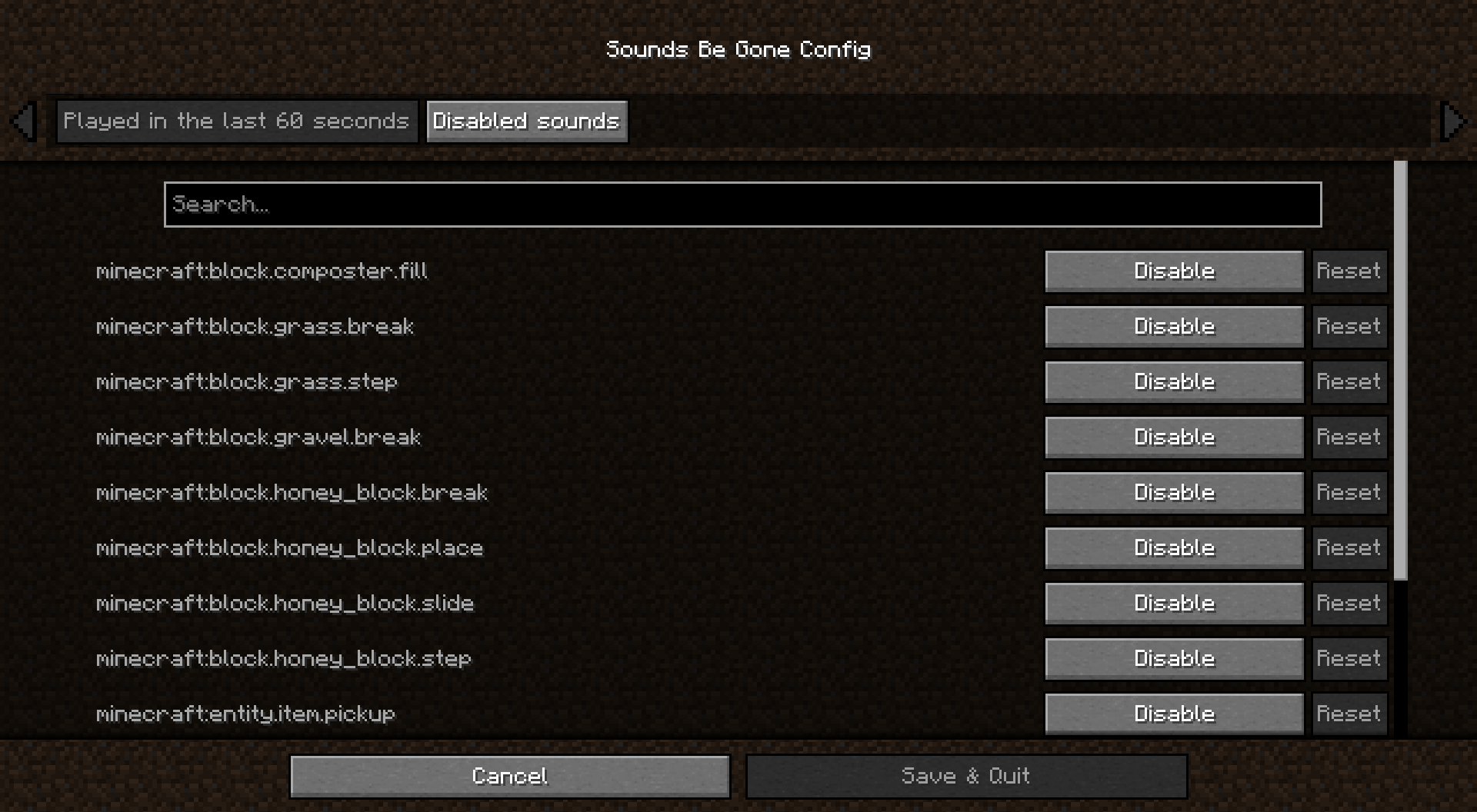 Interface
-
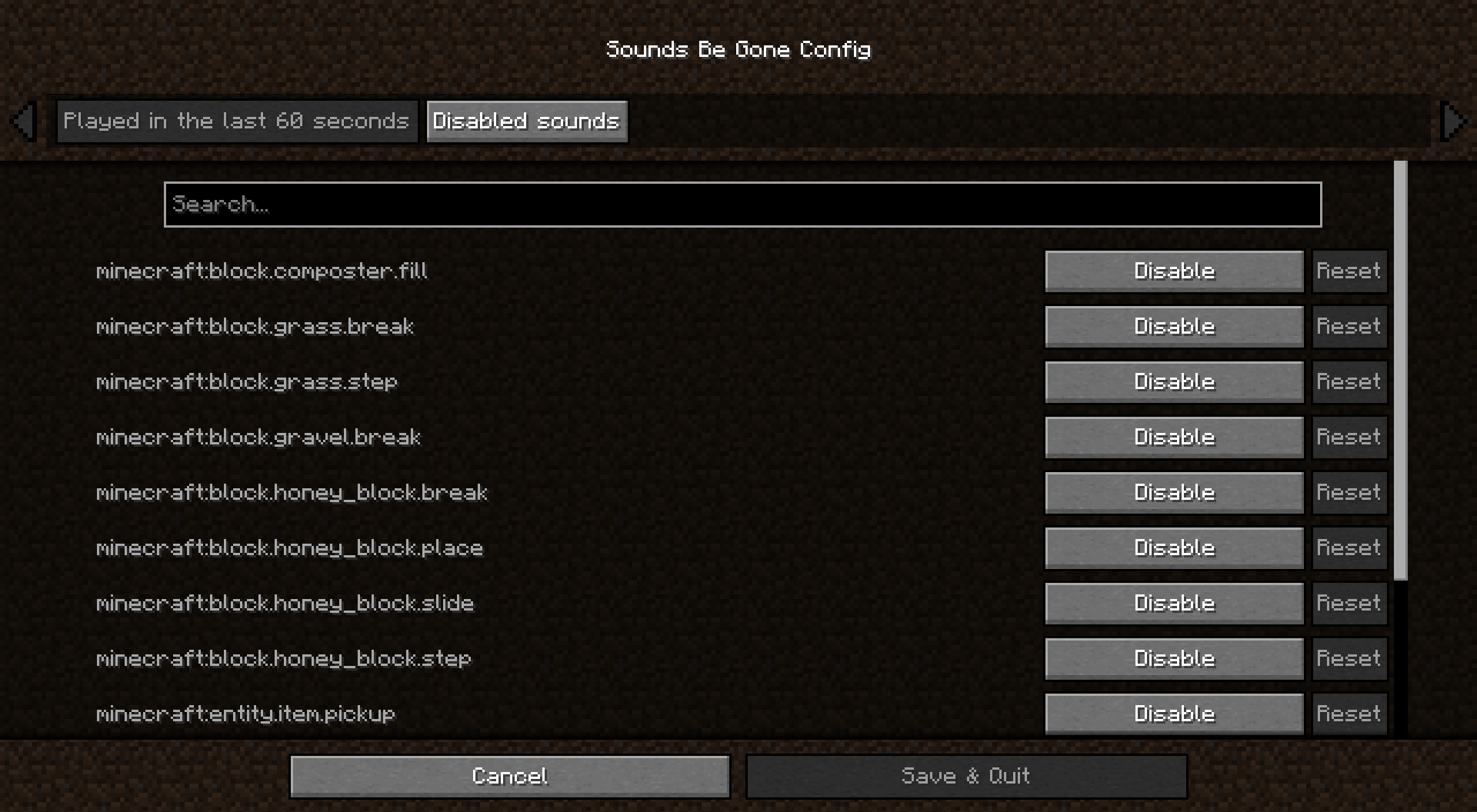 Sounds You've Heard This is the main config screen. Lists all the sounds you've encountered over the past 60 seconds of gameplay
Versions
Files
Relations
Project Relations
More like this
Similar Mods
Suggestions use data such as tags, dependencies, dependents, descriptions, titles, and more to rank how much they overlap with this mod.
On ModDex
Community snapshot
By the numbers
Statistics

Get it on
Available Platforms
On ModDex
Community snapshot
By the numbers