
Spawn Controller
No reviews yet
Allows the player to control how many entities can be in the world at one time and how long before the entity can spawn in again :3
Neoforge is a fork of the Minecraft Forge available for versions 1.20.1+ of Minecraft. Many Forge mods are compatible with Neoforge and vice versa.
Community voices
Reviews
Click once to include, again to exclude, again to clear
No reviews yet. Be the first to review this project!
Get it on
Available Platforms
 Modrinth
Compatibility
Supported Environments
About
Project Details
For authors
Embed Badge
If you're the author of this project, you can embed a live badge anywhere that supports HTML or Markdown. It updates automatically whenever ratings change.
Use HTML for any page that supports it, or Markdown for README files and Markdown-based descriptions.
Identifiers
Platform IDs
Resources
External Links
About
Description
Hey, hi, hello there. With this mod you can easily control how many entities can spawn in a world and how long before that entity can spawn again!
Be sure to download this mods dependency - Fzzy Config
Support me :3
Any questions or suggestions you ahve for me I highly suggest joining our Discord down below I'd be happy to help or to take criticism!


How in tarnation do you configure this
Well go to your escape menu and find the "Mods" button in-game, it MUST be while in a world.
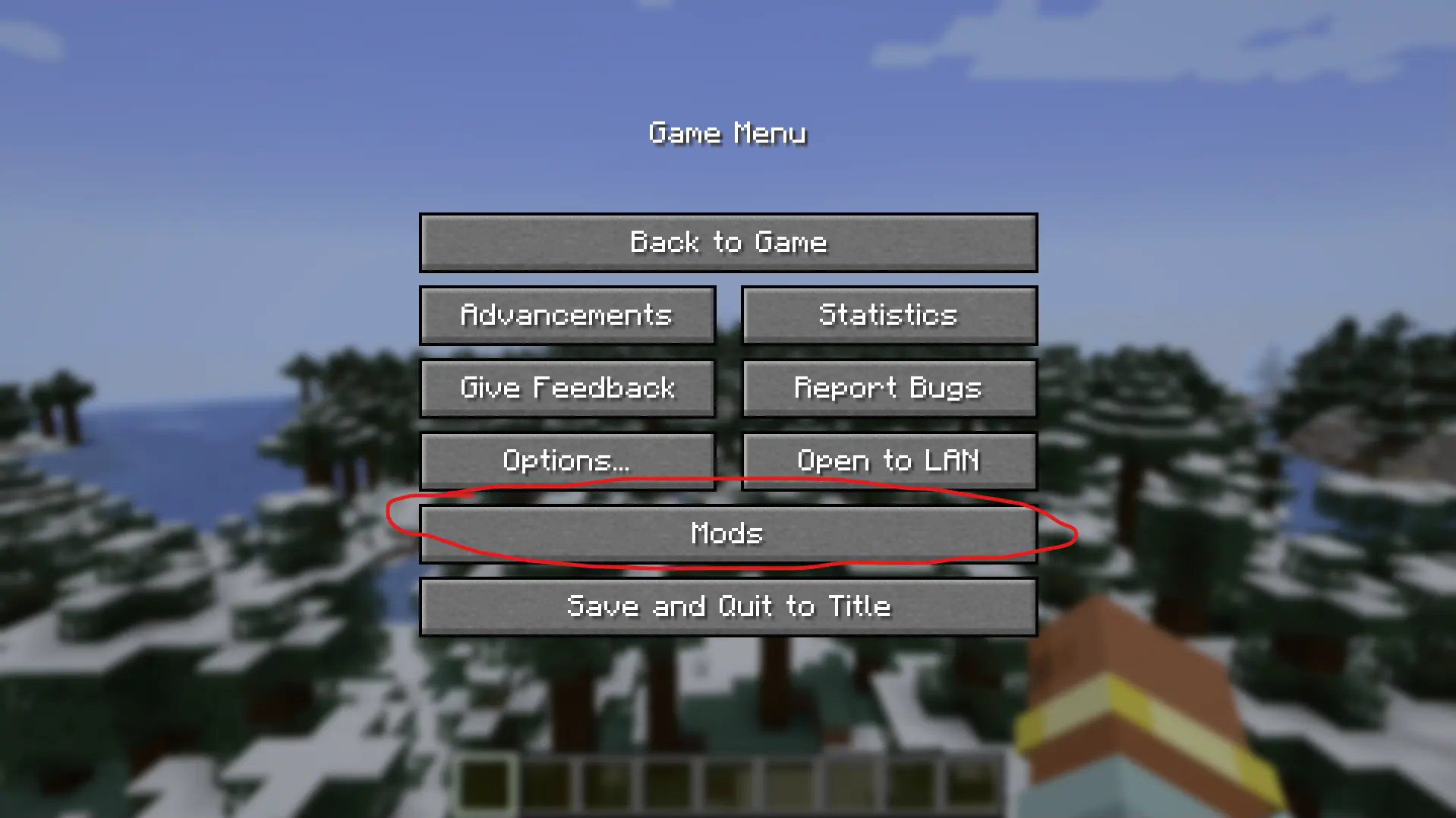
Now find the mod "Spawnrate Control" and click the "Config" button.
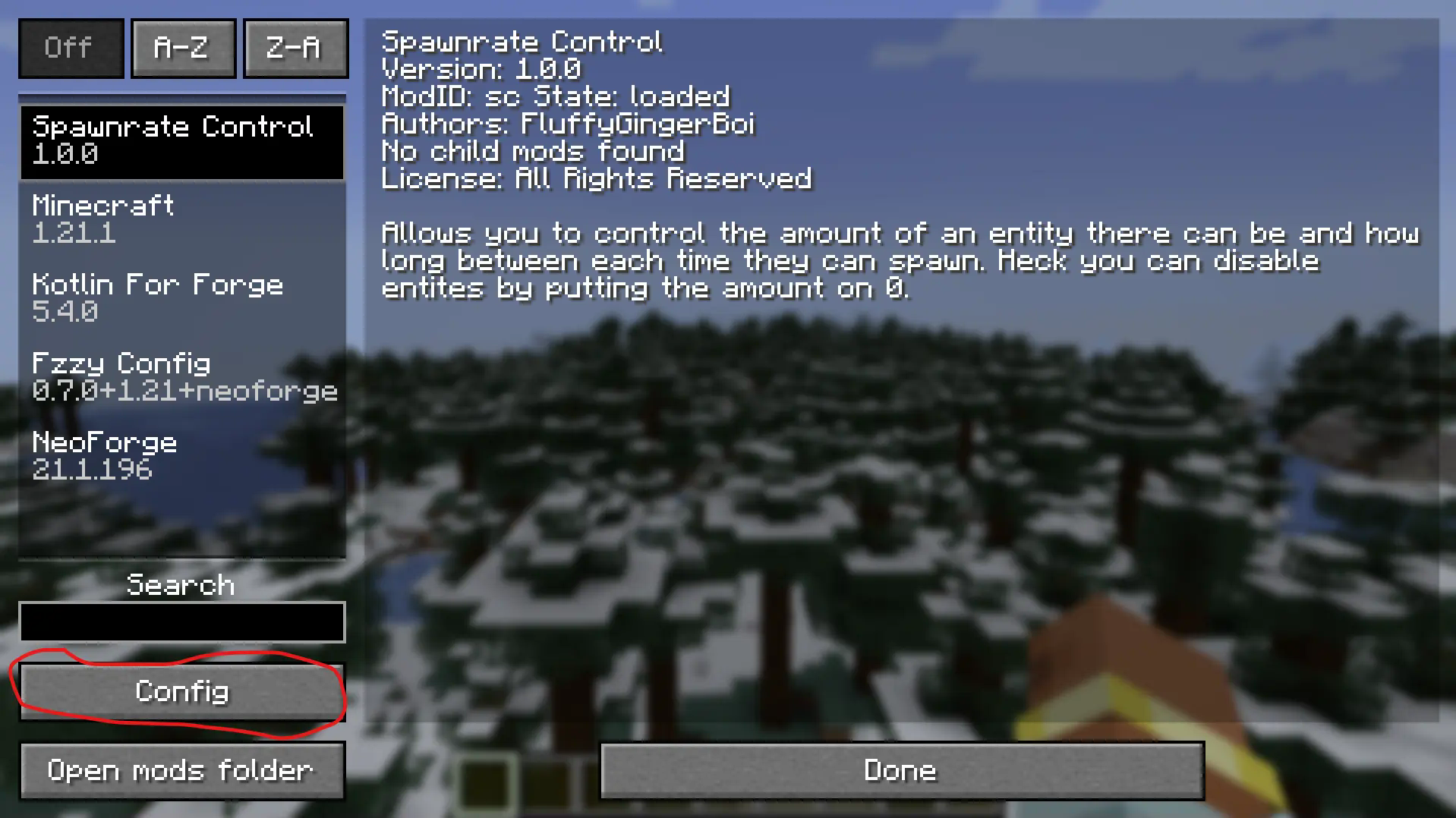
Congrats, you've made it to the actual config menu. Now you'll want to click the "Edit Map" button to add an entity. You may already see three entities in there as an example, and to be fully honest the sole purpos I made this mod. Use these as an example, whenever you add an entity you press the little + button there and define the entity. Now how does one know the entity. Well a great way to check is the "/summon" command. This mod suports modded entities so this is the best way to find their identifier.
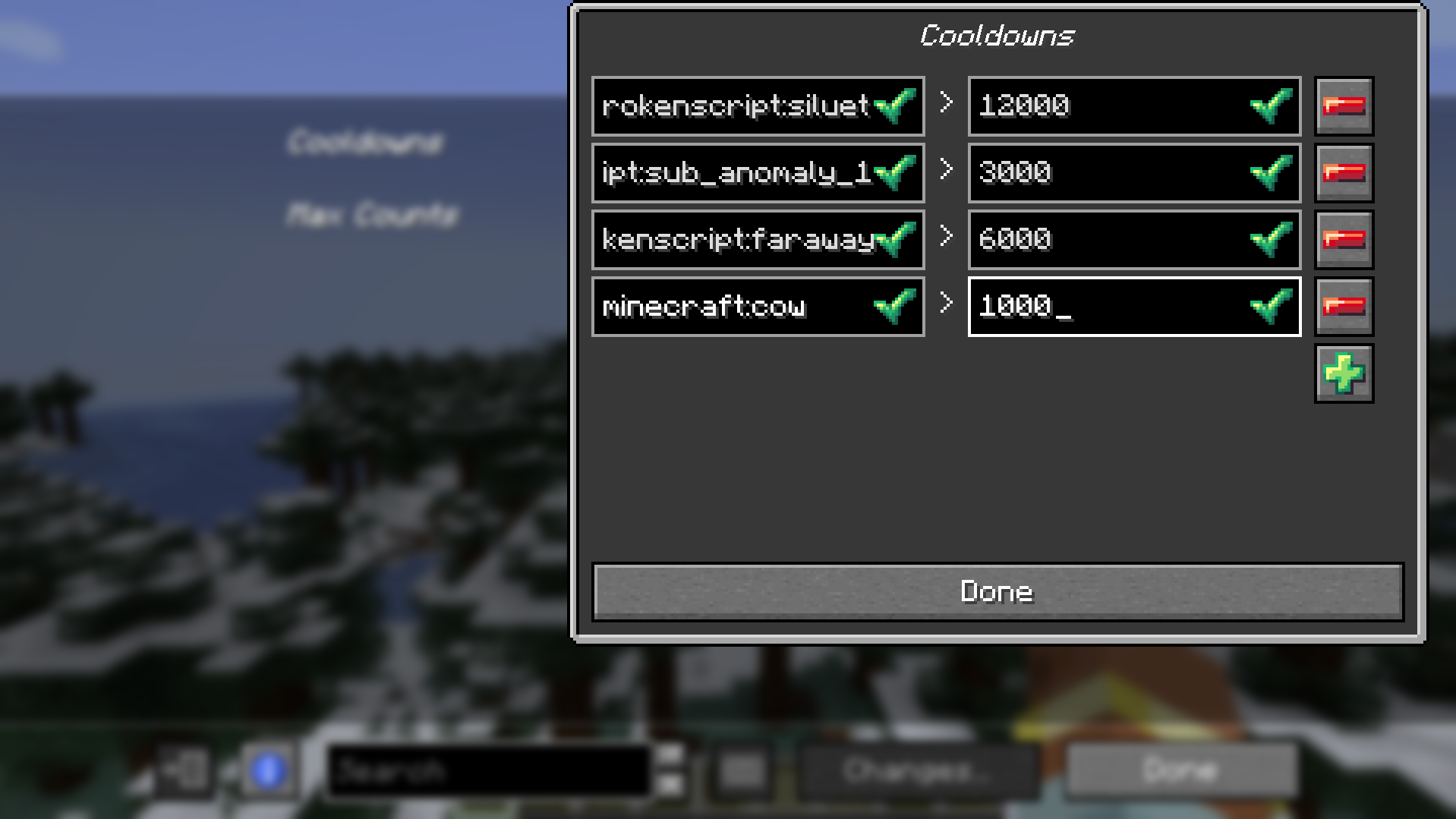 Here is an example above where I added the vanilla entity cow that can only spawn every 1000 ticks. Now if you aren't me you amy not know how to count in ticks. To convert seconds to ticks just simply multiple it by 20. So for example 5 seconds is 100 ticks becasue 5 * 20 = 100. Simple maths, you got this.
Now that you have added your entity, cow in my case, you can now add the amount cap! (This is optional, same with the cooldown you could have a cooldown but no cap or a cap but no cooldown, up to you)
To do this just simply do what you did for the cooldown, add your entities identifier, minecraft:cow in my case and then put your solid number. Not ticks by the way, just a heads up.
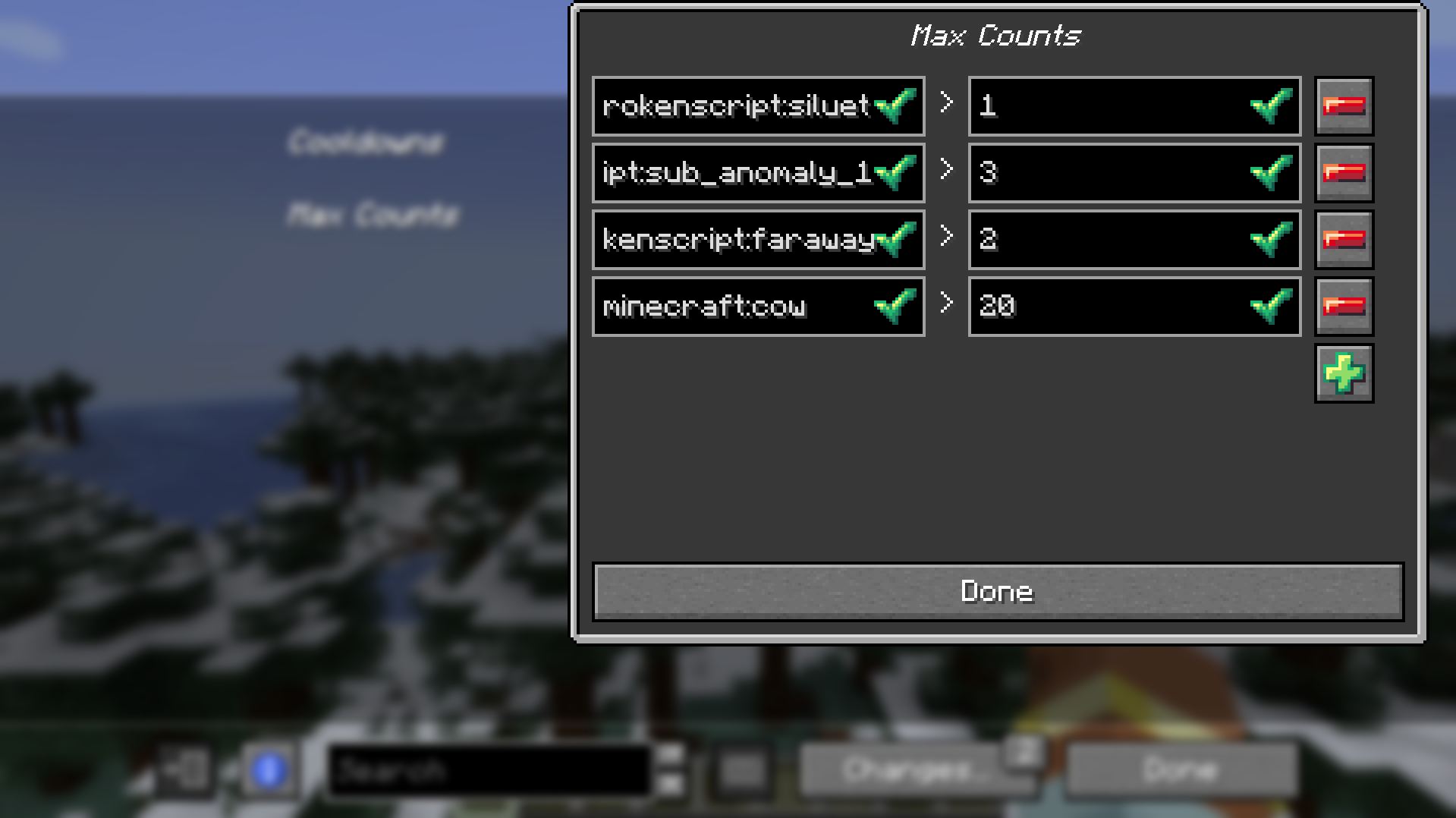
Now the last and final importan thing to do is save your changes, this is actually important DO IT. Press the "Changes..." button and then "Apply Changes".
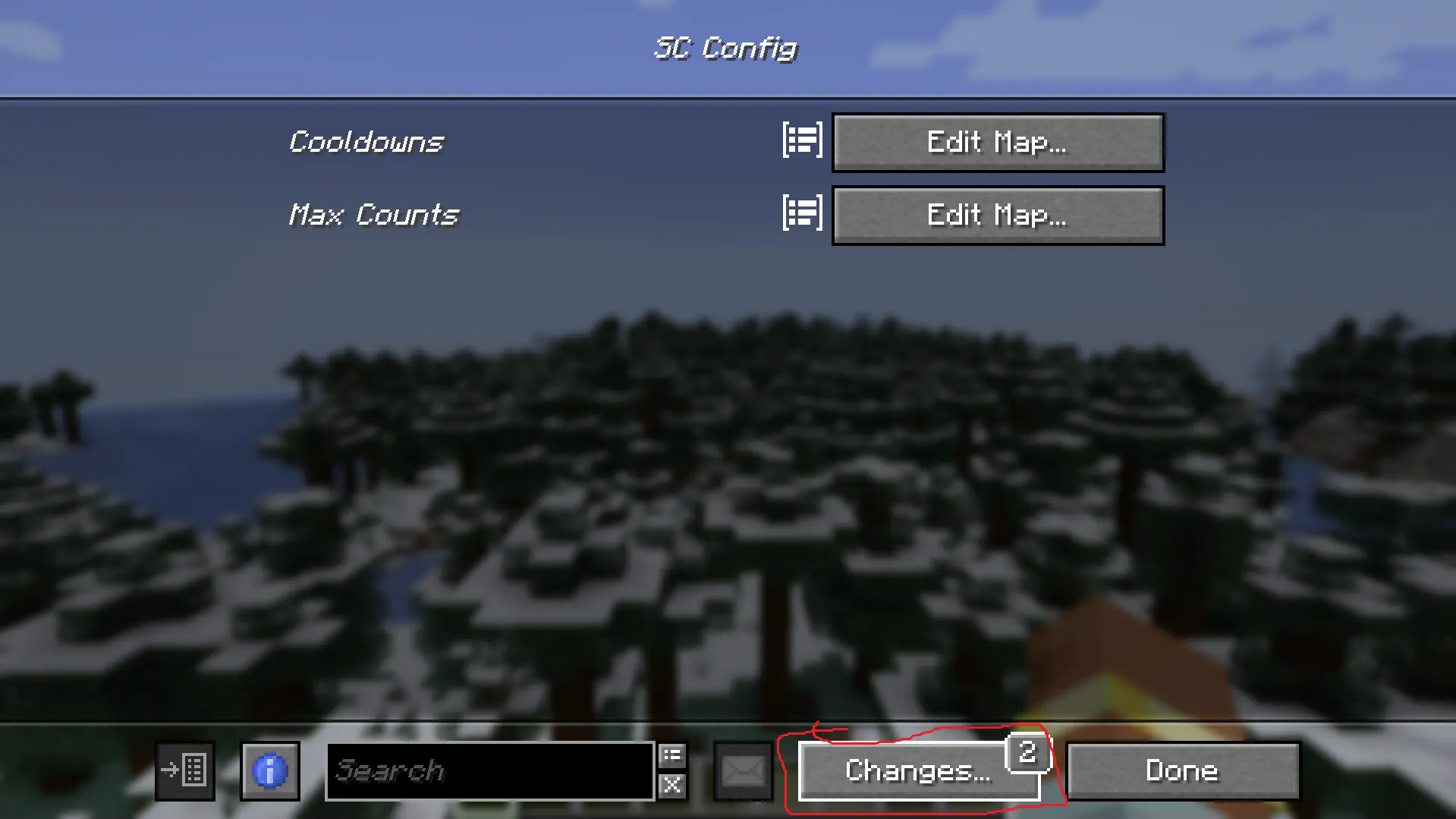
Boom, done mic drop.
Final Notes (from the newest version)
There is now an option to enable per player mode (entity spawns and cooldowns are effected on each player seperately) and a debug mode mostly for me honestly but if you find it of use then hey go ahead man. It isn't the prettiest menu as I am not the best menu maker of all time but the debug do be a debug menu.


Screenshots
Gallery
Versions
Files
Relations
Project Relations
More like this
Similar Mods
Suggestions use data such as tags, dependencies, dependents, descriptions, titles, and more to rank how much they overlap with this mod.
On ModDex
Community snapshot
By the numbers
Statistics

Want to reach Minecraft players?
We're looking for a server hosting partner to feature here and other parts of the site. Interested? Send us a message!
Get in touchGet it on
Available Platforms
On ModDex
Community snapshot
By the numbers
Statistics
Resources