
Community listing page, reviews here may not be monitored by the author.
SPm blocks counter


No reviews yet
This client-side mod to log placed and broken blocks
Community voices
Reviews
No reviews yet. Be the first to review this project!
Get it on
Available Platforms
Compatibility
Supported Environments
Runs entirely on the client. Works on vanilla servers.
About
Project Details
For authors
Embed Badge
If you're the author of this project, you can embed a live badge anywhere that supports HTML or Markdown. It updates automatically whenever ratings change.
Use HTML for any page that supports it, or Markdown for README files and Markdown-based descriptions.
Identifiers
Platform IDs
About
Description
The Minecraft mod that logs and counts placed and broken blocks during gameplay, created specifically to help players generate reports about their activities on survival mode servers.
Description
This mod automatically records block interactions — placements and breakages. The logs are saved inside the game folder in a directory workSessions.
The log saves:
- Block position (X, Y, Z)
- Action type (1 — broken, 2 — placed)
- Block ID
- Block variant (in JSON format)
Features
- Real-time logging of placing or breaking blocks
- Counting placed and broken blocks in current session
- Convenient in-game menu accessed by pressing G (default key)
- Menu options:
- Start/stop current session
- Create a new session (save current session and start new one)
- Open the folder containing session log files
- Toggle HUD display (shows block counts and session status)
The Minecraft mod that logs and counts placed and broken blocks during gameplay, created specifically to help players generate reports about their activities on survival mode servers.
Description
This mod automatically records block interactions — placements and breakages. The logs are saved inside the game folder in a directory workSessions.
The log saves:
- Block position (X, Y, Z)
- Action type (1 — broken, 2 — placed)
- Block ID
- Block variant (in JSON format)
Features
- Real-time logging of placing or breaking blocks
- Counting placed and broken blocks in current session
- Convenient in-game menu accessed by pressing G (default key)
- Menu options:
- Start/stop current session
- Create a new session (save current session and start new one)
- Open the folder containing session log files
- Toggle HUD display (shows block counts and session status)
Screenshots
Gallery
-
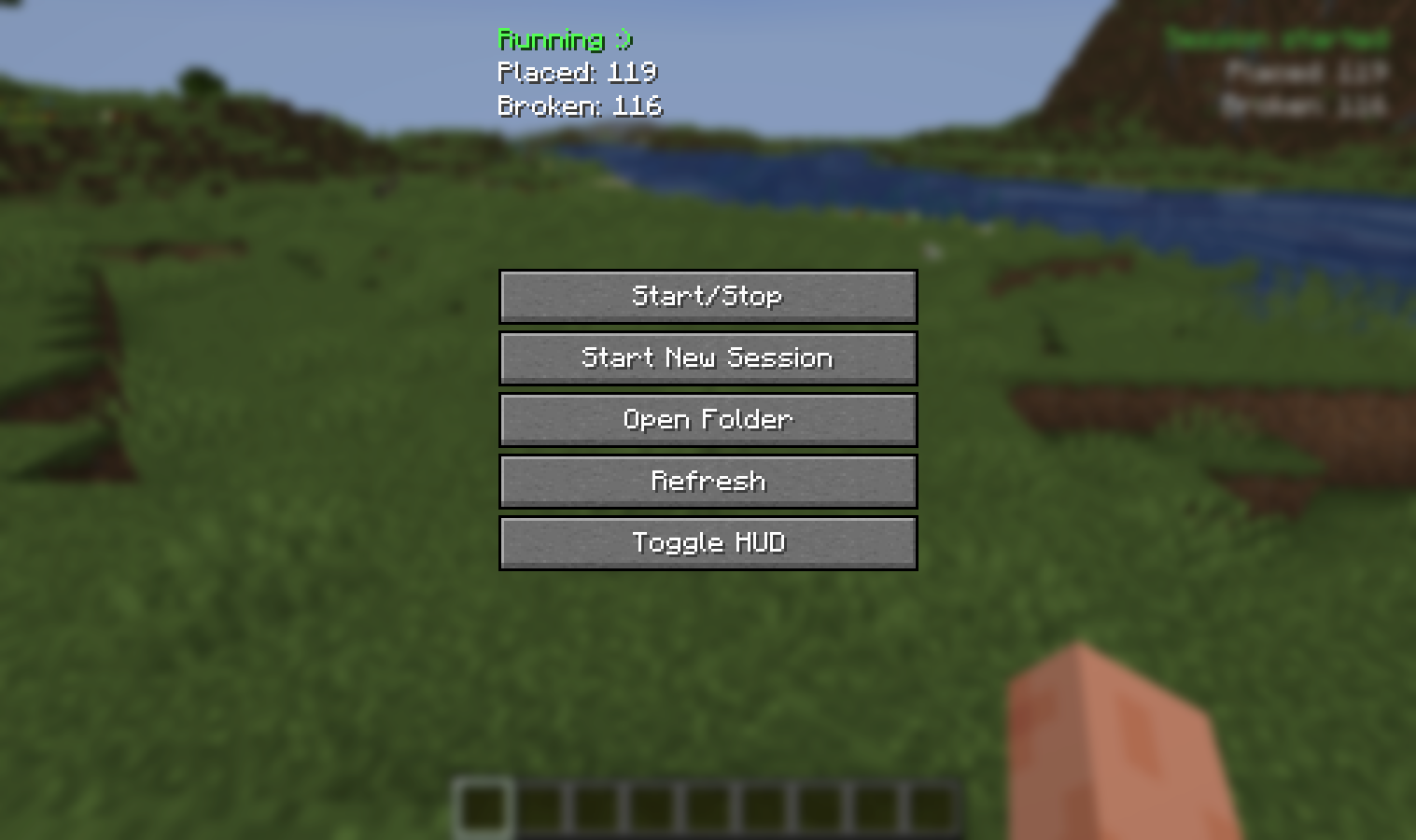 Mod menu The menu allows you to start or stop a session, start a new one, open folders, and toggle the HUD
Versions
Files
Relations
Project Relations
More like this
Similar Mods
Suggestions use data such as tags, dependencies, dependents, descriptions, titles, and more to rank how much they overlap with this mod.
On ModDex
Community snapshot
By the numbers
Statistics
Want to reach Minecraft players?
We're looking for a server hosting partner to feature here and other parts of the site. Interested? Send us a message!
Get in touchGet it on
Available Platforms
On ModDex
Community snapshot
By the numbers