
Spotify Controller
No reviews yet
Control what you are listening to in-game without alt-tabbing
Fabric is a mod loader for versions 1.14+ of Minecraft, particularly popular for client side and optimization mods.
Community voices
Reviews
Click once to include, again to exclude, again to clear
No reviews yet. Be the first to review this project!
Get it on
Available Platforms
 Modrinth
Compatibility
Supported Environments
About
Project Details
For authors
Embed Badge
If you're the author of this project, you can embed a live badge anywhere that supports HTML or Markdown. It updates automatically whenever ratings change.
Use HTML for any page that supports it, or Markdown for README files and Markdown-based descriptions.
Identifiers
Platform IDs
About
Description
Control your spotify playback without alt-tabbing
If you found bugs, please report to issue tracker on github!
Maintaince only
I won't be adding new features to this mod. This does not mean that I will leave this mod broken if there is bugs, but just that there will not be any new feature. I will still try my best to help you when there is an issue, but feature requests will not be fulfilled. This is because I don't feel motovated to develop anymore with Spotify actively trying to kill this kind of programs. There is unstable features on Github that didn't make it to release, people who wants them can build them themselves.
Spotify Developer Terms Update
Starting from Feb 11, all new users needs to have Premium subscription. From March 9, all free account's connections are disbanded and won't work anymore. For people with premium, you won't be affected at all. Read more here.
Features
- View what you are playing
- Resume / Pause your song
- Skip to next song
- Listen to previous song (again)
- Seek to wanted position
- Search for a song
Applied Picture

How to set up
Follow official wiki on creating app. Set Redirect URI to http://127.0.0.1:25566/callback. Press Z to show pop up with button that redirects you to setup page. On the bottom of the page, there are inputs for Client ID and Client Secret. Paste Client ID and Client Secret you got from creating app into input. Sign in normally. After this, you may press Z again to control your playback.
Future plans
- Ability to view lyrics
- Ability to view queue
Easier setup(Impossible since April 15, 2025, see blog post from Spotify)- #28: Volume control
- #23: System Media for free account or pre-setup
- #14: Mini Player
- #14: Like and dislikes
Screenshots
Gallery
-
Currently playing screen
-
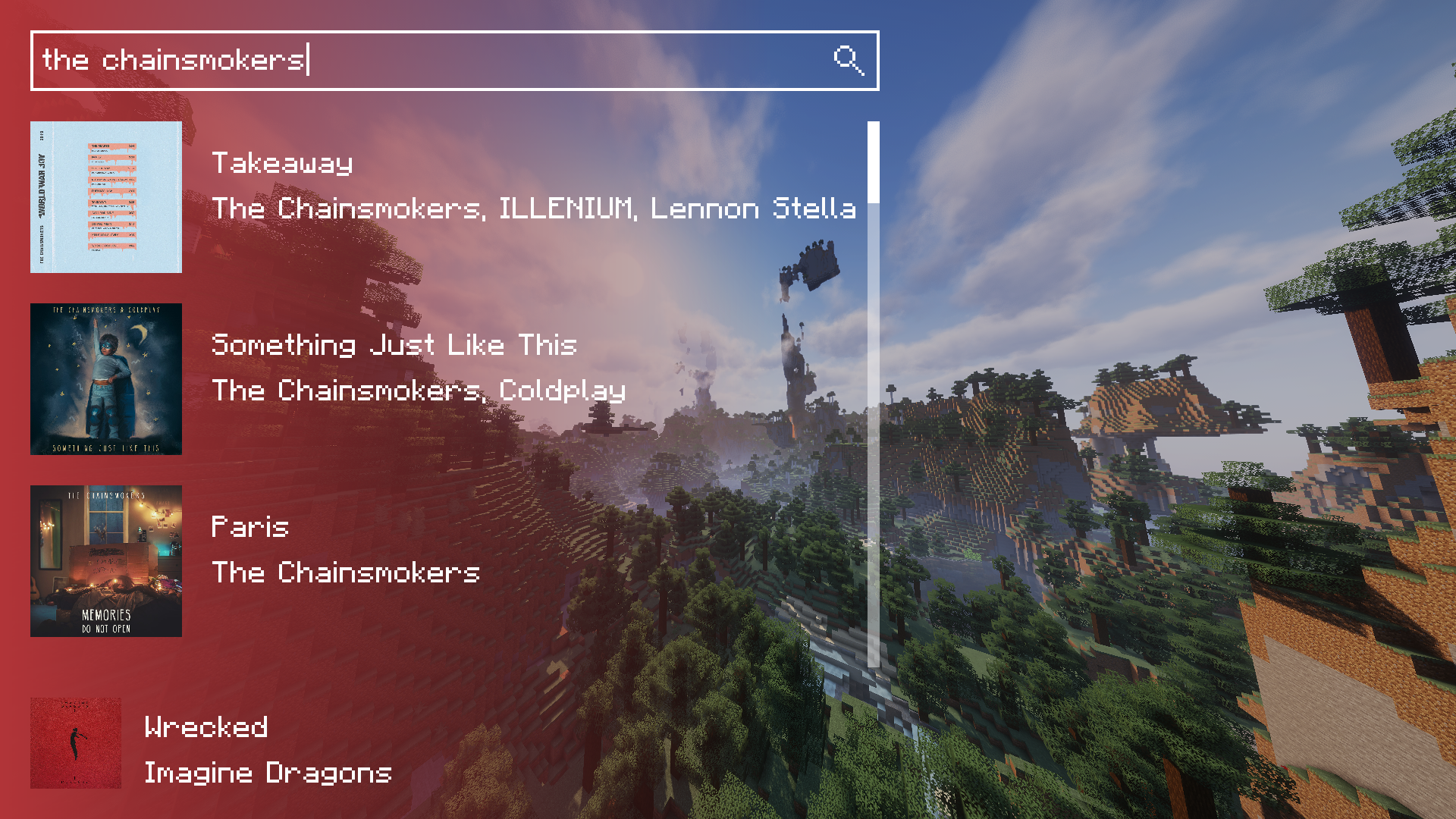 Search screen
 -
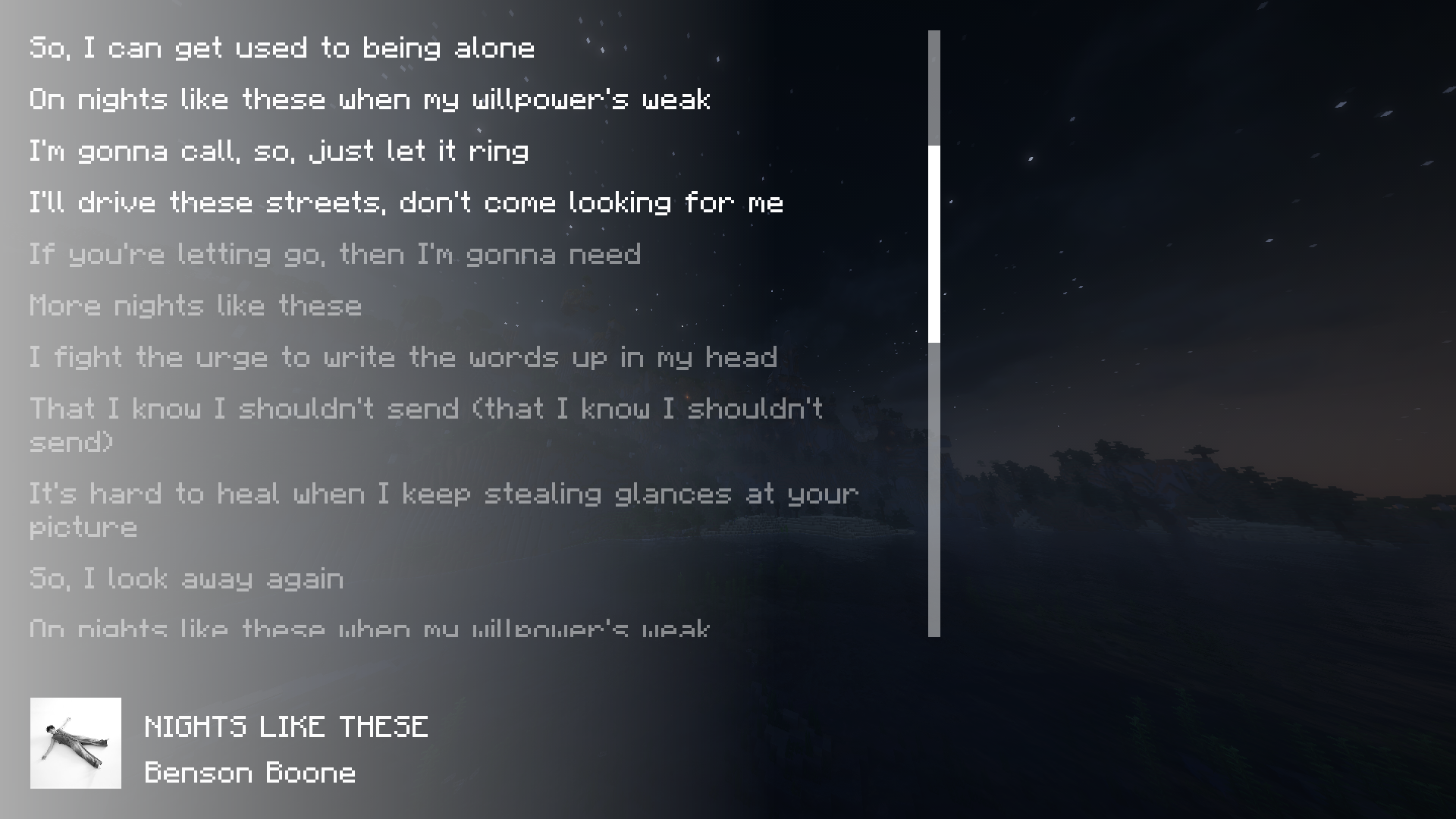 Lyric Screen
Versions
Files
Relations
Project Relations
More like this
Similar Mods
Suggestions use data such as tags, dependencies, dependents, descriptions, titles, and more to rank how much they overlap with this mod.
On ModDex
Community snapshot
By the numbers
Statistics

Want to reach Minecraft players?
We're looking for a server hosting partner to feature here and other parts of the site. Interested? Send us a message!
Get in touchGet it on
Available Platforms
On ModDex
Community snapshot
By the numbers