Community listing page, reviews here may not be monitored by the author.

Community voices
Reviews
No reviews yet. Be the first to review this project!
Get it on
Available Platforms
About
Project Details
For authors
Embed Badge
If you're the author of this project, you can embed a live badge anywhere that supports HTML or Markdown. It updates automatically whenever ratings change.
Use HTML for any page that supports it, or Markdown for README files and Markdown-based descriptions.
Identifiers
Platform IDs
Resources
External Links
About
Description
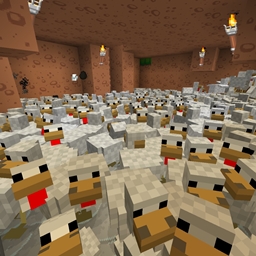
This small mod allows you to change the Stacksize of selected items (configurable with max of 64 and minimum of 1. Setting to 0 or less essentially disables the stacksize mod.)
Default items in the stacksize.cfg
- Eggs
- Boats
- Minecarts
- Saddles
- Horse armor (iron, gold, and diamond)
- Potions **
- Snowballs
- Enderpearls
- Doors (wood and iron)
- Enchanted books *
- Soup (includes Beetroot soup)
- Buckets of Milk, Lava, Water
- Signs
- Cake
- Beds
You are allowed to:
- include the plugin in public modpacks
- without asking me for permission
- you have to credit me (and provide a link to this page)
You are not allowed to:
- "republish" the plugin
- pretend that this plugin is your own work
The above items are the ones automatically included in the config file to use the new stacksize value, but this can be changed by editing the "stacksize.cfg" file along with the new stacksize value you wish to use. Other mod items can be added to this as well, but require the mod's registered item name.
* Enchanted books don't always stack nicely. Of course only certain enchantmented books can stack, like sharpness 1 can stack with other sharpness 1s. But sometimes you have to put them into a chest, close the chest, and re-open the chest to stack those two books. NOTE: using 2 or more enchanted books on an anvil will not produce a higher effect, but only consume all the enchanted books.
** Potions were removed from the stacksize.cfg for versions post 1.9 because the brewing stand was changed to prevent stackable items from being placed into them.Adding other mod items to the stacksize requires the exact mod's item name. For example "modname:item_name". If you don't know what the mod item name is, you can find the mod item name by hitting F3+h. Then it'll show extra information in the tool tips, including the mod item name and ID. Open your inventory. Locate the mod item you wish to make stackable. Mouse over that item. You will see the default item name followed by a #NUMBER. The NUMBER is the item ID number. Below both of those, you will see grey text. The grey text is the mod item name. Copy that mod item name including the mod name into the Stacksize.cfg to change that item's stacksize. You can place it in the S:"Item List" as a new line below the other default minecraft items. [Thanks to DRTR0]
Another more complicated way, is to look at the fml-client-latest.log and search for the text "Registry add: " after starting minecraft with that mod once.
Screenshots
Gallery
Versions
Files
Relations
Project Relations
More like this
Similar Mods
Suggestions use data such as tags, dependencies, dependents, descriptions, titles, and more to rank how much they overlap with this mod.
On ModDex
Community snapshot
By the numbers
Statistics
Want to reach Minecraft players?
We're looking for a server hosting partner to feature here and other parts of the site. Interested? Send us a message!
Get in touchGet it on
Available Platforms
On ModDex
Community snapshot
By the numbers
Statistics
Resources