
Community listing page, reviews here may not be monitored by the author.
Starter Cabin


No reviews yet
Starter Cabin is a Minecraft mod that lets you save a player-built structure and automatically place it near the spawn point of any new world.
Community voices
Reviews
No reviews yet. Be the first to review this project!
Get it on
Available Platforms
Compatibility
Supported Environments
Must be installed on both the client and the server.
About
Project Details
For authors
Embed Badge
If you're the author of this project, you can embed a live badge anywhere that supports HTML or Markdown. It updates automatically whenever ratings change.
Use HTML for any page that supports it, or Markdown for README files and Markdown-based descriptions.
Identifiers
Platform IDs
Resources
External Links
About
Description
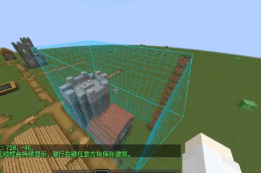
How to use it in 4 s
teps
1.Build your structure, then place a Spawn Carpet inside it where you want players to appear.
2.Hold the Building Saver item, right‑click one corner of the building, then right‑click the opposite corner – a selection outline appears.
3.Sneak + right‑click any block to save the selected area as a template.
4.When you create a new world, the mod will automatically find a suitable flat spot near spawn, place your building, and set the world spawn to the carpet position.
Key items
Building Saver – a carrot‑on‑a‑stick styled tool for selecting and saving.
Spawn Carpet – a marker block that records the spawn point; it is removed after saving (configurable).
What happens in a new world
- Searches within a radius (default 96 blocks) around the world spawn for a good location.
- Prefers terrain with low height variation (default ≤4 blocks).
- Clears the target area before placing (can be disabled).
- Places the full building, including block entities, chest contents, and (optionally) entities.
- Sets the world spawn and teleports each player on first join (both optional).
Important config options
(config/starter_cabin/template.nbt)
| Option | Effect |
|---|---|
autoGenerate |
Enable/disable automatic generation in new worlds (default: true) |
copyEntities |
Save and place entities inside the selection |
clearGenerationArea |
Clear the target area before placement |
teleportPlayersOnFirstJoin |
Teleport players to the building on first join |
placementSearchRadius |
How far to search from world spawn (default 96) |
maxSurfaceVariation |
Maximum terrain height difference allowed (default 4) |
maxBlocks |
Maximum number of blocks in a saved template (default 262144) |
Notes
- The template is saved to
config/starter_cabin/template.nbt - Each world generates the building only once – delete world data to force regeneration.
- If placement looks off, increase
placementSearchRadiusor lowermaxSurfaceVariation.
Recommended workflow
- Build and save your structure in a test world.
- Create a new world to verify the generation.
- Tweak config values if needed, then re‑save the template after major changes.
https://ifdian.net/a/kuzhi
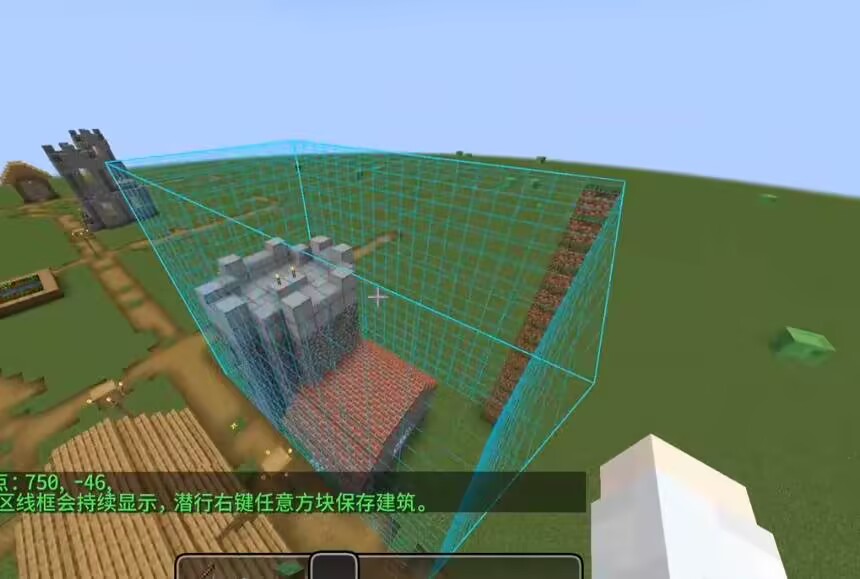
How to use it in 4 s
teps
- 1.Build your structure, then place a Spawn Carpet inside it where you want players to appear.
- 2.Hold the Building Saver item, right‑click one corner of the building, then right‑click the opposite corner – a selection outline appears.
- 3.Sneak + right‑click any block to save the selected area as a template.
- 4.When you create a new world, the mod will automatically find a suitable flat spot near spawn, place your building, and set the world spawn to the carpet position.
Key items
Building Saver – a carrot‑on‑a‑stick styled tool for selecting and saving.
Spawn Carpet – a marker block that records the spawn point; it is removed after saving (configurable).
Notes
- The template is saved to config/starter_cabin/template.nbt
- Each world generates the building only once – delete world data to force regeneration.
- If placement looks off, increase placementSearchRadius or lower maxSurfaceVariation.
- Recommended workflow
- Build and save your structure in a test world.
- Create a new world to verify the generation.
- Tweak config values if needed, then re‑save the template after major changes.
Screenshots
Gallery
Versions
Files
Relations
Project Relations
More like this
Similar Mods
Suggestions use data such as tags, dependencies, dependents, descriptions, titles, and more to rank how much they overlap with this mod.
On ModDex
Community snapshot
By the numbers
Statistics
Want to reach Minecraft players?
We're looking for a server hosting partner to feature here and other parts of the site. Interested? Send us a message!
Get in touchGet it on
Available Platforms
On ModDex
Community snapshot
By the numbers
Statistics
Resources