Community listing page, reviews may not be monitored by the author.
Statusworks

No reviews yet
A library for custom statuses, pools, marks, and cooldowns on players and mobs, defined in the API or CraftTweaker.

Community voices
Reviews
No reviews yet. Be the first to review this project!
Get it on
Available Platforms
About
Project Details
For authors
Embed Badge
If you're the author of this project, you can embed a live badge anywhere that supports HTML or Markdown. It updates automatically whenever ratings change.
Use HTML for any page that supports it, or Markdown for README files and Markdown-based descriptions.
Identifiers
Platform IDs
About
Description
Statusworks is a library that tracks custom state on players and mobs: statuses with stacks, pools, marks between two entities, and cooldowns. Modpack creators define them with CraftTweaker scripts, and mods define them through a Java API. Statusworks adds no content or gameplay effects of its own. On the client, it shows your potion effects on its HUD instead of vanilla's display, unless you turn that off.
AI usage disclaimer: This mod was developed with AI-agent assistance using this agent workflow. The project owner reviewed the work during development.
What it can do
Some things a pack or mod can build with Statusworks:
- Rage: each hit gives a stack, up to 5; each stack adds attack damage, and the stacks fall off one at a time when you stop fighting.
- Shield: a pool that fills slowly and absorbs damage before your health.
- Combo: stacks kept apart for each attacker, so the fifth hit in a row from the same player deals double damage.
- Hunt: a mark from a player to the last mob it hit, with particles only that player sees, and armor while the hunt lasts.
- Dash: one cooldown shared by two items.
- Bleed, poison, or curse effects that keep a timer per application, mana or stamina that drains and refills, a tether between two players that pauses when they move apart.
For Players
- A HUD at the top right shows each entry's icon, its stack count, its time, and a bar for pools. Your own potion effects show there too, so one place shows everything.
- Buffs and debuffs are separate groups: debuffs sit in their own group after a gap, with a red border, and potion effects sit on vanilla's potion frame, so you can tell them apart at a glance.
- In the inventory, pointing at an entry explains it: what it does, its exact time, who it came from, and whether it is harmful.
- Some entries show particles on mobs and players, to the players the pack chose.
- Your settings in
config/statusworks-client.cfg: move the HUD to any of nine screen positions, change its size and order, show names instead of icons, hide single entries, turn off particles, show buffs and debuffs as one group, turn off the red borders or the potion frames, or keep vanilla's potion display. They change nothing in the game.
For Pack Creators
With CraftTweaker installed, scripts define state, change it from any event, and run code when it changes:
import mods.statusworks.Statuses;
import mods.statusworks.Presentation;
import crafttweaker.event.EntityLivingHurtEvent;
import crafttweaker.player.IPlayer;

Statuses.define("mypack:rage")
    .limit(5)
    .expiration("gradual")
    .defaultDuration(100)
    .contributeAttribute("generic.attackDamage", "add", "per_stack", 1.0)
    .presentation(Presentation.create().name("Rage").iconItem("minecraft:blaze_powder", 0))
    .register();

events.onEntityLivingHurt(function(event as EntityLivingHurtEvent) {
    val attacker = event.damageSource.trueSource;
    if (!isNull(attacker) && attacker instanceof IPlayer && !event.entityLivingBase.world.remote) {
        Statuses.add(attacker, "mypack:rage", 1);
    }
});- Statuses, pools, marks, and cooldowns each have their own options: timers that are shared, decay one stack at a time, or run per application; stacks per source; pools that fill, drain, or move to a target; marks with target limits and distance; death rules.
- They can add attribute bonuses, such as attack damage, max health, speed, or armor, that follow the stacks or the pool's fill. Attributes that other mods add to players or to all mobs work too, such as Potion Core's jump height and step height.
.harmful()makes an entry a debuff: it shows in the debuff group with a red border. By default a mark is a buff for the hunter and a debuff for the hunted.- Callbacks run when state is applied, changes, fills, empties, ends, or at an interval.
/statusworksinspects and changes state on any entity, lists every definition and its script file, and logs each change for testing.- Use the default script loader; scripts under
#loader preinitare not supported.
Guide: Writing Statusworks scripts. Five complete scripts to copy: examples.
For Mod Authors
The Java API in com.mahghuuuls.statusworks.api gives your mod the same four kinds of state on any living entity, with saving, client sync, HUD entries, particles, and attribute bonuses handled for you:
- Register definitions with builders during startup, then add, remove, and query state from your code.
- Register your own contribution type, so statuses and pools drive your own stats, such as mana regeneration.
- Get callbacks as lambdas when state changes.
- Read the player's visible entries on the client to draw your own visuals.
Statusworks needs no other library; CraftTweaker is optional.
Guide: Using Statusworks from a Java mod. Example: JavaExample.java.
Installation
Install Statusworks on both the server and every client.
Source code: github.com/mahghuuuls/statusworks
Screenshots
Gallery
-
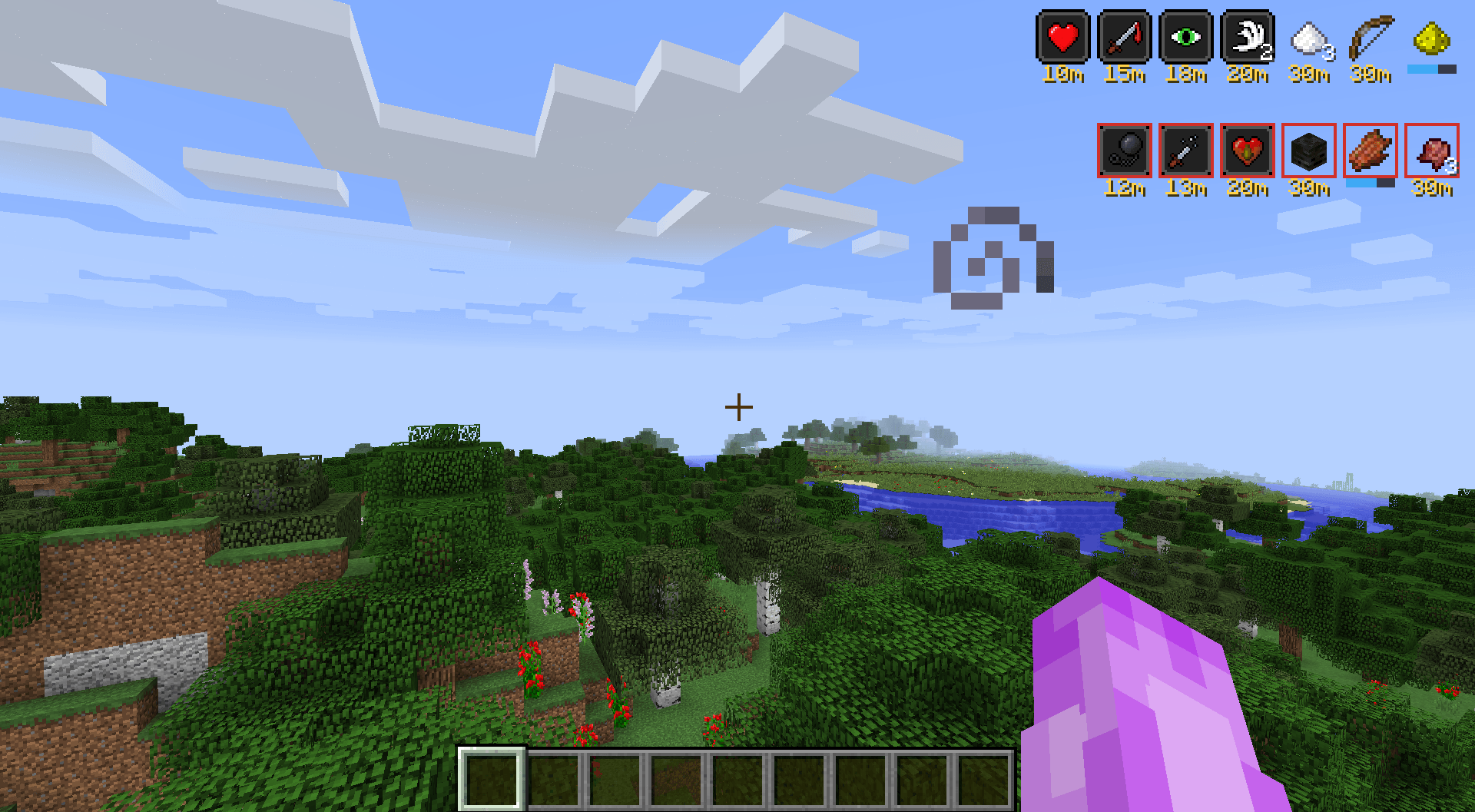 Hud with potion and non potion status effects
-
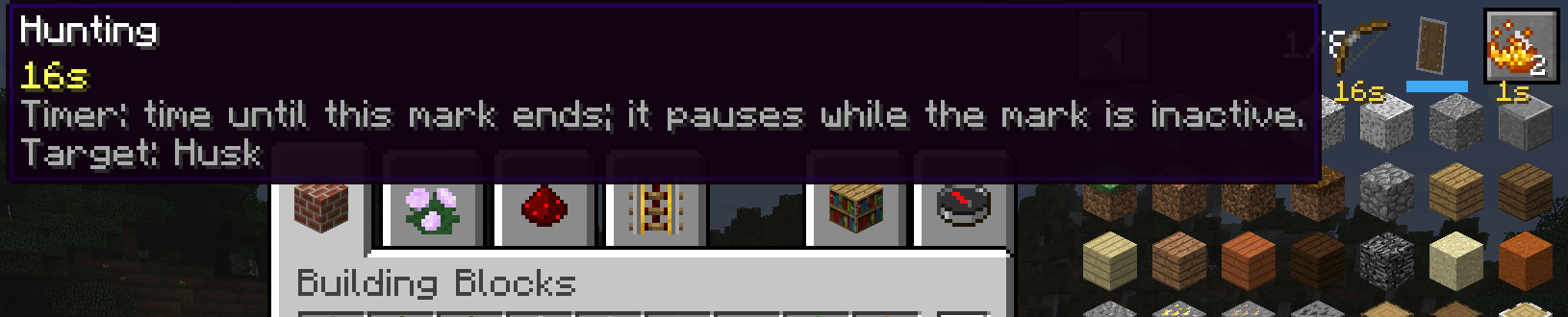 Tooltips
Versions
Files
Relations
Project Relations
More like this
Similar Mods
Suggestions use data such as tags, dependencies, dependents, descriptions, titles, and more to rank how much they overlap with this mod.
On ModDex
Community snapshot
By the numbers
Statistics

Get it on
Available Platforms
On ModDex
Community snapshot
By the numbers