
Stoneworks Boss Timer
No reviews yet
A simple QoL mod for Stoneworks Nether that adds a Boss Timer to the HUD
Fabric is a mod loader for versions 1.14+ of Minecraft, particularly popular for client side and optimization mods.
Community voices
Reviews
Click once to include, again to exclude, again to clear
No reviews yet. Be the first to review this project!
Get it on
Available Platforms
 Modrinth
Compatibility
Supported Environments
About
Project Details
For authors
Embed Badge
If you're the author of this project, you can embed a live badge anywhere that supports HTML or Markdown. It updates automatically whenever ratings change.
Use HTML for any page that supports it, or Markdown for README files and Markdown-based descriptions.
Identifiers
Platform IDs
Resources
External Links
About
Description

This project has been archived due to Stoneworks Nether having native timers in the TAB now.
How does it work?
All you need to do is to press the setup key, select the next boss that will spawn, and set its time.
Features
- Displays a timer for the next boss spawn on the HUD.
- Allows you to select the next boss and set the spawn time.
- Supports multiple bosses with customizable names and colors.
- Toggle the HUD visibility with a key press.
- Change the position of the HUD elements.
Installation
- Download and install Fabric Loader.
- Download the latest release of the mod from the releases page.
- Place the downloaded
.jarfile in themodsfolder of your Minecraft directory. - Launch Minecraft with the Fabric profile.
Usage
- Press the setup key (
Rby default) to open the boss selection screen. - Select the next boss from the list.
- Enter the spawn time in the format
MM:SS(e.g.,30:00for 30 minutes). - Press the submit button to start the timer.
Key Bindings
- Toggle HUD:
Z - Setup Timer:
R - Restart Timer:
X - Change Position:
C
Got any issues?
- DM me in discord: @dupernite
- Open a issue in github: here
Credits
- DuperKnight (Developer)
- _wheeat (Beta Tester & Artist)
NOTE: This mod is not officially made by the Stoneworks staff, this is a community made mod and is not officially endorsed by the Stoneworks team in any way.
Screenshots
Gallery
-
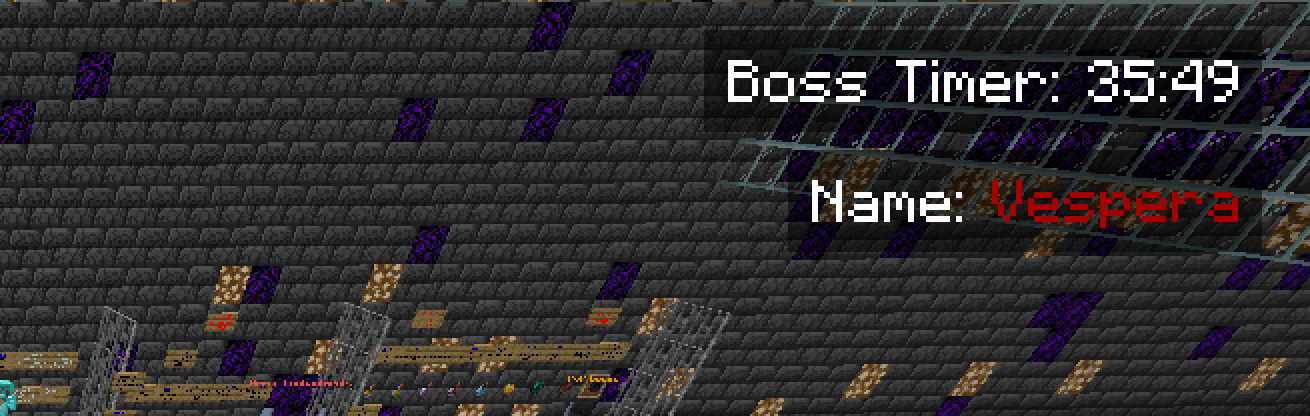 Timer
Timer
Versions
Files
Relations
Project Relations
More like this
Similar Mods
Suggestions use data such as tags, dependencies, dependents, descriptions, titles, and more to rank how much they overlap with this mod.
On ModDex
Community snapshot
By the numbers
Statistics

Want to reach Minecraft players?
We're looking for a server hosting partner to feature here and other parts of the site. Interested? Send us a message!
Get in touchGet it on
Available Platforms
On ModDex
Community snapshot
By the numbers
Statistics
Resources