Community listing page, reviews here may not be monitored by the author.
Storage Terminal


No reviews yet
Storage Terminal in your vanilla world! Totally clientside!
Community voices
Reviews
No reviews yet. Be the first to review this project!
Get it on
Available Platforms
Compatibility
Supported Environments
Runs entirely on the client. Works on vanilla servers.
About
Project Details
For authors
Embed Badge
If you're the author of this project, you can embed a live badge anywhere that supports HTML or Markdown. It updates automatically whenever ratings change.
Use HTML for any page that supports it, or Markdown for README files and Markdown-based descriptions.
Identifiers
Platform IDs
Resources
External Links
About
Description
Storage Terminal – Client-Side Storage Management Mod
Have you ever seen Applied Energistics or Refined Storage?
Those storage systems are highly functional. This mod provides a comparable lightweight alternative.
Overview
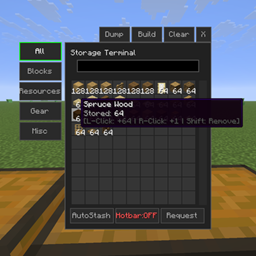
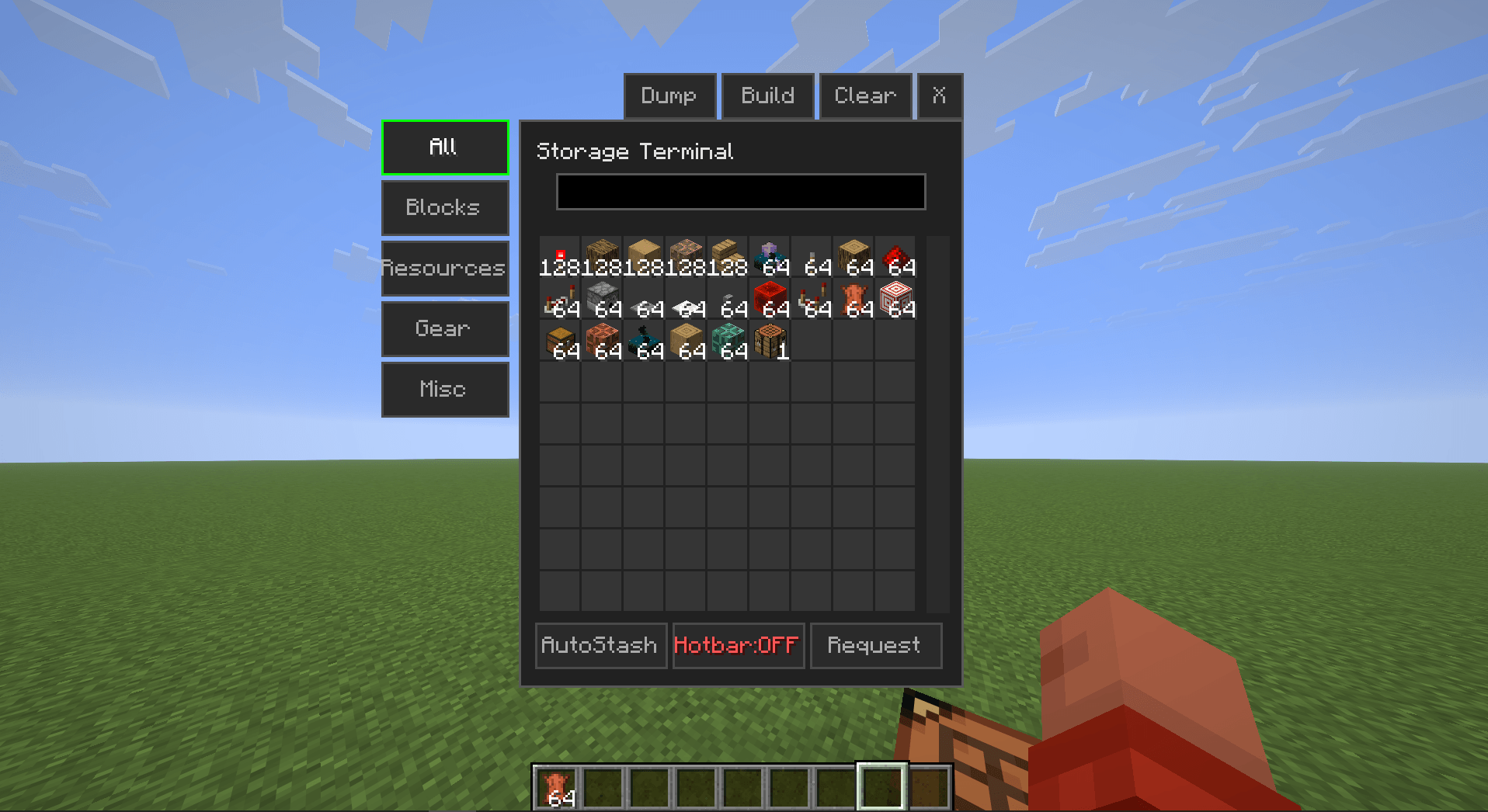
Storage Terminal adds a client-side storage interface that enables store/request operations for all nearby chests from a single GUI.
Key feature: In the vanilla crafting table, clicking any recipe automatically requests the required ingredients from connected chests.
The mod operates entirely client-side and is compatible with any vanilla or modded server without server-side installation.
Setup
- Press Right Shift to open the Keybind Configuration menu.
- Assign keys for:
- AutoStash
- Storage Manager
Alternatively, configure keys via Options → Controls.
Default keybinds
- AutoStash: B
- Storage Manager: V
Usage
Scanning Chests
- Press the Storage Manager key (V by default).
- Click BUILD.
- The mod will automatically scan and register all nearby chests.
- A chat notification confirms when the scan is complete.
Item Controls
| Action | Result |
|---|---|
| Right click | Request +1 item |
| Left click | Request +64 items (full stack) |
| Shift + Click | Subtract equivalent quantity |
While holding an item, clicking an empty slot in the terminal GUI stores it in the nearest registered chest.
Crafting Integration
| Action | Result |
|---|---|
| Click recipe | Request ingredients for 1 craft |
| Shift + Click recipe | Request ingredients for 1 full stack |
The mod automatically pulls exact quantities from connected chests and performs the craft.
Technical Specifications
- Side: Client-side only (no server installation required)
- Compatibility: Fabric and NeoForge
- Minecraft versions: 1.20+ / 1.21.1 / 1.21+ / 26.1+
- Performance: Lightweight, minimal impact on FPS or TPS
Download: CurseForge – Storage Terminal
Support: Discord
If you encounter any issues, please leave a comment or join the Discord server for assistance.
Storage Terminal – Client-Side Storage Management Mod
Have you ever seen Applied Energistics or Refined Storage?
Those storage systems are highly functional. This mod provides a comparable lightweight alternative.
Overview
Storage Terminal adds a client-side storage interface that enables store/request operations for all nearby chests from a single GUI.
Key feature: In the vanilla crafting table, clicking any recipe automatically requests the required ingredients from connected chests.
The mod operates entirely client-side and is compatible with any vanilla or modded server without server-side installation.
Setup
- Press Right Shift to open the Keybind Configuration menu.
- Assign keys for:
- AutoStash
- Storage Manager
Alternatively, configure keys via Options → Controls.
Default keybinds
- AutoStash: B
- Storage Manager: V
Usage
Scanning Chests
- Press the Storage Manager key (V by default).
- Click BUILD.
- The mod will automatically scan and register all nearby chests.
- A chat notification confirms when the scan is complete.
Item Controls
| Action | Result |
|---|---|
| Right click | Request +1 item |
| Left click | Request +64 items (full stack) |
| Shift + Click | Subtract equivalent quantity |
While holding an item, clicking an empty slot in the terminal GUI stores it in the nearest registered chest.
Crafting Integration
| Action | Result |
|---|---|
| Click recipe | Request ingredients for 1 craft |
| Shift + Click recipe | Request ingredients for 1 full stack |
The mod automatically pulls exact quantities from connected chests and performs the craft.
Technical Specifications
- Side: Client-side only (no server installation required)
- Compatibility: Fabric and NeoForge
- Minecraft versions: 1.20+ / 1.21.1 / 1.21+ / 26.1+
- Performance: Lightweight, minimal impact on FPS or TPS
Download: CurseForge – Storage Terminal
Support: Discord
If you encounter any issues, please leave a comment or join the Discord server for assistance.
Screenshots
Gallery
-
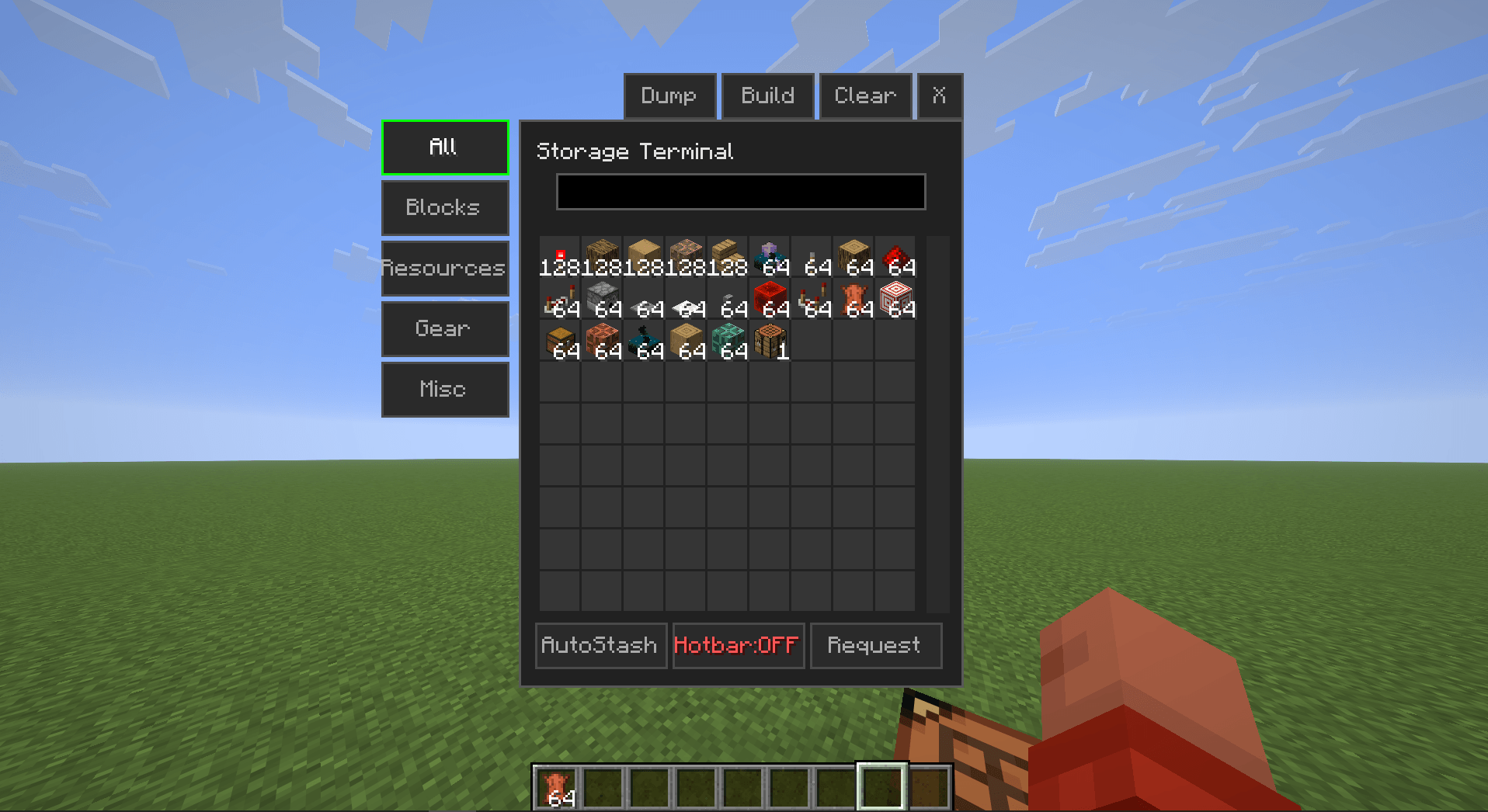 image_3.png image_3.png
 -
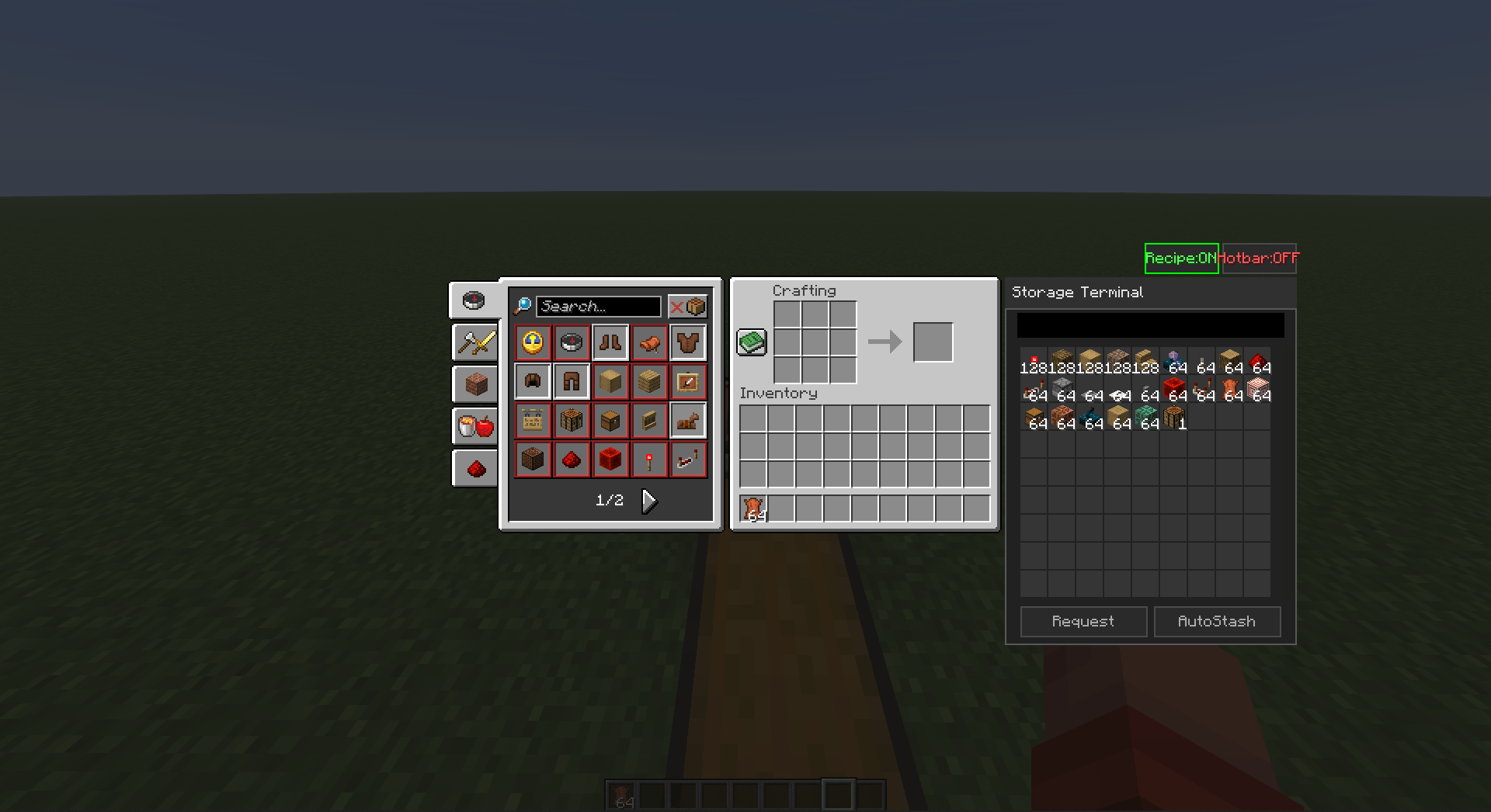 image_4.png image_4.png
Versions
Files
Relations
Project Relations
More like this
Similar Mods
Suggestions use data such as tags, dependencies, dependents, descriptions, titles, and more to rank how much they overlap with this mod.
On ModDex
Community snapshot
By the numbers
Statistics
Want to reach Minecraft players?
We're looking for a server hosting partner to feature here and other parts of the site. Interested? Send us a message!
Get in touchGet it on
Available Platforms
On ModDex
Community snapshot
By the numbers
Statistics
Resources