Community listing page, reviews may not be monitored by the author.
Spectators Control Mobs

No reviews yet
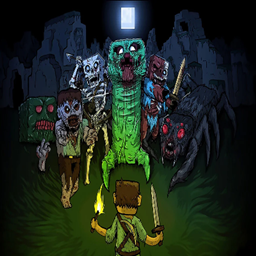
This is a Minecraft mod that allows viewers in a Twitch stream to donate to the streamer either bits or subs (configurable) to control mobs in the streamers survival world for a limited/unlimited time

Community voices
Reviews
No reviews yet. Be the first to review this project!
Get it on
Available Platforms
About
Project Details
For authors
Embed Badge
If you're the author of this project, you can embed a live badge anywhere that supports HTML or Markdown. It updates automatically whenever ratings change.
Use HTML for any page that supports it, or Markdown for README files and Markdown-based descriptions.
Identifiers
Platform IDs
Resources
External Links
About
Description
This Minecraft mod allows Twitch streamers to let viewers control mobs in their game through donations and/or subs (configurable), giving them mob-control for a limited (or unlimited) time to interact with the streamer in real-time. The mod integrates with Twitch to handle viewer donations.
This mod was developed as a winning submission for the Twitch Dev Hackathon 2024! More info: https://discuss.dev.twitch.com/t/streamer-tools-hackathon-2024-winners-and-runner-ups/61823
TUTORIAL VIDEO: https://youtu.be/hZMW3EtZH0M
Streamer Config Instructions:
- Add the following files to your Fabric 1.20.1 Minecraft server's mods folder:
(Minecraft Fabric Server Download: https://fabricmc.net/use/server/)
architectury-9.2.14-fabric.jar (download link: https://www.curseforge.com/minecraft/mc-mods/architectury-api/files/5137938)
fabric-api-0.92.2+1.20.1.jar (download link: https://www.curseforge.com/minecraft/mc-mods/fabric-api/files/5383715)
identity-2.7.1-1.20.1-fabric.jar (download link: https://www.curseforge.com/minecraft/mc-mods/identity/files/4687497)
streammobcontrol-1.0.0.jar
2. Install Fabric 1.20.1 for your client and add the following files to your Minecraft file's mods folder:
(Fabric Installer download: https://fabricmc.net/use/installer/)
architectury-9.2.14-fabric.jar (download link: https://www.curseforge.com/minecraft/mc-mods/architectury-api/files/5137938)
fabric-api-0.92.2+1.20.1.jar (download link: https://www.curseforge.com/minecraft/mc-mods/fabric-api/files/5383715)
identity-2.7.1-1.20.1-fabric.jar (download link: https://www.curseforge.com/minecraft/mc-mods/identity/files/4687497)
3. Upon joining as OP, type "/streamer add " to add yourself and other survival participants as a streamer. This will prevent you from respawning in spectator mode on death.
4. Create a new twitch app in your Twitch dev console (https://dev.twitch.tv/console/apps/create). Streamers create their own app to maximize allowed authentication bandwidth.
5. You can choose your own app name, make it something recognizable to your viewers as they will have to authorize it.
6. Set the OAuth Redirect URL to "http://localhost:8080"
7. Set the Category to "Game Integration"
8. Set the Client Type to "Confidential"
9. Click create.
10. Copy the Client ID and, once in game, type "/settwitchapp clientId " to set the twitch app client-id for the server.
11. Create a client-secret, copy it, and type "/settwitchapp clientSecret " to set the twitch app client-secret for the server.
12. Type "/authenticate streamer" to begin the process of linking your Twitch account to your Minecraft account. This will allow the server to track stream donations.
NOTE: In order to avoid storing auth tokens, the server will require you to reauthenticate each time you start the server. (Just step 12 is required, not the whole process.)
13. Type "/run start" to begin your run. This will convert you and all other streamers to survival mode, and start the grace period timer.
14. Provide your server ip to your viewers and have them join the server if they wish to morph into a mob. They will be prompted to authenticate their Twitch account with the server.
Viewer instructions:
(Recommended if you want to see yourself as a mob:)
Install Fabric 1.20.1
(Fabric Installer download: https://fabricmc.net/use/installer/)
Add the following files to your Minecraft file's mods folder:
architectury-9.2.14-fabric.jar (download link: https://www.curseforge.com/minecraft/mc-mods/architectury-api/files/5137938)
fabric-api-0.92.2+1.20.1.jar (download link: https://www.curseforge.com/minecraft/mc-mods/fabric-api/files/5383715)
identity-2.7.1-1.20.1-fabric.jar (download link: https://www.curseforge.com/minecraft/mc-mods/identity/files/4687497)
Server ip should be provided by the streamer.
Upon joining, if not already authenticated, you will be prompted to authenticate your Twitch account with the server. This will allow the Minecraft server to verify which Twitch account you are affiliated with.
Once you are able, right-click a mob in spectator mode to morph into it!
Note: so long as the streamer has authenticated the server with their Twitch account, all bits and subs donated prior to authentication will still be counted towards your mob-time.
All Config Commands:
/graceperiod - Set the grace period timer in seconds. Default is 120 seconds.
/kickcyle <true/false> - Set whether or not to kick viewers to cycle them after a certain time spectating (configurable), as well as after they die. Default is false.
/run start - Start the run.
/streamer add - Add a streamer to the list of streamers.
/streamer remove - Remove a streamer from the list of streamers.
/streamer list - List all streamers.
/mobtime add - Manually add mob and/or spectator time to a player.
/settwitchapp clientId - Set the twitch app client-id for the server.
/settwitchapp clientSecret - Set the twitch app client-secret for the server.
/authenticate streamer - Authenticate your Twitch account with the server.
/authenticate viewer - Authenticate your Twitch account with the server.
/authenticate true/false - Determines whether or not non-streamers who join are prompted to authenticate with Twitch. Not needed if Twitch donation integration features are not utilized.
/mobtimelimit <true/false> - Set whether or not to limit the amount of mob-time a player can have. Default is true.
/bitspermobtimeminute - Set the number of bits required to add a minute to a players mob-time. Ex: the default is 20, which means 100 bits adds 5 minutes of mob-time to a player.
/minimumsubtierformorphing - Set the minimum sub tier required for a viewer to morph into a mob. Default is 0 (aka no sub required).
/minimumbitsformobtime - Set the minimum number of bits required for a viewer to gain mob-time. Default is 0. Ex: If set to 50, it'll only process mob-time in batches of 50 bits.
(Coming soon) /spectatorsecondsgrantedforauthcapacityfailure - If the viewer authentication capacity is exceeded, preventing a user from authenticating, this will add a set number of seconds a viewer can spectate for before being kicked. This will allow them to wait until the bandwidth clears up. Default: 60 seconds.
(Coming soon) /punishspectatorsforintentionallyfailingtocompleteauth <true/false> - If a viewer intentionally fails to complete the authentication process, thus holding up the auth bandwidth, they will be kicked from the server and subsequently punished with increasing severity. Default: true.
Screenshots
Gallery
Versions
Files
Relations
Project Relations
More like this
Similar Mods
Suggestions use data such as tags, dependencies, dependents, descriptions, titles, and more to rank how much they overlap with this mod.
On ModDex
Community snapshot
By the numbers
Statistics

Get it on
Available Platforms
On ModDex
Community snapshot
By the numbers
Statistics
Resources