
Community listing page, reviews here may not be monitored by the author.
StreamerConfigs


No reviews yet
A client‑side implementation of my StreamerUtils mod. StreamerConfigs (this implementation) provides security the server-side mod lacks.
Community voices
Reviews
No reviews yet. Be the first to review this project!
Get it on
Available Platforms
Compatibility
Supported Environments
Runs entirely on the client. Works on vanilla servers.
About
Project Details
For authors
Embed Badge
If you're the author of this project, you can embed a live badge anywhere that supports HTML or Markdown. It updates automatically whenever ratings change.
Use HTML for any page that supports it, or Markdown for README files and Markdown-based descriptions.
Identifiers
Platform IDs
About
Description

StreamerConfigs is the client‑side Fabric mod implementation of StreamerUtils. The server-side mod adds custom nameplate icons, coloured usernames, live status, follow alerts, and interactive chat commands – all configurable per player and saved LOCALLY --- USING THIS MODDD.
Showcase:
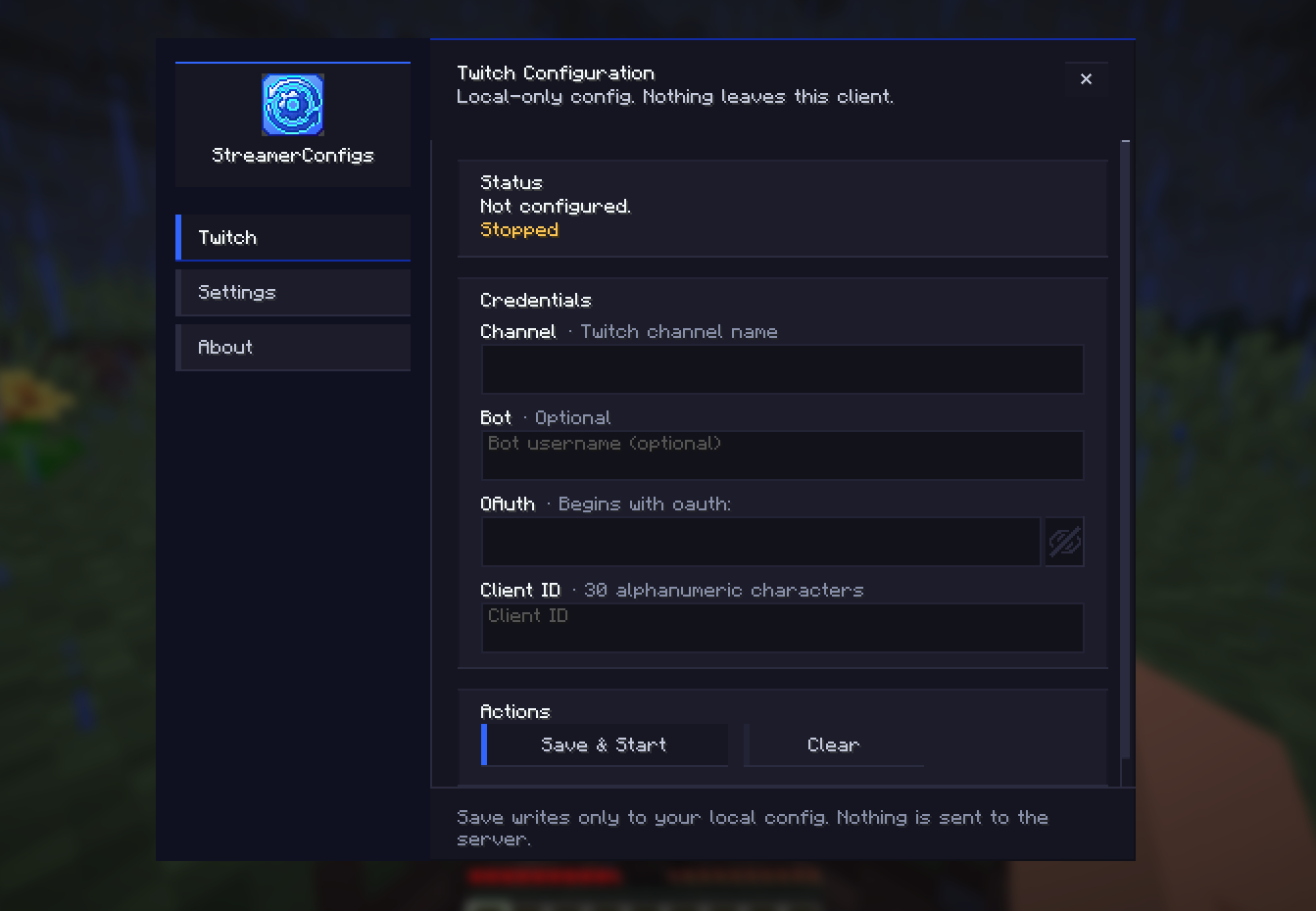
If you don't know about the server-side mod... what are you doing here? I want to be honest with you, this mod is COMPLETELY USELESS without the server having the other mod, as this mod is just a glorified security measure for that mod. What do I mean by that? Well, the server-side mod saves credentials on the server, which means that technically server owners (or any admin that has access to console and files) could just check ppl's auth tokens when people use this mod.
What does this mod do then? Well, glad you asked (you didn't... did you?)! By default, you can press F8 to open the in-game menu of StreamerConfigs. This is where you can connect your Twitch streamer account and/or change your looks and other settings.
THE GREAT THING IS: by connecting your twitch stuff through this mod, the mod takes over the Twitch API calls, so your credentials are never sent to the server, not even in memory!!!! Which means your tokens are completely local and entirely safe ^^
If you want to inspect the code or verify its safety, the source is available on GitHub (as always).
Supports Minecraft 1.21.11 (other versions may work with updated mappings). Future updates might target 26.1/2 (or perhaps some requested versions, if ppl are interested) and add more features.
If you have any questions or suggestions, hit me up on Discord (as usual)!
IMPORTANT! This project is in no way, shape or form, endorsed or sponsored by Twitch, Youtube, Kick or any other company which might be represented in this mod. Any icons included with this mod, or its resource pack, are purely for aesthetic, cosmetic purposes. Furthermore, the Twitch integration is simply using an open-source library as a dependency.
|| Note: This mod is open‑source under GPL‑3.0‑or‑later. Its use must comply with the license terms. It includes MIT‑licensed Twitch4J‑fabric and Apache 2.0 commons‑logging – full notices are inside the JAR. ||
StreamerConfigs is the client‑side Fabric mod implementation of StreamerUtils. The server-side mod adds custom nameplate icons, coloured usernames, live status, follow alerts, and interactive chat commands – all configurable per player and saved LOCALLY --- USING THIS MODDD.
Showcase:
If you don't know about the server-side mod... what are you doing here? I want to be honest with you, this mod is COMPLETELY USELESS without the server having the other mod, as this mod is just a glorified security measure for that mod. What do I mean by that? Well, the server-side mod saves credentials on the server, which means that technically server owners (or any admin that has access to console and files) could just check ppl's auth tokens when people use this mod.
What does this mod do then? Well, glad you asked (you didn't... did you?)! By default, you can press F8 to open the in-game menu of StreamerConfigs. This is where you can connect your Twitch streamer account and/or change your looks and other settings.
THE GREAT THING IS: by connecting your twitch stuff through this mod, the mod takes over the Twitch API calls, so your credentials are never sent to the server, not even in memory!!!! Which means your tokens are completely local and entirely safe ^^
If you want to inspect the code or verify its safety, the source is available on GitHub (as always).
Supports Minecraft 1.21.11 (other versions may work with updated mappings). Future updates might target 26.1/2 (or perhaps some requested versions, if ppl are interested) and add more features.
If you have any questions or suggestions, hit me up on Discord (as usual)!
IMPORTANT! This project is in no way, shape or form, endorsed or sponsored by Twitch, Youtube, Kick or any other company which might be represented in this mod. Any icons included with this mod, or its resource pack, are purely for aesthetic, cosmetic purposes. Furthermore, the Twitch integration is simply using an open-source library as a dependency.
Note: This mod is open‑source under GPL‑3.0‑or‑later. Its use must comply with the license terms. It includes MIT‑licensed Twitch4J‑fabric and Apache 2.0 commons‑logging – full notices are inside the JAR.
Screenshots
Gallery
-
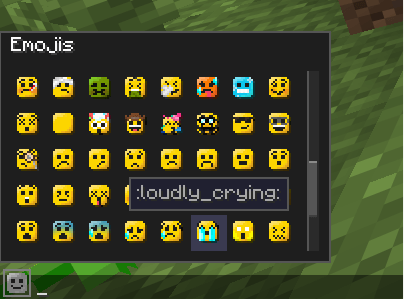 Emoji Picker ^^ Just click the widget and it'll show up :v
 -
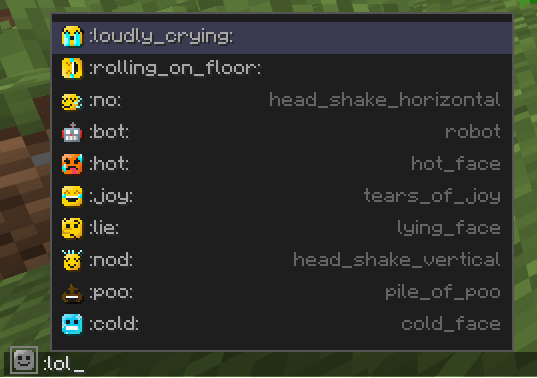 Emoji Suggestor! Are we on Discord?
 -
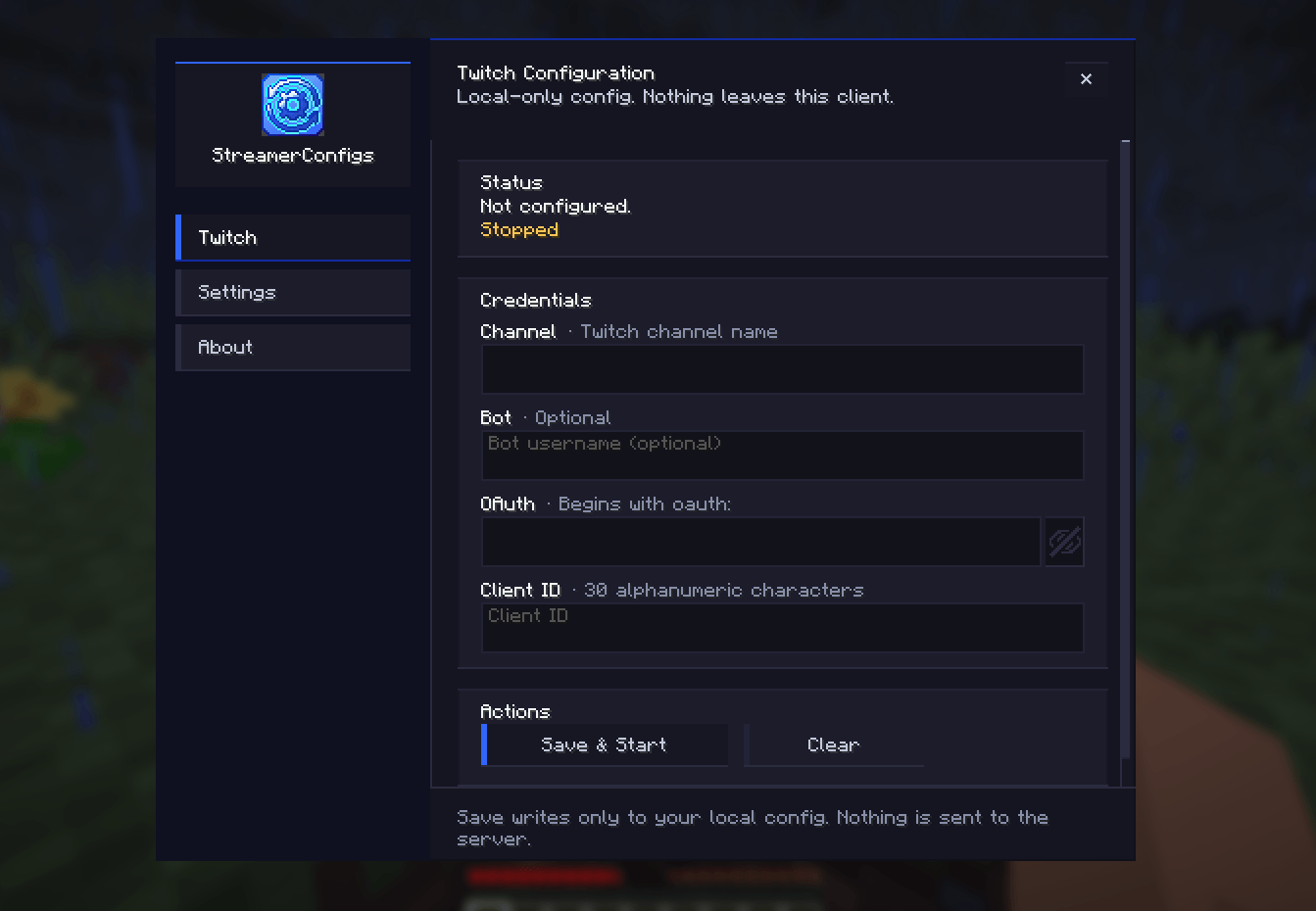 The main menu You can do a bunch of stuff here, you'll see
 -
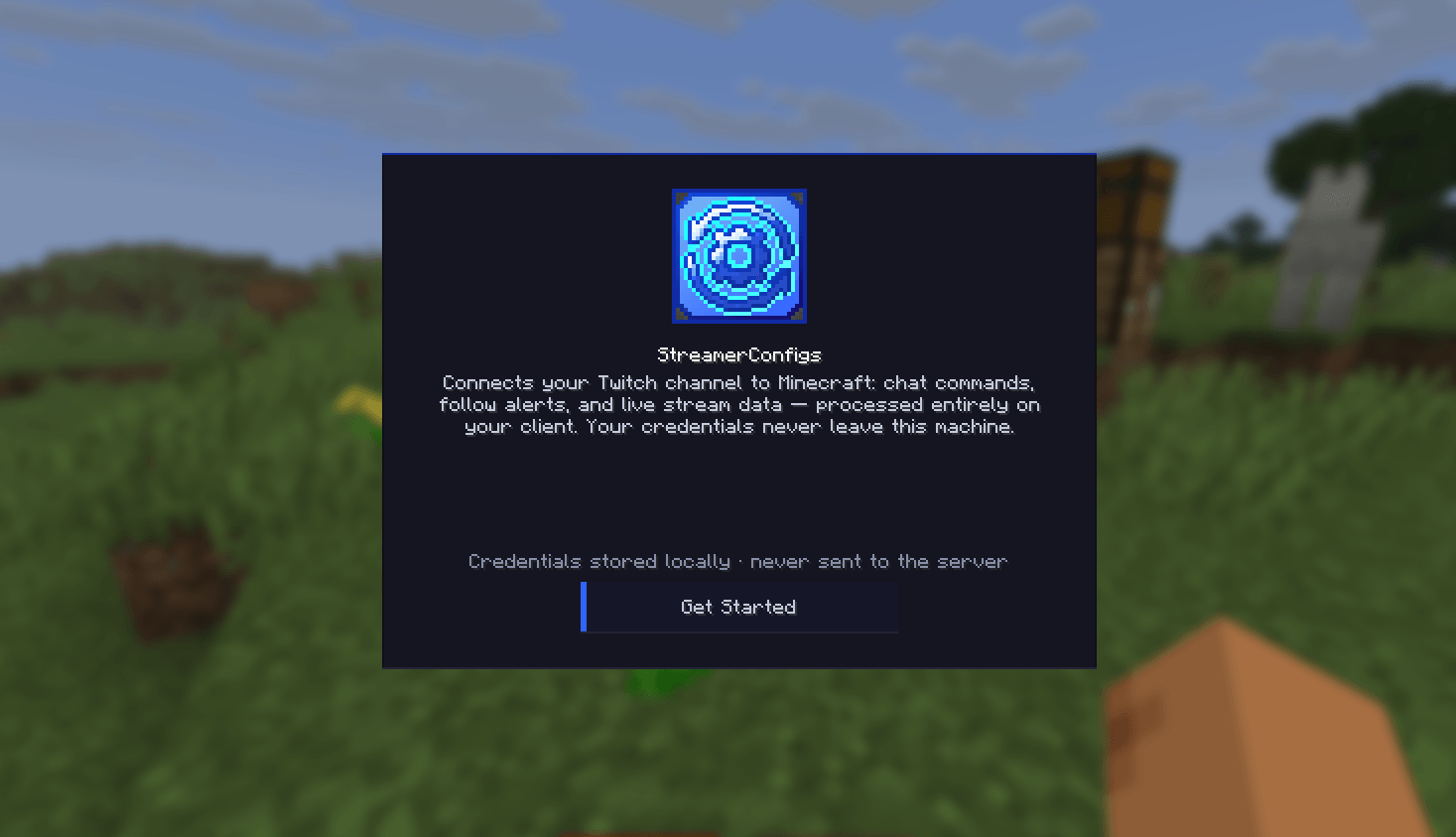 Welcome screen Get Started
-
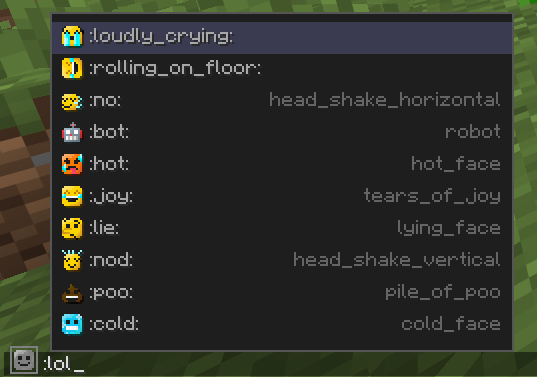 Emoji Autofill Picture of a discord-style autofill system
 -
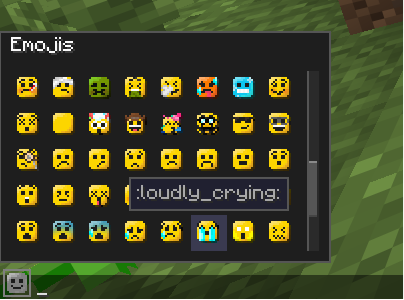 Emoji Picker Emoji Picker System (togglable)
 -
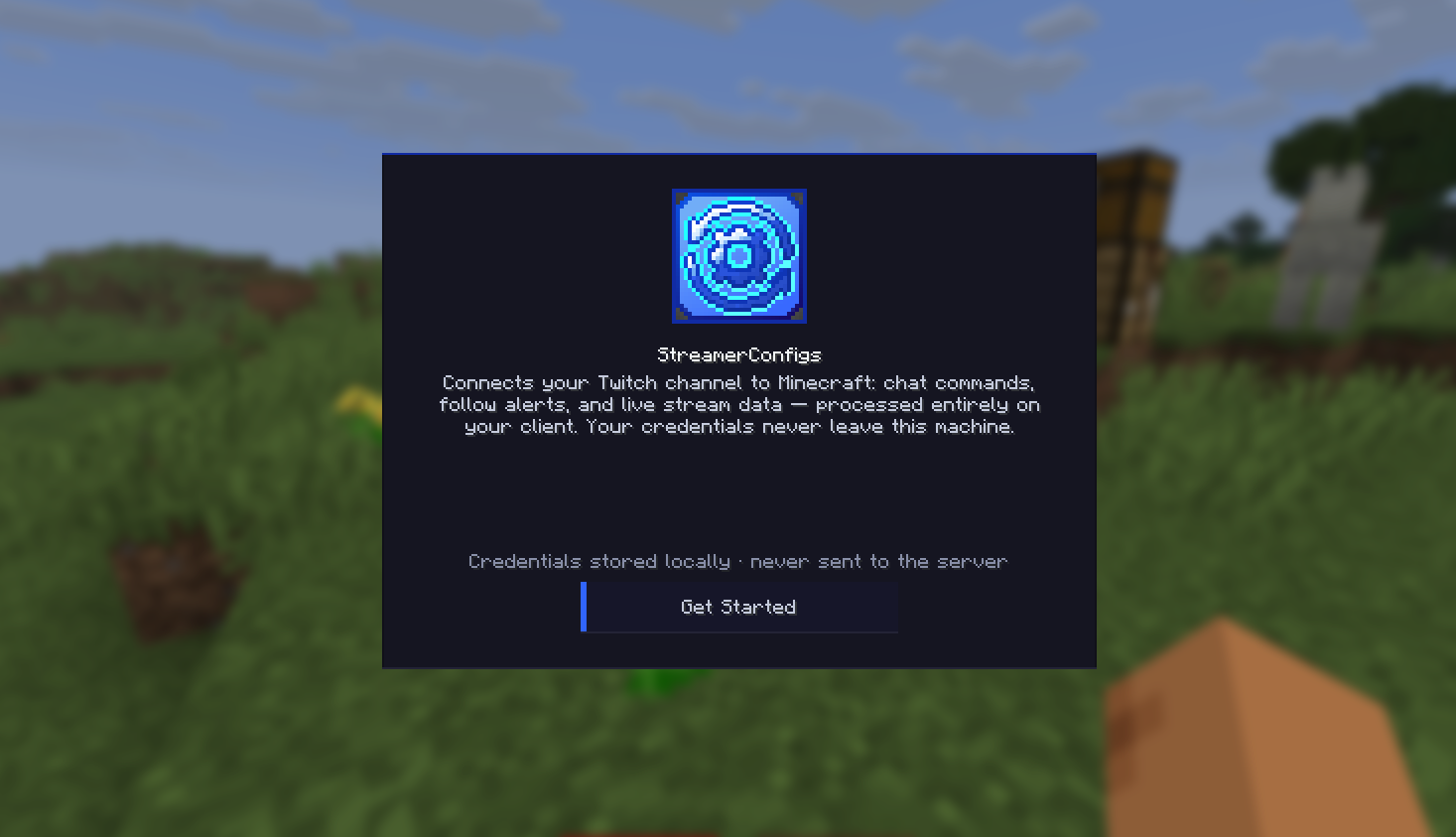 Initial welcome menu StreamerConfigs' initial title screen, not to overwhelm new players.
Versions
Files
Relations
Project Relations
More like this
Similar Mods
Suggestions use data such as tags, dependencies, dependents, descriptions, titles, and more to rank how much they overlap with this mod.
On ModDex
Community snapshot
By the numbers
Statistics
Want to reach Minecraft players?
We're looking for a server hosting partner to feature here and other parts of the site. Interested? Send us a message!
Get in touchGet it on
Available Platforms
On ModDex
Community snapshot
By the numbers