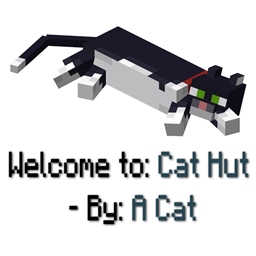
Community listing page, reviews here may not be monitored by the author.
Structure Credits


No reviews yet
Automatically displays the name and mod source of any structure upon entry
Community voices
Reviews
No reviews yet. Be the first to review this project!
Get it on
Available Platforms
Compatibility
Supported Environments
Must be installed on both the client and the server.
About
Project Details
For authors
Embed Badge
If you're the author of this project, you can embed a live badge anywhere that supports HTML or Markdown. It updates automatically whenever ratings change.
Use HTML for any page that supports it, or Markdown for README files and Markdown-based descriptions.
Identifiers
Platform IDs


About
Description
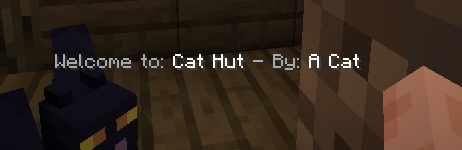
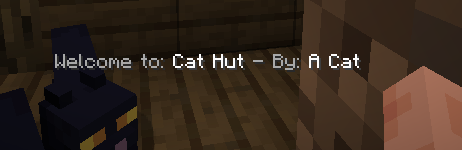
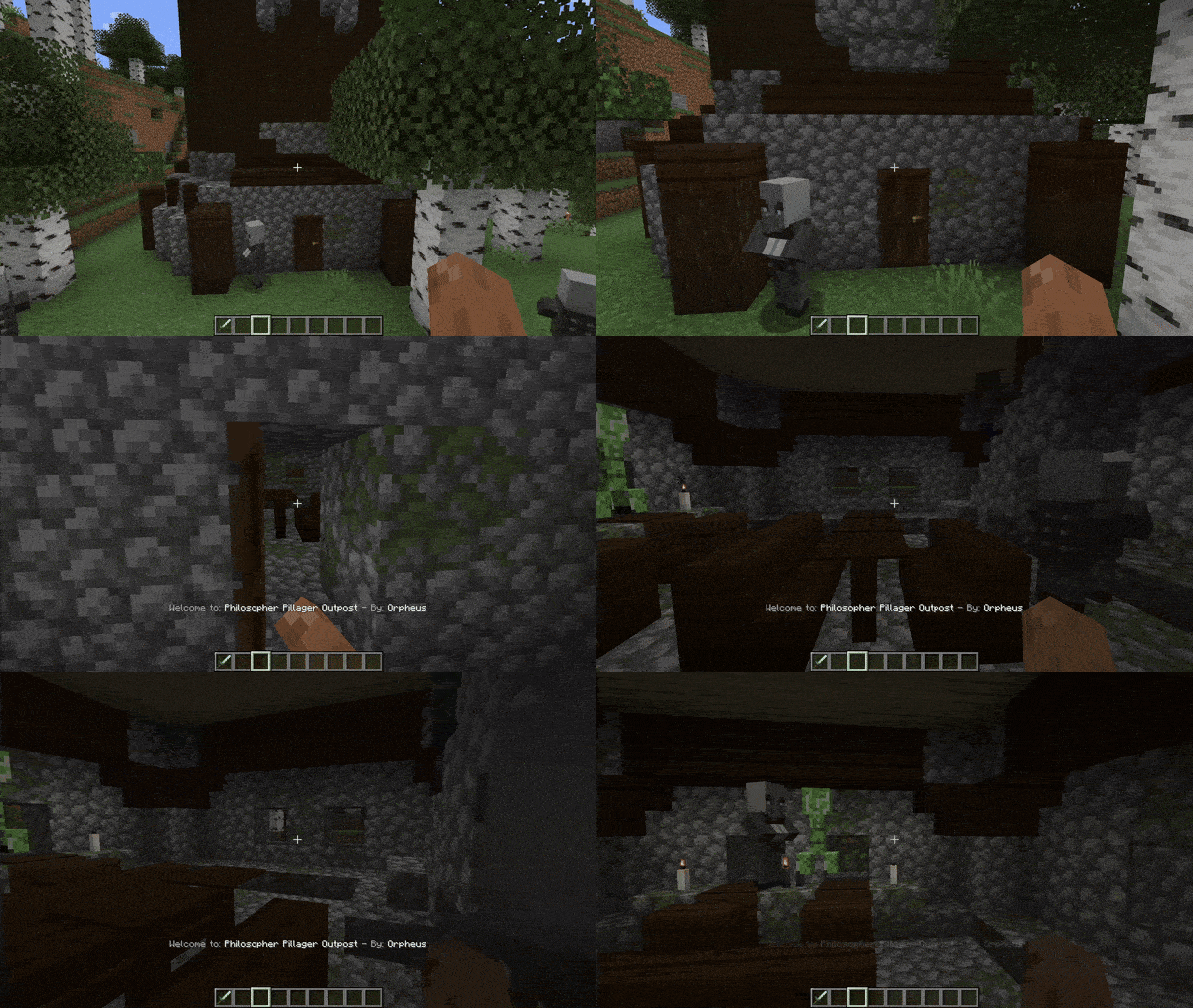
Automatically displays the name and mod source of any structure upon entry, ensuring easy recognition and credit for mod creators.
Seamlessly integrates with structures from other mods, ensuring compatibility.
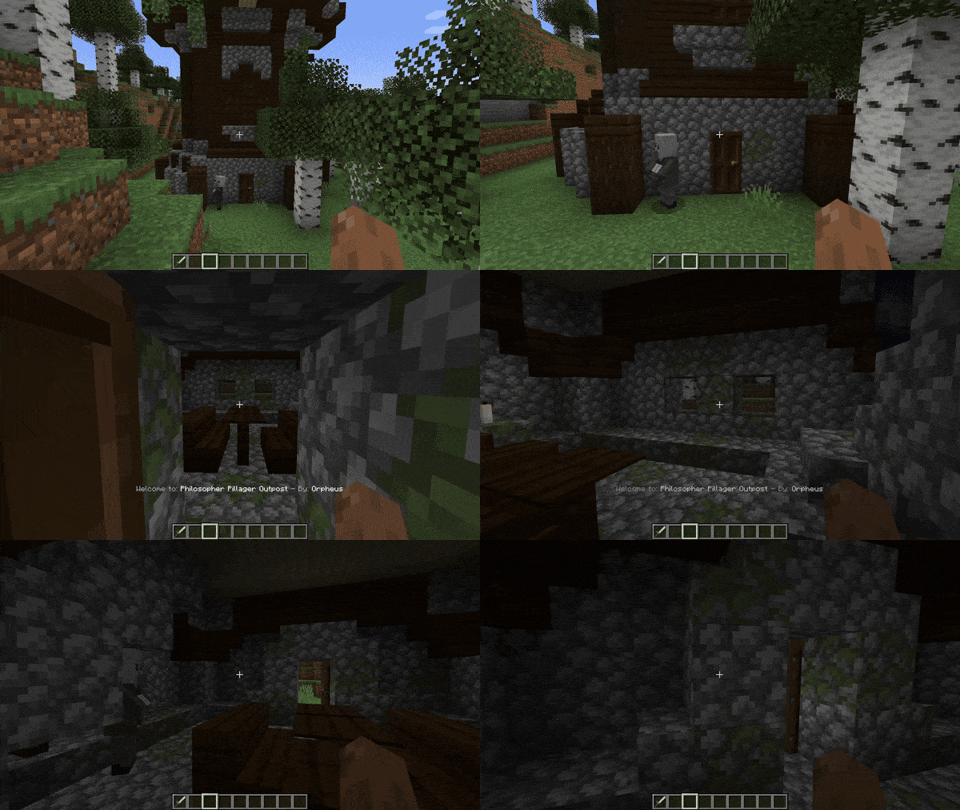
If you want the message to show up in Minecraft vanilla structures, go to the config .json file and delete the lines starting with "minecraft:"
Is it going to be annoying?
No! if your base is inside a structure, don't worry! By default, the structure messages only appear once per structure.
You can change the Structure Names too!
"customStructureName": {
  "minecraft:swamp_hut": "a_cat:cat_hut"

Discord: 
FAQ
Q: Is it going to be annoying?
A: I did the max to make it no-annoying, but if it's annoying for you: Check the config and the keybinds and use them

OR There is a really good config (by default it is on ON/True) that will make you see the structure message only one time per structure. After the first time visiting the structure you will never see it again.
But what if I want that setting disable? don't worry beacause if it's disable when you see the message of a structure (Structure A) you have to leave the structure, enter a different one (Structure B), and re-enter the other structure (Structure A) to see again the name. So now if someone lives in one structure it will not bother
Q: Can I suggest something?
A: Please, yes.
Q: Can I add this to my modpack.
A: Go ahead!
How to use configs:
Go to your config folder, structurecredits-config.json and you will see this:
{
  "active": true,
  "showOnlyOneTime": true,
  "chatMessage": false,
  "customStructureName": {
    "minecraft:swamp_hut": "a_cat:cat_hut"
  },
  "dontShowAll": [
    "minecraft:",
    "dimdungeons:"
  ],
  "dontShow": [
    "minecraft:plains_village",
    "minecraft:desert_village"
  ]
}
Plus, there is an in-game keybind that you can assign to deactivate all messages
For mod developers:
Structure Credits takes the NBT "modname:structurename" and generates the display message. If you want to credit a specific builder from your team or simply use better names, you can use the API. This applies to versions 1.20.1, 1.21.1, Fabric, and Neo(Forge).
GitHub: StructureCredits API
To add the dependency use CurseMaven:curse.maven:structurecredits-978217:6325061 (for NeoForge 1.21.1, for example).
The mod is compatible with Dimensional Dungeons - thanks Catastrophe - The message will only be displayed in custom rooms if you have the following setting configured in 'config dontShowAll': "dimdungeons:" (Default configuration, and recommended). When creating a new custom room, remember, the package name is the "By: X" and the structure name is the "Welcome to: X".
(This is going to stop being updated, so go to: here where all the new fabric versions are going to be)
Automatically displays the name and mod source of any structure upon entry, ensuring easy recognition and credit for mod creators.
Seamlessly integrates with structures from other mods, ensuring compatibility.
If you want the message to show up in Minecraft vanilla structures, go to the config .json file and delete the lines starting with "minecraft:"
Is it going to be annoying?
No! if your base is inside a structure, don't worry! By default, the structure messages only appear once per structure.
You can change the Structure Names too!
"customStructureName": {
  "minecraft:swamp_hut": "a_cat:cat_hut"
Discord:
FAQ
Q: Is it going to be annoying?
A: I did the max to make it no-annoying, but if it's annoying for you: Check the config and the keybinds and use them
OR There is a really good config (by default it is on ON/True) that will make you see the structure message only one time per structure. After the first time visiting the structure you will never see it again.
But what if I want that setting disable? don't worry beacause if it's disable when you see the message of a structure (Structure A) you have to leave the structure, enter a different one (Structure B), and re-enter the other structure (Structure A) to see again the name. So now if someone lives in one structure it will not bother
Q: Can I suggest something?
A: Please, yes.
Q: Can I add this to my modpack.
A: Go ahead!
How to use configs:
Go to your config folder, structurecredits-config.json and you will see this:
{
  "active": true,
  "showOnlyOneTime": true,
  "chatMessage": false,
  "customStructureName": {
    "minecraft:swamp_hut": "a_cat:cat_hut"
  },
  "dontShowAll": [
    "minecraft:",
    "dimdungeons:"
  ],
  "dontShow": [
    "minecraft:plains_village",
    "minecraft:desert_village"
  ]
}
Plus, there is an in-game keybind that you can assign to deactivate all messages
Automatically displays the name and mod source of any structure upon entry, ensuring easy recognition and credit for mod creators. Seamlessly integrates with structures from other mods, ensuring compatibility. 
If you want the message to show up in Minecraft vanilla structures, go to the config .json file and delete the lines starting with "minecraft:"
Is it going to be annoying? No! if your base is inside a structure, don't worry! By default, the structure messages only appear once per structure.
You can change the Structure Names too!
"customStructureName": {
  "minecraft:swamp_hut": "a_cat:cat_hut"
Discord: (https://discord.gg/dYmyKcrkgN)
FAQ
Q: Is it going to be annoying?
A: I did the max to make it no-annoying, but if it's annoying for you: Check the config and the keybinds and use them
OR There is a really good config (by default it is on ON/True) that will make you see the structure message only one time per structure. After the first time visiting the structure you will never see it again.
But what if I want that setting disable? don't worry beacause if it's disable when you see the message of a structure (Structure A) you have to leave the structure, enter a different one (Structure B), and re-enter the other structure (Structure A) to see again the name. So now if someone lives in one structure it will not bother
Q: Can I suggest something?
A: Please, yes.
Q: Can I add this to my modpack.
A: Go ahead!
**
How to use configs:**
Go to your config folder, structurecredits-config.json and you will see this:
{
  "active": true,
  "showOnlyOneTime": true,
  "chatMessage": false,
  "customStructureName": {
    "minecraft:swamp_hut": "a_cat:cat_hut"
  },
  "dontShowAll": [
    "minecraft:",
    "dimdungeons:"
  ],
  "dontShow": [
    "minecraft:plains_village",
    "minecraft:desert_village"
  ]
}
Plus, there is an in-game keybind that you can assign to deactivate all messages
The mod is compatible with Dimensional Dungeons - thanks Catastrophe - The message will only be displayed in custom rooms if you have the following setting configured in 'config dontShowAll': "dimdungeons:" (Default configuration, and recommended). When creating a new custom room, remember, the package name is the "By: X" and the structure name is the "Welcome to: X".
Screenshots
Gallery
-
 5we1qYx.png 5we1qYx.png
-
 5we1qYx.png 5we1qYx.png
-
 Structure Credits
Versions
Files
Relations
Project Relations
More like this
Similar Mods
Suggestions use data such as tags, dependencies, dependents, descriptions, titles, and more to rank how much they overlap with this mod.
- Structure+
- Structure +
- Structure Gel API
- Structure Essentials
- Structure Layout Optimizer
- Structure Compass
- Structure Pool API
- Structure Expansion
- Huge Structure Blocks [Fabric & Forge]
- Structure Control: Ruined Portals, Villages, Stronghold, Nether Portal, Custom Structures, and more!
- Structure No Rotate
- Tax' Structure Architect
On ModDex
Community snapshot
By the numbers
Statistics
Want to reach Minecraft players?
We're looking for a server hosting partner to feature here and other parts of the site. Interested? Send us a message!
Get in touchGet it on
Available Platforms
On ModDex
Community snapshot
By the numbers