
Community listing page, reviews here may not be monitored by the author.
Structure Voidable


No reviews yet
Helps the Minecraft content developer by making the Structure Void block easier to use and visible like barriers.
Community voices
Reviews
No reviews yet. Be the first to review this project!
Get it on
Available Platforms
Compatibility
Supported Environments
Must be installed on both the client and the server.
About
Project Details
For authors
Embed Badge
If you're the author of this project, you can embed a live badge anywhere that supports HTML or Markdown. It updates automatically whenever ratings change.
Use HTML for any page that supports it, or Markdown for README files and Markdown-based descriptions.
Identifiers
Platform IDs
About
Description
Minecraft-Structure-Voidable
Overview
The Structure Voidable Mod for Minecraft helps the Minecraft content developer by making the Structure Void block easier to use.
Works in Minecraft 1.21
Requires FabricAPI
Should work as Client-side Only*
Features
Structure Void Behavior
- Barrier Behavior: Display the Structure Void block as an item in the world similar to the visual style of Barrier and Light blocks.
- Voids Everywhere: A setting to enable the view of the standard Structure Void render regardless of placement within a Structure Block Field
- Full Block Outline: The breakable and placeable outline of the Structure Void can be increased to be the size of a full block.
- Full Block Render: The standard Structure Void rendered box outline can be enlarged to be a full block.
- Customizable Outline: Change the color of the Structure Void box outline.
Installation
- Download the Structure Voidable Mod file.
- Ensure you have Minecraft Fabric Loader installed.
- Place the mod file into your Minecraft
modsfolder. - Start Minecraft using the Fabric profile.
Dependencies
- Required: FabricAPI
- Recommended: ModMenu
Configuration
Mod Configuration File
- Located in the config folder, the configuration file allows you to customize various aspects of the mod, such as outline color and outline size.
- ModMenu allows changing of the config while in game.
Usage
Structure Void Placement
- On initial install: All Structure Void blocks render in the same method as Barrier blocks.
- On initial install: All Structure Void blocks will have the breakable and placeable outline be increased to a full block.
- In the config: If Voids Everywhere and Full Block Render is turned on, newly placed Structure Void blocks will update with the new style, as well as any Structure Void blocks that get a block update.
Contributions
Contributions are welcome! If you have ideas for new features, optimizations, or bug fixes, please feel free to open an issue or submit a pull request on the mod's GitHub repository.
*I'm not actually sure if it 100% works client-side only so don't quote me, it still worked when I joined a server that didn't have it.
Minecraft-Structure-Voidable
Overview
The Structure Voidable Mod for Minecraft helps the Minecraft content developer by making the Structure Void block easier to use.
Works in Minecraft 1.21
Uses ArchitecturyAPI
Should work as Client-side Only*
Features
Structure Void Behavior
- Barrier Behavior: Display the Structure Void block as an item in the world similar to the visual style of Barrier and Light blocks.
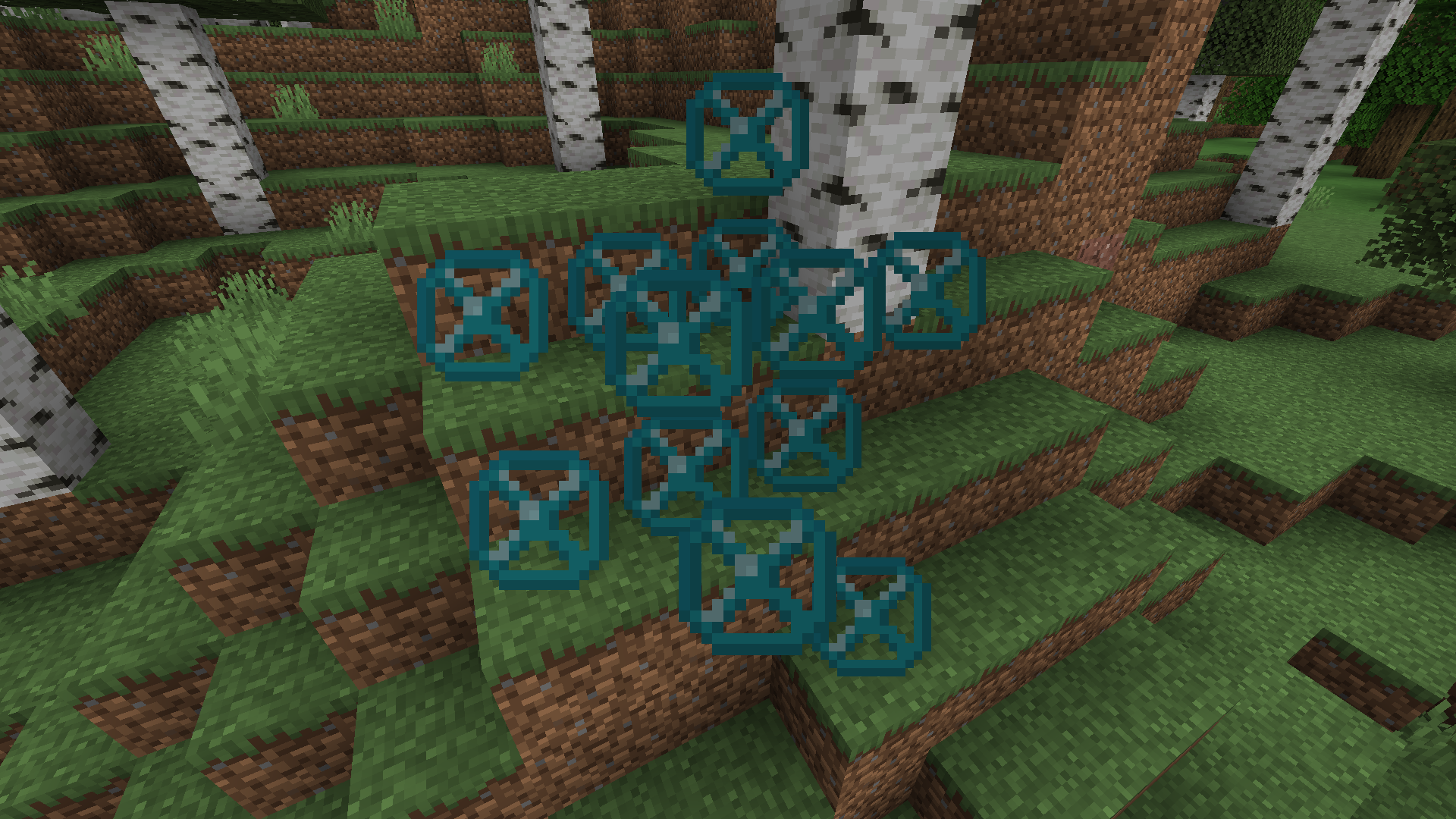
- Voids Everywhere: A setting to enable the view of the standard Structure Void render regardless of placement within a Structure Block Field
- Full Block Outline: The breakable and placeable outline of the Structure Void can be increased to be the size of a full block.
- Full Block Render: The standard Structure Void rendered box outline can be enlarged to be a full block.
- Customizable Outline: Change the color of the Structure Void box outline.
Installation
- Download the Structure Voidable Mod file.
- Ensure you have Minecraft Fabric Loader installed.
- Place the mod file into your Minecraft
modsfolder. - Start Minecraft using the Fabric profile.
Dependencies
- Required: ArchitecturyAPI
- Recommended: ModMenu
Configuration
Mod Configuration File
- Located in the config folder, the configuration file allows you to customize various aspects of the mod, such as outline color and outline size.
- ModMenu allows changing of the config while in the game.
Usage
Structure Void Placement
- On initial install: All Structure Void blocks rendered in the same method as Barrier blocks.
- On initial install: All Structure Void blocks will have the breakable and placeable outline increased to a full block.
- In the config: If Voids Everywhere and Full Block Render is turned on, newly placed Structure Void blocks will update with the new style, as well as any Structure Void blocks that get a block update.
Contributions
Contributions are welcome! If you have ideas for new features, optimizations, or bug fixes, please feel free to open an issue or submit a pull request in the mod's GitHub repository.
*I'm not sure if it 100% works client-side only so don't quote me, it still worked when I joined a server that didn't have it. It seems like if the server has it, you have to have it too.
Screenshots
Gallery
-
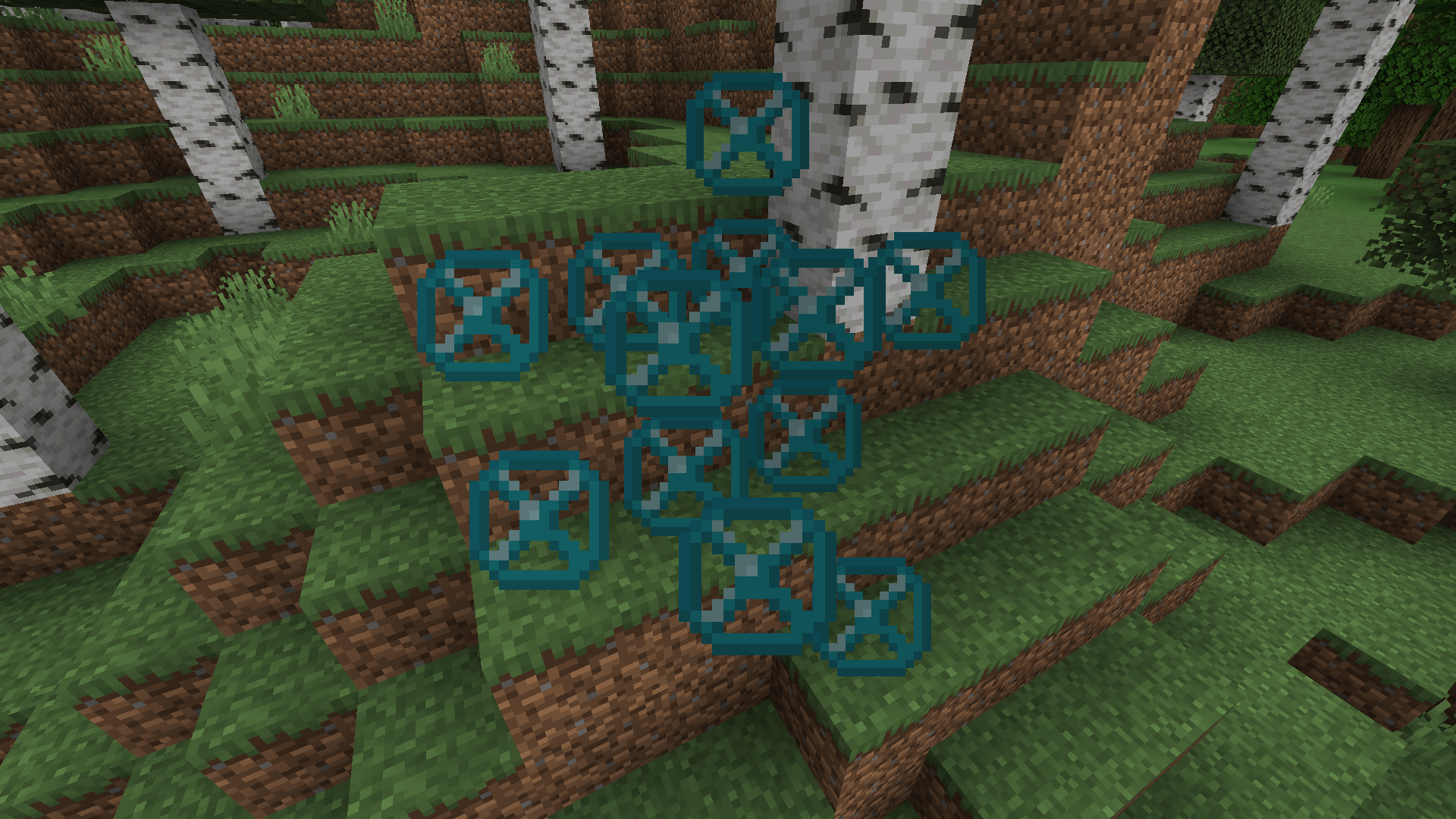 Barrier Behavior When the player holds a Void block in their hand, the Void block will be displayed in game the same way Barrier blocks are displayed.
 -
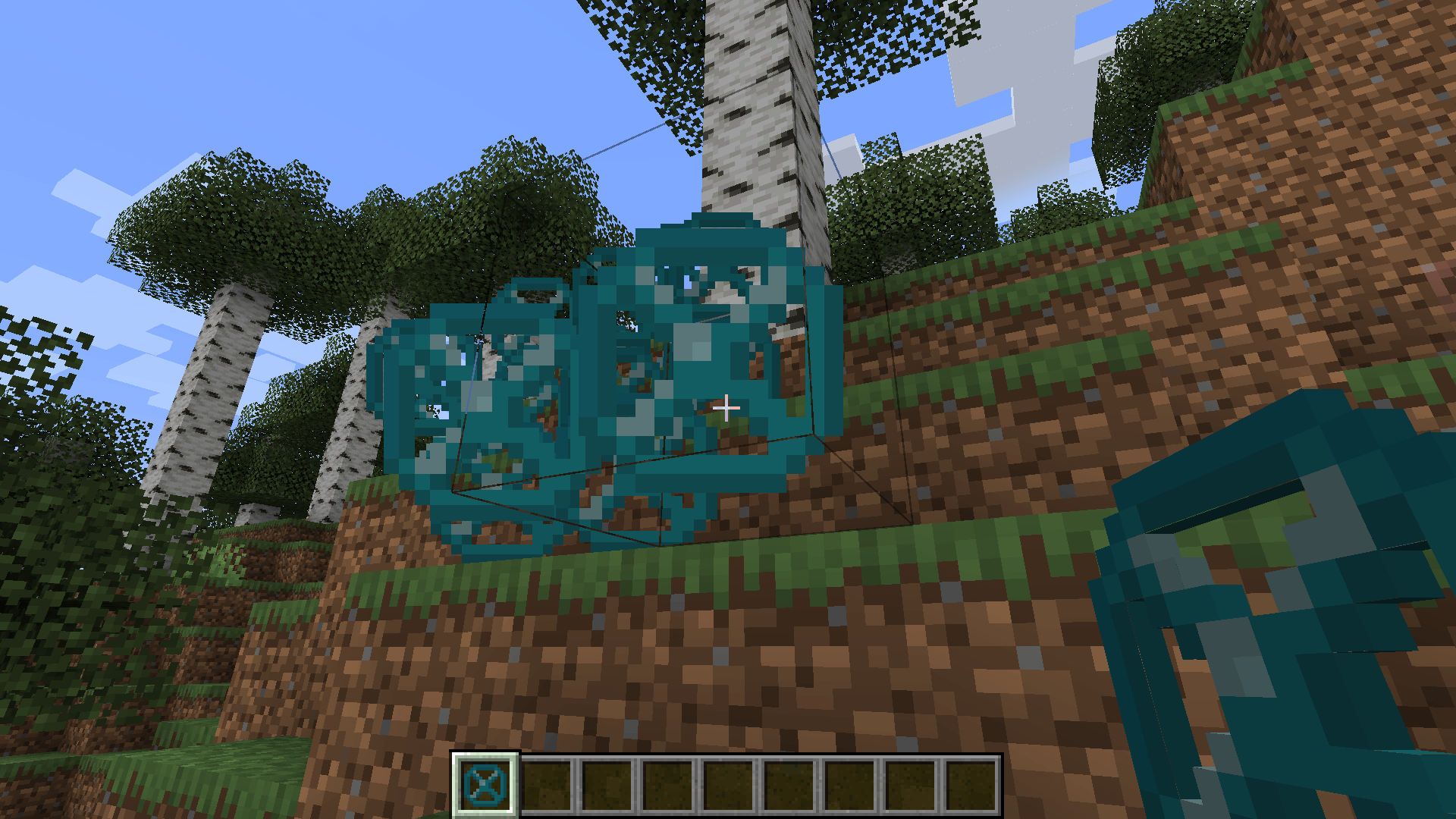 Full Block Placing Instead of Void blocks having that small little hitbox, the Void blocks will have a normal full block collision.
 -
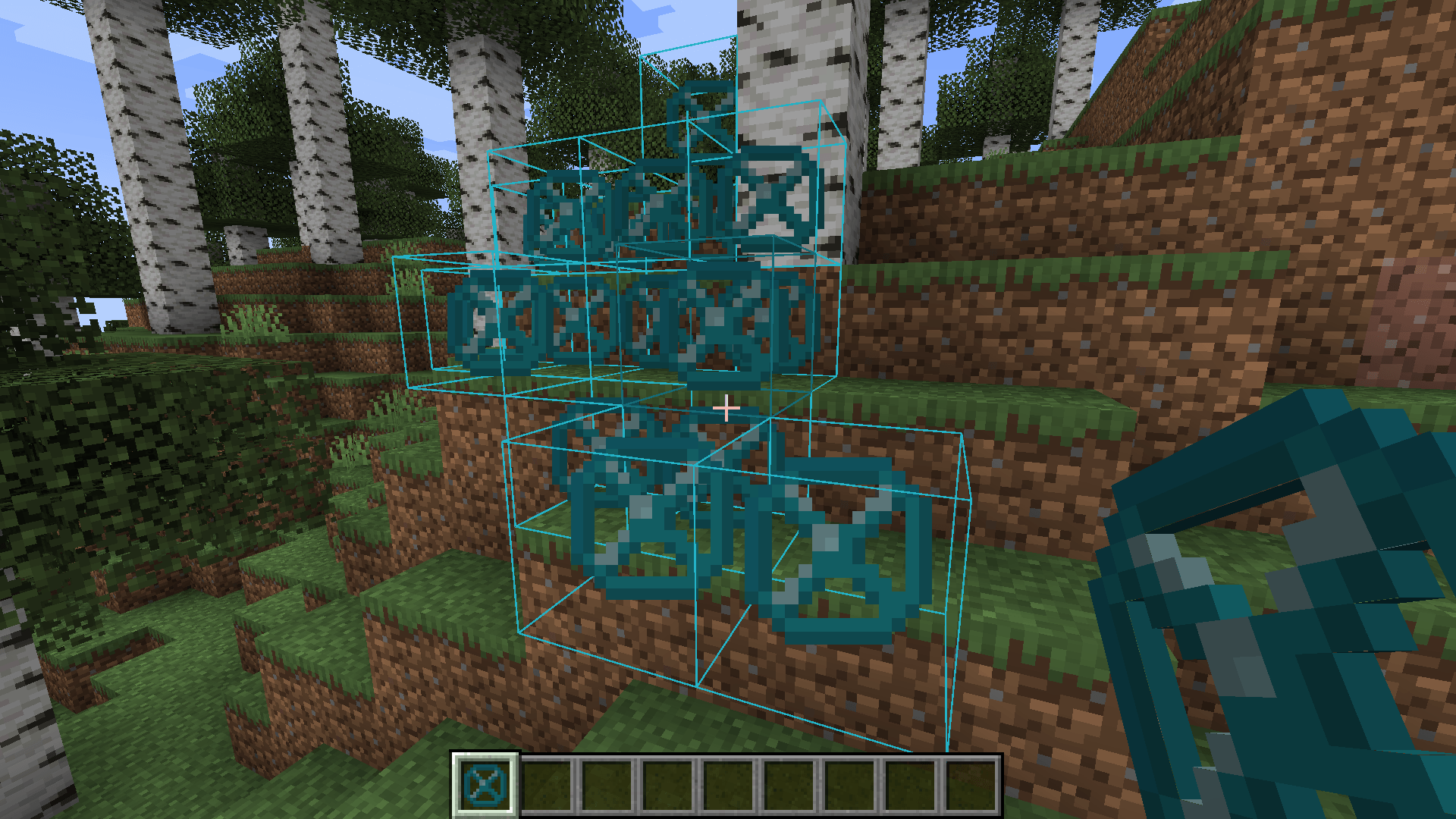 Extra Features Visual of barriers with Always Visible and Full Block Render options enabled, as well as Outline Color set to Void.
 -
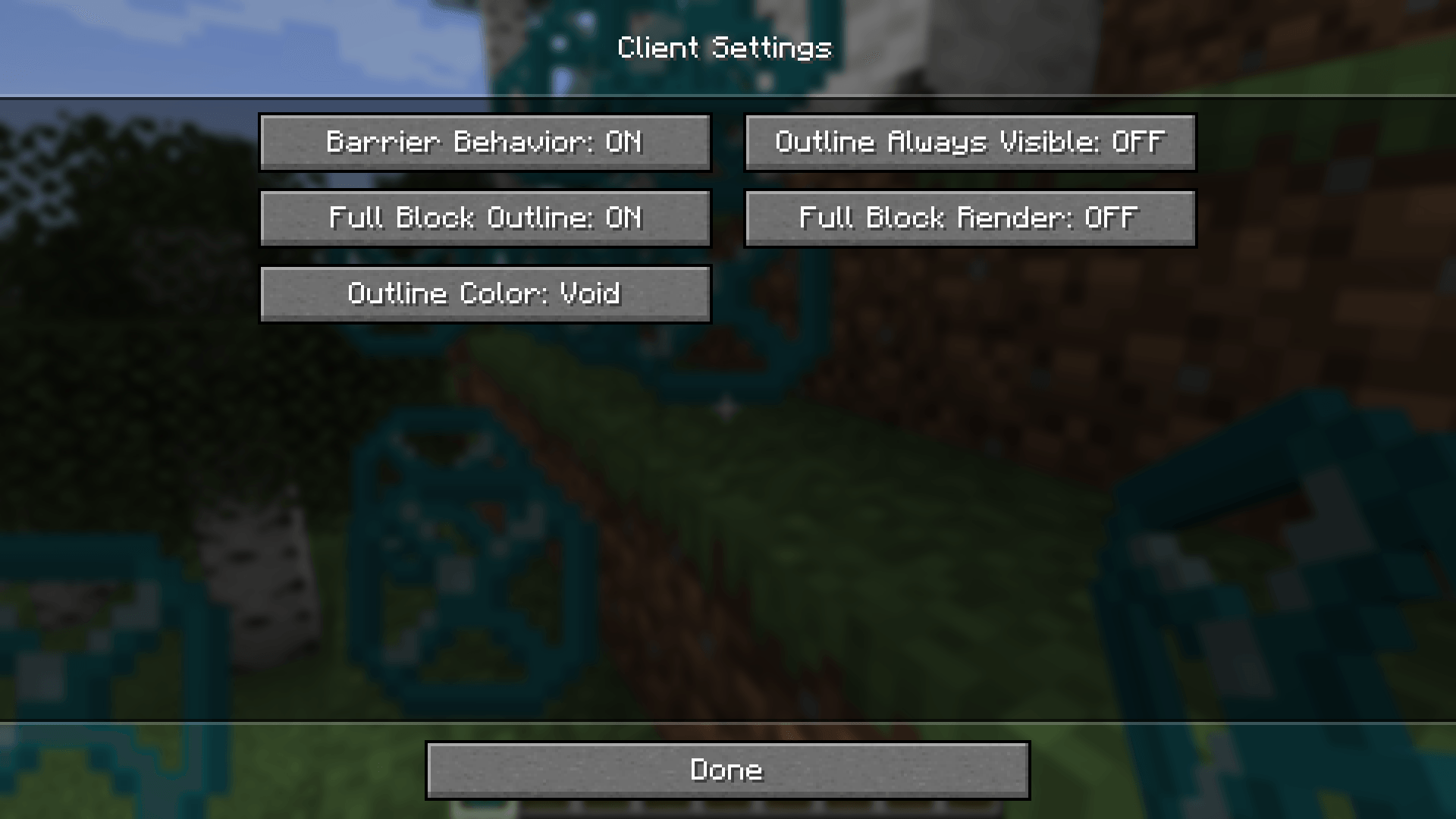 Options Screen Showcase of the customizable settings within the mod.
-
Barrier Behavior When the player holds a Void block in their hand, the Void block will be displayed in game the same way Barrier blocks are displayed.
-
 Full Block Placing Instead of Void blocks having that small little hitbox, the Void blocks will have a normal full block collision.
 -
 Extra Features Visual of barriers with Always Visible and Full Block Render options enabled, as well as Outline Color set to Void.
 -
 Options Screen Showcase of the customizable settings within the mod.
Versions
Files
Relations
Project Relations
More like this
Similar Mods
Suggestions use data such as tags, dependencies, dependents, descriptions, titles, and more to rank how much they overlap with this mod.
On ModDex
Community snapshot
By the numbers
Statistics
Want to reach Minecraft players?
We're looking for a server hosting partner to feature here and other parts of the site. Interested? Send us a message!
Get in touchGet it on
Available Platforms
On ModDex
Community snapshot
By the numbers