![Stylish Effects [Legacy Fabric]](https://media.forgecdn.net/avatars/thumbnails/457/370/256/256/637729943265667383.png)
Community listing page, reviews here may not be monitored by the author.
Stylish Effects [Legacy Fabric]

No reviews yet
Status effect display overhaul: Display them anywhere! And way more compact.
Includes quality of life improvements and small tweaks to enhance and customize gameplay.
Fabric is a mod loader for versions 1.14+ of Minecraft, particularly popular for client side and optimization mods.
Community voices
Reviews
Filters
Click once to include, again to exclude, again to clear
No reviews yet. Be the first to review this project!
Get it on
Available Platforms
About
Project Details
For authors
Embed Badge
If you're the author of this project, you can embed a live badge anywhere that supports HTML or Markdown. It updates automatically whenever ratings change.
Use HTML for any page that supports it, or Markdown for README files and Markdown-based descriptions.
Identifiers
Platform IDs
About
Description
Download for 1.19+: https://www.curseforge.com/minecraft/mc-mods/stylish-effects





📖 About:
Stylish Effects completely overhauls how status effects are displayed. There are multiple modes to choose and countless configuration options available to create the effects display of your dreams.
📚 Contents:
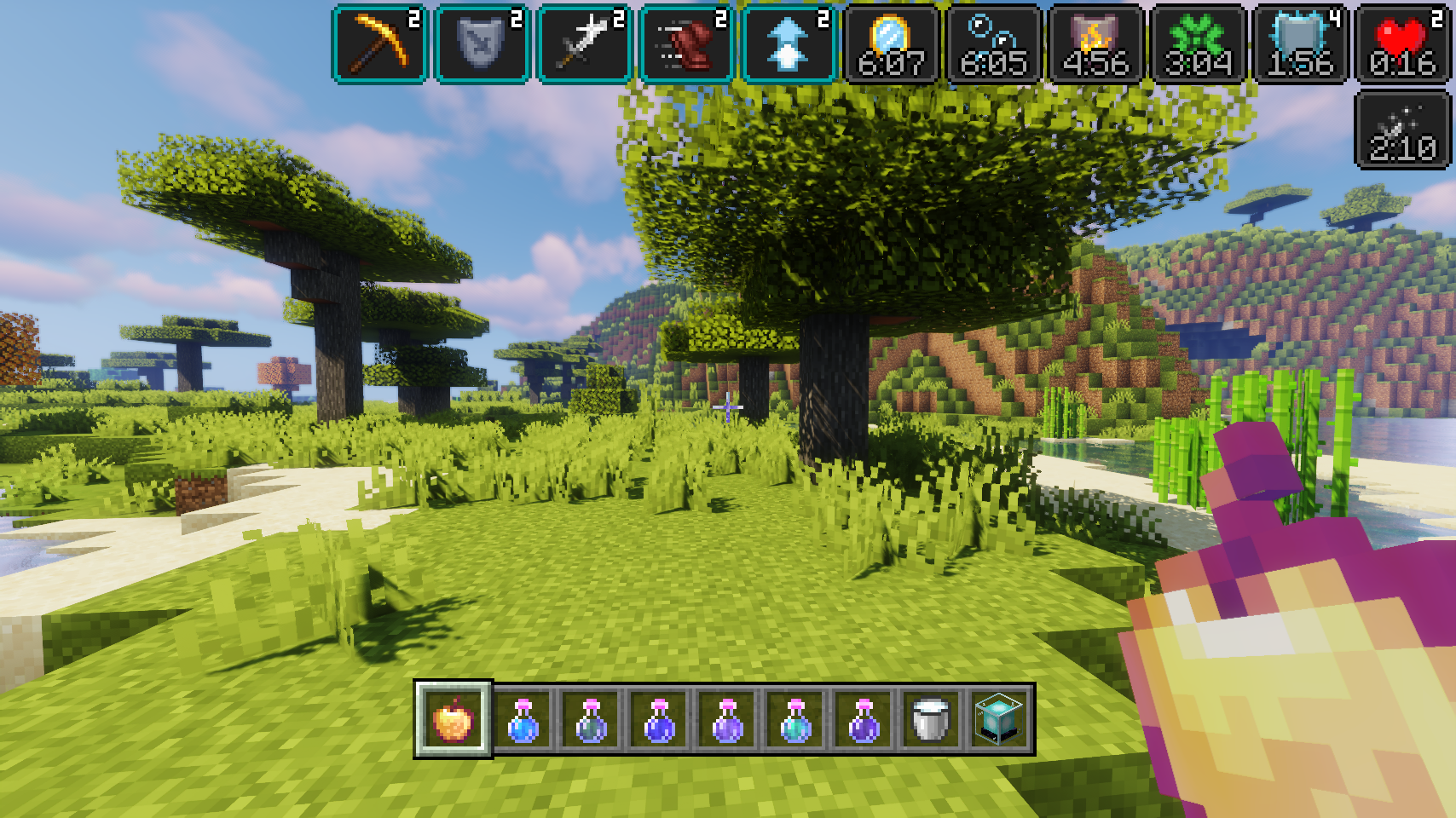
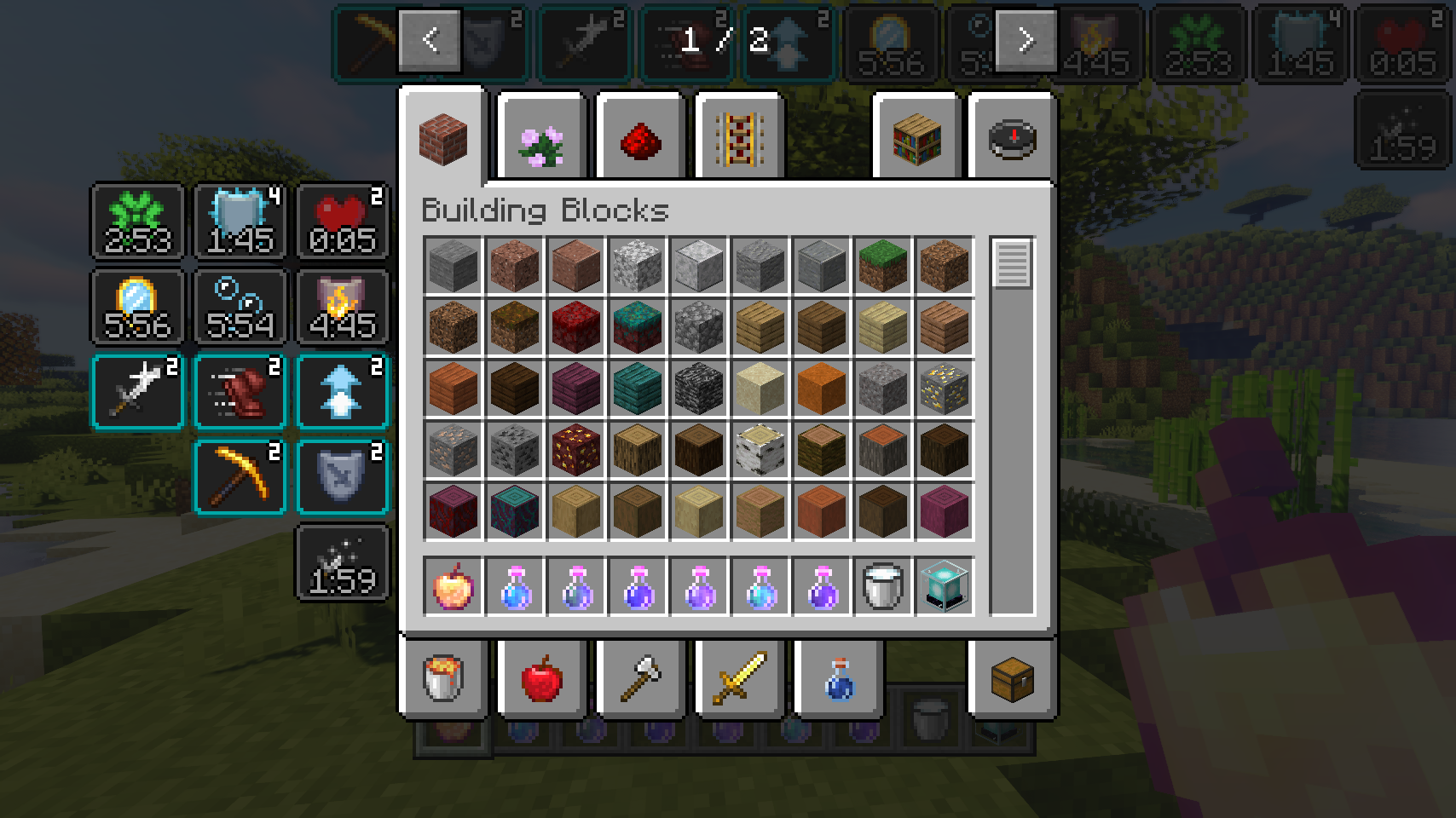
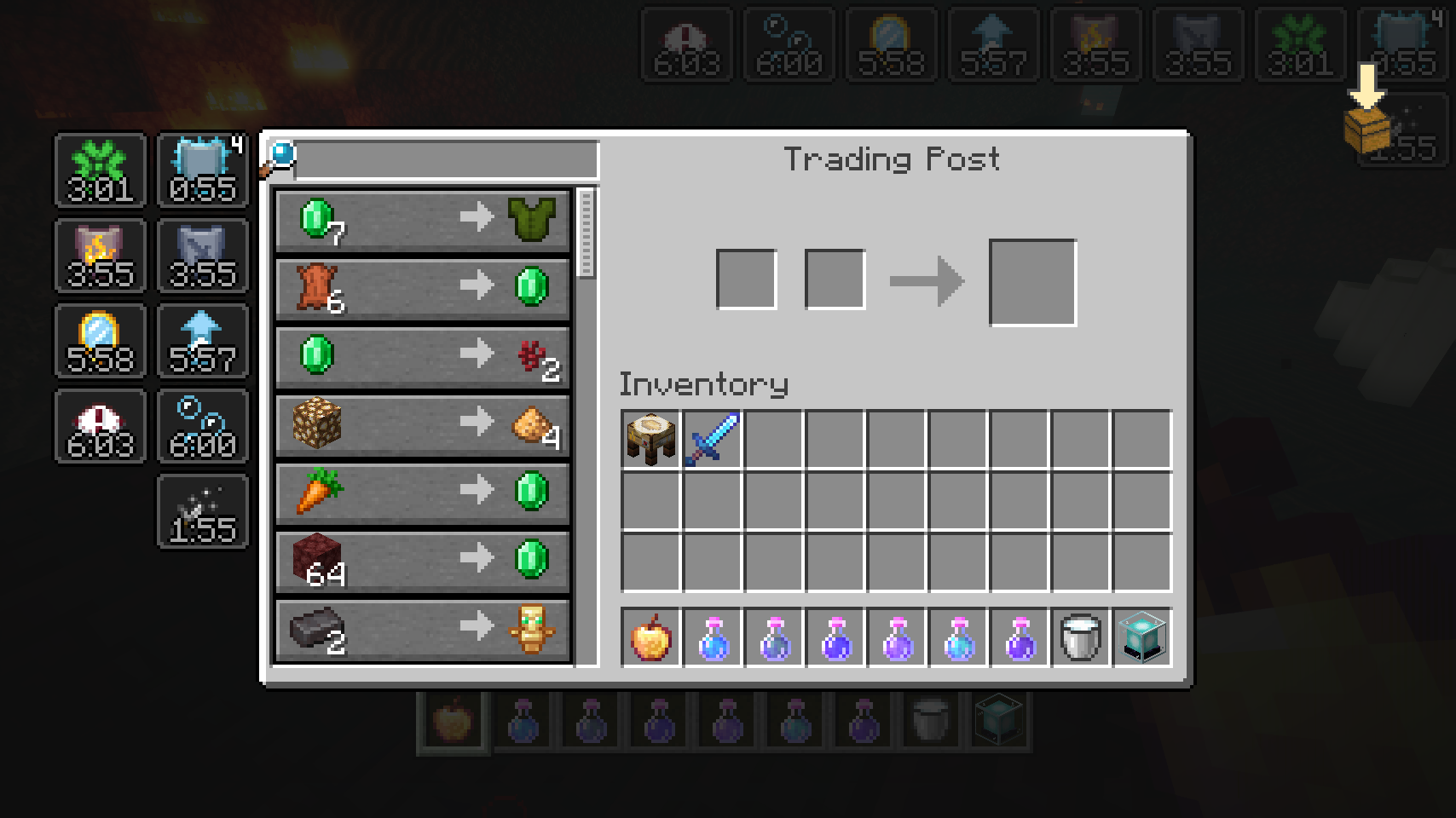
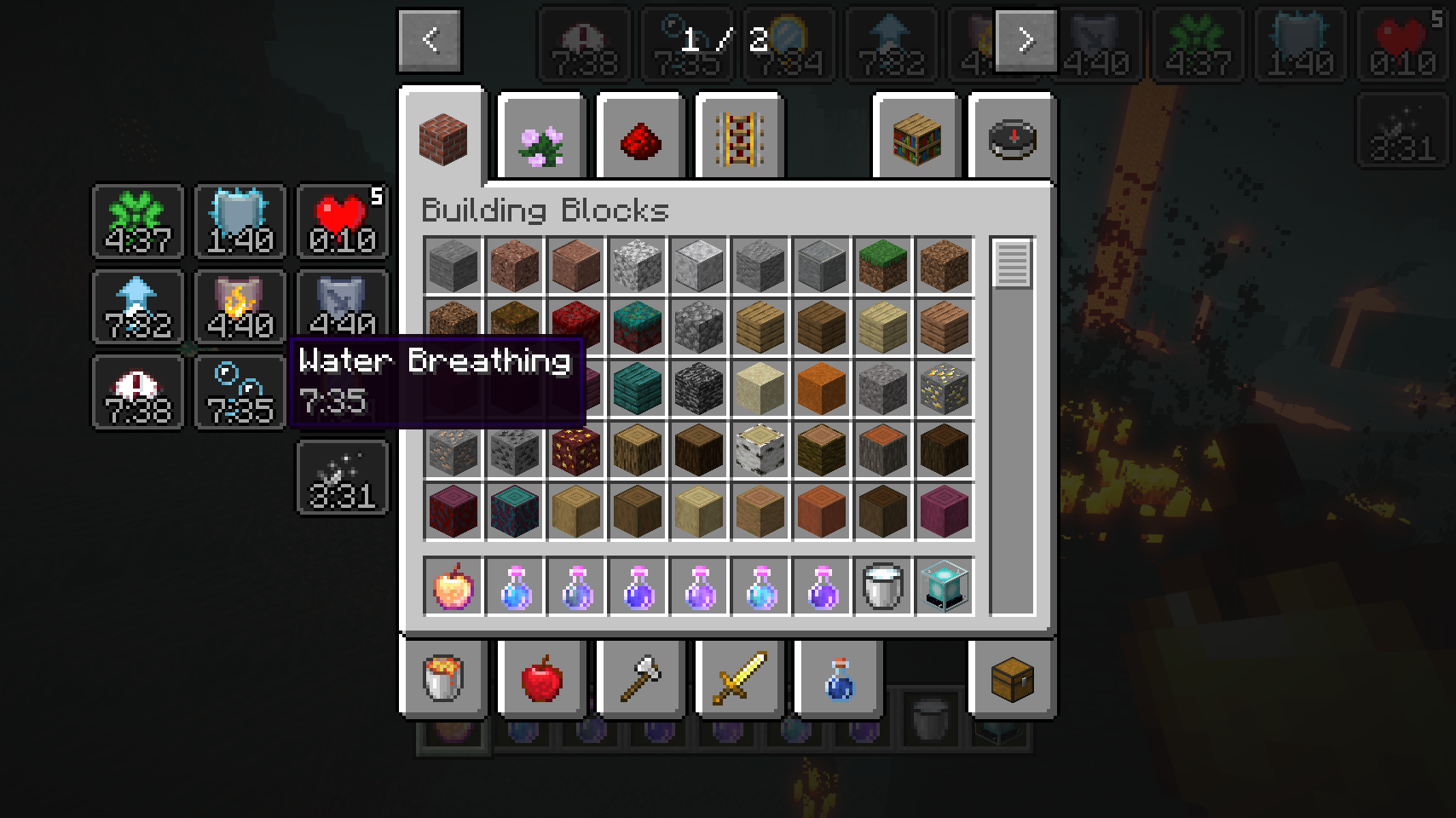
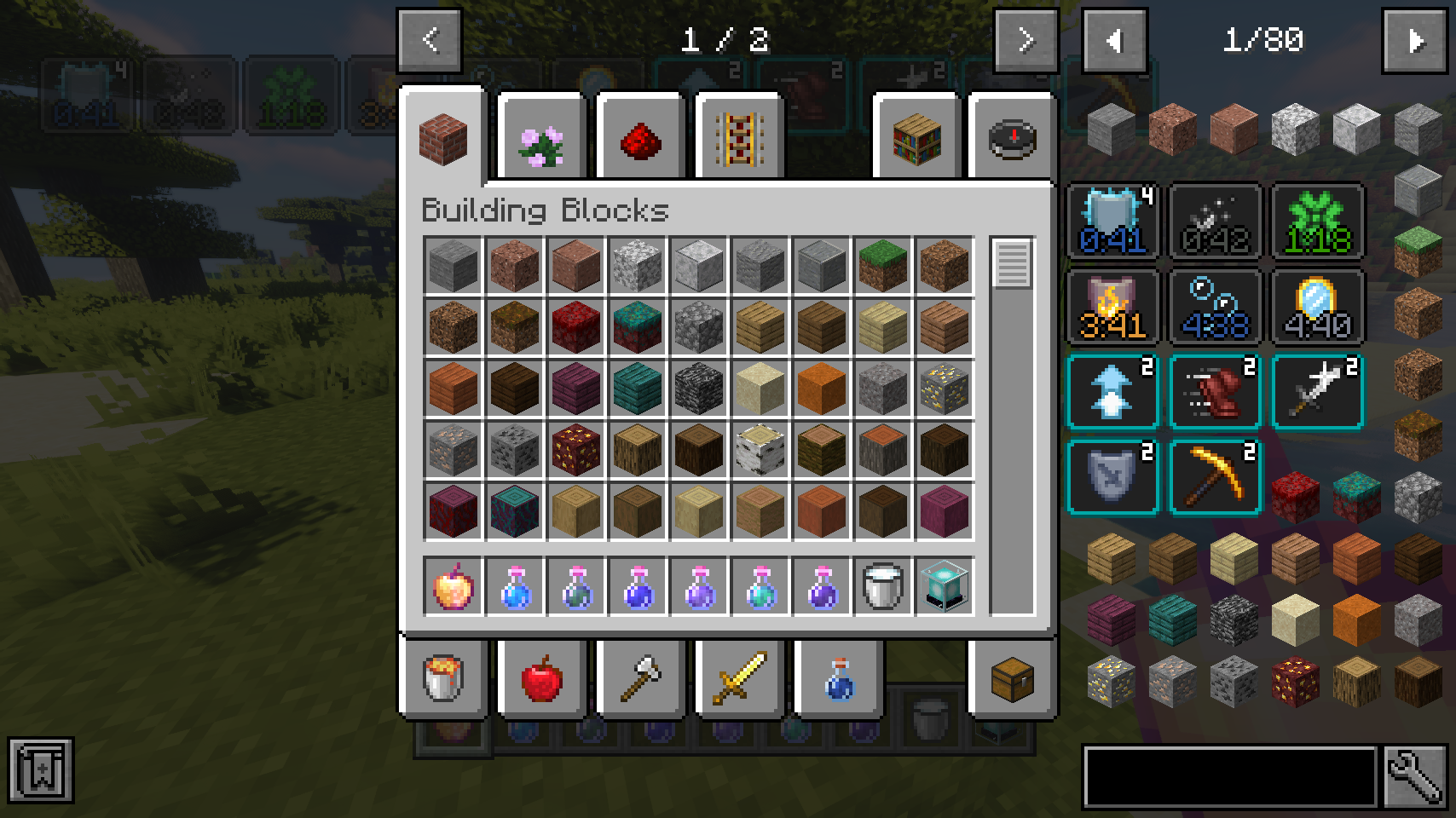
First of all, the crummy little vanilla hud effects display is replaced with a fancier version which includes an effect timer as well as the current effect amplifier. This display is also now used in the inventory, as it's way more compact and allows for many more effects to be shown before they start to overlap. And this new inventory display is no longer limited to the player inventory, now you can see your active effects in every container!
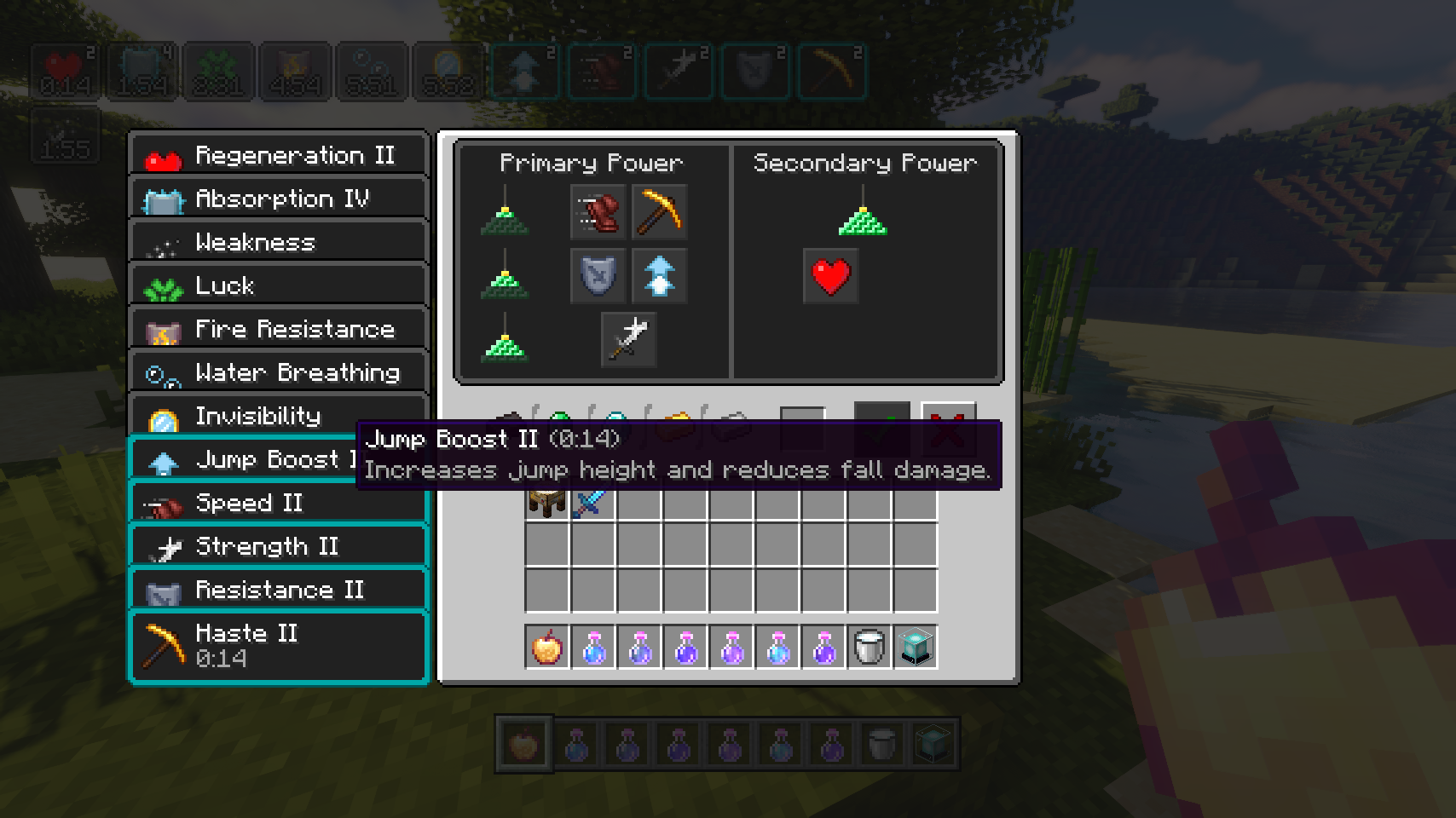
But wait, now that status effects are shown small and compact with just an icon, how will you find out how your active effects are called? Don't worry, a handy tooltip is added for that. The tooltip will be even more useful when Potion Descriptions by Azmalent is installed.
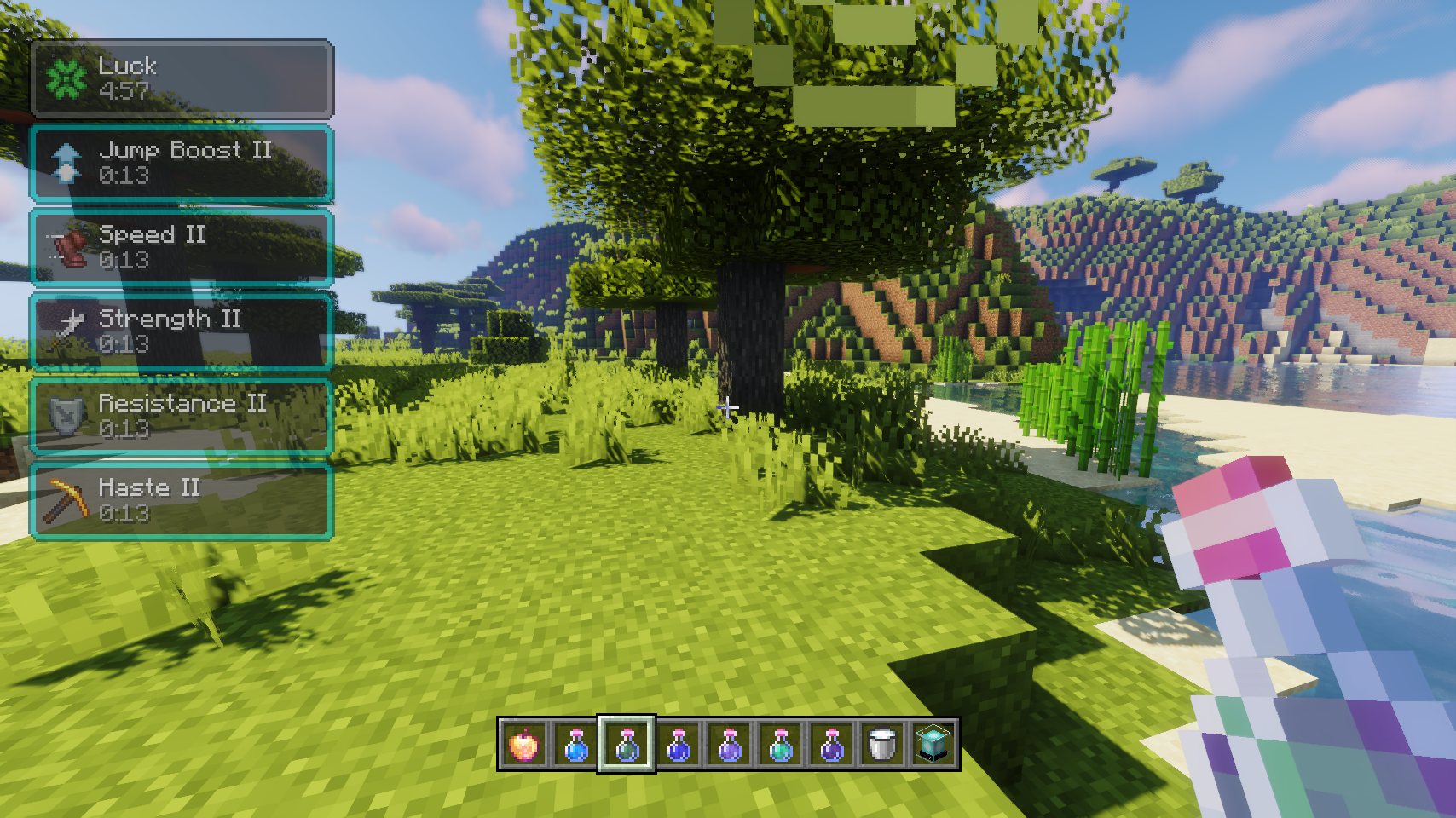
You like the vanilla inventory status effect display and want to keep it or even use it on the hud as well? No problem! You can choose any widget mode you want, or even none. Alongside that there are many configurable settings, such as the screen side for effects, amount of rows and columns, a custom alpha value, text colors, custom screen positions, and much, much more.
📷 Media:
 |
 |
|
| Stylish effects in action being very stylish | Various effect render types can be chosen and configured | |
 |
 |
|
| Compact effects replace the vanilla display inside of the inventory | The effects display is shown in every container, not just the inventory | |
 |
 |
|
| Useful tooltips will appear when effect widgets are hovered | Tooltips are great for retaining information while also adding even more | |
 |
||
| So many possible settings, and great REI compatibility | ||
💡 FAQ:
Q: How do I configure this mod?
A: Editing configs directly in-game has not yet been implemented. Instead when in a world run the /config showfile <modid> command by choosing either CLIENT or SERVER (depending on the mod), then click the file name (ending with .toml) that appears in chat to be able to manually edit the config file in a separate editor. After saving the file, the config will automatically reload in-game after a couple of seconds, so no game restart required.
Q: How do I enable effect descriptions on the tooltips?
A: The descriptions are provided by a separate mod: Potion Descriptions by Azmalent.
🏆 Credits:
Developing Stylish Effects was helped and inspired by:
- Deadzoke for inspiring the effect timer display from their Ignite HUD mod
- Dmitrylovin for inspiring the compact effect amplifier display from their Inventory HUD+ mod
- Snownee for a small hack for disabling the default JEI inventory status effect handling from their Mini Effects mod







 |
 |
|
Screenshots
Gallery
Versions
Files
Relations
Project Relations
More like this
Similar Mods
Suggestions use data such as tags, dependencies, dependents, descriptions, titles, and more to rank how much they overlap with this mod.
On ModDex
Community snapshot
By the numbers
Statistics
Want to reach Minecraft players?
We're looking for a server hosting partner to feature here and other parts of the site. Interested? Send us a message!
Get in touchGet it on
Available Platforms
On ModDex
Community snapshot
By the numbers