
Community listing page, reviews here may not be monitored by the author.
subpocket


No reviews yet
Infinite storage with an unnoticeable price
Community voices
Reviews
No reviews yet. Be the first to review this project!
Get it on
Available Platforms
Compatibility
Supported Environments
Must be installed on both the client and the server.
About
Project Details
For authors
Embed Badge
If you're the author of this project, you can embed a live badge anywhere that supports HTML or Markdown. It updates automatically whenever ratings change.
Use HTML for any page that supports it, or Markdown for README files and Markdown-based descriptions.
Identifiers
Platform IDs
About
Description
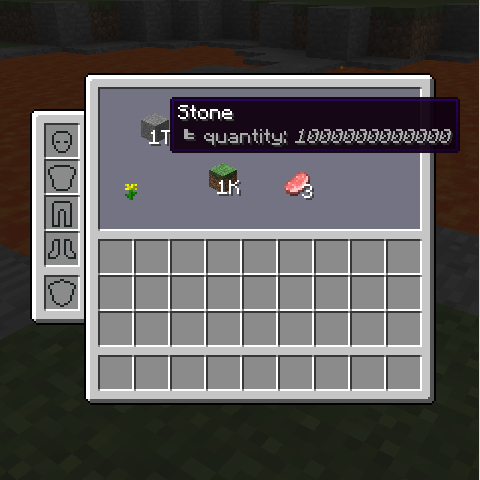
And a bit more item types so you see the gist:
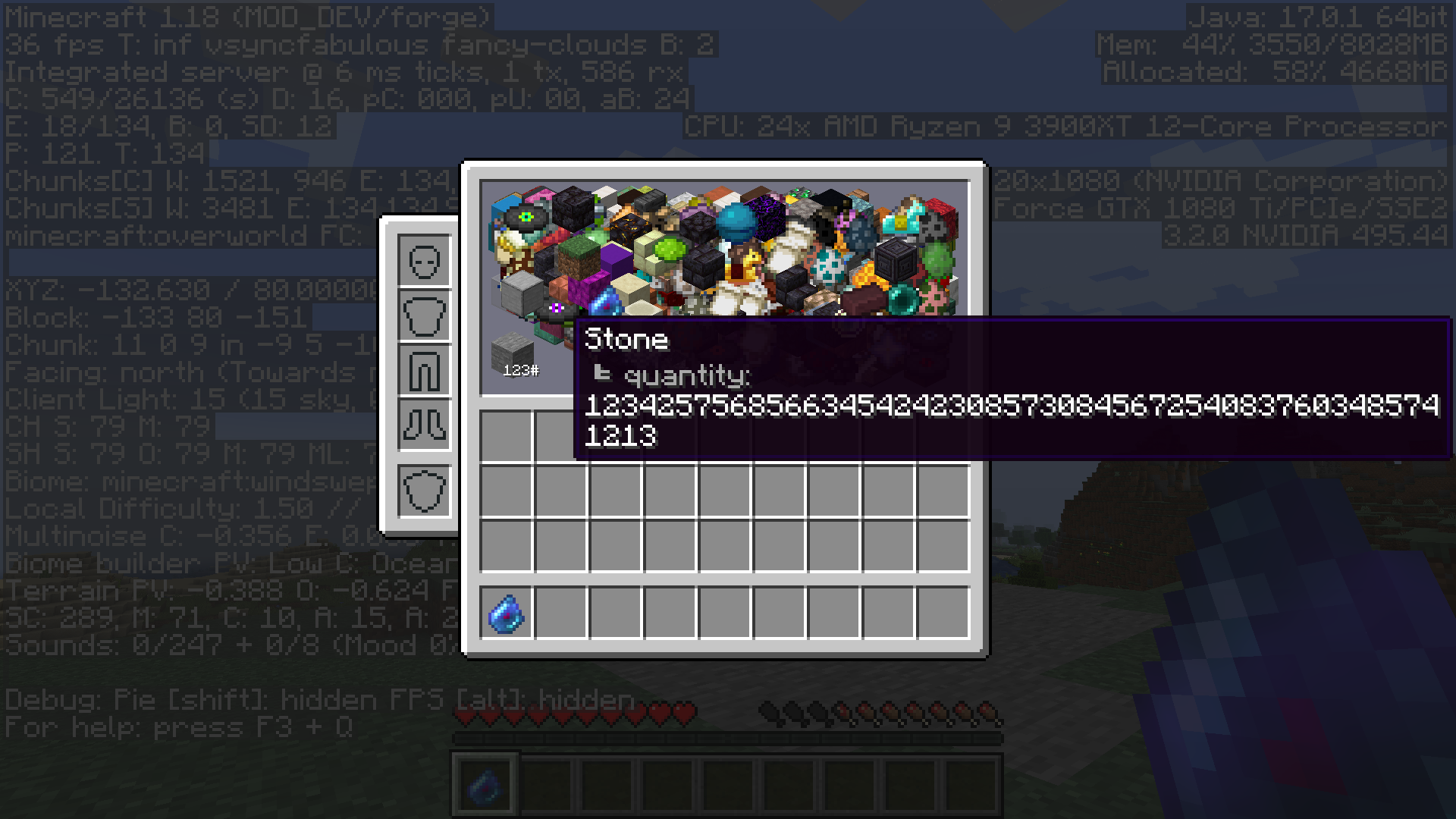
Mod name is lowercased - this is intentional and won't be changed! Thanks.
Overview
Description
This mod adds personal infinite storage to the game, but it is not as super-OP as it soungs though.
The subspatial pocket is a GUI that gives you a 160x70 pixels field, in which you can place and store any amount of items.
Technically, since we live in a finite world and use finite computers, you may not store true infinities of items. However in Java the maximum theoretical BigInteger value is somewhere around 2^Integer.MAX_VALUE, which is far beyond both your brain can even try to understand and your RAM to hold.
Stack in this storage can be placed at any position and dragged with your mouse.
But since your field is limited to 160x70 pixels there are enough types even in vanilla to fill all the space and make items overlap each other.
This is the main 'anti-OP' feature, you need to be accurate with your sorting or you will never find needed item.
You can test that with `/subpocket help debug` command, which adds a random bunch of vanilla items from 3 creative tabs.
You have to point your mouse exactly at your item being rendered to select it properly.
Keybinds
I am used a lot to MouseTweaks, so don't be surprised when mouse wheel works. Try out left and right clicks in the GUI, mouse wheel, and a combinations of those with ctrl and shift keys. All of that over the item field and over invetory slots too. Also you can middle-click a non-empty slot in subpocket and it will try to refill that slot if it has the items.
If you press Tab you can scroll over how it shows item numbers (you can run `/subpocket help debug` command mentioned above to see why).
It either shows all numbers, shows hovered stack number, or does not show them at all.
When you hold Alt, the hovered item is determined not by its shape, but by a 16x16 box, this is a little helper for stuff like leaves (which are a bit hard to pick) and other weirdly shaped items.
Also you can hold ~ to see some debug information, I kept it there because it is neat.
How it works/What to do:
- You need to get a subspatial key item, for now only 1/20 chance in stronghold chests, 1/200 in spawner chests and 1/2000 (very rare) as a drop from an enderman (so the best way to get it for sure is an enderman farm I think).
- With it you need to break an ender chest in the end(!), it will take the same time as with a bare hand (like a solid minute or even two) and deals half a heart of void damage per second.
- This means that you would need to build a contraption that will shoot instant health at you, or have a friend on a server I guess, if that wasn't obvious.
- In creative the item is under 'misc' tab and you can use `/subpocket unlock` command instead of the ritual if want to test it.
The `/subpocket` is pretty rich and can do a lot. It's subcommands are shown when you tab after `/subpocket `, and you can use `/subpocket help` to see their descriptions.
The subspatial key item breaks EVERY block with the same default speed but does not drop anything - you can break bedrock even (can disable that in config).
Gaining a subpocket forever blocks usage of ender chests for you (can disable that in config too).
Subspatial key item is weeeird, it does not update (so it does not rotate, and floats in one place and jiggles a little, can disable in config), it is indestructible and does not dispawn (can disable that in config) <- SERVER OWNERS YOU MIGHT WANT TO DISABLE THAT IN CONFIG
Usage in modpacks
Since this mod is licensed under MIT license - you may freely use it in your modpacks, but i am asking you to notify me about it, because I am curious about mod usage.
Links
- Discord - there are a ton of welcoming people there, as well as detailed information and updates, join
- Patreon - some people asked for it, you can support the development of my mods I guess
- Twitter - rare (mod-related) updates and *important* thoughts, this is Twitter, yes
- Twitch - from time to time I do dev streams here, you can drop a follow
This mod adds personal infinite storage to the game, but it is not as super-OP as it soungs though.
The subspatial pocket is a GUI that gives you a 160x70 pixels field, in which you can place and store any amount of items.
Technically, since we live in a finite world and use finite computers, you may not store true infinities of items. However in Java the maximum theoretical BigInteger value is somewhere around 2^(2^31), which is far beyond both your brain can even try to understand and your RAM to hold.
Stack in this storage can be placed at any position and dragged with your mouse.
But since your field is limited to 160x70 pixels there are enough types even in vanilla to fill all the space and make items overlap each other.
This is the main 'anti-OP' feature, you need to be accurate with your sorting or you will never find needed item.
You can test that with /subpocket help debug command, which adds a random bunch of vanilla items from 3 creative tabs.
You have to point your mouse exactly at your item being rendered to select it properly.
Keybinds
I am used a lot to MouseTweaks, so don't be surprised when mouse wheel works. Try out left and right clicks in the GUI, mouse wheel, and a combinations of those with ctrl and shift keys. All of that over the item field and over invetory slots too. Also you can middle-click a non-empty slot in subpocket and it will try to refill that slot if it has the items.
If you press Tab you can scroll over how it shows item numbers (you can run /subpocket help debug command mentioned above to see why).
It either shows all numbers, shows hovered stack number, or does not show them at all.
When you hold Alt, the hovered item is determined not by its shape, but by a 16x16 box, this is a little helper for stuff like leaves (which are a bit hard to pick) and other weirdly shaped items.
Also you can hold ~ to see some debug information, I kept it there because it is neat.
How it works/What to do:
- You need to get a subspatial key item, for now only 1/20 chance in stronghold chests, 1/200 in spawner chests and 1/2000 (very rare) as a drop from an enderman (so the best way to get it for sure is an enderman farm I think).
- With it you need to break an ender chest in the end(!), it will take the same time as with a bare hand (like a solid minute or even two) and deals half a heart of void damage per second.
- This means that you would need to build a contraption that will shoot instant health at you, or have a friend on a server I guess, if that wasn't obvious.
- In creative the item is under 'misc' tab and you can use
/subpocket unlockcommand instead of the ritual if want to test it.
The /subpocket is pretty rich and can do a lot. It's subcommands are shown when you tab after /subpocket , and you can use /subpocket help to see their descriptions.
The subspatial key item breaks EVERY block with the same default speed but does not drop anything - you can break bedrock even (can disable that in config).
Gaining a subpocket forever blocks usage of ender chests for you (can disable that in config too).
Subspatial key item is weeeird, it does not update (so it does not rotate, and floats in one place and jiggles a little, can disable in config), it is indestructible and you can configure it to not despawn (that config was a default before 1.18 <- SERVER ADMIN LOOK AT THIS, yep, that was stupid)
Usage in modpacks
Since this mod is licensed under MIT license - you may freely use it in your modpacks, but please give me a message about it (at your will), because I am curious about mod usage.
Screenshots
Gallery
-
subpocket in 1.18 filled with some vanilla item types
-
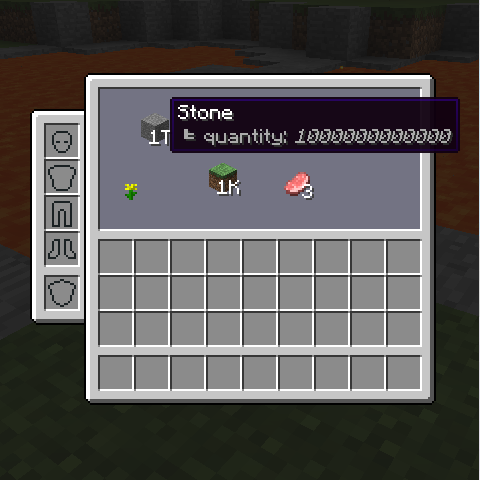 subpocket UI
-
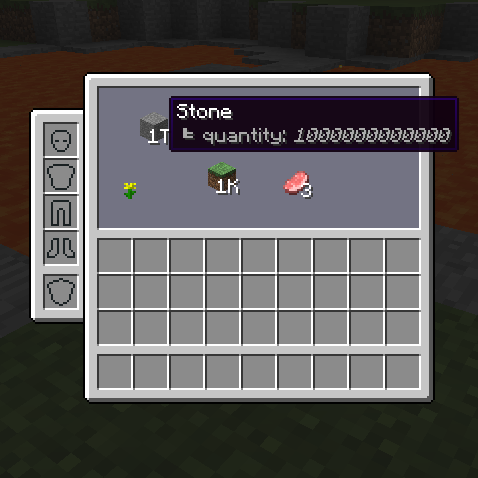 an example a trillion stone haha
 -
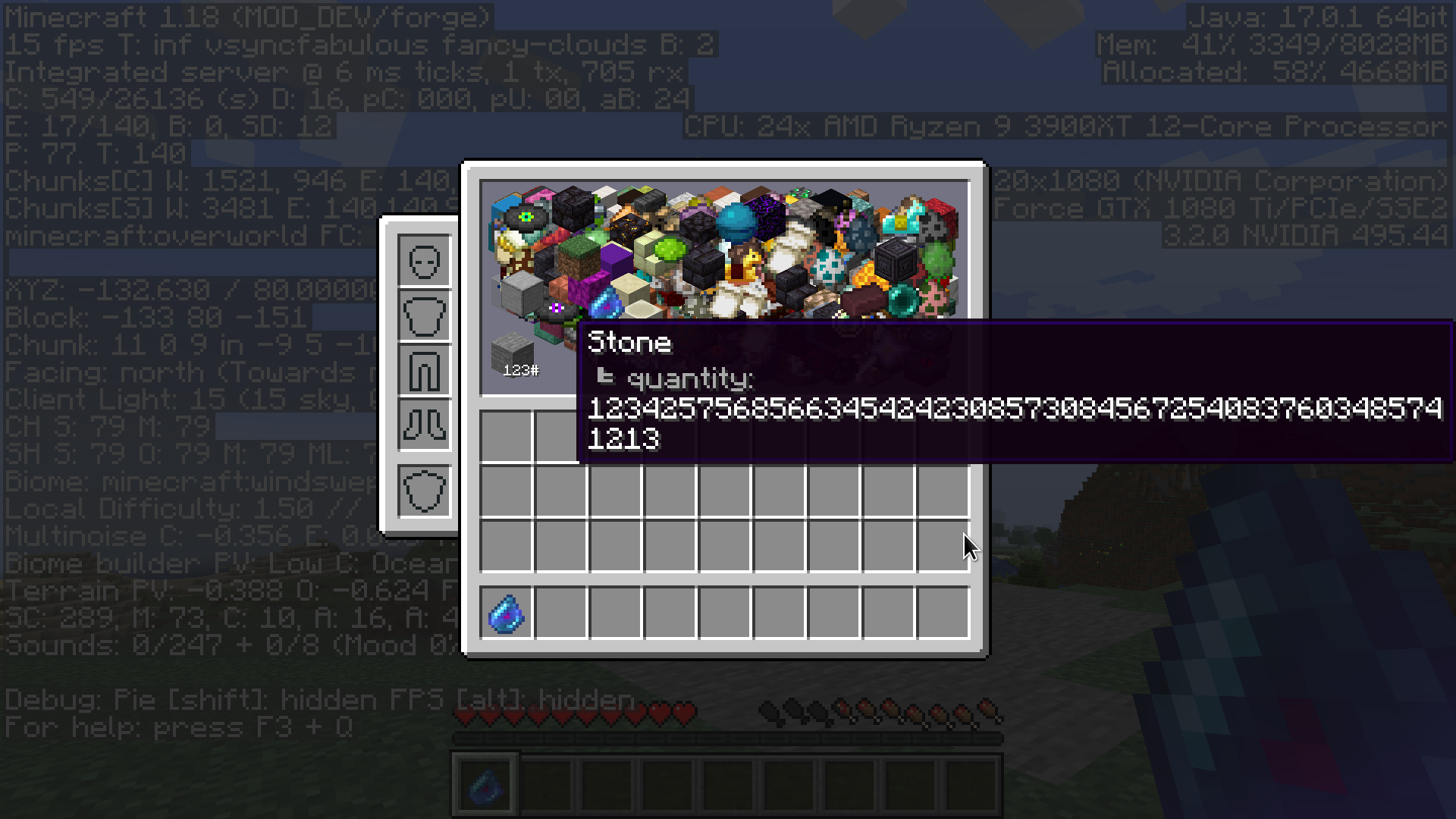 a bunch of items (debug) yep
Versions
Files
Relations
Project Relations
More like this
Similar Mods
Suggestions use data such as tags, dependencies, dependents, descriptions, titles, and more to rank how much they overlap with this mod.
On ModDex
Community snapshot
By the numbers
Statistics
Want to reach Minecraft players?
We're looking for a server hosting partner to feature here and other parts of the site. Interested? Send us a message!
Get in touchGet it on
Available Platforms
On ModDex
Community snapshot
By the numbers