
Subtitles+
No reviews yet
Replaces Minecraft’s subtitles with a customizable system that adds color‑coded sounds, sound icons, background options, and a drag‑and‑resize on‑screen editor.
Fabric is a mod loader for versions 1.14+ of Minecraft, particularly popular for client side and optimization mods.
Community voices
Reviews
Click once to include, again to exclude, again to clear
No reviews yet. Be the first to review this project!
Get it on
Available Platforms
 Modrinth
Compatibility
Supported Environments
About
Project Details
For authors
Embed Badge
If you're the author of this project, you can embed a live badge anywhere that supports HTML or Markdown. It updates automatically whenever ratings change.
Use HTML for any page that supports it, or Markdown for README files and Markdown-based descriptions.
Identifiers
Platform IDs
About
Description
 Subtitles+


Take control of your subtitles. Move, scale, and color-code every sound with added category icons and a modern UI.


🎨 Key Features
📦 Customizable Subtitle Box
- Drag to reposition anywhere on screen.
- Resize with a corner handle.
- Adjustable scale (0.5x to 3.0x).
- Preview Mode — cycle between OFF, Outline only, and Full preview.
- Auto Flip — switches UP/DOWN automatically when dragged to a corner (requires Guides ON).
⚙️ Smart Rendering Engine
- Fully replaces vanilla subtitle drawing.
- Smooth slide-in animations.
- Flexible Layout: Choose whether the list expands upwards or downwards.
- Subtitle Background: Toggle between no background, modded style, or vanilla look.
- BG Opacity Slider — control how dark the subtitle background appears.
- Subtitle Limit — cap the number of subtitles shown at once.
- Alignment — CENTER keeps subtitles fixed, AUTO shifts them toward the nearest screen edge.
🪄 Sound Customization
- Contextual Colors (Optional): Toggle sounds being color-coded based on their type (e.g., red for hostile mobs, blue for players), including some overrides for specific sounds like lava and portals.
- Sound Icons (Optional): Toggle specialized sound icons next to subtitles for quick visual recognition.
- Sound Blacklist — block specific subtitles from appearing, with auto-suggestions.
⌨️ Config Menu
- Open the menu with F4 or toggle subtitles on/off with H.
- Keybinds are customizable in
Options > Controls > Key Binds. - 💡 Make sure you have (Closed Captions) turned ON in
Music & Sounds
🛠️ Development
Since I hadn't seen anyone fully overhaul the subtitle system before, I wanted to try to do it.
This mod took me about a week to develop. Having no prior experience with coding,
I used
,
to handle all of the actual coding based on my vision and feedback.
I spent a lot of time experimenting and testing to understand how to make it all work together. Because I tried to do something new with the subtitle system, there might still be some minor quirks in the logic not a 100% sure. However, I hope this works and brings a brand new experience to the game.
🙌 Credits
- Icon Assets: Adapted from Symbolic Subtitles by Marvisbad
 (CC BY 4.0).
Screenshots
Gallery
-
 B/A
B/A -
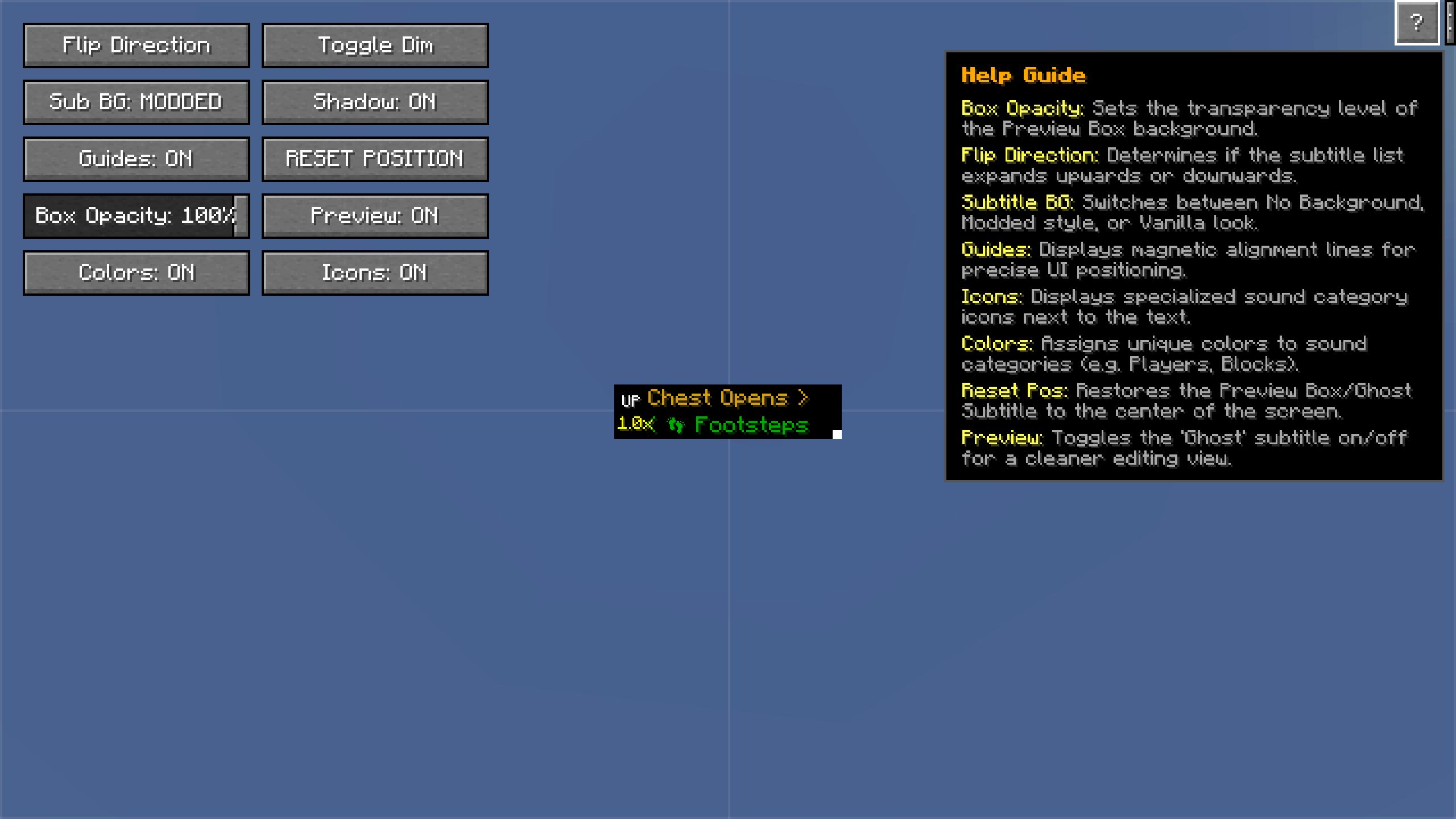 settings
 -
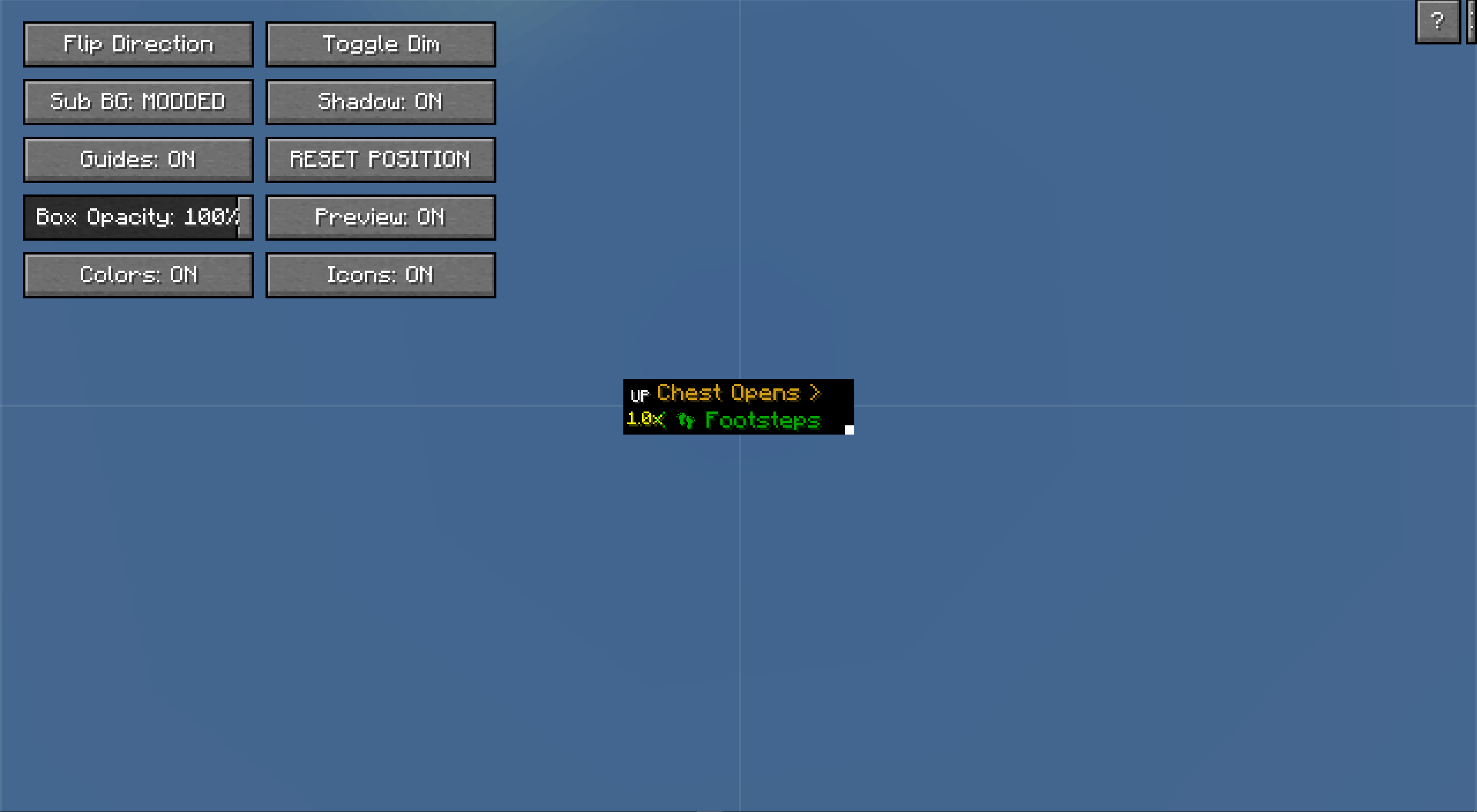 settings
Versions
Files
Relations
Project Relations
More like this
Similar Mods
Suggestions use data such as tags, dependencies, dependents, descriptions, titles, and more to rank how much they overlap with this mod.
On ModDex
Community snapshot
By the numbers
Statistics

Want to reach Minecraft players?
We're looking for a server hosting partner to feature here and other parts of the site. Interested? Send us a message!
Get in touchGet it on
Available Platforms
On ModDex
Community snapshot
By the numbers