
Community listing page, reviews here may not be monitored by the author.
Sulfur+

No reviews yet
Shows a sulfur cube's archetype and physics stats next to your crosshair. Client-side, configurable, per-stat colours.
Community voices
Reviews
No reviews yet. Be the first to review this project!
Get it on
Available Platforms
Compatibility
Supported Environments
Runs entirely on the client. Works on vanilla servers.
About
Project Details
For authors
Embed Badge
If you're the author of this project, you can embed a live badge anywhere that supports HTML or Markdown. It updates automatically whenever ratings change.
Use HTML for any page that supports it, or Markdown for README files and Markdown-based descriptions.
Identifiers
Platform IDs
Resources
External Links
About
Description
Sulfur+
See what's really going on inside a sulfur cube. Look at a sulfur cube that has absorbed a block and Sulfur+ shows its archetype and physics stats right next to your crosshair — no guessing which cube is bouncy, sliding, explosive, or floaty.
Sulfur+ is a lightweight, client-side overlay. It doesn't change any gameplay, add items, or touch the world — it just reads the cube you're looking at and puts the numbers on screen.
What it shows
Point at a sulfur cube with a block inside it and, by default, two stats pop up:
- Air Drag — the cube's
air_drag_modifier - Knockback H — the archetype's horizontal knockback power
Turn on any of the rest whenever you want:
- Friction modifier
- Knockback V (vertical knockback power)
- Buoyant (does it float?)
- Contact Damage (does it hurt to touch?)
- Explosion power
- Block — the block the cube absorbed
- Archetype — the cube's physics profile by name (Bouncy, Light, Explosive, Sticky, Hot, Fast Sliding, …)
Make it yours
Everything is configurable from the in-game settings screen (Mod Menu on Fabric/Quilt, the mods list on NeoForge):
- Toggle each stat on or off individually.
- Pick a colour for every line so the info you care about stands out.
- Only show while sneaking (on by default) to keep your HUD clean — or show it always.
- Nudge the position, scale the text, and set the background opacity.
Changes apply instantly — no restart.
Screenshots
Gallery
-
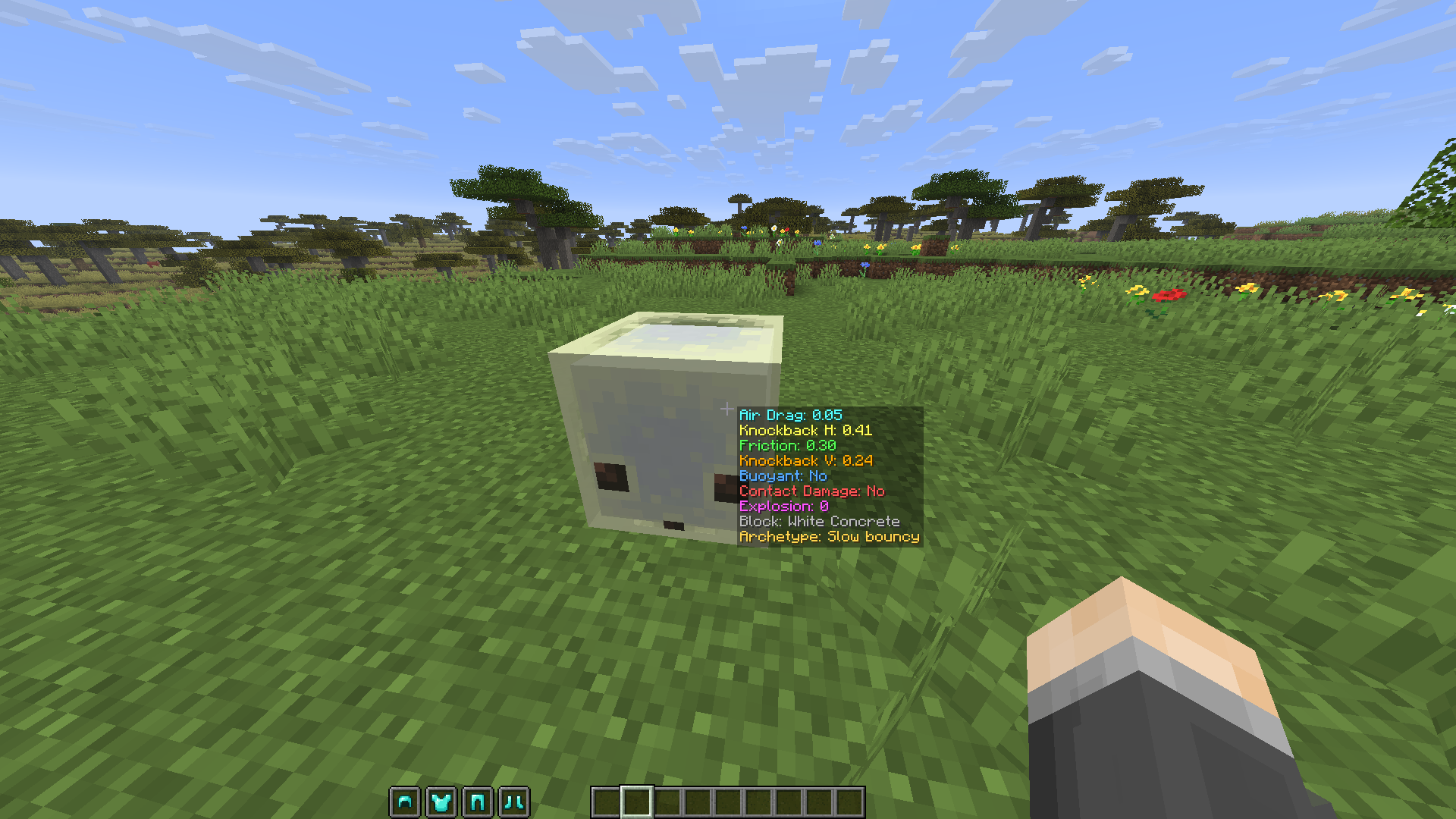 In Game View How the overlay looks in game
 -
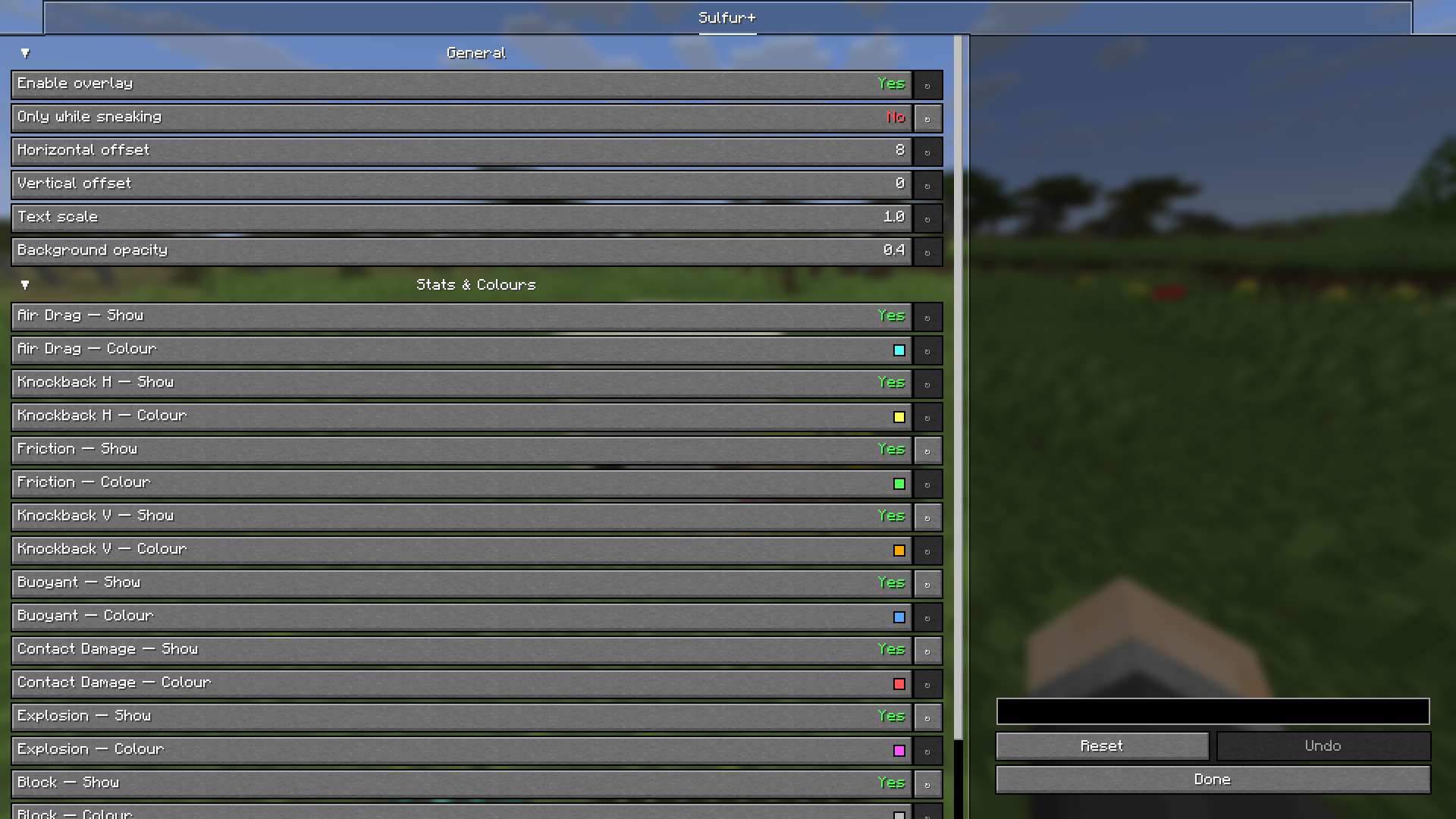 Config Screen Configure what information you see about the Sulfur Cube and how they look.
Versions
Files
Relations
Project Relations
More like this
Similar Mods
Suggestions use data such as tags, dependencies, dependents, descriptions, titles, and more to rank how much they overlap with this mod.
On ModDex
Community snapshot
By the numbers
Statistics

Want to reach Minecraft players?
We're looking for a server hosting partner to feature here and other parts of the site. Interested? Send us a message!
Get in touchGet it on
Available Platforms
On ModDex
Community snapshot
By the numbers
Statistics
Resources