Community listing page, reviews here may not be monitored by the author.
Super Simple Voice Radio


No reviews yet
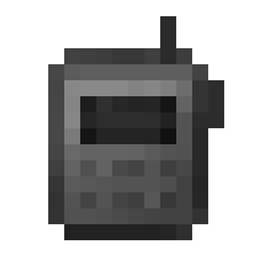
An extremely basic handheld radio addon for the Simple Voice Chat mod.

Community voices
Reviews
No reviews yet. Be the first to review this project!
Get it on
Available Platforms
Compatibility
Supported Environments
Must be installed on both the client and the server.
About
Project Details
For authors
Embed Badge
If you're the author of this project, you can embed a live badge anywhere that supports HTML or Markdown. It updates automatically whenever ratings change.
Use HTML for any page that supports it, or Markdown for README files and Markdown-based descriptions.
Identifiers
Platform IDs
About
Description
This is a simple handheld radio addon created for the Dimensional Ascension modpack. It is an addon for the Simple Voice Chat mod.
Use the keybind or right click with the radio in your hand to speak over a radio's frequency. The keybind will look for the first radio in your inventory, starting with your hotbar and then going left to right, top to bottom.
If you want an updated or more feature-complete version of a radio mod, check out CodinGlitch's Simple Radio for 1.20.X.
To use the radio, you need to hold it in your hand and hold right click, or use the keybind (default Grave). The keybind will look for the first radio in your Curios inventory, then your hotbar, then your inventory, from left to right, top to bottom. To change the radio's frequency, you need to hold it in your hand and use the configure radio keybind (default C)
Features:
- a handheld radio
- a way to change that radio's frequency
- keybinds
- curio support
Requires Curios API to work.


This is a simple handheld radio addon created for the [Dimensional Ascension modpack](on CurseForge). It is an addon for the Simple Voice Chat mod.
Use the keybind or right click with the radio in your hand to speak over a radio's frequency. The keybind will look for the first radio in your inventory, starting with your hotbar and then going left to right, top to bottom.
If you want an updated or more feature-complete version of a radio mod, check out CodinGlitch's Simple Radio for 1.20.X+.
To use the radio, you need to hold it in your hand and hold right click, or use the keybind (default Grave). The keybind will look for the first radio in your Curios inventory, then your hotbar, then your inventory, from left to right, top to bottom. To change the radio's frequency, you need to hold it in your hand and use the configure radio keybind (default C)
Features:
- a handheld radio
- a way to change that radio's frequency
- keybinds
- curio support
Requires Curios API to work.
Screenshots
Gallery
Versions
Files
Relations
Project Relations
More like this
Similar Mods
Suggestions use data such as tags, dependencies, dependents, descriptions, titles, and more to rank how much they overlap with this mod.
On ModDex
Community snapshot
By the numbers
Statistics
 (opens in a new tab)
Get it on
Available Platforms
On ModDex
Community snapshot
By the numbers