![SuperBlocks Mod [FORGE]](https://media.forgecdn.net/avatars/thumbnails/28/41/256/256/635820537611568151.png)
Community listing page, reviews here may not be monitored by the author.
SuperBlocks Mod [FORGE]

No reviews yet
Stackable universal buckets. Compressed blocks and packed items. BIG storage per inventory slot.

Community voices
Reviews
No reviews yet. Be the first to review this project!
Get it on
Available Platforms
About
Project Details
For authors
Embed Badge
If you're the author of this project, you can embed a live badge anywhere that supports HTML or Markdown. It updates automatically whenever ratings change.
Use HTML for any page that supports it, or Markdown for README files and Markdown-based descriptions.
Identifiers
Platform IDs
About
Description
What This Mod Does
This mod is all about increasing the storage capacity of a single Minecraft inventory slot without resorting to custom containers. Slots in chests, slots in player inventories, slots in shulker boxes, slots in hoppers, all of them -- if it's a vanilla inventory, we aim to cram it full of stuff. If you need to store tons of materials from large farms or large scale mining, or just need to transport a lot of items to your next project and don't have dozens of shulker boxes available, this mod helps, a LOT.
MC 1.15.2 Mod Requirements (Tested)
- Minecraft 1.15.2
- Forge 1.15.2-31.1.47 at least
- Carrots Lib mc1.15.2-2.5.x only
- Client and Server use
MC 1.14.4 Mod Requirements (Tested)
- Minecraft 1.14.4
- Forge 1.14.4-28.1.39 at least
- Carrots Lib mc1.14.4-2.0.x only
- Client and Server use
MC 1.12/.1/.2 Mod Requirements (Tested)
- Minecraft 1.12, 1.12.1, or 1.12.2
- Forge (recommended build for MC version)
- Client and Server use
MC 1.11.2 Mod Requirements (Tested)
- Minecraft 1.11.2
- Forge (at least 1.11.2-13.20.0.2255)
Click spoiler below for other versions.
MC 1.11.0 Mod Requirements (Tested)
- Minecraft 1.11
- Forge (only 1.11-13.19.1.2189)
- Client and Server use
-
MC 1.8.9 Mod Requirements (Tested)
- Minecraft 1.8.9
- Forge (at least 1.8.9-11.15.1.1722)
- Client and Server use
MC 1.8.0 Mod Requirements (Tested)
- Minecraft 1.8.0
- Forge (at least 1.8-11.14.3.1450)
- Client-side use
Most Interesting Features
Let's get it out of the way-- this mod ain't small. But this bigness is all good. Below is a summary of the major features of the mod; each feature has it's own wiki page with additional details, loads of pictures, and basic recipe information. If you really want all the recipes in this mod, it's best if you give the mod a test run in Creative mode with an extension like JEI(1.11+) or NEI(1.8.9) installed. Our tab has an icon like the blue cube in the banner menu for this page.
(!) Super Blocks
Super blocks are highly compressed versions of standard blocks that let you to store more items in a standard inventory. In their most compressed form, a full stack of super blocks lets you stuff a double-chest's worth of a standard block into a single inventory slot. There are eight levels of any type of super block, with each level containing 8 more blocks that the previous level.
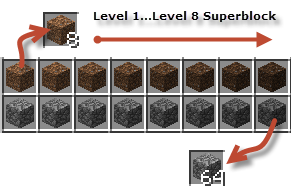 How superblock compression works by level.
To get back the underlying blocks, you simply put the super block on a crafting grid or use the Smart-Hopper mod's UnPacker hopper as part of your item sorting and storage system. Read the "Super Blocks page" for more information and recipes.
(!) Packed Items
Packed items let you compress standard items the same way super blocks let you compress standard blocks. And you can further compress some packed items into blocks for additional storage per inventory slot.
 How you pack 36 ender pearls into a single storage block.
Packed items differ from the current storage blocks in Minecraft in that they hold more items per block (at least 36 items per block) and they always uncraft back into the exact quantity of items as was put in. Read the "Packed Items page" for more information and recipes.
(!) Super Buckets
Super buckets are a replacement for standard buckets that let you store more liquid content (lava, water, milk, etc.) in a standard inventory slot. And while they can be used instead of vanilla buckets, super buckets do not change vanilla bucket behavior in any way.
 The BIG buckets each holds 15 regular buckets of stuff!
Super buckets are not just an "up-sizer" for standard buckets, they actually work as expected when used stacked and have some custom features designed specifically for batch-crafting recipes that require buckets o' stuff. Read the "Super Buckets page" for more information and recipes.
(!) Strong Glass
Strong glass blocks or glass super blocks are compressed glass blocks that also possess higher hardness and much higher blast resistance than regular Minecraft glass blocks. Strong glass does not shatter like regular glass blocks do, and at their strongest (Reinforced Fortress glass), they have about the same blast resistance as end-stone while remaining transparent and breakable without tools.
 They look the same but are much stronger!
You can use strong glass to create other types of glass super blocks like strong glow glass which you use as a light source instead of glowstone, lava, or torches. Read the "Strong Glass page" for more information and recipes.
(!) Splonges
Splonges are a player-craftable alternative for standard sponges that use super blocks to achieve greater absorbency and work on liquids beside water. Unlike regular sponges, a splonge block will try to absorb as many liquid blocks as possible within its range until it becomes saturated at 96 blocks.
 Usable and saturated splonge blocks and items.
A saturated splonge block can be broken into 64 splonge items. You can use a splonge item as a substitute for lava and water buckets in many recipes. Read the "Splonges page" for more information and recipe details.
(!) Avatar Objects
Avatar objects are a special class of objects designed as a bonus to peaceful or younger players who like to farm and mine -- A LOT. Avatar stones (the blue thing), gives peaceful players an alternate path to obtain some of the advanced Minecraft items that are near to impossible to obtain in this mode normally.
 The peaceful miner's path to goodies!
All of the Avatar object recipes require other items from this mod like super blocks and bottomless buckets. Read the "Avatar Objects page" for more information, loads of pictures, and recipe details.
Super-Compatibility Mode [pre mc-1.14]
Because this mod contains a lot of recipes patterned after the standard storage block recipes, it's bound to conflict with other mods that have a small subset of their own storage block recipes. To always access all the Super Blocks Mod recipes even when one of these mods is present, you can enable the "super compatibility mode" option on the configuration screen.
Super compatibility mode changes most of the Super Block mod's basic recipes to require a mod-specific item to ensure it does not conflict with any other mod's recipe. The option is disabled by default because it does make the recipes less intuitive. Read the "Ties page" for more information and recipe comparisons.
Smart-Hoppers Integration
If you use super blocks with the Smart-Hoppers mod, the Packer and UnPacker smart-hopper recipes do NOT require a tie even if you have the super-compatibility mode enabled.
Screenshots
Gallery
-
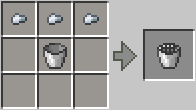 Basic Bucket - post v3 Crafting a basic bucket after v3 (Minecraft 1.11.2)
 -
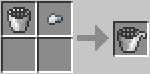 Tap Bucket - post v3 Crafting a super tapping bucket after v3 (Minecraft 1.11)
 -
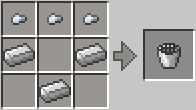 Basic Bucket - post v3 Crafting a basic super bucket after version 3.0 (Minecraft 1.11)
 -
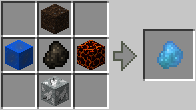 Avatar Stone - post v3 Crafting an avatar stone after v3 (Minecraft 1.11)
 -
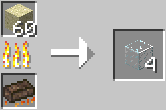 Use Splonge Item As Fuel
 -
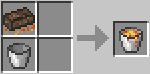 Craft Lava Bucket From Splonge Item
 -
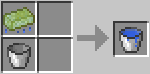 Craft Water Bucket from Splonge Item
 -
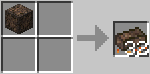 Using Burnt Lava Splonge Blocks
 -
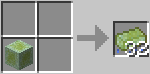 Using Gelified Water Splonge Blockss
 -
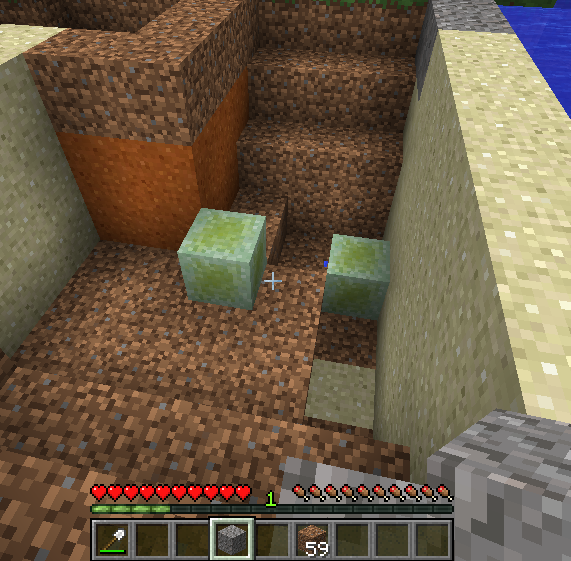 Using Water Splonge Blocks 2 Trying to suck up too much water at once, gelifies splonge so it's no longer usable.
 -
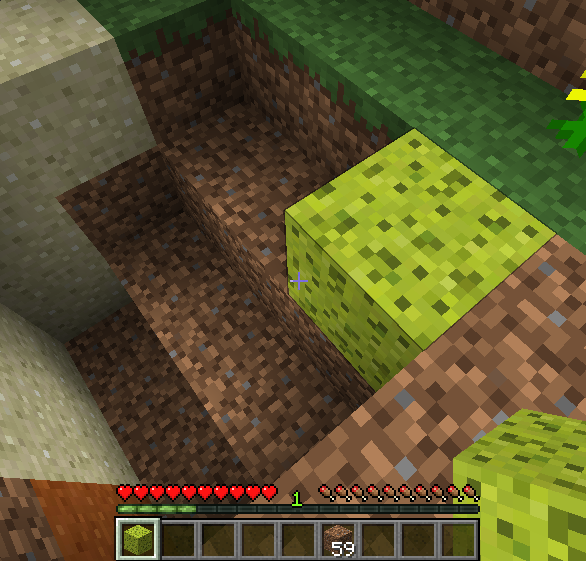 Using Water Splonge Blocks 1 Using water splonge blocks to dry up part of a river.
 -
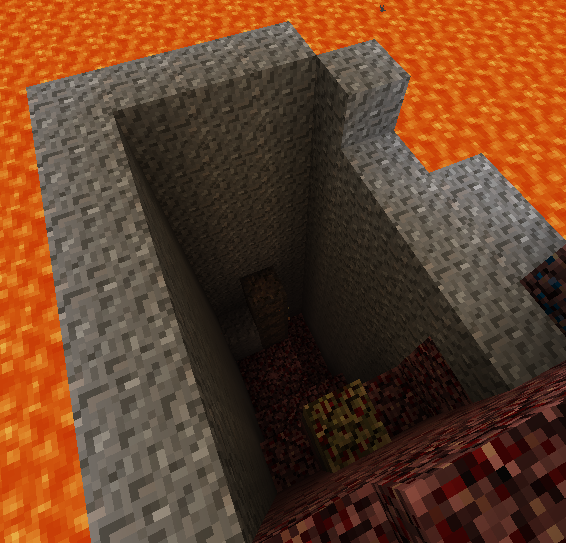 Using a Lava Splonge Block Using lava splonge blocks to clear out a small lava lake in the nether.
 -
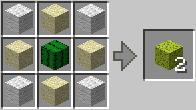 Crafting Water Splonge Block
 -
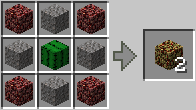 Crafting a Lava Splonge Block
 -
Splonges
-
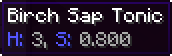 Birch Sap Nutrition
 -
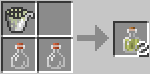 Birch Sap Tonic
 -
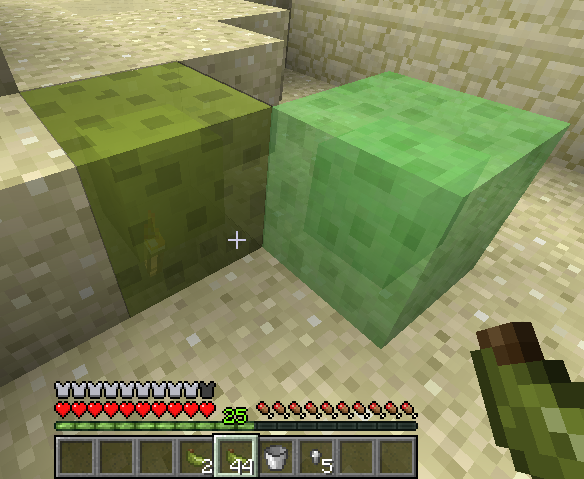 Resin Blocks Like Slime Blocks
 -
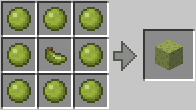 Crafting a Resin Block
 -
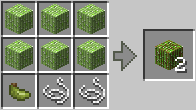 Crafting Cane Decoration Blocks
Versions
Files
Relations
Project Relations
More like this
Similar Mods
Suggestions use data such as tags, dependencies, dependents, descriptions, titles, and more to rank how much they overlap with this mod.
On ModDex
Community snapshot
By the numbers
Statistics
 (opens in a new tab)
Get it on
Available Platforms
On ModDex
Community snapshot
By the numbers