
Superior Player Commands
No reviews yet
A spiritual successor to the classic Single Player Commands mod from Minecraft Beta 1.1_02. This Fabric mod brings back those beloved utility commands with modern improvements for Minecraft 1.20.1.
Fabric is a mod loader for versions 1.14+ of Minecraft, particularly popular for client side and optimization mods.
Community voices
Reviews
Click once to include, again to exclude, again to clear
No reviews yet. Be the first to review this project!
Get it on
Available Platforms
 Modrinth
Compatibility
Supported Environments
About
Project Details
For authors
Embed Badge
If you're the author of this project, you can embed a live badge anywhere that supports HTML or Markdown. It updates automatically whenever ratings change.
Use HTML for any page that supports it, or Markdown for README files and Markdown-based descriptions.
Identifiers
Platform IDs
Resources
External Links
About
Description
Superior Player Commands
A spiritual successor to the classic Single Player Commands mod from Minecraft Beta 1.1_02. This Fabric mod brings back those beloved utility commands with modern improvements for Minecraft 1.20.1.
Features
Movement Commands
| Command | Description |
|---|---|
/jump |
Teleport to the block you're looking at (up to 256 blocks) |
/ascend |
Teleport to the next open space above you |
/descend |
Teleport to the next open space below you |
/back |
Return to your last death location |
/return |
Return to your last teleport location |
/unstuck |
Teleport to the nearest safe position |
/useportal |
Instant nether/overworld teleport with correct coordinate scaling |
Waypoint System
| Command | Description |
|---|---|
/set <name> |
Save your current location as a waypoint |
/goto <name> |
Teleport to a saved waypoint (works cross-dimension) |
/rem <name> |
Remove a waypoint (or stand on one and use /rem) |
/listwaypoints |
List all your waypoints (alias: /l) |
Player & Inventory Commands
| Command | Description |
|---|---|
/heal |
Restore your health to full |
/hunger [level] |
Show or set hunger level (0-20) |
/saturation |
Max out hunger and saturation |
/repair |
Repair the item in your hand |
/repairall |
Repair all items in your inventory |
/duplicate [all] [store] |
Duplicate held item, entire inventory, or store in chest |
/destroy |
Destroy the item in your hand |
/more [all] |
Max out held item stack or all stacks |
/stack |
Merge partial stacks in inventory |
/ench <enchantment> [level] |
Apply any enchantment at any level (bypasses restrictions) |
/drop |
Drop ALL items from inventory instantly (no OP required) |
/dropstore |
Store main inventory (not hotbar) in a chest placed nearby |
Power Tools
| Command | Description |
|---|---|
/god |
Toggle invincibility |
/fly [speed] |
Toggle creative flight in survival (speed: 0-10) |
/noclip [speed] |
GMod-style noclip through blocks (speed: 0.1-10) |
/mobsignore |
Toggle hostile mob targeting |
/fullbright |
Toggle night vision |
/instamine |
Toggle instant block breaking |
/autosmelt |
Mined ores drop smelted items |
/waterwalk |
Walk on water and lava (sneak to sink) |
/drops |
Toggle whether blocks drop items when broken |
/knockback [multiplier] |
Adjust knockback strength (0-100) |
/setjump <value|reset> |
Set jump height multiplier (0.1-50) |
/setspeed <value|reset> |
Set movement speed multiplier (0.1-20) |
/falldamage |
Toggle fall damage |
/firedamage |
Toggle fire/lava damage |
/drowndamage |
Toggle drowning damage |
/health <min|max|infinite|hearts> |
Set health mode or specific heart count (1-500) |
/ride |
Force-mount the entity you're looking at |
/hands |
Show/disable tool hands mode |
/woodhands |
Mine as if holding wood tools |
/stonehands |
Mine as if holding stone tools |
/ironhands |
Mine as if holding iron tools |
/goldhands |
Mine as if holding gold tools |
/diamondhands |
Mine as if holding diamond tools |
/netheritehands |
Mine as if holding netherite tools |
World Commands
| Command | Description |
|---|---|
/explode [size] [x y z] |
Create an explosion (default: TNT size at player) |
/lightning [duration] [x y z] |
Strike lightning (duration in ms for continuous strikes) |
/defuse [radius|all] |
Defuse lit TNT (default: 15 blocks) |
/extinguish [radius] |
Put out fires (default: 128 blocks) |
/ext [radius] |
Alias for extinguish |
/snow [radius] |
Freeze water to ice, add snow (default: 32 blocks) |
/thaw [radius] |
Melt ice to water, remove snow |
/freeze |
Toggle AI freeze for all mobs (GMod-style) |
/killall [type] [radius] |
Kill entities by type/group (default: all, 128 blocks) |
/butcher [radius] |
Kill hostile mobs |
/grow [radius] [type] |
Grow plants/saplings (default: 10 blocks, all types) |
/spawnstack <mobs...> <count> |
Spawn stacked mobs (e.g., /spawnstack creeper skeleton 3) |
Killall groups: all, hostiles, passives, zombies, skeletons, undead, items, xp, projectiles
Grow types: wheat, carrot, potato, beetroot, melon, pumpkin, sapling, seed, crop, all
Utility Commands
| Command | Description |
|---|---|
/calc <expression> |
In-game calculator |
/biome |
Show current biome |
/coords |
Show current coordinates and facing direction |
/measure |
Distance to looked-at block |
/tps |
Show server TPS and MSPT |
/music <play|pause|skip|back> [volume] |
Control game music |
/hideresponses |
Toggle command feedback messages |
/help [command] |
Show command help (alias: /h) |
Key Bindings
| Command | Description |
|---|---|
/bind |
List all key bindings |
/bind <key> |
Show what's bound to a key |
/bind <key> <command> |
Bind a key to execute a command |
/unbind <key> |
Remove a key binding |
Command Aliases
Create shorthand commands for longer command strings.
| Command | Description |
|---|---|
/alias |
List all aliases |
/alias <name> |
Show what an alias expands to |
/alias <name> <command> |
Create or update an alias |
/unalias <name> |
Remove an alias |
Default aliases:
| Alias | Expands To |
|---|---|
/gmc |
/gamemode creative |
/gms |
/gamemode survival |
/gma |
/gamemode adventure |
/gmsp |
/gamemode spectator |
/l |
/listwaypoints |
~ Total Count: 59 unique commands + 6 hands variants = 65 total commands ~
Requirements
- Minecraft 1.20.x
- Fabric Loader 0.15.0+
- Fabric API
Manual Installation
- Install Fabric Loader
- Download Fabric API
- Download Superior Player Commands from the versions page
- Place both
.jarfiles in yourmodsfolder
Settings GUI
Access the settings screen in multiple ways:
- Press
,(comma) key (configurable in Controls → Superior Player Commands) - Run
/spcsettingscommand - Click the "SPC" button in the pause menu (top-right corner)
The settings screen has three tabs:
| Tab | Features |
|---|---|
| Commands | Master toggle, enable/disable individual commands, click category headers to toggle entire categories |
| Aliases | Create, edit, and delete command aliases with a visual editor |
| Binds | Create, edit, and delete key bindings with press-to-bind key capture |
Configuration
Data is stored in the config/ folder:
superior-player-commands-waypoints.json- Saved waypoints (per-player)superior-player-commands-binds.json- Key bindingssuperior-player-commands-aliases.json- Command aliases
Permissions
Most commands require operator level 2 (/op). Some commands like /set, /bind, /drop, /coords, /music, and /hideresponses work for all players.
License
Apache License 2.0
Special Thanks
OfficialNerdCubed - Daniel Hardcastle, unintentionally introduced me to modding and the original old beta mod!
Screenshots
Gallery
-
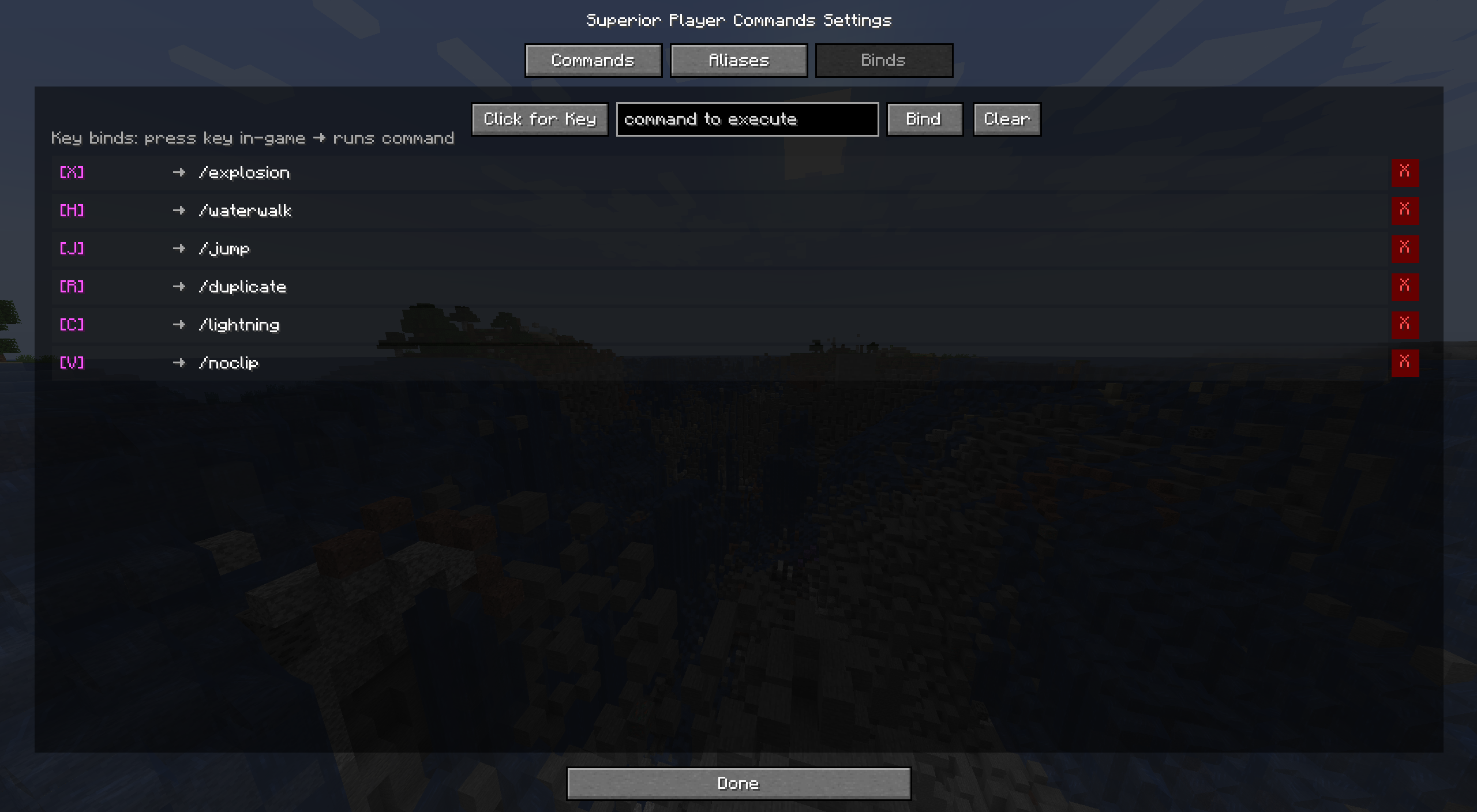 Settings menu Binds tab Binds tab of the settings menu for easy bind deletion/modification/lookup
 -
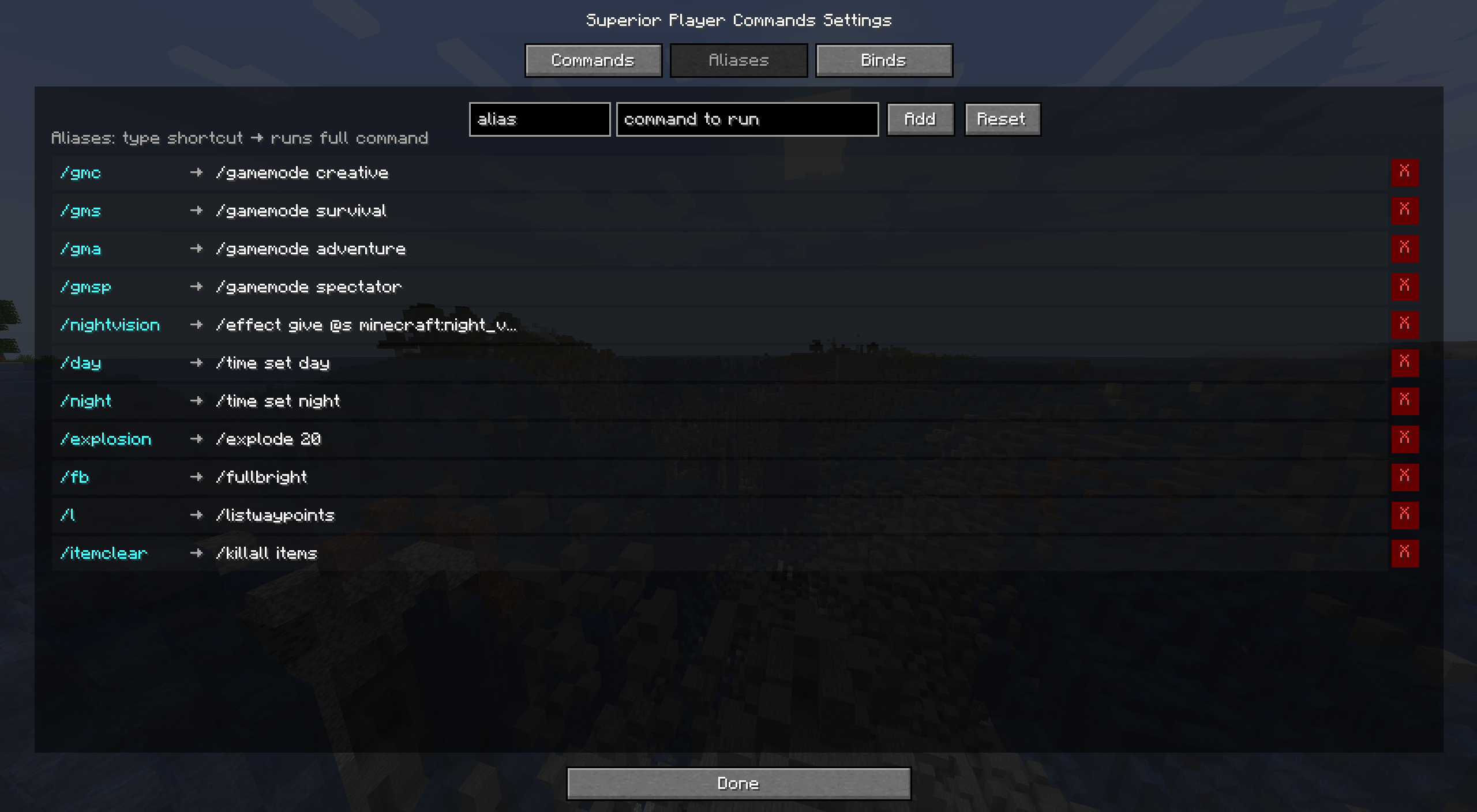 Settings menu Aliases tab The Aliases tab of the settings menu, allows for fine control over shorthand command/command strings
 -
 Superior Player Commands Just a basic quick cover image
 -
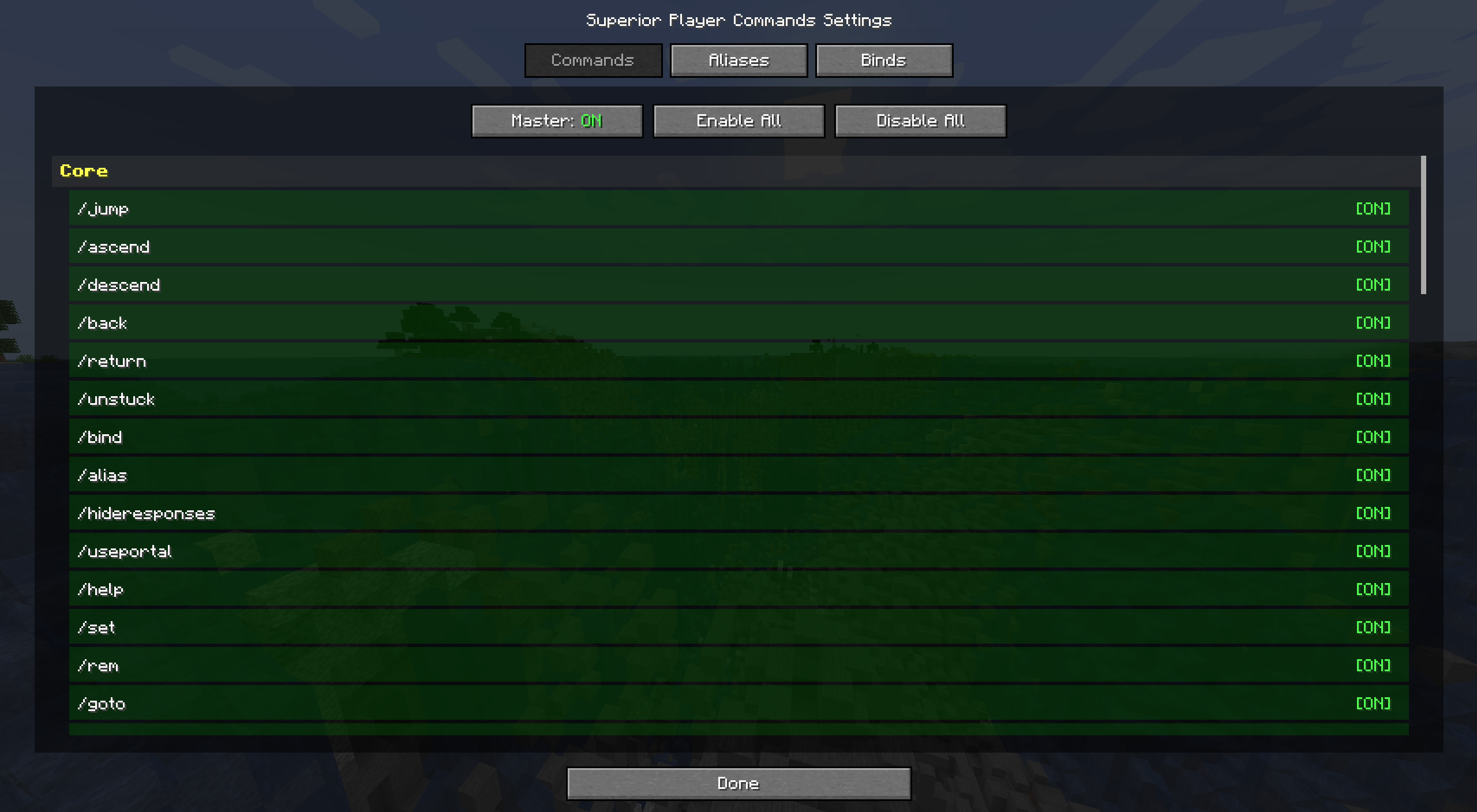 Settings menu command tab The commands tab of the settings menu that allows you to disable/enable any/all commands
Versions
Files
Relations
Project Relations
More like this
Similar Mods
Suggestions use data such as tags, dependencies, dependents, descriptions, titles, and more to rank how much they overlap with this mod.
On ModDex
Community snapshot
By the numbers
Statistics

Want to reach Minecraft players?
We're looking for a server hosting partner to feature here and other parts of the site. Interested? Send us a message!
Get in touchGet it on
Available Platforms
On ModDex
Community snapshot
By the numbers
Statistics
Resources