
supermodmenu
No reviews yet
A focused, modern mod menu for Fabric with favorites, notes, an in-game mod browser, and a one-click update checker.
Includes quality of life improvements and small tweaks to enhance and customize gameplay.
Fabric is a mod loader for versions 1.14+ of Minecraft, particularly popular for client side and optimization mods.
Community voices
Reviews
Click once to include, again to exclude, again to clear
No reviews yet. Be the first to review this project!
Get it on
Available Platforms
 CurseForge
 Modrinth
Compatibility
Supported Environments
About
Project Details
For authors
Embed Badge
If you're the author of this project, you can embed a live badge anywhere that supports HTML or Markdown. It updates automatically whenever ratings change.
Use HTML for any page that supports it, or Markdown for README files and Markdown-based descriptions.
Identifiers
Platform IDs
About
Description
Super Mod Menu
Download, manage, and update mods — all in-game.
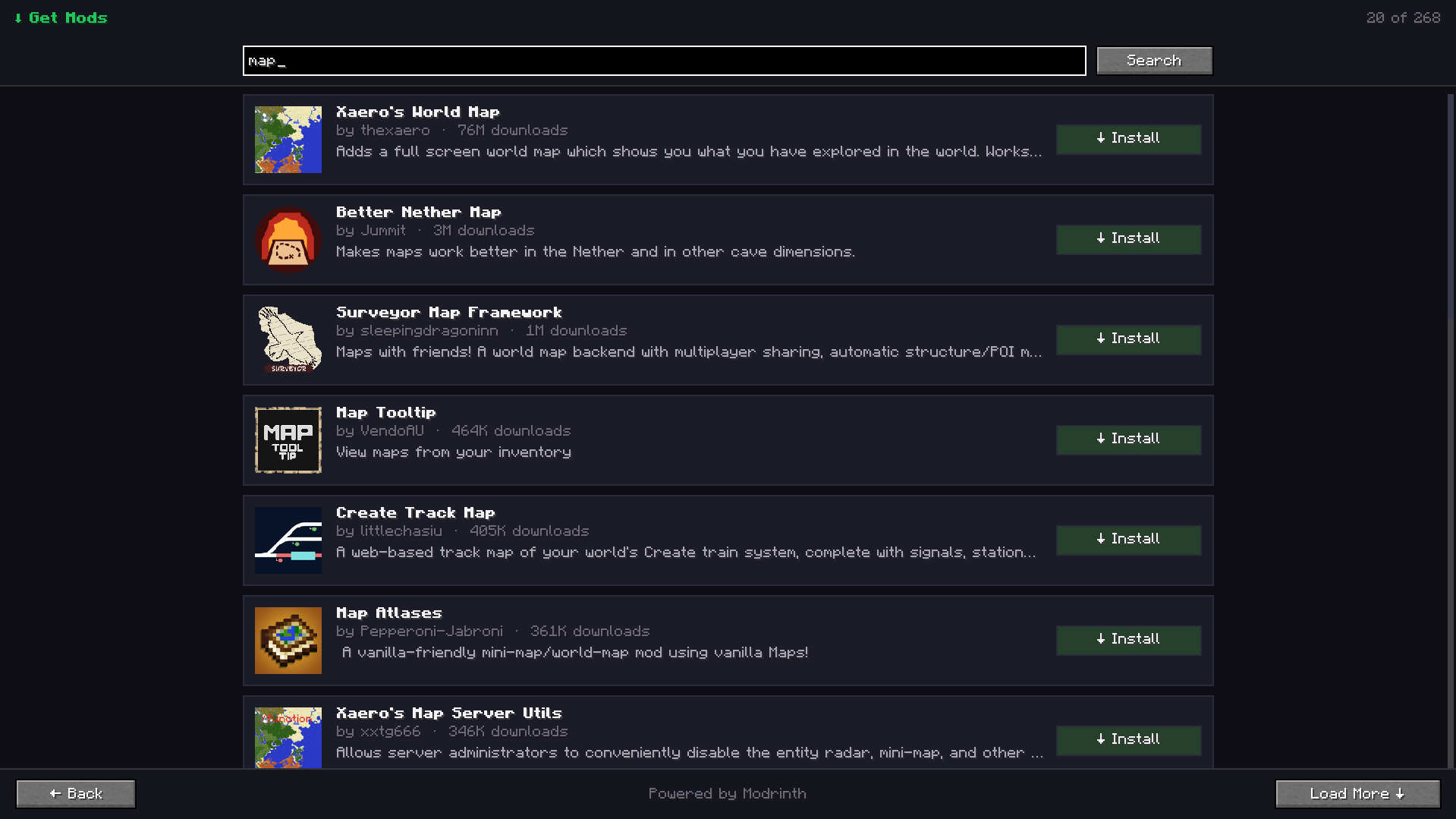
A clean, modern replacement for the in-game mod list. Manage your installed mods, keep them up to date, and discover new ones — all from one polished screen.
Features
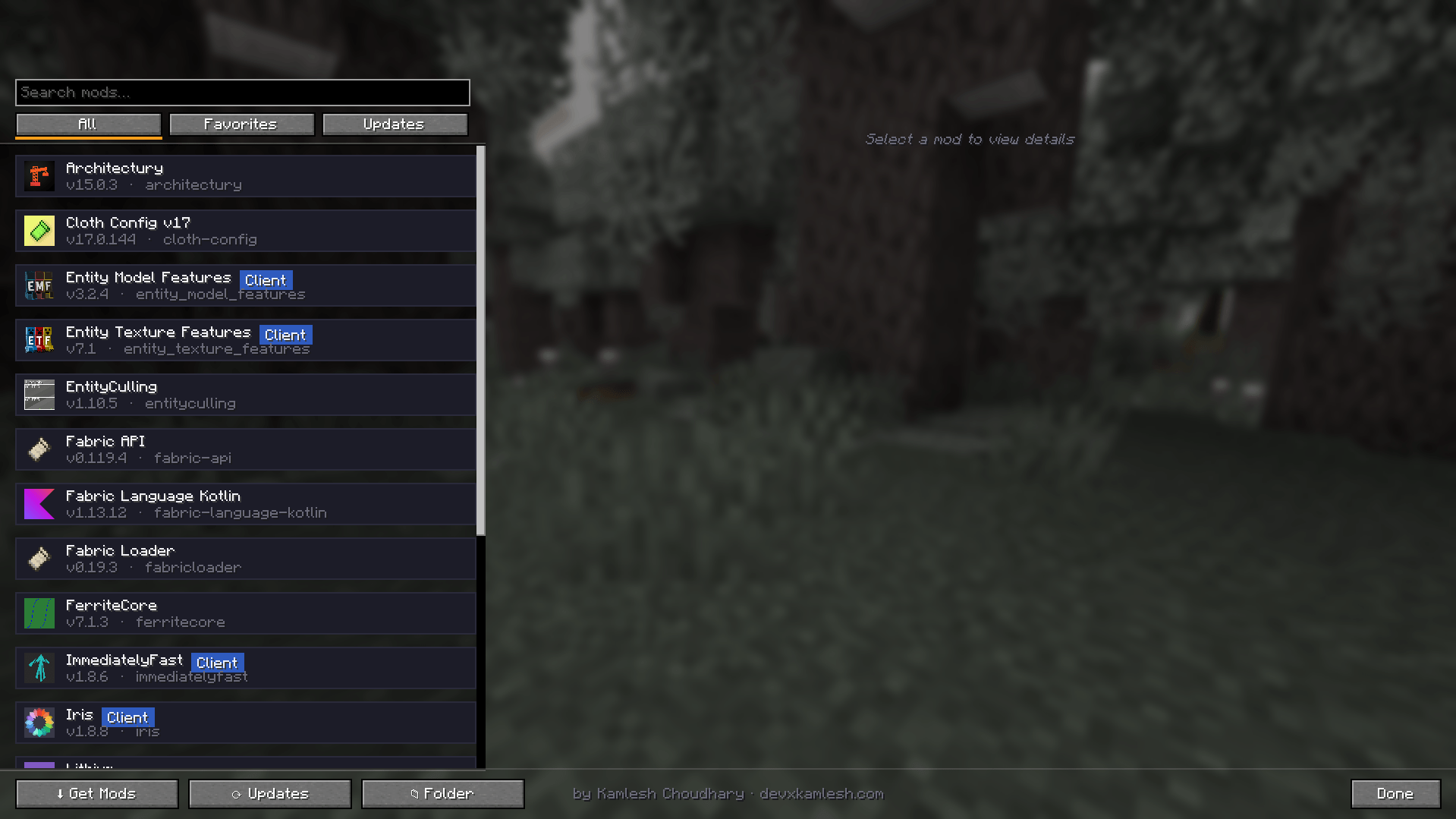
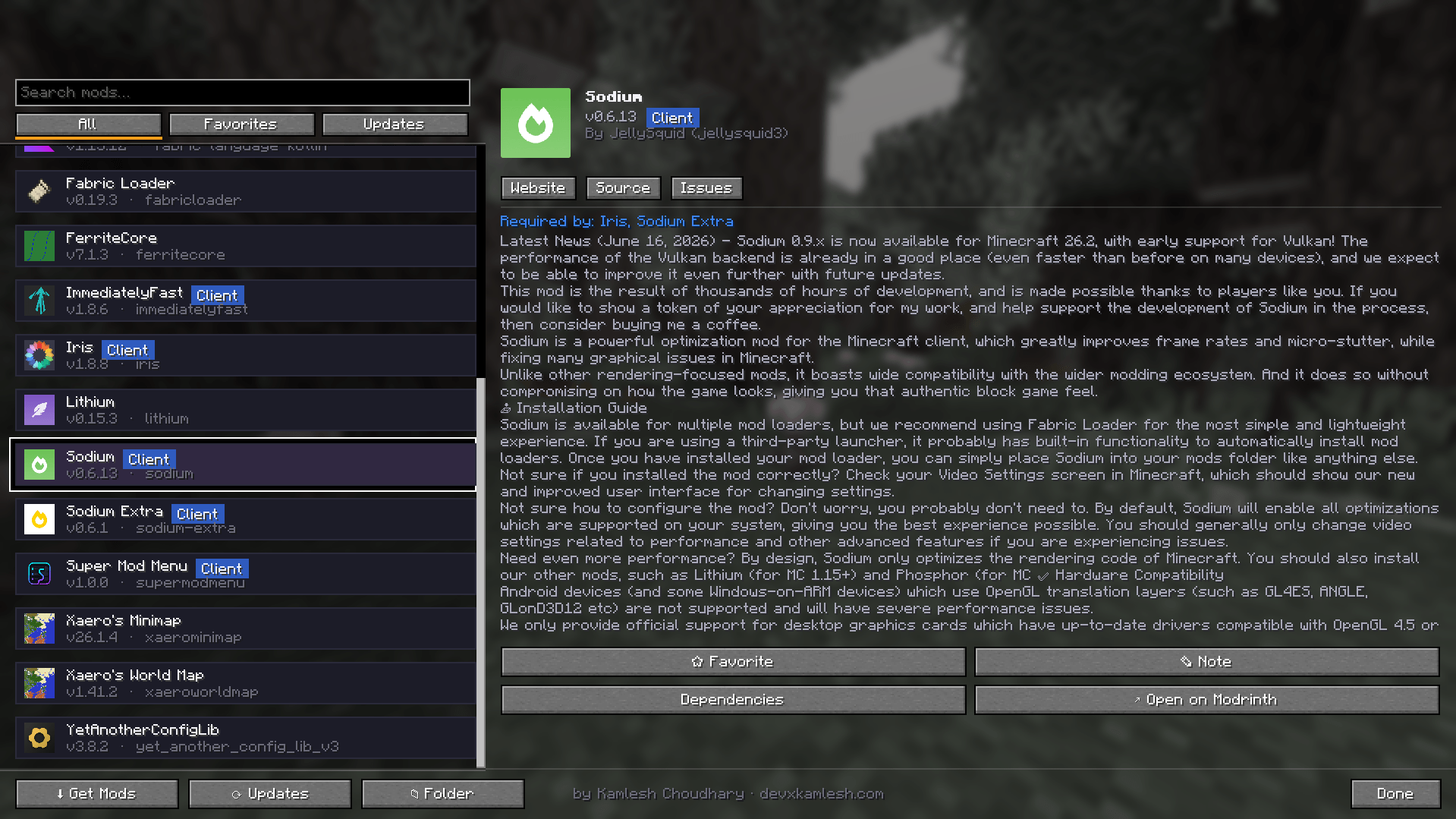
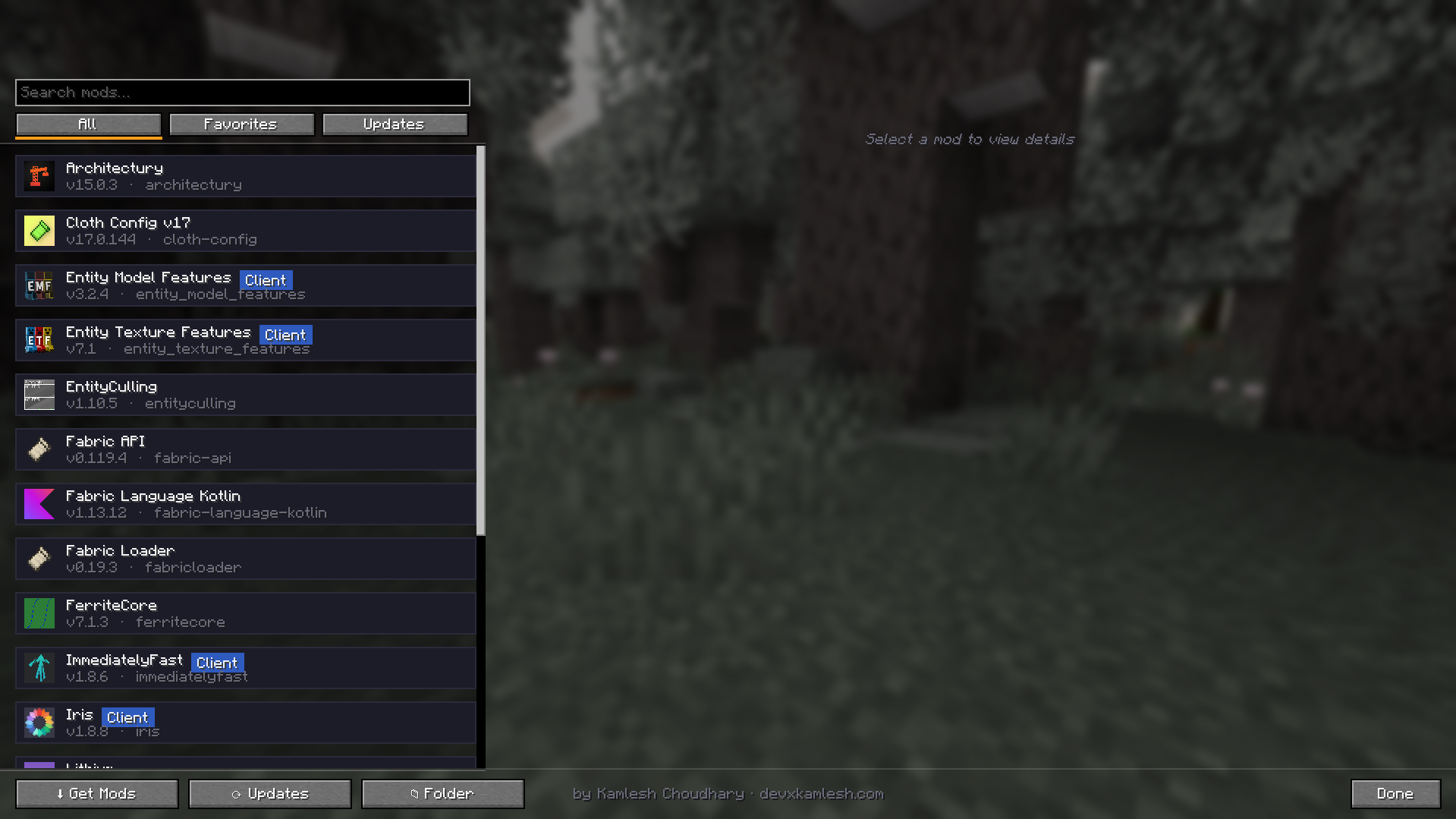
- Modern mod list — searchable, with quick filters (All, Favorites, Updates) and Client / Server badges.
- Rich detail panel — icon, version, author, full description, Website / Source / Issues links, and a Required By section that explains why a library is installed.
- Favorites — star mods to pin them to the top of the list.
- Notes — attach personal notes to any mod.
- Update checker — instantly see which mods have newer versions and update them with a single click.
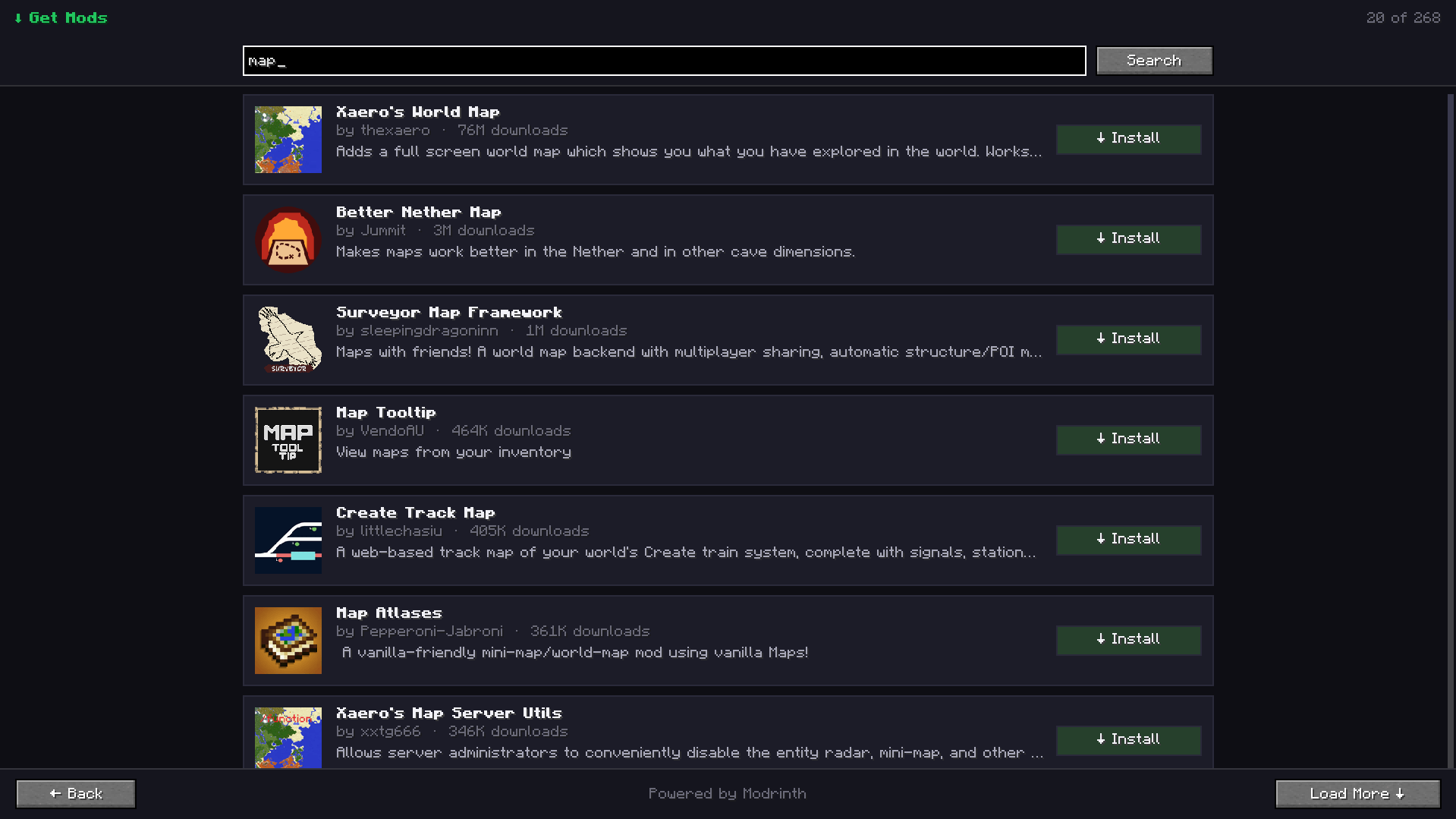
- In-game mod browser — discover and install new mods without leaving Minecraft.
- Dependency view — see mod dependencies and dependents.
- Open mods folder with one click.
- Mod Menu config integration — open a mod's settings screen when available.
- Blurred menu background for a modern and polished appearance.
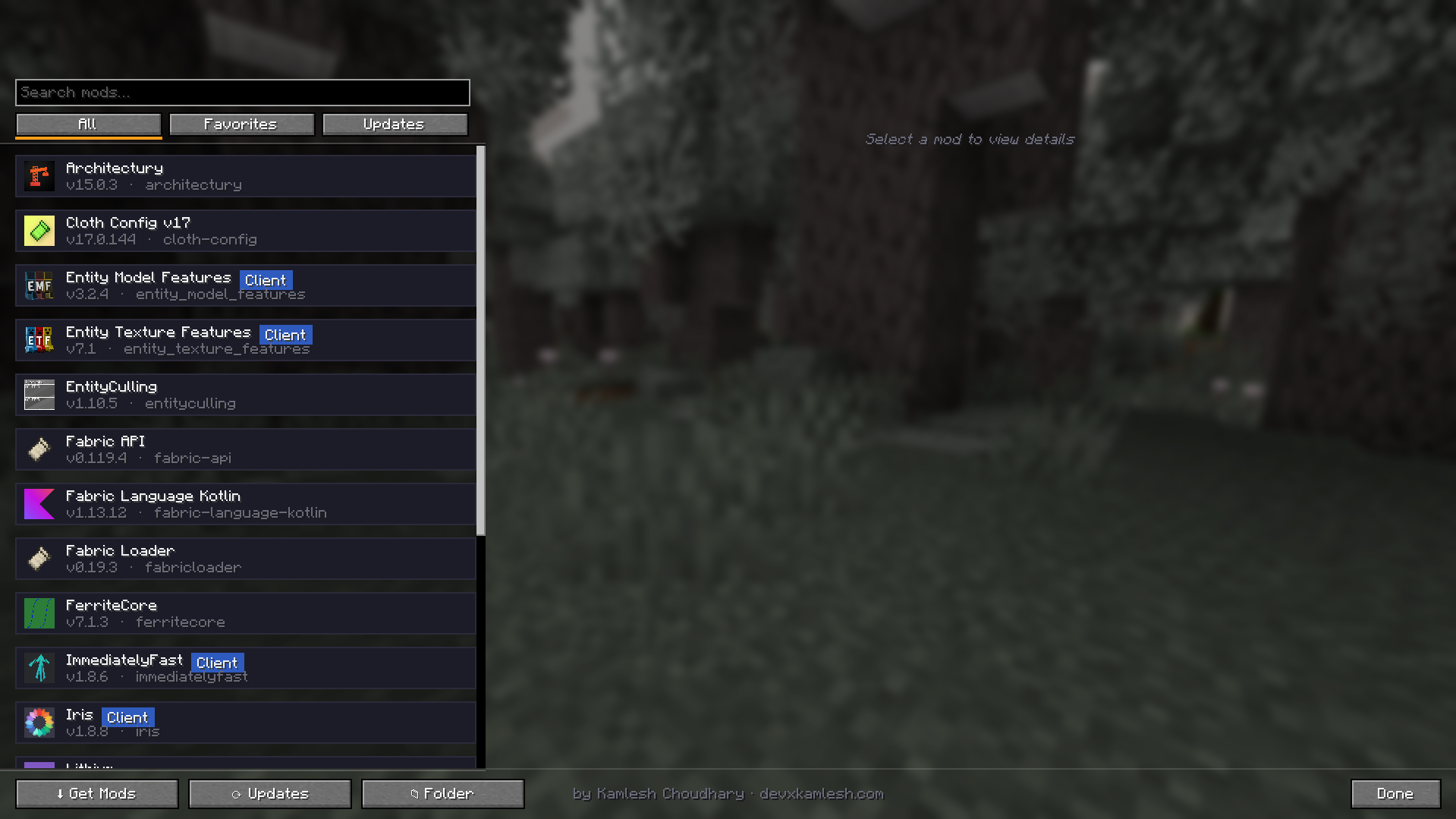
Usage
- Open Mods from the title screen (bottom-right corner) or the pause menu.
- Left-click a mod to view details.
- Right-click a mod to add or edit notes.
- Use Check Updates to scan for newer versions.
- Click Update to download and install updates.
- Use Get Mods to search for and install new mods.
- Click Open Folder to access your mods directory.
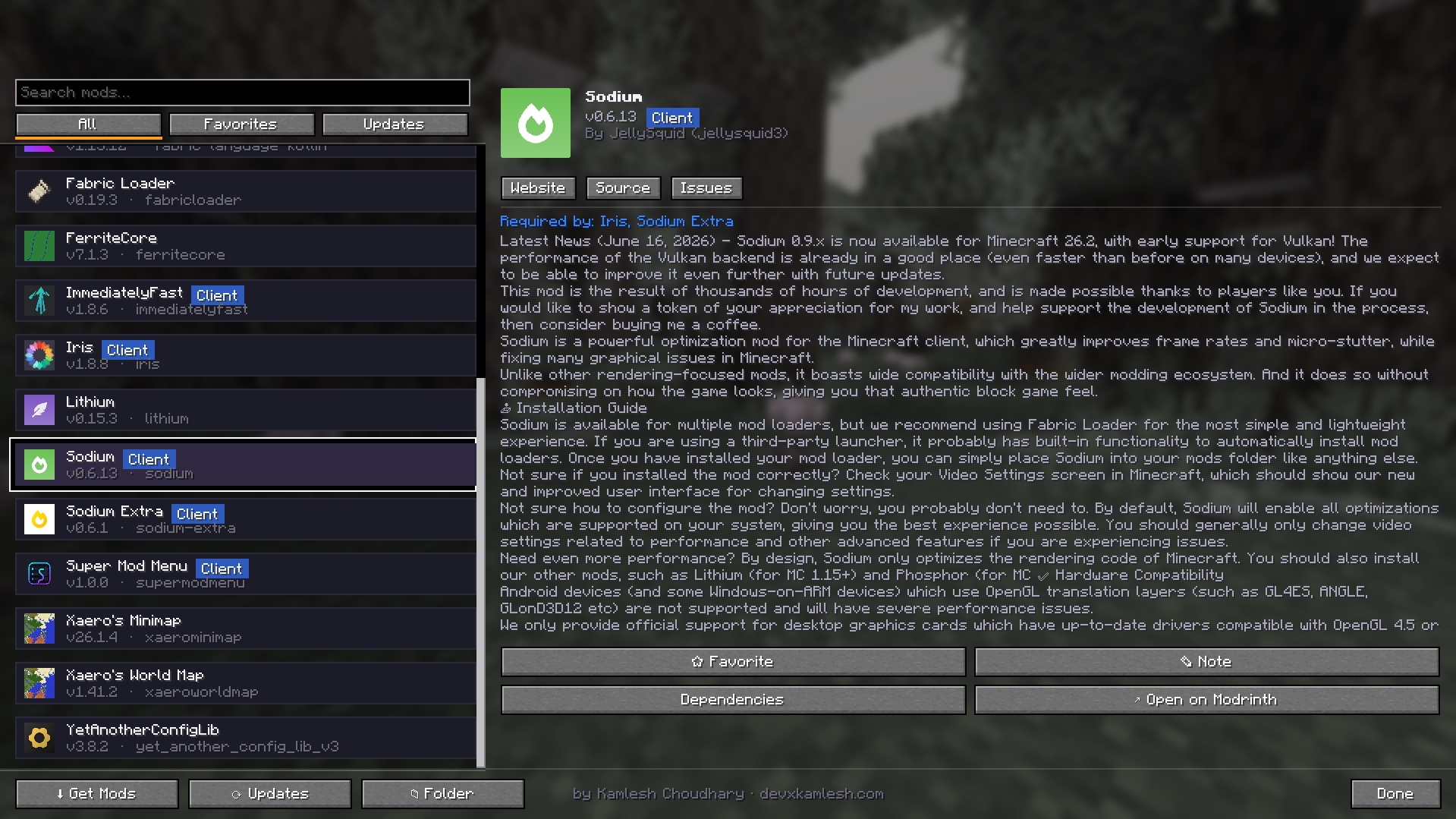
Requirements
- Minecraft 1.21.4
- Fabric Loader 0.16.0 or newer
- Fabric API
- Optional: Mod Menu (enables per-mod configuration buttons)
Network Access
Super Mod Menu connects to the internet to:
- Search for mods
- Download mods
- Check for available updates
No personal data is collected or transmitted. Downloads are only performed when you explicitly choose to install or update a mod.
Notes
- Installing or updating a mod requires restarting Minecraft.
- Super Mod Menu is a client-side mod and is not required on servers.
Super Mod Menu
Manage, update, and discover mods — all without leaving the game.
A clean, modern replacement for the in-game mod list. Manage your installed mods, keep them up to date, and discover new ones — all from one polished screen.
Features
- Modern mod list — searchable, with quick filters (All, Favorites, Updates) and Client / Server badges.
- Rich detail panel — icon, version, author, full description, Website / Source / Issues links, and a Required By section that explains why a library is installed.
- Favorites — star mods to pin them to the top of the list.
- Notes — attach personal notes to any mod.
- Update checker — instantly see which mods have newer versions and update them with a single click.
- In-game mod browser — discover and install new mods without leaving Minecraft.
- Dependency view — see mod dependencies and dependents.
- Open mods folder with one click.
- Mod Menu config integration — open a mod's settings screen when available.
- Blurred menu background for a modern and polished appearance.
Usage
- Open Mods from the title screen (bottom-right corner) or the pause menu.
- Left-click a mod to view details.
- Right-click a mod to add or edit notes.
- Use Check Updates to scan for newer versions.
- Click Update to download and install updates.
- Use Get Mods to search for and install new mods.
- Click Open Folder to access your mods directory.
Requirements
- Minecraft 1.21.4
- Fabric Loader 0.16.0 or newer
- Fabric API
- Optional: Mod Menu (enables per-mod configuration buttons)
Network Access
Super Mod Menu connects to the internet to:
- Search for mods
- Download mods
- Check for available updates
No personal data is collected or transmitted. Downloads are only performed when you explicitly choose to install or update a mod.
Notes
- Installing or updating a mod requires restarting Minecraft.
- Super Mod Menu is a client-side mod and is not required on servers.
Screenshots
Gallery
-
 img_3.png img_3.png
 -
 img_2.png img_2.png
 -
 img_1.png img_1.png
-
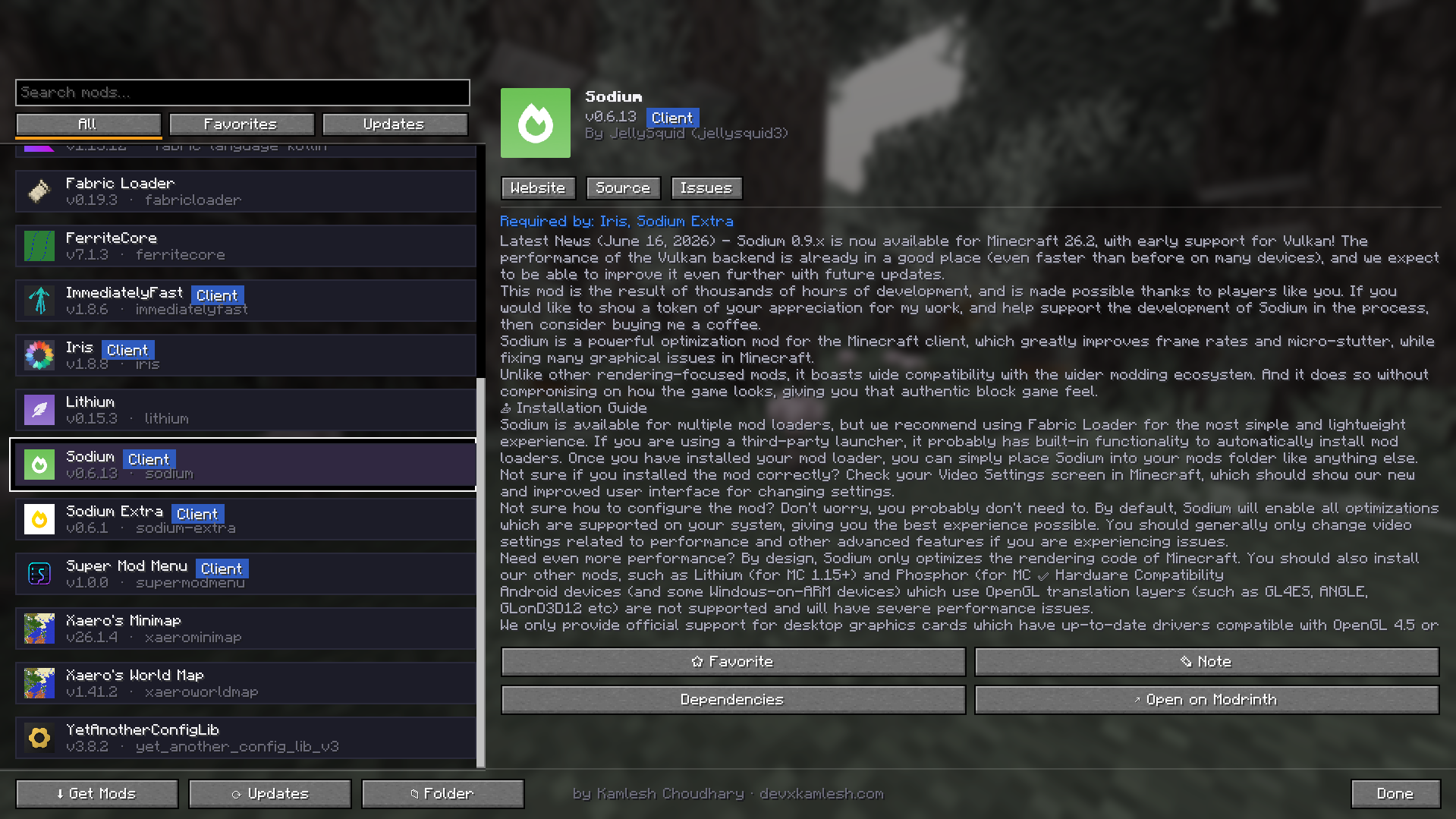 mod menu 2.0 but extra features Open it from the title screen (bottom-right) or the pause menu: Mods. Left-click a mod to view details
 -
 Get mod and inline update option Click Update to download and install updates. Use Get Mods to search for and install new mods. Click Open Folder to access your mods directory.
 -
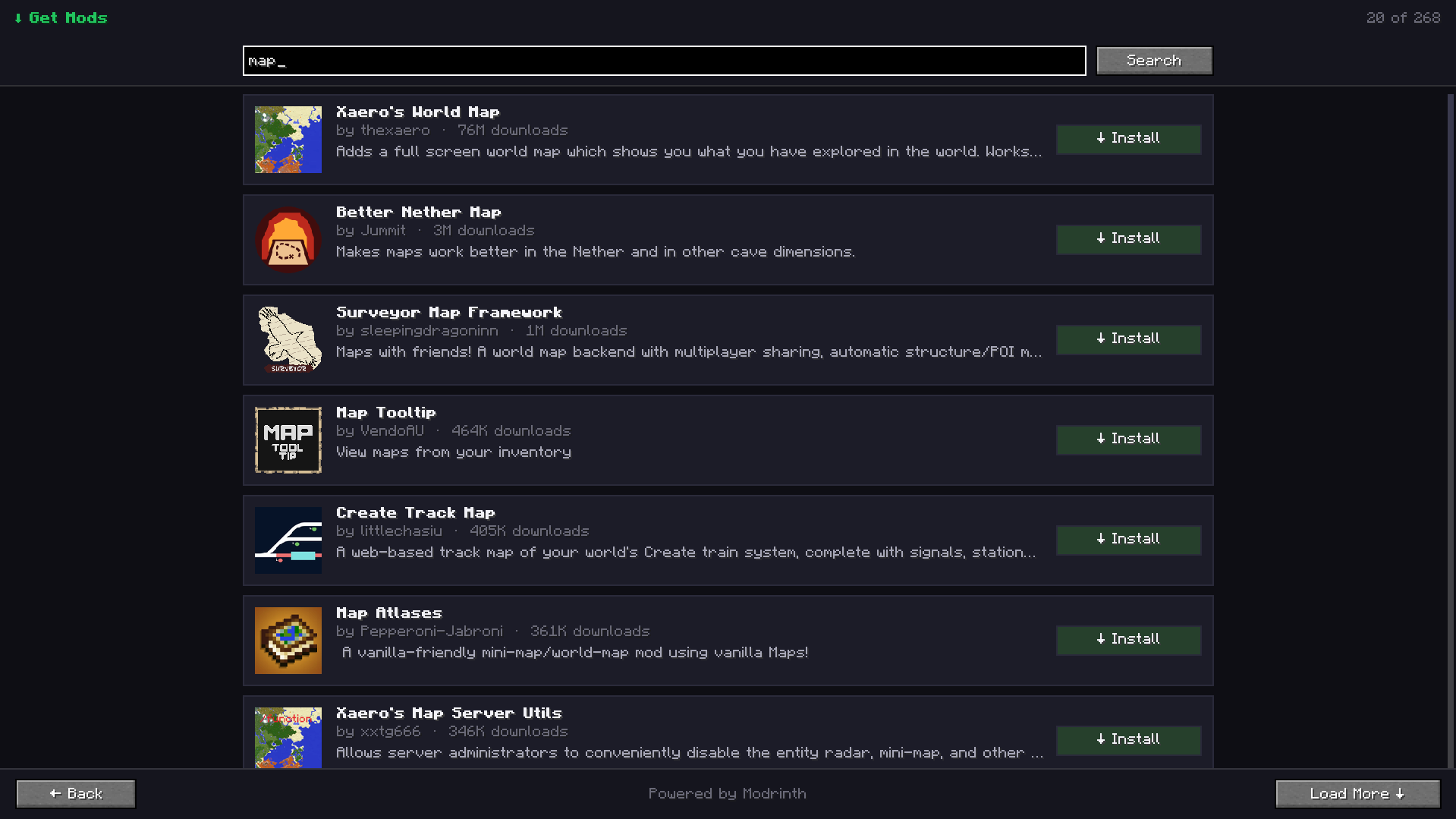 download, Manage adnd update mods — without leaving the game. Super Mod Menu connects to the internet to search for mods, download them, and check installed mods for updates. It does not collect or transmit personal data.
Versions
Files
Relations
Project Relations
More like this
Similar Mods
Suggestions use data such as tags, dependencies, dependents, descriptions, titles, and more to rank how much they overlap with this mod.
On ModDex
Community snapshot
By the numbers
Statistics
Want to reach Minecraft players?
We're looking for a server hosting partner to feature here and other parts of the site. Interested? Send us a message!
Get in touchGet it on
Available Platforms
On ModDex
Community snapshot
By the numbers