Community listing page, reviews here may not be monitored by the author.
SuperSimpleHolograms


No reviews yet
SuperSimpleHolograms - Holographic Text Display Manager For Servers!

Community voices
Reviews
No reviews yet. Be the first to review this project!
Get it on
Available Platforms
Compatibility
Supported Environments
Runs entirely on the server. Also works in singleplayer.
About
Project Details
For authors
Embed Badge
If you're the author of this project, you can embed a live badge anywhere that supports HTML or Markdown. It updates automatically whenever ratings change.
Use HTML for any page that supports it, or Markdown for README files and Markdown-based descriptions.
Identifiers
Platform IDs
About
Description
Create Custom Holographic Text Displays Using Invisible Armor Stands.
Installation
To get Started, Simply Drop The .jar File Of The Latest Release In Your Mods Folder.
Commands
- hologram.create [_Name, Dimension, X, Y, Z_] - Create A New Display.
- hologram.add_line [_Name, Line_] - Add A New Line Of Text To A Display.
- hologram.replace_line [_Name, Index, NewLine_] - Replace The Content Of A Line.
- hologram.remove_line [_Name, Index_] - Remove A Line From A Display.
- hologram.move [_Name, Dimension, X, Y, Z_] - Move A Display.
- hologram.delete [_Name_] - Remove A Display.
- hologram.list - List All Displays.
- hologram.reload-config - Reload The Config, Without Restarting The Server.
Formatting
SuperSimpleHolograms Has The Following Formatters:
- <Server.Version> -> The Server's Current Minecraft Version.
- <Server.MOTD> -> The Server's Current Message Of The Day (MOTD).
- <Players.Current> -> The Current Online Player Count.
- <Players.Max> -> The Max Online Player Count.
- <Players.Random> -> A Random Player's Name.
- <&> -> "§" Symbol For Minecraft Format Codes.
Oh No! Something's Broken! (Troubleshooting)
Most Things Can Be Fixed, Either By Deleting All The Armour Stands (Respawning Them),
Or Resetting Your Config.
If Neither Things Work, Please Open An Issue.
Create Custom Holographic Text Displays Using Invisible Armor Stands.
Installation
To get Started, Simply Drop The .jar File Of The Latest Release In Your Mods Folder.
Commands
- hologram.create [Name, Dimension, X, Y, Z] - Create A New Display.
- hologram.add_line [Name, Line] - Add A New Line Of Text To A Display.
- hologram.replace_line [Name, Index, NewLine] - Replace The Content Of A Line.
- hologram.remove_line [Name, Index] - Remove A Line From A Display.
- hologram.move [Name, Dimension, X, Y, Z] - Move A Display.
- hologram.delete [Name] - Remove A Display.
- hologram.list - List All Displays.
- hologram.reload-config - Reload The Config, Without Restarting The Server.
Formatting
SuperSimpleHolograms Has The Following Formatters:
- <Server.Version> -> The Server's Current Minecraft Version.
- <Server.MOTD> -> The Server's Current Message Of The Day (MOTD).
- <Players.Current> -> The Current Online Player Count.
- <Players.Max> -> The Max Online Player Count.
- <Players.Random> -> A Random Player's Name.
- <&> -> "§" Symbol For Minecraft Format Codes.
Oh No! Something's Broken! (Troubleshooting)
Most Things Can Be Fixed, Either By Deleting All The Armour Stands (Respawning Them),
Or Resetting Your Config.
If Neither Things Work, Please Open An Issue.
Screenshots
Gallery
-
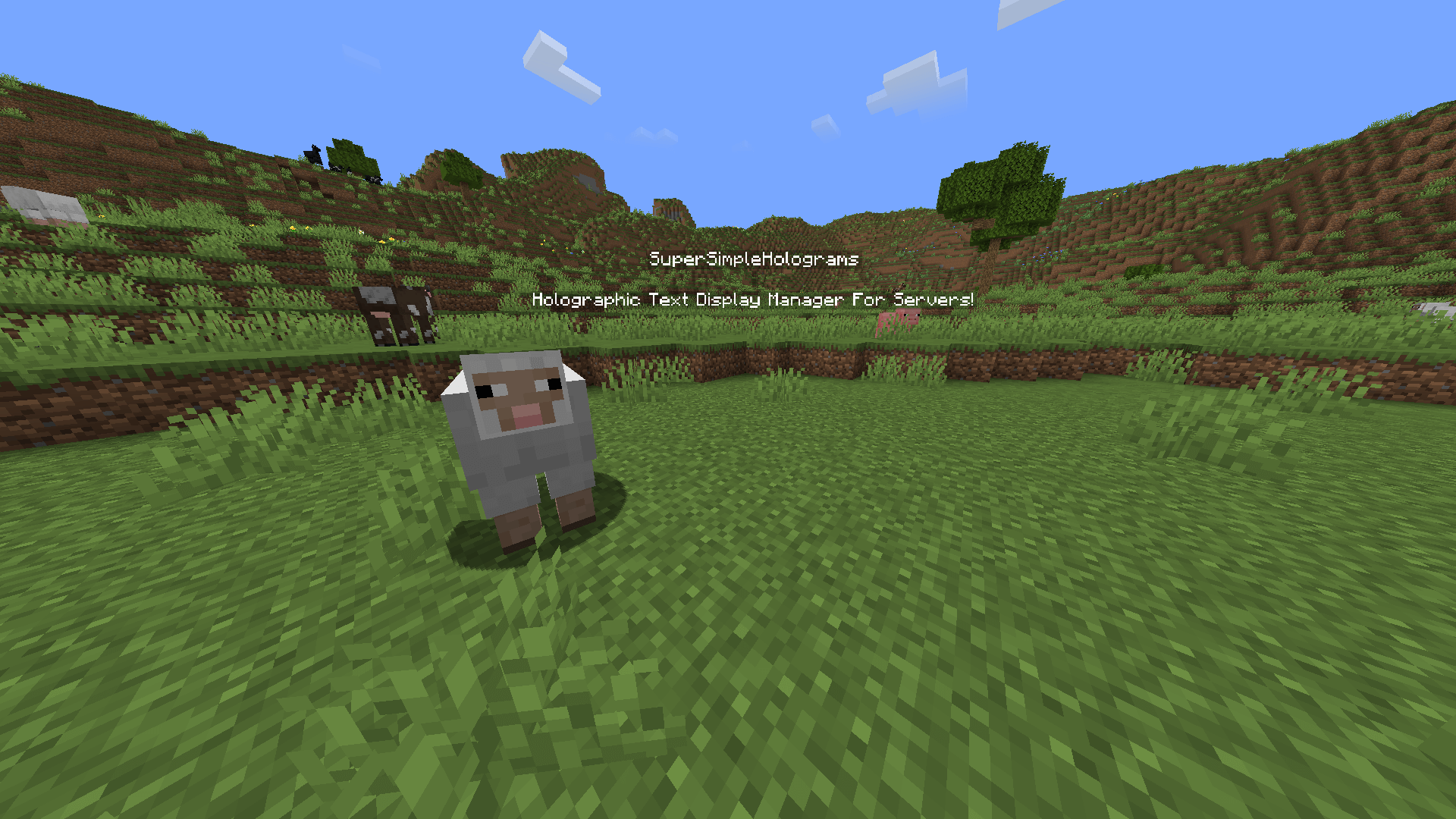 Example Display Here's What The Text Displays Look Like In Game.
Versions
Files
Relations
Project Relations
More like this
Similar Mods
Suggestions use data such as tags, dependencies, dependents, descriptions, titles, and more to rank how much they overlap with this mod.
On ModDex
Community snapshot
By the numbers
Statistics
 (opens in a new tab)
Get it on
Available Platforms
On ModDex
Community snapshot
By the numbers