
Community listing page, reviews here may not be monitored by the author.
SwapColumn

No reviews yet
Quickly swap hotbar items with inventory items directly above them using number keys, a keybind, or hold-and-scroll.
Community voices
Reviews
No reviews yet. Be the first to review this project!
Get it on
Available Platforms
Compatibility
Supported Environments
Runs entirely on the client. Works on vanilla servers.
About
Project Details
For authors
Embed Badge
If you're the author of this project, you can embed a live badge anywhere that supports HTML or Markdown. It updates automatically whenever ratings change.
Use HTML for any page that supports it, or Markdown for README files and Markdown-based descriptions.
Identifiers
Platform IDs
About
Description
SwapColumn
A Minecraft Fabric mod that lets you swap items between your hotbar and the inventory slots directly above it — without opening your inventory.
How It Works
SwapColumn adds a vertical swap column above any hotbar slot. When triggered, a small menu appears showing the items stacked above your selected slot. Choose one and it swaps instantly into your hotbar.
Opening the Menu
Mode 1 — Number Key:
Press the number key of the hotbar slot you are already on.
Example: you are on slot 3, press 3 — the SwapColumn opens above slot 3.
Mode 2 — Keybind: Press your configured SwapColumn key (unbound by default). Set it under Options → Controls → SwapColumn.

Selecting an Item
Click mode:
- Mode 1: press
1–4to select a row (1= current hotbar item, cancels the swap) - Mode 2: press
1–3to select a row, press the SwapColumn key again to cancel
Scroll mode: Hold the opening key and scroll to highlight a row, then release to confirm.
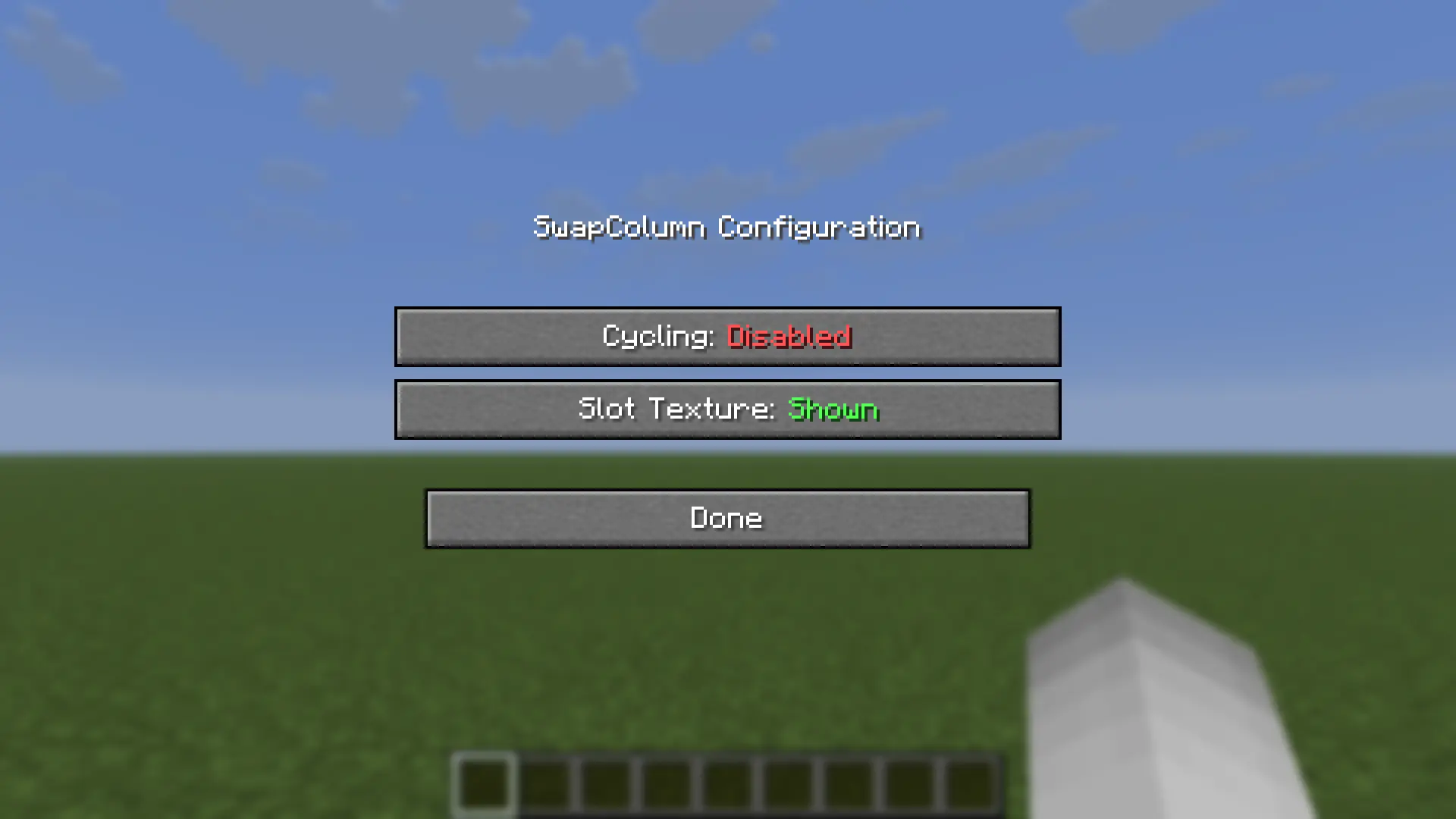
Configuration
The config file is located at .minecraft/config/swapcolumn.json and is created automatically on first launch.
{
  "enableCycling": false,
  "enableSlotTexture": true
}
| Option | Default | Description |
|---|---|---|
enableCycling |
false |
When scrolling, wrap around from top to bottom and vice versa. Note: scrolling down on the first action always wraps regardless of this setting. |
enableSlotTexture |
true |
Render slot backgrounds using the vanilla hotbar texture. Disable if your texture pack causes visual issues. |
Mod Menu Support
With Mod Menu installed, both options can be toggled in-game from the mod list — changes apply immediately. Mod Menu is optional: without it, edit the config file directly (file edits take effect on the next game start).
Screenshots
Gallery
-
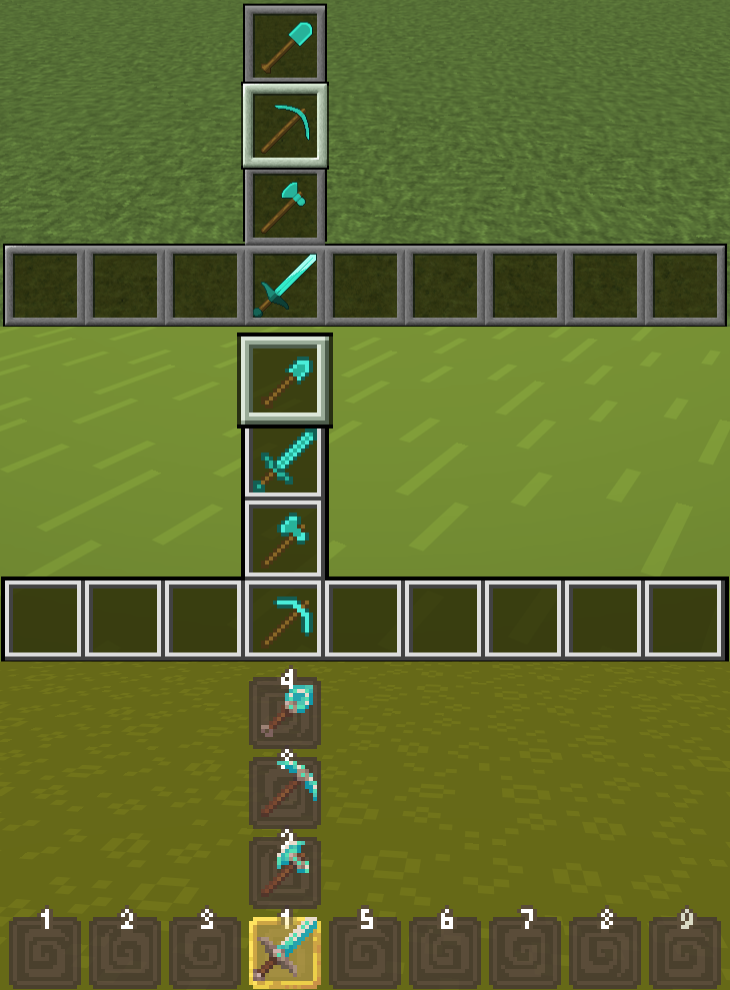 Compatibility between multiple resource packs. SwapColumn is compatible with a multitude of resource packs (from top to bottom: Faithful 64x, Bare Bones and Dandelion X) since it draws the textures for the SwapColumn from loaded resources.
Versions
Files
Relations
Project Relations
More like this
Similar Mods
Suggestions use data such as tags, dependencies, dependents, descriptions, titles, and more to rank how much they overlap with this mod.
On ModDex
Community snapshot
By the numbers
Statistics

Want to reach Minecraft players?
We're looking for a server hosting partner to feature here and other parts of the site. Interested? Send us a message!
Get in touchGet it on
Available Platforms
On ModDex
Community snapshot
By the numbers