![[SWG] Simple Waystones Groups](https://cdn.modrinth.com/data/A1nyDaco/9acea0c0165dc9ec25503265b74a6e16a93ed64d_96.webp)
Community listing page, reviews here may not be monitored by the author.
[SWG] Simple Waystones Groups

No reviews yet
Unofficial Waystones addon that adds admin-defined server groups and a visibility filter.

Community voices
Reviews
No reviews yet. Be the first to review this project!
Get it on
Available Platforms
Compatibility
Supported Environments
Required on the client. Installing it on the server adds functionality.
About
Project Details
For authors
Embed Badge
If you're the author of this project, you can embed a live badge anywhere that supports HTML or Markdown. It updates automatically whenever ratings change.
Use HTML for any page that supports it, or Markdown for README files and Markdown-based descriptions.
Identifiers
Platform IDs
Resources
External Links
About
Description
Welcome to [SWG] Simple Waystones Groups!
Unofficial addon for the Waystones mod.
What changed: When this addon was first written, Waystones had no groups at all, so SWG brought its own: group screens, its own picker, its own storage. Waystones 26.3 then grew a group system of its own, and a good one. Running a second system next to it would have given you two places for the same thing, so SWG stepped back instead. Since 26.3 it adds only what Waystones does not do, and stays out of the way everywhere else.
What SWG adds on Minecraft 26.3
Server groups
A Waystones group belongs to a player. A server group belongs to the server: an admin defines it
with /swg, every player sees the same ones, and nobody can rename or restyle them. They are not
part of anyone's personal group list, so they never take a slot in the group bar on the left and
never turn up under "Manage Groups".
- One button on the right of the waystone menu opens the list. The slot beside it shows the active group, and clicking that slot clears the selection again.
- Waystones in a server group are drawn in bold, in the group's colour.
- Every group has its own icon and colour, set with
/swg iconand/swg color. - Inside a server group, waystones keep the order the admin gave them.
Admin commands, OP level 2: create, rename, delete, add, remove, list, deleteall,
removeall, color, icon, help.
Visibility filter
Waystones filters by group, not by how a waystone became visible. This filter does. It offers exactly the kinds that are actually in the list in front of you, the new Team visibility included, it appears only where there is more than one kind to choose between, and it remembers its setting per group.
Your own groups live in Waystones now
SWG's own group screens are gone. Groups you already had are converted once, on your next login, and show up under "Manage Groups" like any other.
Please note:
This is a hobby project developed in my free time. I do not promise specific release dates or a
regular update schedule.
There are no plans to port this mod to other mod loaders (e.g. Forge/NeoForge).
Older versions: Minecraft 1.21.x, 26.1.2 and 26.2
Those builds predate the native group system and still carry SWG's own. They are unchanged and stay available under Versions:
- Create and manage your own groups, with screens for creating, editing and reordering
- Group selection in two columns (server groups | my groups), with search
- Visibility filter (All types / Everyone / Activated by me)
- Last selected group and visibility are remembered per world or server
- Works client-only: groups are stored locally per world or server
- Server groups via
/swgfor admins
Requirements
Minecraft 26.3
- Fabric Loader
- Fabric API
- Waystones
- Balm (Waystones dependency)
- Shogi (Waystones dependency)
Minecraft 26.x (26.1.2, 26.2)
- Fabric Loader
- Fabric API
- Waystones
- Balm (Waystones dependency)
- Shogi (Waystones dependency)
Minecraft 1.21.x (1.21.1, 1.21.4+)
- Fabric Loader
- Fabric API
- Waystones
- Balm (Waystones dependency)
Screenshots
Gallery
-
 Default view Minecraft 26.3 and newer. The waystone menu with SWG installed. Waystones' own group filters stay on the left, SWG adds one column on the right. Waystones that belong to a server group are drawn in bold, in that group's colour.
 -
 Pick a server group Minecraft 26.3 and newer. One button opens the server group list, with a search box for servers that define many of them. Each group carries its own icon and colour, set by an admin.
 -
 A server group selected Minecraft 26.3 and newer. The list shows only that group, in the order the admin gave it. The slot next to the button shows which group is active; clicking it clears the selection again.
 -
 Visibility filter Minecraft 26.3 and newer. Filter by how a waystone became visible, which Waystones itself does not offer. It lists exactly the kinds that are in front of you, Team included, appears only where there is more than one kind, and remembers its setting per group.
 -
 Your own groups live in Waystones Minecraft 26.3 and newer. Personal groups are Waystones' own feature now and SWG no longer duplicates them. Server groups deliberately do not appear here, so nobody can rename or restyle what the server defines.
 -
 Admin commands Minecraft 26.3 and newer. Server groups are created and filled with /swg, including colour and icon. Changes reach every player immediately, even with the waystone menu open.
 -
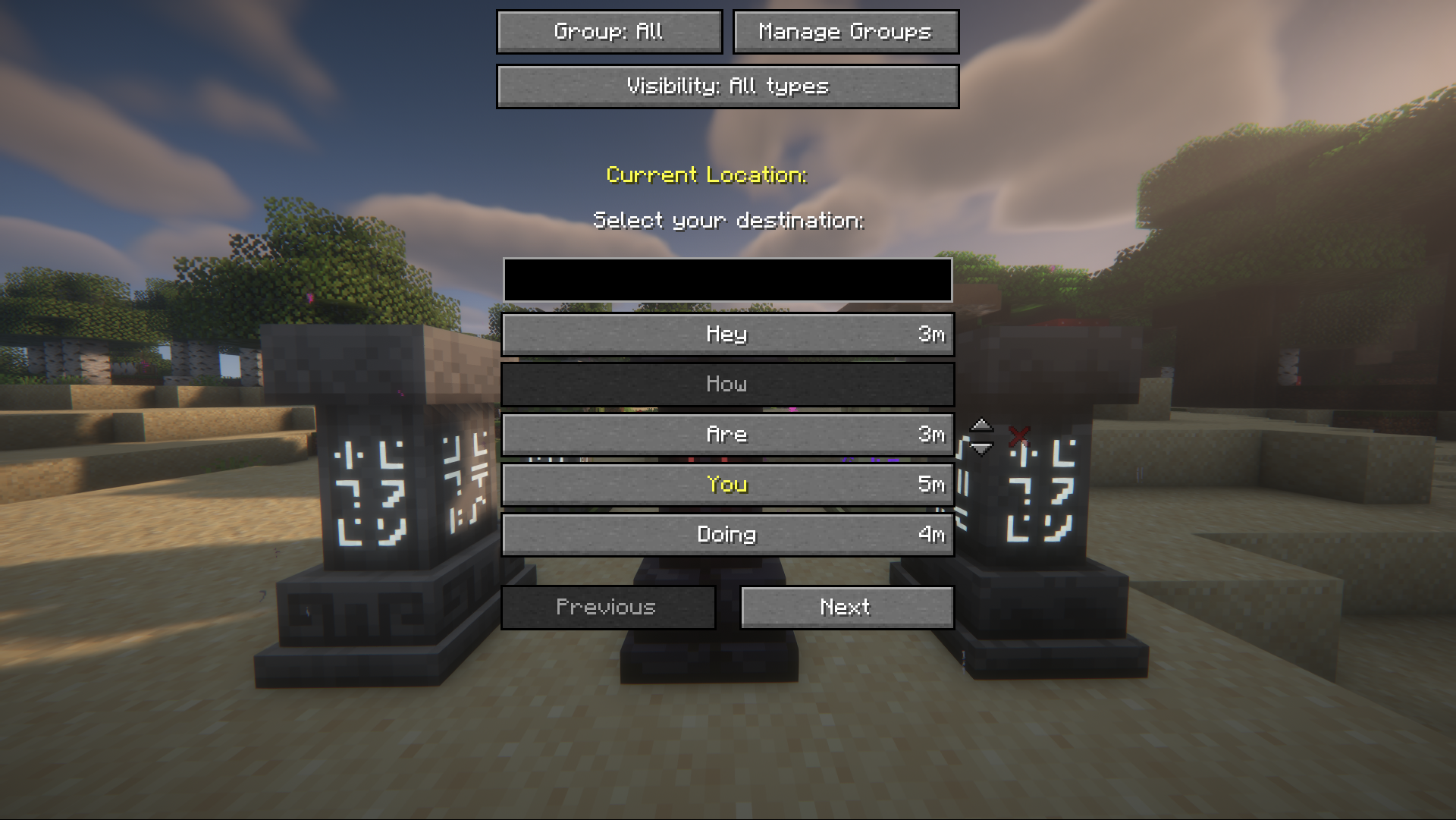 Default view (no groups or visibility filters chosen) Minecraft 1.21.x to 26.2. These screens no longer exist in 26.3, where Waystones handles your own groups.
 -
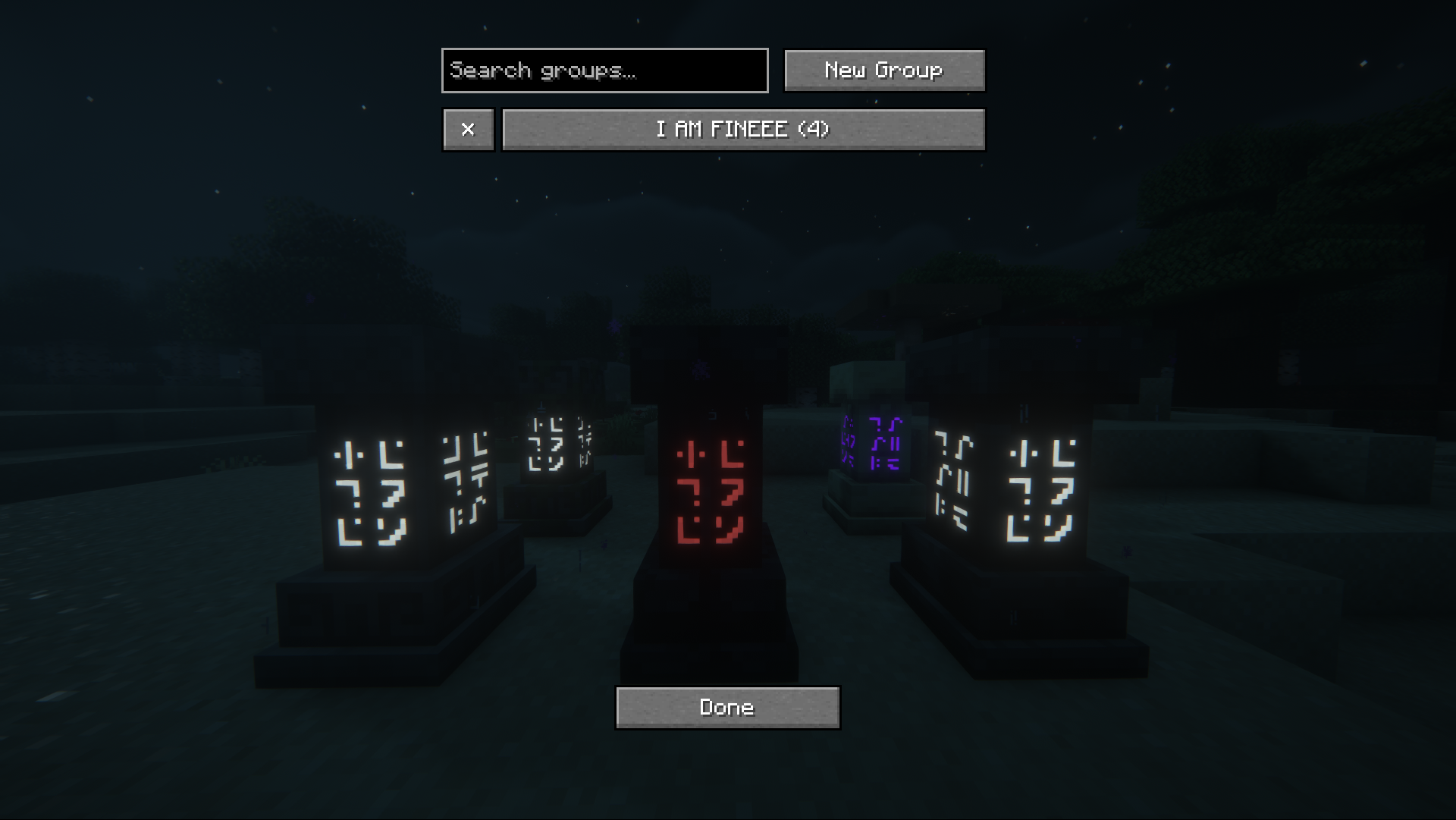 Manage groups Minecraft 1.21.x to 26.2. Create or delete groups easily.
 -
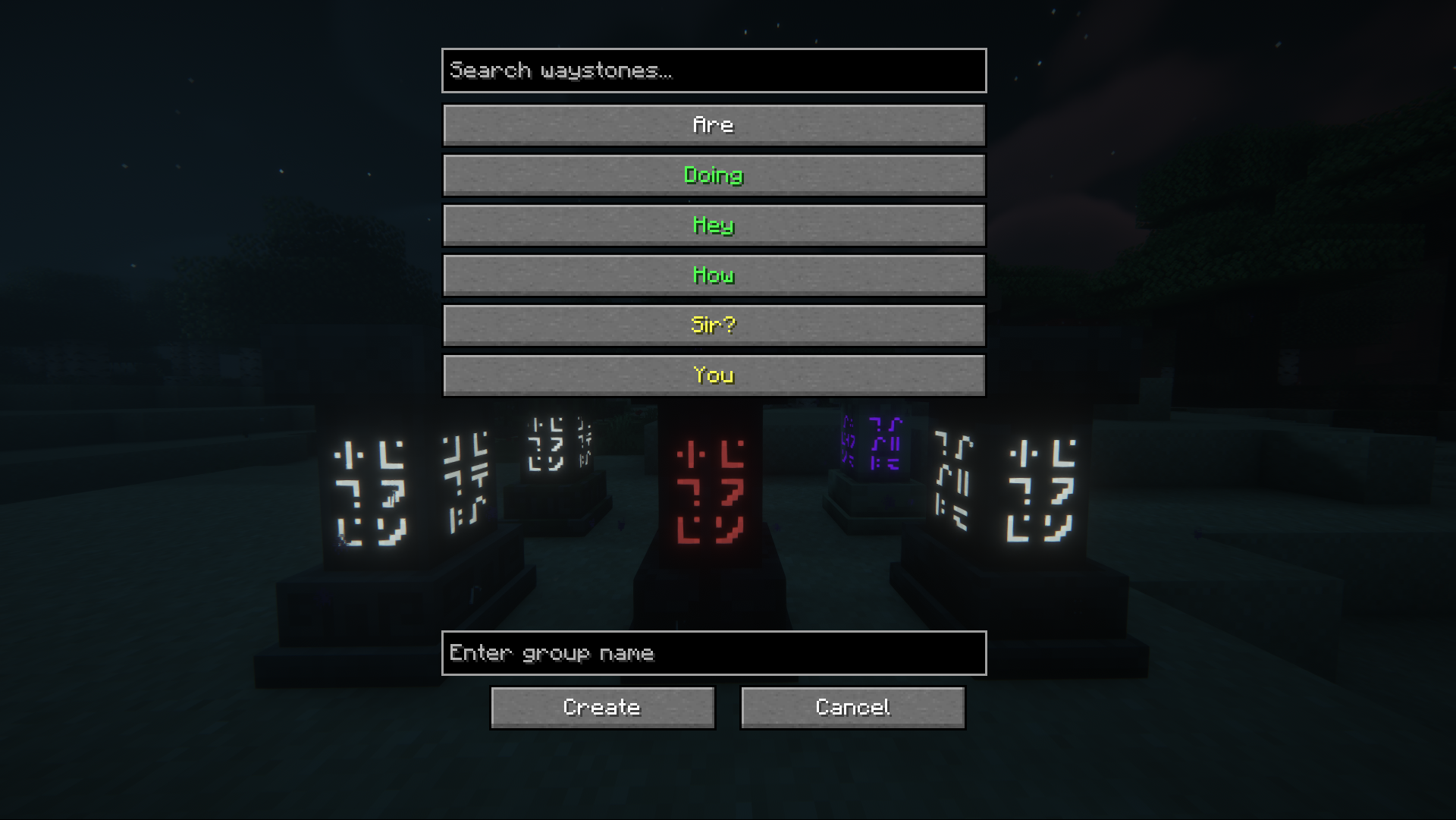 Create new group Minecraft 1.21.x to 26.2. Set a group name, search and select available waystones (selected will be displayed green) and press "Create".
 -
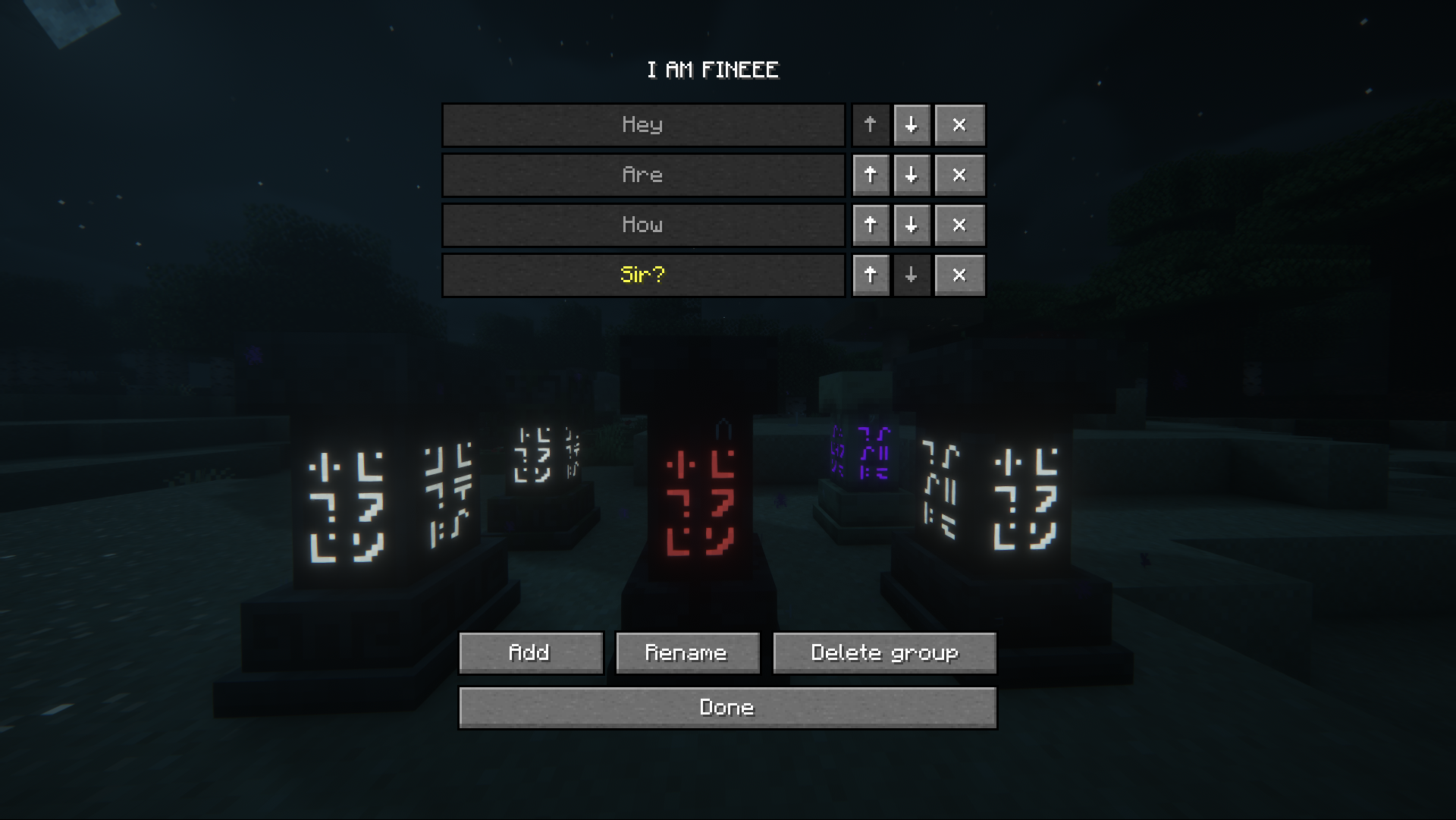 Edit group Minecraft 1.21.x to 26.2. Add and remove waystones, change their order, rename your group or even delete it.
 -
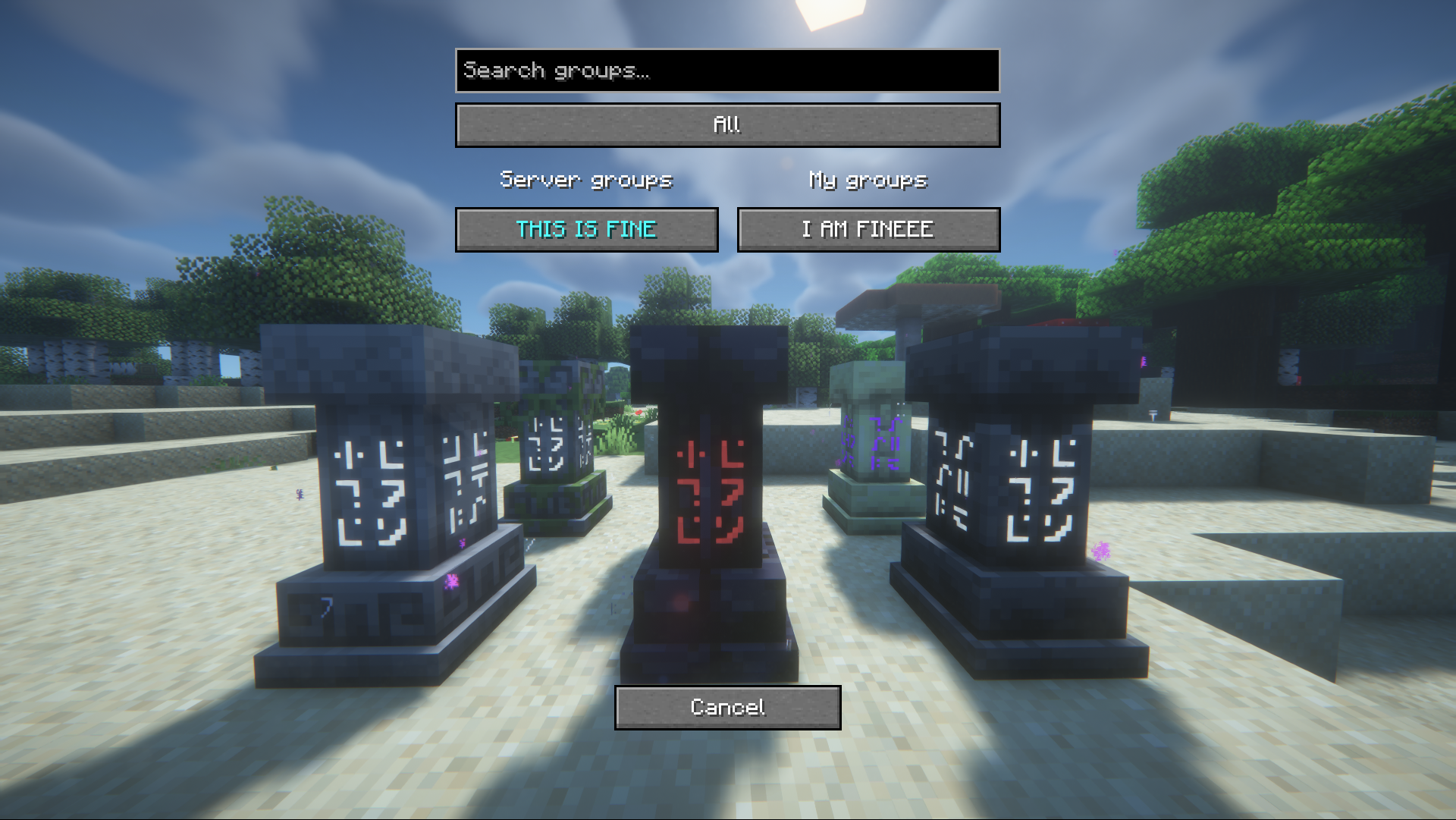 Select between existing groups Minecraft 1.21.x to 26.2. Select the default "All" group, or even search and select between existing server or personal groups.
 -
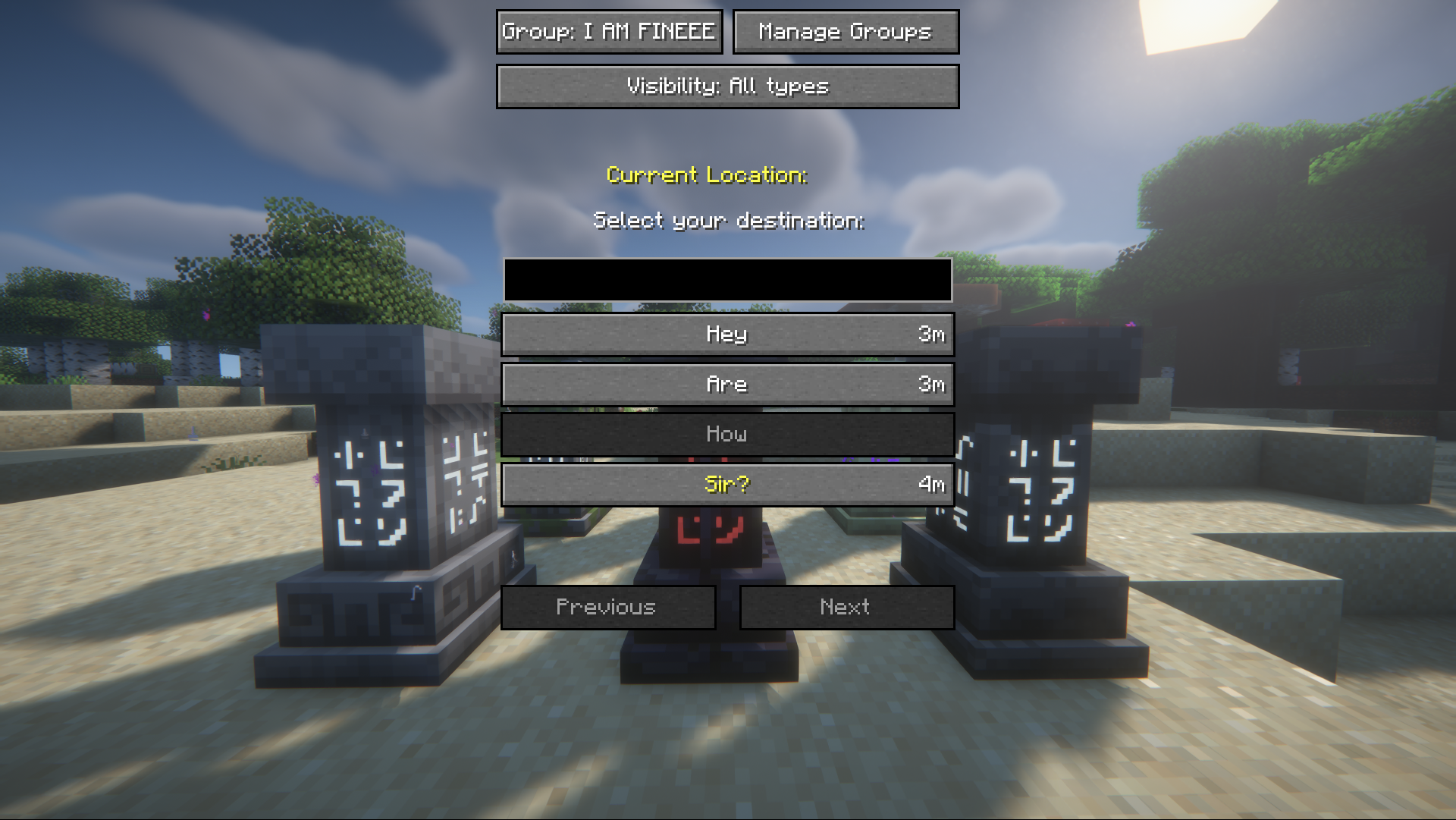 Chosen group view Minecraft 1.21.x to 26.2. The waystone list filtered down to one group.
 -
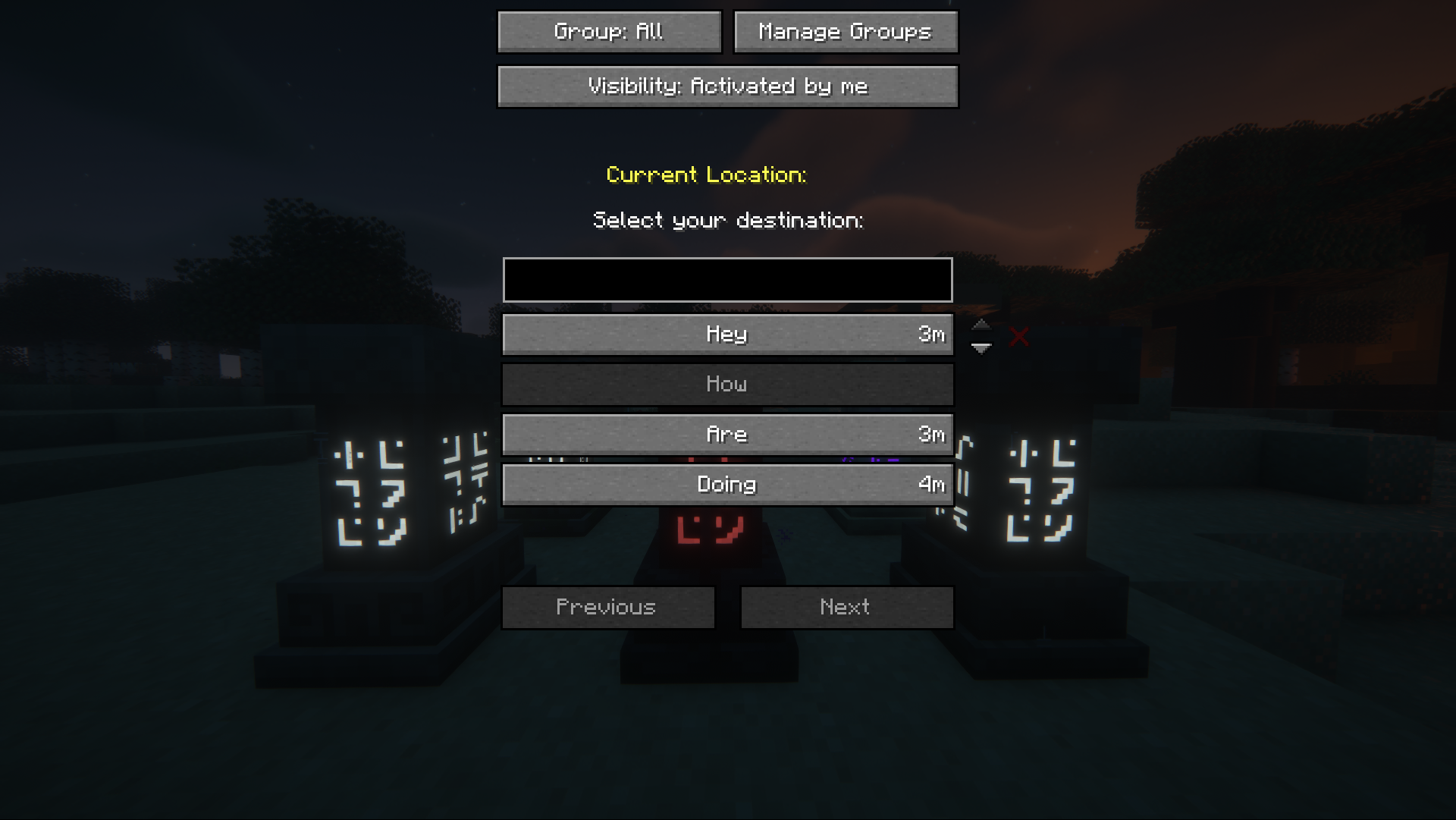 Visibility filter: Activated by me Minecraft 1.21.x to 26.2. The visibility filter still exists in 26.3, in a new form, see the newer screenshot. You can filter the list view by waystones visibility type (not depending on selecting a group view). In this case: "Activated by me".
 -
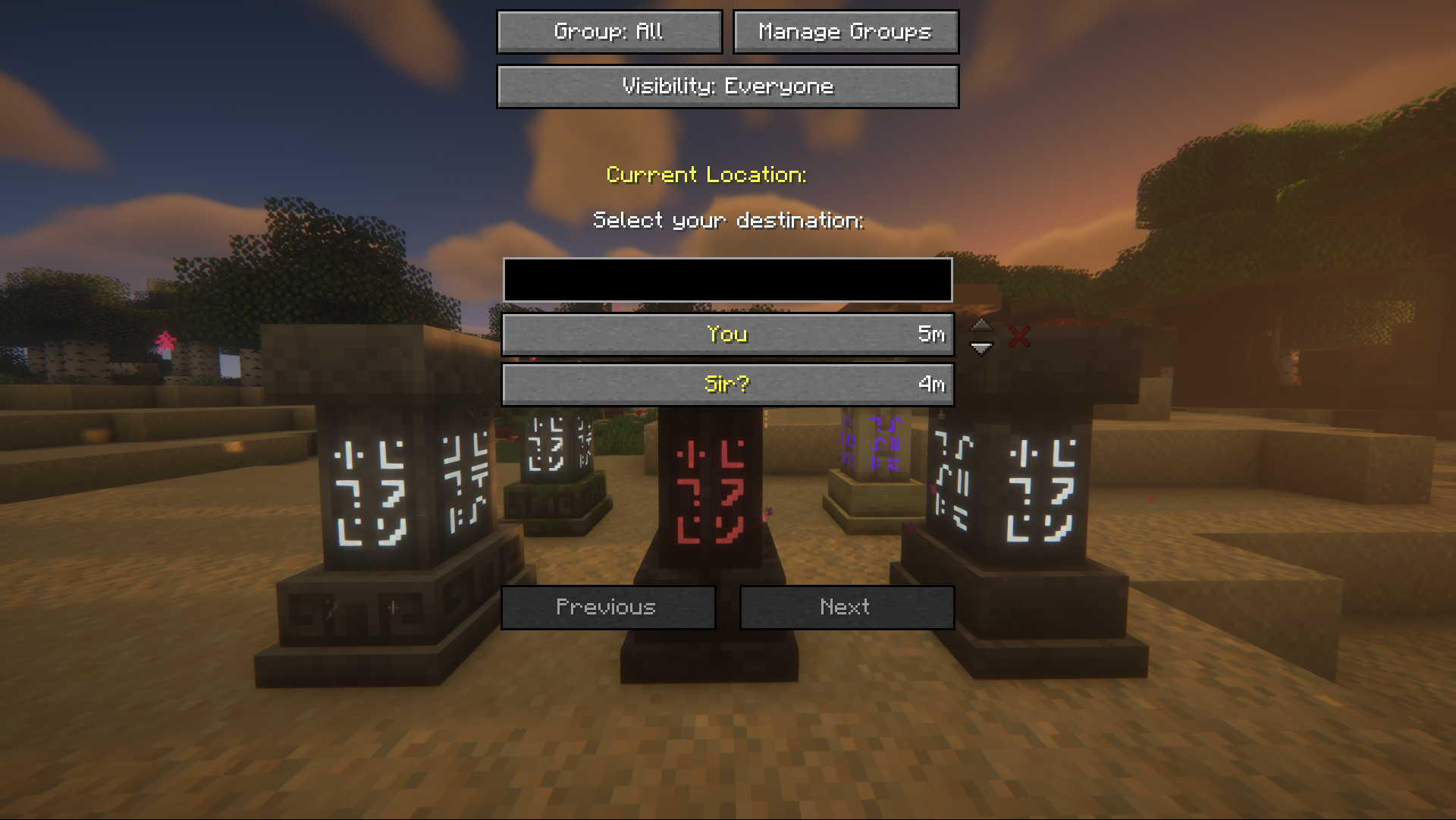 Visibility Filter: Everyone Minecraft 1.21.x to 26.2. The visibility filter still exists in 26.3, in a new form, see the newer screenshot. You can filter the list view by waystones visibility type (not depending on selecting a group view). In this case: "Everyone". Like in the waystones itself "Everyone" waystones will be displayed yellow.
 -
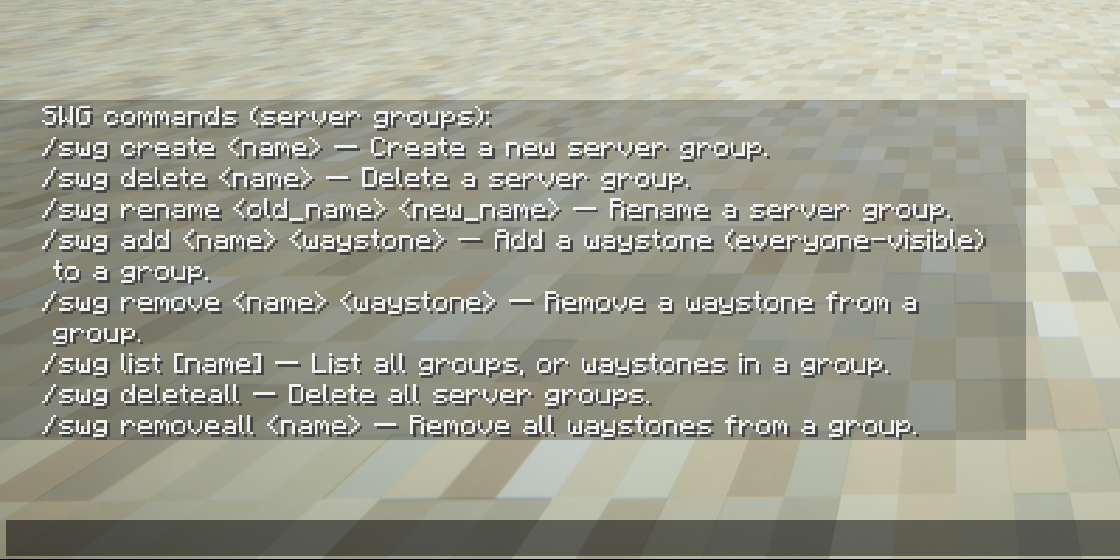 Server group commands Minecraft 1.21.x to 26.2. Server groups work the same way in 26.3, with color and icon added, see the newer screenshot. Server groups are admin-defined, server-wide waystone groups. All players see them and can use them to filter the waystone list. Only waystones that are visible to everyone can be added.
Versions
Files
Relations
Project Relations
More like this
Similar Mods
Suggestions use data such as tags, dependencies, dependents, descriptions, titles, and more to rank how much they overlap with this mod.
On ModDex
Community snapshot
By the numbers
Statistics

 (opens in a new tab)
Get it on
Available Platforms
On ModDex
Community snapshot
By the numbers
Statistics
Resources