Tab Grabber
No reviews yet
Minecraft HUD that grabs text from the tab menu and puts it on your screen!
Fabric is a mod loader for versions 1.14+ of Minecraft, particularly popular for client side and optimization mods.
Community voices
Reviews
Click once to include, again to exclude, again to clear
No reviews yet. Be the first to review this project!
Get it on
Available Platforms
 Modrinth
Compatibility
Supported Environments
About
Project Details
For authors
Embed Badge
If you're the author of this project, you can embed a live badge anywhere that supports HTML or Markdown. It updates automatically whenever ratings change.
Use HTML for any page that supports it, or Markdown for README files and Markdown-based descriptions.
Identifiers
Platform IDs
About
Description
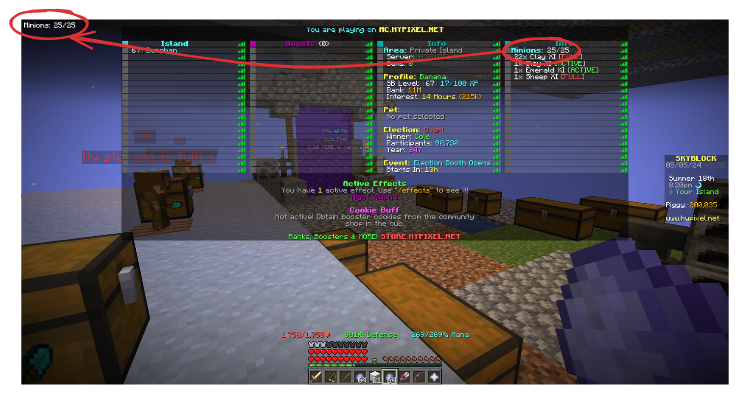
A Minecraft HUD mod that aggregates information shown on the tab menu into an easily parseable format. Using custom regex fully customisable by the user, this mod is able to show the parsed information as a HUD on screen. This allows the user to not have to constantly press the tab key on servers if they want to constantly view information shown on the tab menu.
IMPORTANT: A formatting bug affects older versions of this mod published before June 13, 2025. The ZeroMinr example below would not work for versions published before this date. If you are playing on Minecraft 1.21.3 or newer, please download the latest version of this mod. For those playing on versions older than 1.21.3, unfortunately backporting changes is painful time-wise, but the good news is most formatters would work as long as you do not do anything weird (e.g., nesting curly braces).
NOTE: Even though scoreboards are also available on singleplayer, for simplicity’s sake this mod will not support that particular use case.
Requirements
- Minecraft 1.20.4-1.21.1/1.21.3-1.21.8
- Fabric
- Fabric API
- Cloth Config
- Mod Menu
Example
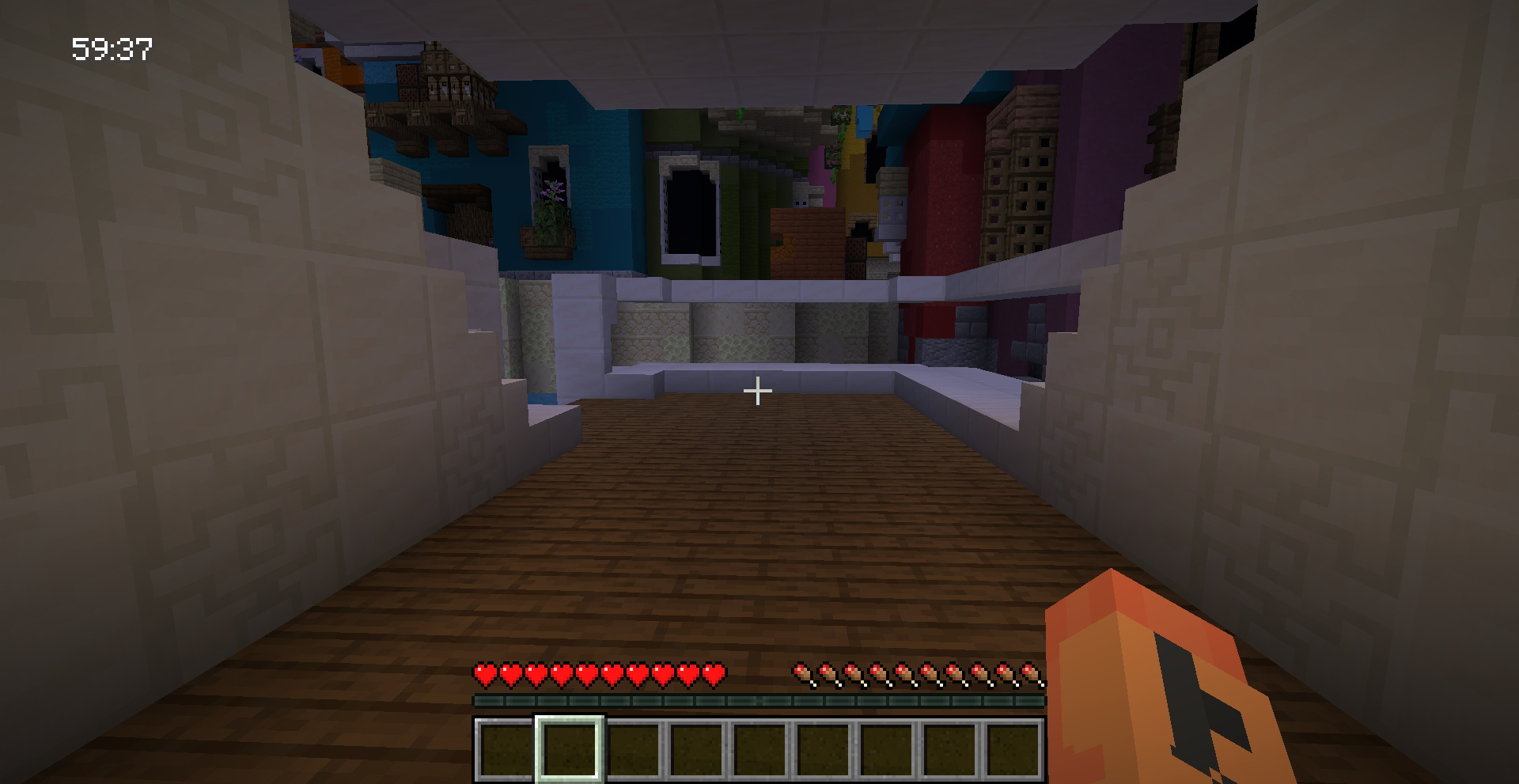
The server ZeroMinr is notorious for only showing its timers on the tab menu in parkour courses. This is what you can do to show the timer on your screen without constantly pressing TAB:
- In the config screen, set
zero.minr.orgas the server IP and{(\d+h )?\d\{2\}:\d\{2\}}as the formatter (there is a formatting bug on older versions of this mod which makes this formatter unusable, download the latest version if you are playing on Minecraft 1.21.3 or newer).
That's all you need to do!
If you need an example as to what the formatter is matching, run /tabgrabberdebug.
This is what it should approximately show (redacted to hide all player names except mine):
Player1: null
Player2: null
Player3: null
Donphan: null
Header: zero.minr.org
Footer: Bussolai: 00:04
Usage
This mod uses a custom format based on regular expressions to show useful information on screen.
If you try typing text on the formatter, it will be shown in the HUD as is.
Example:
A formatter of abcdef will show abcdef on screen.
The power of this mod comes from its ability to capture information on the tab menu.
To do that, surround a regex with curly braces.
For example, if you want to match a timer on the tab menu like 23:01, and you want it to show Timer: 23:01 on the HUD, use Timer: {\d+:\d+} as the formatter.
It's that straightforward!
Since this is a Java mod, the regex used must be compatible with the stock regex parser that comes with Java.
To escape curly braces, put a backslash (\) before it. This applies to curly braces that are part of a regex too.
NOTE: Try and avoid overcomplicated regexes with backtracking or the use of too many of them at once. The regexes provided for a server matches tab menu information on every tick, so it may slow down client-side FPS significantly if the regexes provided are not particularly well optimized. To avoid any further strain on your PC, this mod tries to avoid compiling regexes unless absolutely necessary, and caches them if the regexes provided does not change.
More on tab information
In reality, what the mod is actually scraping is header and footer information sent from the server, together with the scoreboard. An example of a header can be something like "Welcome to Hypixel".
What scoreboard is shown is based on the objective set by the server owner. For example, if health is set as an objective to be shown to the player, this mod is programmed to do that, replacing the heart icons with a decimal.
To allow for easier parsing, this mod removes any styling and section symbols specified by the server, and also strips whitespace.
Something known as a "formatter" is used to parse tab menu info and format it as a HUD.
NOTE: Newlines in your formatter play a crucial role in determining what would be shown to the user. If a line in your formatter fails to match anything on your tab, it will silently fail and skip over to the next line in your formatter. This can be exploited by the user if the server shows similar tab info on different minigames for example.
Config options
Enter the config screen via the mod menu.
- Enable/disable HUD (you can also toggle this via a keybind)
- HUD position (in percentage)
- Text color
- Text background
- Text alignment
- Text shadow
- Text scale
- Server configuration
Server configuration
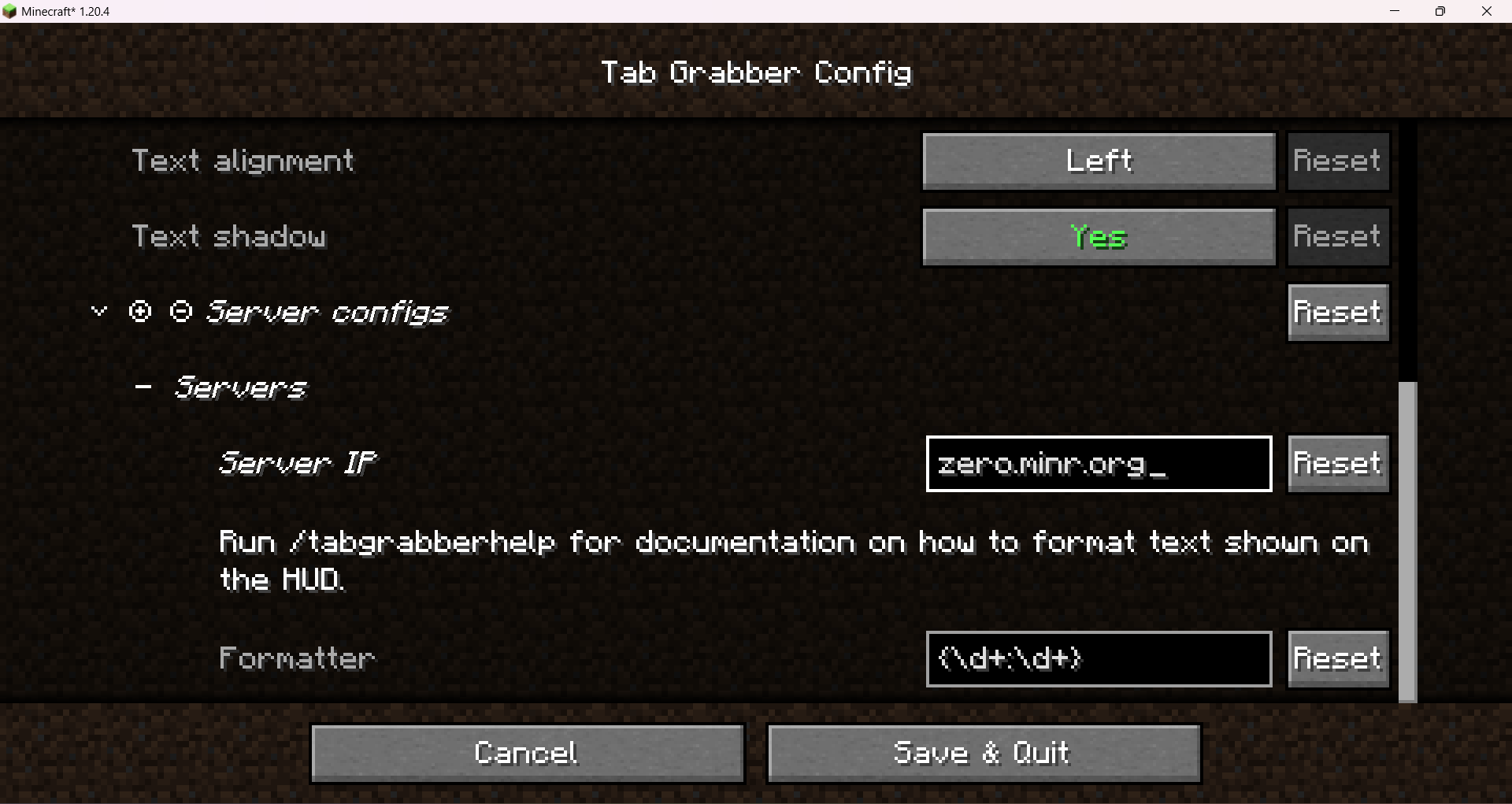
To allow for different information to be shown on different servers, this mod uses the server domain to determine if it should show any HUD info. If the server is mentioned in the server configuration section of the config, it will use its respective formatter to parse the tab menu. This allows for the user to conditionally apply different parsing/formatting rules to different servers.
Debugging
To see what tab info your formatter needs to match, enter /tabgrabberdebug in the server you want the HUD to show up.
This will output the raw information the tab menu is showing to the user in real time.
This will be in the format key: value separated by newlines.
The keys Header and Footer are specially reserved for showing header and footer information.
They will always appear below the scoreboard info in order.
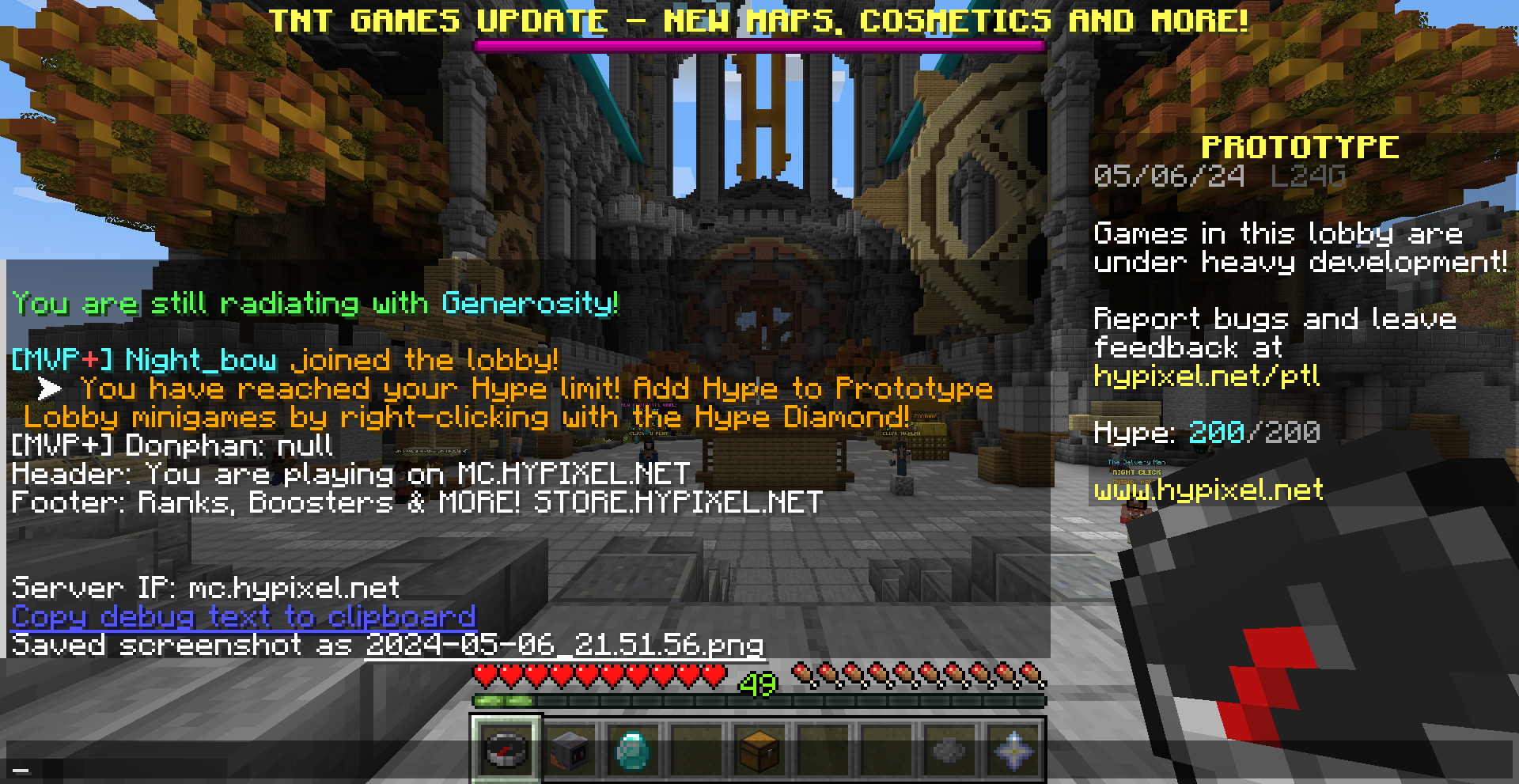
If there are no objectives, you might see the following when you run this command:
Player1: null
Player2: null
This is normal, and you can ignore that if you don't particularly care about the scoreboard.
There will also be a link you can click on below the debug info to copy it to your clipboard. This is particularly useful if the server uses any esoteric symbols or a resource pack to style the tab menu.
Screenshots
Gallery
-
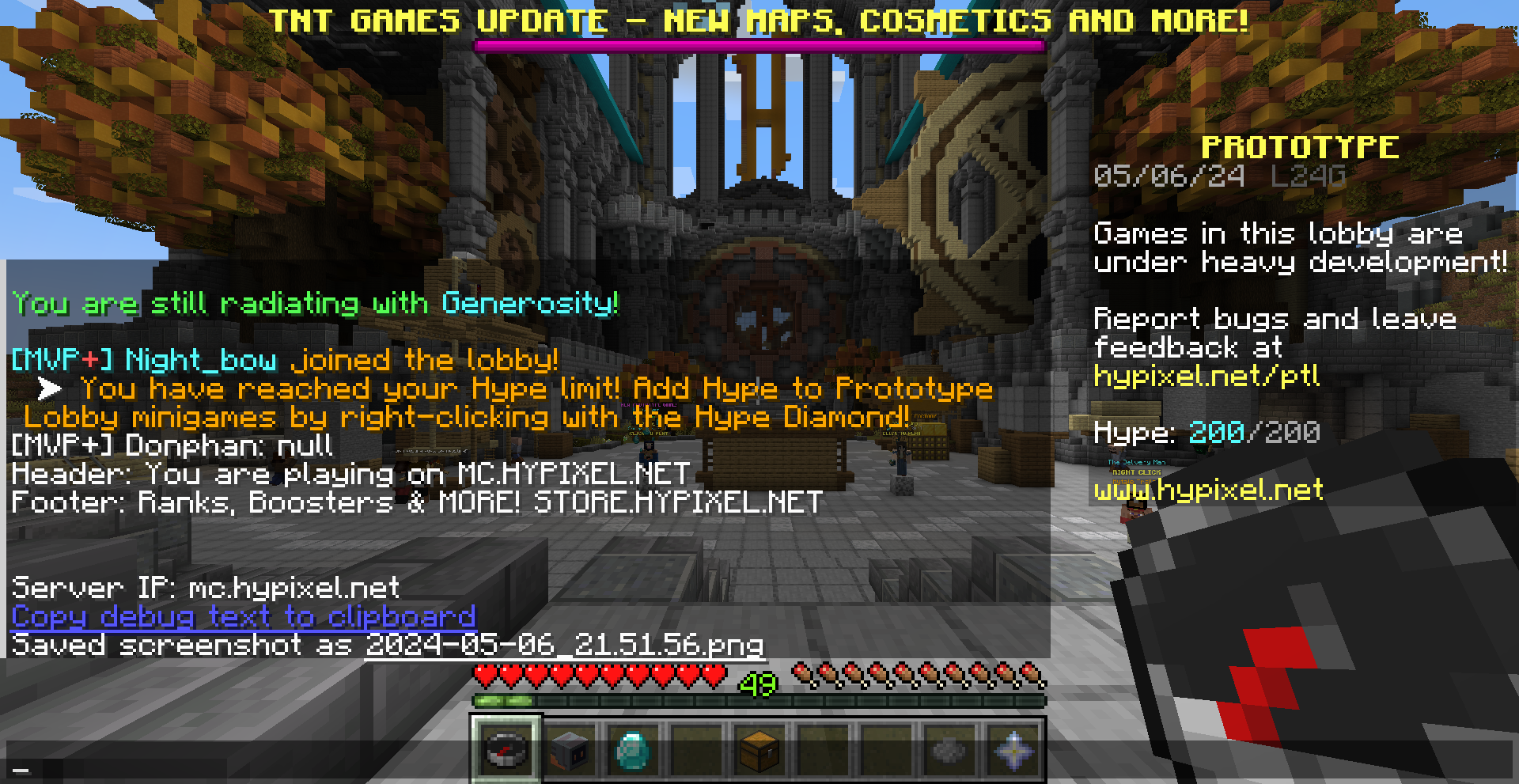 Using the debug command
 -
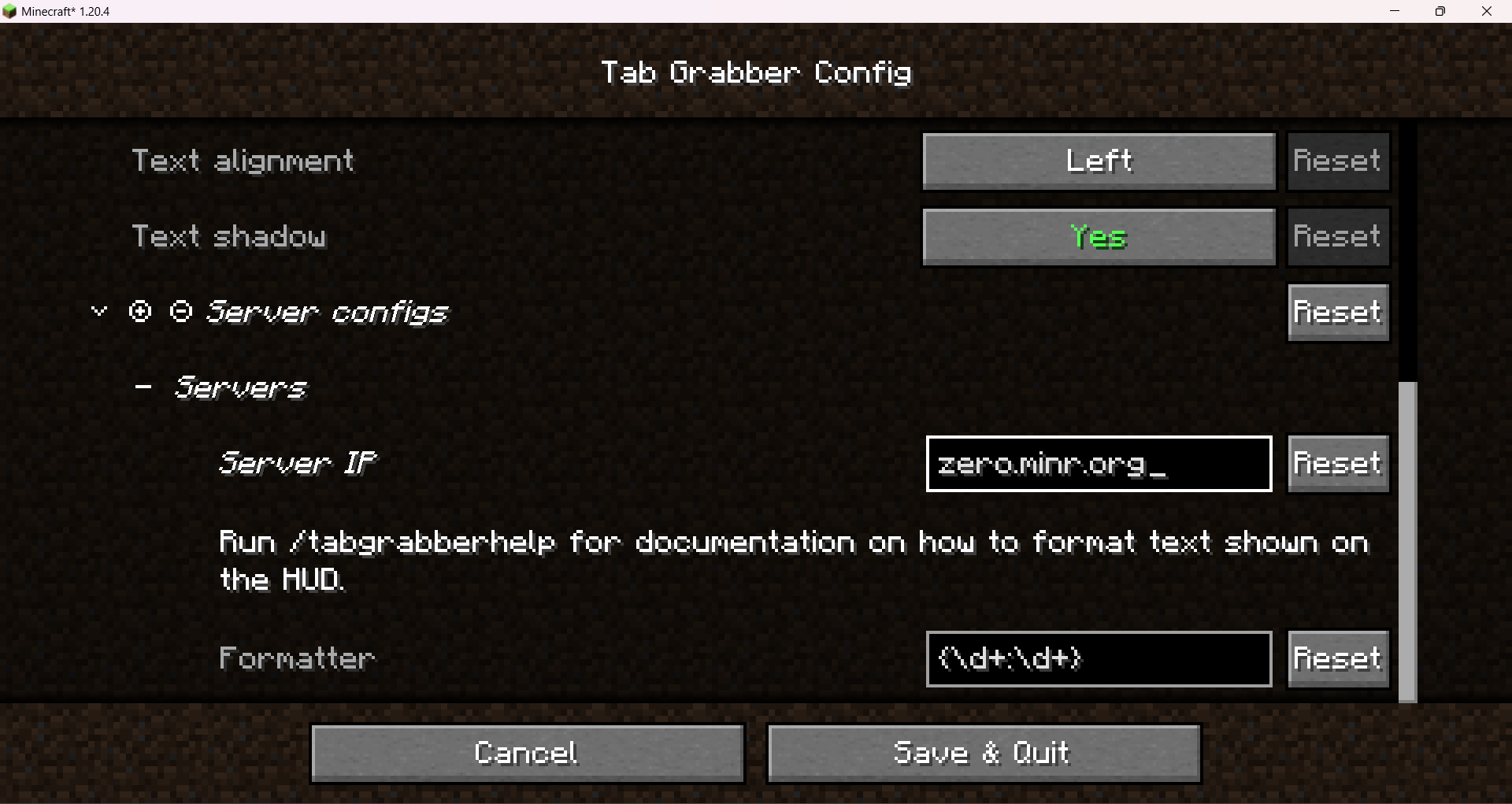 Server configs Screenshot of server configs.
 -
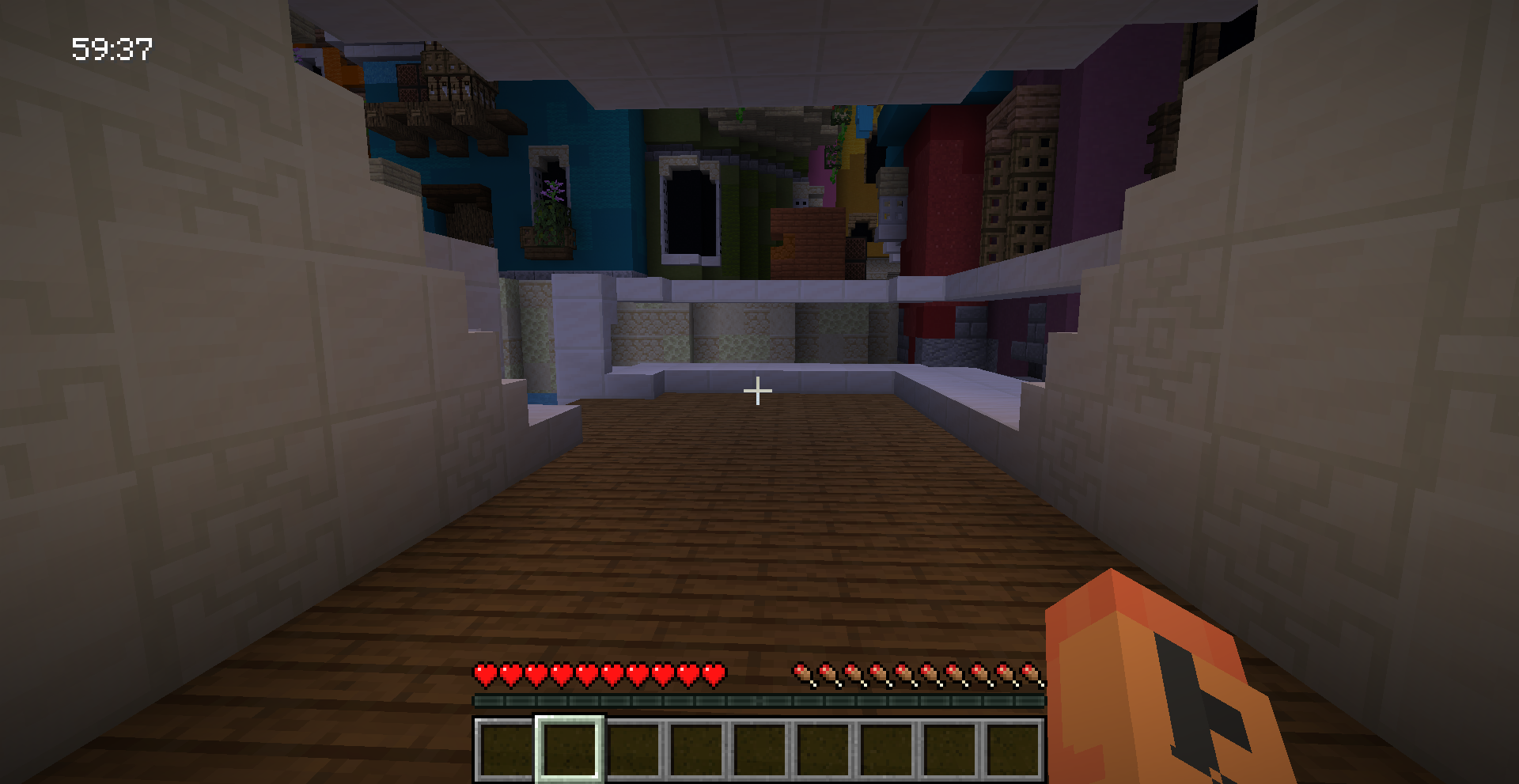 Screenshot of ZeroMinr
 -
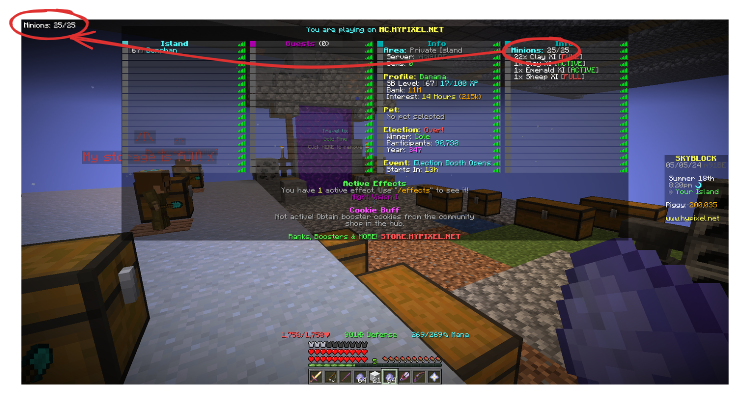 Tab menu matching Screenshot of Minecraft showing how the info in the tab menu maps to the HUD.
Versions
Files
Relations
Project Relations
More like this
Similar Mods
Suggestions use data such as tags, dependencies, dependents, descriptions, titles, and more to rank how much they overlap with this mod.
On ModDex
Community snapshot
By the numbers
Statistics

Want to reach Minecraft players?
We're looking for a server hosting partner to feature here and other parts of the site. Interested? Send us a message!
Get in touchGet it on
Available Platforms
On ModDex
Community snapshot
By the numbers