
Tab Name Dimmer
No reviews yet
Client-side Fabric mod for focusing selected names in the Minecraft Tab player list
Fabric is a mod loader for versions 1.14+ of Minecraft, particularly popular for client side and optimization mods.
Community voices
Reviews
Click once to include, again to exclude, again to clear
No reviews yet. Be the first to review this project!
Get it on
Available Platforms
 Modrinth
Compatibility
Supported Environments
About
Project Details
For authors
Embed Badge
If you're the author of this project, you can embed a live badge anywhere that supports HTML or Markdown. It updates automatically whenever ratings change.
Use HTML for any page that supports it, or Markdown for README files and Markdown-based descriptions.
Identifiers
Platform IDs
About
Description
What It Is
Tab Name Dimmer is a client-side Fabric mod for Minecraft that makes it easier to find important players in the Tab player list on large servers where the full online player list no longer fits on screen.
The mod is activated by holding Shift: while the player list is open, it highlights the names from your allowlist and dims, hides, or moves other players depending on the selected display mode.
The main use case is large multiplayer servers where you want to quickly see which clan members, teammates, or friends are online, even when the normal Tab list is too crowded to show everyone at once.
It is useful when:
- a server has many online players and important names are hard to spot;
- the online player count is larger than the regular Tab list can comfortably display;
- you need to see your clan, team, or group roster while playing;
- you need to track friends, teammates, staff members, or specific players quickly;
- you want to keep the normal Tab list unchanged until you explicitly hold
Shift; - you want to import a prepared player list from a
.txtfile.
What It Adds
Tab Name Dimmer extends the standard Minecraft player list with:
- dimming for every name that is not on your allowlist;
- a list of names that stay bright and easy to spot;
- several display modes for different workflows;
- configurable dim color;
- optional case-sensitive matching;
.txtname import;- Mod Menu integration for in-game configuration.
Display Modes
The mod supports three modes:
ANIMATED_SORT: allowlisted players smoothly move to the top of the list whileShiftis held;FILTER: only allowlisted players remain visible in Tab whileShiftis held;EXTRA_HUD: allowlisted players are additionally shown in a small separate HUD block whileShiftis held.
In all modes, names outside the allowlist can be dimmed with the configured color.
Screenshots
Gallery
-
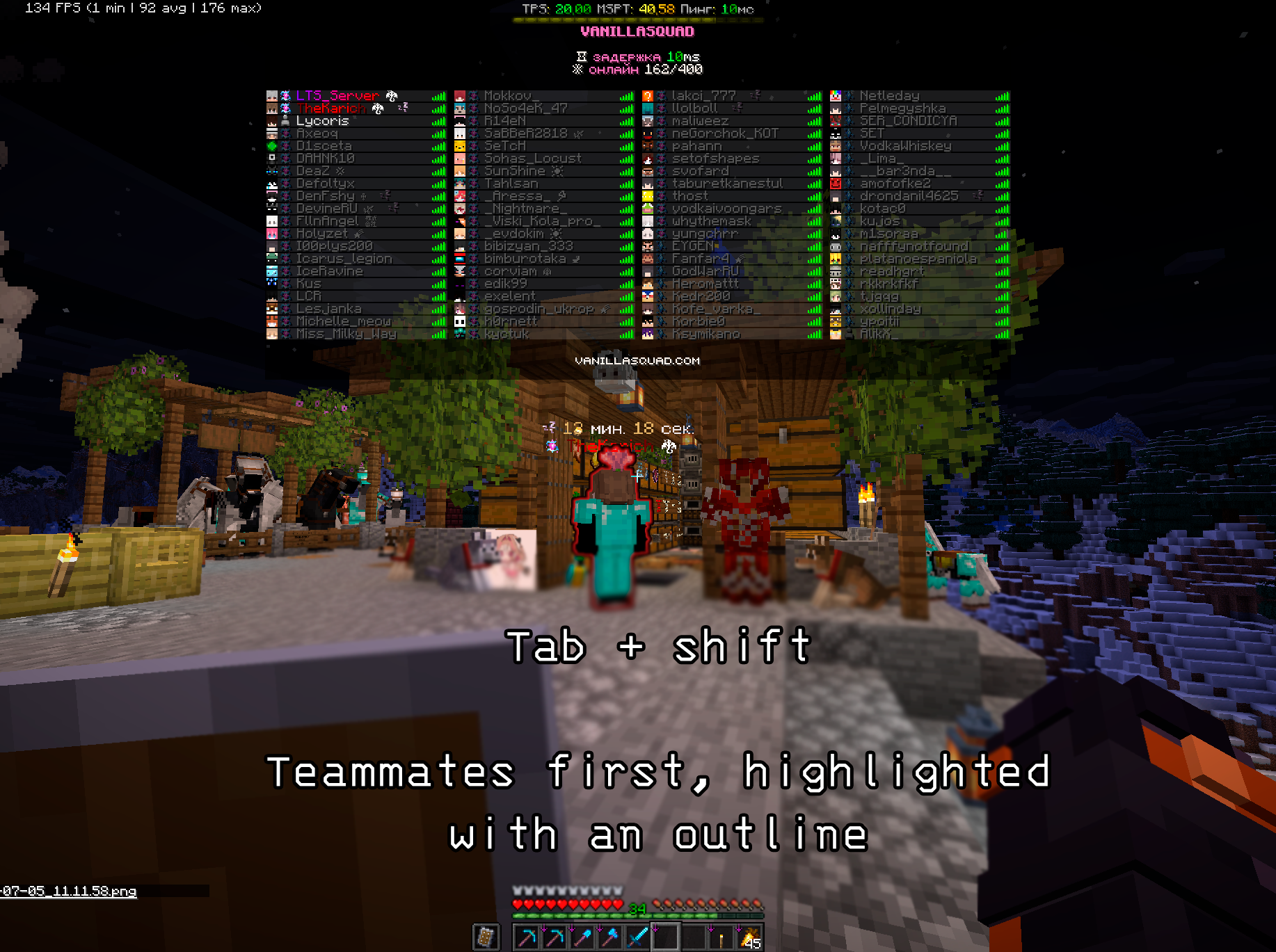 Activated
 -
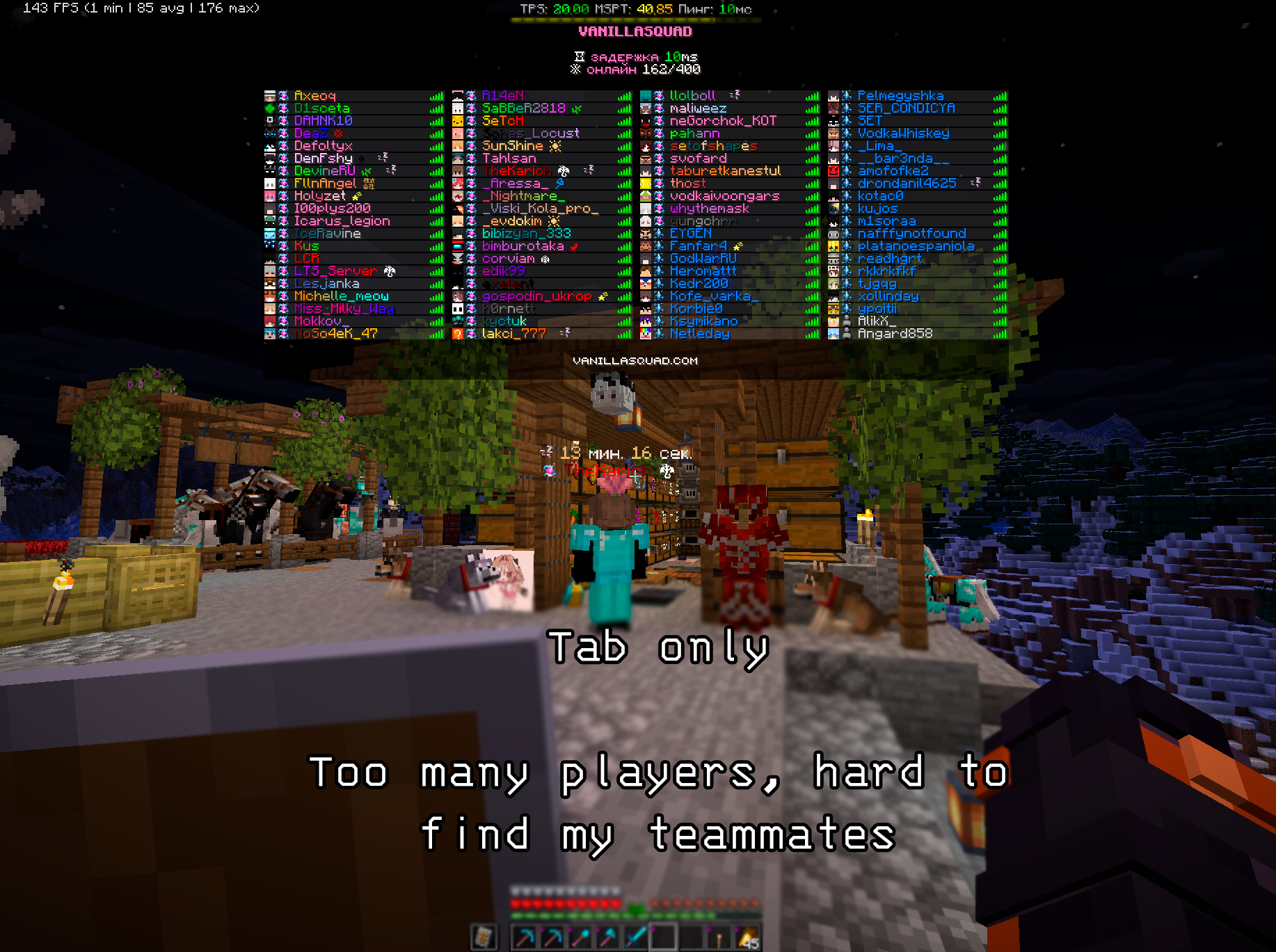 Deactivated
Versions
Files
Relations
Project Relations
More like this
Similar Mods
Suggestions use data such as tags, dependencies, dependents, descriptions, titles, and more to rank how much they overlap with this mod.
On ModDex
Community snapshot
By the numbers
Statistics

Want to reach Minecraft players?
We're looking for a server hosting partner to feature here and other parts of the site. Interested? Send us a message!
Get in touchGet it on
Available Platforms
On ModDex
Community snapshot
By the numbers