Community listing page, reviews here may not be monitored by the author.
TabChannel


No reviews yet
Create public or private chat channels, manage staff discussions, organize faction communication, and improve multiplayer communication with a modern tab-based chat
Community voices
Reviews
No reviews yet. Be the first to review this project!
Get it on
Available Platforms
Compatibility
Supported Environments
Must be installed on both the client and the server.
About
Project Details
For authors
Embed Badge
If you're the author of this project, you can embed a live badge anywhere that supports HTML or Markdown. It updates automatically whenever ratings change.
Use HTML for any page that supports it, or Markdown for README files and Markdown-based descriptions.
Identifiers
Platform IDs
Resources
External Links
About
Description
TabChannel
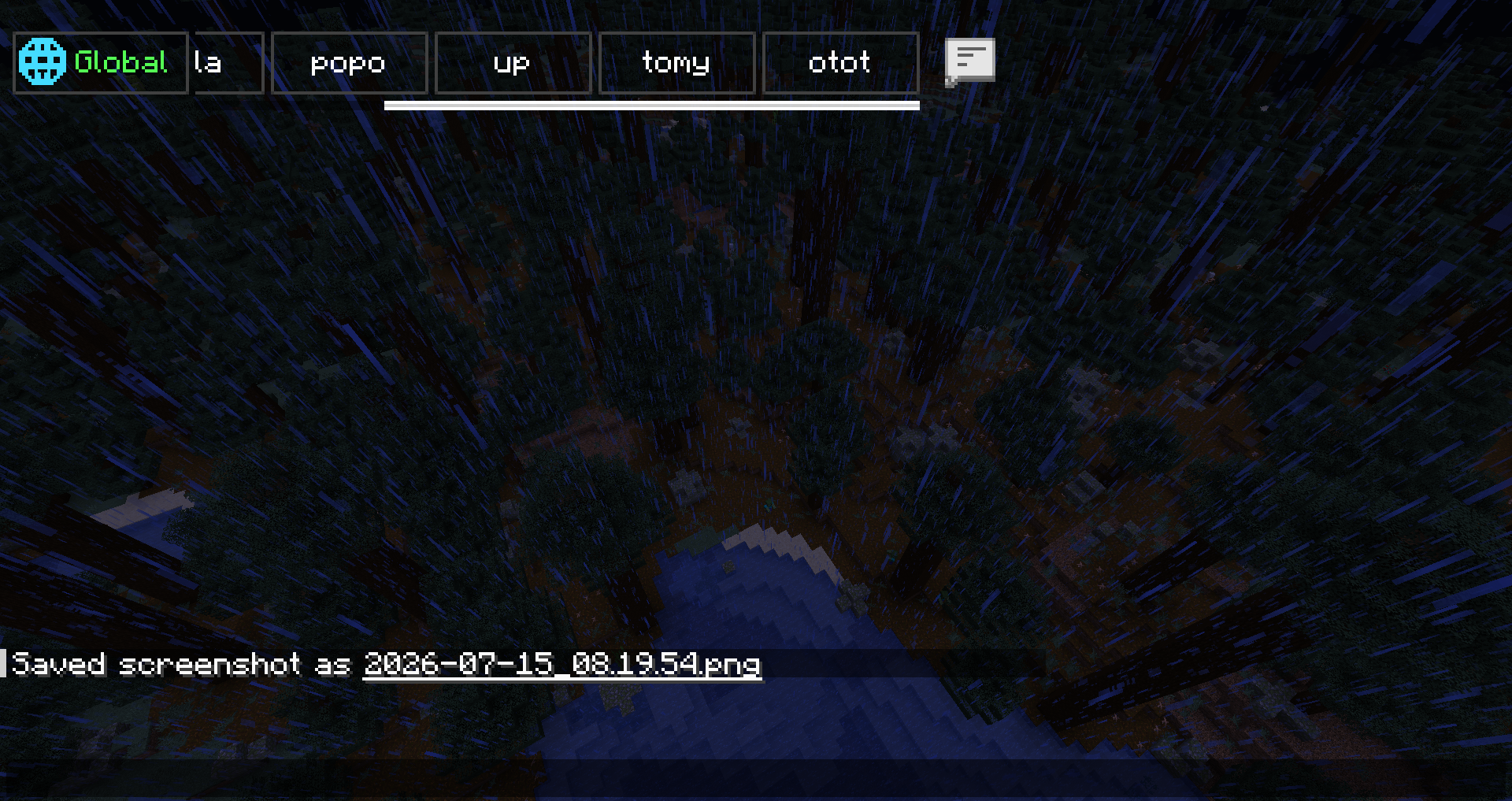
Minecraft 1.21.x · Tabbed chat channels, TabColor, PMs, staff tools, log search, client HUD, and optional Twitch stream overlay (client-only).
TabChannel Version 1.0.4
 | Add New Optionel Dependencies
| modId | Nom affiché |
|---|---|
luckperms |
LuckPerms |
nochatreports |
No Chat Reports |
emojiful |
Emojiful |
odyssey_factions_rise |
Odyssey Factions Rise |
factionwar |
Faction War |
Compatibility
| Setup | Result |
|---|---|
| Fabric client + Fabric server with TabChannel | Channels, tab sync, server commands |
| NeoForge on Youer | NeoForge jar on both server and client |
| LuckPerms | Compatible and optional |
TabColor — all colors
Chat colors is # exemple #Red or #FF000 Commands: /tabchannel color <channel> <COLOR> or /setchannel tabcolors <channel> <COLOR>
Use the exact name in UPPERCASE (underscores).
Standard
BLACK · DARK_BLUE · DARK_GREEN · DARK_AQUA · DARK_RED · DARK_PURPLE · GOLD · GRAY · DARK_GRAY · GREEN · AQUA · LIGHT_PURPLE · YELLOW · WHITE · ORANGE · PINK · MAGENTA · CYAN · LIME · BROWN · SILVER · NAVY · TEAL · OLIVE · MAROON · INDIGO · VIOLET · TURQUOISE · SKY_BLUE · MINT · SALMON · CORAL · CRIMSON · BEIGE · IVORY · CHARCOAL · EMERALD · RUBY · AMBER · BRONZE · ROSE · HOT_PINK · DEEP_PINK · FUCHSIA · LAVENDER · PLUM · ORCHID · SCARLET · FIRE_RED · BLOOD_RED · CHERRY · ICE_BLUE · BABY_BLUE · OCEAN_BLUE · ROYAL_BLUE · MIDNIGHT_BLUE · FOREST_GREEN · DARK_FOREST · MOSS_GREEN · JADE · SUNSET_ORANGE · TANGERINE · PEACH · APRICOT · LEMON · CANARY · HONEY · COFFEE · CHOCOLATE · CARAMEL · SAND · SNOW · PEARL · SMOKE · ASH · OBSIDIAN · VOID · NIGHT
“Premium” theme (no admin restriction in the mod)
ELECTRIC_BLUE · LASER_GREEN · TOXIC_GREEN · RADIOACTIVE · GALAXY_PURPLE · COSMIC_PINK · MANA_BLUE · ENDER_PURPLE · DIAMOND · RUBY_RED · SAPPHIRE · TOPAZ · AMETHYST · EMERALD_GREEN
Admin only (OP 2 or tabchannel.admin)
BLUE · RED · NEON_GREEN
Commands
Root aliases: /tabchannel, /tc, /tb, /channel, /ch
| Command | Description |
|---|---|
/channel create <name> <public|private|prive|faction> |
Create (staff channel = admin) |
/channel join <channel> |
Join |
/channel leave <channel> |
Leave |
/channel list |
List |
/channel delete <channel> |
Delete |
/channel color <channel> <TabColor> |
Tab color |
/channel invite <player> <channel> |
Invite |
/channelcreate <name> <type> |
Create (shortcut) |
/channeljoin <channel> |
Join (shortcut) |
/channellist |
List (shortcut) |
/setchannel
| Command | Description |
|---|---|
/setchannel delete <channel> |
Delete |
/setchannel tabcolors <channel> <TabColor> |
Tab color |
/setchannel invite <channel> <player> |
Invite |
/setchannel leave <channel> |
Leave |
/setchannel perm add|remove <channel> <player> <perm> |
Member permissions |
/setchannel rules <channel> <text> |
Rules |
/setchannel warn <channel> on|off |
Profanity filter |
/setchannel kick <channel> <days> <hours> <sec> <player> |
Kick + timed mute |
/setchannel ban <channel> <player> |
Channel ban |
/setchannel f <channel> <faction> |
Link faction |
PMs and logs
| Command | Description |
|---|---|
/mp <player> <message> |
Private message |
/r <message> |
Reply to last PM |
/mp block <player> |
Block |
/mp unblock <player> |
Unblock |
/mp socialspy |
SocialSpy (permission) |
/chatsearch <text> |
Log search (25 max) |
/chat search <text> |
Search alias |
Admin
| Command | Description |
|---|---|
/tabchanneltploc <dimension> <x> <y> <z> |
Teleport (OP 2) |
Built-in channels: global (vanilla / global chat), staff channel (creation: admin, access: staff).
Mentions: @staff, @admin, @mod, @modo in messages (configurable anti-spam).
Client commands
| Command | Description |
|---|---|
/channel position · position default |
Channel HUD position |
/channel resize · resize default |
Channel HUD size |
Twitch stream (client, optional)
| Command | Description |
|---|---|
/streamchat connect |
Connect (set Twitch username in config) |
/streamchat disconnect |
Disconnect |
/streamchat toggle |
Show / hide |
/streamchat position · position default |
Overlay placement |
/streamchat resize · resize default |
Resize overlay |
/streamchat config |
Config screen |
/streamchat clear · test · reload |
Utilities |
Stream does not change Minecraft chat; Twitch only (no YouTube).
LuckPerms
TabChannel — LuckPerms permissions (reference)
LuckPerms is compatible and optional. Without LuckPerms: OP level 2 for some actions, per-member permissions on each channel, and default Bukkit permissions on Youer / Paper (HybridBukkitPermissions).
Global roles
| Permission | Description |
|---|---|
tabchannel.admin |
Mod admin (bypass, staff channel, admin TabColor colors, etc.) |
tabchannel.staff |
Staff (staff channel, staff invites, staff mentions) |
Private messages (PM)
| Permission | Description |
|---|---|
tabchannel.mp.browse |
See all online players in the PM UI |
tabchannel.mp.socialspy |
/mp socialspy |
tabchannel.mp.bypasscooldown |
Ignore PM cooldown |
Chat styling (optional)
| Permission | Description |
|---|---|
tabchannel.chat.color |
Classic colors (&) |
tabchannel.chat.hex |
Hex colors |
tabchannel.chat.format |
Formatting (bold, italic, etc.) |
tabchannel.chat.style |
Bundles color + hex + format |
Per-channel permissions (setchannel.*)
| Permission | Usage |
|---|---|
setchannel.create |
Create a channel |
setchannel.delete |
Delete |
setchannel.invite |
Invite |
setchannel.leave |
Leave |
setchannel.perm |
Manage member rights |
setchannel.rules |
Rules |
setchannel.warn |
Profanity filter |
setchannel.kick |
Kick / mute (duration via /setchannel kick) |
setchannel.ban |
Ban from channel |
setchannel.tabcolors |
Change TabColor |
setchannel.f |
Link a faction |
Bypass
| Permission | Description |
|---|---|
setchannel.bypass.join |
Join without restrictions |
setchannel.bypass.private |
View / join private channels |
setchannel.bypass.ban |
Ignore channel bans |
TabColor — admin-only colors
Only these names require OP 2 or tabchannel.admin:
BLUEREDNEON_GREEN
All other TabColor names in the mod can be used without that restriction (still subject to channel rights for /setchannel tabcolors).
LuckPerms example (YAML)
tabchannel.admin:
  description: TabChannel admin
  default: op

tabchannel.staff:
  description: TabChannel staff
  default: false

tabchannel.mp.socialspy:
  default: false

setchannel.create:
  default: true

setchannel.tabcolors:
  default: true
Dependencies
- Fabric: Fabric API
- NeoForge: NeoForge 1.21.x build
- LuckPerms: no jar required
TabChannel
Minecraft 1.21.x · Tabbed chat channels, TabColor, PMs, staff tools, log search, client HUD, and optional Twitch stream overlay (client-only).
TabChannel Version 1.0.4
 | Add New Optionel Dependencies
| modId | Nom affiché |
|---|---|
luckperms |
LuckPerms |
nochatreports |
No Chat Reports |
emojiful |
Emojiful |
odyssey_factions_rise |
Odyssey Factions Rise |
factionwar |
Faction War |
Compatibility
| Setup | Result |
|---|---|
| Fabric client + Fabric server with TabChannel | Channels, tab sync, server commands |
| NeoForge on Youer | NeoForge jar on both server and client |
| LuckPerms | Compatible and optional |
TabColor — all colors
Chat colors is # exemple #Red or #FF000
Commands: /tabchannel color <channel> <COLOR> or /setchannel tabcolors <channel> <COLOR>
Use the exact name in UPPERCASE (underscores).
Standard
BLACK · DARK_BLUE · DARK_GREEN · DARK_AQUA · DARK_RED · DARK_PURPLE · GOLD · GRAY · DARK_GRAY · GREEN · AQUA · LIGHT_PURPLE · YELLOW · WHITE · ORANGE · PINK · MAGENTA · CYAN · LIME · BROWN · SILVER · NAVY · TEAL · OLIVE · MAROON · INDIGO · VIOLET · TURQUOISE · SKY_BLUE · MINT · SALMON · CORAL · CRIMSON · BEIGE · IVORY · CHARCOAL · EMERALD · RUBY · AMBER · BRONZE · ROSE · HOT_PINK · DEEP_PINK · FUCHSIA · LAVENDER · PLUM · ORCHID · SCARLET · FIRE_RED · BLOOD_RED · CHERRY · ICE_BLUE · BABY_BLUE · OCEAN_BLUE · ROYAL_BLUE · MIDNIGHT_BLUE · FOREST_GREEN · DARK_FOREST · MOSS_GREEN · JADE · SUNSET_ORANGE · TANGERINE · PEACH · APRICOT · LEMON · CANARY · HONEY · COFFEE · CHOCOLATE · CARAMEL · SAND · SNOW · PEARL · SMOKE · ASH · OBSIDIAN · VOID · NIGHT
“Premium” theme (no admin restriction in the mod)
ELECTRIC_BLUE · LASER_GREEN · TOXIC_GREEN · RADIOACTIVE · GALAXY_PURPLE · COSMIC_PINK · MANA_BLUE · ENDER_PURPLE · DIAMOND · RUBY_RED · SAPPHIRE · TOPAZ · AMETHYST · EMERALD_GREEN
Admin only (OP 2 or tabchannel.admin)
BLUE · RED · NEON_GREEN
Commands
Root aliases: /tabchannel, /tc, /tb, /channel, /ch
| Command | Description |
|---|---|
/channel create <name> <public|private|prive|faction> |
Create (staff channel = admin) |
/channel join <channel> |
Join |
/channel leave <channel> |
Leave |
/channel list |
List |
/channel delete <channel> |
Delete |
/channel color <channel> <TabColor> |
Tab color |
/channel invite <player> <channel> |
Invite |
/channelcreate <name> <type> |
Create (shortcut) |
/channeljoin <channel> |
Join (shortcut) |
/channellist |
List (shortcut) |
/setchannel
| Command | Description |
|---|---|
/setchannel delete <channel> |
Delete |
/setchannel tabcolors <channel> <TabColor> |
Tab color |
/setchannel invite <channel> <player> |
Invite |
/setchannel leave <channel> |
Leave |
/setchannel perm add|remove <channel> <player> <perm> |
Member permissions |
/setchannel rules <channel> <text> |
Rules |
/setchannel warn <channel> on|off |
Profanity filter |
/setchannel kick <channel> <days> <hours> <sec> <player> |
Kick + timed mute |
/setchannel ban <channel> <player> |
Channel ban |
/setchannel f <channel> <faction> |
Link faction |
PMs and logs
| Command | Description |
|---|---|
/mp <player> <message> |
Private message |
/r <message> |
Reply to last PM |
/mp block <player> |
Block |
/mp unblock <player> |
Unblock |
/mp socialspy |
SocialSpy (permission) |
/chatsearch <text> |
Log search (25 max) |
/chat search <text> |
Search alias |
Admin
| Command | Description |
|---|---|
/tabchanneltploc <dimension> <x> <y> <z> |
Teleport (OP 2) |
Built-in channels: global (vanilla / global chat), staff channel (creation: admin, access: staff).
Mentions: @staff, @admin, @mod, @modo in messages (configurable anti-spam).
Client commands
| Command | Description |
|---|---|
/channel position · position default |
Channel HUD position |
/channel resize · resize default |
Channel HUD size |
Twitch stream (client, optional)
| Command | Description |
|---|---|
/streamchat connect |
Connect (set Twitch username in config) |
/streamchat disconnect |
Disconnect |
/streamchat toggle |
Show / hide |
/streamchat position · position default |
Overlay placement |
/streamchat resize · resize default |
Resize overlay |
/streamchat config |
Config screen |
/streamchat clear · test · reload |
Utilities |
Stream does not change Minecraft chat; Twitch only (no YouTube).
LuckPerms
TabChannel — LuckPerms permissions (reference)
LuckPerms is compatible and optional. Without LuckPerms: OP level 2 for some actions, per-member permissions on each channel, and default Bukkit permissions on Youer / Paper (HybridBukkitPermissions).
Global roles
| Permission | Description |
|---|---|
tabchannel.admin |
Mod admin (bypass, staff channel, admin TabColor colors, etc.) |
tabchannel.staff |
Staff (staff channel, staff invites, staff mentions) |
Private messages (PM)
| Permission | Description |
|---|---|
tabchannel.mp.browse |
See all online players in the PM UI |
tabchannel.mp.socialspy |
/mp socialspy |
tabchannel.mp.bypasscooldown |
Ignore PM cooldown |
Chat styling (optional)
| Permission | Description |
|---|---|
tabchannel.chat.color |
Classic colors (&) |
tabchannel.chat.hex |
Hex colors |
tabchannel.chat.format |
Formatting (bold, italic, etc.) |
tabchannel.chat.style |
Bundles color + hex + format |
Per-channel permissions (setchannel.*)
| Permission | Usage |
|---|---|
setchannel.create |
Create a channel |
setchannel.delete |
Delete |
setchannel.invite |
Invite |
setchannel.leave |
Leave |
setchannel.perm |
Manage member rights |
setchannel.rules |
Rules |
setchannel.warn |
Profanity filter |
setchannel.kick |
Kick / mute (duration via /setchannel kick) |
setchannel.ban |
Ban from channel |
setchannel.tabcolors |
Change TabColor |
setchannel.f |
Link a faction |
Bypass
| Permission | Description |
|---|---|
setchannel.bypass.join |
Join without restrictions |
setchannel.bypass.private |
View / join private channels |
setchannel.bypass.ban |
Ignore channel bans |
TabColor — admin-only colors
Only these names require OP 2 or tabchannel.admin:
BLUEREDNEON_GREEN
All other TabColor names in the mod can be used without that restriction (still subject to channel rights for /setchannel tabcolors).
LuckPerms example (YAML)
tabchannel.admin:
  description: TabChannel admin
  default: op

tabchannel.staff:
  description: TabChannel staff
  default: false

tabchannel.mp.socialspy:
  default: false

setchannel.create:
  default: true

setchannel.tabcolors:
  default: true
Dependencies
- NeoForge: NeoForge 1.21.x build
- LuckPerms: no jar required
Screenshots
Gallery
-
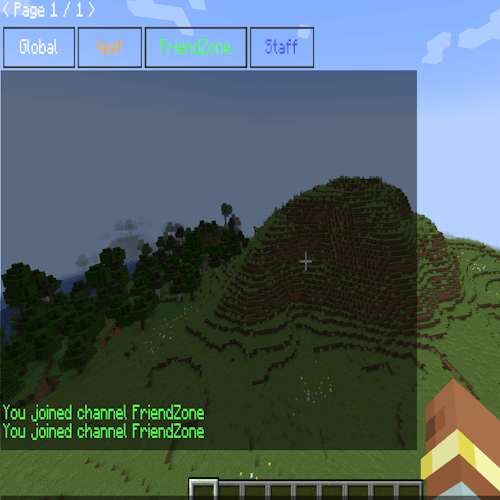 exemples.png exemples.png
-
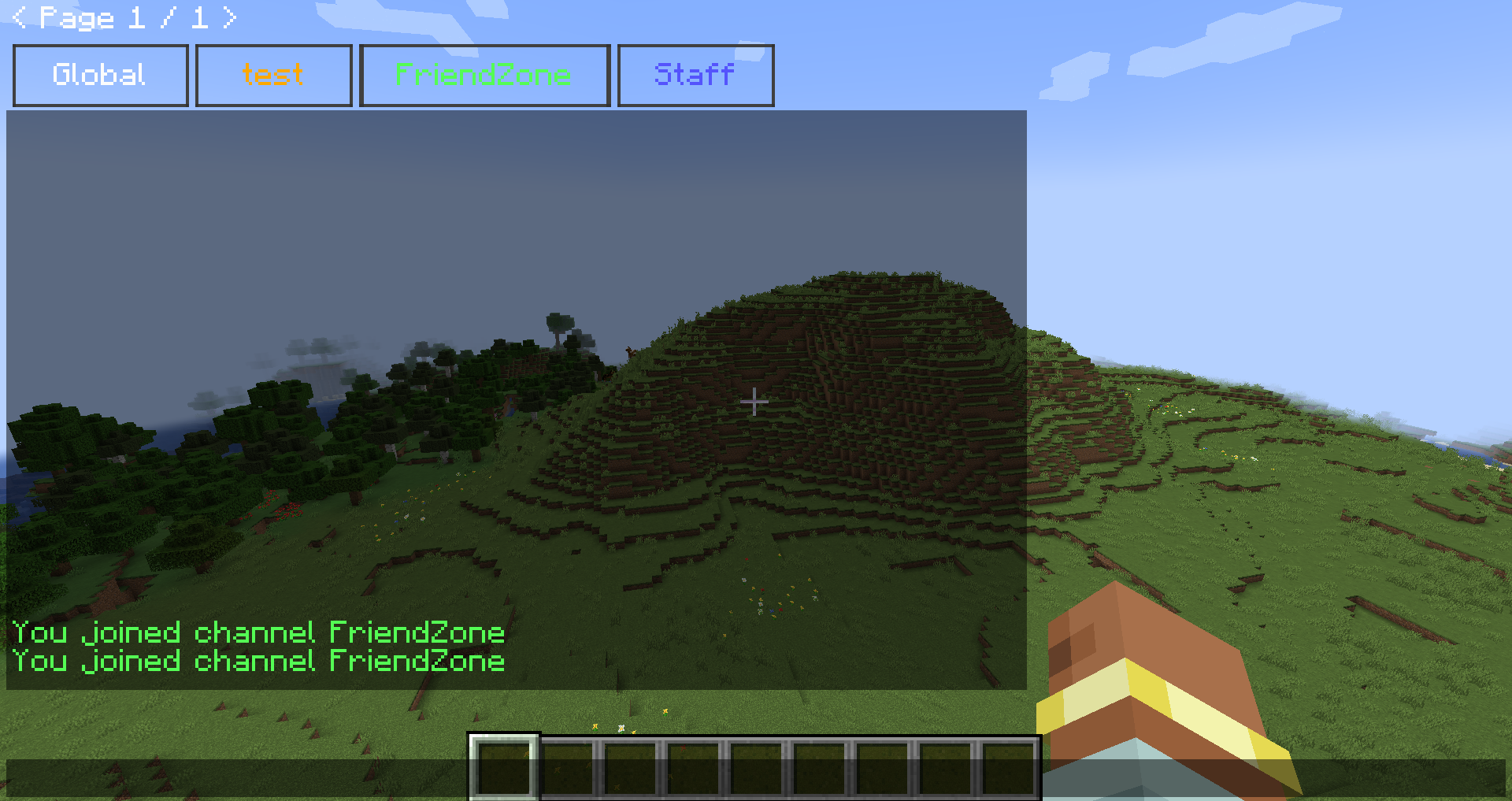 inviduel channel
Versions
Files
Relations
Project Relations
More like this
Similar Mods
Suggestions use data such as tags, dependencies, dependents, descriptions, titles, and more to rank how much they overlap with this mod.
On ModDex
Community snapshot
By the numbers
Statistics
Want to reach Minecraft players?
We're looking for a server hosting partner to feature here and other parts of the site. Interested? Send us a message!
Get in touchGet it on
Available Platforms
On ModDex
Community snapshot
By the numbers
Statistics
Resources