
Community listing page, reviews here may not be monitored by the author.
TabCore


No reviews yet
Modern Fabric tab list with Placeholder API support

Community voices
Reviews
No reviews yet. Be the first to review this project!
Get it on
Available Platforms
Compatibility
Supported Environments
Runs entirely on the server. Also works in singleplayer.
About
Project Details
For authors
Embed Badge
If you're the author of this project, you can embed a live badge anywhere that supports HTML or Markdown. It updates automatically whenever ratings change.
Use HTML for any page that supports it, or Markdown for README files and Markdown-based descriptions.
Identifiers
Platform IDs
Resources
External Links
About
Description
TabCore
A modern, lightweight tab list mod for Fabric servers.
Header • Footer • Player formatting • Sorting • Profiles

✨ Features
- Custom header & footer - multi-line, with gradients, RGB colors, and live placeholders
- Player name formatting - style every name in the tab list (works great with LuckPerms prefixes)
- Sorting - order players by any placeholder (rank weight, name, ping…) using the vanilla list-order system, no scoreboard-team hacks
- Hidden players - hide spectators or players matching a placeholder condition (vanish mod support)
- Config profiles - multiple looks in
config/tabcore/, switch live with one command; a sleek modern preset is included - Hot reload - edit the config and apply it in-game; broken configs are rejected with helpful errors while the old one keeps running
- Native Text Placeholder API support - every placeholder from any mod works out of the box
- Truly server-side - players join with a vanilla client; also works in singleplayer/LAN
📦 Installation
Simply place TabCore and Fabric API into your server's mods folder.
Placeholder API is bundled as a normal mod (jar-in-jar) - placeholders registered by your other mods still work, and you can override the bundled version at any time by installing Placeholder API separately.
⚙️ Configuration
On first startup, TabCore generates:
config/
└── tabcore/
    ├── default.yml
    └── modern.yml
Every .yml file inside config/tabcore/ acts as a separate profile, making it easy to create different layouts for different servers or occasions.
⌨️ Commands
- /tablist reload — reload the active profile
- /tablist profile — list available profiles
- /tablist profile <name> — switch profile (saved across restarts)
- /tablist version — show the mod version
Commands require OP Level 2 by default, or the permission nodes tabcore.command.reload / tabcore.command.profile / tabcore.command.version when using a permissions mod such as LuckPerms.
❓ FAQ
Do players need to install TabCore?
No. TabCore is completely server-side. Players can connect without installing the mod.
Which placeholders can I use?
Any placeholder registered through Text Placeholder API - built-ins like %player:ping%, %server:tps%, %server:online%, plus placeholders from compatible mods such as LuckPerms and many others. See the placeholder docs.
Does TabCore support MiniMessage-style formatting?
Yes. You can use gradients, RGB colors, formatting, and other MiniMessage-compatible tags.
Why TabCore?
TabCore is designed specifically for modern Fabric servers, providing a powerful, configurable tab list without requiring client-side mods.
TabCore does one thing well - no scoreboards, no nametags, no chat formatting. Text parsing is cached, placeholders are evaluated on configurable intervals, and updates are batched into single vanilla packets.
Whether you're running a small SMP or a large public network, TabCore delivers a clean, modern solution while remaining lightweight and performant.
Do you want a cheap and secure hosting?

TabCore
A modern, lightweight tab list mod for Fabric servers.
Header • Footer • Player formatting • Sorting • Profiles
✨ Features
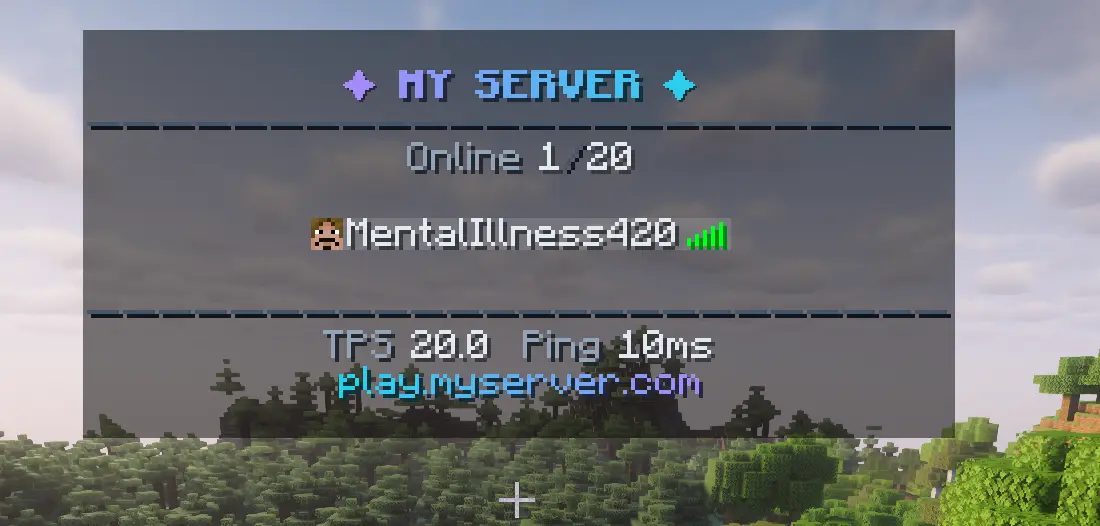
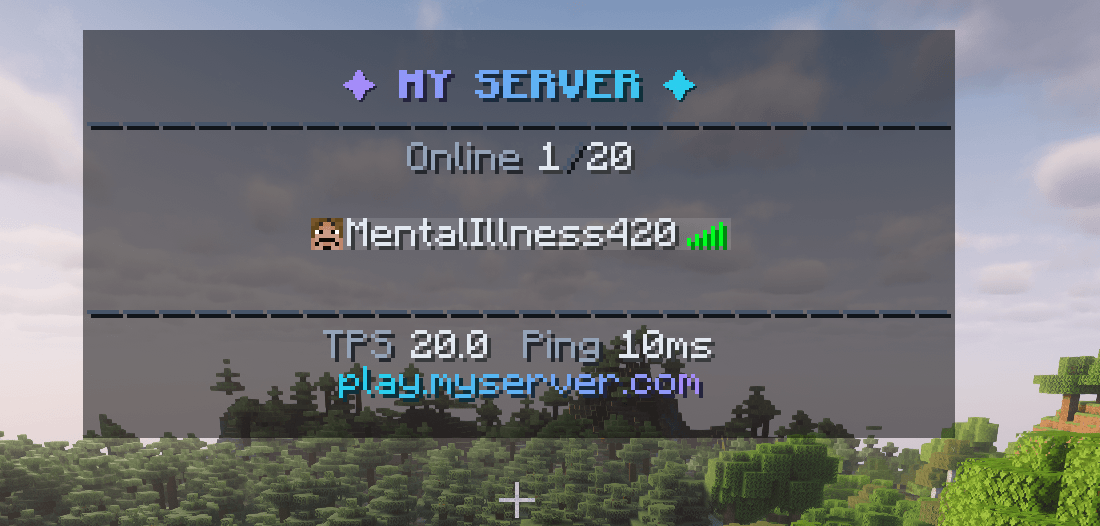
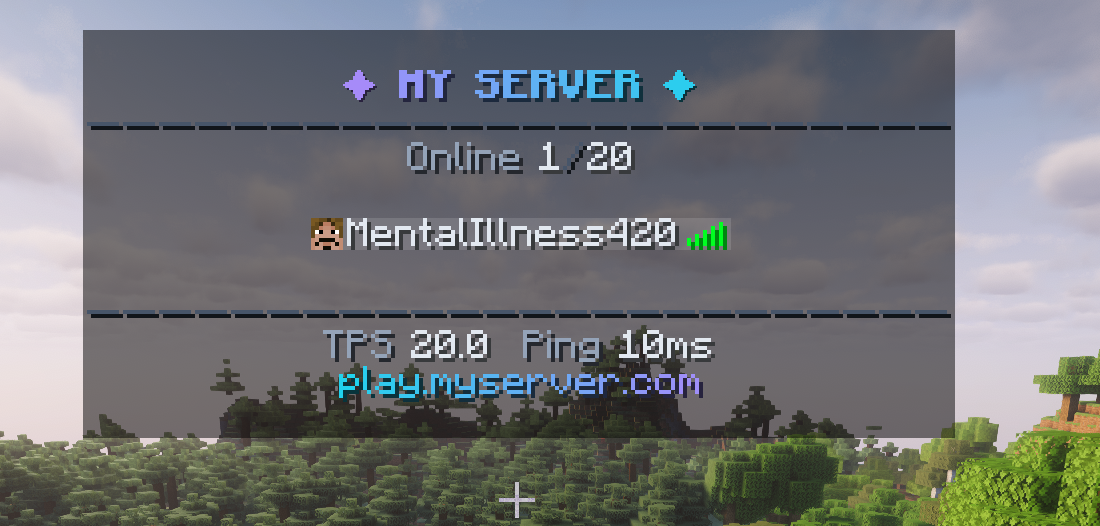
- Custom header & footer — multi-line, with gradients, RGB colors, and live placeholders
- Player name formatting — style every name in the tab list (works great with LuckPerms prefixes)
- Sorting — order players by any placeholder (rank weight, name, ping…) using the vanilla list-order system, no scoreboard-team hacks
- Hidden players — hide spectators or players matching a placeholder condition (vanish mod support)
- Config profiles — multiple looks in
config/tabcore/, switch live with one command; a sleek modern preset is included - Hot reload — edit the config and apply it in-game; broken configs are rejected with helpful errors while the old one keeps running
- Native Text Placeholder API support — every placeholder from any mod works out of the box
- Truly server-side — players join with a vanilla client; also works in singleplayer/LAN
📦 Installation
Simply place TabCore and Fabric API into your server's mods folder.
Placeholder API is bundled as a normal mod (jar-in-jar) — placeholders registered by your other mods still work, and you can override the bundled version at any time by installing Placeholder API separately.
⚙️ Configuration
On first startup, TabCore generates:
config/
└── tabcore/
    ├── default.yml
    └── modern.yml
Every .yml file inside config/tabcore/ acts as a separate profile, making it easy to create different layouts for different servers or occasions.
⌨️ Commands
| Command | Description |
|---|---|
/tablist reload |
reload the active profile |
/tablist profile |
list available profiles |
/tablist profile <name> |
switch profile (saved across restarts) |
/tablist version |
show the mod version |
Commands require OP Level 2 by default, or the permission nodes tabcore.command.reload / tabcore.command.profile / tabcore.command.version when using a permissions mod such as LuckPerms.
❓ FAQ
Do players need to install TabCore?
No. TabCore is completely server-side. Players can connect without installing the mod.
Which placeholders can I use?
Any placeholder registered through Text Placeholder API — built-ins like %player:ping%, %server:tps%, %server:online%, plus placeholders from compatible mods such as LuckPerms and many others. See the placeholder docs.
Does TabCore support MiniMessage-style formatting?
Yes. You can use gradients, RGB colors, formatting, and other MiniMessage-compatible tags.
Why TabCore?
TabCore is designed specifically for modern Fabric servers, providing a powerful, configurable tab list without requiring client-side mods.
TabCore does one thing well — no scoreboards, no nametags, no chat formatting. Text parsing is cached, placeholders are evaluated on configurable intervals, and updates are batched into single vanilla packets.
Whether you're running a small SMP or a large public network, TabCore delivers a clean, modern solution while remaining lightweight and performant.
Screenshots
Gallery
-
 showcase.png showcase.png
-
 Modern Design
 -
 TabsCore
Versions
Files
Relations
Project Relations
More like this
Similar Mods
Suggestions use data such as tags, dependencies, dependents, descriptions, titles, and more to rank how much they overlap with this mod.
On ModDex
Community snapshot
By the numbers
Statistics
 (opens in a new tab)
Get it on
Available Platforms
On ModDex
Community snapshot
By the numbers
Statistics
Resources