
Community listing page, reviews may not be monitored by the author.
TabTPS Enhanced

No reviews yet
Region-aware TPS, MSPT & performance monitoring for Folia servers

Community voices
Reviews
No reviews yet. Be the first to review this project!
Get it on
Available Platforms
Compatibility
Supported Environments
Runs entirely on the server. Also works in singleplayer.
The author has not specified where this runs.
Varies by version.
About
Project Details
For authors
Embed Badge
If you're the author of this project, you can embed a live badge anywhere that supports HTML or Markdown. It updates automatically whenever ratings change.
Use HTML for any page that supports it, or Markdown for README files and Markdown-based descriptions.
Identifiers
Platform IDs
About
Description
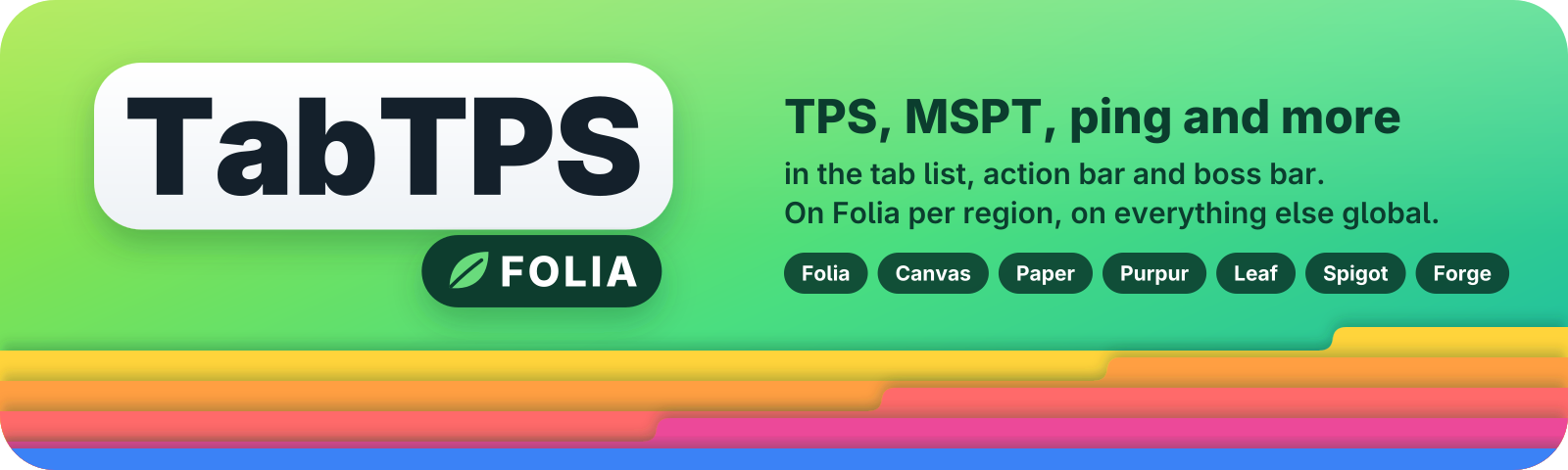
Shows TPS, MSPT and other server stats in the tab list, action bar and boss bar. On Folia every player sees the values of the region they are in, not a server-wide average.
Started as a Folia fork of TabTPS. Since 1.2.0 it also runs on Canvas, Paper, Purpur, Leaf and Spigot, and since 1.3.0 as a Forge mod.
Supported servers
Plugin
One jar for everything from Minecraft 1.20 to 26.3, Java 17 or newer.
| Server | Tick data | Tested on |
|---|---|---|
| Folia | per region | 1.20.1 – 26.3 |
| Canvas | per region | 26.3 |
| Paper | global | 1.20.1, 26.3 |
| Purpur | global | 1.20.1, 1.21.4, 1.21.10, 26.3 |
| Leaf | global | 1.21.4, 26.3 |
| Spigot | global | 1.20.1, 1.21.1, 1.21.4, 26.3 |
Paper, Purpur, Leaf and Spigot have one global tick loop, so there tps and mspt show server-wide values and the region modules show N/A.
Forge mod
| Minecraft | Forge | Java |
|---|---|---|
| 26.3 | 66+ | 25 |
| 1.20.1 | 47+ | 17 |
Each Minecraft version has its own jar, pick the one for your version in the versions tab. The mod only has to be on the server, players don't need it to join. It also works in singleplayer, where the world owner always has every permission, so the displays work without cheats. Permissions go through Forge's permission API, so mods like LuckPerms can grant them. The config is in config/tabtps/.
Displays
Tab list
Stats in the player list header or footer.

Action bar
Compact stats above the hotbar.

Boss bar
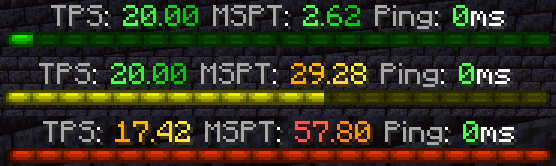
Fills up and changes color based on TPS or MSPT. It follows /tick rate, so a full bar always means the target tick time.
Modules
Pick which modules each display shows:
| Module | Description |
|---|---|
tps |
TPS of the player's region (global without regions) |
mspt |
MSPT of the player's region (global without regions) |
lowest_region_tps |
Lowest TPS of all regions |
median_region_tps |
Median TPS of all regions |
highest_region_tps |
Highest TPS of all regions |
ping |
Player ping |
cpu |
CPU usage |
memory |
JVM memory usage |
players |
Online players |
uptime |
Time since the server started |
mob_caps |
Mob cap usage of the player's world |
mob_cap_<category> |
One mob cap category, e.g. mob_cap_monster |
Mob caps are not available on Folia and Canvas, because Folia counts them per region.
Commands
| Command | Description |
|---|---|
/tickinfo |
TPS overview, with lowest / median / highest region on Folia and Canvas |
/ping [player] |
Your ping or another player's |
/pingall |
Ping of all online players |
/memory |
JVM memory pools |
/tabtps toggle <tab|actionbar|bossbar> [player] |
Turn a display on or off, for yourself or another player |
/tabtps mobcaps |
Mob caps of every world |
/tabtps reload |
Reload the config |
Toggling displays for other players needs tabtps.toggle.others. /execute as <player> run tabtps toggle ... works too, e.g. from command blocks.

PlaceholderAPI
If PlaceholderAPI is installed, TabTPS registers placeholders by itself, for example %tabtps_tps%, %tabtps_mspt%, %tabtps_ping%, %tabtps_uptime% and %tabtps_memory_used%. On Folia tps and mspt are per region. Add _colored for TabTPS' colors, e.g. %tabtps_tps_colored%. The full list is on GitHub.
Configuration
Everything is in plugins/TabTPS/ (config/tabtps/ on Forge):
display-configs/which modules to show, per permission groupthemes/colors for the performance thresholdsmain.confupdate rates, permission priorities, help colors
Optional, all off by default:
- Your own text for each display with MiniMessage, e.g.
format="<gray>The server runs at <tps> TPS, your ping is <ping>" - More color levels for themes and the boss bar
- A delay before the boss bar shows up after joining
- No colors in console output
Examples are on GitHub.
Updates
On startup TabTPS checks Modrinth once for a newer version for your server and Minecraft version. Operators get a short chat message when they join. Turn it off with update-notify-on-join=false in main.conf, or the whole check with update-checker=false.
Usage

Credits
Screenshots
Gallery
-
 Banner
-
 Banner card
Versions
Files
Relations
Project Relations
More like this
Similar Mods
Suggestions use data such as tags, dependencies, dependents, descriptions, titles, and more to rank how much they overlap with this mod.
On ModDex
Community snapshot
By the numbers
Statistics


Get it on
Available Platforms
On ModDex
Community snapshot
By the numbers