Community listing page, reviews here may not be monitored by the author.
Tactile:Blocks


No reviews yet
Functional blocks are being overhauled to make them more detailed, immersive, and interactive. No more UI fore them !
Community voices
Reviews
No reviews yet. Be the first to review this project!
Get it on
Available Platforms
Compatibility
Supported Environments
Must be installed on both the client and the server.
About
Project Details
For authors
Embed Badge
If you're the author of this project, you can embed a live badge anywhere that supports HTML or Markdown. It updates automatically whenever ratings change.
Use HTML for any page that supports it, or Markdown for README files and Markdown-based descriptions.
Identifiers
Platform IDs
Resources
External Links
About
Description
Functional blocks are menus with a model in front of them. Tactile:Blocks removes the menu and leaves the object.
Every functional block is rebuilt with a more detailed model, keeping the vanilla textures as much as possible. The GUI is gone: you interact with the block itself, and the work happens in front of you, in plain sight.
Vanilla recipes drive everything, so any recipe, modded or not, works exactly as it always did. A few blocks go further and change the mechanics themselves: the enchanting table, the anvil and the furnace.
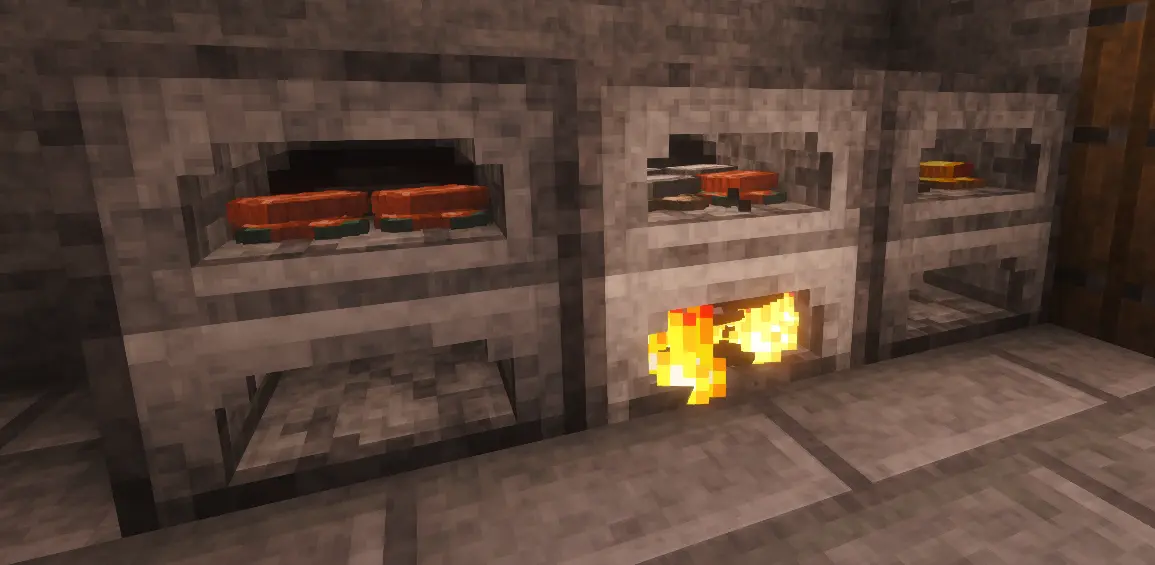
Furnace
Two compartments: ingredients on top, fuel below. The top one holds four different item types, and the results stack on an eight-slot grid.
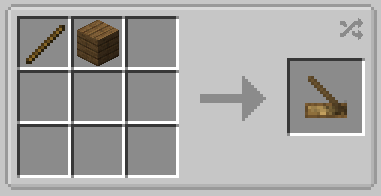
Light the fuel by holding right-click on it with the hand drill. Fuel keeps burning whether or not there is anything to cook. Hoppers are not supported.
Smoker
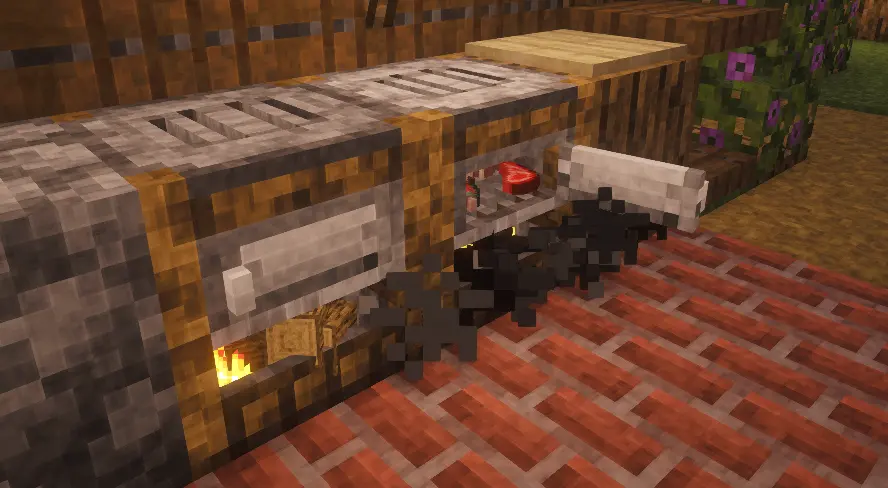
Same idea, behind a door you have to open to load it. Leave the door open and the smoke escapes from the front, and the food stops cooking.
Brewing stand
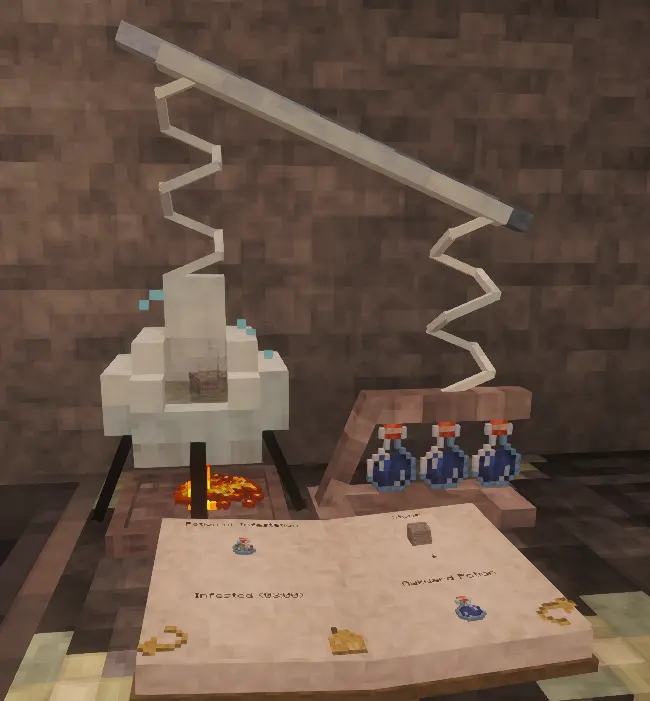
Vanilla mechanics, no interface. Blaze powder goes in the compartment underneath, the ingredient in the chamber above it, the three bottles on the right, and water is poured in with a water bottle.
The water boils and takes the colour of the ingredient once a recipe is valid. The book at the front is a real index: click a potion to jump to its recipe.
Anvil and engraving bench
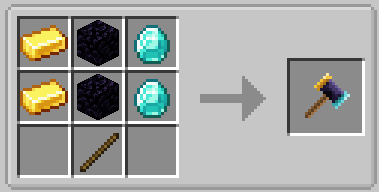
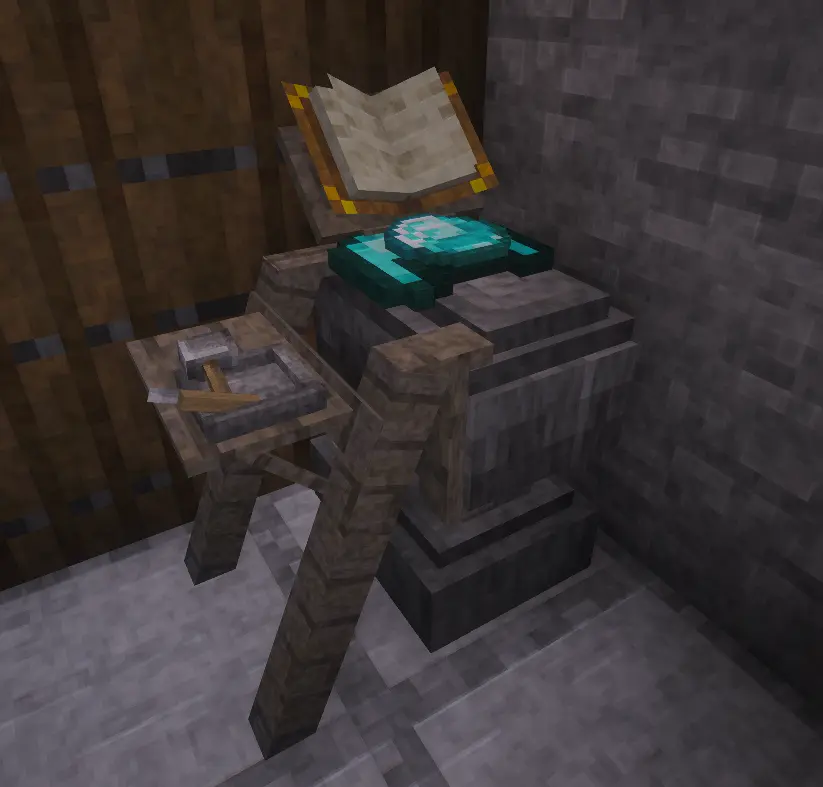
The anvil alone repairs and merges. Place the item down, the ingredient on top, then strike with the forging hammer until the sound and the particles tell you it is done.
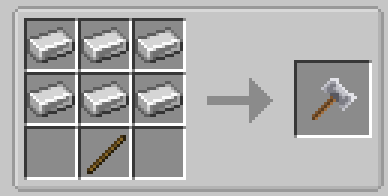
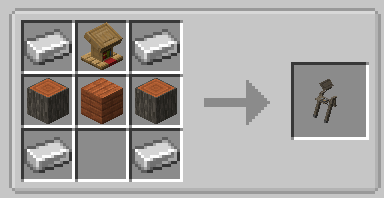
Renaming and merging enchantment books need the engraving bench, added on the left side. Right-click a tool to rename it. Right-click with a book to lay it on the lectern, then strike it with the enchantment hammer.
Millstone
Hold right-click nearby to repair or disenchant.
Repairing needs no ingredient but costs experience, and a fully broken item takes 30 seconds. The repair cap drops by 0.05% per second, and only an anvil removes it. Disenchanting is free and quick.
Smithing table
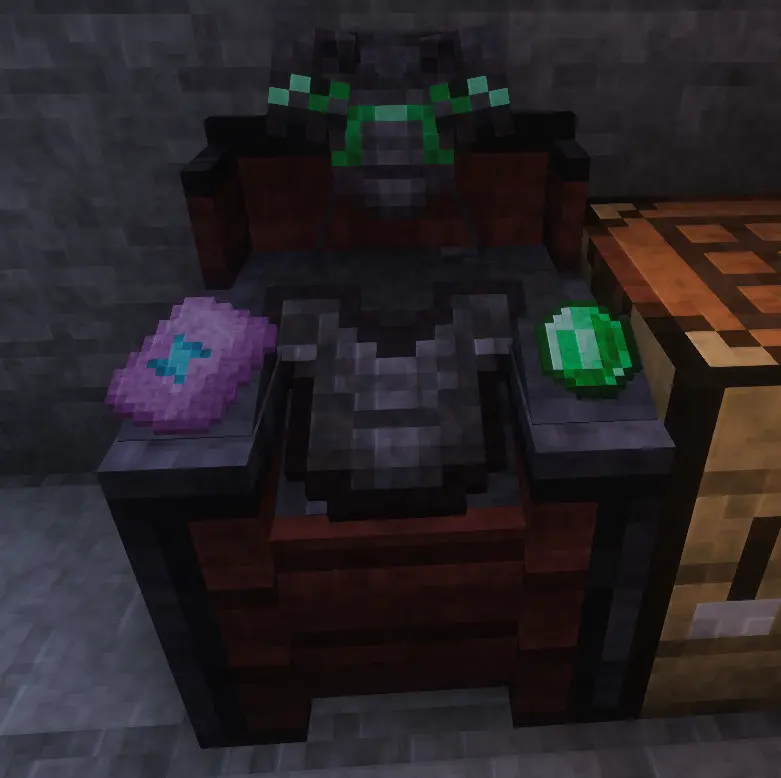
Item in the centre, template on the left, material on the right. The preview faces you. Confirm with the smithing hammer.
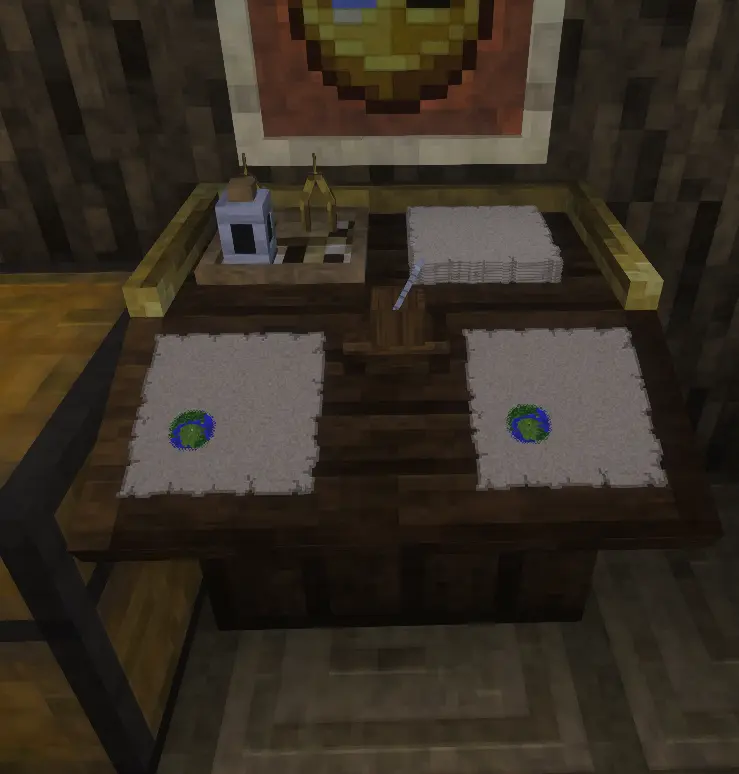
Cartography table
Map enlargement recipes are replaced by the table itself, and blank maps can only be activated here. Everything but enlarging consumes ink and quills.
Main map on the left, right-click the quill to reveal a blank one. Copy slot on the right. Back right holds the eight blank maps an enlargement needs; right-click the compasses to enlarge. Refill the ink with an ink sac, the holder with a feather.
Enchanting table
An altar you handle directly. Everything happens inside the Grimoire, a book you hold open in front of you.
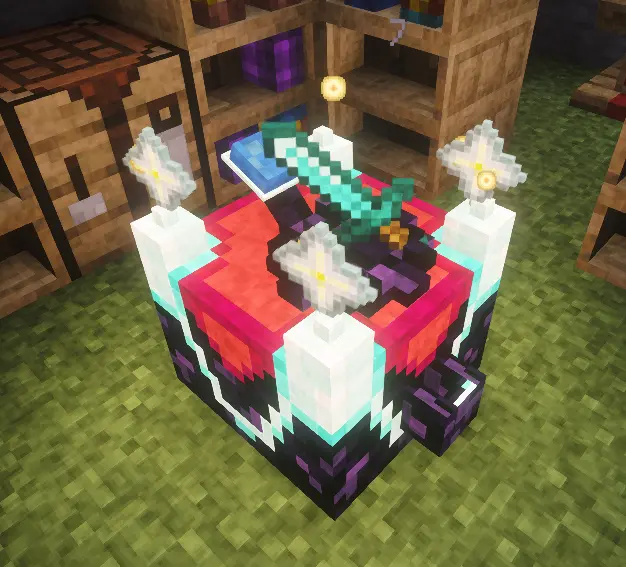
Three things are yours to manage:
- Power. Right-click the front chute with an empty hand to invest levels. They are stored permanently in the four antennae and are never spent by enchanting. The more power, the stronger the offers, up to level 32, where curses stop appearing.
- Fuel. Only Knowledge Books fuel an enchantment. Craft them by right-clicking a plain book on the lectern, for 2 levels, then store them in the bookshelves around the table. Each holds four.
- Lapis lazuli. Right-click the back receptacle to fill it. Lapis pays for refreshing the three offers.
Place the item on the central pedestal, hold the Grimoire, and right-click near the table. The left page shows your context, the right page the three offers and their cost. Click one to apply it.
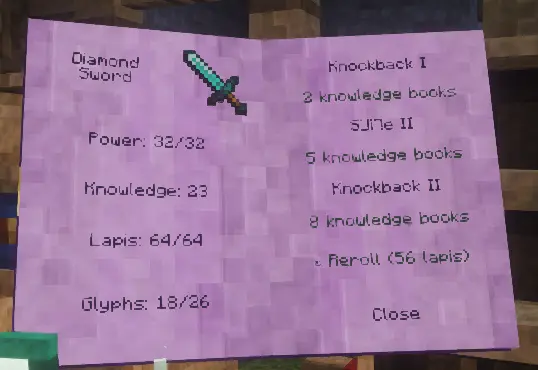
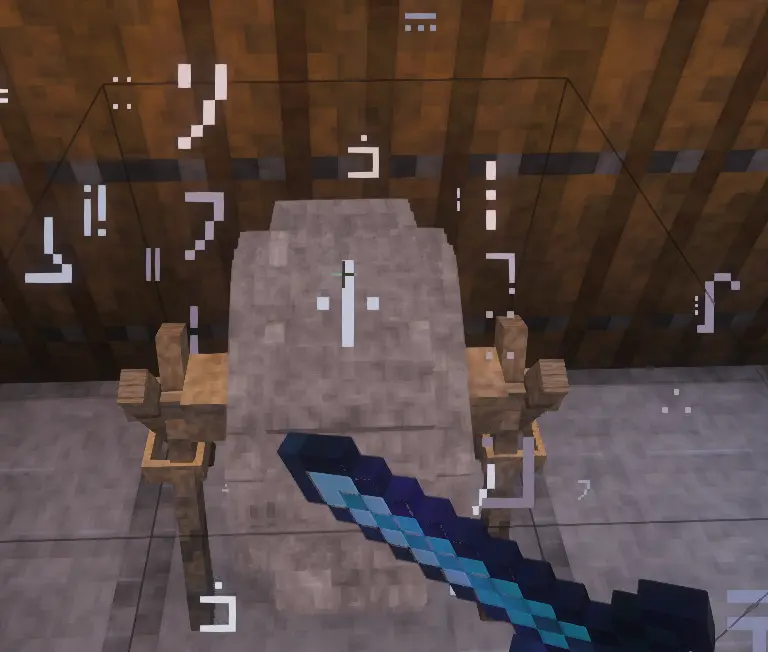
Enchantment names are written in the Standard Galactic Alphabet. Every enchantment teaches you a few letters, and the Grimoire slowly becomes readable.
Books can be enchanted too, and turn into ordinary enchanted books. Being easy targets, they cost more: twice as much for a plain book, one and a half times for a Knowledge Book.
Once the antennae are full, an offer may appear in gold with a +: an enchantment beyond the normal limit. It costs one Nether Star, placed by right-clicking an antenna, up to four.
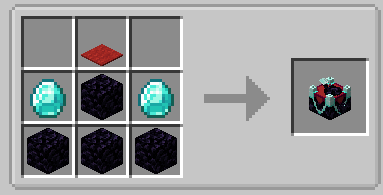
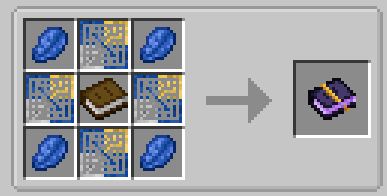
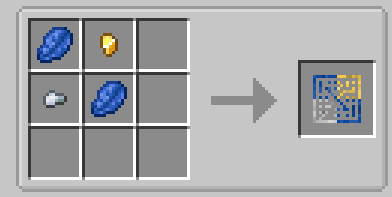
The enchanting system can be switched back to the vanilla format in the mod settings. You keep the grimoire, and still fill the bookshelves with standard books.
Chest
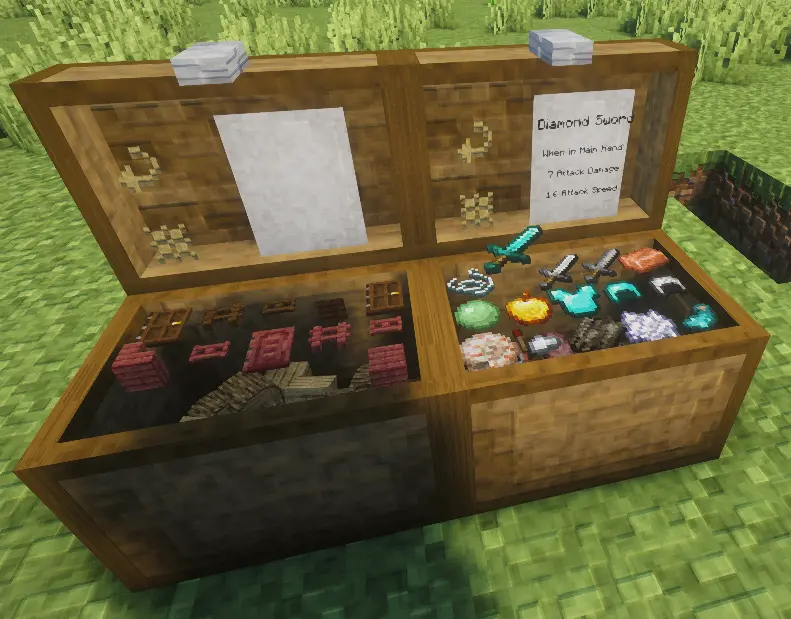
Two states that last until you act on them: closed, and breakable. Open, and unbreakable.
Right-click the grid to place an item, hold to place the stack. Left-click to take one, hold to take the stack. Shift picks up or puts down everything matching. Items dropped onto the chest are stored on their own.
Two buttons on top: swap to the second grid, and sort the current one. Shift-click sorts the whole chest.
Blast furnace
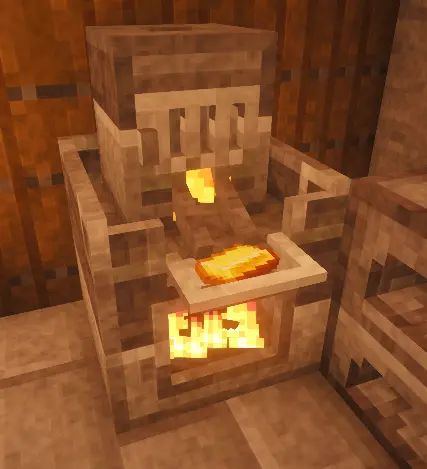
Vanilla behaviour. Fuel at the bottom, raw ore on top, and the small compartment at the front collects the result.
It moves into the world you already have
Stations already placed, in villages or in your own builds, become their Tactile versions on their own, without touching what they contain.
Compatibility
- Any recipe works, vanilla or modded, with nothing to configure.
- Existing worlds are supported.
- The enchanting system can be switched back to vanilla from the mod settings, in the mods list. It is a server setting, shared with every player who connects.
Save safety
Change your mind and everything goes back to vanilla with /tactile revert: the stations return to the blocks they were, everywhere in the world.
Nothing is lost in the process. Whatever a station was holding goes back into the vanilla block when that block has an inventory, and drops at your feet when it has none, as with the smithing table or the enchanting table. Unopened structure chests keep their loot. A backup is still good practice.
Minecraft 1.21.1 and 26.1 · Fabric and NeoForge · client and server
Website : belerion63.github.io/Tactile Discord : discord
The mods are free and will stay free. If you want to support the work, you can do it on Ko-fi.
Part of the Tactile suite
Tactile reworks the world of Minecraft in depth, one layer at a time. The gesture is its final note.
Available now :
Tactile:Wood is coming, and more after it.
AI Disclosure
Developed with AI assistance (Claude by Anthropic) for code implementation. Concept, design, architecture and all decisions are entirely my own.
Tactile is a suite of mods currently in development that aims to make the world of Minecraft more immersive and player interactions more tactile.
Currently available mods:
More mods are coming soon, all in the same spirit as Tactile.
Introduction
Tactile is an overhaul of functional blocks (crafting tables, enchanting tables, anvils, chests, etc.).
Each block has been redesigned with a more detailed model while retaining the vanilla texture as much as possible.
These blocks no longer feature a GUI; instead, they interact directly with the player.
Certain blocks, such as the enchanting table, blast furnace, or anvil, go further by directly altering gameplay mechanics.
The new blocks
Furnace :
The furnace behaves similarly to the vanilla version. Its interface is replaced by two compartments: an upper one for ingredients and a lower one for fuel.
The upper compartment can hold four different types of items, up to a total of 64. The resulting cooked or smelted items are arranged on a stacked grid, providing a total of eight slots capable of holding 128 items.
The fuel compartment must be lit using a fire source.
Fuel continues to burn regardless of the state of the ingredient compartment.
This introduces a new item: the hand drill.
Hold down the right-click button while targeting the fuel compartment.
The furnace no longer supports hoppers.
Smoker :
The smoker is similar to an oven.
It is equipped with a door that must be opened to insert the ingredients.
If the door is left open, the smoker will emit smoke abnormally from the front, and the food will stop cooking.
Brewing Stand :
The brewing stand retains its vanilla mechanics, but its interface is entirely replaced by direct interaction with the block itself.
A compartment beneath the stand holds the fuel (Blaze Powder). Directly above that is the distillation chamber for the ingredient. To the right is the holder for the three potions. The ingredient chamber also requires a water supply (right-click with a water bottle).
An interactive book is provided at the front; it features a table of contents, allowing you to click on potions to jump straight to their recipe pages.
When a valid recipe is set, the water begins to boil and changes color based on the ingredient used.
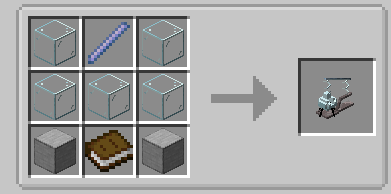
The new recipe of brewing stand :
Anvil
The anvil's functionality has been split in two.
The anvil on its own allows you only to repair or merge items.
Simply place the item to be repaired down, and place the repair ingredient or fusion item on top of it.
Then, right-click with the forging hammer until the repair is complete (indicated by sound and particles).
To rename or merge an enchantment book, you need to add the "engraving bench" extension (on the left side).
To rename, right-click on the tools and type the name into the text field that appears.
To enchant, right-click on the engraving bench while holding the book; it will be placed on the lectern in front. Then, strike it with the enchantment hammer until the process completes (indicated by a sound and particles). The enchanted book reverts to a normal book.
Millstone
The grindstone can still be used to repair or disenchant items.
Repairing requires no ingredients, but does take a small amount of XP.
The repair time for a completely broken item is 30 seconds.
The repair cap decreases by 0.05% every second. To remove the cap, using an anvil is necessary.
Disenchanting is free and takes very little time.
Hold down the right mouse button while near the grindstone to use it.
Smithing Table
The smithing table block has been completely overhauled to replace its old interface.
Place the item to be modified in the center. Place the smithing template on the left. Place the material on the right. A preview is visible facing the player.
To confirm a recipe, right-click with the smithing hammer until the process is complete.
Cartographer
The Cartograph is receiving some modifications: map enlargement recipes are being replaced by the use of the Cartograph itself. Blank maps can only be activated using the Cartograph.
Using the device consumes ink and quills (except when enlarging a map).
The slot on the left is for the main map; if using a blank map, right-click the quill to reveal it.
The slot on the right is for copying; place a blank map there, then right-click the quill to copy the map from the left slot.
The slot at the back right holds the blank maps required to enlarge the map in the main slot (8 are needed per enlargement). Right-click the compasses (back left) to enlarge a map.
Right-click the ink bottle with an ink sac to refill it. Right-click the quill holder with a feather to refill it.
Enchanting Table
The enchanting table has been redesigned as a small altar that you interact with directly.
Everything takes place within the Grimoire, a book you hold and open in front of you to read and make your choices.
Obtaining an enchantment relies on three elements that you manage yourself: power (which determines the strength of the enchantments), fuel (consumed with each enchantment), and lapis lazuli (used to refresh the available options).
Setting up the item and basic principles
Place the item to be enchanted on the central pedestal.
The receptacle at the back serves as a reservoir for lapis lazuli; right-click it with lapis lazuli to fill it.
The chute at the front allows you to invest experience; right-click with an empty hand to transfer your levels. Each invested level increases the table's power.
Power: the four antennae
Invested experience is permanently stored in the four antennae located at the corners of the table. This determines its power: the more you invest, the more powerful the offered enchantments become, up to the base game's maximum limit. At the maximum level (32), curses are no longer offered. Orbs of light orbit each antenna and grow larger as they charge; the entire table glows more intensely depending on its charge level. This investment is permanent and lasting; you do not lose it when performing enchantments.
Fuel: bookshelves and Knowledge Books
Standard bookshelves are replaced by a custom model capable of holding up to four books. Only "Knowledge Books" serve as fuel; each enchantment consumes a certain amount, drawn from the bookshelves arranged around the table. Knowledge Books are crafted at the lectern (which replaces the standard lectern): place a regular book on it and right-click once. This process costs 2 experience levels and transforms the book into a Knowledge Book. You can then store them in bookshelves to fuel your enchantments. Knowledge Books can be consumed to regain a level.
The Grimoire: The Interface
Hold the Grimoire in your hand and right-click near a valid table to open it; a book appears before you.
The left page shows the context: the item you are enchanting, current power, available knowledge and Lapis Lazuli, and the number of learned glyphs. The right page lists three enchantment options, each with its cost in Knowledge Books.
Click an option to apply it (consuming the corresponding Knowledge Books) or use the refresh option to change the three choices in exchange for Lapis Lazuli. Right-clicking does not interact with the world while the Grimoire is open; close it using the button or by moving away.
Enchantment names are written in the Standard Galactic Alphabet. Each enchantment you perform teaches you a few of its letters, and the Grimoire gradually translates into readable text as your knowledge grows.
Enchanting Books
You can also enchant a regular book or a Knowledge Book at the table; both transform into a standard (vanilla) enchanted book. Since books are very easy to enchant, they consume more resources: a regular book costs twice as much, and a Knowledge Book costs one and a half times as much.
Maxing the Level: Nether Stars
Once your antennas are fully powered, there is a small chance that one of the three options will be a maximum-power enchantment exceeding the standard limit; it appears in gold with a "+" sign. To obtain it, you must provide a Nether Star to the table: right-click an antenna with a star to place it (up to four in total, one per antenna). A maximum-power enchantment consumes one star.
Chest
The chest now has two distinct states that persist until the player interacts with it: Closed: Breakable. Open: Unbreakable.
When the chest is open, several elements appear.
An item grid is visible at the top of the chest. Right-click to place an item; hold right-click to place the entire stack. Left-click to retrieve an item; hold right-click to retrieve the entire stack.
Shift + left-click to retrieve all items matching the one currently held. Shift + right-click to place all items matching the one being targeted.
Items can be dropped directly onto the chest to store them automatically.
Stored items are visible beneath the grid; these are the contents of the second storage grid.
There are two buttons at the top of the chest:
Swap (switch to the other storage grid). Sort the current grid (Shift + click to sort the entire chest).
Blast Furnace
The blast furnace behaves just like the vanilla version.
The bottom compartment is for fuel, the top compartment is for raw ore, and the small compartment at the front is for collecting the smelted ore.
Screenshots
Gallery
-
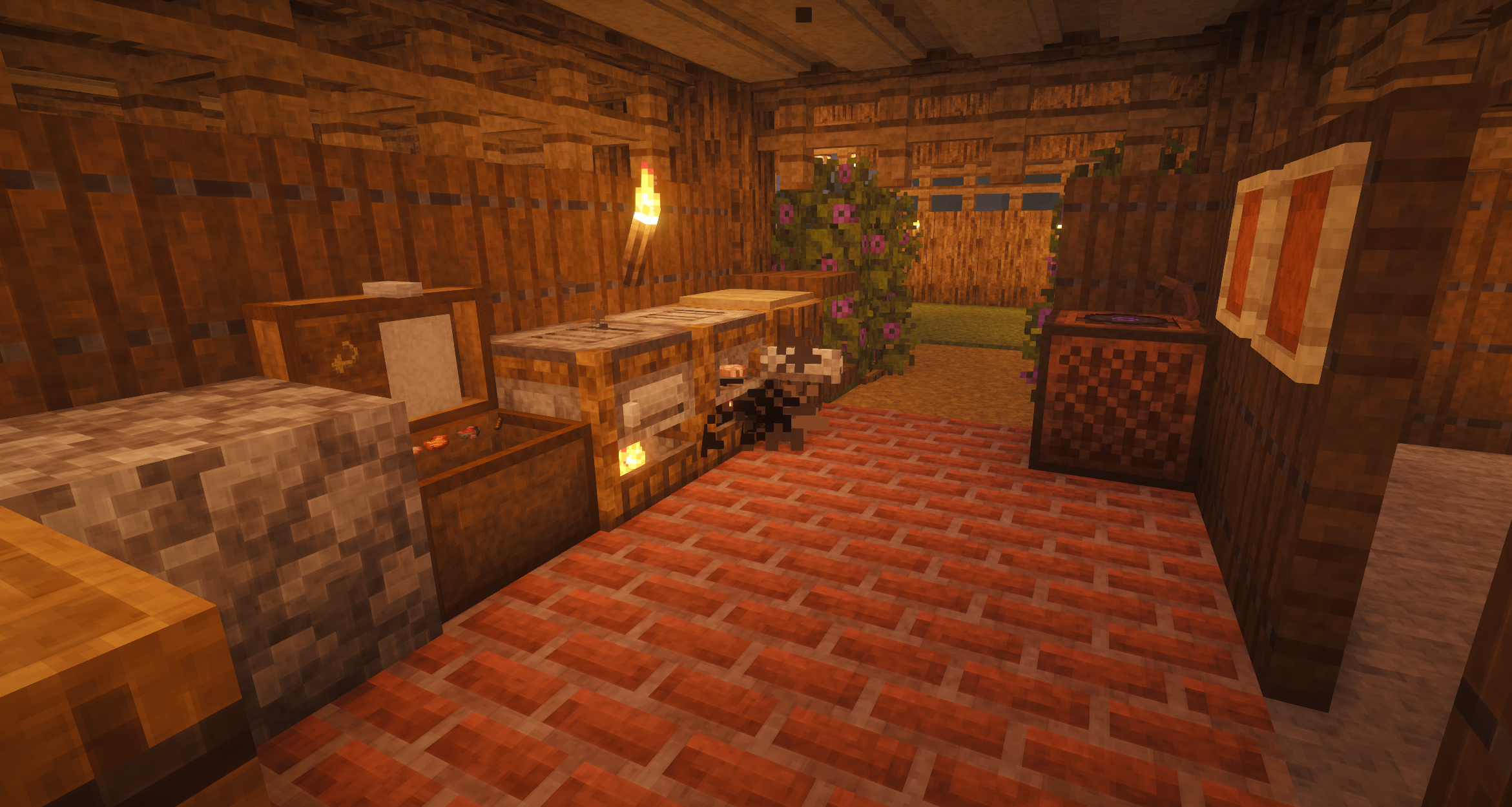 The kitchen
 -
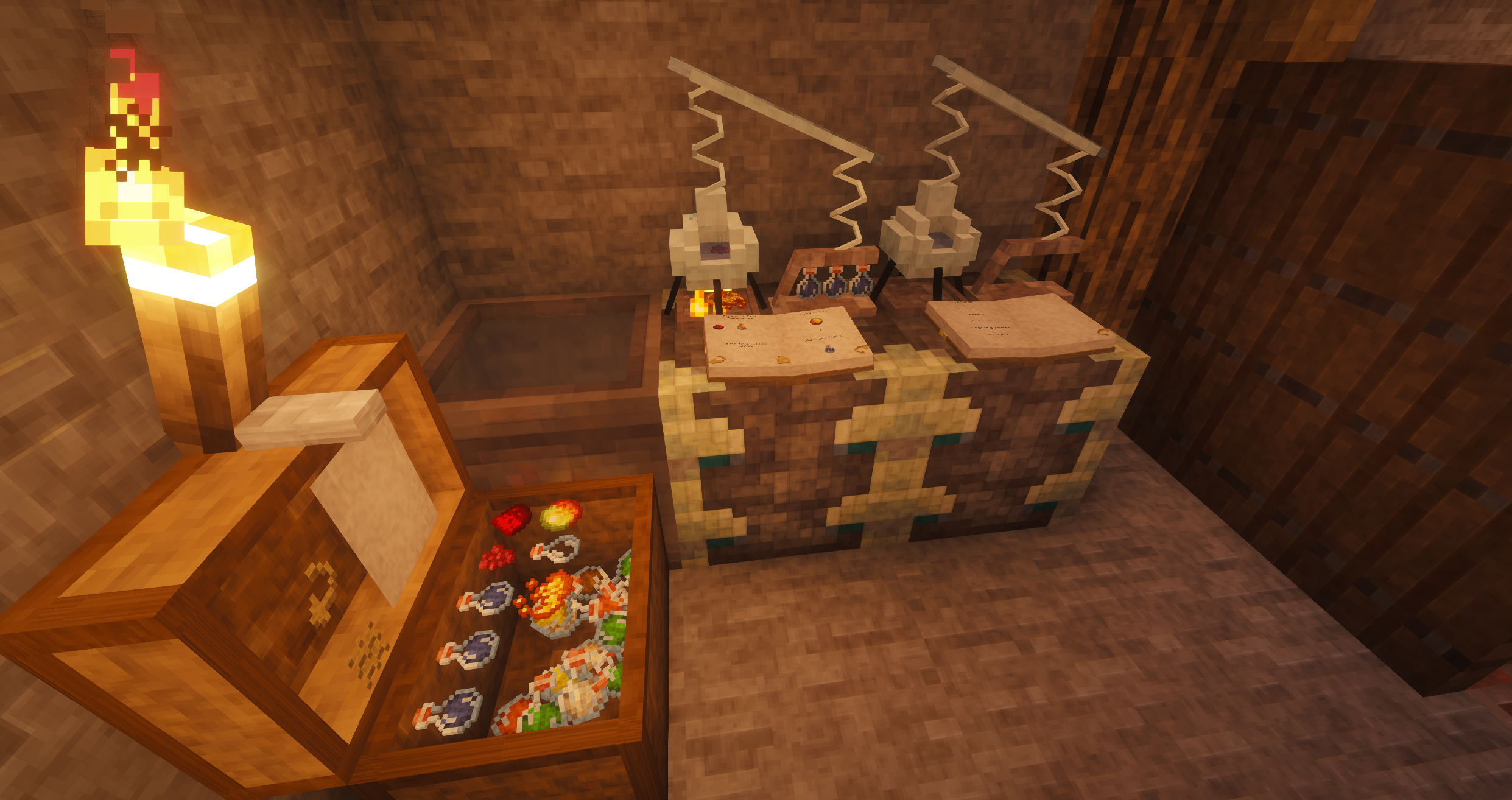 The lab
 -
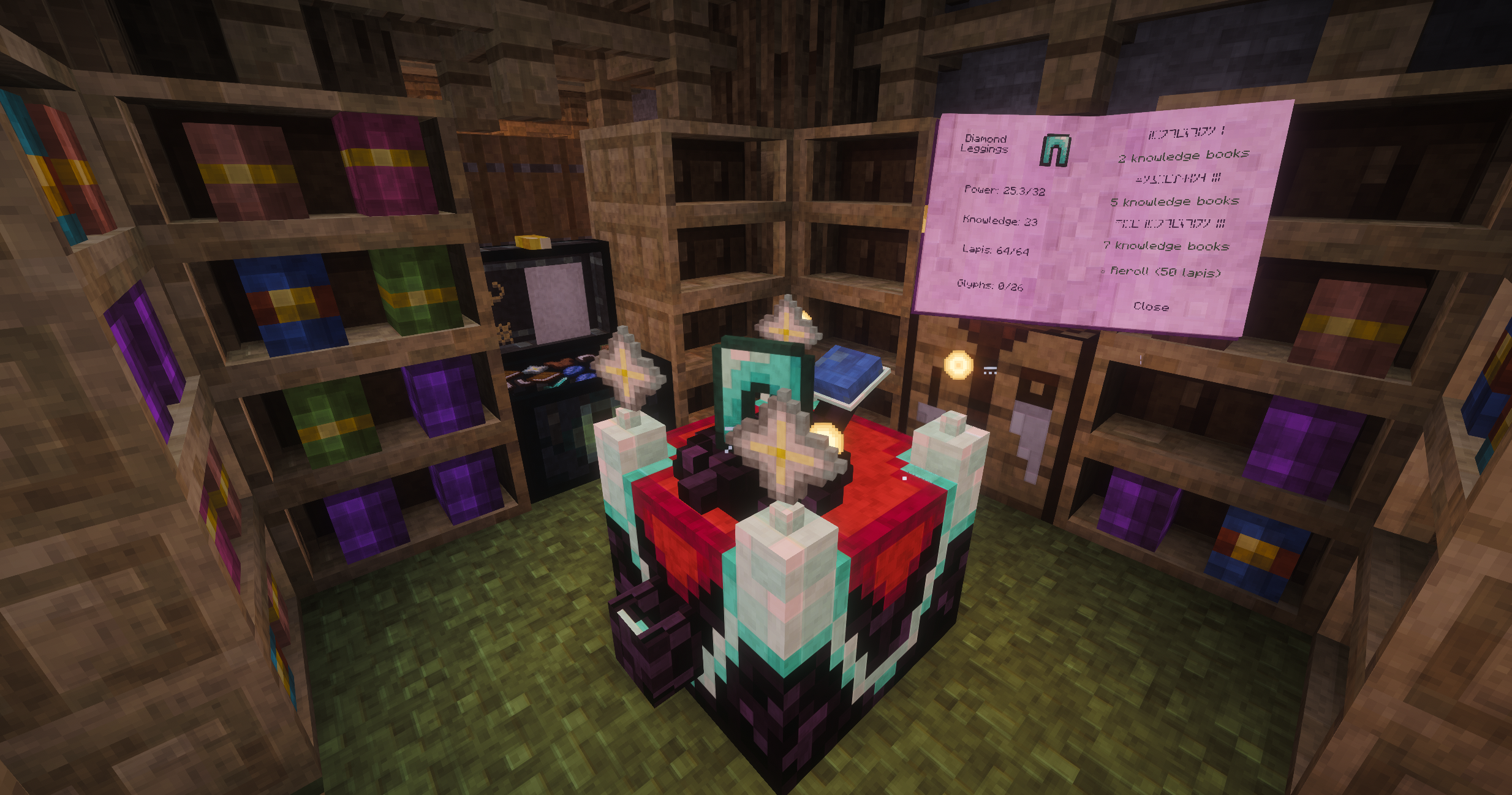 The enchant room
 -
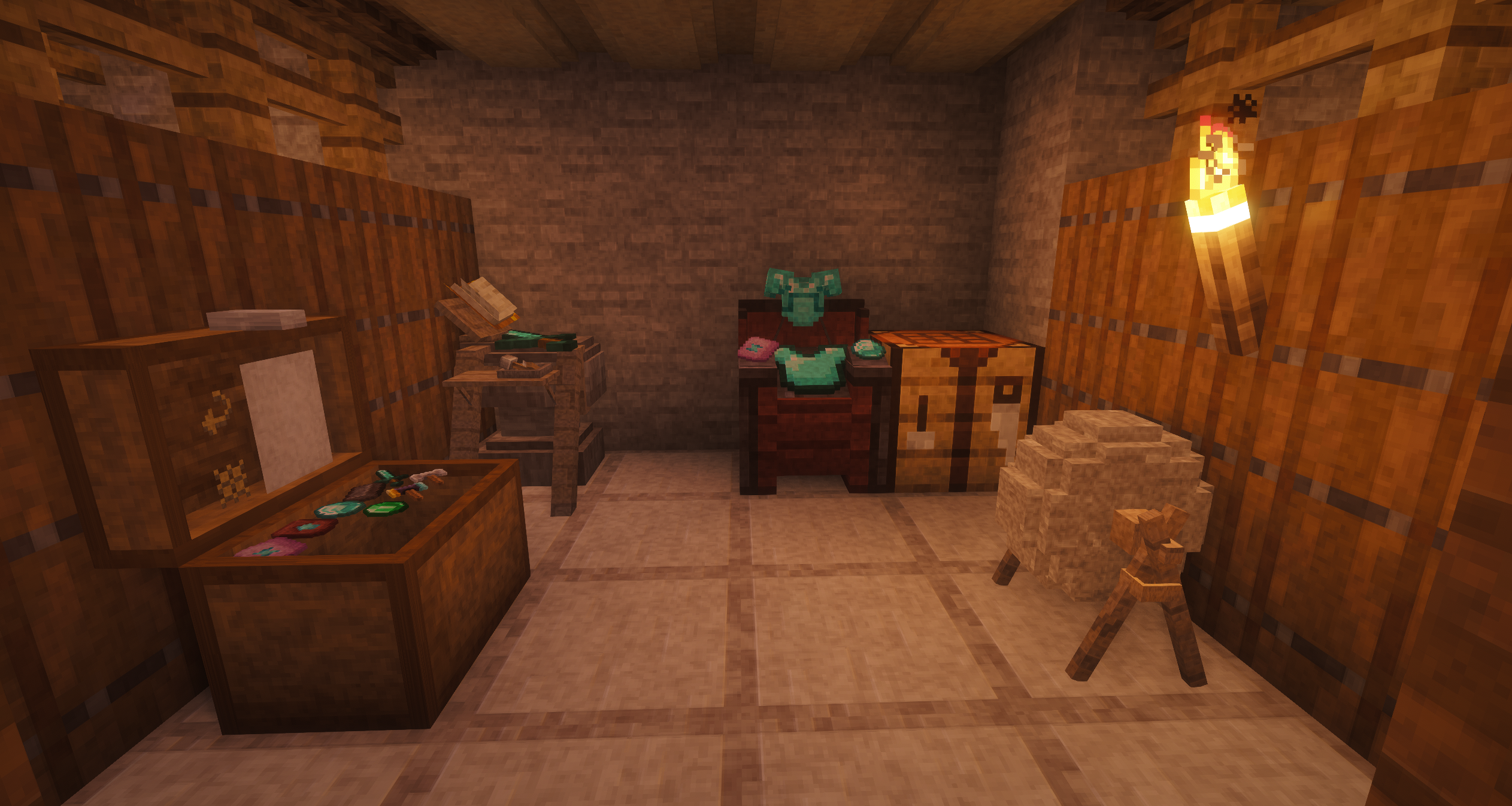 The forge
 -
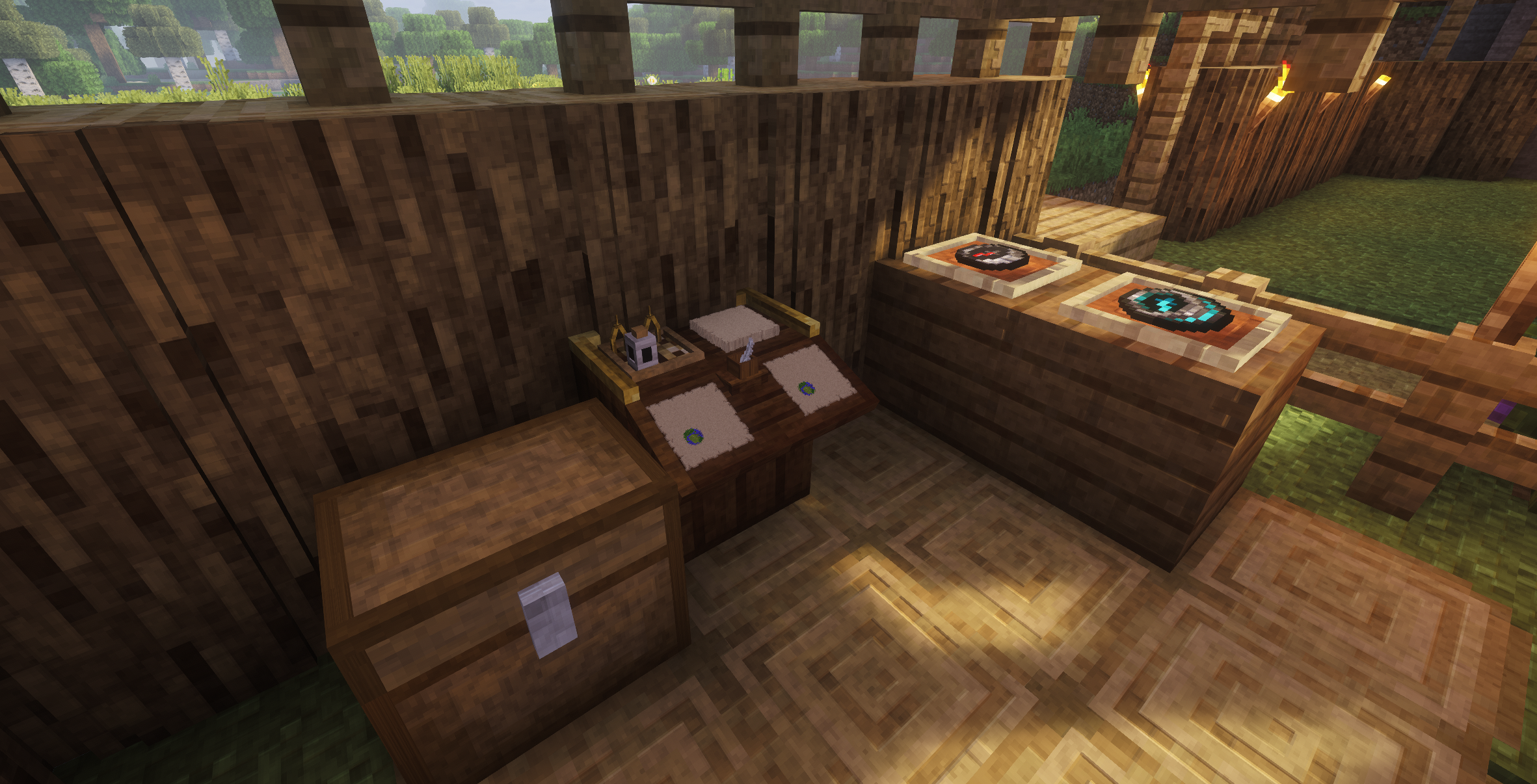 The cartographer
 -
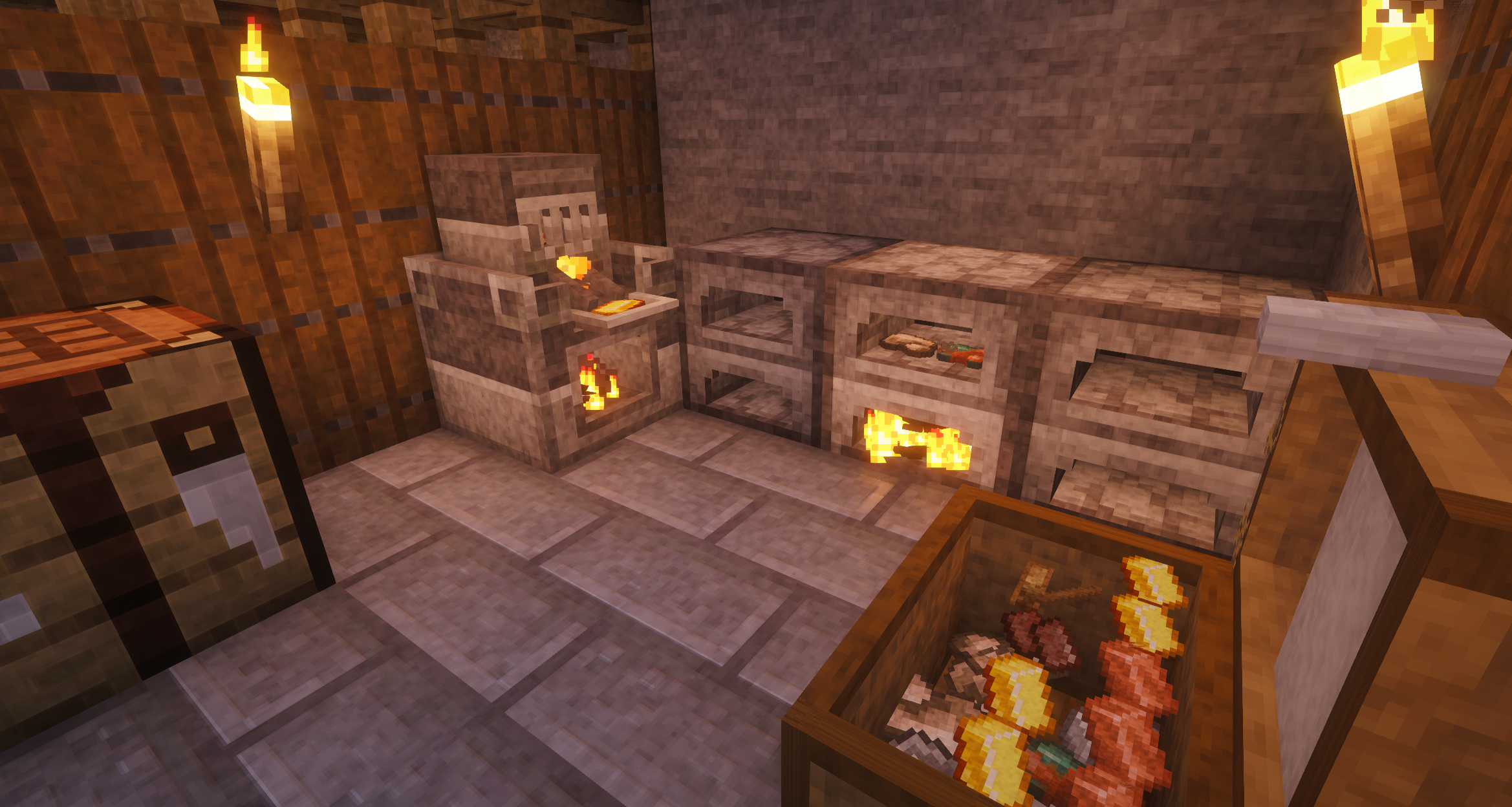 The smeltery
Versions
Files
Relations
Project Relations
More like this
Similar Mods
Suggestions use data such as tags, dependencies, dependents, descriptions, titles, and more to rank how much they overlap with this mod.
On ModDex
Community snapshot
By the numbers
Statistics
Want to reach Minecraft players?
We're looking for a server hosting partner to feature here and other parts of the site. Interested? Send us a message!
Get in touchGet it on
Available Platforms
On ModDex
Community snapshot
By the numbers
Statistics
Resources