![[TaCZ/SBW] Combined Arms](https://media.forgecdn.net/avatars/thumbnails/1912/160/256/256/639193016198666638.png)
Community listing page, reviews here may not be monitored by the author.
[TaCZ/SBW] Combined Arms


No reviews yet
A bridge mod that allows NPCs from TACZ: Simple Enemy Mod to interact and/or spawn with vehicles from Superb Warfare
Community voices
Reviews
No reviews yet. Be the first to review this project!
Get it on
Available Platforms
Compatibility
Supported Environments
Must be installed on both the client and the server.
About
Project Details
For authors
Embed Badge
If you're the author of this project, you can embed a live badge anywhere that supports HTML or Markdown. It updates automatically whenever ratings change.
Use HTML for any page that supports it, or Markdown for README files and Markdown-based descriptions.
Identifiers
Platform IDs
About
Description






A bridge mod that allows NPCs from TaCZ: Simple Enemy Mod to interact and/or spawn with vehicles from Superb Warfare (required 0.8.9.1 since 0.1.5).

This project includes some compatibilities with mods that complement the project well, in order of size:
- Xaero's World Map/OpenPAC: Highly recommended for ease of use, includes exclusive "Cruise" and "Sweep and Advance" order.
- Extermination Mod: Balancing compatibility. (W.I.P.)
- Enhanced Falling Trees: Vehicles will be able to tear down trees. (UPCOMING IN 0.1.4)
- Komodo Rendering Accelerator: Up until SBW 0.8.9
- PlayerRevive Mod: PMC units can revive you, and you can revive PMC units.

The project is still in early development, and may present itself with bugs.
This is why feedback is highly appreciated. If you encounter any issues you may reach out in our Discord server, for technical issues the GitHub Issue Tracker is always open, or if you encounter any issues with both you can still reach out to the comments.
If you'd rather learn how the mod works, you may either check the YouTube tutorial which should cover basic functionalities, or consult the GitHub Wiki. Thanks!

This project depends on the following projects:
- TACZ: Simple Enemy Mod by NekoYunii, licensed under the GNU General Public License v3.0.
- Superb Warfare by Mercurows, code licensed under GNU GPL v3.0.
- Thanks to Default642172 for the outstanding skins used in this project.
This project was developed with inspiration from SBW: Superb Recruits by LogicalMaximus, licensed under the MIT License. This project doesn't include any assets from Superb Recruits, but portions of its code structure and implementation approach were referenced during development. The original project and its contributors retain all rights to their work. A copy of the MIT License can be found on the original CurseForge project.


A bridge mod that allows NPCs from TaCZ: Simple Enemy Mod to interact and/or spawn with vehicles from Superb Warfare (required 0.8.9).
This project includes some compatibilities with mods that complement the project well, in order of size:
- Xaero's World Map/OpenPAC: Highly recommended for ease of use, includes exclusive "Cruise" and "Sweep and Advance" order.
- Berezka PMC/RU/US Structures: Spawns vehicles alongside units.
- Extermination Mod: Balancing compatibility.
- Enhanced Tree Fall: Vehicles will be able to tear down trees.
The project is still in early development. and may present itself with bugs.
This is why feedback is highly appreciated, If you encounter any issues you may reach out in our Discord server, for technical issues the Github Issue Tracker is always open, or if you encounter any issues with both you can still reach out to the comments.
If you'd rather inform on how the mod works, you may either check the Youtube tutorial which should cover basic functionalities, or consult the Github Wiki. Thanks!
This project depends on the following projects:
- TACZ: Simple Enemy Mod by NekoYunii, licensed under the GNU General Public License v3.0.
- Superb Warfare by Mercurows, code licensed under GNU GPL v3.0
- Thanks to Default642172 for the outstanding skins used in this project.
This project was developed with inspiration from SBW: Superb Recruits by LogicalMaximus, licensed under the MIT License. This project doesn't include any assets from Superb Recruits, but portions of its code structure and implementation approach were referenced during development. The original project and its contributors retain all rights to their work. A copy of the MIT License can be found on the original CurseForge project.
Screenshots
Gallery
-
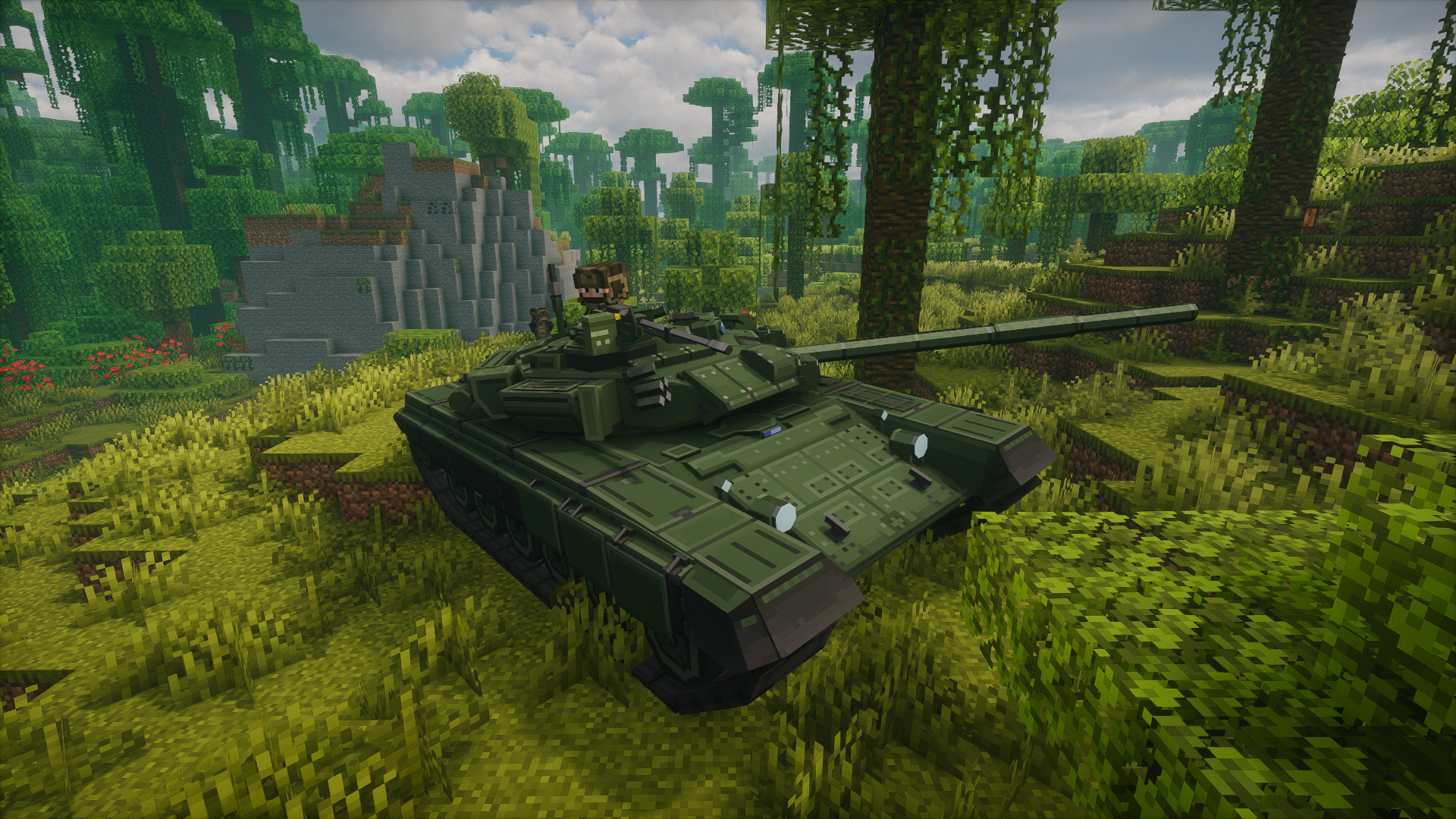 A SEM Unit idling on a T-90A tank
 -
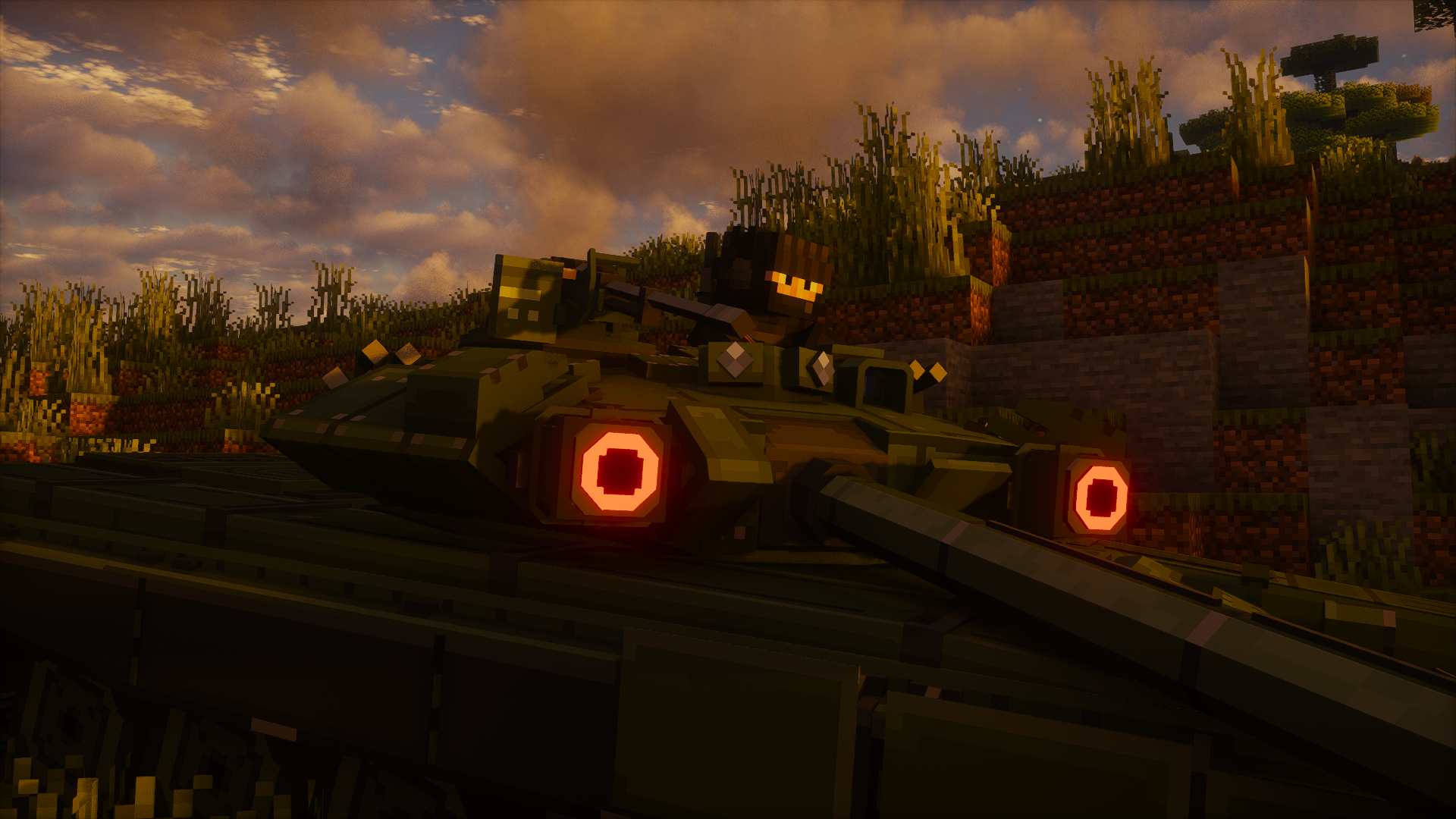 SEM unit on a T-90A
Versions
Files
Relations
Project Relations
More like this
Similar Mods
Suggestions use data such as tags, dependencies, dependents, descriptions, titles, and more to rank how much they overlap with this mod.
- [SBW] No Pocket Vehicles!
- [SBW] Drill, baby, drill!
- [SBW] Vintage Vehicle Pack
- [SBW] MCSP - ADDON
- [SBW]HaloVehicles
- [SBW] Biome Soldiers
- [TaCZ/SBW] PlayerRevive gun mod compitability
- [TACZ/SBW]Suppression
- [TACZ, SBW] Realistic Bullet Impact
- [TaCZ/SBW] Better Combat Logic
- [TaCZ/SBW] Better Revive System
- Maid-TACZ-SBW-Damage-Fix
On ModDex
Community snapshot
By the numbers
Statistics
Want to reach Minecraft players?
We're looking for a server hosting partner to feature here and other parts of the site. Interested? Send us a message!
Get in touchGet it on
Available Platforms
On ModDex
Community snapshot
By the numbers