Community listing page, reviews here may not be monitored by the author.
Take Your Stream Chat


Live chat from Twitch, YouTube, Kick & TikTok — right inside your Minecraft world.
Community voices
Reviews
No reviews yet. Be the first to review this project!
Get it on
Available Platforms
Compatibility
Supported Environments
Runs entirely on the client. Works on vanilla servers.
About
Project Details
For authors
Embed Badge
If you're the author of this project, you can embed a live badge anywhere that supports HTML or Markdown. It updates automatically whenever ratings change.
Use HTML for any page that supports it, or Markdown for README files and Markdown-based descriptions.
Identifiers
Platform IDs
About
Description
Take Your Stream Chat
Live chat from Twitch, YouTube, Kick & TikTok — right inside Minecraft.
Show viewer messages as floating cards in the world or as a clean overlay in the corner. Built for streamers who want chat to feel part of the game, not stuck in a browser tab.
What it does
- Connect your platforms — turn on Twitch, YouTube, Kick and/or TikTok in settings, enter channel names, play
- Two looks — messages in 3D space in front of you, or a HUD stack in the top-right (still visible when you open inventory)
- Emotes — Twitch and 7TV emotes show inline where supported; color Unicode emojis (optional) use your system emoji font
- Pin the good stuff — keep a message in the world; pins save per world/server
- Chat history — scroll back, replay a message, pin again, or block someone
- Filters — hide words you don't want, filter by chatter role (subs, VIPs, mods), block usernames
Quick start (2 minutes)
Install Fabric and Fabric API for your Minecraft version (pick the matching release on this page)
Download the jar and put it in your
modsfolder, then start the gamePress
]to open settingsEnable the platforms you use, type your channel/username for each, Save
Play — messages appear as chat comes in
You don't need Mod Menu. If you have it, the mod shows up there too. Fabric API is required; Mod Menu is optional.
Controls
| Key | Action |
|---|---|
] |
Open settings |
[ |
Quick connect / disconnect all enabled chats |
In 3D mode (empty hand):
- Left click — dismiss a message (if enabled in settings)
- Right click — pin a message; click the pin icon or hold to drag pinned messages
Commands
Main command: /streamchat (old /minestream still works)
| Command | What it does |
|---|---|
/streamchat test Hello! |
Show a test message |
/streamchat chat start |
Connect all enabled platforms |
/streamchat chat stop |
Disconnect |
/streamchat banword add badword |
Add a filtered word |
/streamchat blockuser add SomeUser |
Block a username |
/streamchat help |
Full list |
Tips for streamers
- HUD mode — best if you don't want chat blocking the view; messages stay in the corner
- In world mode — great for "reading chat out loud" moments; look at a message to pause its timer
- Spawn chance — lower it if chat is too fast; the mod won't pile up hundreds of messages
- Role filter — show only subs/VIPs/mods when chat gets noisy
Upgrading from Take Your MineStream (1.x)
This mod was renamed to Take Your Stream Chat. Your settings and pinned messages are migrated automatically on first launch. Old jar: tyms-… → new jar: tysc-….
Questions or bugs? GitHub
Take Your Stream Chat
Chat from Twitch, YouTube, Kick and TikTok - inside Minecraft, next to you.
No second monitor. No OBS overlay you keep forgetting to look at. Messages pop up as little cards in the world, or sit quietly in a screen corner. Read chat, pin a funny one, keep playing.

Two ways to show chat
In the world. Bubbles spawn around you, or only in front of you (so they stay on camera). Look at a message and the timer pauses - handy when you want to read it out loud. Left-click to dismiss, right-click to pin. Pins stick around per world and dimension.
On the HUD. A stack in any screen corner. Still visible when you open your inventory. Nudge it with X/Y offsets so it doesn’t cover your hotbar.
Pick In world or On HUD in settings → Appearance. Fine-tune where things sit in Placement.
What else you get
- Several platforms at once - turn on the ones you actually stream on
- Emotes as pictures - Twitch, 7TV, Kick, YouTube stickers, plus optional color emoji
- Role badges — host, mod, VIP, sub next to the name
- Your colors — panel fill and border (or let the border follow the platform color)
- History — scroll back, replay a message, pin it again, or block the nick
- Filters — banwords, regex, username blocklist, and per-platform role filters (subs / VIP / mods / followers)
- Per-platform mute — hide one source’s messages or its ping sound without disconnecting
- TikTok gifts and follows — optional, off by default
It’s client-side. Only you need the mod.
Setup (about two minutes)
- Install Fabric and Fabric API for your Minecraft version. Download the matching jar from this page.
- Drop the jar in
mods/and launch. - Press
]to open settings. - Turn on a platform, click the gear, paste your channel /
@username. - Hit Chat ON at the bottom (or press
[).
Turning a platform on does not connect by itself. That’s on purpose: you can set everything up, then go live with one click.
Mod Menu is optional. Fabric API is not.
Keys
| Key | What it does |
|---|---|
] |
Open settings |
[ |
Connect / disconnect all enabled chats |
In the world, empty hand:
- Left click — dismiss a message
- Right click — pin; click the pin (or hold) to unpin / drag
You can change the keys in Minecraft’s Controls menu.
Tips from streaming with it
- Chat too fast? Lower spawn chance so not every message becomes a bubble.
- Want a clean POV? Use HUD, or FOP only so 3D cards stay in your field of view.
- Noisy chat? Open the platform gear and turn off “show everyone”, then keep only subs / VIP / mods.
- Don’t want to press
[every session? Turn on auto-connect when you join a world. /streamchat test hellois the fastest way to see a bubble without going live.
Commands
You probably won’t need these — settings cover the same things. Main command is /streamchat (/minestream still works).
| Command | |
|---|---|
/streamchat test Hello! |
Spawn a test message |
/streamchat chat start / chat stop |
Same as [ |
/streamchat banword add word |
Add a filtered word |
/streamchat blockuser add SomeNick |
Block a username |
/streamchat help |
Full list |
Versions
Minecraft 1.21, 1.21.1, 1.21.4, 1.21.8, 1.21.10, 1.21.11, 26.1, 26.2. One jar per game version — pick yours on this page.
Needs Fabric Loader and Fabric API.
Coming from Take Your MineStream (1.x)
Same mod, new name. Settings and pinned messages migrate on first launch. Old jars were tyms-…, new ones are tysc-…. Don’t run both.
Something broken? Tell us me GitHub.
Screenshots
Gallery
-
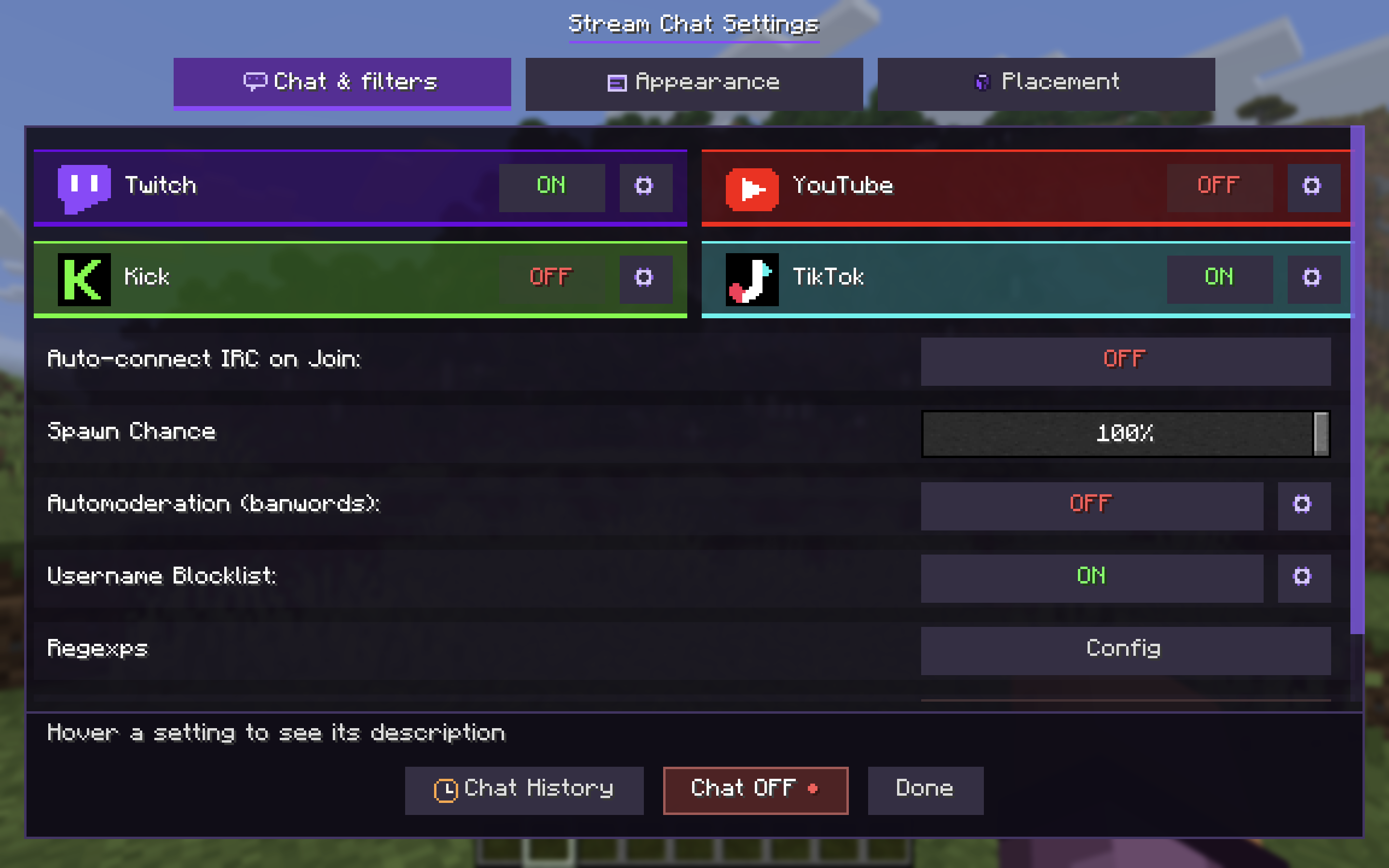 Mod Menu Mod has a config Menu opening on ']' key. Here, you can change pretty much everything!
 -
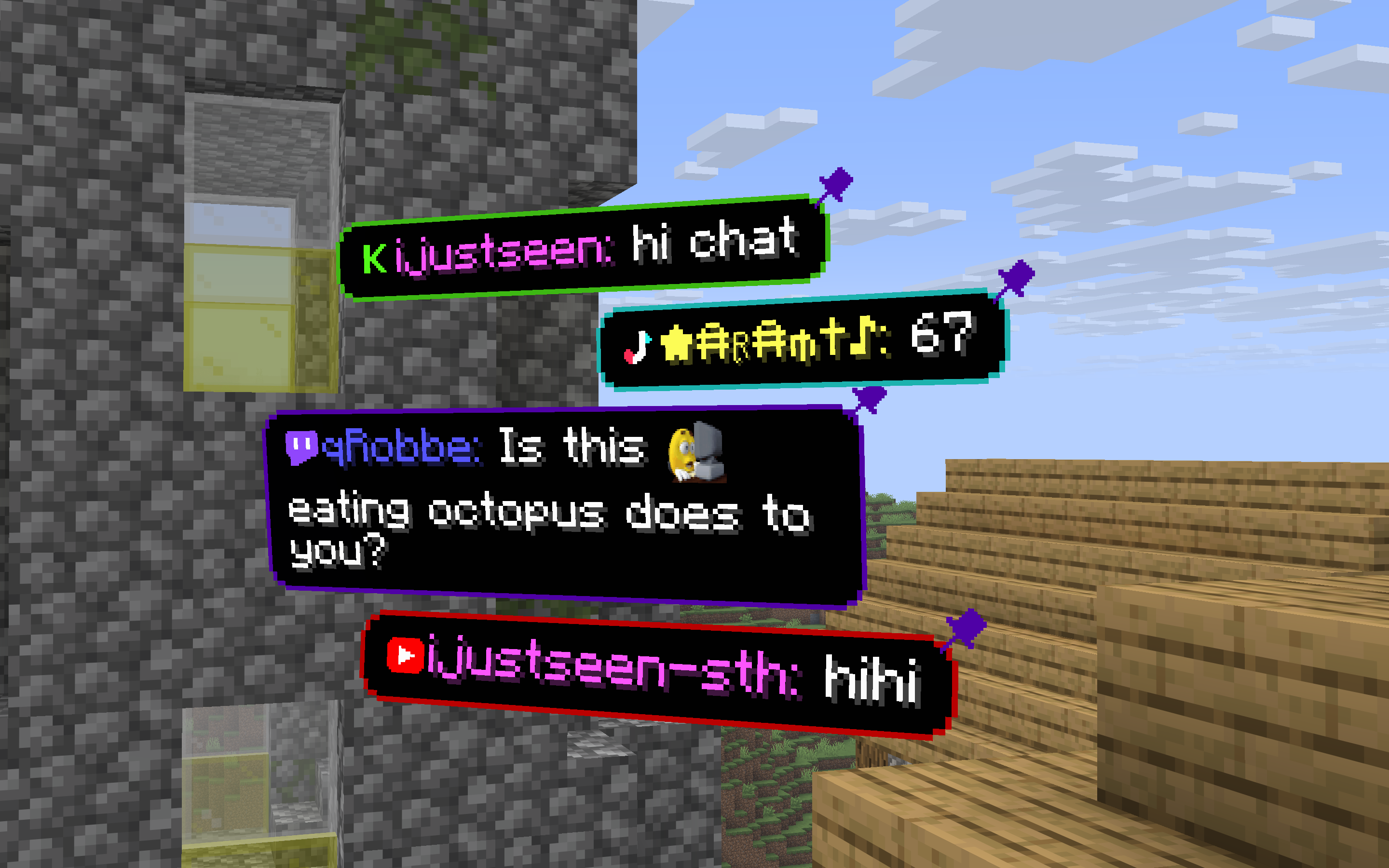 Stream across platforms See your chat from Twitch, YouTube, Kick and TikTok at the same time!
 -
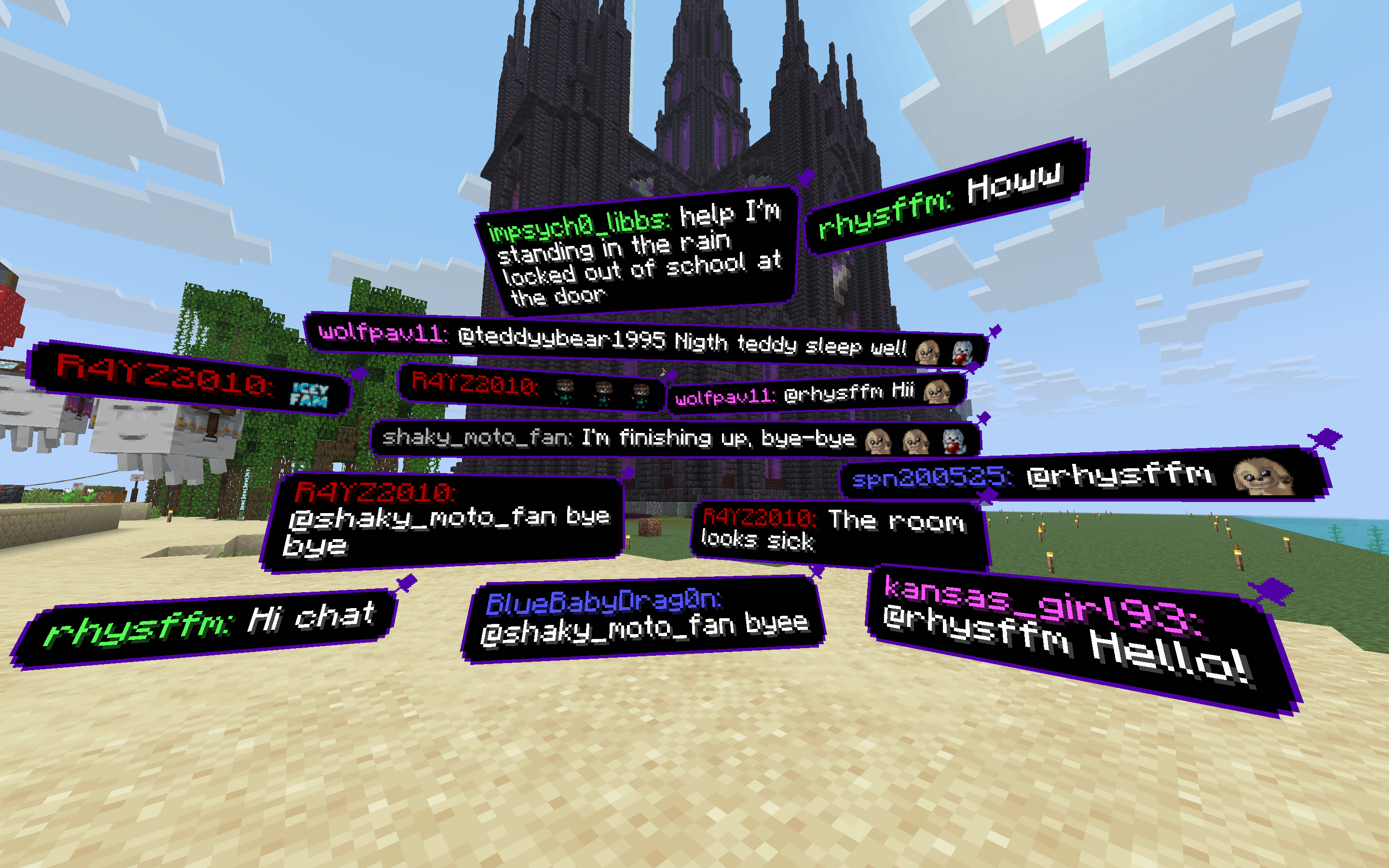 Showcase The messages you would see in game looks like this:
 -
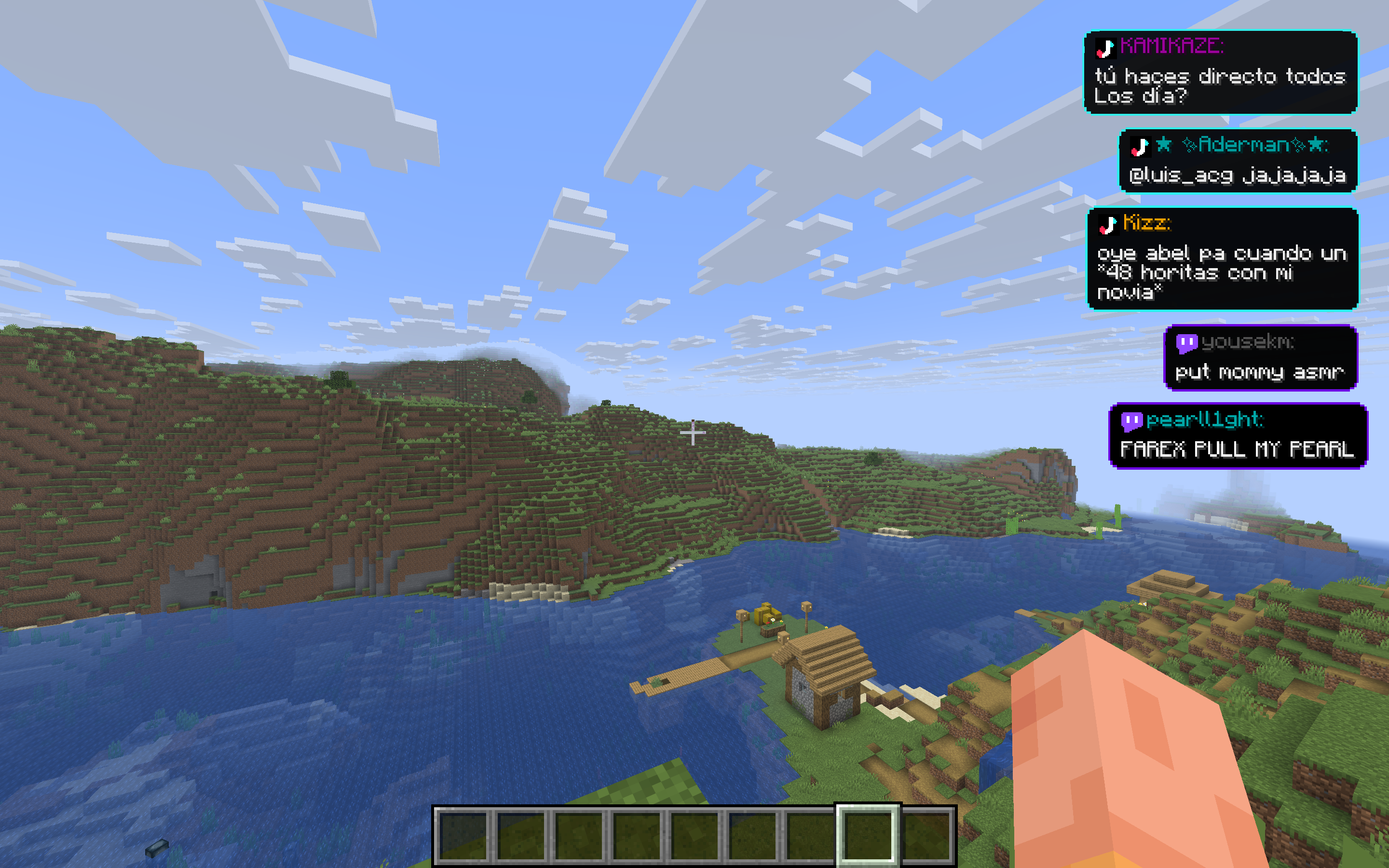 HUD mode There is also a HUD mode available.
 -
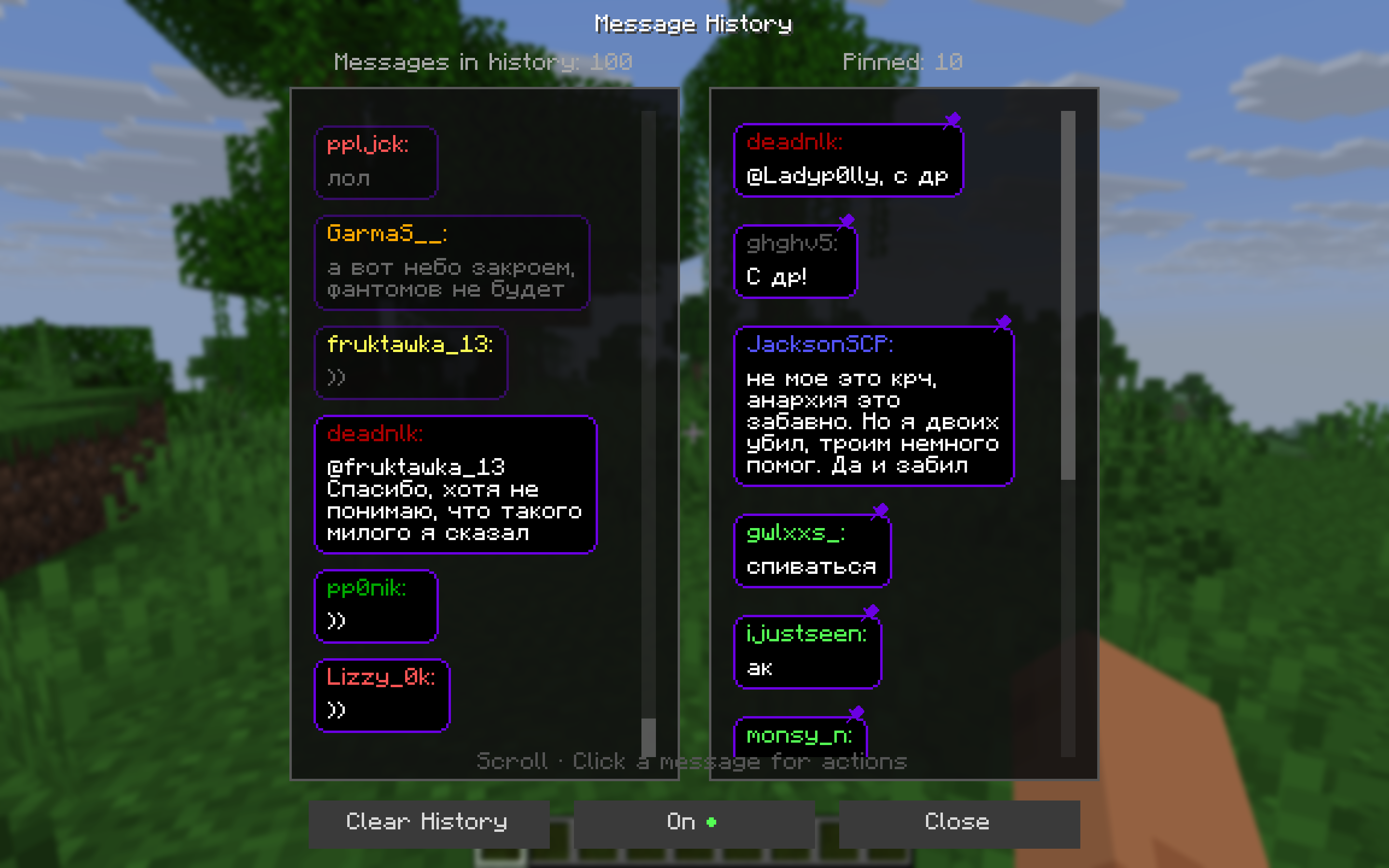 Chat history and pinned messages You can see a list of you previous Twitch messages and pinned messages on a separate screen
 -
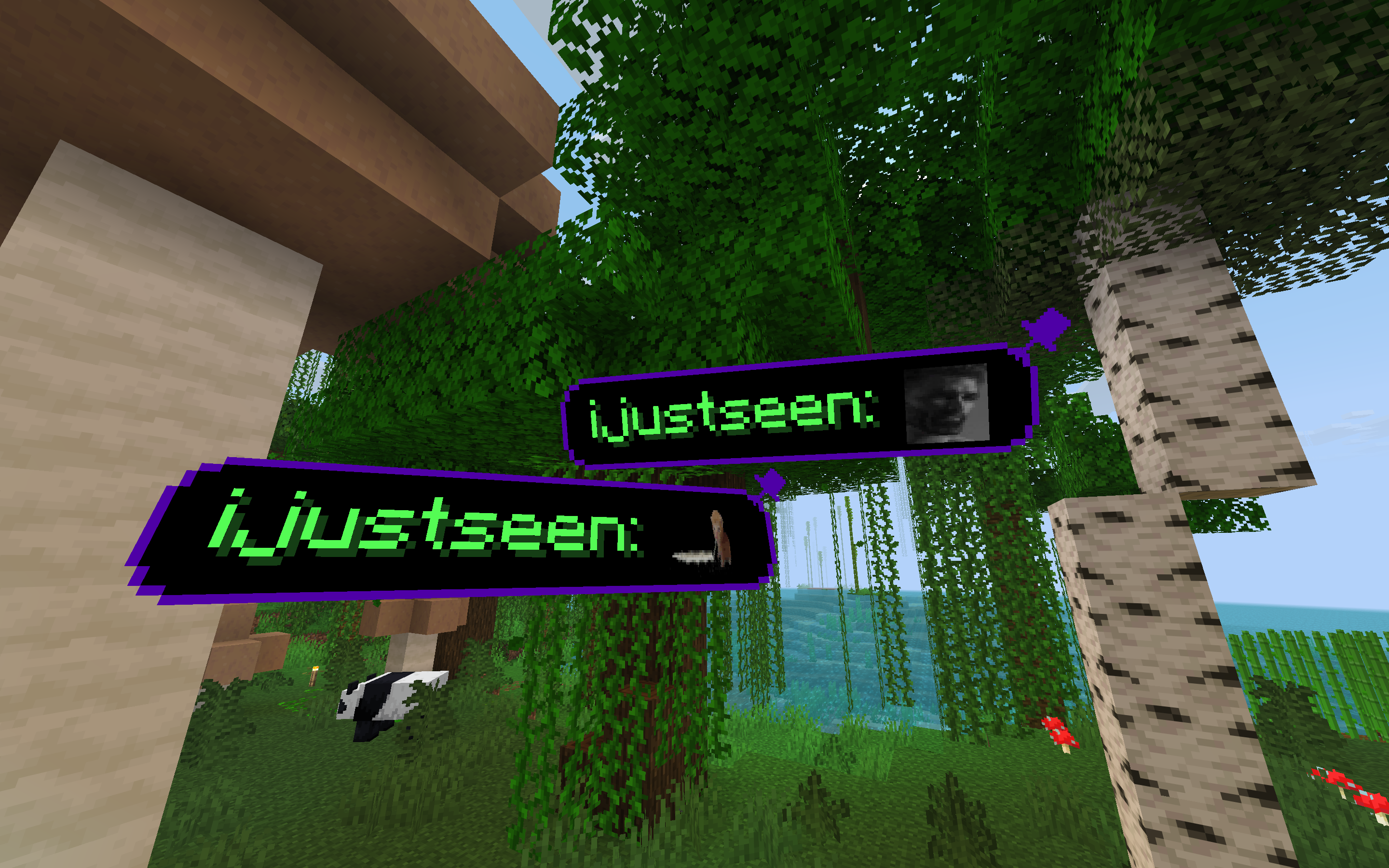 7tv emotes integration 7tv emojis will be displayed along with their animations.
 -
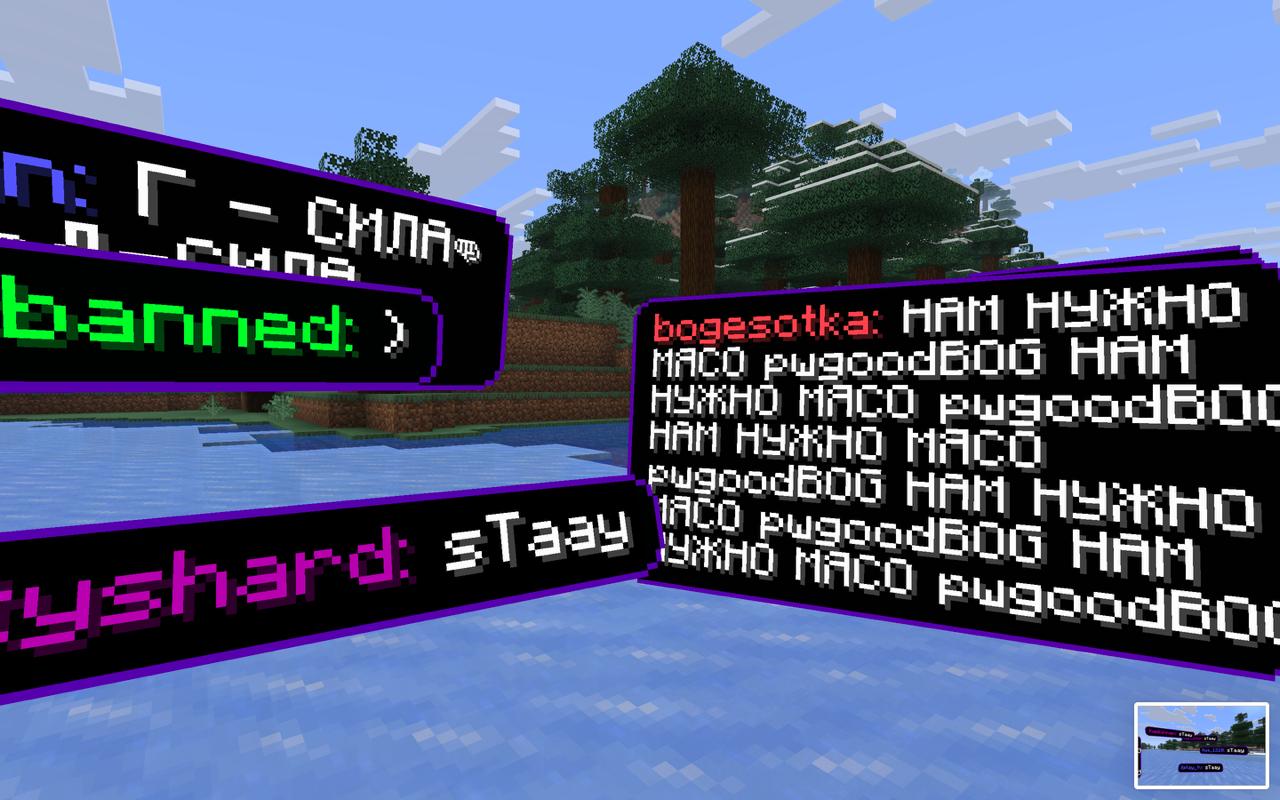 Different sizes Messages can be whatever size they are in your Twitch chat.
Versions
Files
Relations
Project Relations
More like this
Similar Mods
Suggestions use data such as tags, dependencies, dependents, descriptions, titles, and more to rank how much they overlap with this mod.
On ModDex
Community snapshot
By the numbers
Statistics
Want to reach Minecraft players?
We're looking for a server hosting partner to feature here and other parts of the site. Interested? Send us a message!
Get in touchGet it on
Available Platforms
On ModDex
Community snapshot
By the numbers