Community listing page, reviews may not be monitored by the author.
Tamarou’s Radio

No reviews yet
Radios you can actually listen to: web radios, any song, your discs and speakers, in sync for everyone.

Community voices
Reviews
No reviews yet. Be the first to review this project!
Get it on
Available Platforms
About
Project Details
For authors
Embed Badge
If you're the author of this project, you can embed a live badge anywhere that supports HTML or Markdown. It updates automatically whenever ratings change.
Use HTML for any page that supports it, or Markdown for README files and Markdown-based descriptions.
Identifiers
Platform IDs
Resources
External Links
About
Description
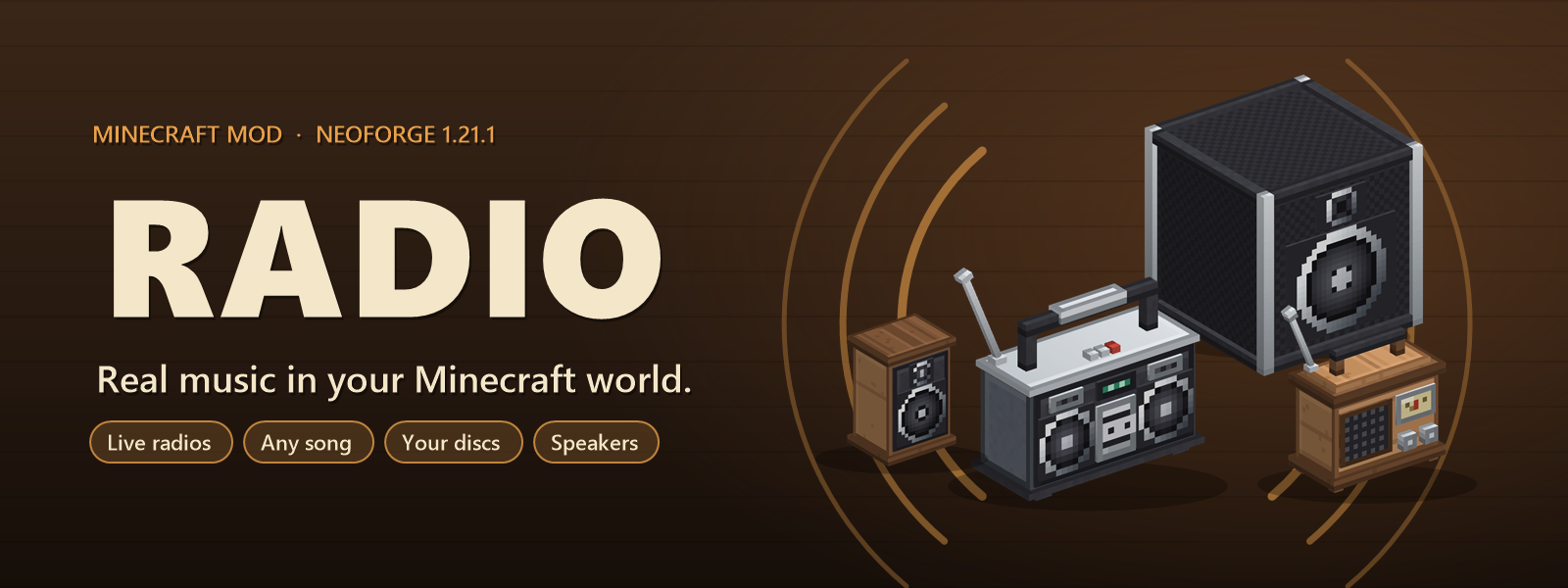
Real music in your Minecraft world.
Live web radios, any song you search for, your Minecraft discs… played from a radio block, heard by everyone around it, perfectly in sync.
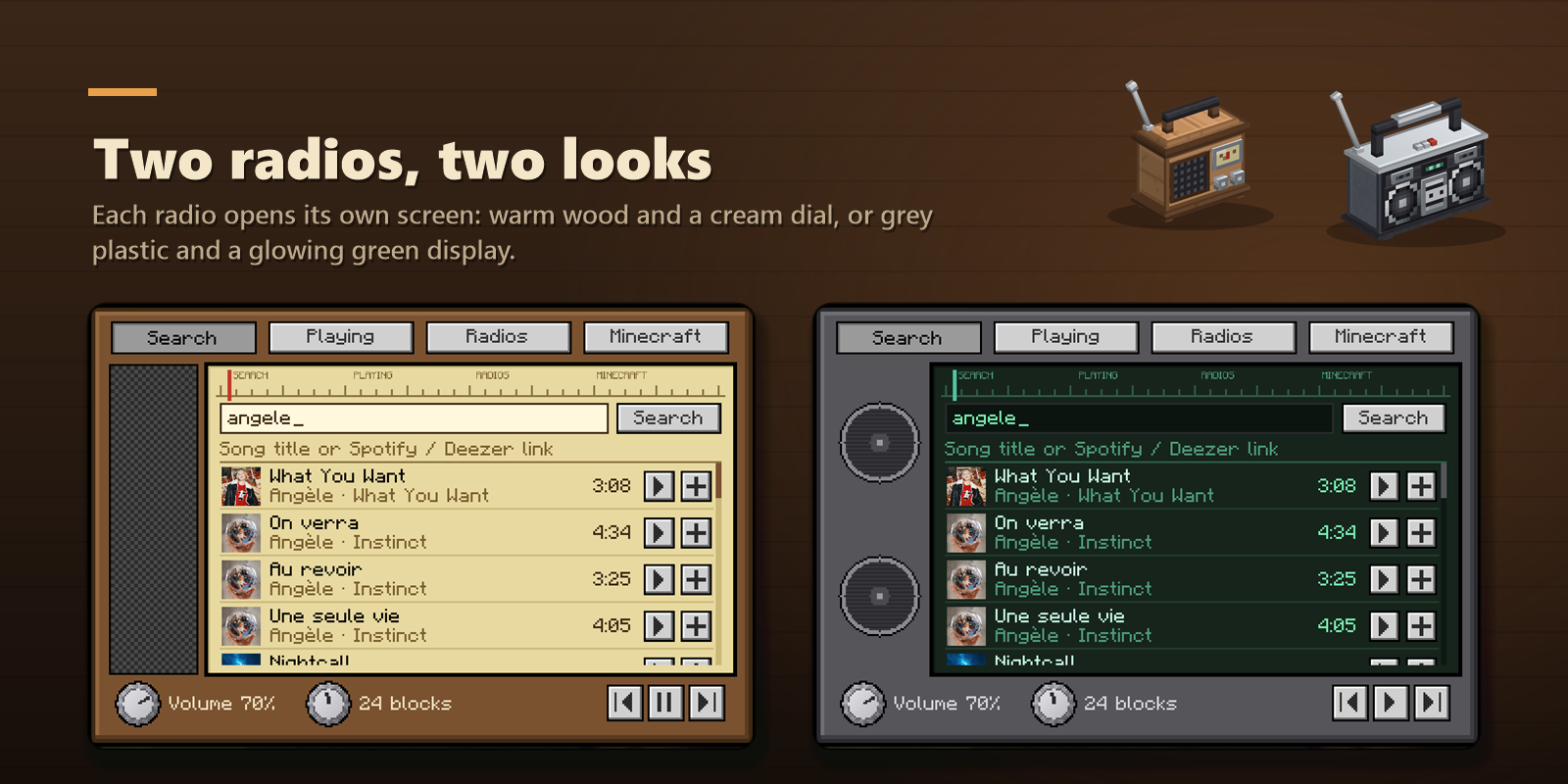
📻 Two radios, one portable
- Radio: a small wooden set with a speaker grille, a cream dial and two knobs.
- Boombox: grey plastic, two big speakers, a cassette deck and a glowing green display.
- Portable radio: carry the music with you, with every feature of the big ones.
Right-click a radio to open its screen. Each one has its own look, matching the block.
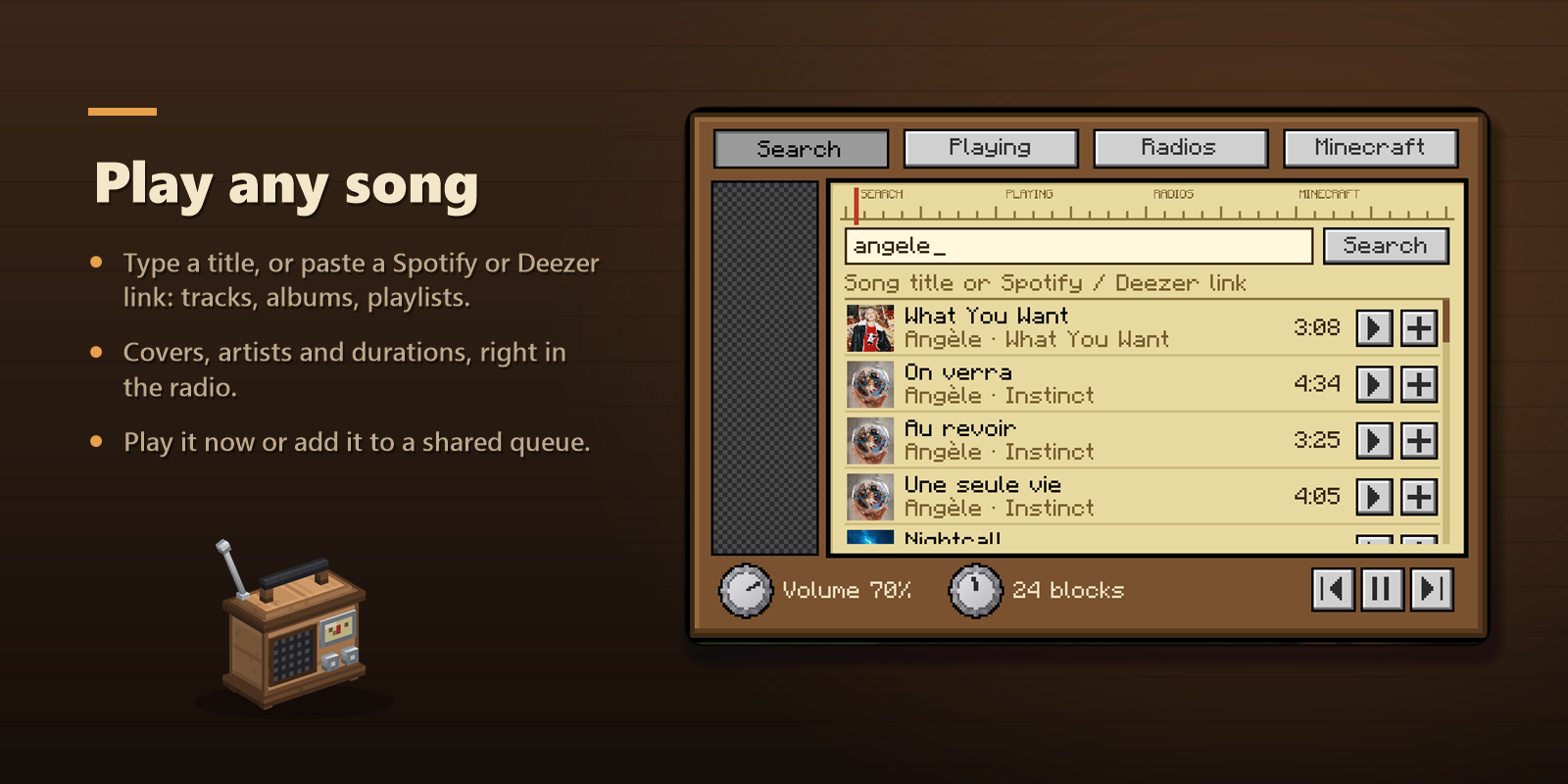
🎵 Play any song
- Type a song title or an artist, or paste a Spotify or Deezer link: track, album or playlist.
- Results show the cover, artist, album and length.
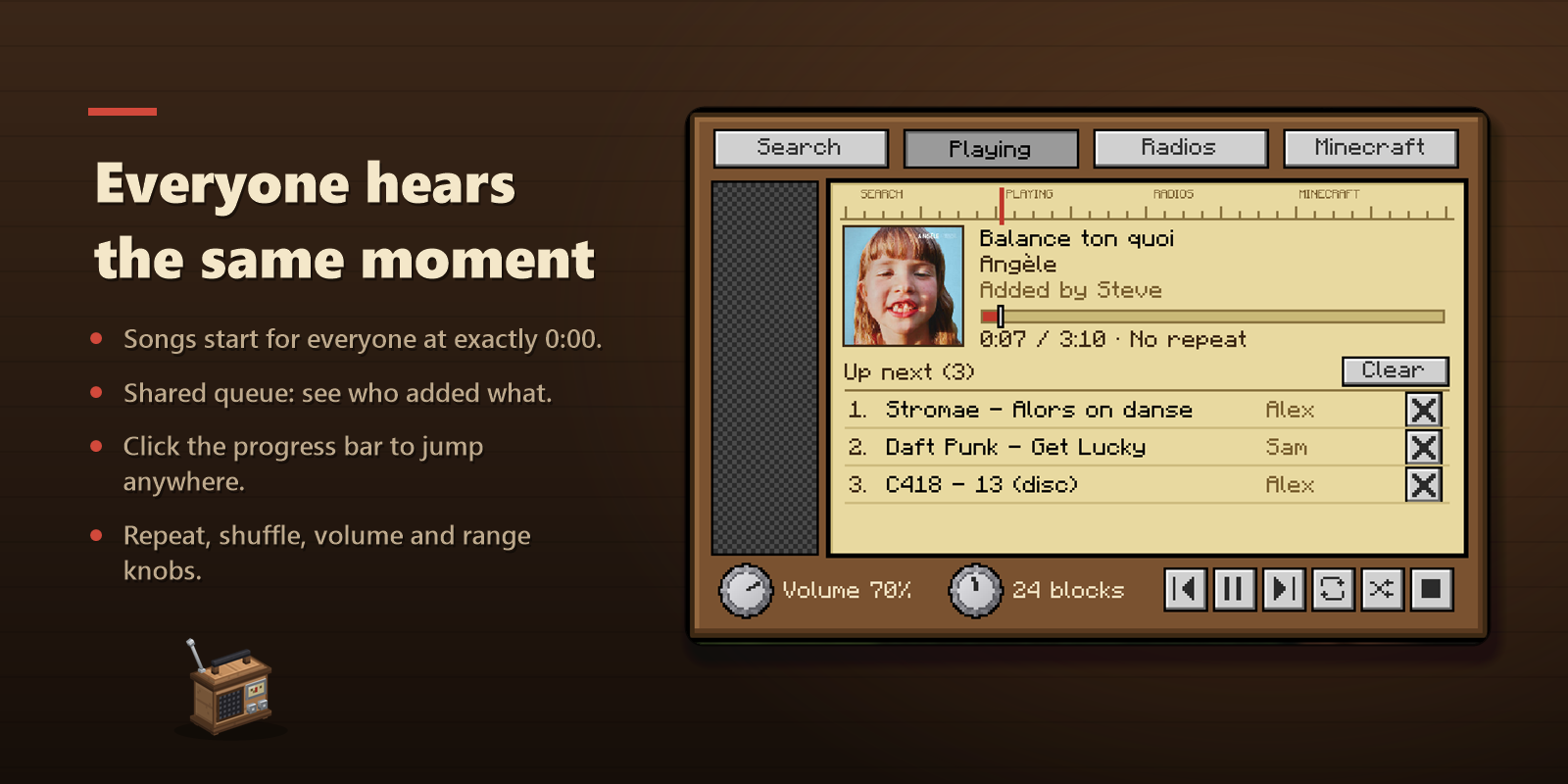
- Play now or add to the queue. The queue is shared: everyone sees who added what.
👂 Everyone hears the same moment
- Songs start for every player at exactly 0:00, together.
- Click the progress bar to jump to any moment: the whole server jumps with you.
- Previous, pause, next, repeat (all or one) and shuffle.
- Two knobs: volume and range (how far the radio can be heard).
- The sound comes from the block and fades with distance.
- When a new song starts, its name shows up above your hotbar.
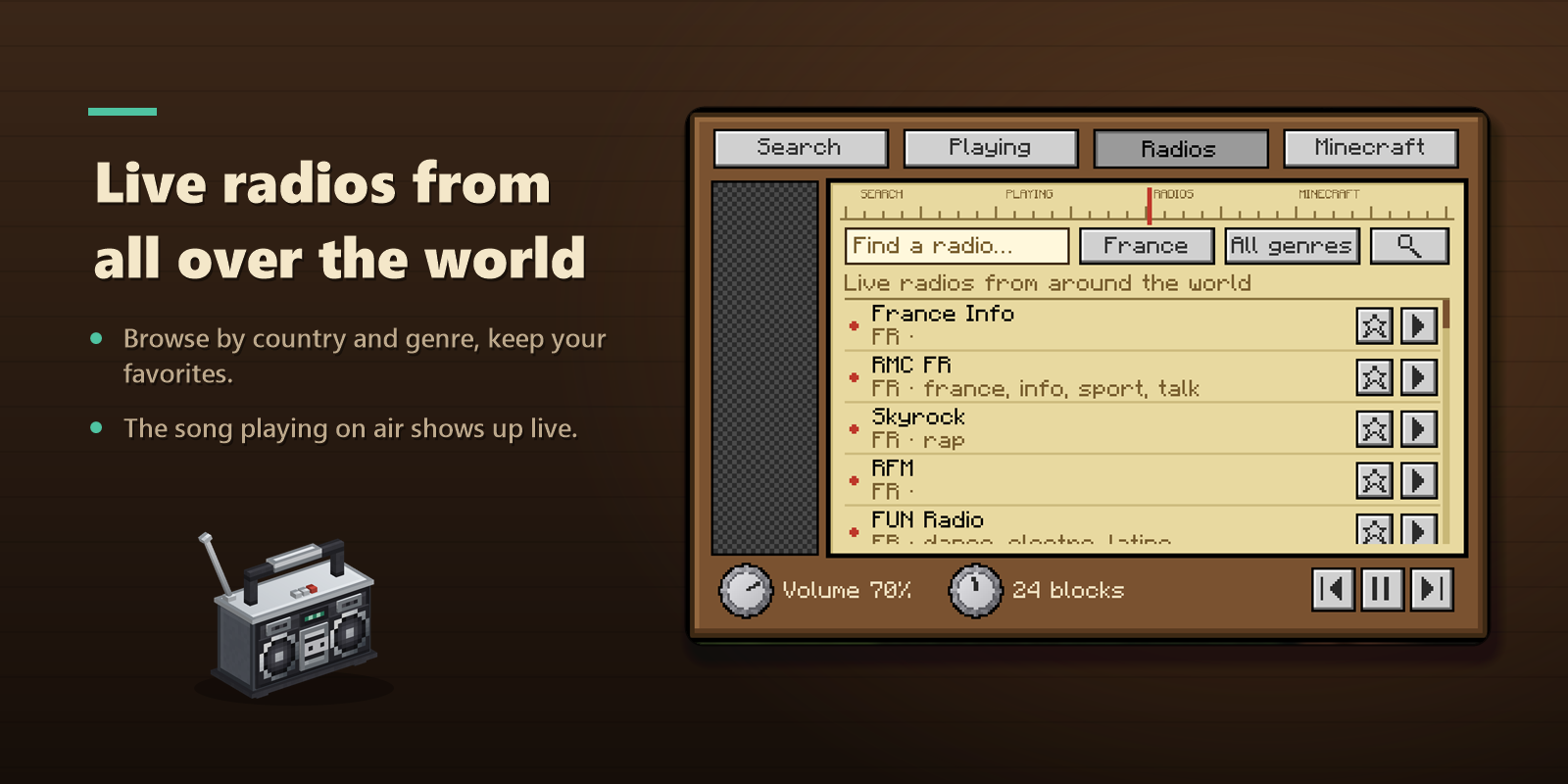
🌍 Live radios from all over the world
- Thousands of web radios, by country and genre (pop, rock, jazz, lofi, rap, electro, classical, news…).
- Keep your favorites at the top of the list.
- The song playing on air is shown live.
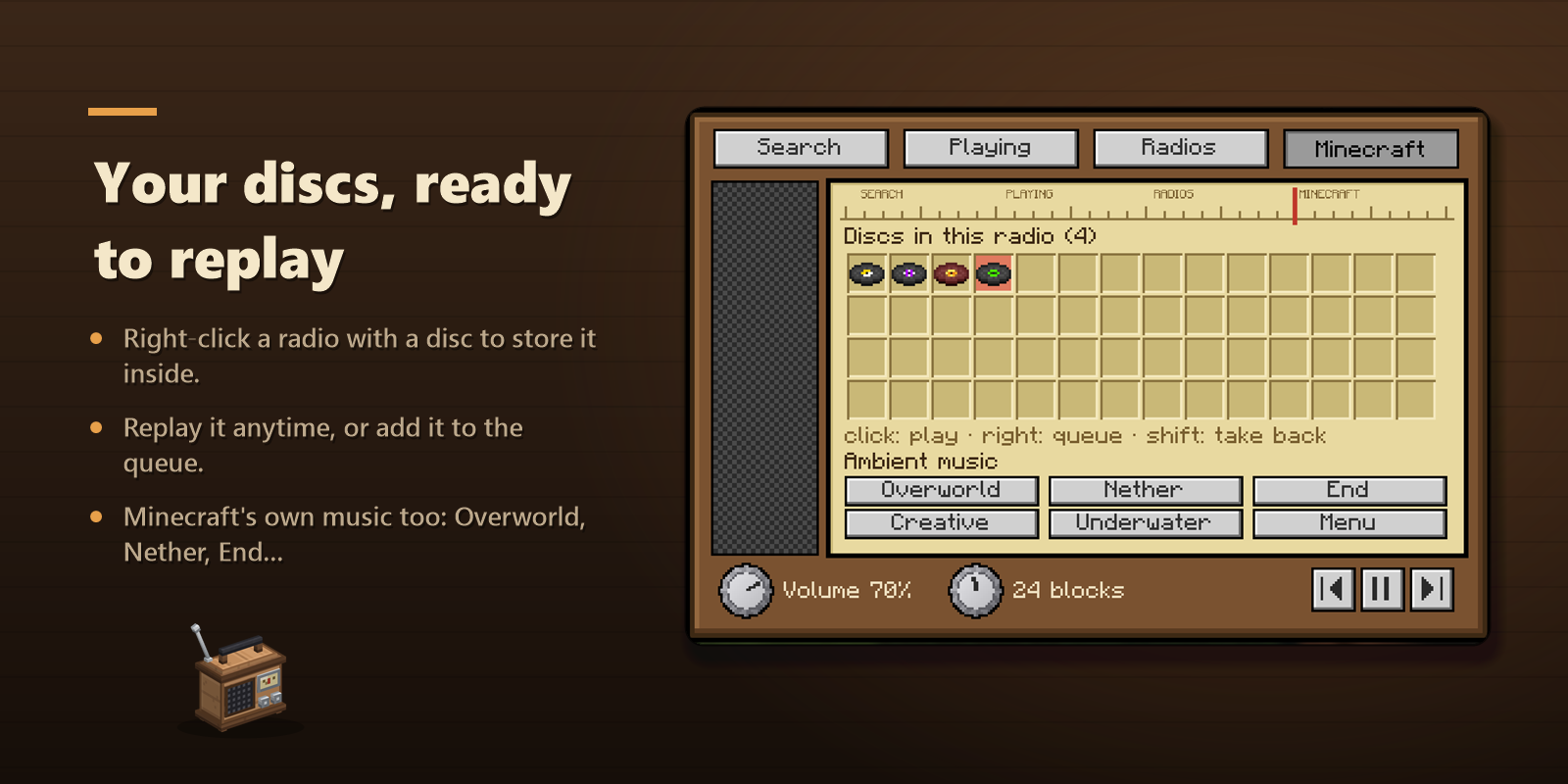
💿 Your discs, ready to replay
- Right-click a radio with a music disc to store it inside. It stays there: replay it whenever you want.
- Left click: play now. Right click: add to the queue. Shift + click: take the disc back.
- Breaking the radio drops its discs.
- Minecraft's own music too: Overworld, Nether, End, Creative, Underwater and Menu.
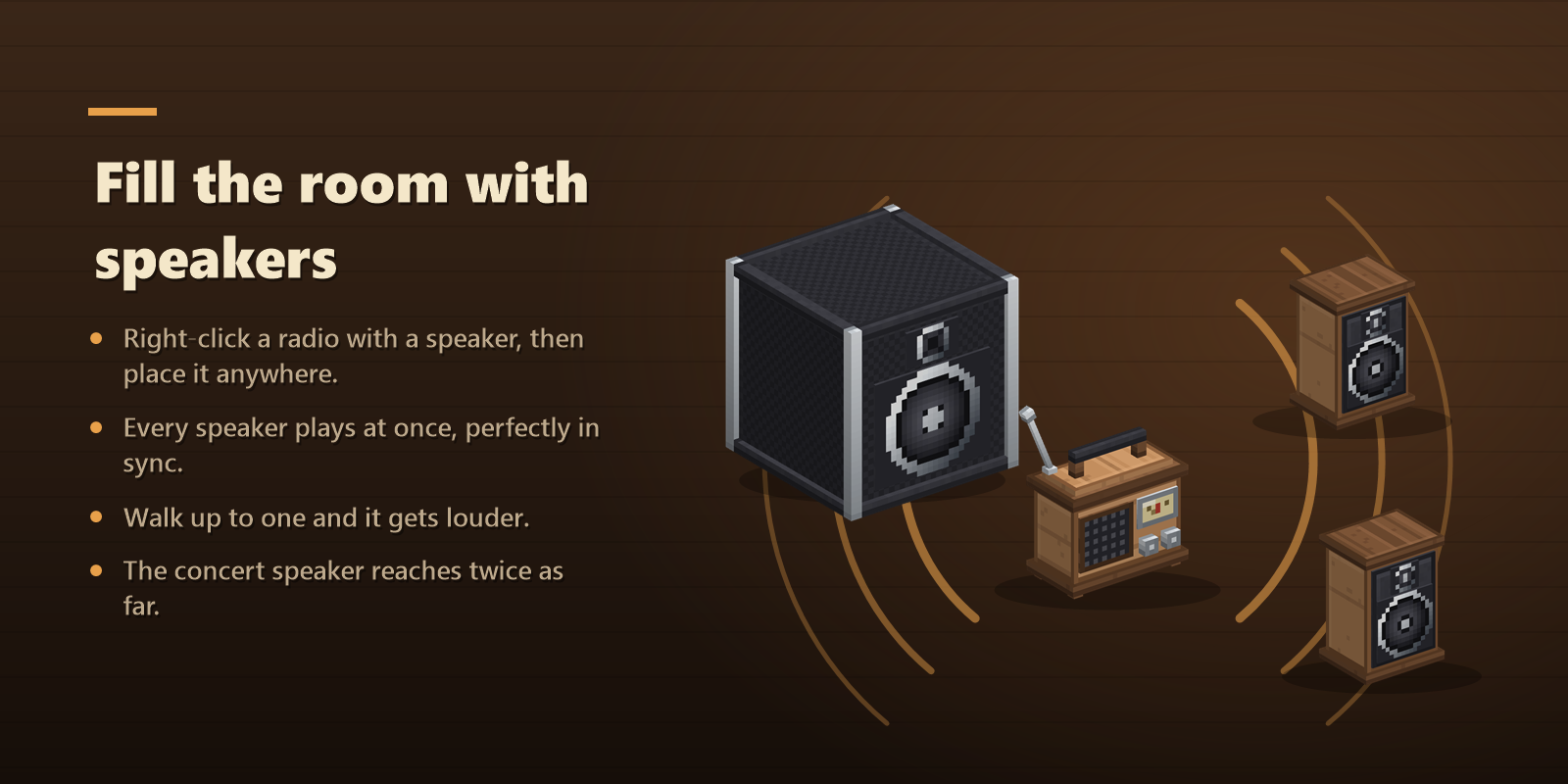
🔊 Fill the room with speakers
- Right-click a radio while holding a speaker, then place the speaker anywhere (up to 64 blocks away). A whole stack can be linked at once.
- Every speaker plays at the same time, in sync: walk up to one and it gets louder.
- Speaker (wooden cabinet): same range as the radio.
- Concert speaker (black flight case): twice the range.
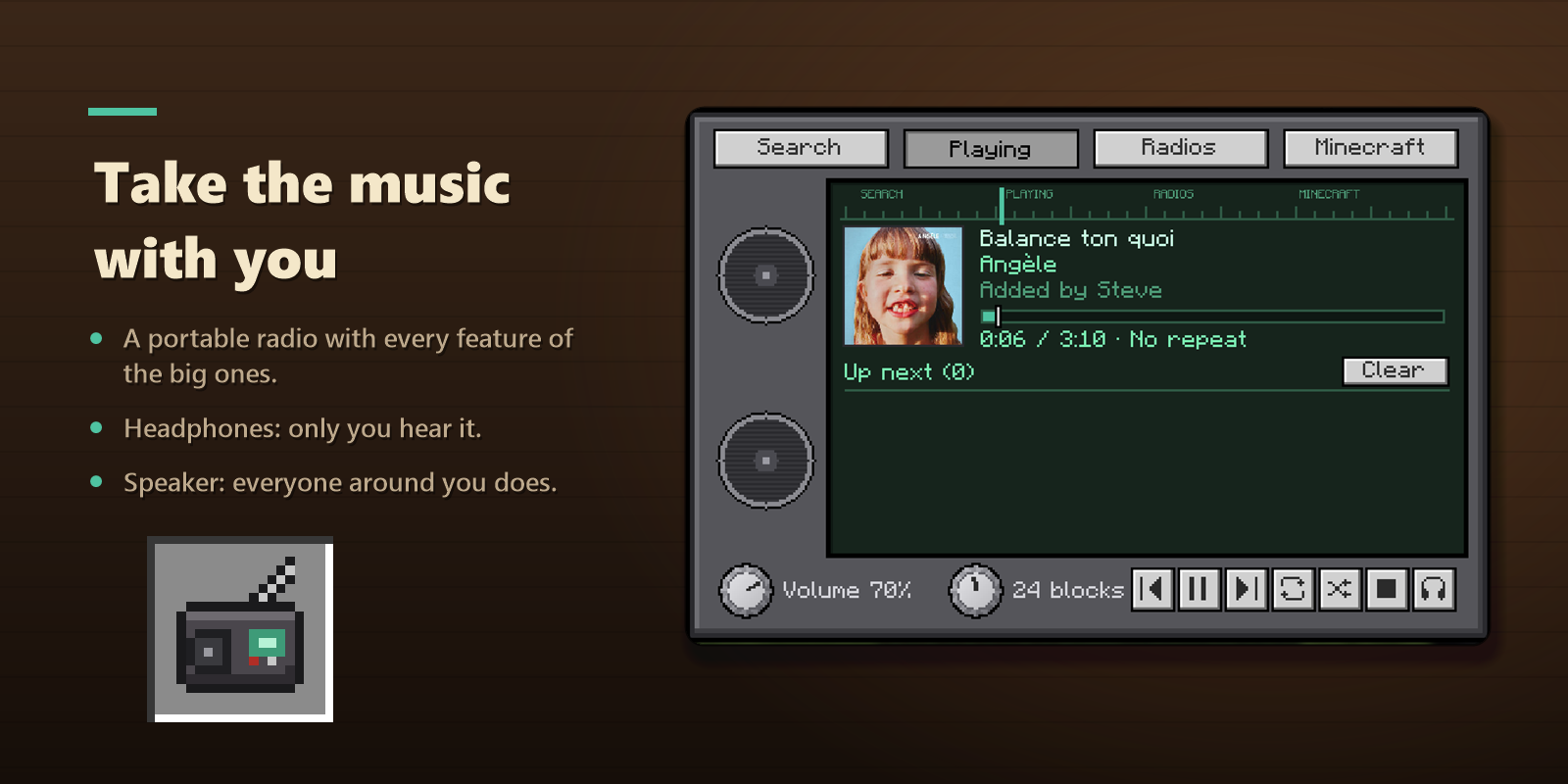
🎧 Take the music with you
- The portable radio works like the big ones: search, live radios, discs and queue.
- Headphones mode: only you hear it, even with the radio in your inventory.
- Speaker mode: players around you hear it while you hold it.
- To store a disc, hold it in your other hand and right-click.
🛠️ Crafting
All recipes show up in the recipe book as soon as you pick up a note block.
| Radio | iron ingot, 4 planks, note block, redstone |
| Boombox | 5 iron ingots, 2 note blocks, redstone |
| Portable radio | 5 iron ingots, note block, redstone |
| Speaker ×2 | 8 planks around a note block |
| Concert speaker | 6 black wool, 2 iron ingots, note block |
⚙️ Settings
Player (Mods menu > Radio): hear radios or not, global radio volume, show song names, mute Minecraft music near a radio.
Server: turn song search or live radios on and off, choose who can place radios and who can change the music (everyone, owner and operators, or operators only), maximum range, songs per player in the queue.
ℹ️ Good to know
- Required on both the client and the server. NeoForge 1.21.1.
- Each player's game fetches the music itself: the server sends no audio, so it costs it no bandwidth.
- Players need an internet connection to hear songs and web radios. Discs and Minecraft music work offline.
- Song details (title, artist, cover) come from Deezer. The audio of searched songs is streamed from YouTube. Web radios come from the radio-browser.info directory.
- Languages: English and French.
📜 Credits and license
Radio is under the GPL-3.0 license. It includes NewPipe Extractor (GPL-3.0), Concentus (Opus decoder), JLayer (MP3 decoder), Rhino, jsoup and protobuf-javalite.
Screenshots
Gallery
Versions
Files
Relations
Project Relations
More like this
Similar Mods
Suggestions use data such as tags, dependencies, dependents, descriptions, titles, and more to rank how much they overlap with this mod.
On ModDex
Community snapshot
By the numbers
Statistics

Get it on
Available Platforms
On ModDex
Community snapshot
By the numbers
Statistics
Resources